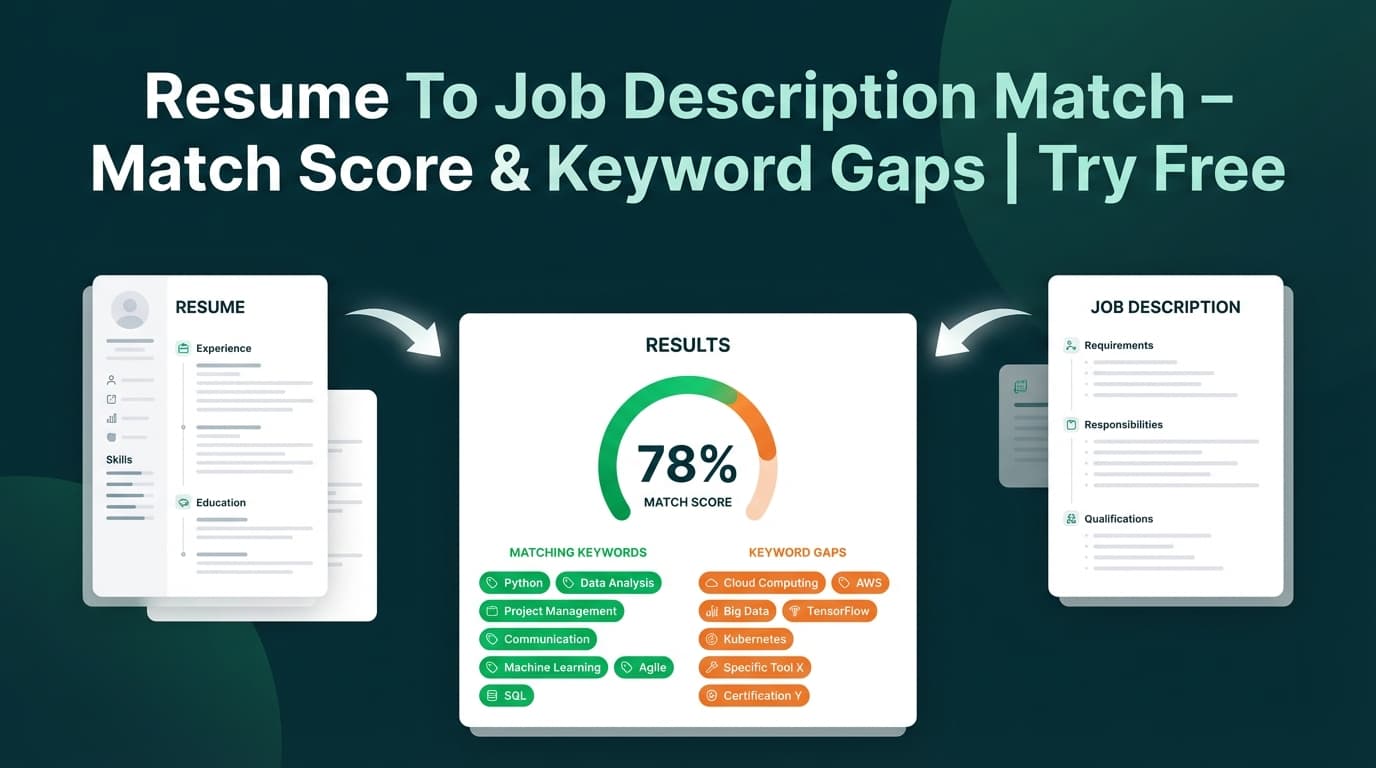
Resume To Job Description Match compares your resume against a specific job posting and returns a match score, matching keywords, missing keywords, and tailoring recommendations—so you can adjust your resume for that role without guessing.
What is Resume To Job Description Match?
Resume To Job Description Match is JobShinobi’s tool for job-specific resume targeting. You provide a job posting (either a URL or the full job description text) and the tool:
- Extracts job details (company, position, short description, requirements, and keywords)
- Matches those keywords against your resume
- Generates a match score (0–100) plus a list of recommendations you can apply in your resume editor
This tool is designed for job seekers who want a fast, repeatable process for tailoring each application—especially when roles look similar at a glance but prioritize different tools, stacks, or qualifications.
Who it’s for
- Anyone tailoring a resume for a specific job description
- Career changers translating experience into employer language
- Candidates applying across multiple companies/roles and needing consistent keyword coverage checks
How to Use JobShinobi’s Resume To Job Description Match
Step 1: Sign in and choose the resume you’re applying with
JobShinobi runs matching against a resume saved in your account.
- Sign in to JobShinobi.
- Open your resume from your dashboard (JobShinobi resumes are LaTeX-based with PDF preview).
- Navigate to the resume’s analysis area.
Tip: If you haven’t created a resume yet, start from a template, save it, and then run the match.
Step 2: Add the job posting (URL or text)
In the job matching flow, you can provide the job posting in one of two ways:
- URL: Paste a job posting link (LinkedIn, Indeed, company careers page, etc.)
- Text: Paste the full job description
Then click Extract Job Details.
Tip: If a job board blocks access or loads content dynamically, the URL method may fail. In that case, use Text and paste the job description directly.
Step 3: Review the extracted job details
After extraction, you’ll see a preview that can include:
- Company (if detected)
- Position/title (if detected)
- A short description summary
- Keywords (skills/tools/qualifications)
This preview is your “source of truth” for what the tool will match against.
Step 4: Get your match score + keyword gaps + recommendations
Once the resume-to-job match runs, you’ll receive:
- Job Match Score (0–100)
- Matching Keywords (keywords found in your resume)
- Missing Keywords (keywords from the job not found in your resume)
- Recommendations (specific suggestions to improve alignment)
This is the actionable part: you’ll know what you already have, what you’re missing, and what to change.
Step 5: Apply suggestions in the resume editor
Click Apply Suggestions to jump into the resume editor and update your content.
Pro tip: Add keywords only where they’re accurate. The best “ATS-style” improvement is contextual keyword usage (skills supported by real projects, accomplishments, and outcomes), not keyword stuffing.
Features of Our Resume To Job Description Match Tool
Job URL or job description text input
Provide a link or paste the full posting text—whichever is easiest.
Why it matters: You’re not blocked by job boards that restrict scraping, logins, or dynamic content.
AI job details extraction (company, position, requirements, keywords)
JobShinobi uses AI to turn job posting text into structured fields, including a keyword list you can tailor against.
Why it matters: Instead of scanning a long posting manually, you get a focused set of requirements and skill terms to work from.
Match score (0–100) for fast prioritization
A single match score helps you quickly understand how close your resume is to the role.
Why it matters: When applying to multiple roles, a score helps you decide which resumes need the most work.
Keyword gap analysis (matching vs missing keywords)
The tool shows which job keywords appear in your resume and which do not.
Why it matters: This turns “tailor your resume” into a checklist: add what’s missing (when true) and strengthen what’s already present.
Tailoring recommendations you can act on
You’ll also get recommendations (plain-language suggestions) that explain how to improve alignment beyond keywords alone.
Why it matters: Keywords matter, but relevance and proof matter more. Recommendations push you toward stronger bullet points and clearer positioning.
Saveable analysis (so you can revisit it)
JobShinobi stores job matching analyses so you can reference what you ran (useful when you return to an application later).
Why it matters: You’re not forced to redo the same work every time you review a job.
Resume To Job Description Match Use Cases
For job seekers applying to similar titles with different stacks
Two “Software Engineer” roles can require totally different toolchains.
Example:
- Job A emphasizes: React, TypeScript, GraphQL
- Job B emphasizes: Node.js, AWS, PostgreSQL
The tool makes those differences obvious by flagging keyword gaps.
For career changers repositioning experience
If you’re moving industries, your experience might be relevant but described in a different vocabulary.
Example: “Process improvement” and “operational efficiency” might map to “automation,” “workflow optimization,” or “cost savings” depending on the role.
For early-career candidates highlighting the right projects
When you don’t have years of experience, alignment matters even more. Matching helps you feature the most relevant coursework, internships, and projects.
Example: If the job calls out SQL and dashboards, you can explicitly surface your capstone work using SQL + BI tools (if true).
Why Choose JobShinobi’s Resume To Job Description Match?
| JobShinobi | Other “free” resume-to-job match tools |
|---|---|
| Supports job URL or text input | Often requires copy/paste only |
| Match score + missing keywords + recommendations | Sometimes only a keyword list with no guidance |
| Built into a resume editor workflow | Often disconnected from where you actually edit your resume |
| Designed for ATS-style alignment (without guarantees) | Often overpromises “beat ATS” outcomes |
Related Tools
Explore more tools in JobShinobi:
- Resume Analysis (ATS-style scoring): Overall score plus feedback across content, keywords, completeness, and ATS compatibility.
- AI Resume Editor Assistant: Chat-based help to revise your LaTeX resume and iterate faster.
- Job Tracker Dashboard: Track applications and export them to Excel.
FAQ
Is Resume To Job Description Match really free?
JobShinobi is a paid subscription product ($20/month or $199.99/year) and the site advertises a 7-day free trial. This tool is part of the JobShinobi resume workflow, so access depends on your account and plan.
Do I need to create an account?
Yes. The tool matches against a resume stored in your JobShinobi account, so you’ll need to sign in and have a saved resume to run the match.
Can I upload a PDF resume?
JobShinobi’s resume workflow is LaTeX-based with PDF preview/export. This matching tool works with resumes created and saved inside JobShinobi.
Will this guarantee I pass ATS or get interviews?
No. This tool provides a match score, keyword gaps, and recommendations to help you tailor your resume, but it cannot guarantee outcomes (ATS behavior varies, and hiring decisions involve many factors).
Why might job URL extraction fail?
Some sites block automated fetching, require authentication, or render content client-side. If that happens, use the Text option and paste the job description.
Start Using Resume To Job Description Match Now
If you’re applying to a role today, don’t tailor blindly. Compare your resume to the job description, identify gaps, and update your resume with confidence.