JobShinobi’s Resume Match Rate Calculator helps you compare your resume against a specific job posting and returns a job match score (%), plus matching keywords, missing keywords, and recommendations to tailor your resume.
Try it now → or keep reading for the exact workflow and best practices.
What is a Resume Match Rate Calculator?
A resume match rate calculator is a tool that measures how closely your resume aligns with a job description. Instead of tailoring blindly, you can quantify fit and spot keyword gaps that may be hurting your chances.
In JobShinobi, match rate is part of the resume analysis workflow:
- You provide a job posting (URL or pasted text)
- JobShinobi extracts job details (including keywords) using AI
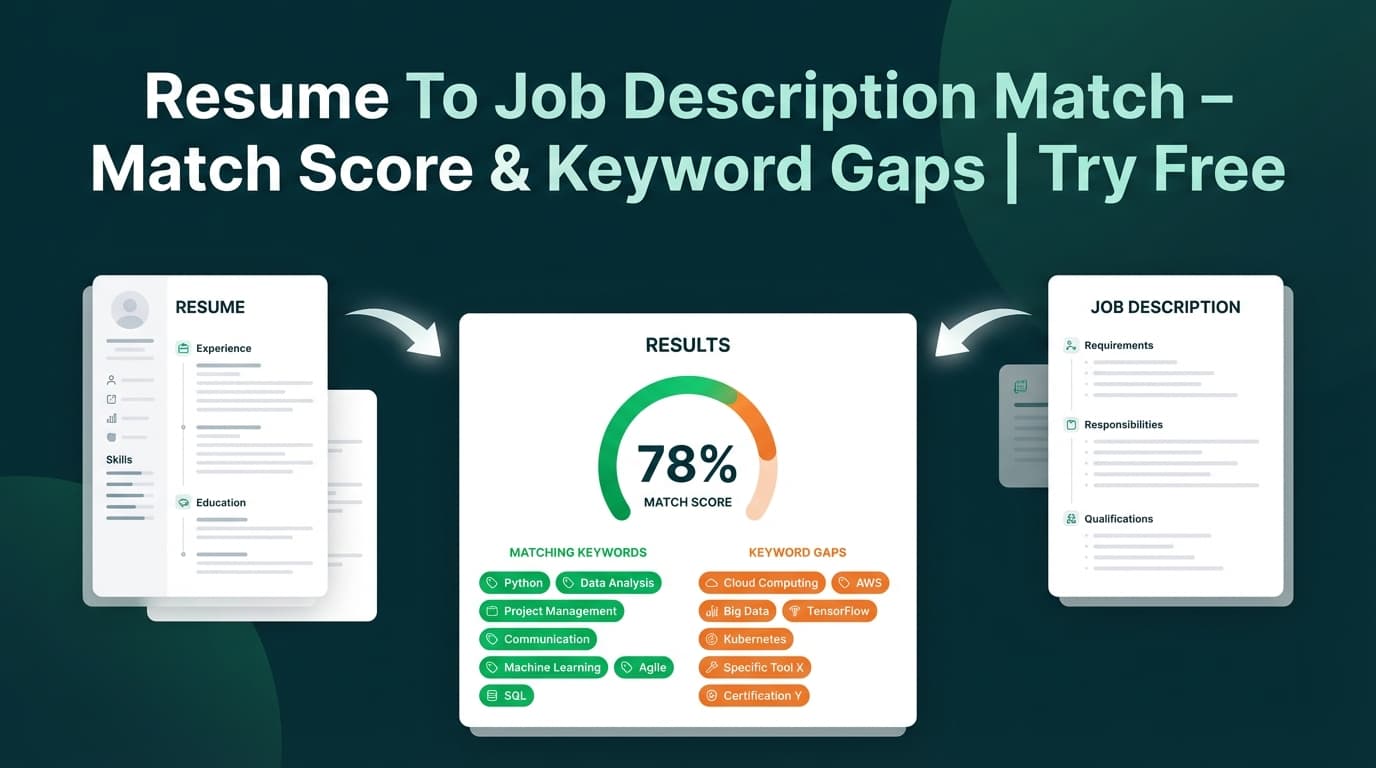
- JobShinobi calculates a match score and highlights:
- Present keywords (found in your resume)
- Missing keywords (not found in your resume)
- Recommendations (what to change to better match)
Who it’s for
- Job seekers tailoring resumes for each application
- Career switchers who need to see what’s missing for a role
- Anyone who wants a repeatable “check → edit → re-check” process
How to Use JobShinobi’s Resume Match Rate Calculator
This tool runs inside the JobShinobi web app using one of your saved resumes.
Step 1: Sign in and open (or create) a resume
- Sign in to JobShinobi.
- Open your resume (or create one from a template).
Tip: Use the resume version you actually plan to submit—keyword matching depends on the exact text in your resume.
Step 2: Go to Resume Analysis → Job Matching
- Open your resume’s Analysis page.
- Click the Job Matching tab.
This is where JobShinobi runs the resume vs job comparison and generates your match rate.
Step 3: Add a job posting (URL or text) and extract job details
You can enter the job in two ways:
- URL (LinkedIn, Indeed, or a company careers page)
- Text (paste the full job description)
Click Extract Job Details.
JobShinobi will display extracted job info (like company, position, and a keyword list) and then run the match.
Tip: If URL extraction doesn’t capture enough detail (common on some job boards), paste the full job description text for better results.
Step 4: Review your match score, keywords, and recommendations
You’ll get:
- Job Match Score (0–100%)
- Matching Keywords (keywords found in your resume)
- Missing Keywords (keywords from the job not found in your resume)
- Recommendations (tailoring suggestions)
Step 5: Apply suggestions in the editor
Click Apply Suggestions to jump to the resume editor and make updates.
You can also click Analyze Different Job to reset the job input and run a new comparison.
Pro tip: Only add keywords you can truthfully support. The goal is better alignment, not stuffing.
Features of Our Resume Match Rate Calculator
Match rate score (0–100%)
JobShinobi returns a match_score percentage so you can quickly gauge alignment for a specific role.
Why it matters: A single number makes it easier to prioritize which roles to tailor for first.
Keyword gap analysis (present vs missing)
JobShinobi shows:
- present_keywords: job keywords that appear in your resume
- missing_keywords: job keywords that do not appear in your resume
Why it matters: Most “match rate” improvements come from fixing keyword coverage in the right places (skills section, project bullets, tool names, methodologies).
Actionable recommendations
Alongside the score and keywords, you get recommendations to improve fit.
Why it matters: A score alone doesn’t help—recommendations turn the report into an editing checklist.
Works with job URLs or pasted text
You can start from either a URL or a pasted job description.
Why it matters: Real job postings are messy—this gives you flexibility when a site blocks scraping or formatting is inconsistent.
Built into a save-and-edit workflow
Match results are generated from your saved resume and are designed to flow into editing immediately (Analyze → Apply Suggestions → Edit).
Why it matters: Faster iteration = more tailored applications with less effort.
How JobShinobi Calculates “Missing Keywords” (Important)
JobShinobi’s missing/present keyword lists are computed by checking whether each extracted job keyword appears in your resume content (case-insensitive). That means:
- Synonyms may not count unless the exact term appears (e.g., “CI/CD” vs “continuous integration”)
- You may have the skill but not the exact wording
- Adding accurate, explicit wording can improve match rate—when it reflects real experience
Resume Match Rate Calculator Use Cases
For fast tailoring before you apply
Run a match, scan missing keywords, update 3–6 bullets, and re-check. This is ideal when you’re applying to multiple roles with similar requirements.
For switching industries or roles
If you’re moving from one domain to another, match rate helps identify role-specific keywords you haven’t been using (tools, frameworks, processes, certifications).
For keyword-heavy job postings (data, security, cloud, etc.)
Many postings list long “must-have” tool stacks. Match rate helps you quickly confirm whether your resume reflects the exact tools you’ve used—by name.
Why Choose JobShinobi’s Resume Match Rate Calculator?
| JobShinobi | Typical resume match tools |
|---|---|
| Job URL or pasted text input | Often requires uploads or rigid formatting |
| Clear match score + missing/present keywords | May hide keyword lists behind paywalls or summaries |
| Recommendations + “Apply Suggestions” path back to editing | Many tools stop at a report with no editing workflow |
| Built for a resume iteration loop (analyze → edit → re-check) | Often one-off scans with limited iteration support |
Related Tools
Explore more from JobShinobi:
- Resume Analyzer (ATS-style scoring): Overall score + category breakdown (content, keywords, formatting, completeness, ATS compatibility).
- AI Resume Editor Assistant: Chat-based edits to improve bullets and sections.
- LaTeX Resume Builder + PDF Preview: Edit LaTeX and generate a PDF preview.
- Job Application Tracker: Track applications and export to Excel.
FAQ
Is the Resume Match Rate Calculator free?
JobShinobi is a paid subscription product ($20/month or $199.99/year), and the site advertises a 7‑day free trial.
So you may be able to try it free during the trial period, but it is not positioned as a permanently free tool.
Do I need an account to calculate my match rate?
Yes. The match rate calculation runs against one of your saved resumes in the JobShinobi app.
Does a higher match rate guarantee ATS success or interviews?
No. Match rate is a helpful alignment signal, not a guarantee. Results depend on role competition, seniority fit, measurable impact in your bullets, formatting, recruiter preferences, and more.
Why is my match rate lower than expected?
Common reasons:
- Your resume uses synonyms instead of the exact terms in the job post
- Important tools/skills are present in your experience but not stated explicitly
- The job description extraction missed context (try pasting full text instead of using a URL)
Start Using the Resume Match Rate Calculator Now
If you want a faster, more structured way to tailor your resume for each role, run a match rate check first—then apply the recommendations before you submit.