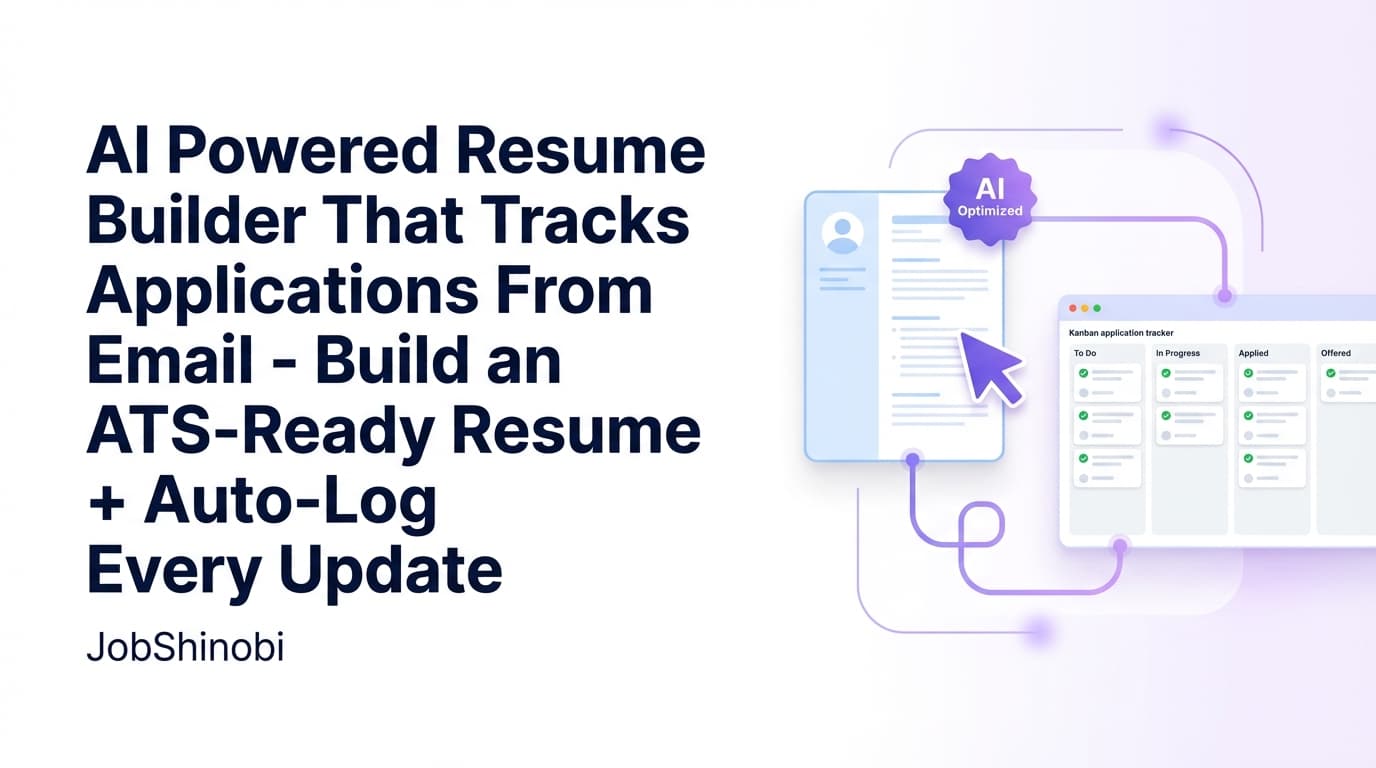
JobShinobi is an AI resume builder with an interview tracker designed for job seekers who need both sides of the job search to work together:
- Build and tailor a resume that stays ATS-friendly (without fighting formatting), and
- Track your job applications and interviews in a clean dashboard—so you always know what’s Applied vs Interview vs Offer.
Instead of juggling a resume tool + a spreadsheet + scattered email threads, JobShinobi gives you a connected workflow:
- LaTeX-based Resume Builder with a template library
- PDF preview (compile LaTeX and see the result)
- Download PDF + .tex exports
- AI Resume Analysis (score + detailed breakdown, with caching when your resume hasn’t changed)
- AI Resume Editor (streaming chat) that can update your LaTeX and validate compilation
- Job Description Extraction + Resume-to-Job Matching (paste a URL or job description)
- Job Application Tracker with statuses including Interview
- Realtime updates in the job tracker
- Export your tracker to Excel (.xlsx)
- Pro: Forward job-related emails to your unique forwarding address and JobShinobi can create/update job applications automatically
Primary CTA: Go from “Where did I apply?” to a clean pipeline you can trust. Start here: /login.
Why Choose JobShinobi for an AI Resume Builder with Interview Tracker Use Case?
Most tools do one of these well:
- “AI resume builder” tools focus on the document and stop there.
- “Interview trackers” focus on tracking and don’t help you tailor your resume properly.
- Spreadsheets do neither—unless you want to maintain them constantly.
JobShinobi is built for how job searching actually works: you tailor your resume, apply, then your inbox starts generating updates (confirmations, next steps, interview invites), and you need a system that keeps up.
The outcome: fewer dropped balls and more intentional tailoring
When your resume workflow and your interview tracking workflow live in different places, you lose time and context:
- Which resume version did you send to this role?
- Which companies moved to Interview?
- Where are you missing keywords for the roles you want?
JobShinobi keeps those answers close:
- You can save and version your resume while tailoring.
- You can analyze and match your resume against a job posting.
- You can track the application status (including Interview and Offer).
- You can export your tracker to Excel if you want an external record.
“Interview tracker” that’s actually part of your pipeline
In JobShinobi, interview tracking isn’t a separate gimmick—it’s built into the Job Application Tracker:
- Interview is a first-class status (not a note you forget to update).
- The tracker shows key counts like Interviews and Offers.
- Analytics can calculate job-search performance metrics based on your application records.
Automation that starts from your email (Pro)
If you’re applying at volume, manual tracking breaks down. JobShinobi supports a workflow that’s simple to maintain:
Forward job-related emails → JobShinobi extracts company/title/status → Updates your tracker.
You don’t need job board integrations or an “auto-apply bot” (and JobShinobi does not claim those). You just need your inbox—the one place job search updates already arrive.
How JobShinobi’s AI Resume Builder with Interview Tracker Works
Step 1: Sign in with Google
JobShinobi uses Google sign-in. Once you’re in, you can access:
- the Resume Builder
- the Job Application Tracker
- job search Analytics
Get started: /login
Step 2: Create a resume from the template library
Open the resume area and choose a template from JobShinobi’s template library (templates include categories and previews). When you select one, JobShinobi loads the LaTeX source so you can start editing immediately.
Why LaTeX: It keeps formatting consistent and predictable while you tailor for multiple jobs.
Step 3: Edit in the LaTeX editor + compile for PDF preview
JobShinobi includes a LaTeX editor workflow where you can:
- edit the LaTeX source
- compile and preview the PDF
- fix issues and recompile quickly
This is ideal if you’ve ever had a resume builder “reflow” content unexpectedly or scramble spacing.
Step 4: Download your resume (PDF + .tex)
When your resume is ready:
- download the PDF
- download the .tex source file
You stay in control of both the output and the underlying source.
Step 5: Improve faster with AI (analysis + editing)
JobShinobi supports two complementary AI flows:
- AI Resume Analysis
- generates an overall score + structured breakdown
- can return cached results if the resume hasn’t changed
- AI Resume Editor (Streaming Chat)
- helps you edit sections in your LaTeX resume
- validates changes by checking compilation as part of the workflow
This means you can iterate faster without sacrificing structure.
Step 6: Tailor to a job posting (URL or description)
Paste:
- a job URL, or
- the job description text
JobShinobi can extract structured job details and run a resume-to-job match analysis to help identify missing keywords and alignment gaps.
Step 7: Track applications + interviews in the Job Application Tracker
JobShinobi’s Job Application Tracker lets you:
- add/edit/delete job applications
- set statuses such as:
- Applied
- Interview
- Offer
- Rejected
- Accepted
- see quick stats (including Interview and Offer counts)
- get realtime updates
- export your tracker to Excel (.xlsx)
Step 8 (Pro): Forward emails to automatically create/update your applications
Pro members get a unique forwarding email address (ending in @parse.jobshinobi.com). Forward job-related emails there, and JobShinobi will attempt to:
- extract company / job title / status (Applied, Interview, Offer, Rejected, Other)
- fuzzy-match emails to the right existing application (to avoid duplicates)
- create or update the job application record automatically
This is a powerful way to keep your “interview tracker” current without constant manual updates.
Key Features for “AI Resume Builder with Interview Tracker”
| Feature | What It Does | Why It Matters for Interviews |
|---|---|---|
| LaTeX Resume Builder | Creates and stores resumes as LaTeX source | Keeps formatting stable across tailored versions |
| Template Library | Start from categorized templates with previews | Faster setup; less time formatting |
| PDF Preview (LaTeX compile) | Compile LaTeX and preview as PDF | Catch layout issues before sending |
| Download PDF + .tex | Export your resume PDF and LaTeX source | Share polished output; keep source control |
| AI Resume Analysis (with caching) | Score + detailed feedback; can return cached results when unchanged | Quick “is this version stronger?” check while tailoring |
| Enhanced Analysis Mode | Optional deeper analysis | Extra detail when you want a thorough review |
| AI Resume Editor (Streaming Chat) | Chat that can update LaTeX and verify compilation | Faster edits without breaking the resume |
| Resume Version History | Versions saved via manual saves and AI chat updates | Safely experiment without losing a good version |
| Job Description Extraction | Extract job details from URL or pasted text | Turn postings into structured inputs for tailoring |
| Resume-to-Job Matching | Match score + missing/present keyword insights saved to history | Tailor more intentionally and reduce keyword gaps |
| Job Application Tracker | Track applications with statuses including Interview | Your interview pipeline lives in one dashboard |
| Realtime Updates | Tracker updates via realtime DB subscriptions | Always see the latest state without refresh |
| Export to Excel (.xlsx) | Download your tracker data as an Excel file | Portable backup and reporting |
| Pro Email Forwarding → Auto Updates | Forward emails to create/update job applications with extracted status | Keep Interview status updated from inbox events |
What “Interview Tracker” Means in JobShinobi (Clear Expectations)
“Interview tracker” can mean a lot of things. In JobShinobi, it means:
- You track applications in a pipeline where Interview is a supported status.
- The tracker shows Interview counts and other pipeline stats.
- Analytics can calculate interview conversion trends from your application data.
- Pro email forwarding can update application status (including Interview) based on forwarded email content.
JobShinobi does not claim:
- job board auto-apply
- LinkedIn/Indeed integrations that apply on your behalf
- direct Google Sheets API sync (you can export to Excel
.xlsx)
Built for High-Volume Job Seekers (and Anyone Who’s Tired of Spreadsheets)
If you’re applying seriously, you’ve probably experienced this pattern:
- You tailor a resume quickly.
- You apply.
- You plan to update your tracker later.
- A week later you don’t remember which roles moved to Interview, which version you used, or which posting you tailored for.
JobShinobi helps prevent that breakdown by combining:
- a resume builder that’s good for repeatable tailoring
- a tracker that’s good for pipeline clarity
- an automation path that starts from the place updates happen: your inbox
How JobShinobi’s Email Forwarding Interview Tracking Works (Pro)
The core idea is simple: your inbox already contains the job search timeline. JobShinobi turns that timeline into structured tracker updates.
Step 1: Get your unique forwarding email
When Pro membership is active, JobShinobi provisions a unique forwarding address (ending in @parse.jobshinobi.com) tied to your account.
Step 2: Forward job-related emails
Forward messages like:
- “Thanks for applying…”
- “We’d like to schedule an interview…”
- “Next steps…”
- “Offer details…”
- “We’re moving forward with other candidates…”
Step 3: JobShinobi extracts structured data
JobShinobi attempts to extract:
- company
- job title
- status (Applied / Interview / Offer / Rejected / Other)
- optional fields when available (location, salary, job URL, additional info)
Step 4: Fuzzy matching prevents duplicates
If you already have an application in your tracker, JobShinobi attempts to match by company and job title similarity, then updates the existing record instead of creating duplicates.
Step 5: Your Job Application Tracker updates
Once processed, the application record can be created or updated—so your pipeline reflects reality without extra manual work.
Important: Email-forwarding processing is gated to Pro membership.
AI Resume Builder: Why JobShinobi Uses a LaTeX-First Workflow
A lot of resume builders optimize for “easy editing,” but many job seekers care most about:
- stable formatting
- clean PDF output
- predictable structure that doesn’t break when you tailor quickly
JobShinobi’s resume builder stores and edits resumes as LaTeX source and compiles to PDF.
Practical benefits for interview-driven job searches
When you’re in multiple interview loops, you’ll often tailor quickly for new opportunities or refine a resume version after feedback. LaTeX makes that process easier to control:
- you can change content without a layout “surprise”
- you can keep consistent spacing and section structure
- you can confidently export a clean PDF
Version history so you can tailor without fear
JobShinobi saves versions of your resume (including versions created from AI chat edits and manual saves). This supports a job seeker’s reality:
- some tailored edits make the resume better
- some edits make it worse
- sometimes you want to revert to the version you used for a role that did get interviews
Versioning makes it easy to keep iterating while protecting your best baseline.
Resume Analysis + Job Matching: Tailor with Signal, Not Guesswork
Interview outcomes are heavily influenced by whether your resume matches the role’s language and requirements. JobShinobi includes two core tools to help:
AI Resume Analysis (score + structured feedback)
JobShinobi can analyze your resume and return:
- an overall score and sub-scores
- strengths, weaknesses, missing sections
- keyword analysis (present/missing/overused where applicable)
- ATS-related issues and structured breakdowns
It also supports cached results when your resume hasn’t changed—so you don’t waste time rerunning identical scans.
Resume-to-job matching (URL or job description)
JobShinobi supports extracting job details from a URL or pasted job description and then running a match analysis, saving:
- match score
- present vs missing keywords
- recommendations and tailored suggestions
This is especially useful when you’re trying to increase the odds of getting to the interview stage by aligning your resume to what the job posting emphasizes.
AI Resume Builder with Interview Tracker vs. Common Alternatives
JobShinobi vs. “resume builder + spreadsheet”
Spreadsheet workflow:
- you update it manually
- it falls behind as volume increases
- it doesn’t help you tailor your resume well
JobShinobi workflow:
- build and tailor resumes in a structured LaTeX editor
- analyze and match against job descriptions
- track statuses like Interview and Offer
- export to Excel when you want a backup
- (Pro) forward emails to reduce manual tracker updates
JobShinobi vs. interview trackers that don’t help with resumes
If your tracker doesn’t help with tailoring, you still end up using multiple tools. JobShinobi keeps resume building and interview pipeline tracking connected.
JobShinobi vs. AI resume builders that don’t track the pipeline
A resume-only tool can’t answer:
- “How many interviews do I have active?”
- “Which companies are in Interview stage?”
- “What is my interview conversion rate based on what I’ve tracked?”
JobShinobi’s tracker + analytics address those pipeline questions.
Pricing
JobShinobi offers paid subscriptions via Stripe payment links:
- Monthly: $20.00
- Yearly: $199.99
See current plan details: /pricing
Note: Pro membership is required for inbound email processing via email forwarding (the automation that can create/update job application records from forwarded emails).
Frequently Asked Questions
Does JobShinobi count as an “AI resume builder with interview tracker”?
Yes—JobShinobi combines:
- an AI-powered resume workflow (analysis, job matching, and an AI chat editor), and
- an interview-ready job tracker where Interview is a supported application status and interview counts are visible.
How do I track interviews in JobShinobi?
Use the Job Application Tracker and set an application’s status to Interview. The tracker dashboard includes interview counts, and analytics can compute interview-related metrics from your tracked applications.
Can JobShinobi automatically update Interview status from emails?
For Pro members, JobShinobi provides a unique forwarding email address. When you forward job-related emails, JobShinobi can extract details (like company, job title, and status such as Interview) and create/update job application records.
Can I export my interview tracker data?
Yes. You can export your job applications tracker data to Excel (.xlsx).
Does JobShinobi sync directly with Google Sheets?
No. JobShinobi supports exporting to .xlsx but does not claim a direct Google Sheets API integration.
Can JobShinobi auto-apply to jobs?
No. JobShinobi does not claim job board auto-apply or direct “apply on your behalf” integrations.
Do I need to know LaTeX to use JobShinobi?
You’ll be editing LaTeX source, but you can start from templates and use:
- PDF preview compilation to verify output
- the AI chat editor to help with changes
Is there a free plan or free trial?
JobShinobi’s verified pricing is subscription-based (Monthly and Yearly). For the most accurate, up-to-date details, see /pricing.
Get Started with JobShinobi Today
If you’re serious about landing interviews, you need a workflow that supports both:
- a resume you can tailor quickly and confidently, and
- an interview tracker that stays current as your job search moves fast.
JobShinobi gives you:
- LaTeX resume templates + PDF preview + downloads
- AI resume analysis + job matching
- AI streaming resume editing with compilation checks
- a Job Application Tracker with Interview status and realtime updates
- Excel export
- (Pro) email-forwarding automation that can create/update applications from your inbox
Start now: /login