If you’ve ever uploaded a PDF resume and watched the application form mangle your sections, you’ve already discovered the truth about “ATS-friendly” resumes:
It’s rarely about the tool you used (LaTeX vs Word). It’s about whether the file you submit is easy for software to extract text from in the correct order.
That matters because ATS adoption is widespread. MIT Career Advising notes that about 99% of Fortune 500 companies use some form of applicant tracking system (ATS). (Source: MIT CAPD, “Make your resume* ATS-friendly” — High confidence when triangulated with other Fortune 500 ATS statistics below.)
Enhancv’s recruiter interviews also push back on the fear that “bots instantly reject you”: 92% of recruiters they interviewed said their systems do not auto-reject resumes for formatting/design/content. (Source: Enhancv — Medium confidence; it’s their own study, but clearly described and widely cited.)
So the real goal in 2026 is:
- Make your resume parseable (clean text extraction + sane reading order)
- Make it searchable (keywords recruiters filter for)
- Make it human-readable (because humans still decide)
In this guide, you’ll learn:
- What “ATS-friendly” actually means (and what it doesn’t)
- When LaTeX resumes work great—and when they fail
- A 5-minute “ATS smoke test” you can do on any LaTeX PDF
- A LaTeX-specific checklist (fonts, Unicode mapping, columns, icons, links)
- Tools to validate parsing + keyword alignment (without guessing)
What does “ATS-friendly” mean in 2026?
An ATS-friendly resume is one that applicant tracking systems (and the resume parsers attached to them) can:
- Extract text reliably (not as an image-only scan)
- Understand structure (name/contact, headings, dates, job titles, company names)
- Read in the expected order (top-to-bottom, left-to-right—no scrambled columns)
- Index for search/filtering (keywords and skills recruiters query)
What it does not mean
- There is no universal “ATS certification.”
- There is no single parser—different companies use different ATS and parsing engines.
- Passing an “ATS checker score” doesn’t guarantee interviews.
High-level takeaway: LaTeX can produce extremely ATS-friendly resumes if you generate a clean, text-based PDF with a simple layout and correct Unicode text mapping.
Are LaTeX resumes ATS friendly in 2026? The nuanced answer
Yes—LaTeX can be ATS-friendly (when you do it right)
LaTeX outputs are often consistent and predictable, which can help. Many popular templates are explicitly marketed as ATS-friendly (for example, Overleaf hosts “ATS Friendly” resume templates). (Source: Overleaf template listing — Medium confidence; marketing claim, not a guarantee.)
But LaTeX resumes can fail parsing (for non-obvious reasons)
Common failure modes are not “LaTeX” itself—they’re PDF text extraction problems and layout choices:
- Two-column layouts that scramble reading order
- Icons or symbol fonts that copy/paste as gibberish
- PDF text that isn’t properly mapped to Unicode (so ATS sees nonsense)
- Section headings placed in headers/footers (many parsers skip them)
- Over-styled templates (tables, text boxes, graphic elements)
This is why you’ll see mixed experiences on forums like Reddit and Stack Exchange: some people’s LaTeX PDFs parse perfectly; others get unreadable output.
Why this matters more in 2026 (ATS + automation trends)
ATS usage isn’t shrinking—and automation around screening is expanding.
Here are a few data points worth knowing:
-
Fortune 500 ATS usage is near-universal.
- MIT CAPD cites ~99% of Fortune 500 using ATS (MIT CAPD — High confidence when cross-validated).
- Oracle also states that as of 2019, 99% of the Fortune 500 companies used an ATS in hiring. (Source: Oracle “What Is an Applicant Tracking System?” — High confidence; credible vendor/industry source, aligns with MIT claim.)
- The U.S. Chamber of Commerce similarly reports nearly 98% of Fortune 500 using ATS (Source: U.S. Chamber of Commerce — High confidence in directionality; exact percentage varies by study/year.)
-
Most recruiters aren’t using ATS to instantly auto-reject you.
Enhancv reports 92% of recruiters they interviewed said ATS doesn’t automatically reject resumes. (Source: Enhancv — Medium confidence.) -
ATS is common beyond huge companies.
SelectSoftwareReviews reports 70% of large companies use an ATS and 20% of small and mid-sized businesses use one. (Source: SSR ATS statistics — Medium confidence; third-party aggregation, but widely referenced and plausible.) -
AI in recruiting is rising (including screening).
iHire reports that 32.1% of employers who use AI are leveraging it to screen applicants and resumes, up from 11.6% in 2024. (Source: iHire “State of Online Recruiting 2025” — Medium confidence; depends on their survey methodology, but a useful directional signal.) -
More job applications = more filtering pressure.
CareerPlug reports a 6% click-to-apply conversion rate across industries in 2024 (with year-by-year changes in their reports). (Source: CareerPlug recruiting metrics page/report — Medium confidence; employer-side data but indicates funnel friction.)
Bottom line: If your resume parses badly, you’re creating unnecessary risk—especially when recruiters are dealing with high volume.
How ATS parsing actually breaks (the parts most people miss)
1) Reading order problems (columns, tables, “visual design”)
Many parsers reconstruct reading order from the PDF’s layout. Two-column resumes can cause text to be read across rows rather than down a column.
This isn’t hypothetical—resume parsing vendors publish about the complexity of column extraction and layout reconstruction. Textkernel, a resume parsing provider, discusses techniques for improving extraction from column resumes. (Source: Textkernel — Medium confidence; it’s vendor content, but it explains real parsing constraints.)
Rule of thumb for 2026: If you care about ATS reliability, prefer a single-column layout.
2) “Looks fine” PDFs that aren’t text-friendly
A PDF can display perfectly while being hard to copy/search because of how fonts are embedded and mapped.
If you copy a line and it pastes as random characters, an ATS may also struggle (or at least extract flawed text). Discussions about garbled copy/paste and Unicode mapping are common on TeX Stack Exchange. (Source: TeX Stack Exchange threads on machine readability/copy-paste — Medium confidence.)
3) Headers and footers
Many ATS/parsers do not reliably read content inside headers/footers. Career centers often warn against putting critical content (like contact info) there. (Source: MIT CAPD ATS-friendly guidance — High confidence as general best practice.)
How to know if your LaTeX resume is ATS friendly (5-minute smoke test)
You don’t need to guess. Run these quick checks on your generated PDF.
Test #1: The Copy/Paste Test (30 seconds)
- Open the PDF.
- Select all text (Ctrl/Cmd + A), copy.
- Paste into a plain text editor (Notepad / TextEdit / a blank Google Doc).
What you’re looking for:
- Is your name + contact info intact?
- Are headings readable (“Experience”, “Education”, “Skills”)?
- Is the order correct?
- Do bullets paste as sensible characters?
- Do dates and company names stay near the right roles?
Ohio State’s engineering career services explicitly recommends this kind of copy/paste-to-plain-text check to assess ATS friendliness. (Source: OSU ECS — High confidence as a practical heuristic.)
Test #2: The Autofill Reality Check (2 minutes)
Upload your resume to a job application that attempts to autofill fields.
If the form:
- swaps your job titles and dates,
- collapses bullets into a single paragraph,
- misreads sections,
…that’s a strong signal your formatting/reading order is risky.
Test #3: Search Inside the PDF (10 seconds)
Try searching for:
- your email
- your most important skill keyword (e.g., “Python”, “SQL”, “Kubernetes”)
If search fails or behaves oddly, the PDF text layer may be broken.
Test #4: Run it through at least 2 parsers (5–10 minutes)
Different tools interpret PDFs differently. Run two independent checks to reduce false confidence.
(We’ll list tools later.)
How to make a LaTeX resume ATS friendly (step-by-step for 2026)
Step 1: Start with a single-column structure
If your LaTeX template uses:
tabular,minipage, complex alignment hacks, or two columns
…assume higher parsing risk.
Safer pattern:
- One column
- Clear section headings
- Consistent date formatting
- Bullets as plain text
Why it helps: Parsers often do best when text flows like a normal document.
Step 2: Use standard headings ATS expects
Many ATS systems and parsers recognize conventional labels more reliably.
Use headings like:
- Work Experience / Experience
- Education
- Skills
- Projects
- Certifications
Jobscan-style career center resources frequently emphasize standard headings and avoiding “cute” section names. (Example: Santa Clara University’s ATS formatting mistakes resource references common ATS pitfalls. Source: SCU Career Center — Medium confidence.)
Step 3: Avoid headers/footers for critical info
Put your:
- Name
- Phone
- Location
- LinkedIn / portfolio URL
…in the body at the top, not in a header/footer.
MIT CAPD’s ATS guidance explicitly warns against formatting choices that make content unreadable—headers/footers are a common offender. (Source: MIT CAPD — High confidence.)
Step 4: Be careful with icons, symbol fonts, and “pretty” bullets
Font icons (FontAwesome, special symbol packages) can render fine visually but extract poorly.
If you want to keep it safe:
- Use normal text separators (
|,•,-) - Prefer standard fonts
- Avoid icon-only labels (e.g., an envelope icon instead of the word “Email”)
Step 5: Make your PDF “machine readable” (Unicode mapping)
This is the LaTeX-specific piece most ATS articles don’t explain well.
If a parser can’t map your PDF glyphs back to real characters (Unicode), text extraction can break.
Common fixes discussed in the LaTeX community include:
- Ensuring proper font encoding (e.g.,
\usepackage[T1]{fontenc}in pdfLaTeX contexts) - Enabling Unicode mapping (
\pdfgentounicode=1is frequently referenced in ATS-focused LaTeX templates like “Jake’s Resume” on Overleaf)
You’ll see \pdfgentounicode=1 mentioned directly in popular resume templates intended to be “machine readable/ATS parsable.” (Source: Overleaf “Jake’s Resume” template listing/snippet — Medium confidence.)
Important caveat: Your exact setup depends on whether you compile with pdfLaTeX, XeLaTeX, or LuaLaTeX. If you’re not sure, do the smoke tests above—results > theory.
Step 6: Use a “text-based PDF,” not an image-based PDF
This usually isn’t an issue for LaTeX-generated PDFs (they’re typically text-based), but it becomes relevant if you:
- print-to-PDF through a weird pipeline,
- export through a design tool,
- embed screenshots/images of text.
Smallpdf explains the difference between text-based PDFs and image-based PDFs and why image-only PDFs create ATS problems. (Source: Smallpdf “Can ATS Read PDF Resumes in 2026?” — Medium confidence.)
Step 7: Choose the safest file type for each application (PDF vs DOCX)
Even if your LaTeX PDF is solid, some employers explicitly request DOCX.
General guidance from ATS-focused articles (including Smallpdf’s) is:
- Use DOCX when the posting asks for it
- Otherwise, a clean, text-based PDF is often acceptable—if it parses well
(Sources: Smallpdf; plus broader ATS guidance across career sites — Medium confidence because ATS preferences vary.)
Practical strategy: Keep both versions available:
- Your primary LaTeX PDF
- A clean DOCX alternative (or at least a plain-text backup)
Common LaTeX resume mistakes that hurt ATS parsing (and how to fix them)
Mistake 1: Two-column layouts “for space”
Symptom: Your pasted text jumps around (right column content appears mid-left column).
Fix: Convert to one column, or restructure so columns are not used for core content (especially Experience/Education).
Mistake 2: Contact info in header/footer
Symptom: Autofill misses your email/phone, or places it in the wrong field.
Fix: Put contact info in the body.
Mistake 3: Skill lists inside tables
Symptom: Skills paste in weird order or with missing items.
Fix: Use a normal bullet list or comma-separated line.
Mistake 4: Fancy icons and custom fonts
Symptom: Copy/paste shows odd characters, squares, or missing bullets.
Fix: Replace icons with text labels; use common fonts and simple bullets.
Mistake 5: Over-optimization for “ATS score”
Symptom: Keyword stuffing, awkward phrasing, bloated skills section.
Fix: Put keywords in context (achievements, projects, tools used). The Muse emphasizes using keywords in context, not as spam. (Source: The Muse — Medium confidence.)
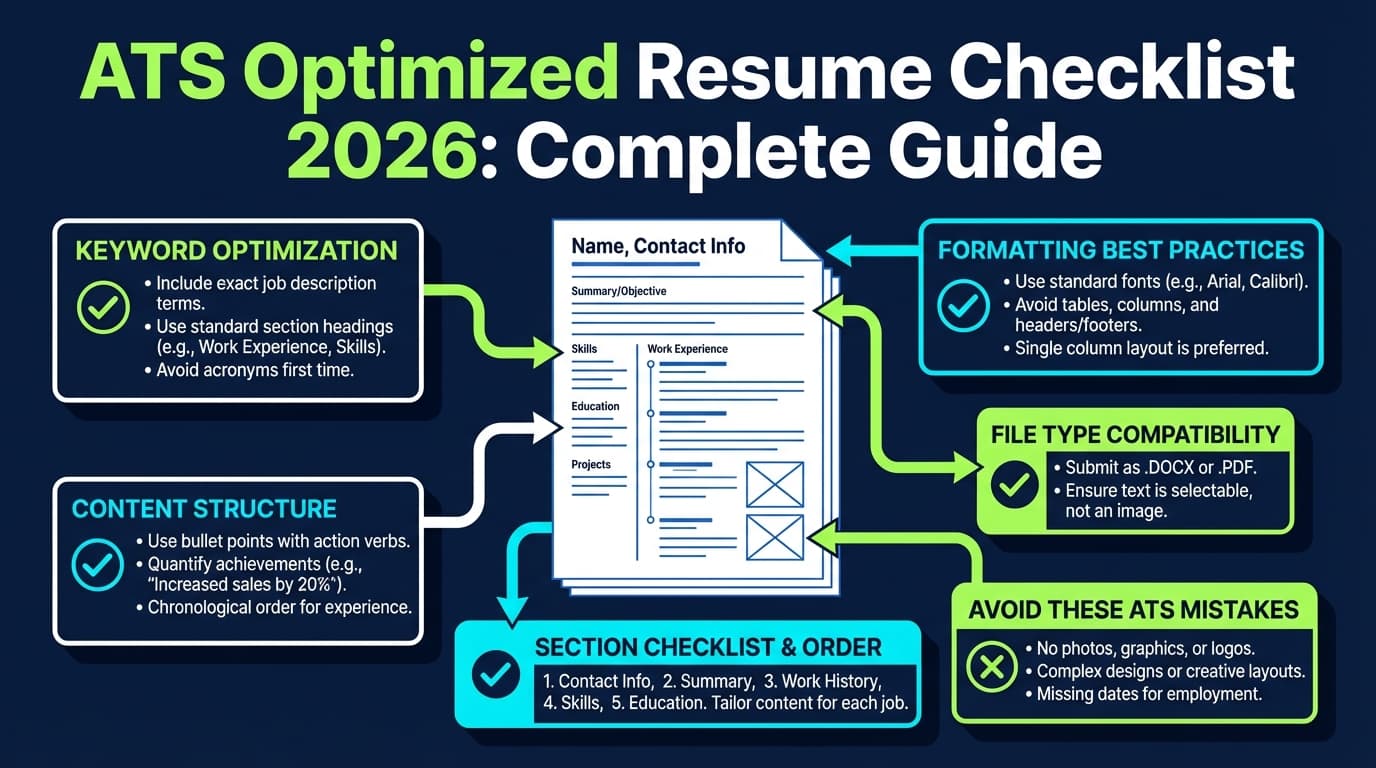
Best practices checklist: an ATS-friendly LaTeX resume for 2026
Use this as your final QA pass:
Layout
- Single column
- No tables for core sections
- No text boxes / overlay hacks
- Normal left-to-right reading flow
- Consistent spacing (ATS doesn’t care, humans do)
Structure
- Standard headings (Experience, Education, Skills)
- Reverse-chronological or hybrid (avoid purely functional resumes unless necessary)
- Clear role title + company + dates per job
PDF quality
- Text-based PDF (selectable/searchable text)
- Copy/paste yields readable text (no gibberish)
- Links are plain text (and not only clickable icons)
Content
- Keywords match the job description naturally
- Bullets show outcomes (metrics, scope, impact)
- No keyword stuffing
Tools to help you validate ATS friendliness (without guessing)
You want two categories of tools:
- Parsing validation tools (does it extract correctly?)
- Keyword alignment tools (does it match the job description?)
Parsing validation
- Copy/paste + Notepad/TextEdit test (fast, free heuristic)
- Recommended as a quick check by career services like OSU ECS. (Source: OSU ECS — High confidence.)
- Upload-to-autofill test (real-world)
- Multiple resume scanners/parsers (cross-check outputs)
Keyword + ATS-focused feedback
- JobShinobi: If you’re building your resume in LaTeX, JobShinobi lets you edit LaTeX and compile to PDF with preview, then run AI resume analysis (including ATS-focused scoring/feedback) and match your resume to a job description to find keyword gaps.
- Note on pricing: JobShinobi Pro is $20/month or $199.99/year. The pricing page mentions a “7-day free trial,” but trial mechanics are not clearly verifiable in code, so treat it as “mentioned,” not guaranteed.
- Other tools you can use for comparison: Many job seekers cross-check with scanners like Jobscan-style tools, Rezi-style parsers, etc. (Be cautious: different tools produce different “scores.”)
A realistic workflow (10–15 minutes per application)
- Paste job description → highlight recurring skills/requirements
- Run match analysis / keyword gap check
- Update 3–6 bullets (not the whole resume)
- Recompile PDF
- Run the copy/paste smoke test again
- Submit
Where JobShinobi fits (naturally) if you use LaTeX
If you like the control of LaTeX but hate the uncertainty of ATS parsing and tailoring, the ideal tool support looks like:
- Write in LaTeX
- Generate a clean PDF preview
- Analyze for ATS/keyword issues
- Match to a specific job description
- Track applications so you don’t lose leads
JobShinobi is built around that workflow:
- LaTeX resume editing + PDF compilation/preview inside the app
- AI resume analysis and ATS-oriented feedback
- Job description extraction and resume-to-job match analysis
- Job application tracking, including an email-forwarding workflow for tracking application emails (this automation is Pro-gated)
(Again: Pro pricing is $20/month or $199.99/year; don’t assume “free” automation.)
FAQ (from common “People Also Ask” queries)
Do LaTeX resumes pass ATS?
Yes, they can, as long as the final file you upload is parseable: text-based, readable copy/paste output, correct reading order, and standard section structure. The biggest failures come from columns, tables, headers/footers, and broken text extraction—not from LaTeX itself.
Is an Overleaf resume ATS friendly?
It depends on the specific template and how it compiles. Some Overleaf templates are labeled “ATS-friendly,” but you should still run the copy/paste smoke test and an autofill test before relying on it.
Is Jake’s Resume ATS friendly?
Many people use it successfully, and it’s often referenced in ATS discussions. Some versions include settings intended to improve machine readability (e.g., Unicode mapping lines referenced in template descriptions). Still, treat it as a starting point and validate your generated PDF.
Can ATS read PDF resumes in 2026?
Often yes—if the PDF is text-based and simply formatted. Problems arise with image-only PDFs (scans), complex layouts, and certain font/encoding issues. (Source: Smallpdf — Medium confidence.)
What is the most ATS-friendly resume format?
In general, reverse-chronological (or a clean hybrid) with a single-column layout and standard headings is safest. Functional resumes can be harder for systems (and humans) to interpret.
How do I verify if my resume is ATS friendly?
Use a combination of:
- Copy/paste into plain text (Notepad/TextEdit)
- Upload to a real application autofill
- Run at least two independent parsing/scanning tools
Career services like OSU ECS recommend copy/paste checks as a quick diagnostic. (Source: OSU ECS — High confidence.)
Can ATS read tables and columns?
Sometimes, but it’s inconsistent. Many ATS/parsers struggle with reading order and extraction when content is in tables/columns. If you want the safest option, avoid them and stick to one column. (Sources: MIT CAPD guidance; Textkernel on column extraction challenges — Medium-to-high confidence.)
Key takeaways
- A LaTeX resume can be ATS friendly in 2026, but only if the generated PDF parses cleanly.
- The fastest way to know is to test your PDF (copy/paste to plain text + autofill).
- Single-column + standard headings + no headers/footers + no tables/icons is the safest formatting approach.
- Don’t obsess over “ATS auto-rejection” myths—Enhancv reports 92% of recruiters in their interviews say ATS doesn’t auto-reject resumes automatically, but parsing still matters because it affects search, filters, and autofill accuracy.
- If you use LaTeX and tailor often, tools like JobShinobi can help you compile, analyze, and job-match your resume—while keeping the LaTeX workflow.