Recruiters don’t read every resume closely—at least not at first. An eye-tracking study from The Ladders found recruiters spent about 7.4 seconds on an initial resume review in their research (often cited as the “7.4-second” reality of first-pass screening). Source: The Ladders eye-tracking study PDF. (Confidence: High)
https://www.theladders.com/static/images/basicSite/pdfs/TheLadders-EyeTracking-StudyC2.pdf
And if you’re applying to large employers, odds are high your resume is being parsed and stored by an Applicant Tracking System (ATS) before a human sees it. Jobscan’s research is frequently cited for finding 98.4% of Fortune 500 companies use an ATS (492 out of 500). One accessible citation referencing this stat: Washington University’s McKelvey Connect blog. (Confidence: Medium—secondary citation of Jobscan research)
https://mckelveyconnect.washu.edu/blog/2022/02/04/8-things-you-need-to-know-about-applicant-tracking-systems/
If your resume formatting breaks parsing—or your keywords don’t match what the job actually asks for—you can get filtered out before your best bullet point even loads.
In this guide, you’ll learn:
- How ATS screening actually works (and what “passing ATS” really means)
- AI-powered resume builder tips that help without sounding fake or “keyword-stuffed”
- A step-by-step workflow to tailor each resume to a job description (with prompts + examples)
- Formatting rules that reduce parsing risk (columns, headers, tables, icons, PDFs vs DOCX)
- A practical QA checklist you can use before every application
What “Passing ATS” Actually Means (and What It Doesn’t)
“Pass ATS” is shorthand for a few separate goals:
- Your resume can be parsed cleanly (the ATS extracts your name, contact info, titles, dates, employers, and skills correctly).
- Your resume matches what the role requires (keywords, tools, responsibilities, seniority).
- A recruiter can quickly validate fit in a skim (top third of the page + recent experience).
What it doesn’t mean:
- You can “hack” an ATS with hidden text or tricks.
- A higher “ATS score” guarantees an interview.
- A single resume will perform equally well for every role.
Reality check: Many ATS platforms are databases and workflows. A lot of “filtering” happens because of knockout questions, required fields, or recruiter searches—not because a bot “rejected” you. That’s why the best strategy is: parse-proof + role-aligned + human-readable.
Why ATS-Friendly + AI-Friendly Matters in 2026
Trend 1: ATS usage is extremely common (especially at larger employers)
Select Software Reviews reports:
- 70% of large companies use an ATS
- 20% of small/mid-sized businesses use an ATS
- 75% of recruiters use an ATS or similar tech-driven tools
(Confidence: Medium—depends on their underlying source list, but SSR is a known HR software publisher.)
https://www.selectsoftwarereviews.com/blog/applicant-tracking-system-statistics
Trend 2: Recruiters skim first—then read
The Ladders eye-tracking research is widely cited for the initial skim behavior (see PDF above). HR Dive also summarized that recruiters skim resumes for ~7.4 seconds and that simple layouts performed better. (Confidence: High for the existence of the study + summary; “what causes success” is more interpretive.)
https://www.hrdive.com/news/eye-tracking-study-shows-recruiters-look-at-resumes-for-7-seconds/541582/
Trend 3: Job searching is high-volume (so your process matters)
HiringThing summarizes job search data suggesting job seekers may submit 32 to 200+ applications before receiving an offer. (Confidence: Medium—aggregation-style statistic; use as directional.)
https://blog.hiringthing.com/2025-job-application-statistics-updated-data-you-need-to-know
Takeaway: You’re not just writing a resume—you’re building a repeatable system to tailor, validate, apply, and iterate.
How to Use an AI-Powered Resume Builder to Pass ATS: Step-by-Step Workflow
This workflow is designed to beat what top guides often miss: a repeatable loop (targeting → drafting → parsing QA → match QA → final export).
Step 1: Start with an ATS-stable base resume (your “master”)
Before you tailor anything, lock in a baseline resume that is:
- Single-column
- Plain text (no icons/images)
- Standard headings
- Chronological structure that’s easy to parse
Why this matters: If the template itself is fragile, every “tailored” version is fragile.
Formatting rules backed by university career guidance:
- Columbia Career Education recommends simple formatting and to avoid headers, footers, tables, borders, lines, symbols (standard bullet points are okay). (Confidence: High)
https://www.careereducation.columbia.edu/resources/optimizing-your-resume-applicant-tracking-systems - UIC’s ATS guidance PDF explicitly calls for a single column (no tables / multiple columns / text boxes) and warns against headers/footers. (Confidence: High)
https://careerservices.uic.edu/wp-content/uploads/sites/26/2017/08/Ensure-Your-Resume-Is-Read-ATS.pdf - UVA Career Center advises avoiding images, columns, tables, and graphics because they’re difficult for ATS to read. (Confidence: High)
https://career.virginia.edu/Students/Prepare/Resumes/NavigatingATS - University at Buffalo similarly warns against headers/footers and pictures/graphics. (Confidence: High)
https://management.buffalo.edu/career-resource-center/students/preparation/tools/correspondence/resume/electronic.html
Pro tip: Put your contact details in the body (top of page), not in a header/footer.
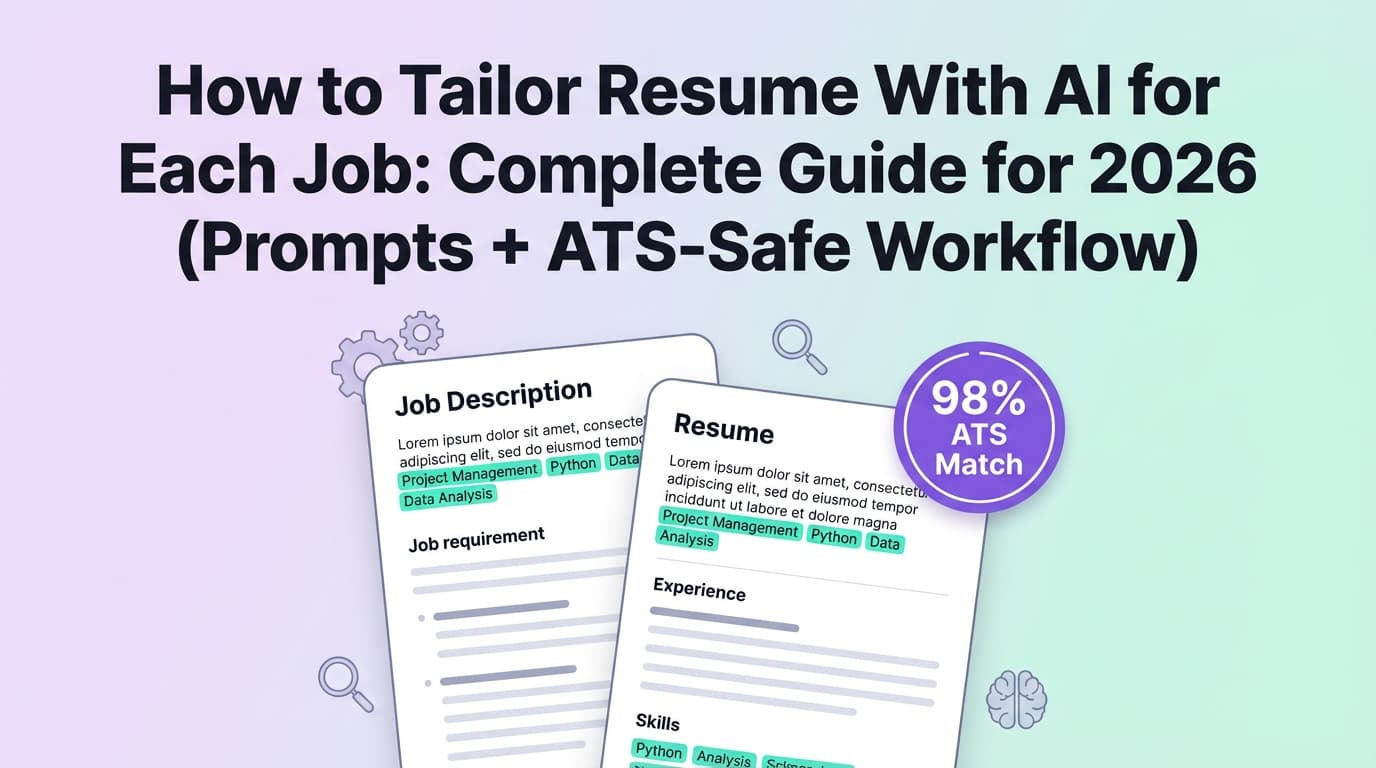
Step 2: Extract the job’s “must-match” keywords (don’t guess)
Instead of dumping the whole job description into an AI tool and hoping it figures it out, do this:
- Copy the job description into a doc.
- Highlight:
- Hard skills/tools (e.g., SQL, Tableau, Python, Workday, Jira)
- Role-specific methods (e.g., regression, stakeholder management, A/B testing)
- Certifications/requirements (e.g., PMP, CPA, Security+)
- Seniority signals (e.g., “lead”, “own”, “mentor”, “strategy”)
Then build a keyword map:
- Must-have (5–10): appears multiple times or listed as required
- Nice-to-have (5–10): preferred/bonus
- Domain terms (5–10): industry vocabulary (e.g., “claims”, “ETL”, “pipeline”, “OKRs”)
AI prompt (copy/paste):
Extract the 10 most important hard-skill keywords and 10 important responsibility phrases from this job description.
Return as two lists: (1) Hard skills/tools, (2) Responsibilities/outcomes.
Then identify 5 “must-match” keywords that should appear verbatim on my resume if I truly have the experience.
Job description: [paste]
Pro tip: Use the job’s exact spelling for tools and platforms (e.g., “Google Analytics 4” vs “GA4”) at least once.
Step 3: Tailor your Summary + Skills section first (fastest ATS wins)
Many resumes fail ATS not because experience is weak—but because keywords are buried.
A simple ATS-friendly structure
- Summary (2–3 lines): role + niche + proof
- Skills (2 lines or a tight list): tools + methods + domain
- Experience: accomplishment bullets (results + how + tools)
Example: Before → After
Before (generic):
Data analyst with experience in reporting and dashboards. Strong communication skills.
After (targeted):
Data Analyst with 5+ years building KPI dashboards and automated reporting using SQL, Tableau, and Python. Partnered with stakeholders to define metrics, improve data quality, and deliver insights that supported product and operations decisions.
Notice what changed:
- Tools became explicit
- Outcomes became explicit
- Still readable (no keyword soup)
Step 4: Rewrite bullets using an “ATS + recruiter” format (not AI-fluff)
A strong bullet usually includes:
- Action (what you did)
- Scope (what system / team / data size)
- Tools (how you did it)
- Result (impact, metrics if possible)
AI prompt for bullet rewriting (copy/paste):
Rewrite these resume bullets to be ATS-friendly and recruiter-readable.
Constraints:
- 1–2 lines per bullet
- Start with a strong action verb
- Include tools/keywords naturally (no keyword stuffing)
- Keep claims truthful and specific (no vague “optimized” without context)
- Add a metric only if I provide it; otherwise suggest a placeholder metric in brackets
Bullets: [paste]
Target job keywords: [paste must-have list]
If you don’t have metrics: use credible proxies:
- time saved (hours/week)
- volume processed (tickets/week, datasets, users)
- speed improvements (cycle time)
- quality improvements (error rate)
- revenue/cost (if you can defend it)
Step 5: Avoid “keyword stuffing” that hurts humans (and can backfire)
Stuffing can tank readability and trust—especially when recruiters actually read.
Nielsen Norman Group explicitly calls out that keyword lists can become a form of keyword stuffing that harms understandability to humans. (Confidence: High)
https://www.nngroup.com/articles/resumes-ux-career-changers/
Rule of thumb: If your Skills section looks like a tag cloud, you’re overdoing it.
Better approach: Place keywords where they prove experience:
- In bullets (“Built X using Y to achieve Z”)
- In project descriptions
- In tools used for impact
Step 6: Validate ATS parsing (do a quick “plain text” test)
You don’t need an employer’s ATS to catch the most common issues.
MIT Career Advising suggests testing by saving as plain text / using a text-focused check because ATS focuses on text. (Confidence: High)
https://capd.mit.edu/resources/make-your-resume-ats-friendly/
Do this quick test:
- Copy your resume text.
- Paste into a plain text editor (Notepad/TextEdit).
- Check:
- Are sections in the right order?
- Do dates/employers scramble?
- Do bullets become weird characters?
- Does your contact info survive?
If it breaks here, it’s likely to break in parsing.
Step 7: Choose PDF vs DOCX based on the application context
There’s mixed advice because ATS capabilities differ.
Practical guidance:
- If the application portal asks for DOC/DOCX, use DOCX.
- If it accepts PDF and your PDF is text-based (not scanned, not image-heavy), PDF is often fine—but risk increases if formatting is complex.
- Avoid “designed” PDFs exported from tools that flatten text or use unusual structures.
TopResume notes that PDFs aren’t universally the most ATS-friendly in every case and discusses PDF vs Word tradeoffs. (Confidence: Medium)
https://topresume.com/career-advice/what-is-an-ats-resume
Best compromise: Keep formatting simple enough that either format parses cleanly.
Step 8: Repeat the loop fast (tailor → QA → send)
For high-volume applicants, speed matters—but not at the expense of quality.
A realistic goal per application:
- 10 minutes: keyword map + summary/skills alignment
- 20 minutes: adjust 3–6 bullets + reorder strongest bullets
- 5 minutes: parsing QA
- 2 minutes: final export & filename
Filename tip:
FirstName_LastName_TargetRole_Company.pdf
This helps recruiters and prevents “Resume(17).pdf” chaos.
17 AI-Powered Resume Builder Tips to Pass ATS (That Actually Help)
- Use AI for extraction, not invention. Pull keywords and responsibilities—don’t fabricate experience.
- Match the job title (when accurate). If you did “Software Engineer” work but your title was “Developer,” consider adding a clarifier like “Developer (Software Engineer)” if truthful and allowed in your context.
- Put must-have skills in the top third (Summary + Skills).
- Mirror exact tool names at least once (e.g., “Salesforce” not just “CRM”).
- Use standard headings (Work Experience, Education, Skills). Many career centers recommend common headings for ATS recognition. (See University at Buffalo page above.)
- Keep a single-column layout (UIC PDF; UVA guidance).
- Avoid tables, text boxes, icons, and graphics (Columbia, UIC, UVA sources).
- Don’t hide keywords (white text). It’s risky, can break parsing, and can look deceptive.
- Use a consistent date format (e.g.,
MMM YYYY – MMM YYYY). - Front-load your best bullets under each role.
- Use action verbs and concrete outcomes (Columbia also has guidance on strong bullet points).
https://www.careereducation.columbia.edu/resources/resumes-impact-creating-strong-bullet-points (Confidence: High) - Reduce buzzwords AI tends to overuse (“leveraged,” “synergy,” “dynamic”).
- Avoid dense paragraphs. Bullets are easier for both ATS and humans.
- Don’t chase 100% match scores. Overfitting can harm readability and truthfulness.
- Keep one “master resume” + tailored versions (version control matters).
- Test parsing every time you change templates.
- Use AI to spot gaps, then decide what’s real. If the job requires “A/B testing” and you don’t have it, don’t add it—add adjacent real experience (e.g., “experiment analysis” or “feature performance analysis”) only if accurate.
Common Mistakes That Cause ATS Problems (and How to Fix Them)
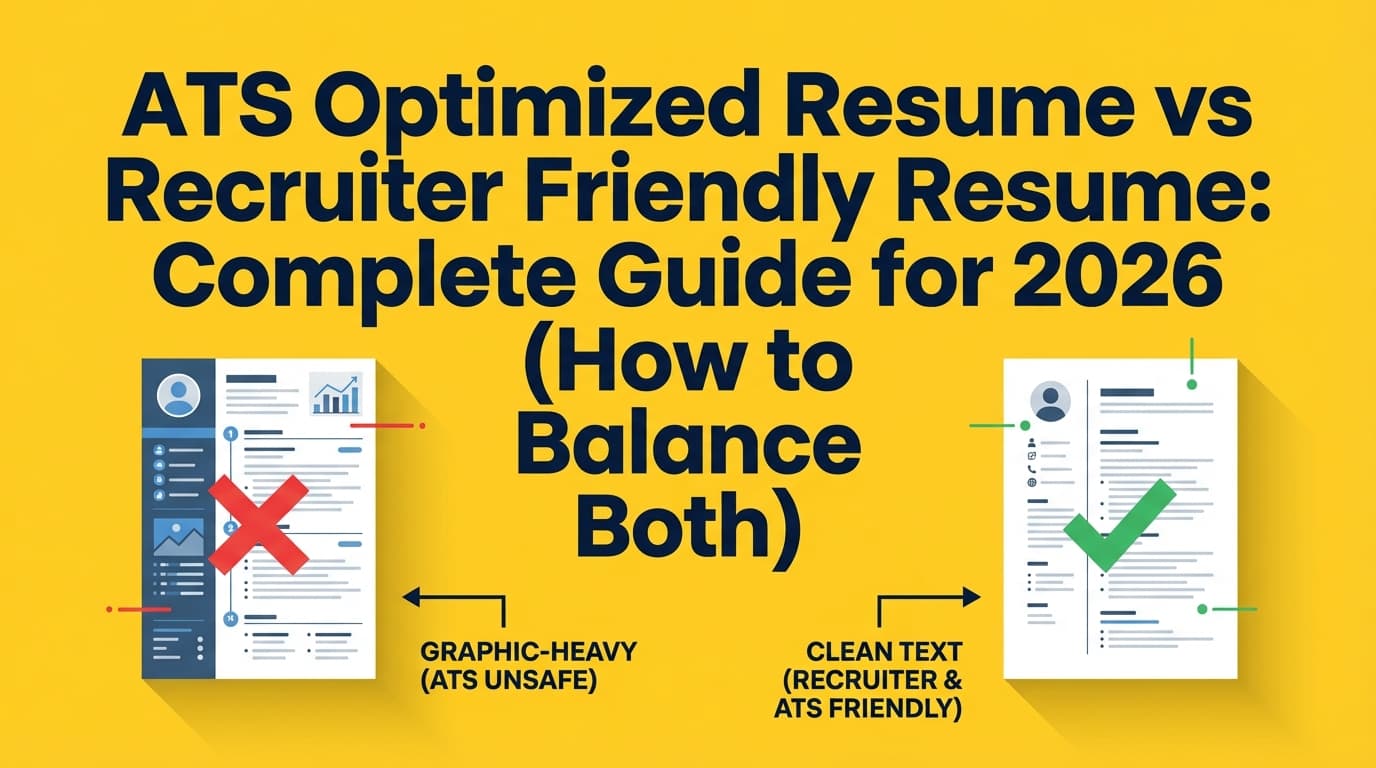
Mistake 1: Two-column templates (especially with sidebars)
Why it hurts: Reading order can scramble. Skills in a sidebar may get lost.
Fix: One column, full-width, simple structure.
Mistake 2: Contact info in headers/footers
Why it hurts: Some systems ignore header/footer regions. Multiple university guides warn against it (Columbia, UIC).
Fix: Put name/email/phone/LinkedIn in the body at the top.
Mistake 3: Tables for layout
Why it hurts: Tables can flatten unpredictably in parsing.
Fix: Use spacing, tabs (carefully), or simple formatting—no layout tables.
Mistake 4: Keyword dumping
Why it hurts: Recruiters notice. NN/g warns it reduces understandability (source above).
Fix: Integrate keywords into accomplishment bullets.
Mistake 5: “One resume for everything”
Why it hurts: ATS relevance is job-specific.
Fix: Tailor Summary + Skills + a handful of bullets per role.
Tools to Help With ATS-Friendly, AI-Assisted Resume Tailoring
You can do this manually, but tools can speed up the loop.
JobShinobi (AI resume building + analysis + job matching)
If you want one place to build and iterate:
- Build resumes using a LaTeX-based editor and compile to PDF inside the app (helps keep formatting consistent). (Confidence: High)
- Run AI resume analysis with ATS-focused scoring and detailed feedback. (Confidence: High)
- Compare your resume to a job description with a resume-to-job matching workflow (job extraction + match insights). (Confidence: High)
- Keep resume versions/history so you can revert and track what changed. (Confidence: High)
Pricing (be precise):
- JobShinobi Pro is $20/month or $199.99/year. (Confidence: High)
- The pricing UI mentions a “7-day free trial,” but trial enforcement isn’t clearly verified in code—treat it as “mentioned,” not guaranteed. (Confidence: Medium)
Also note:
- Sign-in is via Google OAuth (not email/password). (Confidence: High)
- Email-forwarding job tracking requires Pro membership (hard check). (Confidence: High)
Internal links you may use:
- /login
- /subscription
- /dashboard/resume
- /dashboard/job-tracker
Other popular options (good for cross-checking)
- Jobscan: widely referenced for ATS + keyword alignment checks (some pages may be paywalled).
- Resume Worded: strong content + targeted resume feedback.
- Teal / Huntr: often used for job tracking + tailoring workflows.
Tip: Whatever tool you use, don’t blindly follow a score—use it to find specific gaps you can truthfully address.
A Simple “ATS Pass” Checklist (Copy/Paste)
Formatting / Parsing
- Single-column layout (no sidebars)
- No tables, text boxes, icons, images
- Contact info in body (not header/footer)
- Standard headings: Summary, Skills, Experience, Education
- Consistent dates and job titles
- Plain-text paste test looks clean
Keyword Alignment
- Job title appears (if accurate)
- 5–10 must-have keywords appear naturally
- Tools/skills appear in Summary/Skills + in Experience bullets
- No keyword dumping or hidden text
Recruiter Readability
- Top third communicates role + niche + proof
- Bullets start with action verbs
- Metrics are used where credible
- Strongest bullets are first under each role
Key Takeaways
- “Passing ATS” is mostly about clean parsing + relevance, not gimmicks.
- Use AI to extract keywords, tailor language, and improve bullets—not to invent experience.
- Follow university-backed formatting guidance: avoid columns, tables, headers/footers, graphics.
- Validate with a plain text test, then tailor per job with a repeatable workflow.
- Tools can speed up iteration—just don’t outsource judgment to an “ATS score.”
FAQ (People Also Ask)
How do I make an ATS-friendly resume with AI?
Use AI for three tasks:
- extract must-have keywords from the job description,
- rewrite bullets to include those keywords naturally with outcomes,
- run a parsing/readability QA pass (plain-text test + formatting rules).
Avoid letting AI generate fake experience.
Does ATS reject an AI-generated resume?
ATS systems don’t “reject AI resumes” just because AI helped write them. They parse text and store data. Problems happen when:
- formatting breaks parsing (columns, tables, headers/footers),
- content doesn’t match the job (missing keywords),
- writing looks generic or untrustworthy to humans.
What is a good ATS score or match rate?
There’s no universal “good” score because each scanner uses its own model. Treat scores as directional: look for missing keywords, unclear sections, and formatting risks—then improve truthfully. Optimizing for readability and relevance usually beats chasing a perfect number.
Is PDF or DOCX better for ATS?
It depends on the ATS and how the PDF was created. DOCX is often the safest when portals request it. PDFs can work well if they’re text-based and simply formatted—but complex layouts and design-heavy exports increase risk. If in doubt, use the format the portal prefers and keep layout simple.
Can ATS read tables, columns, or resume icons?
Often unreliably. Multiple university career resources advise avoiding tables, columns, graphics/icons, and also avoiding putting key info in headers/footers (see Columbia, UIC PDF, UVA guidance linked above).
What’s the fastest way to check if my resume will parse correctly?
Do a plain-text paste test (copy/paste into Notepad/TextEdit). If the order is scrambled or information disappears, simplify formatting before you apply. MIT Career Advising also recommends a text-focused test approach (source linked above).