Recruiters skim fast—really fast. The Ladders’ eye-tracking research found an average initial resume screen of 7.4 seconds. (The Ladders Eye-Tracking Study PDF; also summarized by HR Dive) [High confidence — corroborated by 2 sources]
If you’re blasting the same resume at 50 roles and wondering why you’re “getting rejected by ATS,” the issue usually isn’t one thing—it’s mismatch: the wrong keywords, the wrong emphasis, the wrong proof, and sometimes formatting that doesn’t parse cleanly.
In this guide, you’ll learn:
- A repeatable, ethical workflow to tailor your resume with AI (without inventing experience)
- The exact prompts to extract keywords, rewrite bullets, and align your resume to a specific job
- A practical before/after example + a 15-minute checklist you can reuse for every application
- How tools like JobShinobi can help you match your resume to a job description and implement changes with version history (without claiming features it doesn’t have)
What does it mean to “tailor your resume with AI”?
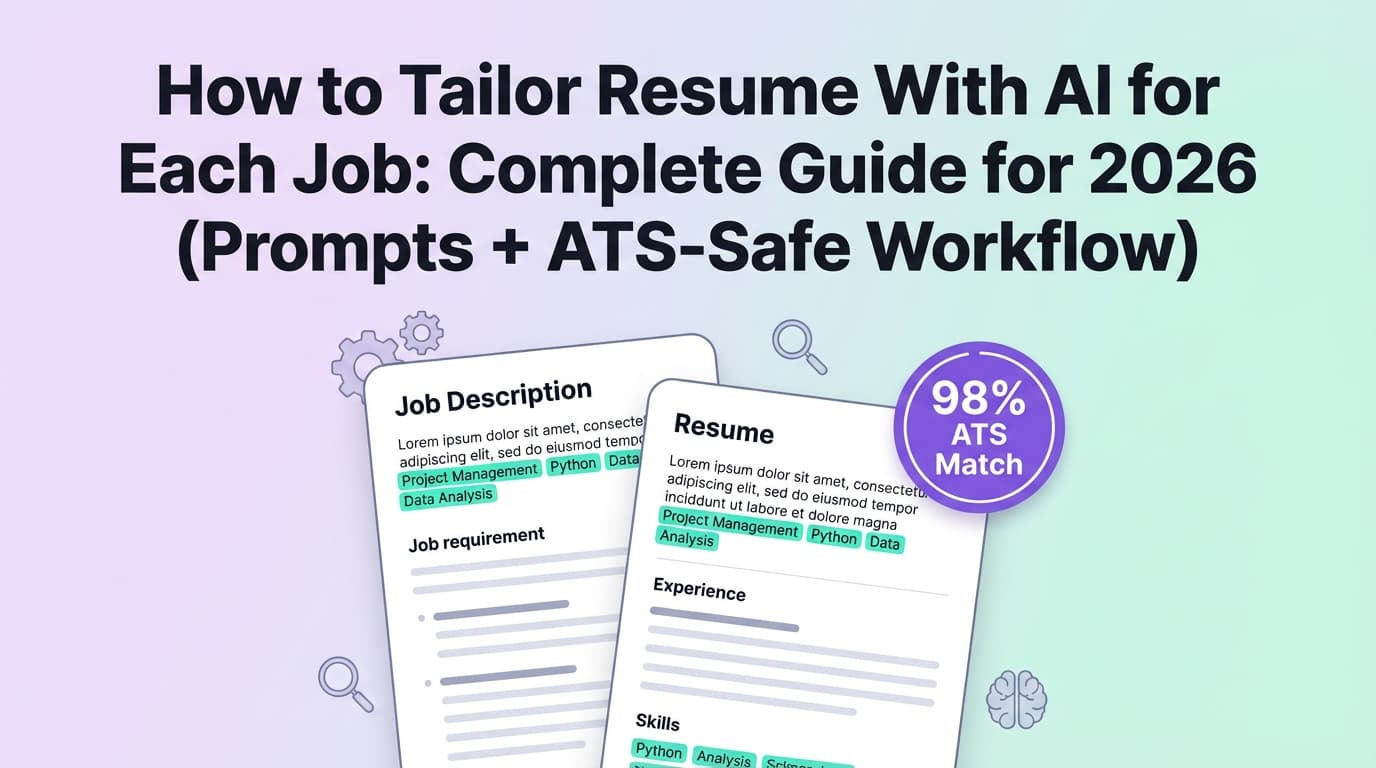
Tailoring your resume with AI means using an AI assistant (like ChatGPT/Gemini/Claude or a dedicated resume tool) to:
- Extract what the employer actually wants from the job description (skills, tools, outcomes, keywords).
- Map those requirements to your real experience (projects, metrics, responsibilities, achievements).
- Rewrite and reorder resume content so your most relevant evidence is easiest to find—both for ATS parsing and human scanning.
- Check for gaps and risks (keyword stuffing, hallucinated claims, irrelevant bullets, ATS-unfriendly formatting).
AI should accelerate your thinking and editing—not replace your judgment.
Why tailoring matters in 2026 (with data)
1) ATS usage is widespread (so keyword alignment matters)
Multiple sources estimate that the vast majority of Fortune 500 companies use an ATS—often cited in the ~95%–98% range. For example:
- Jobscan reports 98.8% (2019) of Fortune 500 companies used a “detectable ATS,” and other Jobscan materials cite 98.4% (492/500). (Jobscan ATS usage report; related Jobscan explainer appears in search results) [Medium confidence — strong source, but year-by-year figures vary]
- CNBC has cited “more than 95 percent of Fortune 500 companies” using ATS. (CNBC) [Medium confidence — reputable publication; single article]
What this means for you: tailoring is less about “beating robots” and more about matching how companies filter and search resumes.
2) Recruiters decide quickly, so relevance must be obvious
That 7.4-second initial scan means your top third (headline/summary + first bullets) must immediately signal fit. (The Ladders PDF) [High confidence]
3) Tailored resumes appear to convert better (but verify the context)
Huntr reports that tailored resumes can produce higher application-to-interview conversion rates—5.95% for tailored vs. 2.9% for non-tailored in their dataset. (Huntr job search statistics and research pages surfaced in search results) [Medium confidence — company-published dataset; still directionally useful]
4) Small additions can move the needle
Jobscan reports that including a cover letter made candidates 1.9× more likely to get an interview invite in their analysis of nearly 1 million applications. (Jobscan interview rates study) [Medium confidence — single-source study, but widely cited]
Bottom line: tailoring is one of the highest-ROI activities in the job search—if you do it efficiently and accurately.
The ATS-safe foundation (before you let AI touch your resume)
Before tailoring, make sure your resume won’t break parsing:
ATS-friendly formatting rules (quick checklist)
Many career services offices and ATS-focused guides recommend avoiding elements that can confuse parsing, including tables, columns, headers/footers, and graphics.
- Example guidance appears in university ATS PDFs like UIC Career Services (“Do not use headers/footers…”). (UIC ATS PDF) [Medium confidence — credible, but ATS capabilities vary]
Best practice defaults:
- One-column layout
- Standard section headings (“Experience,” “Education,” “Skills”)
- Avoid putting critical info in headers/footers
- Simple bullets (•), consistent dates, readable fonts
- Submit as PDF or DOCX depending on the application instructions (follow employer preference)
Important nuance: “ATS-friendly” doesn’t mean “ugly.” It means parseable and searchable.
How to tailor your resume with AI for each job (step-by-step)
This workflow is designed to be repeatable and fast. The goal is not to rewrite your life story—it’s to re-prioritize and re-phrase your best evidence for this specific role.
Step 1: Create a “Master Resume” (your source of truth)
Create one long resume (2–4 pages is fine) that includes:
- Every role + project
- Extra bullets (even if you won’t use them all)
- Tools/tech/skills list
- A “metrics bank” (revenue, cost savings, performance improvements, time saved)
Why it matters: AI can only tailor responsibly if it has accurate raw material to pull from.
Pro tip: Include context lines AI often misses (scale, users, budget, stakeholders). These make bullets stronger.
Step 2: Paste the job description and extract the “target profile”
Don’t start by rewriting bullets. Start by understanding what the job is really hiring for.
AI Prompt (Job Requirement Extraction)
Paste the job description below.
- Summarize the role in 3 lines.
- List the top 10 must-have skills/keywords (exact phrases if possible).
- Identify the 5 most important outcomes this person will deliver (e.g., “reduce churn,” “ship X,” “manage Y”).
- Flag any repeated terms (appearing 2+ times).
Return results in a table with columns: Keyword/Phrase | Evidence needed | Where it belongs on a resume.
What you’re looking for:
- Hard skills (tools, platforms, frameworks)
- Soft skills with “proof requirements” (leadership, collaboration)
- Domain terms (industry-specific language)
- Outcomes (what success looks like)
Step 3: Map requirements to your experience (truth-only)
Now feed AI your master resume (or the most relevant roles) and force it to use only what you’ve actually done.
AI Prompt (Evidence Mapping — prevents hallucinations)
Here is my resume content (below) and the job description (below).
Task: Create a mapping table with columns: Job requirement | My matching evidence (quote exact lines from my resume) | Missing evidence | Suggested rewrite (must be factual).
Rules:
- Do NOT invent tools, titles, degrees, employers, dates, or achievements.
- If a requirement is missing, mark it “missing” and suggest a truthful workaround (adjacent skill or learning plan).
Why this step matters: Many AI resume failures come from “confident lies”—made-up metrics, tools you didn’t use, or inflated scope. Those can backfire in interviews or background checks. Reports and commentary on AI-generated resume risks often highlight hallucinations and fabricated details as common pitfalls. (Example coverage: Economic Times) [Medium confidence — reputable outlet; topic is evolving]
Step 4: Tailor the top third (headline + summary) first
The top third gets the most attention in a fast scan (remember the 7.4 seconds).
What to tailor:
- Title/headline (match the posting’s role title if accurate)
- Summary (2–4 lines)
- 6–12 core skills (aligned to job keywords)
AI Prompt (ATS-friendly summary)
Write 3 versions of a 3-line resume summary for this job.
Constraints:
- Use keywords from the job description naturally (no keyword stuffing).
- Only include claims supported by my resume content.
- Use a credible, human tone (not buzzword soup).
Provide: Version A (direct), Version B (achievement-led), Version C (specialized).
Pro tip: If the job description says “cross-functional stakeholders,” don’t just copy the phrase—add proof: “Partnered with Sales and CS to…”
Step 5: Rewrite your bullets (but keep the same underlying facts)
This is where AI shines—turning vague responsibilities into outcome-driven bullets.
Strong bullet formula:
Action + Scope + Tools + Outcome + Metric
AI Prompt (Bullet Rewriter that keeps truth intact)
Rewrite the bullets below to better match the job description.
Rules:
- Keep every bullet factually true.
- Add metrics ONLY if I provide them. If missing, suggest bracketed placeholders like [metric].
- Use the job description’s keywords where relevant.
- Keep each bullet to 1–2 lines.
Output: 6 revised bullets + 3 optional bullets I can swap in.
Step 6: Tune your keywords without stuffing
Keyword alignment is necessary; keyword stuffing is obvious.
How to do “clean” keyword matching:
- Put core tools in Skills
- Put applied tools in Experience bullets
- Include both acronym + full term once (e.g., “Applicant Tracking System (ATS)”)
If you over-repeat terms, you risk sounding spammy and hurting readability—multiple resume-writing guides warn against keyword stuffing because it makes resumes clunky and less credible for humans. (Example: Scion Staffing on keyword stuffing) [Medium confidence — practical guidance; ATS weighting differs by system]
Step 7: Make small, high-impact reorder changes
Often, you don’t need new content—you need better ordering.
High-ROI adjustments:
- Move the most relevant role to the top (if you’re using a “Relevant Experience” section)
- Swap 2–4 bullets per role to emphasize fit
- Add a small “Selected Projects” section (if it matches the role)
- Remove older/irrelevant bullets that dilute your message
Step 8: Run a match check (keyword gaps + role alignment)
If you have access to a matching tool, this is where you validate whether the tailored version actually reflects the posting.
Where JobShinobi fits naturally:
JobShinobi supports a job matching/tailoring workflow where you can provide a job URL or job description text, extract structured job details, and generate a resume-to-job match analysis (including missing/present keywords stored as a job analysis). [High confidence — supported in product constraints]
This can help you answer:
- “Which keywords am I missing?”
- “Am I emphasizing the right experience?”
- “Which sections look weak for this role?”
Accuracy note: treat “match scores” as directional. Your goal is clarity + alignment—not chasing 100%.
Step 9: Save versions per job (so you don’t lose your mind)
Create a consistent naming system:
Resume_ProductManager_Acme_2026-01-20.pdfResume_DataAnalyst_Remote_BetaCo_2026-01-20.pdf
Where JobShinobi helps:
JobShinobi includes resume version history with the ability to revert changes (and an AI chat workflow that stores versions tied to edits). [High confidence — supported in product constraints]
This matters when you’re applying at volume and need to quickly:
- Roll back a bad edit
- Reuse a strong tailored version as a template for a similar role
Step 10: Track each application (so you can optimize what’s working)
Tailoring is only half the system—tracking outcomes is how you improve.
Where JobShinobi helps (without over-claiming):
- Job application tracker (CRUD + realtime updates) [High confidence]
- Export your applications to Excel (.xlsx) [High confidence]
- Forward application-related emails to a unique JobShinobi address to log applications automatically (requires Pro membership) [High confidence]
Pricing accuracy:
- JobShinobi Pro is $20/month or $199.99/year. [High confidence]
- The site’s marketing mentions a “7-day free trial,” but trial enforcement isn’t confirmed in code—so treat it as availability-dependent. [Medium confidence]
A real tailoring example (before/after)
Job description snippet (example)
“Own KPI dashboards, analyze funnel conversion, build SQL queries, collaborate with Product and Marketing, and communicate insights to stakeholders.”
Before (too generic)
- “Responsible for reporting and analysis.”
- “Worked with different teams.”
- “Helped improve performance.”
After (tailored, evidence-based)
- “Built and maintained KPI dashboards tracking acquisition → activation funnel; surfaced drop-offs and prioritized experiments with Product.”
- “Wrote SQL to analyze cohort retention and conversion trends; delivered weekly insights to Marketing with clear next-step recommendations.”
- “Partnered cross-functionally with Product and Marketing to define success metrics and evaluate experiment impact.”
Why it’s better: same underlying experience (reporting + analysis), but now it matches the employer’s language (KPI, funnel, SQL, stakeholders) and proves value.
The “15-minute AI tailoring” checklist (reuse this for every job)
- Paste JD → extract keywords/outcomes (3 minutes)
- Map JD requirements to your real experience (3 minutes)
- Rewrite summary + skills section (3 minutes)
- Swap/rewrite top 6–10 bullets (4 minutes)
- ATS formatting sanity check + file naming (2 minutes)
If a job is a perfect fit (or a dream company), spend more time—but this checklist keeps volume applications manageable.
Common mistakes when tailoring with AI (and how to fix them)
Mistake 1: Letting AI invent metrics or tools
Problem: You get a resume that reads impressively—but it isn’t true.
Fix: Use the “truth-only” prompt rules. Provide metrics explicitly or use placeholders you’ll fill.
Mistake 2: Copy/pasting keywords into a “Skills cloud”
Problem: Keyword stuffing can hurt readability and credibility.
Fix: Place keywords where they’re proven—in bullets with context.
Mistake 3: Tailoring everything (and losing consistency)
Problem: Every version becomes a different story; recruiters can’t follow your narrative.
Fix: Keep 70–80% stable. Tailor the top third + most relevant bullets.
Mistake 4: Breaking ATS parsing with layout tricks
Problem: Columns, icons, and header/footer contact info can get scrambled.
Fix: Use a simple layout and keep key info in the main document body (see ATS PDFs like UIC’s guidance). (UIC ATS PDF) [Medium confidence]
Mistake 5: Chasing a “perfect” match score
Problem: You optimize for a number instead of recruiter clarity.
Fix: Use match tools to find gaps, then edit for readability and proof.
Tools to help you tailor your resume with AI (honest shortlist)
- JobShinobi: Helps with AI resume analysis, job description extraction from URL/text, resume-to-job matching (keyword gap insights), AI-assisted resume editing, and version history. Also includes a job application tracker and email-forwarding-based tracking (Pro required). Pricing: $20/month or $199.99/year. [High confidence]
- ChatGPT / Gemini / Claude: Great for drafting and rewriting if you constrain it with truth-only rules and provide your actual experience.
- Job description keyword highlighters / ATS checkers: Useful for spotting missing terms, but results can vary by tool—treat them as directional.
Key takeaways
- Tailoring with AI works best when you extract requirements first, then map them to proof from your real experience.
- Build a master resume, then tailor the top third + most relevant bullets per job.
- Keep your resume ATS-parseable (avoid common formatting traps like tables/columns/headers/footers).
- Save tailored versions and track outcomes so you can refine what actually gets interviews.
FAQ (People Also Ask–style)
Can AI help tailor my resume to a specific job?
Yes—AI can quickly extract job keywords, suggest rewrites, and help you prioritize the most relevant experience. The key is to verify everything and enforce “do not invent” rules so the resume stays truthful.
Can ChatGPT tailor my resume to a job description?
Yes. Use prompts that (1) extract requirements, (2) map them to your resume, and (3) rewrite bullets without changing facts. Always review for accuracy, tone, and ATS-friendly formatting.
Do employers run your resume through AI or ATS?
Many do. ATS usage is widely reported as extremely common among large employers (often cited at ~95%+ for Fortune 500 in sources like CNBC, and ~98% in sources like Jobscan). (CNBC, Jobscan) [Medium confidence — exact percentages vary by source/year]
Can ATS read tables and columns on a resume?
Sometimes—but many guides recommend avoiding them because they can scramble content depending on the system. A safe default is a single-column layout and keeping critical info out of headers/footers. (UIC ATS PDF) [Medium confidence]
How much should I tailor my resume for each job?
Usually, you don’t need to rewrite everything. Most candidates get strong results by tailoring:
- Headline + summary
- Skills list
- 6–12 bullets across the most relevant roles/projects
Then keeping the rest stable for consistency and speed.
Is it bad if my resume sounds AI-written?
It can be. Common “AI tells” include generic buzzwords, repetitive phrasing, and claims without proof. Fix this by adding specifics (tools, scope, metrics), using your natural voice, and removing filler.
Should I tailor my cover letter too?
If you submit one, tailoring helps. Jobscan reports that including a cover letter made candidates 1.9× more likely to receive an interview invite in their dataset. (Jobscan) [Medium confidence]