In 2026, an “ATS-friendly” resume isn’t a nice-to-have—it’s table stakes.
- 98.4% of Fortune 500 companies used a detectable ATS in 2024, according to Jobscan’s ATS usage reporting. That means your resume is very likely entering software before it reaches a human. (Source: Jobscan, “ATS Usage Report” — https://www.jobscan.co/blog/fortune-500-use-applicant-tracking-systems/) [High confidence]
- Recruiters may still spend surprisingly little time on the first pass. The Ladders’ updated eye-tracking study is widely cited as ~7.4 seconds for an initial skim. (Sources: Ladders PDF; HR Dive coverage — https://www.theladders.com/static/images/basicSite/pdfs/TheLadders-EyeTracking-StudyC2.pdf and https://www.hrdive.com/news/eye-tracking-study-shows-recruiters-look-at-resumes-for-7-seconds/541582/) [High confidence]
If your resume doesn’t parse cleanly and doesn’t match what the job is asking for, you can get stuck in the “applied → silence” loop.
This guide is built for high-volume applicants who are tired of guessing.
In this guide, you’ll learn:
- A 50+ point ATS optimized resume checklist (2026 edition) you can run in under 30 minutes
- A simple way to separate parsing problems (format) from ranking problems (content/keywords)
- Real examples of ATS-safe headings, bullets, and skills layouts
- A “copy-paste test” and file submission rules (PDF vs DOCX) that reduce avoidable ATS errors
- How tools (including JobShinobi) can help you analyze, tailor, and track applications without messy spreadsheets
What is an ATS-optimized resume?
An ATS-optimized resume is a resume designed to work well with both:
- ATS parsing (the system can reliably extract your contact info, job titles, dates, skills, and employers), and
- ATS searching/ranking (your resume contains the role-relevant keywords and evidence that recruiters search for inside the system).
Important nuance: not every ATS automatically “rejects” you. In many companies, the ATS functions like a database/search tool for recruiters—so your resume has to be findable and readable inside it.
Why ATS optimization matters in 2026 (ATS + AI reality check)
ATS optimization in 2026 is no longer just “don’t use columns.”
1) ATS usage is widespread
Jobscan reports 98.4% of Fortune 500 companies used a detectable ATS in 2024. (Jobscan — https://www.jobscan.co/blog/fortune-500-use-applicant-tracking-systems/) [High confidence]
SelectSoftwareReviews (SSR) also compiles ATS adoption statistics, including figures like 70% of large companies using an ATS (SSR’s compilation—verify against their citations where possible). (SSR — https://www.selectsoftwarereviews.com/blog/applicant-tracking-system-statistics) [Medium confidence]
Note: SSR is a secondary compilation source; treat the exact percentage as directional unless you confirm the underlying study they cite.
2) Recruiter attention is limited
The Ladders eye-tracking study update is commonly cited as 7.4 seconds initial review time. (Ladders PDF; HR Dive coverage — https://www.theladders.com/static/images/basicSite/pdfs/TheLadders-EyeTracking-StudyC2.pdf and https://www.hrdive.com/news/eye-tracking-study-shows-recruiters-look-at-resumes-for-7-seconds/541582/) [High confidence]
3) “ATS optimization” now includes AI-era screening behavior
Even when an ATS itself is “just a database,” companies increasingly add AI layers for summarization, ranking, and workflow automation. LinkedIn’s Future of Recruiting 2024 report notes 27% of talent professionals surveyed say they’re using or experimenting with Gen AI. (LinkedIn report PDF — https://business.linkedin.com/content/dam/me/business/en-us/talent-solutions/resources/pdfs/future-of-recruiting-2024.pdf) [High confidence]
What this means for you:
You need a resume that’s:
- Parseable (software can read it)
- Skimmable (humans can scan it fast)
- Searchable (contains the right keywords)
- Defensible (no keyword stuffing; claims supported by evidence/metrics)
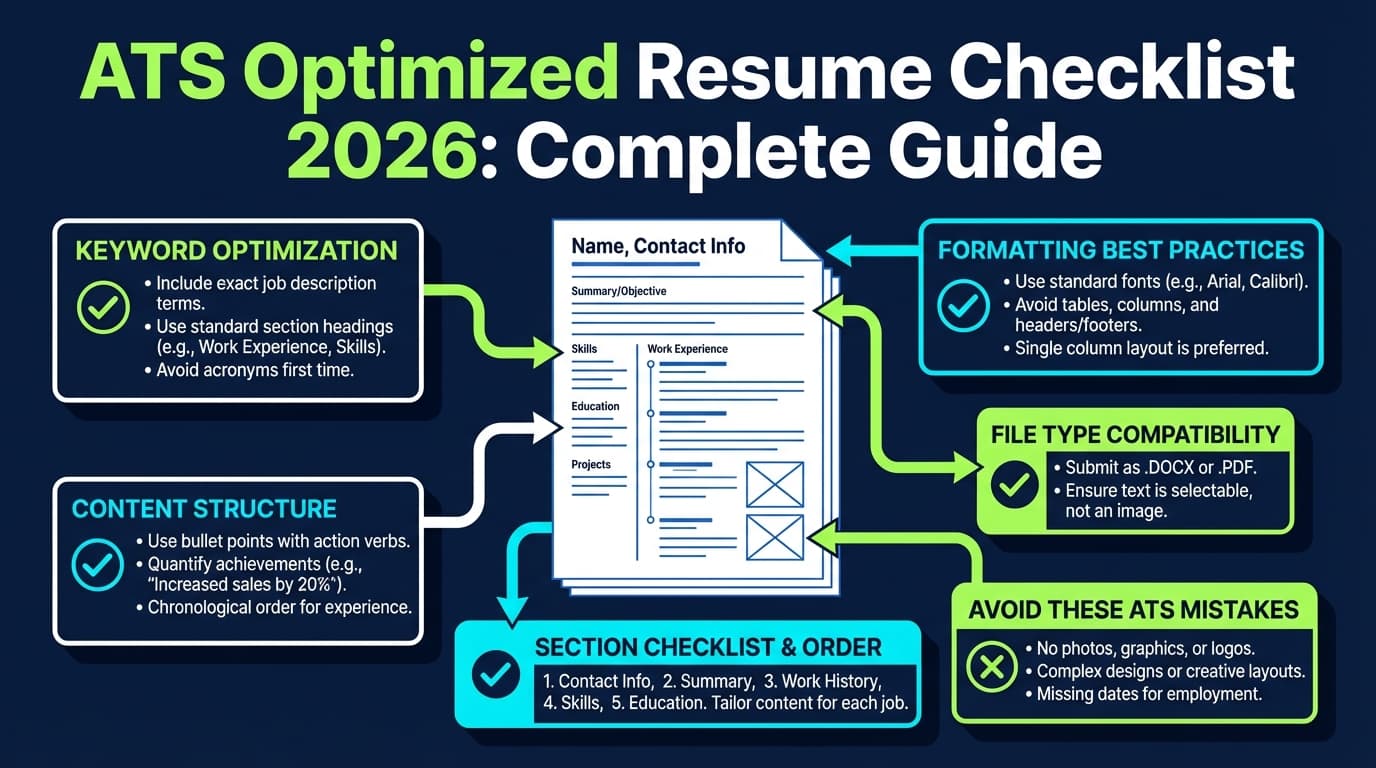
The ATS Optimized Resume Checklist 2026 (50+ point checklist)
Use this checklist in order. It’s intentionally built like a QA process:
- Parsing & format (can the ATS read it?)
- Structure (does the ATS categorize it correctly?)
- Keywords & proof (does your content match the role?)
- Submission (does your file survive the upload?)
Quick scoring tip (don’t obsess over 100%)
Different tools will give different “ATS scores,” and different ATS platforms behave differently. Use scores as a signal, not a verdict.
If you’ve been asking: “Is 70 a good ATS score?”—treat any threshold as tool-specific. Some blogs claim 70% is “minimum” and 80%+ is “competitive,” but these are not universal standards (often not backed by primary research). [Low–Medium confidence]
Section A — ATS-safe formatting (parsing checklist)
A1) Layout rules (the “don’t break parsing” essentials)
Check all that apply:
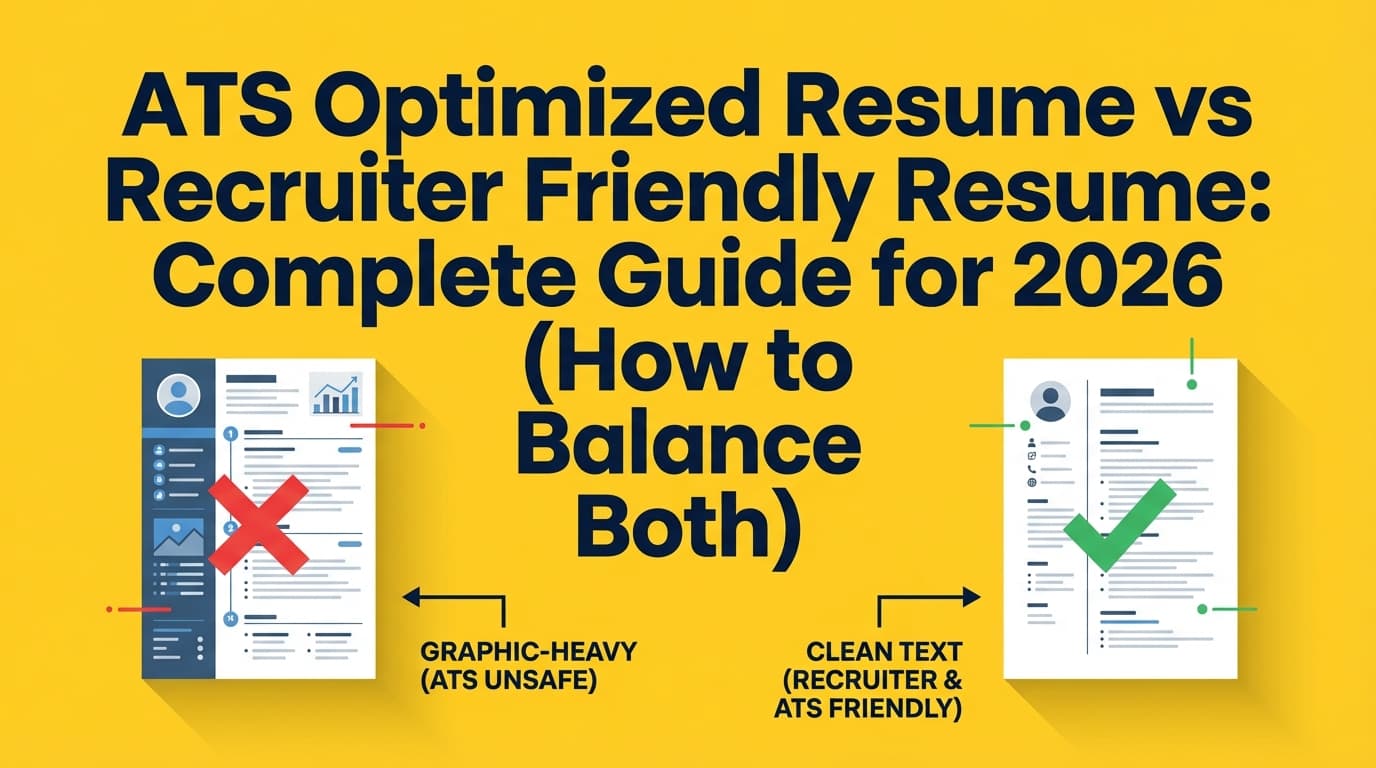
- Single-column layout (no sidebars)
- No tables for layout (including invisible tables)
- No text boxes
- No icons (phone/email icons often become junk characters)
- No images, headshots, or logos
- No headers/footers for critical info (some ATS may not parse them consistently)
Why: ATS parsing can miss or scramble content in complex layouts. This is consistently recommended across ATS-focused guidance and career centers (example: Santa Clara University’s career center toolkit references avoiding tables and using common fonts). (SCU — https://www.scu.edu/careercenter/toolkit/job-scan-common-ats-resume-formatting-mistakes/) [Medium confidence]
A2) Fonts, spacing, and readability
- Use a common font (e.g., Arial, Calibri, Times New Roman)
- Body font size typically 10–12 pt
- Keep line spacing consistent
- Avoid decorative fonts
Examples of career center guidance: SCU suggests common fonts and readable sizing (https://www.scu.edu/careercenter/toolkit/job-scan-common-ats-resume-formatting-mistakes/). Indeed also recommends standard fonts like Arial/Calibri/Times New Roman in 10–12 pt for ATS-friendly resumes. (Indeed — https://www.indeed.com/career-advice/resumes-cover-letters/ats-resume-template) [Medium–High confidence]
A3) Bullet points and characters
- Use standard bullet symbols (• or -)
- Avoid unusual glyph bullets, arrows, or custom symbols
- Avoid excessive special characters
A4) The “copy-paste parsing test” (5-minute check)
Do this before you tailor anything:
- Open your resume file.
- Select all → copy.
- Paste into a plain text editor (Notepad/TextEdit) or a blank Google Doc.
Pass criteria:
- Your content stays in the right order
- Headings remain readable
- Dates don’t jump around
- Bullets stay attached to the right job
This quick test is commonly recommended in ATS-parsing advice (example resource discussing a copy/paste check: Allsorter — https://allsorter.com/resources/blog/how-to-create-an-ats-scannable-resume). [Medium confidence]
Section B — ATS-friendly structure (so the system categorizes you correctly)
B1) Use standard section headings
ATS systems often rely on predictable headings.
Use headings like:
- Summary / Professional Summary
- Experience / Work Experience
- Skills
- Education
- Certifications (if applicable)
- Projects (if applicable)
Indeed explicitly recommends standard headings like “Professional Summary,” “Work Experience,” and “Skills.” (Indeed — https://www.indeed.com/career-advice/resumes-cover-letters/ats-resume-template) [High confidence]
Checklist:
- Your headings are simple words (no “Where I’ve Been” or “My Journey”)
- Headings are consistent in style and capitalization
- Sections appear in a logical order for your target role
B2) Put critical identifiers in the right places
Header should include:
- Full name
- Phone number
- Location (city, state/region; optional full address)
- LinkedIn URL and/or portfolio URL (if relevant)
Avoid:
- Putting contact info only in a header/footer
- Using icons instead of labels (e.g., just an envelope icon)
Section C — Content that ranks (keyword + relevance checklist)
This is where most “ATS-friendly templates” fail: they parse fine, but they don’t match the job.
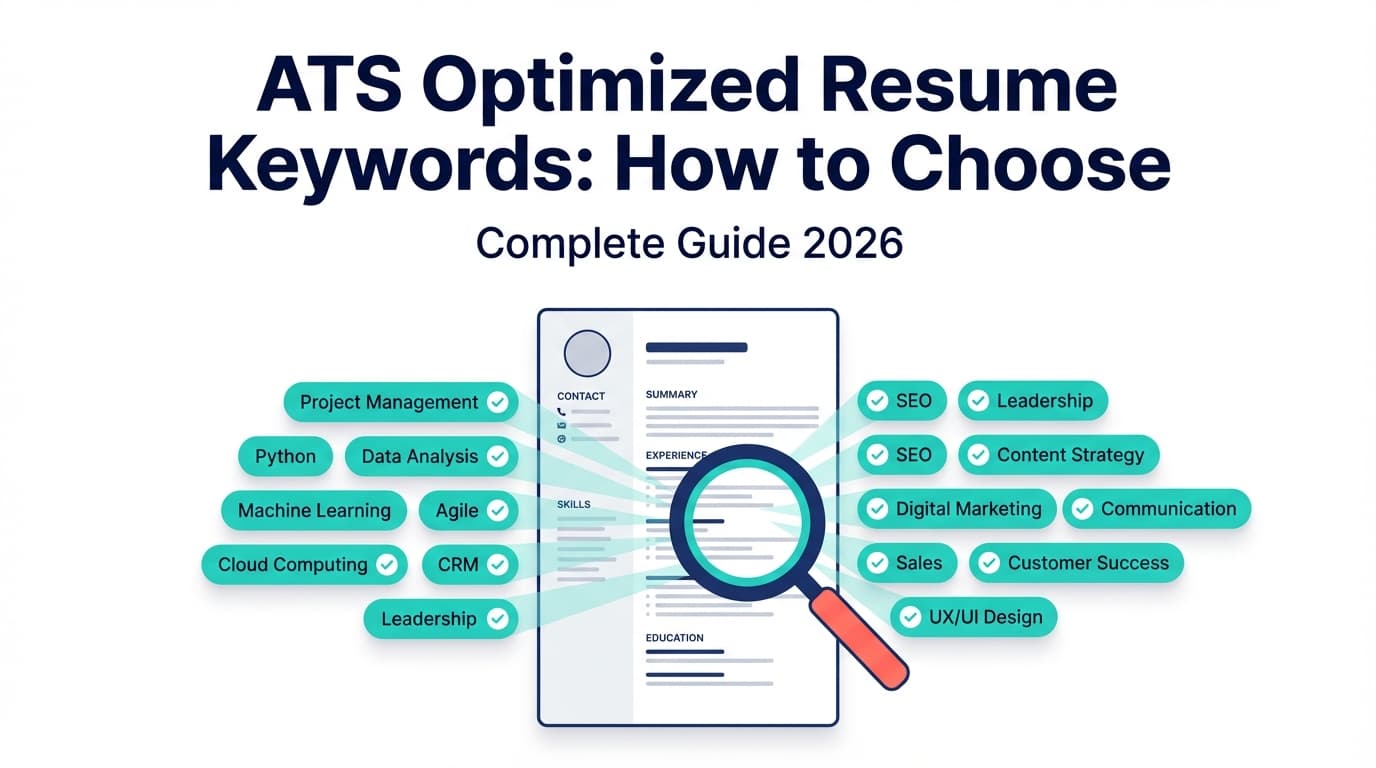
C1) Build a “target keyword list” from the job post (10 minutes)
For each role, extract and group keywords into:
- Must-have hard skills (tools, systems, languages)
- Core responsibilities (verbs + outcomes)
- Domain terms (industry language)
- Nice-to-haves (bonus tools, methods)
Checklist:
- You can point to 10–25 role-specific keywords from the posting
- Your resume includes the most important terms where they naturally belong (summary, skills, experience bullets)
C2) Avoid keyword stuffing (it can backfire)
- Keywords appear in context (not just a dumped list)
- Each major keyword is supported by proof: a bullet, metric, project, or certification
- You don’t repeat the same keyword unnaturally 15 times
Rule of thumb: If a recruiter asked “Where did you use that?” your resume should answer it instantly.
Section D — Experience bullets that satisfy ATS + humans
D1) Use an ATS-friendly bullet formula
Use a simple structure:
Action verb + what you did + how you did it + outcome (metric) + context
Example (before → after):
Before (weak):
- Responsible for dashboards and reports.
After (strong, ATS-keyword rich):
- Built Power BI dashboards and automated weekly reporting using SQL and DAX, reducing manual reporting time by 30% for a 12-person sales team.
Checklist:
- Most bullets start with a strong verb (built, launched, improved, automated)
- Bullets include role keywords (tools, methods)
- At least 30–50% of bullets include a measurable result (time, cost, revenue, quality, throughput)
D2) Make titles match what recruiters search
If your official title is odd, use a clarifier:
“Customer Happiness Hero” → “Customer Support Specialist (Customer Happiness Hero)”
Checklist:
- Your titles are understandable
- Your titles align with the target job family without being dishonest
Section E — Skills section that actually works
Bad skills sections are either:
- too generic (“Communication, Teamwork, MS Office”), or
- too dense (“100 tools in 6 lines”).
E1) Use a grouped skills layout (ATS-safe)
Example:
Skills
- Data: SQL, Excel (Power Query), Tableau, Power BI
- Analytics: A/B testing, forecasting, cohort analysis
- Tools: Jira, Confluence, Git
Checklist:
- Skills are grouped by category
- You include the exact names used in the job post (e.g., “Google Analytics 4” not just “Google Analytics” if the post specifies GA4)
- You avoid rating bars (e.g., “Excel ★★★★☆”)—these can confuse parsing
Section F — Education, certifications, and projects (ATS indexing checklist)
F1) Education
Checklist:
- School name, degree, graduation year (or expected)
- Location optional but consistent
- Relevant coursework optional (only if it helps match keywords)
F2) Certifications
Checklist:
- Certification name spelled out + acronym (e.g., “AWS Certified Solutions Architect – Associate (SAA-C03)”)
- Issuer included
- Date or validity included if relevant
F3) Projects (especially for career switchers)
Checklist:
- Projects include tools/skills from the target job
- Each project has 1–3 bullets with outcomes or scope
- Link to GitHub/portfolio if applicable (plain URL)
Section G — Dates, locations, and consistency checks (quiet ATS killers)
These issues don’t look “dramatic,” but they create parsing ambiguity.
Checklist:
- Dates are consistent format (e.g., “Jan 2023 – Mar 2025”)
- You don’t mix month formats randomly (Jan vs January)
- Locations are consistent (City, ST)
- Company names are consistent (don’t alternate “IBM” and “International Business Machines” unless deliberate)
Section H — File format + submission checklist (PDF vs DOCX, naming, and upload rules)
H1) PDF vs DOCX: what to submit in 2026?
There is no universal rule. Different ATS handle files differently, and sometimes the employer tells you what they want.
What you can rely on:
- Many systems accept multiple formats. Greenhouse support docs list accepted candidate upload formats such as doc, docx, pdf, rtf, txt. (Greenhouse Support — https://support.greenhouse.io/hc/en-us/articles/360052218132-Supported-formats-for-resumes-cover-letters-and-other-candidate-uploads) [High confidence]
- Some career centers caution that older systems may struggle with some formats; others say modern systems handle text-based PDFs fine. Because guidance varies, always follow the employer’s instructions first. [Medium confidence]
Practical 2026 rule:
- If the posting says DOCX, submit DOCX.
- If the posting says PDF, submit PDF.
- If it doesn’t specify: use a simple, text-based PDF or DOCX—then run the copy/paste test on whichever you choose.
Checklist:
- File is not image-based (no scanned PDF)
- File opens cleanly on mobile
- File name is professional:
FirstName_LastName_Resume_JobTitle.pdf - You submit the same version you tested (no last-second formatting changes)
H2) The “ATS fields” trick: fill them even if you upload a resume
Many ATS portals ask you to manually fill experience fields after upload.
Checklist:
- If the parser imported your data incorrectly, you fix the fields
- Your dates/titles match your resume
- You don’t leave critical fields blank assuming the resume “covers it”
Section I — Final ATS QA (the 10-minute pre-submit audit)
Run this every time you tailor a resume:
- Copy/paste test passes
- Standard headings used
- First half-page contains target role keywords (summary + skills)
- Most important 5–10 job keywords appear in skills + experience
- No tables/text boxes/icons
- Bullets are concise (1–2 lines when possible)
- Acronyms are spelled out at least once (e.g., “Search Engine Optimization (SEO)”)
- No keyword stuffing
- Spelling and consistency check
- File type matches employer instructions
How to use this ATS optimized resume checklist (step-by-step workflow)
This is the “repeatable system” for applying at scale without tanking quality.
Step 1: Start with a clean master resume (not tailored)
Goal: one strong, comprehensive resume you can tailor quickly.
- Keep it ATS-safe by default (single-column, standard headings).
- Write achievement bullets with metrics where possible.
- Include more projects/skills than you’ll use for any single job.
Pro tip: Create a “keyword bank” section in your notes (not in the resume) with role-specific tools, frameworks, and synonyms.
Step 2: Tailor to the job (keywords + proof)
For each job:
- Highlight keywords in the job post.
- Add missing critical ones—only where true.
- Reorder bullets so the most relevant achievements appear first.
Aim: the first 1/3 of your resume should scream “this is the same job.”
Step 3: Run the parsing QA (format)
- Copy/paste test
- Look for scrambled dates, broken bullets, missing titles
Fix formatting before you obsess over keywords.
Step 4: Run the relevance QA (content)
Ask:
- If I were a recruiter searching for this role inside an ATS, what would I type?
- Does my resume contain those terms in meaningful context?
Step 5: Submit with the right file + track outcomes
The best ATS resume is the one you can iterate on.
Track:
- resume version used
- job title/company
- date applied
- response outcome
Tools to help with ATS optimization in 2026 (honest recommendations)
You can do ATS optimization manually—but tools speed up iteration.
JobShinobi (resume building + analysis + job matching + tracking)
JobShinobi is built for job seekers who want an ATS-safe resume workflow and less manual tracking.
Accurate capabilities (based on product constraints):
- Build resumes in LaTeX and compile to a PDF inside the app (LaTeX editor + PDF preview).
- Analyze your resume with AI and get ATS-focused scoring and feedback.
- Match your resume to a job description (paste text or a URL) to see keyword gaps and tailoring suggestions.
- Track job applications, including an email-forwarding workflow that can parse application emails into your tracker (email processing requires Pro).
Pricing (accurate): JobShinobi Pro is $20/month or $199.99/year. The pricing page mentions a “7-day free trial,” but trial enforcement isn’t clearly verifiable from product logic—so treat it as a marketing claim rather than a guarantee.
If you want one workflow, JobShinobi is especially useful for:
- running a repeatable “analyze → tailor → re-analyze” loop,
- keeping versions of your resume for different role types,
- and tracking applications without living in spreadsheets.
Internal links you can use:
- Subscription:
/subscription - Resume area:
/dashboard/resume - Job tracker:
/dashboard/job-tracker
Other tools (use-case based)
- ATS scanners / resume checkers: Useful for spotting keyword gaps and obvious formatting risks, but treat scores as directional.
- Career center ATS guides: Often the most conservative and ATS-safe formatting rules (great for avoiding parsing mistakes).
- Plain text editor tests: Surprisingly effective for catching hidden formatting issues fast.
Common mistakes to avoid (the ones that quietly kill callbacks)
Mistake 1: Using a two-column template “because it looks modern”
Many candidates choose design over parseability. If the ATS can’t reliably read your resume, the human may never see the best parts.
Fix: Use a single-column, text-forward layout. Keep “visual design” subtle (spacing, bold headings), not structural (columns, text boxes).
Mistake 2: Chasing a perfect ATS score instead of matching the job
A generic resume can score “fine” on formatting and still lose because it doesn’t reflect the role’s keywords and responsibilities.
Fix: Tailor the summary, skills, and top 3 bullets per role.
Mistake 3: Stuffing keywords without proof
Tools can reward keyword density. Humans don’t.
Fix: Every major keyword should be anchored to a bullet, project, or certification.
Mistake 4: Submitting the wrong file type (or ignoring instructions)
Even if both PDF and DOCX “usually work,” the job post is the authority.
Fix: Follow the requested format, then QA it.
Mistake 5: Not tracking which version you used
If you don’t track versions, you can’t learn what’s working.
Fix: Track resume version by role type (e.g., “Data Analyst v3 — Healthcare”).
Best practices summary (2026 edition)
- Optimize for parsing first, ranking second.
- Use standard headings so the ATS categorizes you correctly.
- Tailor keywords to each job—but only with truthful, supported claims.
- Write evidence-based bullets (tools + outcomes + scope).
- Use a simple skills section that mirrors job-post language.
- Use the copy/paste test as a fast parsing audit.
- Track applications and iterate (your resume is a living document).
Key takeaways
- ATS optimization is two problems: parsing (format) and ranking (keywords + relevance).
- A clean single-column resume with standard headings is the safest baseline.
- Tailoring wins interviews: match job keywords with proof, not stuffing.
- File submission details (PDF vs DOCX, naming, and portal fields) can create avoidable failures.
- Tools like JobShinobi can speed up analysis, job matching, resume iteration, and application tracking—while keeping you in an ATS-safe workflow.
FAQ (People Also Ask–style)
How do I make a 100% ATS-friendly resume?
“100%” isn’t a universal standard—different tools and ATS platforms behave differently. Aim for:
- clean single-column formatting,
- standard headings,
- no tables/text boxes/icons,
- strong keyword alignment to the job,
- and a successful copy/paste test.
That combination gets you most of the practical benefit without over-optimizing for one scoring algorithm.
Is a 70 ATS score good?
It depends on the tool. Some sites suggest 70% is a baseline and 80%+ is stronger, but there’s no universal ATS score that employers use across systems. Treat scores as directional and focus on:
- correct parsing,
- role keyword match,
- and strong achievements.
What file format is best for ATS: PDF or DOCX?
Follow the employer instructions first. Many systems accept both; Greenhouse lists doc/docx/pdf/rtf/txt as supported candidate upload formats. (Greenhouse Support — https://support.greenhouse.io/hc/en-us/articles/360052218132-Supported-formats-for-resumes-cover-letters-and-other-candidate-uploads)
If no format is specified, submit a text-based PDF or DOCX, then run the copy/paste test to confirm your content stays in order.
Can ATS read tables, columns, or text boxes?
Sometimes, but it’s risky. Complex formatting can cause missing or scrambled data during parsing. The safest approach is to avoid tables/columns/text boxes for layout and use a single-column structure.
What should a resume look like in 2026?
In 2026, the best-performing resumes tend to be:
- simple and skimmable,
- keyword-aligned to the role,
- achievement-focused with metrics,
- and ATS-parseable (standard headings, no complex layout).
Think “clean professional document,” not “graphic design project.”
How can I quickly test if my resume is ATS-parsable?
Use the copy/paste test:
- Copy your resume text and paste into a plain text editor. If the order breaks or content disappears, your formatting is likely risky for ATS parsing. Then simplify layout and re-test.