Career changes are brutal on paper: your experience is real, but ATS systems and recruiters often can’t “connect the dots” unless your resume is structured cleanly and speaks the target role’s language.
JobShinobi is an ATS resume tracker for career changers that combines two workflows you need at the same time:
- ATS-focused resume building + analysis (LaTeX resume builder, ATS scoring, keyword feedback, job matching)
- Application tracking that doesn’t rely on spreadsheets (dashboard job tracker, real-time updates, and automated tracking via email forwarding for Pro members)
If you’re pivoting roles/industries and tailoring multiple resume versions, JobShinobi helps you see what you applied to, what version you used, what keywords you’re missing, and what’s actually converting into interviews.
CTA: Ready to start? Create your account here: /login
Why JobShinobi for Career Changers (Not Just Another ATS Checker)?
Most “ATS tools” focus on a single scan. Career changers need a system: multiple target roles, multiple resume versions, repeated tailoring, and a clear application pipeline so nothing slips.
JobShinobi is built around that reality:
- LaTeX-based resume builder to keep formatting consistent and ATS-readable
- AI resume analysis (with cached results when your resume hasn’t changed) so you can iterate faster
- Job description extraction + resume-to-job matching with a match score, present keywords, missing keywords, and recommendations
- Job application tracker with real-time updates and Excel (.xlsx) export
- Email forwarding automation (Pro required) to turn application-related emails into tracked application updates (and reduce manual data entry)
What makes it especially useful for career changers
Career changers typically need to:
- Translate “old industry” language into “new role” language
- Prove fit with transferable skills (without keyword stuffing)
- Maintain multiple tailored versions without confusion
- Track outreach + responses across many applications
JobShinobi supports that by pairing a resume optimization workflow with a tracker workflow—so you’re not guessing which changes actually move the needle.
The Career-Change Problem ATS Makes Worse (And How JobShinobi Helps)
When you pivot, your resume often has three common ATS failure points:
- Target-role keywords are missing (because your previous job titles and tools are different)
- Your strongest transferable wins are buried (or not phrased in target-role language)
- Formatting introduces parsing risk (complex layouts can reduce what the ATS “sees”)
JobShinobi tackles these with a repeatable workflow: build a clean resume in LaTeX, analyze it, match it to the job, then update fast (including via AI-assisted edits), and track the application outcome.
How JobShinobi’s ATS Resume Tracker Workflow Works
Step 1: Build a clean, structured resume (LaTeX templates)
Go to /dashboard/resume and start from a template. JobShinobi stores your resume as LaTeX source so structure stays consistent as you iterate.
- Start from a template category that fits your style
- Create and manage multiple resumes (useful when you’re targeting multiple roles)
- Duplicate a resume when you want a new “track” for a different target role
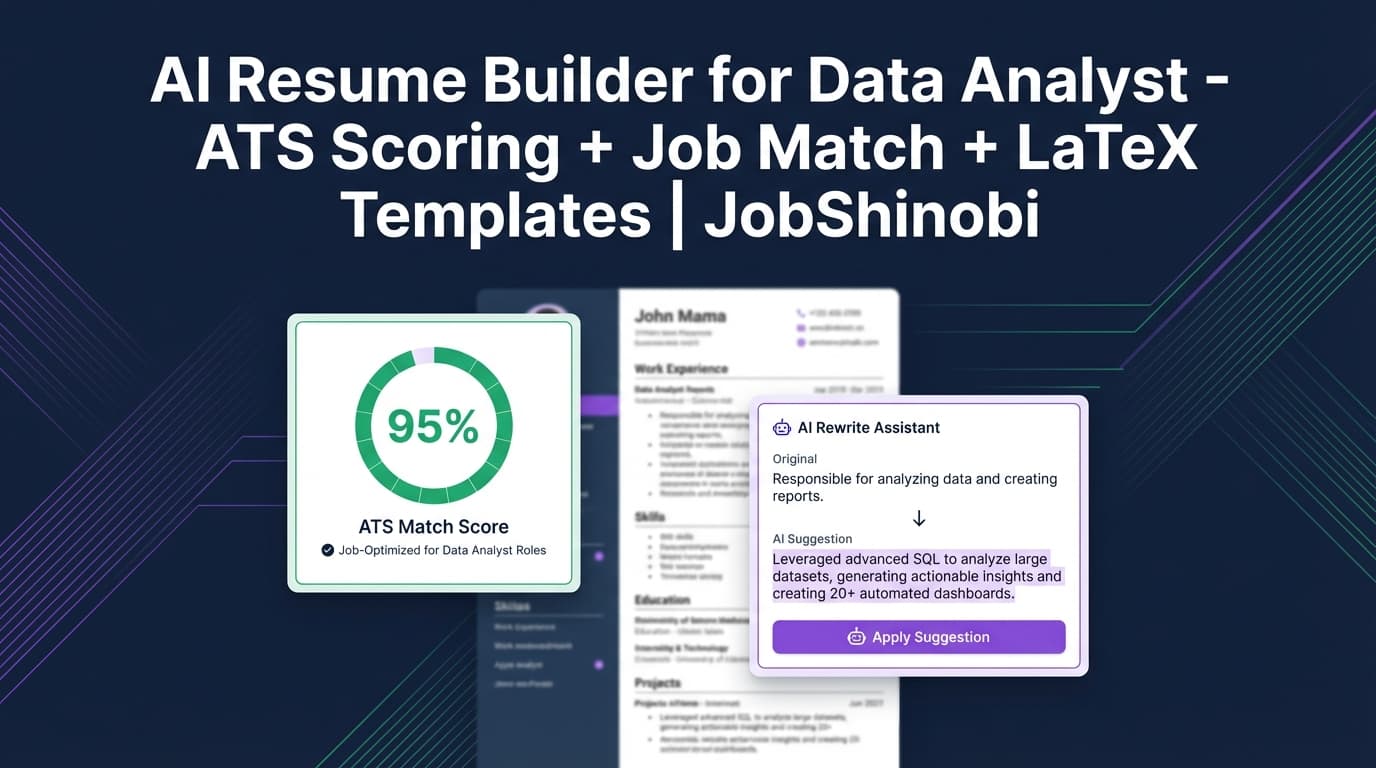
Step 2: Get ATS-focused resume analysis (with scores + detailed feedback)
From your resume workflow, run Resume Analysis to generate:
- Overall score and sub-scores (content, keyword, formatting, completeness, ATS)
- Strengths, weaknesses, missing sections
- ATS issues and keyword analysis (present/missing/overused + related metrics)
Built for iteration: if your resume hasn’t changed since your last analysis, JobShinobi can return cached analysis so you’re not re-running the same scan unnecessarily.
Step 3: Extract the job description (URL or paste) and run job matching
On your analysis flow, paste:
- A job posting URL, or
- The full job description text
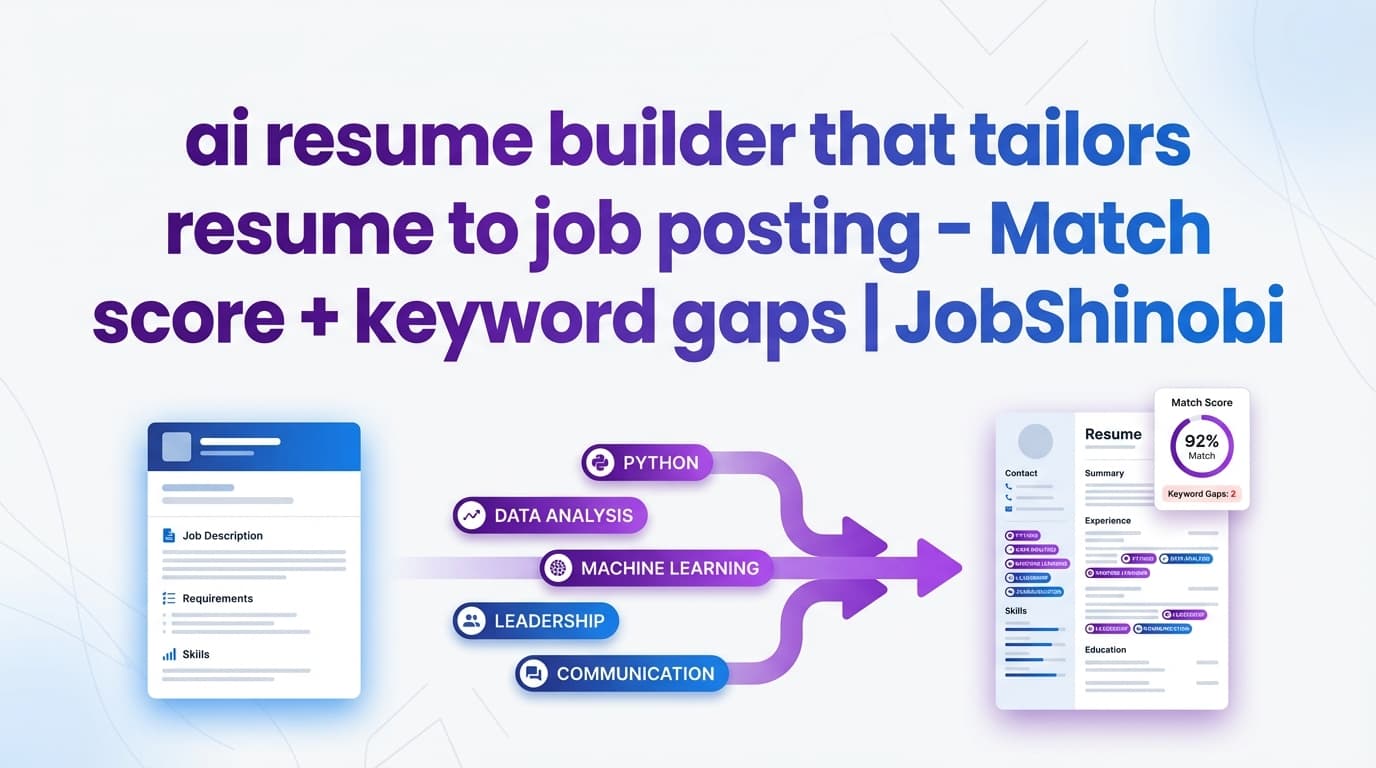
JobShinobi extracts structured job details and then generates a job match analysis including:
- Match score
- Present keywords (already in your resume)
- Missing keywords (terms you likely need to incorporate)
- Recommendations to tailor your resume for that specific posting
Step 4: Apply changes quickly (manual LaTeX edits or AI-assisted editing)
Open the editor and:
- Edit directly in the LaTeX editor, and/or
- Use the AI chat editor (streaming) to help restructure sections, improve bullets, and keep your resume compiling correctly
JobShinobi also maintains resume version history, which is critical when you’re managing multiple tailored iterations during a career transition.
Step 5: Track every application (manual entry or email-forwarding automation)
In /dashboard/job-tracker, you can:
- Add/edit/delete applications
- Track statuses like Applied, Interview, Offer, Rejected
- See updates in real time
- Export your tracker to Excel (.xlsx)
If you’re on Pro, you can also use the email forwarding workflow to reduce manual tracking:
- You get a unique forwarding email address
- Forward job-related emails (confirmations, interview invites, rejections)
- JobShinobi parses key details and creates/updates application records using fuzzy matching
Step 6: Measure what’s working (analytics)
In /dashboard/analytics, JobShinobi calculates job-search metrics such as:
- Response rate
- Offer rate
- Interview conversion
- Monthly application trends (recent months)
This is where career changers can stop guessing and start seeing patterns—e.g., which target roles are converting better, or whether your iteration changes correlate with more interviews.
Key Features for an ATS Resume Tracker (Career Changer Edition)
| Feature | What It Does | Why It Matters for Career Changers |
|---|---|---|
| Job Application Tracker | Track applications by company, job title, and status; edit anytime | You’ll apply broadly—this keeps every thread organized |
| Real-time Tracker Updates | Updates the job tracker live | Keeps your pipeline accurate when things change quickly |
| Excel Export (.xlsx) | Export your applications to an Excel file | Easy reporting, backups, or sharing with a coach |
| Email Forwarding Automation (Pro) | Forward application emails to your unique address; auto-create/update applications | Reduces manual tracking work when you’re applying at volume |
| AI Resume Analysis | ATS-focused scores + strengths/weaknesses + ATS issues + keyword feedback | Helps you “translate” your experience into target-role language |
| Job Description Extraction | Paste URL or text to extract job details | Faster tailoring workflow (especially when pivoting industries) |
| Resume-to-Job Matching | Match score + missing/present keywords + recommendations | Stops you from blind-applying with the wrong language |
| LaTeX Resume Builder + PDF Preview | Edit LaTeX and compile to PDF for preview | Consistent structure; fewer formatting surprises |
| AI Resume Editor (Streaming) | Chat-based editing that can update LaTeX and validate compilation | Faster iteration without breaking formatting |
| Resume Version History | Versions saved over time (manual + AI changes) | Critical when you maintain multiple “career pivot” variants |
| Job Search Analytics | Response rate, offer rate, trends | Shows whether your pivot strategy is working |
How JobShinobi Helps You “Translate” Transferable Skills (Without Keyword Stuffing)
Career changers don’t usually need to invent experience—they need to reframe it:
- Projects become outcomes
- Tools become capabilities
- Responsibilities become skills + impact
- Industry language becomes target-role language
JobShinobi supports this through two practical mechanisms:
- Resume analysis + keyword feedback to show what your resume communicates today (and what it’s missing)
- Job match analysis to show what the target role expects (and the gap between your resume and that role)
Then you can revise quickly, test again, and maintain separate versions when you’re targeting different roles (e.g., Project Manager and Business Analyst).
A Realistic Career-Change Tailoring Workflow (Example)
If you’re moving from Operations → Data Analyst:
- Build a resume version for “Data Analyst” (template + LaTeX)
- Run Resume Analysis to identify formatting/keyword/completeness gaps
- Paste a Data Analyst job URL (or the job text) and run Job Matching
- Review:
- Match score
- Missing keywords (e.g., “SQL”, “dashboarding”, “data visualization”, “stakeholder reporting”)
- Recommendations (e.g., rewrite bullets to highlight analysis outcomes)
- Open the editor:
- Update bullets with measurable outcomes
- Add relevant tools only if you truly have them
- Save a new version
- Apply and track the application in the job tracker
- Monitor analytics to see whether your changes improve response rate over time
JobShinobi vs. “Spreadsheet + Random ATS Scanner Tabs”
Spreadsheet-only approach
Pros
- Flexible
- Familiar
Cons
- Manual updates get skipped (especially at high volume)
- No built-in resume scoring or job-match workflow
- Hard to connect which resume iteration you used to which outcome
Separate ATS checker + separate job tracker
Pros
- Best-of-breed tools exist
Cons
- Context is fragmented: the resume iteration you improved isn’t connected to your pipeline
- You end up copying/pasting data between tools
- Harder to build a repeatable career-change system
JobShinobi (combined ATS resume + tracker workflow)
Pros
- Resume analysis + job match + tracking in one system
- Email-forwarding automation for tracking (Pro required)
- Version history to manage “pivot” variants
- Excel export when you need portability
Cons / honest limitations
- JobShinobi does not auto-apply to jobs or integrate directly with job boards (no LinkedIn/Indeed auto-apply)
- JobShinobi does not support image/PDF OCR resume parsing (no scanning images to extract content)
- Email-forwarding automation requires Pro membership
Pricing
JobShinobi is offered as paid subscriptions via Stripe:
- Monthly: $20.00
- Yearly: $199.99
If you’re ready to subscribe, use the official Stripe payment links:
- Monthly: https://buy.stripe.com/7sYeV61P10GS310eTy0VO02
- Yearly: https://buy.stripe.com/6oU9AM0KXexIdFE5iY0VO03
Note: Email-forwarding automation is gated to Pro membership.
Frequently Asked Questions
What does an “ATS resume tracker for career changers” actually mean?
It means you need both:
- ATS-focused resume optimization (so your pivot is legible to screening systems), and
- application tracking (so you can manage volume and follow-ups without chaos).
JobShinobi combines resume analysis + job matching + application tracking so you can iterate your career-change resume and track outcomes in one workflow.
Can JobShinobi automatically track my applications from emails?
Yes—if you’re a Pro member. JobShinobi supports an email-forwarding workflow where you forward job-related emails to your unique forwarding address. The system attempts to extract job details (like company, role, and status) and create/update a job application record.
Do I have to paste job descriptions manually?
No. JobShinobi lets you provide either:
- a job posting URL, or
- the job description text
It then extracts job details and runs resume matching from that.
Does JobShinobi generate my resume as LaTeX and let me preview it as a PDF?
Yes. JobShinobi is a LaTeX-based resume builder with a PDF preview (compiled from your LaTeX), so you can edit and validate formatting as you go.
Can JobShinobi tailor my resume to a specific job?
JobShinobi provides resume-to-job matching (match score, missing/present keywords, recommendations). You can then apply changes in the editor (manual edits or AI-assisted edits). It’s designed to help you tailor intentionally rather than blindly.
Does JobShinobi auto-apply to jobs or connect to job boards?
No. JobShinobi does not integrate with job boards for auto-apply.
Can I export my job tracker data?
Yes. JobShinobi supports exporting job applications to Excel (.xlsx).
Is this a replacement for career coaching?
It can support your process (analysis, matching, tracking), but it’s not a guarantee of interviews or offers. Career changes still require smart targeting, honest positioning, and consistent applications.
Get Started with JobShinobi Today
If you’re switching careers, you need more than a one-off ATS scan—you need a repeatable system to tailor, track, and iterate.
- Build a clean resume from templates: /dashboard/resume
- Analyze it for ATS + keywords
- Match it to real job descriptions
- Track applications in one place (and automate tracking via email forwarding on Pro)
- Measure outcomes in analytics
Next step: create your account here → /login