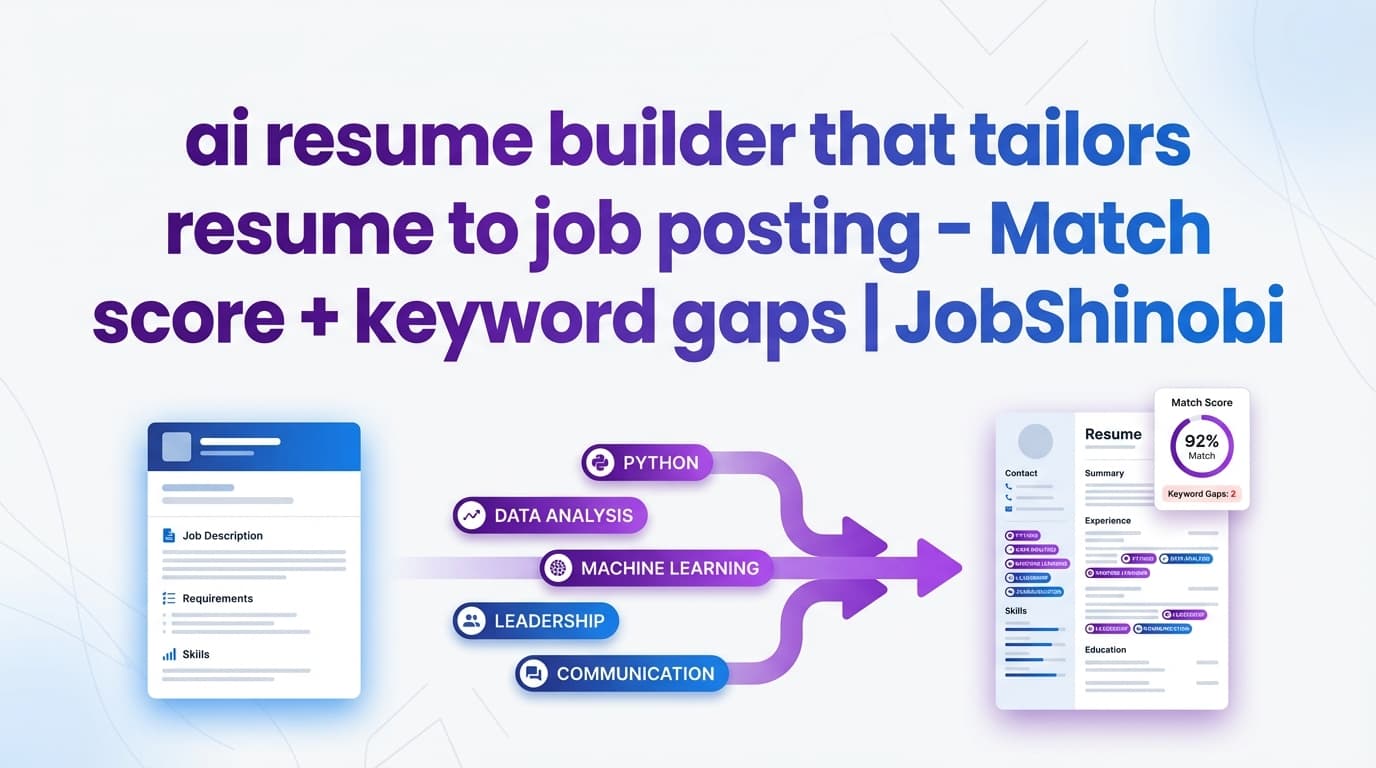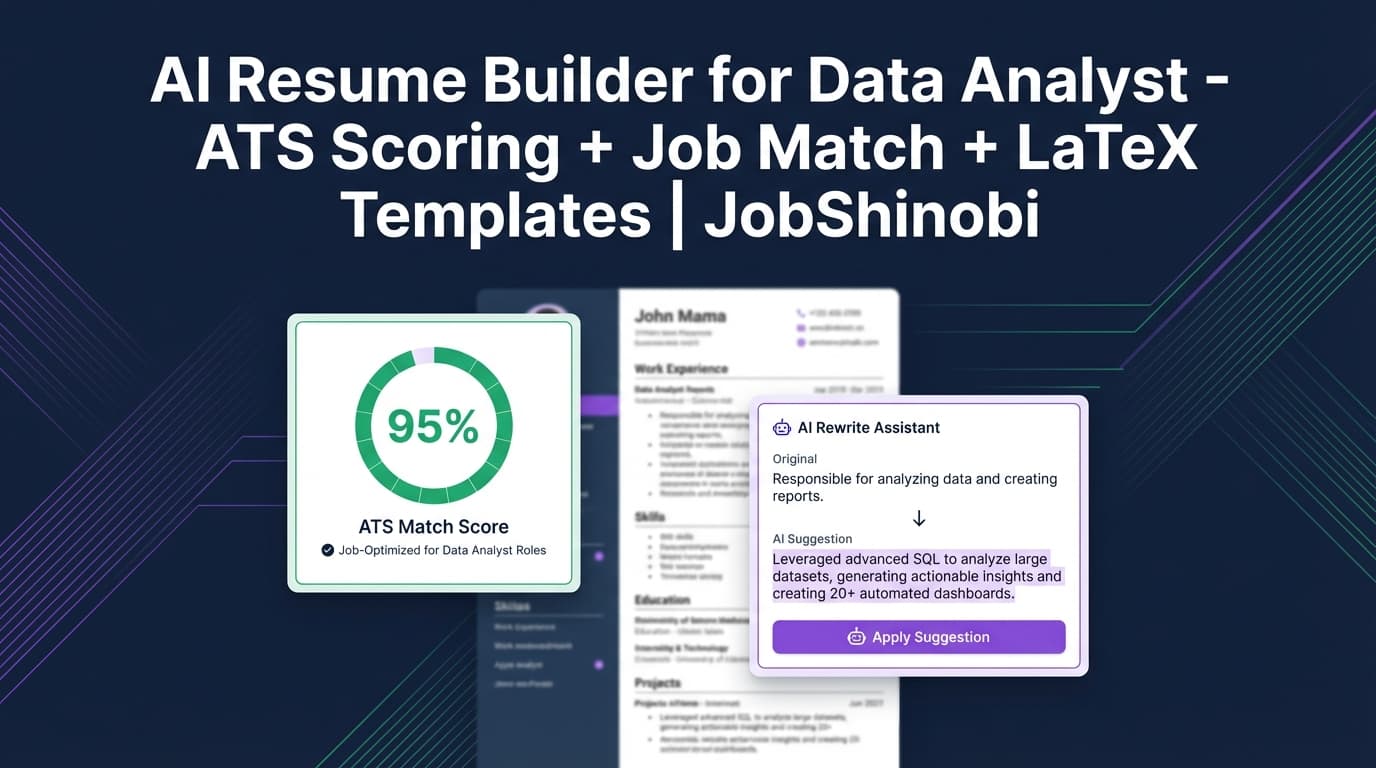
JobShinobi is an AI resume builder for data analyst candidates who need more than “fill-in-the-blank templates.” You can create a resume from LaTeX templates, generate a PDF preview, run AI resume analysis (ATS + keywords + structure), and match your resume to a specific job description (URL or pasted text) to see missing keywords and recommendations. Then you can use JobShinobi’s streaming AI Resume Agent to apply edits faster—while keeping resume version history so you can tailor confidently for every application.
CTA: Sign in with Google and start building your data analyst resume.
Why JobShinobi for “AI Resume Builder for Data Analyst” Search Intent?
Data analyst hiring is keyword- and proof-driven. Recruiters and ATS filters often look for the right combination of tools and outcomes—SQL + dashboards + experimentation + stakeholder impact—presented in a resume that stays readable.
JobShinobi is built around the exact workflow most analyst candidates actually follow:
- Start from a solid resume structure (templates)
- Tailor to a job description (keyword gaps + recommendations)
- Fix what the analysis flags (ATS issues, weak bullets, missing sections)
- Export (PDF +
.tex) - Repeat without losing your baseline resume (version history)
Where many resume tools focus on generic writing suggestions, JobShinobi is built to help you iterate: analyze → match → edit → re-check.
What Makes a Data Analyst Resume “ATS-Friendly” (And Where Most Candidates Lose)
Data analyst resumes commonly get filtered for three avoidable reasons:
1) Missing or unclear keyword coverage
Even strong analysts get rejected if the resume doesn’t clearly reflect what the job requires.
Common keyword clusters for data analyst roles include:
- Querying & databases: SQL, joins, CTEs, window functions, data warehouse
- Analytics methods: cohort analysis, funnel analysis, A/B testing, hypothesis testing
- BI & reporting: Tableau, Power BI, Looker, dashboards, stakeholder reporting
- Programming: Python (pandas), automation, notebooks
- Data foundations: data modeling, ETL/ELT, data quality
JobShinobi helps by generating a job match score and showing present vs. missing keywords from the job’s keyword list.
2) Bullets without measurable outcomes
“I built dashboards” isn’t enough. Analysts are hired for impact.
Stronger patterns:
- “Reduced reporting time by X hours/week”
- “Improved conversion by Y%”
- “Identified Z drivers of churn, leading to $ impact”
- “Automated pipeline, reducing manual work by X%”
JobShinobi’s analysis and AI editing workflow are designed to help you rewrite bullets to be more specific and quantified (without breaking formatting).
3) Formatting drift across multiple edits (especially during tailoring)
Tailoring often causes formatting issues: inconsistent spacing, broken alignment, messy sections.
JobShinobi is LaTeX-first: you build from a template and maintain structure while editing. You can compile and preview a PDF while you iterate.
How JobShinobi Works (Real Product Flow)
Step 1: Sign in and open your resume workspace
Go to Login to sign in with Google, then head to your resume area: /dashboard/resume.
Step 2: Pick a LaTeX template and create your data analyst resume
JobShinobi provides a resume template library (categorized). Choose a template and create a resume that’s stored as LaTeX source.
What this unlocks for data analysts: consistent single-page structure, predictable section layout, and fewer formatting surprises as you tailor.
Step 3: Edit in the LaTeX resume editor and preview the PDF
In the resume editor, you can:
- Edit LaTeX directly (manual control)
- Use the AI chat editor (streaming) to propose and apply changes
- Generate a PDF preview through the compile workflow
You can export:
- Download PDF
- Download
.tex
Step 4: Run AI Resume Analysis (ATS + keywords + structure)
JobShinobi includes an AI resume analysis endpoint that supports:
- Comprehensive analysis
- Enhanced analysis (
enhancedModesupported)
It can also return cached results if the resume hasn’t changed since the last analysis—useful when you’re iterating quickly.
Step 5: Match your resume to a job description (URL or text)
From the Resume Analysis flow, you can provide a job description by:
- Pasting the job description text, or
- Submitting a job URL (JobShinobi can extract job details)
You’ll receive a job match analysis with:
- Match score
- Present keywords
- Missing keywords
- Recommendations
- Saved job analysis (so you can reference it later)
Step 6: Apply changes with the streaming AI Resume Agent (and keep versions)
JobShinobi includes a streaming AI chat editor designed specifically for resume editing. You can ask it to:
- Rewrite bullets for clarity and impact
- Incorporate missing keywords naturally
- Tighten your summary for the role (Product Analyst vs BI Analyst, etc.)
- Restructure sections (when needed)
Every major change can be captured in resume version history, so you can revert and maintain multiple tailored variants.
Key Features (Built for Data Analyst Job Searches)
| Feature | What It Does in JobShinobi | Why It Matters for Data Analyst Candidates |
|---|---|---|
| LaTeX-based resume builder | Create and manage resumes stored as LaTeX (latex_source) |
Keeps layout stable while you iterate/tailor |
| Template library (categorized) | Start from a structured template instead of a blank page | Faster setup + cleaner structure from day one |
| PDF preview via compile workflow | Generate a PDF preview while editing | Catch layout issues before you submit |
Export PDF + .tex |
Download both formats | Easy to apply (PDF) and easy to maintain (LaTeX) |
| AI Resume Analysis (comprehensive + enhanced mode) | ATS + keyword + section feedback; cached results when unchanged | Iterative improvement loop (analyze → fix → re-check) |
| Job description extraction (URL or text) | Turn a JD into structured job data | Tailor based on a real posting, not guesses |
| Resume-to-job matching | Match score + present/missing keywords + recommendations | Quickly close keyword gaps for each application |
| Streaming AI Resume Agent | Chat-based edits with streaming responses | Faster rewrites and targeted adjustments |
| Resume version history | Versions saved from manual edits and AI chat flow | Tailor aggressively without losing your baseline |
| Job tracker + Excel export | Track applications and export .xlsx |
Stay organized and share/export your pipeline easily |
| Email-forwarding application tracking (Pro) | Forward job emails to auto-create/update application records | Reduce manual tracking for high-volume applying |
Data Analyst Resume Playbook (Copy/Paste Structure You Can Implement)
A strong data analyst resume is usually impact-first and tool-specific—without being a keyword dump.
Recommended structure (ATS-safe and recruiter-readable)
- Header (name, email, links)
- Summary (2–3 lines)
- Skills (grouped)
- Experience (impact bullets)
- Projects (optional but powerful—especially early-career)
- Education / Certifications
Because JobShinobi is LaTeX-first, you can keep this structure consistent across versions (e.g., Product Analyst version vs BI Analyst version).
Data Analyst Resume Summary Examples (Better Than Generic “Data-Driven” Claims)
Your summary should help a recruiter answer: what kind of analyst are you, what do you use, and what outcomes do you drive?
Example A — Product Analytics focus
- Data Analyst with 4+ years using SQL and dashboards to improve funnel performance and stakeholder decision-making. Known for building self-serve reporting, running experiment analysis, and translating findings into clear recommendations.
Example B — BI / Reporting focus
- Data Analyst specializing in KPI reporting and executive dashboards. Experienced with SQL-driven data models, automated reporting workflows, and Tableau/Power BI dashboards that reduce manual reporting and improve weekly business reviews.
Example C — Entry-level / early-career focus
- Junior Data Analyst with strong SQL and Python fundamentals and project experience in cohort analysis, dashboarding, and data cleaning. Seeking a role where I can support experimentation, reporting, and decision-making with reliable analysis.
In JobShinobi, you can test a summary against:
- AI resume analysis (clarity, completeness, keywords)
- Job match (alignment with the posting’s requirements)
Skills Section: The Fastest Way to Increase ATS Keyword Coverage (Without Stuffing)
Instead of a single long list, use grouped skills that map to how jobs are written.
Suggested grouping for data analyst roles:
- SQL & Databases: SQL, joins, CTEs, window functions
- Analytics: A/B testing, cohort analysis, funnel analysis, forecasting
- BI & Reporting: Tableau, Power BI, Looker, dashboards, KPI reporting
- Programming: Python (pandas), automation scripts
- Data Foundations: data modeling, ETL/ELT concepts, data quality checks
- Collaboration: stakeholder management, documentation, requirements gathering
JobShinobi’s job matching can highlight missing keywords so you can decide what to add (only if it’s truthful for you).
Bullet Point Upgrades (Before/After Examples for Data Analysts)
Example 1 — Dashboard impact
Before
- Built dashboards for stakeholders.
After
- Built stakeholder-facing dashboards to track weekly KPIs and campaign performance, reducing manual reporting time and improving decision turnaround; partnered with cross-functional teams to define metrics and data definitions.
Example 2 — SQL analysis that drives decisions
Before
- Wrote SQL queries to analyze data.
After
- Wrote SQL queries to identify funnel drop-offs and key drivers, producing a weekly insight report that informed roadmap and marketing optimization priorities.
Example 3 — Automation and reliability
Before
- Automated reports.
After
- Automated recurring reporting workflow and standardized KPI definitions, reducing recurring manual work and improving consistency across stakeholder updates.
JobShinobi can help you iterate on bullets using:
- Resume analysis feedback (weaknesses, ATS issues)
- AI Resume Agent rewrites
- Job match recommendations for a specific posting
JobShinobi vs. Common Alternatives (For Data Analyst Candidates)
AI Resume Builder for Data Analyst vs. “One Resume for Every Job”
Problem: analyst roles vary (product analytics vs BI vs operations). A single resume won’t align with every JD.
JobShinobi approach: match your resume to the job description and create a tailored version—without losing your baseline resume thanks to version history.
AI Resume Builder for Data Analyst vs. “ChatGPT + Google Docs”
Problem: you can get text suggestions, but the resume becomes a formatting project and it’s hard to keep versions organized.
JobShinobi approach: structured resume workflow (template → analysis → job match → AI edits → export), with stable formatting via LaTeX and saved versions.
AI Resume Builder for Data Analyst vs. Generic resume builders
Problem: many resume builders are template-driven but don’t offer a rigorous iterate-and-tailor workflow.
JobShinobi approach: combines a resume builder with AI analysis, JD matching, and an AI editor built to update resume content while retaining a clean structure.
Bonus: Track Your Data Analyst Applications Without Spreadsheet Chaos
JobShinobi also includes a job application tracker:
- Track applications in a dashboard UI
- Realtime updates (when your records change)
- Export your tracker to Excel (.xlsx)
For high-volume applicants, JobShinobi supports an email-forwarding workflow that can process inbound job-related emails and attempt to match them to applications (this processing is gated to Pro membership).
Explore:
- Job tracker: /dashboard/job-tracker
- Analytics: /dashboard/analytics
Pricing
JobShinobi offers paid subscriptions via Stripe:
- Monthly: $20.00
- Yearly: $199.99
To get started, sign in first: Login. Billing and account settings are available in the dashboard: /dashboard/settings.
Frequently Asked Questions
How do I tailor my data analyst resume to a specific job description in JobShinobi?
Use JobShinobi’s job description input (URL or pasted text) to generate a match analysis. You’ll see a match score, present keywords, missing keywords, and recommendations. Then use the AI Resume Agent to apply changes and save a new resume version for that job.
Does JobShinobi include ATS scoring and keyword feedback?
Yes. JobShinobi includes AI resume analysis that returns structured scores (including ATS-related scoring) and detailed feedback. It can also return cached analysis if your resume hasn’t changed since the last run.
Can JobShinobi generate a PDF of my resume?
Yes. JobShinobi’s resume editor supports compiling your LaTeX resume and exporting a PDF. You can also download the .tex source.
Can I upload a PDF and have it automatically parsed?
JobShinobi is built around creating and editing resumes as LaTeX source with PDF export/preview. There’s no supported claim of PDF/image OCR resume parsing.
Can JobShinobi auto-apply to data analyst jobs on LinkedIn or Indeed?
No. JobShinobi does not include auto-apply or job board integrations.
Does JobShinobi sync my job tracker to Google Sheets?
No. JobShinobi supports exporting your job applications to Excel (.xlsx), but there’s no direct Google Sheets integration.
Is there a free trial?
JobShinobi provides Monthly ($20) and Yearly ($199.99) plans. Do not assume a trial unless it’s explicitly verified in the active checkout configuration.
What’s the fastest way to improve a data analyst resume?
In practice, the fastest wins are:
- make bullets more outcome- and metric-driven,
- align your skills and experience to the JD keywords (truthfully), and
- keep formatting simple and readable.
JobShinobi supports this workflow with analysis, job match, and an AI editing loop.
Get Started with JobShinobi Today
If you want an AI resume builder for data analyst roles that helps you tailor faster and keep your resume clean:
- Build from LaTeX templates
- Export a polished PDF
- Analyze ATS + keywords + structure
- Match to a job description (URL or text)
- Apply changes with streaming AI edits
- Save versions for each application
CTA: Sign in with Google to build your data analyst resume in JobShinobi.