JobShinobi is an AI-powered resume builder built around ATS-friendly templates and an ATS + keyword analysis workflow—so you can create a clean, structured resume (in LaTeX), compile it to a PDF preview, and then run a detailed resume score breakdown (overall, content, keyword, formatting, completeness, ATS) with actionable feedback.
If you want “ATS-friendly templates” and you also want the tooling that actually helps you improve the resume (scores, missing keywords, ATS issues, job matching), JobShinobi gives you an end-to-end workflow: template → edit → compile → analyze → tailor to a job description → export.
CTA: Sign in to start building
Why Choose JobShinobi for ai powered resume builder ats friendly templates?
Most resume builders stop at “pick a template and fill in fields.” JobShinobi is designed for job seekers who want templates that stay structurally consistent and want AI that can evaluate and improve the resume in a repeatable way.
Here’s what makes JobShinobi especially relevant for ai powered resume builder ats friendly templates searches:
- LaTeX-based resume templates (structured, consistent formatting)
- PDF preview via LaTeX compilation (see exactly what you’re exporting)
- Resume analysis with ATS + keyword feedback (and cached results if your resume hasn’t changed)
- Job description extraction + resume-to-job matching (see missing vs present keywords + recommendations)
- AI resume editor (streaming chat) + version history (iterate quickly and revert when needed)
ATS-friendly templates that stay consistent (LaTeX-based)
JobShinobi resumes are stored as LaTeX source, which means your layout is controlled by the template—not by a fragile drag-and-drop editor. You start from a template in the Resume Builder, then edit content while keeping a predictable structure.
Why it matters for ATS: ATS systems can struggle when formatting is inconsistent or overly complex. A template-driven workflow helps you keep sections and spacing uniform as you revise.
Built-in resume scoring (not just “pretty templates”)
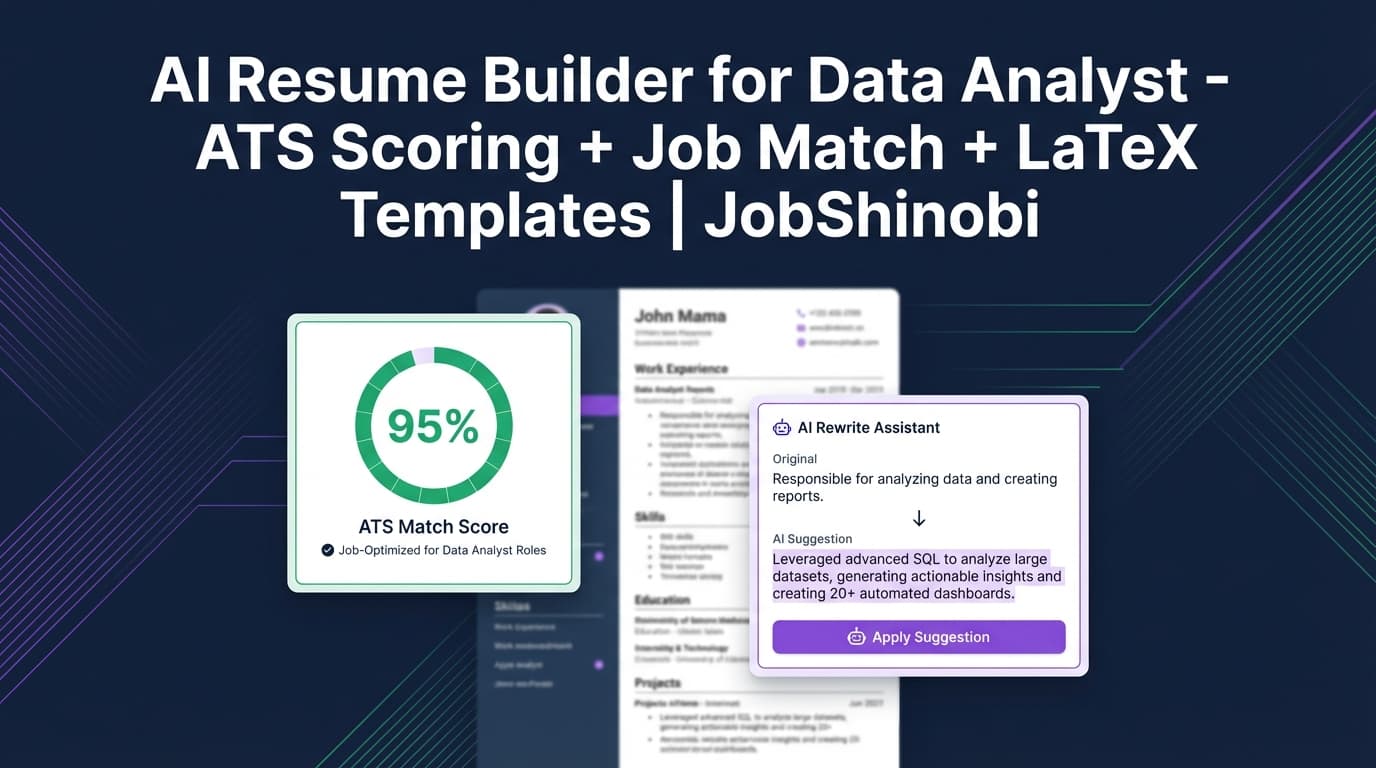
JobShinobi includes an AI-powered resume analysis flow that returns:
- overall_score
- content_score
- keyword_score
- formatting_score
- completeness_score
- ats_score
Along with detailed feedback like strengths, weaknesses, missing sections, keyword analysis (present/missing/overused), and ATS issues.
So instead of guessing whether your “ATS-friendly template” is working, you can validate and improve.
Tailor your resume to a job description (match score + keyword gaps)
JobShinobi can extract structured job details from either:
- a job posting URL, or
- pasted job description text
Then it generates a job match score, lists missing keywords vs present keywords, and provides recommendations—so you can tailor changes with intent (not keyword stuffing).
AI resume editing that compiles and verifies
JobShinobi includes a streaming AI resume editor that works on your actual LaTeX resume, with tool-based actions like:
- fetching the latest resume version
- editing a section
- updating the resume
- compiling LaTeX to check for errors
That means you’re not just generating text—you’re iterating on a real, exportable document.
How JobShinobi’s ATS-Friendly Template Workflow Works
Step 1: Sign in and open the Resume Builder
Start by signing in, then go to the Resume Builder area where you can:
- browse the template library
- open existing saved resumes
- duplicate resumes when you want a new version for a new role
CTA: Sign in to build your resume
Step 2: Pick an ATS-friendly template and load it into the editor
Choose a template from the library and open it in the resume editor. JobShinobi loads the template (from the template catalog) and opens it as editable LaTeX.
Step 3: Edit in “AI” mode or “Code” mode
In the editor, you can switch between:
- AI mode (streaming AI chat to rewrite/tailor sections), and
- Code mode (manual LaTeX editing)
This is useful when you want speed (AI) but also want full control (code).
Step 4: Compile to PDF preview (see exactly what you’ll submit)
JobShinobi compiles the LaTeX and generates a PDF preview. This makes it easier to confirm:
- section order
- spacing and readability
- consistent formatting across pages
Step 5: Run resume analysis (ATS + keyword + formatting scoring)
Click Analyze Resume to generate a score breakdown and detailed feedback. If the resume hasn’t changed since the last analysis, JobShinobi can return cached analysis results to save time.
Step 6: Tailor to a job description (URL or pasted text)
To tailor your resume:
- Paste a job posting URL or the job description text
- Extract job details (company, position, requirements, keywords)
- Generate a Job Match Score
- Review missing vs present keywords and recommendations
- Apply suggestions in the editor
Step 7: Export your resume
JobShinobi supports exporting:
- PDF (from the compiled preview)
- .tex (your LaTeX source)
Key Features for ai powered resume builder ats friendly templates
| Feature | What It Does | Why It Matters |
|---|---|---|
| LaTeX Resume Templates Library | Start from a template and keep your resume structured as you edit | Templates help maintain consistent formatting and section layout |
| LaTeX Editor + PDF Preview (Compilation) | Compile your LaTeX and preview the PDF | You can verify the final output before submitting |
| AI Resume Analysis (Scoring) | Generates overall/content/keyword/formatting/completeness/ATS scores plus detailed feedback | Helps you improve content and ATS-readability with specific suggestions |
| Enhanced Analysis Mode | Optional deeper analysis (e.g., semantic keywords, action queue, impact analysis when available in results) | Gives more structured “what to do next” improvements |
| Job Description Extraction | Extract structured job info from a URL or text | Makes tailoring faster and more consistent |
| Resume-to-Job Matching | Creates a match score, missing/present keywords, and recommendations | Helps you target the job posting without random edits |
| AI Resume Editor (Streaming Chat) | Edits your LaTeX resume with streaming responses and compilation checks | Faster iteration without breaking your document |
| Resume Version History | Saves versions from manual saves and AI chat updates | Makes it safer to experiment and revert changes |
| Job Tracker + Excel Export | Track applications and export to .xlsx | Keeps your job search organized outside the resume itself |
| Email Forwarding → Auto-Tracking (Pro) | Forward job emails to a unique address to create/update application records | Reduces manual tracking work (Pro membership required for processing) |
What “ATS-Friendly Templates” Really Means (and How JobShinobi Helps)
Many sites market “ATS-friendly templates,” but job seekers often still get stuck because they don’t know:
- which formatting choices can cause parsing issues,
- whether they included the right keywords, or
- how to tailor their resume without rewriting everything.
JobShinobi is built for the second half of that problem: validation + iteration.
Template structure + analysis > template alone
A clean template is a good start. But JobShinobi adds:
- an ATS score (plus formatting and completeness scoring)
- keyword analysis (present/missing/overused + density-related fields in analysis results)
- job-specific analysis when you provide a job description
This helps you move from “I picked a template” to “I know what to fix next.”
Tailoring without keyword stuffing
When you run job matching, JobShinobi shows:
- keywords you already match
- keywords you’re missing
- recommendations you can implement in the editor
That makes tailoring more intentional—so you’re not just pasting keywords into a skills section and hoping for the best.
JobShinobi vs. Typical Resume Builders (and Why LaTeX + Scoring Wins)
JobShinobi (template + AI analysis + job matching)
Best for job seekers who want a repeatable loop:
- start with a template
- edit safely
- preview output
- analyze and improve
- tailor to a specific job posting
- export
Strengths:
- LaTeX templates + compilation-based PDF preview
- AI scoring with ATS + keyword feedback
- Job description extraction + match score + keyword gaps
- AI editor with streaming updates and version history
Typical “template-only” resume builders
Best for quick formatting—but often limited when you need to tailor repeatedly.
Common drawbacks:
- You can end up guessing whether the resume is actually improving for ATS
- Tailoring becomes manual and inconsistent
- Versioning is often unclear (harder to revert after big changes)
If your goal is to apply at volume and tailor your resume per role, you usually need more than templates—you need a system for iteration.
A Practical Use Case: Build an ATS-Friendly Resume, Then Tailor It in Minutes
Here’s a simple workflow many job seekers use inside JobShinobi:
- Create a “Base Resume” from a template (your strongest, general version)
- Run Resume Analysis to identify missing sections and weak bullets
- Save that as a stable baseline (version history helps here)
- For each job application:
- extract job details from URL or text
- run Job Match
- implement recommendations via AI chat (or code edits)
- compile to confirm formatting
- export PDF for submission
This workflow is designed to support real job-search behavior: multiple applications, repeated tailoring, and constant iteration.
Bonus: Track Your Job Applications (Without Living in a Spreadsheet)
While this page is focused on ai powered resume builder ats friendly templates, JobShinobi also includes a job tracker—because the resume is only half the job search.
Job Tracker features (dashboard)
- Track job applications in a table (add/edit/delete)
- Live updates via realtime subscriptions
- Export your application list to Excel (.xlsx)
Email forwarding → automatic updates (Pro membership required)
JobShinobi can generate a unique forwarding email address for your account (used for email ingestion). You forward job-related emails (confirmations, interview invites, etc.), and JobShinobi attempts to parse details and create/update application records with fuzzy matching.
Note: Email processing is gated behind Pro membership.
Pricing
JobShinobi offers paid subscriptions via Stripe:
- Monthly: $20.00
- Yearly: $199.99
You can view pricing on the site’s pricing section: See pricing
Frequently Asked Questions
How do I make an ATS-friendly resume with AI (using JobShinobi)?
Use JobShinobi’s workflow:
- Start from an ATS-friendly template (LaTeX-based)
- Edit with the AI resume editor (or manually in code mode)
- Compile and preview the PDF
- Run Resume Analysis to get ATS + keyword + formatting scores and recommendations
- (Optional) Paste a job description to get job-specific analysis and keyword gaps
Are JobShinobi templates ATS-friendly?
JobShinobi is built around a structured template workflow (LaTeX templates) plus ATS-focused analysis (including an ATS score and ATS issues in the analysis output). Rather than relying on a template label alone, you can validate and improve the resume using the built-in scoring and feedback.
Can JobShinobi tailor my resume to a job description?
Yes. You can provide a job posting URL or paste job description text, extract structured job details, and run resume-to-job matching to get:
- a match score
- missing vs present keywords
- recommendations to improve alignment
Does JobShinobi support uploading a PDF to “convert it” into a resume?
JobShinobi’s resume builder is based on editing LaTeX source (templates + editor). It does not include an image/PDF OCR conversion pipeline. If you already have a resume, you can copy your content into a template and use the AI editor to rewrite and structure it.
What formats can I export?
JobShinobi supports exporting:
- PDF (compiled preview)
- .tex (LaTeX source)
Does JobShinobi include resume version history?
Yes. Resume changes are versioned, including versions saved from manual edits and AI chat updates. This makes it easier to iterate, compare changes, and revert when needed.
Is the job application email-forwarding tracker included?
JobShinobi supports email-forwarding ingestion to automatically update job applications, but email processing is restricted to Pro members.
Get Started with JobShinobi Today
If you’re searching for an ai powered resume builder with ATS friendly templates, JobShinobi is built for the workflow that actually matters: create from a template → compile → score → tailor to a job → export.
- Start from a LaTeX template
- Use AI to rewrite and refine
- Run ATS + keyword analysis to see what to fix
- Match and tailor to a job description
- Export PDF when you’re ready to apply