If you searched “ats optimized resume template free”, you’re likely trying to solve two problems:
- Start from an ATS-readable layout (so your resume doesn’t get parsed into nonsense)
- Match what the job posting is asking for (so you don’t get filtered out on keywords, role alignment, or clarity)
Most “free ATS templates” only solve #1.
JobShinobi solves #1 and helps you execute #2 with:
- A resume templates library you can start from
- A LaTeX-based resume editor (structure-first, consistent formatting)
- Cloud LaTeX compilation + PDF preview
- AI resume analysis that returns an ATS score and keyword feedback
- Job description extraction + resume-to-job matching (match score + missing keywords)
- An AI streaming resume editor to help you apply changes faster
Important pricing note (so you’re not surprised): JobShinobi is paid (Monthly $20.00 / Yearly $199.99).
If you need a truly free template download, this page still includes a copy/paste ATS-optimized template structure you can use in Word/Google Docs/any editor.
Why Choose JobShinobi for ATS Optimized Resume Templates (Instead of Just Downloading One)?
A template can help with formatting. But formatting isn’t the whole reason ATS rejects resumes—the bigger issue is usually fit:
- missing role keywords
- unclear impact/results
- weak bullets (tasks vs outcomes)
- inconsistent section naming or date formats
- too much fluff vs relevant experience
JobShinobi is designed to help you build from a clean structure and then improve the content against a real job posting—without wrestling with layout every time you tailor.
Clean, consistent formatting with LaTeX (template-based)
JobShinobi resumes are stored as LaTeX source, and you can start from a template in the app. This gives you strong control over structure (headings, spacing, sections) while keeping the end result consistent.
PDF preview so you know what you’re submitting
In the editor, JobShinobi compiles your resume and shows a PDF preview. That means you can confirm formatting and spacing before you submit.
You can download:
- .tex (LaTeX source)
Resume analysis that includes an ATS score (not just “tips”)
JobShinobi’s resume analysis returns:
- overall score + category scores (including ats_score)
- strengths + weaknesses
- keyword analysis (present, missing, overused; density/coverage fields when available)
- ATS issues list (when present)
There are two modes you can run:
- Comprehensive analysis
- Enhanced analysis mode (when enabled)
Job match analysis: optimize for this job, not “in general”
You can extract job details from a URL or pasted text, then run resume-to-job matching. The product saves match results (including match score + missing/present keywords) and gives you actionable recommendations to tailor.
What Makes an “ATS Optimized” Resume Template (Checklist)
Before you download anything, here’s what “ATS-optimized template” typically needs to do. Use this as a sanity check for any template—free or paid.
1) Single-column layout and predictable reading order
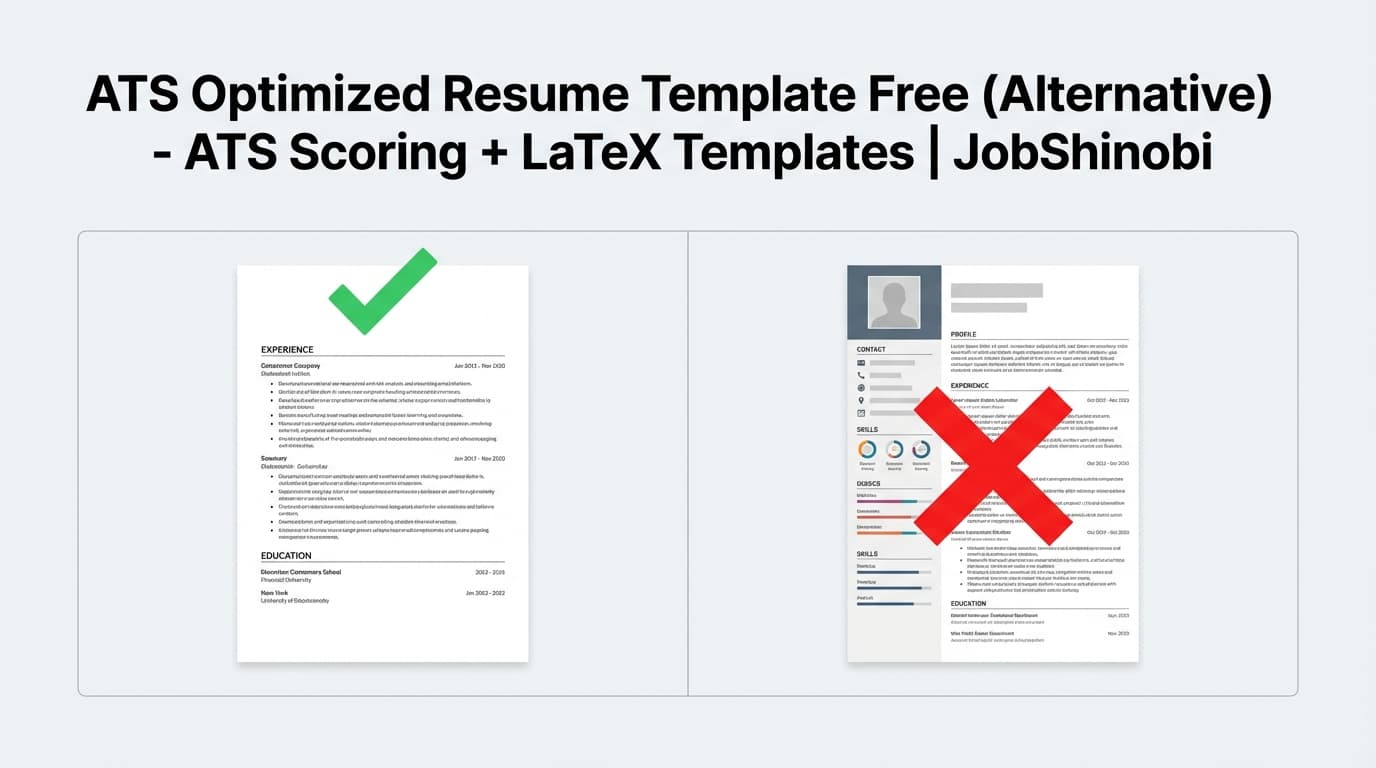
Many ATS parsers struggle with multi-column designs, floating text boxes, and fancy layouts. A safe template:
- reads top-to-bottom, left-to-right
- avoids sidebars and columns for core content
- keeps contact info in plain text
2) Standard section headings
Use familiar labels ATS and recruiters expect, such as:
- Summary
- Skills
- Experience / Work Experience
- Education
- Projects (optional)
- Certifications (optional)
3) Clean typography and consistent dates
A template should:
- use readable fonts
- keep consistent spacing
- keep consistent date formatting (e.g.,
Jan 2022 – Mar 2024)
4) Keyword-ready structure (without keyword stuffing)
An ATS-friendly template isn’t about cramming keywords—it’s about giving you places to naturally include:
- tools/technologies (Skills)
- role-relevant verbs and outcomes (Experience bullets)
- domain terms (projects, achievements, certifications)
JobShinobi’s edge: it doesn’t just give you the structure—it helps you identify missing keywords and improve bullets with analysis and job matching.
How JobShinobi’s ATS Template + Optimization Flow Works
Step 1: Sign in and open the Resume Builder
Start at /login and then go to /dashboard/resume.
Internal link: /login
Internal link: /dashboard/resume
Step 2: Start from a template (stored in the app)
Choose a template and open it in the editor. You can also manage saved resumes:
- create
- open
- duplicate
- delete
Step 3: Edit in Code mode or AI mode (streaming)
The editor supports:
- manual LaTeX editing
- AI chat editing (streaming responses)
This is useful when you want to:
- rewrite bullets to be more impact-focused
- tailor experience to a job posting
- tighten your summary and skills
Step 4: Compile and preview a PDF
Compile your LaTeX and see the PDF preview. This helps you keep formatting stable while iterating content.
Step 5: Run ATS + keyword analysis
Click analyze to generate scoring and feedback—including an ATS score—and open the detailed analysis report.
Step 6: Match your resume to a specific job description
Paste a job description or provide a job URL, extract details, then run resume-to-job matching for:
- match score
- missing vs present keywords
- tailoring suggestions you can apply
Key Features for “ATS Optimized Resume Template” Use Cases
| Feature | What It Does | Why It Matters for ATS Optimization |
|---|---|---|
| Resume templates library | Browse and start from templates in-app | Fast, structured starting point |
LaTeX resume storage (latex_source) |
Your resume is saved as LaTeX source | Consistent structure you control |
| Cloud LaTeX compilation + PDF preview | Compiles LaTeX and displays a PDF | You can verify the final document before submitting |
| Download PDF | Export the compiled resume as a PDF | Standard submission format |
Download .tex |
Export your LaTeX source | Portability + ownership of your source |
| Resume analysis (comprehensive) | Scores + feedback + keyword analysis + ATS score | Identifies what to fix (not guesswork) |
| Enhanced analysis mode | Deeper structured analysis (when enabled) | More detail when you want a more intensive review |
| Job description extraction | Pull job details from URL or text | Turn a posting into structured inputs |
| Resume-to-job matching | Match score + missing/present keywords saved | Optimize for this role, not generic advice |
| AI resume editor (streaming) | Chat-based editing workflow | Faster iteration when tailoring repeatedly |
| Resume version history | Saves versions of your resume over time | Safe tailoring without losing past edits |
ATS Optimized Resume Template “Free” vs JobShinobi: What You Actually Get
Free ATS templates: best for structure, limited for outcomes
A free template download is usually great for:
- fixing layout issues
- moving to a single-column structure
- getting standard headings in place
But free templates typically don’t help you:
- identify which keywords you’re missing
- align your resume to a specific job posting
- measure improvements over iterations
JobShinobi: template + analysis + tailoring loop
JobShinobi is built for job seekers applying at volume who need a repeatable system:
- Start from a template (clean structure)
- Run analysis (get ATS score + keyword feedback)
- Match to a job description (find gaps for that role)
- Apply edits quickly (AI editing + versioning)
- Export PDF
A Truly Free ATS-Optimized Resume Template (Copy/Paste)
If you came here strictly for “ats optimized resume template free”, here’s a clean one-column structure you can copy into any editor. This is designed to be ATS-readable and recruiter-friendly.
Copy/Paste ATS Resume Template (One Column)
FULL NAME
City, State • phone • email • LinkedIn URL • portfolio URL (optional)
SUMMARY
1–3 lines: Role + years experience + domain + your strongest measurable impact.
Example: “Data analyst with 4+ years in SaaS analytics, specializing in SQL, dashboards, and experimentation. Improved weekly retention reporting and reduced manual reporting time by 30%.”
SKILLS
- Category: skills list (comma-separated)
Examples: - Languages: Python, SQL
- Analytics: A/B testing, forecasting, cohort analysis
- Tools: Tableau, Power BI
EXPERIENCE
Job Title — Company, Location
Month Year – Month Year
- Action verb + what you did + how + measurable result
- Action verb + what you did + how + measurable result
- Action verb + what you did + how + measurable result
PROJECTS (optional but great for early/mid-career)
Project Name — Tech/Tools
- 1–2 bullets: what it does + result/impact
EDUCATION
Degree — School, Location — Graduation Year
CERTIFICATIONS (optional)
Certification — Issuer — Year
ATS-safe formatting rules (use with any “free template”)
- Avoid columns, text boxes, icons, and heavy graphics
- Keep headings simple (Summary, Skills, Experience, Education)
- Use consistent dates and role/company formatting
- Use standard bullet points (• or -)
- Keep links as plain text URLs (especially LinkedIn/portfolio)
How to Turn a “Free ATS Template” Into an ATS-Optimized Resume (Process)
A template is the container. Optimization is the process. Here’s a practical workflow that works for most roles:
1) Choose the right resume format: reverse-chronological for most applicants
Reverse chronological is generally the safest for both ATS parsing and recruiter scanability.
2) Use the job description to drive your Skills + Experience bullets
Don’t “keyword dump.” Instead:
- reflect required tools in Skills (if you truly have them)
- echo important phrases naturally in bullets (e.g., “stakeholder reporting,” “pipeline automation,” “customer lifecycle,” etc.)
3) Improve bullet quality (impact > tasks)
A strong bullet usually contains:
- action + scope + tools + measurable result
Example: “Automated weekly KPI reporting in SQL + dashboards, reducing manual reporting time by 30%.”
4) Re-check the resume after tailoring
When you tailor repeatedly, formatting or coverage can drift. This is where JobShinobi’s ATS + keyword analysis and job matching are designed to help—so you can validate changes rather than guess.
Bonus: Make the Job Search Easier With JobShinobi’s Tracker + Analytics
If you’re applying to many roles, your resume is only half the battle. JobShinobi also includes:
Job Tracker (with realtime updates + Excel export)
Track applications in a dashboard and export to Excel (.xlsx).
Internal link: /dashboard/job-tracker
Analytics Dashboard
See metrics like response rate and interview conversion trends so you can adjust your approach.
Internal link: /dashboard/analytics
Note: Some automation (like email-based job application ingestion) is subscription-gated. Job tracking and resume workflows are part of the JobShinobi platform experience.
Pricing
JobShinobi offers paid subscriptions via Stripe payment links:
- Monthly: $20.00
https://buy.stripe.com/7sYeV61P10GS310eTy0VO02 - Yearly: $199.99
https://buy.stripe.com/6oU9AM0KXexIdFE5iY0VO03
Internal pages you may use:
- Internal link: /subscription
- Internal link: /dashboard/settings
Frequently Asked Questions
Is JobShinobi an “ats optimized resume template free” tool?
No—JobShinobi is a paid product (Monthly $20 / Yearly $199.99). This page includes a free copy/paste ATS template structure, but JobShinobi itself focuses on templates + PDF preview + ATS scoring + job match analysis.
What’s the most ATS-friendly resume template style?
In most cases, the safest structure is:
- single-column
- reverse chronological
- standard headings (Skills, Experience, Education)
- no tables/text boxes/icons
Is a PDF ATS-friendly?
It depends on the employer’s system and how the PDF is generated. The safest approach is to keep structure simple and test parsing when possible. JobShinobi helps by keeping content structured and letting you export a clean PDF from the LaTeX source.
What does JobShinobi’s resume analysis measure?
JobShinobi returns structured scoring and feedback including:
- overall score
- content, keyword, formatting, completeness scores
- ATS score
- strengths/weaknesses
- present/missing keywords (and related keyword analysis fields when available)
Can I tailor my resume to a specific job posting in JobShinobi?
Yes. You can paste a job description or provide a URL, extract job details, then run resume-to-job matching for a match score and keyword gaps—plus recommendations you can apply back in the editor.
Can I download my resume?
Yes. JobShinobi supports downloading:
- .tex (LaTeX source)
Get Started with JobShinobi Today
If you want more than a template—if you want a repeatable workflow to build, score, tailor, and export your resume—JobShinobi is built for that.
- Sign in: /login
- Start from a template: /dashboard/resume
- Track your applications: /dashboard/job-tracker