If you’re tailoring your resume, running it through a scanner, and still getting stuck at 60–70%, it’s easy to assume you’re “failing the ATS.”
But here’s the reality:
- ATS tools are everywhere—Jobscan reports that 98.4% of Fortune 500 companies use an ATS (492 out of 500). (Source: https://www.jobscan.co/state-of-the-job-search)
- Competition is brutal—Glassdoor has reported that each corporate job opening attracts ~250 resumes, and only 4–6 candidates typically get interviewed (with one getting the offer). (Source: https://www.glassdoor.com/blog/50-hr-recruiting-stats-make-think/)
- And most importantly: your “ATS score” usually isn’t a number employers see. It’s a diagnostic score produced by a resume scanner you’re using—not the employer’s ATS.
This guide explains what a “good ATS score” actually is, what the score is measuring, why different scanners disagree, and how to increase your match rate without turning your resume into keyword soup.
In this guide, you’ll learn:
- What an ATS score is (and what it isn’t)
- What score range is “good” for an optimized resume (with practical benchmarks)
- How to improve your ATS score step-by-step (with examples)
- Best practices and common mistakes that tank scores
- Tools that help (including where JobShinobi fits—accurately)
What is an ATS score?
An ATS score (often called a match rate) is typically a resume-scanner score that estimates how closely your resume matches a specific job description.
Most ATS score checkers grade some combination of:
- Keyword alignment: do your skills, tools, and role language overlap with the job post?
- Role fit signals: job titles, seniority keywords, certifications
- Formatting & parsing: can the text be extracted cleanly?
- Completeness: do you have standard sections like Experience, Skills, Education?
What an ATS score is not
An ATS score is not:
- a universal industry standard
- a guarantee you’ll pass every ATS
- proof you’ll get an interview
- a number the employer definitely sees
A useful mental model:
ATS score = “How well does my resume mirror this posting?”
Not: “How good is my career?”
Why ATS scores matter (and why obsessing over them can backfire)
ATS software is widely used
Jobscan’s research indicates that ATS adoption among large employers is extremely high—98.4% of Fortune 500 companies use an ATS. (Source: https://www.jobscan.co/state-of-the-job-search)
Implication: If you apply online, your resume is almost certainly being stored and parsed by software before a recruiter reads it.
ATS can speed up hiring (which increases automation pressure)
SelectSoftware Reviews summarizes research suggesting ATS can decrease the average hiring cycle by as much as 60%, and that 62% of teams using an ATS find more high-quality candidates compared to traditional inbound applications. (Source: https://www.selectsoftwarereviews.com/blog/applicant-tracking-system-statistics)
Implication: Employers have strong incentives to keep ATS-driven workflows.
But “100% ATS score” can hurt your real outcome
Many candidates chase 95–100% by:
- repeating keywords unnaturally
- copying lines from the job description
- bloating the Skills section
- making bullets sound robotic or AI-generated
That can raise a scanner score while making the resume less persuasive to humans.
Your goal is to optimize for two audiences:
- parsing/search inside an ATS
- a recruiter who skims fast and decides whether you’re worth a call
What is a good ATS score for an optimized resume? (Benchmarks you can use)
There’s no single correct number because:
- employers use different ATS platforms and settings
- job descriptions vary wildly in quality
- each resume scanner uses different scoring logic
Still, you can use these practical ranges to guide your effort.
ATS score benchmarks (practical ranges)
| ATS Score / Match Rate | What it usually indicates | What to do next |
|---|---|---|
| 0–49% | major mismatch or parsing issues | fix formatting first; rebuild keywords from posting |
| 50–64% | partial match; likely missing must-haves | add the most important missing skills you actually have; align titles |
| 65–74% | decent match; competitive in many cases | tighten relevance; move key keywords into proof bullets |
| 75–84% | strong match for most online applications | stop chasing points; polish readability and impact |
| 85–100% | extremely high overlap | verify you didn’t keyword-stuff; keep it natural |
The “good” target for most job seekers
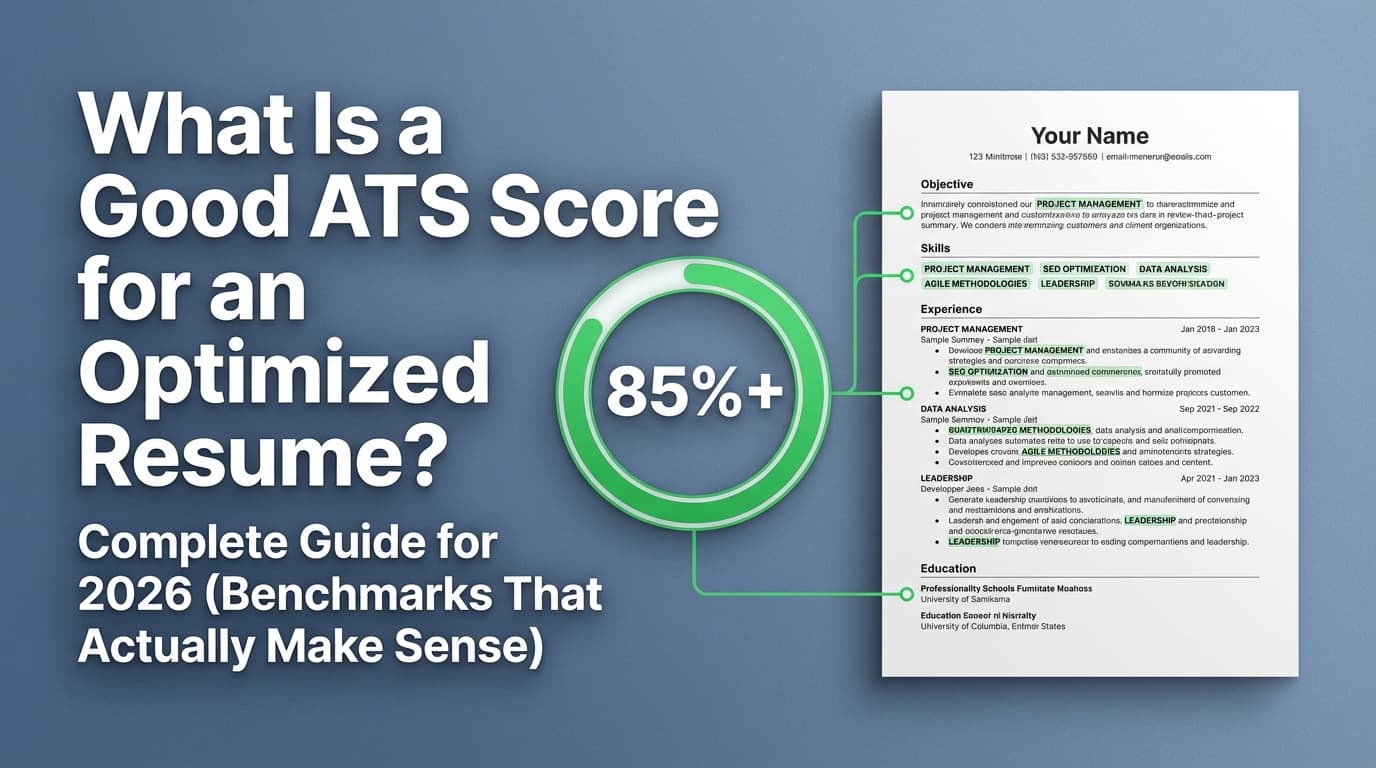
For most online applications, a good ATS score for an optimized resume is typically ~75–85%.
Why this range works:
- It’s high enough to cover most must-have keywords and role language.
- It still leaves room to write like a human (instead of a job-posting parrot).
What do popular tools say? (and why it varies)
Jobscan publishes guidance around match rates; one of their articles commonly cited in search results recommends aiming for ~80%, while also noting many job seekers succeed at ~75%. (Source: https://www.jobscan.co/blog/what-jobscan-match-rate-should-i-aim-for/)
Confidence note: Jobscan messaging varies by page and context (some pages cite 75%, others 80%). Treat the exact “target” as a guideline, not a universal rule.
The #1 reason ATS scores vary: you’re not measuring the employer’s ATS
This is the part most job seekers don’t hear clearly:
Your resume scanner score is an estimate produced by the scanner—not the employer’s system.
Why scanners disagree
Different tools differ on:
- whether they recognize synonyms (e.g., “G Suite” vs “Google Workspace”)
- how they weight “required” vs “preferred”
- how they handle acronyms (e.g., “PMP” vs “Project Management Professional”)
- how they parse PDFs and multi-column layouts
That’s why it’s normal to get:
- 82% in one tool
- 63% in another
- and “151 spelling mistakes” in a third (because your formatting broke parsing)
Takeaway: You’re trying to improve relevance + parsing, not win a single scoreboard.
The smarter objective: optimize for the “3-layer resume”
Instead of optimizing for a single number, optimize for three layers:
- Parse layer (ATS compatibility)
Your resume text must be extractable and structured. - Match layer (keyword & requirement alignment)
Your resume should look like it fits the job. - Human layer (clarity & proof)
Your resume must be persuasive and skimmable.
A “good ATS score” mostly reflects layer #2 (and sometimes layer #1). Your interviews come from layer #3.
Why ATS optimization matters more than ever (competition context)
When each corporate job opening attracts about 250 resumes, tiny advantages matter. (Source: Glassdoor stats: https://www.glassdoor.com/blog/50-hr-recruiting-stats-make-think/)
Even if an ATS isn’t “rejecting” you automatically, it enables recruiters to:
- filter and search quickly
- prioritize applicants who match obvious criteria
That’s why tight alignment (without lying) helps.
How to improve your ATS score: a step-by-step method that doesn’t wreck your resume
Step 1: Fix ATS formatting first (because keywords don’t matter if parsing breaks)
Common ATS-parsing troublemakers:
- tables and columns
- text boxes
- icons used as bullets
- graphics/logos
- headers/footers stuffed with content
- creative section titles (“My Journey” instead of “Experience”)
Indeed explicitly recommends avoiding headers, tables, and graphics because ATS may struggle to read them. (Source: https://www.indeed.com/career-advice/resumes-cover-letters/ats-resume-template)
Quick test: Copy your resume (PDF) and paste into a plain text editor.
If the order is scrambled, fix formatting before chasing keywords.
Step 2: Extract the “ATS keyword set” from the job description
Don’t highlight everything. Focus on:
- Hard skills & tools (SQL, GA4, Salesforce, Excel, Python)
- Methods/frameworks (Agile, stakeholder management, A/B testing)
- Role-specific nouns (pipeline, forecasting, ETL, campaign optimization)
- Credentials (CPA, PMP, Security+)
Create a shortlist:
- 8–12 must-haves
- 6–10 nice-to-haves
Pro tip: Keywords that appear multiple times or are listed under “Requirements” usually matter more.
Step 3: Align job title language (without lying)
ATS scoring and recruiter skimming both rely heavily on titles.
If your title is adjacent but not identical, use a clarifier:
Example:
- Official title: Marketing Specialist
- Posting title: Growth Marketing Specialist
- Resume line: Marketing Specialist (Growth & Paid Acquisition)
This is truthful and improves match signals.
Step 4: Build a Skills section that’s scan-friendly (and believable)
A strong Skills section is:
- grouped
- specific
- consistent with your experience bullets
Good example (grouped + concrete):
- Analytics: GA4, Looker Studio, Excel (pivots), SQL (basic)
- Marketing Platforms: Google Ads, Meta Ads Manager
- Methods: A/B testing, funnel analysis, cohort reporting
Weak example (filler keywords):
- Leadership, communication, hardworking, team player, problem-solving
Soft skills should be proven in bullets, not listed as empty claims.
Step 5: Move keywords into proof bullets (where humans and scanners both benefit)
Use this pattern:
Action + Skill/Tool + Scope + Result
Before (low proof):
- Responsible for reporting and dashboards.
After (ATS-friendly + credible):
- Built weekly dashboards in Looker Studio using GA4 data to track funnel performance and improve stakeholder reporting.
This “embeds” keywords in context—boosting match rate and credibility.
Step 6: Close the keyword gaps the honest way
If you’re missing a requirement:
- don’t fake it
- don’t cram it into Skills with no evidence
Instead, consider:
- adding a Projects section (2–3 bullets)
- adding a Certifications / Training line
- reflecting adjacent skills truthfully
Example:
- SQL (basic): joins, aggregations — used for ad-hoc reporting (project work)
This can improve match rate without deception.
Step 7: Fix hidden score killers that scanners penalize
These are common and easy to miss:
- inconsistent date formats (mixing “2022–Present” and “01/22–Now”)
- missing months (some systems parse month/year better)
- nonstandard headings (“Where I’ve Worked”)
- special characters that break parsing
- acronyms without spell-outs (first mention should include both)
Example:
- Applicant Tracking System (ATS)
Step 8: Re-check your score—but triangulate it
A better approach than trusting one tool:
- Scanner score (find keyword gaps)
- Paste test (check parsing order)
- Portal preview (if the job site shows how it parsed your resume)
If you’re consistently in the 75–85% range across checks and the resume reads naturally, you’re done.
Best practices for raising ATS score and interview rate
-
Keep the first third of your resume job-relevant
Put the most relevant keywords where they matter most: headline, summary, top skills, most recent role bullets. -
Mirror the job’s language—but don’t copy sentences
Use the same tool names, role terms, and skill wording, but write your own bullets. -
Prioritize “must-haves” over “nice-to-haves”
If the job requires Python and you don’t have Python, a 92% score won’t save you. -
Prove skills with outcomes
Recruiters trust numbers and results more than keyword lists. -
Avoid “keyword stuffing” patterns scanners may flag
Repeating the same keyword 10 times can look unnatural and reduce human trust.
Common mistakes to avoid (the ones that keep people stuck at 60–70%)
Mistake 1: Using a design template that scrambles text
Columns, tables, icons, and text boxes can break parsing.
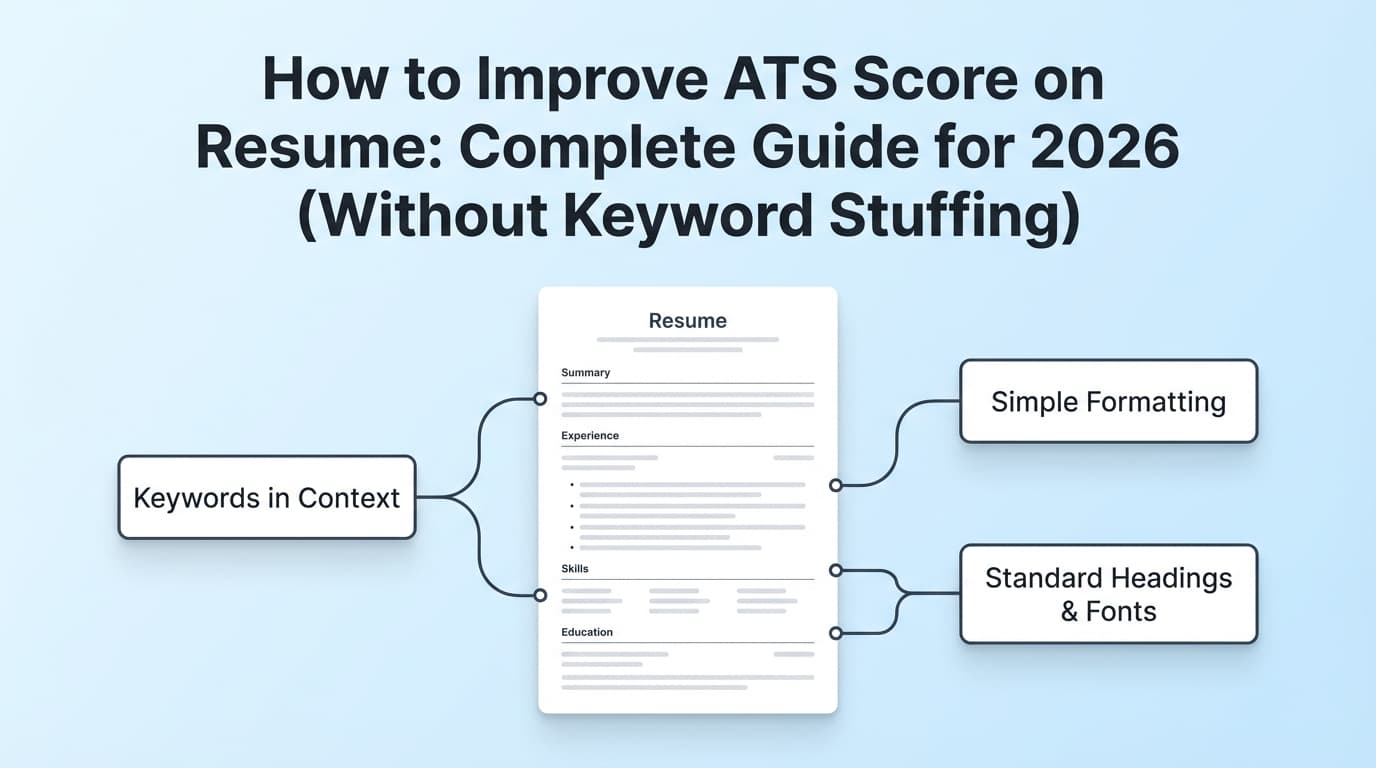
Fix: single-column layout, standard headings.
Mistake 2: Treating the scanner score as the hiring decision
Your scanner score is not what the employer’s ATS uses.
Fix: use the score to find gaps, then write human-proof bullets.
Mistake 3: Over-optimizing for one job description
A resume tailored for Role A can score terribly for Role B.
Fix: maintain a strong “base resume,” then tailor:
- title/headline
- skills list
- 2–4 bullets per relevant role
Mistake 4: Keyword stuffing in Skills without evidence
Recruiters can tell.
Fix: Skills should map to bullets.
Tools to help with ATS score and tailoring (honest recommendations)
Different tools do different jobs:
- Jobscan: popular for resume-to-job match scoring and ATS education/research. (Source: https://www.jobscan.co/)
- Enhancv Resume Checker: provides an ATS score and broader resume feedback. Enhancv also claims its checker relies on algorithms developed by reading 2,000,000 resumes (their page wording) in combination with AI. (Source: https://enhancv.com/resources/resume-checker/)
- Rezi: strong ATS myth-busting and guidance content. (Source: https://www.rezi.ai/posts/ats-myths)
Where JobShinobi can help (accurate, feature-based)
If you want one workflow to iterate quickly, JobShinobi supports:
- AI resume analysis that provides an ATS-focused score and detailed feedback
- Resume-to-job matching (paste a job description or URL, get a match analysis with missing/present keywords)
- A LaTeX resume editor with in-app PDF compilation and preview
- A job application tracker
- With JobShinobi Pro, you can also track job applications by forwarding emails (the system parses job-related emails and logs them)
Pricing (accurate): JobShinobi Pro is $20/month or $199.99/year. The marketing site mentions a “7-day free trial,” but trial mechanics aren’t fully verifiable from product logic—so treat it as “mentioned,” not guaranteed.
(Internal links: sign in at /login, view subscription at /subscription.)
Key takeaways
- A “good ATS score” for an optimized resume is usually ~75–85% for that specific job posting.
- Scores vary because scanners use different parsing and keyword logic—and you’re not measuring the employer’s internal system.
- Fix formatting first; then optimize keywords; then prove those keywords with achievements.
- Stop chasing 100%. Past a certain point, readability and credibility matter more than extra percentage points.
FAQ (based on common “People Also Ask” questions)
What is a good ATS resume score?
A practical target for most online applications is 75–85%, as long as the resume still reads naturally and truthfully.
Is an ATS score above 70 good?
Often yes. 70%+ usually means you’re in the right neighborhood. If you’re cold-applying to competitive roles, improving toward ~75–85% can help you cover more must-haves.
Is an ATS score of 60 good?
A 60% score is usually a sign you’re missing important job keywords or your formatting is hurting parsing. It’s commonly fixable by:
- simplifying layout (no tables/columns)
- aligning titles
- adding must-have skills you actually have (and proving them in bullets)
Do employers see my ATS score from a resume scanner?
Usually no. Employers use their own ATS; your third-party scanner score is primarily for you to diagnose alignment and parsing issues.
Why do different ATS checkers give different results?
They:
- parse documents differently,
- recognize keywords/synonyms differently,
- apply different weighting rules,
- and handle PDFs/layouts differently.
What formatting should I avoid for ATS?
Avoid complex formatting like headers, tables, and graphics that can confuse parsing. (Source: https://www.indeed.com/career-advice/resumes-cover-letters/ats-resume-template)
What matters more than ATS score?
After basic compatibility and alignment, clarity + proof of impact matter most. Your resume should make a recruiter think, “This person can do the job,” not “This person copied the posting.”