Almost every “ATS score” tool makes it feel like there’s a magic number standing between you and interviews.
But here’s the reality: your goal isn’t to chase a perfect score—it’s to get your resume parsed correctly, found via keyword filters, and selected by a human.
One reason this matters: Jobscan reports that 98.4% of Fortune 500 companies used a detectable ATS in 2024 (their ATS Usage research is referenced across Jobscan’s ATS resources and State of the Job Search pages). Another Jobscan survey-based stat: 99.7% of 384 recruiters surveyed use filters in their ATS (or similar systems) to find candidates—meaning keyword-based search is extremely common. (Source: Jobscan, State of the Job Search / ATS resources.)
In other words, even if “ATS score” is an imperfect metric, ATS-style filtering behavior is very real.
In this guide, you’ll learn:
- What an “ATS score” actually measures (and what it doesn’t)
- A realistic “good ATS score” range to aim for (with context)
- Step-by-step ways to increase your score without keyword stuffing
- The formatting mistakes that tank your score—even when you’re qualified
- Tools (including JobShinobi) that can help you scan and tailor faster
What is an ATS score (for a resume)?
An ATS score (sometimes called a resume match rate) is usually a number generated by a resume scanner tool, not by the employer’s ATS itself.
Most scanners estimate your score using a mix of:
- Keyword overlap between your resume and the job description
- Section structure (headings like “Experience,” “Education,” “Skills”)
- Formatting / parsing risk (tables, columns, icons, text boxes)
- Sometimes: basic quality signals (length, action verbs, impact, dates)
Important: there is no universal ATS score
Different tools use different scoring models, different keyword weighting, and different parsing assumptions—so the same resume might score 58 in one tool and 87 in another.
That’s why your score should be treated as a diagnostic, not a verdict.
Why ATS score conversations are so confusing in 2026
1) Employers don’t all use “scores” the same way (or at all)
Some ATS platforms store resumes and enable search/filtering. Others add assessments, knockout questions, or hiring team scorecards. Many don’t produce a simple “resume score” that maps to what public tools show.
2) Recruiters skim fast even after ATS filtering
TheLadders’ eye-tracking research is widely cited for showing extremely fast initial resume review. Their 2018 update reports an initial screen around 7.4 seconds.
Sources:
- TheLadders PDF: “TheLadders Eye-Tracking Study” (hosted at theLadders.com)
- Mirror copy hosted by Boston University (bu.edu)
- Coverage summary: HRDive (“Eye tracking study shows recruiters look at resumes for 7 seconds”)
Even if you “pass ATS,” your resume still needs to be instantly readable.
3) ATS filtering is keyword-driven in practice
Jobscan reports 99.7% of 384 recruiters surveyed use filters in ATS/similar systems to find candidates (Jobscan, State of the Job Search / ATS resources). That’s a strong indicator your resume needs the right terms—in the right context.
4) “75% rejected by ATS” claims are debated
Some career sites repeat versions of “75% of resumes never get seen.” Columbia Career Education includes the line that “75% of candidates are ‘phased out of consideration’ because they don’t pass a screening” on its ATS optimization resource page. (Source: Columbia Career Education.)
However, it’s also worth noting that some HR/ATS vendors and recruiters dispute simplified versions of this claim as overgeneralized. Treat it as a cautionary signal, not a guaranteed universal statistic.
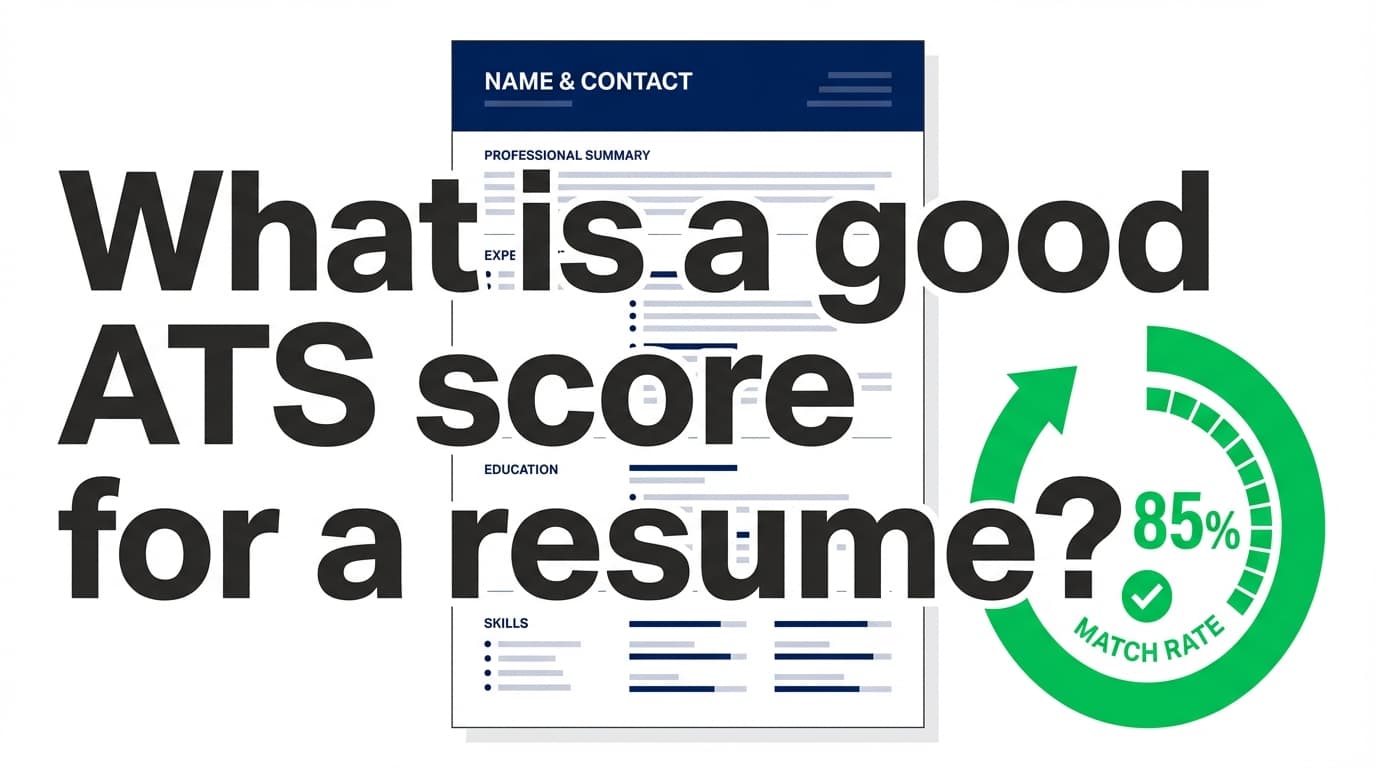
What is a good ATS score for a resume? (Benchmarks that actually help)
Because ATS scores vary by tool, think in ranges.
A practical benchmark framework (works across most scanners)
90–100%: Usually unnecessary (and can be risky)
- You may have overfit your resume to one job description.
- Some people “game” scanners by repeating keywords unnaturally, which can hurt readability and credibility.
- If your resume reads like a keyword list, a recruiter can reject it in seconds.
Use case: Narrow roles with highly standardized requirements (e.g., certifications, specific software stacks) where precise terminology matters.
80–89%: Strong
Many resume tools and scanner pages commonly cite 80%+ as “good” or “strong” alignment.
- Jobscan has guidance indicating they generally recommend high match rates (often cited around 75–80% depending on their page/context).
- Multiple ATS-checker pages in SERPs (e.g., resume-builder sites) also commonly frame 80% as strong.
Use case: This is a great target for most applications—especially if you’re applying online through an ATS.
70–79%: Competitive (often enough)
If you’re in this range and your resume is clean + readable, you’re usually in a solid spot.
Use case: When you’re well-qualified but not an exact match on every requirement (common for career pivots or slightly adjacent roles).
60–69%: “Okay, but fix the obvious gaps”
This range often indicates one of two things:
- Your resume is not using the same language as the job post (missing key skills/tools)
- Formatting/structure is causing parsing losses (columns/tables or nonstandard headings)
Use case: If you have strong experience, you can often raise this quickly with a focused rewrite.
Below 60%: High risk
You may still be qualified, but scanners are telling you your resume looks like a weak match on paper—especially to keyword-based filters.
Use case: Prioritize: (1) formatting sanity, then (2) missing core requirements.
The most honest answer: “Good ATS score” depends on how you’re applying
If you apply through a company portal (ATS upload)
Aim for 70–85% as a practical range, with a focus on:
- Parse-friendly structure
- Matching the core skills/keywords
- Keeping the resume easy to skim in seconds (TheLadders: 7.4 seconds)
If you’re applying via referral or direct email
Your “ATS score” matters less than:
- Human readability
- Proof of impact
- Fast relevance to the role
If you’re applying to a role with heavy keyword filters (large enterprise)
ATS-style filtering is common in large organizations. Select Software Reviews summarizes ATS adoption patterns and reports stats like 70% of large companies using ATS and 20% of SMBs (as cited in their ATS statistics roundup). (Source: SelectSoftwareReviews.)
In these environments, a higher match rate can matter more—but clarity still wins.
How to improve your ATS score (without turning your resume into keyword soup)
Below is a step-by-step process you can reuse for every job you apply to.
Step 1: Make sure your resume is parsable (format first)
You can’t “keyword optimize” a resume that an ATS can’t read cleanly.
ATS-safe formatting basics:
- Use a single-column layout
- Avoid tables, text boxes, icons, graphics, and complex shapes
- Keep section headings standard (more below)
- Use simple bullets (•) and consistent spacing
- Keep fonts common and readable
MIT’s Career Advising & Professional Development explicitly warns that ATS may struggle with tables, columns, graphics, and images, recommending simpler formatting. (Source: MIT CAPD resume toolkit page.)
Quick self-test (2 minutes):
- Open your resume PDF
- Copy everything (Ctrl/Cmd + A → Copy)
- Paste into a plain-text editor (Notes/TextEdit)
- If the content is scrambled, missing, or out of order—your formatting is a problem.
Step 2: Use standard section headings (so software “knows” what it’s reading)
Many ATS and parsers rely on headings to categorize content.
Use headings like:
- Summary or Professional Summary
- Experience or Work Experience
- Education
- Skills
- Certifications (if relevant)
- Projects (if relevant)
Avoid overly cute headings like “Where I’ve Been” or “My Journey”—they can confuse parsers and waste recruiter time.
Step 3: Extract the job’s “must-have” keywords (in 10 minutes)
Don’t start by rewriting your resume. Start by identifying what the role is actually filtering for.
From the job description, highlight:
- Job title variations (e.g., “Data Analyst” vs “Analytics Specialist”)
- Tools/tech (SQL, Tableau, Python, Workday, Salesforce, etc.)
- Core skills (stakeholder management, forecasting, QA, experiment design)
- Required domains (healthcare, fintech, B2B SaaS)
- Certifications (PMP, CPA, Security+, etc.)
Pro tip: prioritize keywords that appear:
- In the “Requirements” section
- Multiple times across the posting
- In “must have” bullet points
Step 4: Add keywords the right way: tie them to proof
ATS scanners reward keyword presence—but recruiters reward proof.
Instead of dropping keywords into a Skills list only, integrate them into bullets.
Weak (keyword-only):
- SQL, Tableau, Python, dashboards, stakeholders
Strong (keywords + proof):
- Built SQL queries and Tableau dashboards to automate weekly KPI reporting, reducing manual reporting time by 6 hours/week and aligning stakeholders on performance targets.
Step 5: Close “core gaps,” ignore “nice-to-haves”
If the job lists 12 requirements, not all are equal.
Focus first on:
- The top 5–8 skills/tools that define the role
- Any required certifications or compliance terms
- Industry terms that recruiters will search
Then decide whether to address nice-to-haves (e.g., “experience with Looker” when you have Tableau—worth a mention only if truthful and relevant).
Step 6: Replace vague phrases with the posting’s language
Many ATS-score drops happen because you used synonyms.
- “Customer relationship platform” → the posting says Salesforce
- “Data visualization” → posting says Tableau
- “Project tracking” → posting says Jira
If you have the experience, use the exact term the employer uses.
Step 7: Don’t keyword-stuff (yes, it can backfire)
Keyword stuffing can make your resume:
- Hard to read
- Look dishonest
- Feel AI-generated and generic
Some recruiting resources explicitly warn against keyword stuffing for credibility/readability reasons (for example, Goodwill’s resume keyword guidance cautions that keyword stuffing can look suspicious to employers). (Source: Goodwill.org keyword guidance page shown in SERPs.)
A simple rule:
- If you wouldn’t say it out loud in an interview, don’t write it on your resume.
A “good ATS score” checklist (what scanners usually reward)
Use this as a quick pre-application audit.
Formatting & parsing
- Single column
- No tables/text boxes/icons
- Standard headings (Experience/Education/Skills)
- Dates are consistent (Month YYYY)
- Contact info is plain text (not in header graphics)
Keyword alignment
- Job title match (or close variant)
- Core tools included (where truthful)
- Core responsibilities reflected in bullets
- Skills list supports (but doesn’t replace) proof in Experience
Human readability
- Strong first 1/3 of page (summary + most recent role impact)
- Metrics where possible
- Bullets are concise and scannable (TheLadders: very fast initial screens)
Common mistakes that lower ATS scores (and how to fix them)
Mistake 1: Using two columns because it “looks modern”
Why it hurts: Columns can scramble reading order and cause keywords to be missed.
Fix: Convert to a single-column structure. Put Skills in a simple list, not a side bar.
Mistake 2: Hiding keywords in headers/footers or graphics
Why it hurts: Some parsers don’t reliably read headers/footers or embedded text.
Fix: Keep critical content in the main document body.
Mistake 3: Keyword dumping into a Skills section only
Why it hurts: Many tools (and humans) care about context.
Fix: Move your most important keywords into achievement bullets.
Mistake 4: Chasing 100% match rate
Why it hurts: You may remove differentiators (unique wins) to cram in every keyword.
Fix: Aim for a strong range (often ~75–85%) and protect readability + impact.
Mistake 5: Trusting one scanner as “the truth”
Why it hurts: Scanners disagree.
Fix: Use 2–3 scanners or methods, then follow the overlap: the repeated issues are likely real.
Example: How to raise your ATS score from ~60% to ~80% (without lying)
Imagine you’re applying to a Data Analyst role that emphasizes:
- SQL
- Tableau
- Stakeholder management
- KPI dashboards
- A/B testing (nice-to-have)
Before (typical low-score bullet)
- Created reports for business teams and improved performance.
After (ATS-friendly + proof-driven)
- Built SQL queries and Tableau KPI dashboards for weekly business reviews, improving reporting accuracy and reducing manual analysis time by 25%; partnered with stakeholders across Sales and Ops to define success metrics.
What changed:
- Added exact tools (SQL, Tableau)
- Used the term “KPI dashboards”
- Added stakeholder language
- Added measurable impact
Tools to help you check and improve your ATS score
No tool can perfectly simulate every employer’s ATS. But tools can speed up the workflow: formatting checks, keyword gap discovery, and iteration.
JobShinobi (resume analysis + job matching + LaTeX resume builder)
JobShinobi supports:
- AI resume analysis with ATS-focused scoring and detailed feedback
- Job description matching (paste a job URL or text; it extracts details and generates match insights)
- A LaTeX-based resume builder with in-app PDF compilation/preview
- A job application tracker, including an option to track applications by forwarding job-related emails to your unique JobShinobi forwarding address (this email-processing automation is Pro-gated)
Pricing note (accuracy): JobShinobi Pro is $20/month or $199.99/year. The site’s marketing mentions a 7-day free trial, but trial mechanics are not clearly verifiable from available implementation—so treat it as “mentioned,” not guaranteed.
When JobShinobi helps most: when you want one workflow that combines:
- scoring + actionable rewrite feedback
- matching your resume to a specific posting
- keeping multiple tailored versions organized
Internal links: /login, /subscription
Other ATS score / match rate tools (use for cross-checking)
Consider testing your resume with more than one system:
- Enhancv Resume Checker (content + ATS checks)
- BeamJobs Resume Checker (quick scan + FAQ-style guidance)
- Jobscan (well-known for match rate framing and ATS education content)
- Resume Worded (targeted resume feedback and job match tools)
Tip: Don’t average the scores. Compare the diagnostics:
- Which keywords are consistently missing?
- Are they flagging formatting?
- Are your headings being recognized?
What to do if your ATS score is high but you still aren’t getting interviews
A high score can still fail if:
- Your bullets lack outcomes
- Add scope, metrics, and results.
- Your resume is tailored but not credible
- Avoid inflated claims or buzzword-only content.
- You’re applying too broadly
- Tighten your target roles and tailor fewer, better applications.
- You’re missing a core requirement
- Certifications, years of experience, domain experience—sometimes it’s not the resume format.
Reality check: ATS score is not the same as “hireability.” It’s closer to “searchability + alignment.”
Key takeaways
- There is no universal ATS score that guarantees interviews.
- A practical target for many applicants is ~70–85% with strong readability.
- 80%+ is often considered “strong,” but chasing 100% can backfire.
- Fix parsing/formatting first, then close keyword gaps with proof-based bullets.
- Cross-check your resume in multiple tools and prioritize consistent findings.
FAQ
Is an ATS score of 75 good?
Often, yes—75% can be a strong, workable match rate depending on the role and how strict the employer’s filters are. Many tools and job seekers discuss 75% as a practical benchmark, especially when the resume is highly readable and shows clear impact. If you’re at 75%, focus on closing the last few core gaps (not every nice-to-have).
Is an ATS score of 80 good?
Yes. Across many resume-checker tools, 80%+ is commonly treated as strong alignment. Treat it as a “green light” to apply—then make sure the resume also passes a human skim test (clear, quantified, role-relevant).
What is the minimum ATS score needed to get shortlisted?
There isn’t a universal minimum. Different ATS platforms and employers use different filters and workflows. Use your ATS score as a proxy: if you’re below ~60, fix formatting and missing core keywords; if you’re 70–85, you’re usually in a reasonable range—then focus on impact and clarity.
Why do different ATS checkers give different scores?
Because they use different algorithms:
- Different keyword weighting
- Different parsing assumptions (PDF handling, headings, columns)
- Different definitions of “match” (exact phrase vs synonym)
That’s why it’s smart to cross-check with 2–3 tools and follow the overlap.
How can I improve my ATS score fast?
Fastest wins:
- Switch to a single-column layout (remove tables/text boxes)
- Use standard headings: Experience, Education, Skills
- Add 5–10 missing core keywords from the job description into bullets (with proof)
- Replace synonyms with the employer’s exact tool names (SQL, Tableau, Salesforce, etc.)
- Run the copy/paste plain-text test to confirm clean parsing
Do ATS systems reject resumes automatically?
Some systems use knockout questions or automated rules, but many workflows rely on filtering/searching and recruiter review. Regardless, ATS-style filtering is common in practice—Jobscan reports 99.7% of recruiters surveyed use filters in ATS/similar systems—so keyword alignment and clean formatting are still worth doing.