Recruiters move fast. One widely cited eye-tracking study found recruiters spent about 7.4 seconds reviewing a resume on first pass (as reported by HR Dive, citing The Ladders’ eye-tracking research).
Source: https://www.hrdive.com/news/eye-tracking-study-shows-recruiters-look-at-resumes-for-7-seconds/541582/
If you’re applying and hearing nothing back, it’s normal to ask:
- “Is my resume getting rejected by ATS?”
- “Does Jobscan actually help?”
- “Should I trust my match rate?”
This guide answers the real question—jobscan resume scanner does it help with ats—with a grounded, testable approach. You’ll learn what scanners can genuinely improve, where they can mislead you, and how to optimize for both ATS parsing and human readers.
In this guide, you’ll learn:
- What ATS is (and what it isn’t)
- What Jobscan’s resume scanner can and can’t tell you
- How to interpret Jobscan match rate without chasing 100%
- A step-by-step workflow to tailor your resume safely
- Common mistakes (including “ATS hacks” that backfire)
- Tools that help you tailor faster and track what’s working
What is an ATS (Applicant Tracking System)?
An ATS (Applicant Tracking System) is hiring software that helps employers manage recruiting—collecting applications, storing resumes, and letting recruiters search, filter, and move candidates through stages.
A helpful mental model:
- ATS is a database + workflow, not a magical robot judge.
- Your resume needs to be:
- Parsable (the system can extract your info cleanly), and
- Searchable (recruiters can find you using filters/keywords), and
- Convincing (a human wants to interview you).
Why the “ATS automatically rejects me” story is often oversimplified
You’ll often hear “ATS rejects 75% of resumes.” That claim is repeated so widely it feels like fact—but even articles analyzing the statistic note there isn’t strong universal evidence that ATS systems flatly auto-reject 75% of resumes across the board.
Source (myth/context critique): https://www.davron.net/ats-systems-explained-75-percent-resumes-rejected/
A more accurate framing:
- ATS + recruiter filters can cause resumes to be filtered out, never surfaced, or never prioritized.
- That can feel like “auto-rejection,” even when a human is involved later.
Why ATS optimization matters in 2026 (with real data)
1) ATS is extremely common at large employers
Jobscan reports detecting an ATS at 97.8% of Fortune 500 companies (489 out of 500) (vendor research; informative but not neutral).
Source: https://www.jobscan.co/blog/fortune-500-use-applicant-tracking-systems/
The U.S. Chamber of Commerce similarly states that as of 2023, nearly 98% of Fortune 500 companies used an ATS.
Source: https://www.uschamber.com/co/run/human-resources/applicant-tracking-systems-explained
Confidence: Medium (strong sources, but one is vendor research; still consistent across sources).
2) Recruiters really use filters—almost all of them
Jobscan’s “State of the Job Search” report says 99.7% of 384 recruiters surveyed use filters in their ATS (or a similar system).
Source: https://www.jobscan.co/state-of-the-job-search
Confidence: Medium (survey is from Jobscan, but aligns with common recruiter workflows).
3) Competition pressure is rising
Workday reported that in the first half of 2024, applications surged 31% while job requisitions rose 7% (in their dataset).
Source: https://newsroom.workday.com/2024-09-10-Workday-Global-Workforce-Report-Job-Market-Tightens-as-AI-Reshapes-Hiring-Processes
Confidence: Medium (strong brand; stat is specific to Workday’s lens).
4) Recruiters skim resumes quickly
Again: ~7.4 seconds average first pass (HR Dive / The Ladders).
Source: https://www.hrdive.com/news/eye-tracking-study-shows-recruiters-look-at-resumes-for-7-seconds/541582/
Confidence: High (well-known study; widely cited).
5) Formatting choices can distort or hide content in parsing
MIT’s career office explicitly warns that images, text boxes, tables, or fancy graphics may be distorted, ignored, or erased by an ATS.
Source: https://capd.mit.edu/resources/make-your-resume-ats-friendly/
Confidence: High (major university career advising).
Does the Jobscan resume scanner help with ATS?
Yes—Jobscan can help with ATS-related outcomes, but only for the parts that scanners can measure.
A resume scanner can be useful for:
- Keyword alignment against a job description
- Spotting common parsing/formatting risks (e.g., content in headers/footers, some layout issues)
- Creating a repeatable tailoring process instead of guessing
But Jobscan cannot perfectly predict:
- The exact ATS platform/config used by a specific employer
- The recruiter’s weighting, filters, and preferences
- Hiring manager judgment
- Interview performance and internal candidate competition
What Jobscan itself says about match rate targets
Jobscan publishes guidance that it generally recommends a match rate of 80%, while noting many users/counselors see success around 75%.
Source: https://www.jobscan.co/blog/what-jobscan-match-rate-should-i-aim-for/ (access may vary by region)
Jobscan’s support documentation also suggests aiming for 75%+ match rate.
Source: https://support.jobscan.co/hc/en-us/articles/41334833854099-What-match-rate-should-I-aim-for
Confidence: Medium (vendor guidance; useful as a heuristic, not a guarantee).
What Jobscan is best for (and when it’s worth using)
1) Finding keyword gaps fast
Jobscan is strongest as a structured way to answer:
- “Which required skills am I not reflecting clearly?”
- “Am I using the employer’s language for the role?”
This matters because recruiters often rely on filters and keyword search (Jobscan’s survey suggests 99.7% do).
Source: https://www.jobscan.co/state-of-the-job-search
2) Catching parsing risks that hide keywords
If an ATS can’t reliably parse your resume, you can lose keywords even when you included them.
Jobscan has an article explaining why their scanner might show missing information, and states their scanner uses a parsing API used by many ATS systems.
Source: https://www.jobscan.co/blog/jobscan-cant-parse-resume/
Confidence: Medium (vendor claim; plausible; still worth using as a red flag).
3) Preventing “spray-and-pray” resumes
Even if the score isn’t perfect, the process forces you to tailor. That alone can improve relevance and readability.
Where Jobscan can mislead you (and how to avoid the traps)
Trap #1: Chasing 100% match rate
A perfect score can push people into:
- keyword stuffing
- awkward phrasing
- removing strong accomplishments to “fit more keywords”
A resume that reads poorly can fail the 7.4-second skim test.
Source: https://www.hrdive.com/news/eye-tracking-study-shows-recruiters-look-at-resumes-for-7-seconds/541582/
Rule: If improving the score makes your resume worse to read, stop.
Trap #2: Treating the score like a real ATS grade
Different ATS platforms and configurations behave differently. Even different scanners can give different scores for the same resume/job.
This is reflected in user discussions (e.g., Reddit threads about inconsistent Jobscan results) and is also a known limitation across scanners. (User-generated; treat as anecdotal.)
Rule: Use Jobscan as directional feedback, not a universal truth.
Trap #3: Adding skills you can’t defend
If you add keywords you can’t back up:
- you might get screened in,
- then screened out fast by a recruiter/hiring manager,
- or fail the interview when asked specifics.
Rule: Every keyword should be defendable with a bullet, project, or context.
How to use Jobscan the right way (step-by-step)
This workflow gives you the upside of scanners without overfitting to a single score.
Step 1: Clean the job description before you scan
Remove:
- EEO boilerplate
- generic benefits lists
- repeated sections
Focus on:
- Responsibilities
- Qualifications
- “Must-have” requirements
Pro tip: If the job post is messy, your scan results will be noisy.
Step 2: Build a “must-have” keyword list (before you look at the score)
Split into two buckets:
A) Hard skills/tools
Examples: SQL, Tableau, Salesforce, Workday, Python, GA4
B) Role language
Examples: stakeholder management, cross-functional, forecasting, roadmap, experimentation
Circle anything that appears multiple times.
Step 3: Run one baseline scan—and capture the output
Record:
- baseline match rate
- top missing skills
- formatting warnings (if provided)
Then stop scanning for a minute. Don’t fall into “infinite rescans.”
Step 4: Fix formatting/parsing risks first
Even MIT’s career office warns ATS may distort/ignore content in tables, text boxes, graphics.
Source: https://capd.mit.edu/resources/make-your-resume-ats-friendly/
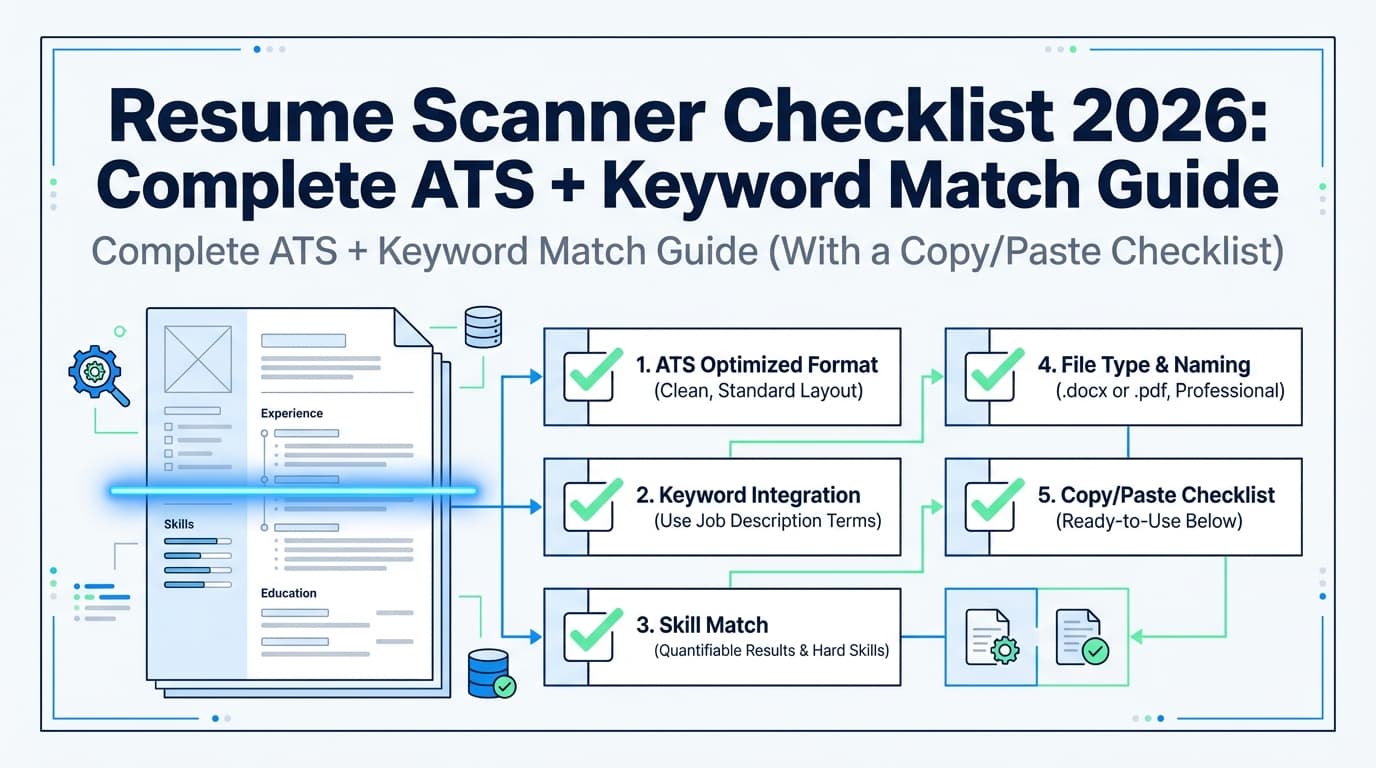
ATS-safe baseline checklist:
- One-column layout (safest)
- Standard headings: Summary, Experience, Education, Skills
- Avoid icons/graphics, heavy tables, text boxes
- Avoid putting critical info in headers/footers (some ATS ignore them; Jobscan also flags this type of issue on its scanner page snippet in SERPs)
Step 5: Add keywords in the right places (without stuffing)
Priority order:
- Title + Summary (mirror the role)
- Skills section (clean list of tools you truly have)
- Experience bullets (prove the keywords)
Before/after example (credible keyword integration)
Before:
- “Responsible for reporting and dashboards.”
After:
- “Built weekly KPI dashboards in Tableau using SQL extracts; reduced manual reporting time by 4 hours/week and improved visibility into funnel conversion.”
Now you’re searchable and persuasive.
Step 6: Re-scan once and sanity-check for humans
After edits, scan again to confirm:
- key terms are recognized
- major warnings are resolved
Then check human readability:
- Can a recruiter understand your role in under 10 seconds? (7.4-second finding)
- Are your top bullets quantified?
- Does it sound natural?
Step 7: Do a plain-text “parsing sanity test”
Paste your resume into a plain text editor:
- Are sections in the right order?
- Are company names/dates aligned correctly?
- Do bullets stay readable?
If the plain text is scrambled, ATS parsing can be risky.
Step 8: Treat your job search like an experiment
Instead of asking “Is Jobscan accurate?” ask:
“Do tailored resumes improve my response rate compared to my baseline?”
Track:
- job title/company
- resume version used
- outcome (callback/interview)
This is how you separate “tool noise” from actual results.
Best practices: optimizing for ATS and recruiters
- Use standard headings (Summary, Experience, Education, Skills)
- Place key terms in the top half of page 1 (fast skim behavior)
- Prove skills in bullets (keywords without evidence are weak)
- Mirror language without copying paragraphs
- Keep formatting boring (boring is robust)
- Tailor the top third first (highest ROI)
Common mistakes to avoid
Mistake 1: Keyword stuffing and “hidden text” hacks
They harm readability and can look deceptive.
Mistake 2: Over-trusting a single score
Different tools measure differently; ATS varies by employer.
Mistake 3: Using design-heavy templates that break parsing
MIT specifically warns about tables/text boxes/graphics being distorted or ignored.
Source: https://capd.mit.edu/resources/make-your-resume-ats-friendly/
Mistake 4: Only adding keywords to the Skills section
Recruiters often want proof in Experience bullets.
Tools to help with ATS optimization (including an honest alternative path)
Jobscan (scanner approach)
- Good for job-description matching, keyword gaps, and surfacing some formatting risks.
Jobscan resume scanner page: https://www.jobscan.co/resume-scanner
Other scanners (useful as a cross-check)
-
Kickresume ATS Resume Checker positions itself as an ATS simulation and says it performs “20+ checks.”
Source (Kickresume page): https://www.kickresume.com/en/ats-resume-checker/ -
Cultivated Culture / ResyMatch positions itself as a free resume scanner and includes extensive FAQ content.
Source: https://cultivatedculture.com/resume-scanner/
Tip: If two scanners disagree, trust:
- clean formatting,
- accurate keywords with evidence,
- and recruiter readability.
Where JobShinobi fits (resume building + versioning + tracking)
If your problem isn’t just “scoring,” but managing multiple tailored versions and keeping formatting consistent, a resume builder + analyzer can be more efficient than scanning alone.
JobShinobi supports (verified in product constraints):
- Building resumes in LaTeX with in-app PDF compilation/preview
- AI resume analysis with ATS-oriented scoring and feedback
- Resume-to-job matching (paste job text/URL → match analysis + suggestions)
- Resume version history so you can keep different tailored versions organized
- A job application tracker; Pro users can also forward job-related emails to a unique address to log applications automatically (email ingestion requires Pro)
Pricing (verified): JobShinobi Pro is $20/month or $199.99/year.
Note: marketing mentions a “7-day free trial,” but trial mechanics are not clearly verifiable in code—so treat that as unconfirmed.
Links:
- Log in: /login
- Subscription: /subscription
Key takeaways
- Yes, Jobscan can help with ATS, mainly through keyword alignment and highlighting parsing/formatting risks.
- No scanner can perfectly simulate every ATS or predict recruiter behavior.
- Use match rate as a signal, not a goal.
- Prioritize: clean format → credible keywords → quantified impact → readability in seconds.
- Track outcomes so you know what’s working.
FAQ
Can Jobscan help me get hired?
It can help you tailor keywords and reduce parsing risk, which can increase the chance you’re found in recruiter searches—but it can’t guarantee interviews or offers.
How do I check if my resume is ATS-friendly?
Use a three-part test:
- ATS-safe formatting (avoid text boxes/tables/graphics per MIT guidance)
- Plain-text paste test (order and headings stay intact)
- Keyword alignment (must-have terms appear with proof in bullets)
MIT guidance source: https://capd.mit.edu/resources/make-your-resume-ats-friendly/
What is a good match rate on Jobscan?
Jobscan’s guidance commonly points to 75%+, with some recommendations around 80% as a goal. Treat this as a heuristic, not a guarantee.
Sources:
- https://support.jobscan.co/hc/en-us/articles/41334833854099-What-match-rate-should-I-aim-for
- https://www.jobscan.co/blog/what-jobscan-match-rate-should-i-aim-for/
Are ATS resume scanners accurate?
They’re partially accurate for what they measure (keyword overlap, some formatting risk patterns). They’re not fully accurate at predicting any specific employer’s ATS configuration or hiring decision.
Does ATS reject resumes automatically?
Sometimes companies use knockout questions or strict filters, but the blanket “ATS auto-rejects most resumes” narrative is often oversimplified. Even critiques of the “75% rejected” stat note limited universal evidence.
Source: https://www.davron.net/ats-systems-explained-75-percent-resumes-rejected/
How do I “trick” resume scanners?
Don’t. Instead, optimize honestly:
- mirror key terms truthfully
- prove them with achievements
- keep formatting simple
- tailor the top third first