Recruiters don’t read your resume like a novel—they scan it. One eye-tracking study found recruiters spent 7.4 seconds on an initial resume screen. (Source: The Ladders eye-tracking study via Boston University PDF mirror; also summarized by HR Dive. Confidence: High — reported consistently across multiple outlets.)
- Study PDF: https://www.bu.edu/com/files/2018/10/TheLadders-EyeTracking-StudyC2.pdf
- Summary: https://www.hrdive.com/news/eye-tracking-study-shows-recruiters-look-at-resumes-for-7-seconds/541582/
If you’re applying at volume, that reality creates a brutal math problem:
- You need speed (so you can tailor for more roles)
- You need relevance (so you don’t look generic)
- You need ATS readability (so your content can be parsed and searched)
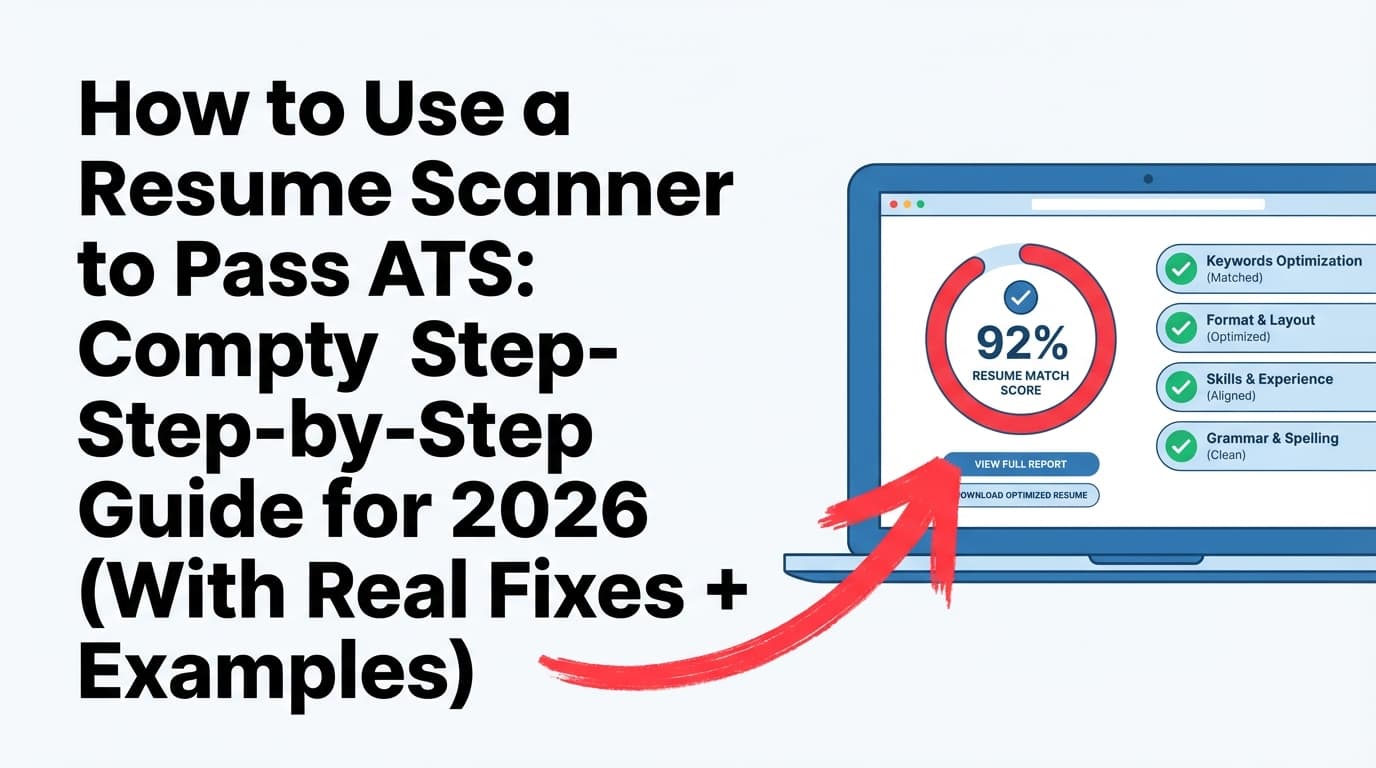
A resume scanner (sometimes called an ATS resume checker or resume keyword scanner) is one of the fastest ways to tailor—as long as you use it the right way. This guide shows you how to use a resume scanner to tailor resumes faster without keyword stuffing, formatting landmines, or chasing fake “100% match” scores.
In this guide, you’ll learn:
- What a resume scanner actually does (and what it can’t do)
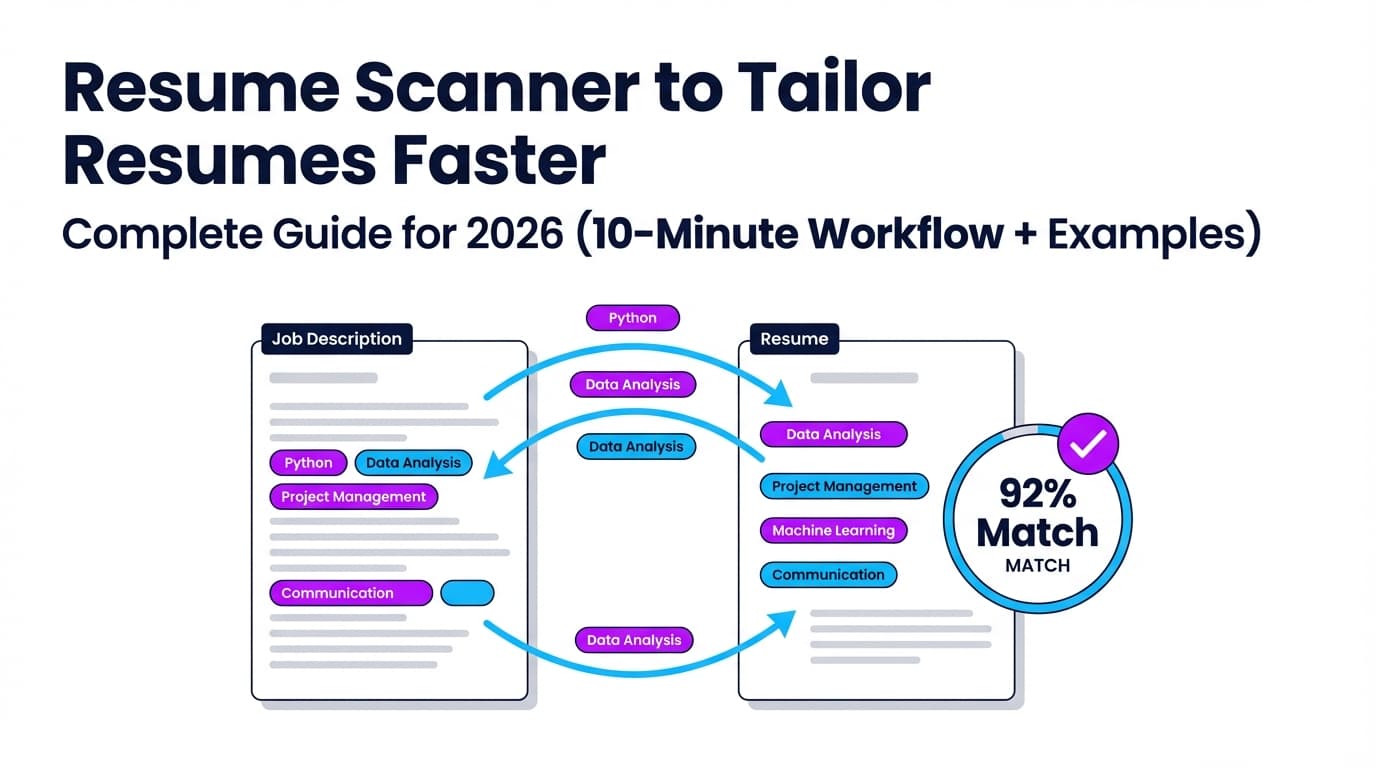
- A repeatable 10-minute tailoring workflow using scanner results
- ATS-safe formatting rules that prevent “scrambled” parsing
- Before/after tailoring examples you can copy
- Tools (including JobShinobi) that can speed up tailoring and tracking
What is a “resume scanner” (and what does it check)?
A resume scanner is a tool that compares your resume to a job description and flags gaps—usually in these areas:
- Keyword alignment (missing hard skills, tools, certifications, role terms)
- Section structure (standard headings like “Experience,” “Education,” “Skills”)
- ATS readability (formatting that can break parsing—columns, tables, headers/footers, icons)
- Content quality signals (impact, metrics, action verbs—varies by tool)
What it’s not
A resume scanner is not the same thing as a company’s ATS, and it cannot perfectly predict ranking inside a specific employer’s system. Different scanners can output different scores for the same resume—which is a common complaint in job-seeker communities. (See Reddit threads about inconsistent scores; Confidence: High — widely reported, though varies by tool.)
Bottom line: Use scanners as diagnostic assistants, not as a single source of truth.
Why resume scanners matter in 2026 (speed + funnel reality)
Even if you’re qualified, you’re competing in a high-volume funnel.
-
CareerPlug reports employers invited an average of ~3% of applicants to interview. (Source: CareerPlug Recruiting Metrics. Confidence: Medium–High — reputable benchmarking, but varies by industry/role.)
https://www.careerplug.com/recruiting-metrics-and-kpis/ -
Penn Career Services notes that almost 98% of Fortune 500 companies use an ATS, citing Jobscan. (Source: Penn Career Services. Confidence: Medium — credible career center, but the underlying study is not independently audited here.)
https://careerservices.upenn.edu/blog/2024/10/08/optimizing-your-resume-for-ai-scanners/ -
Huntr’s Q2 2025 Job Search Trends Report analyzes 461k applications, 285k job ads, 59k resumes, plus a survey of 455 respondents. (Source: Huntr report. Confidence: High — published methodology and sample sizes on the report page.)
https://huntr.co/research/job-search-trends-q2-2025
When the funnel is that competitive, tailoring stops being optional—but it also can’t be a 90-minute rewrite every time. That’s where a scanner-driven workflow wins: you focus on the highest-impact edits fast.
How to use a resume scanner to tailor resumes faster: the 10-minute workflow
This is the workflow to build once and reuse for every application.
Step 0 (one-time setup): Create a “Master Resume” + modular bullet bank
Before you scan anything, set yourself up for speed:
- A Master Resume: everything you’ve done (longer is fine)
- A Bullet Bank: 30–60 bullets grouped by:
- Role type (e.g., Data Analyst, SWE, PM)
- Skill cluster (SQL, stakeholder management, ETL, GTM, etc.)
- Proof type (cost savings, revenue, performance, reliability)
This makes tailoring selection + editing, not rewriting from scratch.
Pro tip: Keep a “metrics scratchpad” (conversion rate, cycle time, dollars saved, latency, throughput, tickets closed). That’s your fastest path to stronger bullets.
Step 1 (1 minute): Paste the job description and extract the “must-haves”
Before you run a scanner, do a quick read and pull:
- Job title + level (e.g., “Data Analyst II” vs “Senior Analyst”)
- Top 5 hard skills (tools/tech/certifications)
- Top 3 responsibilities (what you’ll actually do)
- Domain (healthcare, fintech, B2B SaaS)
- Seniority signals (“lead,” “mentor,” “own roadmap,” “cross-functional”)
Why this matters: scanners often over-weight keyword presence. Your job is to prioritize what the hiring team actually cares about.
Step 2 (2 minutes): Run the resume scan (and ignore the “score” at first)
Upload/paste your resume and the job posting into your scanner of choice.
When results come back, do not chase the number immediately. Instead, look for:
- Missing hard-skill keywords (tools, languages, platforms)
- Missing role nouns (e.g., “stakeholder management,” “forecasting,” “incident response”)
- Missing certifications/standards (e.g., “CPA,” “SOC 2,” “HIPAA”)
- Weak coverage of top responsibilities (you have skills but not proof)
Confidence note: Many tools recommend a “target match rate” (often ~75–80%), but this is tool-specific and not universal across ATS. Treat it as a guideline. (Confidence: Medium)
Step 3 (3 minutes): Update the 3 highest-leverage sections
For speed, tailor in this order:
1) Title + headline (fastest relevance win)
Match the role you’re applying for (truthfully). Example:
- Before: “Data Analyst”
- After: “Data Analyst | SQL, Tableau, Experimentation | B2B SaaS”
If you’re switching titles, do it ethically:
- If you were “Business Analyst” but functioned as a “Data Analyst,” reflect that in bullets and skills—don’t just rename titles with no evidence.
2) Summary (2–3 lines max)
Swap in the job’s top keywords and outcomes.
3) Skills section (keyword alignment without stuffing)
Add missing tools you genuinely used. If the job says “Snowflake” and you used it, put it.
Rule: If you can’t defend it in an interview, it doesn’t belong.
Step 4 (3 minutes): Tailor 2–4 bullets to prove the match
Scanners can tell you what words are missing. They cannot create proof.
Pick 2–4 bullets in your most recent role and rewrite them to include:
- The missing keyword
- The context (what you did)
- The impact (metric or outcome)
Use this bullet formula:
Action + What + How (tool/skill) + Why (business outcome) + Metric
Example rewrite:
- Before: “Built dashboards for leadership.”
- After: “Built Tableau KPI dashboards for Sales leadership to monitor pipeline health and conversion rates, reducing weekly reporting time by 30%.”
Step 5 (1 minute): Do the ATS parsing “plaintext test”
A fast DIY check (recommended by career centers) is to export your resume to plain text and see if it still reads in the right order. (Source: MIT Career Advising. Confidence: High)
https://capd.mit.edu/resources/make-your-resume-ats-friendly/
If the plain-text version is scrambled, an ATS parser might struggle too.
ATS-friendly formatting rules that make scanners (and ATS) happier
Different ATS products parse differently, but these rules are widely recommended by career centers and ATS-focused guides.
Formatting rules (safe defaults)
- Use a single-column layout
- Avoid tables and text boxes
- Avoid putting critical info in headers/footers
- Use standard headings: Experience, Education, Skills
- Keep dates simple and consistent (e.g.,
Jan 2023 – Aug 2025) - Use readable fonts and consistent spacing
Why headers/footers matter: multiple career resources warn ATS may ignore or misread header/footer content. (Example guidance: Penn Career Services; also echoed by many university ATS guides. Confidence: Medium–High because ATS varies, but the advice is consistent.)
https://careerservices.upenn.edu/blog/2024/10/08/optimizing-your-resume-for-ai-scanners/
PDF vs DOCX: which file type is better?
This depends on the employer’s system and submission method:
- If the application portal asks for DOC/DOCX, use it.
- If it asks for PDF, use a text-based PDF (not a scanned image).
Some older ATS setups can struggle with PDFs; many modern systems parse PDF well, but not all. (See ongoing discussion in ATS guidance and job-seeker communities. Confidence: Medium)
Practical rule: Follow the employer’s instructions first. If no preference is given, keep both a DOCX and a clean PDF version ready.
Tailoring examples (before/after) you can copy
Example 1: Data Analyst role (keyword gap: SQL, stakeholder management, experimentation)
Job keywords (sample):
- SQL, Tableau, A/B testing, stakeholder management, funnel analysis
Before summary:
Data analyst with experience building dashboards and reports.
After summary (tailored):
Data Analyst specializing in SQL and Tableau analytics, funnel analysis, and A/B testing. Partnered with cross-functional stakeholders to deliver KPI dashboards and insights that improved decision-making and reduced reporting time.
Before bullet:
- “Analyzed product data and presented insights.”
After bullet (tailored):
- “Queried product and marketing data in SQL to analyze funnel conversion and experiment results; presented weekly insights to stakeholders in Product and Growth, driving prioritization of high-impact tests.”
Example 2: Project Manager role (keyword gap: risk management, cross-functional, roadmap)
Before bullet:
- “Managed projects from start to finish.”
After bullet (tailored):
- “Owned cross-functional project delivery across Engineering, Design, and Ops—maintained project roadmap, managed risks/dependencies, and delivered milestones on schedule using clear status reporting and stakeholder alignment.”
Example 3: Software Engineer role (keyword gap: API, reliability, incident response)
Before bullet:
- “Worked on backend services.”
After bullet (tailored):
- “Developed and maintained backend APIs supporting core product workflows; improved service reliability by instrumenting monitoring and participating in incident response and postmortems.”
Best practices: how to tailor faster without getting scammy or robotic
1) Prioritize “must-have” keywords over “nice-to-have”
Most job descriptions include both required and preferred qualifications. Your scanner might treat them similarly; you shouldn’t.
Fast method:
- Required / must-have: include in Summary + Skills + at least one bullet proof point
- Preferred: include where true, but don’t force it everywhere
2) Put keywords in context (avoid keyword stuffing)
Keyword stuffing makes your resume harder to read and can look unnatural.
Multiple recruiter-focused resources explicitly warn against stuffing. (Example discussion: Scion Staffing’s guidance on resume keyword stuffing. Confidence: Medium — credible staffing blog; align with common recruiter advice.)
https://scionstaffing.com/mastering-resume-without-keyword-stuffing/
Rule: Include the keyword once, then prove it with a result.
3) Use scanners to generate a “change queue,” not a rewrite
Your goal isn’t “rewrite everything.” Your goal is:
- Fix the top gaps
- Strengthen 2–4 proof bullets
- Keep the resume readable in 7 seconds
4) Don’t chase 100% match rate
A perfect match score can incentivize:
- bloated skills lists
- repeated keywords
- irrelevant bullets
And none of that helps a human skim.
5) Keep a versioning system so tailoring doesn’t create chaos
If you’re tailoring at volume, you need version control:
- “Base Resume – Data Analyst”
- “DA – Product Analytics”
- “DA – Marketing Analytics”
- “DA – Fintech”
This prevents you from accidentally sending the wrong version.
Common mistakes to avoid (these slow you down and hurt results)
Mistake 1: Using columns/tables/icons that scramble parsing
Even if it looks pretty, it can break ordering. If your plain-text test is messy, simplify.
Mistake 2: Copy-pasting job description bullets into your resume
Recruiters can spot it. ATS may parse it, but humans will bounce.
Mistake 3: Using the “white text / hidden text” hack
Job seekers have tried hiding keywords or prompts in white font to “trick” screening tools. Multiple sources report recruiters dislike it and it can backfire:
- Built In overview of hidden prompts trend: https://builtin.com/articles/hidden-ai-prompts-in-resume (Confidence: Medium)
- CNBC recruiter debunking: https://www.cnbc.com/2023/09/26/tiktok-white-font-resume-trend-drives-recruiter-nuts-its-not-going-to-work.html (Confidence: Medium–High)
Practical takeaway: If you need hidden text to look qualified, the resume content itself needs work.
Mistake 4: Tailoring only keywords and not evidence
A scanner can tell you “add Kubernetes.” It can’t create the proof that you actually used it.
Mistake 5: Over-editing until the resume reads like AI
Use AI/scanners to accelerate drafting, but always do a final “human skim test.”
Tools to help you tailor faster (honest overview)
There are many resume scanners and ATS checkers. They generally fall into two categories:
- Keyword match scanners (gap analysis + match rate)
- Resume quality analyzers (impact, readability, structure, sometimes ATS formatting checks)
Here are a few you’ll see often in search results:
-
ResyMatch (Cultivated Culture): Resume-to-job matching tool; their scanner page is very comprehensive (and very long).
https://cultivatedculture.com/resume-scanner/ -
Resume Worded Resume Scanner: ATS scan positioning, quick upload flow.
https://resumeworded.com/resume-scanner -
SkillSyncer: ATS resume scanner + tailoring messaging.
https://skillsyncer.com/ -
Enhancv Resume Checker: Claims training on 2,000,000 resumes in its resume checker copy. (Treat as vendor claim. Confidence: Medium)
https://enhancv.com/resources/resume-checker/ -
BeamJobs Resume Scanner: Free scanner page with FAQ and ATS compliance messaging.
https://www.beamjobs.com/resume-scanner
Where JobShinobi fits (and how it can help)
If you want a workflow that combines tailoring + version control + job tracking, JobShinobi is designed around that end-to-end loop:
- AI resume analysis that generates structured feedback and scoring (ATS-focused) (Supported)
- Job description extraction from a URL or pasted text, then resume-to-job matching with missing/present keywords (Supported)
- AI resume editing agent to help rewrite and iterate on your resume content (Supported)
- Resume version history so you can keep tailored versions organized (Supported)
- Job application tracking by forwarding emails to your unique JobShinobi address (Supported, Pro-only)
You can find these features after sign-in under the resume and dashboard areas:
- Resume area:
/dashboard/resume - Subscription page:
/subscription
Pricing (important): JobShinobi Pro is $20/month or $199.99/year. The pricing/marketing copy mentions a 7-day free trial, but trial enforcement isn’t clearly verifiable in code—so treat any trial as “as offered on the pricing page,” not guaranteed. (Confidence: High for pricing; Medium for trial mechanics)
When JobShinobi is especially helpful:
If you’re tailoring many resumes and need to avoid “Which file did I send to which company?” chaos, the combination of match analysis + AI editing + version history can save time.
A simple “scanner + tailoring” checklist (printable)
Before you scan
- Save the job description
- Highlight required skills, tools, certifications
- Identify top 3 responsibilities
During the scan
- Capture missing hard skills (not soft-skill fluff)
- Note missing role nouns (e.g., “pipeline,” “forecasting,” “incident response”)
- Ignore match score until you’ve reviewed the gaps
Tailor (10 minutes)
- Update headline/title for relevance
- Rewrite summary with top keywords + outcomes
- Add truly relevant skills to Skills section
- Rewrite 2–4 bullets to prove match + include metrics
- Run the plain-text test
Final quality check (60 seconds)
- Does it pass the 7-second skim?
- Would you confidently explain every keyword in an interview?
- Is formatting simple (no tables/columns/icons)?
Key takeaways
- A resume scanner helps you tailor faster by turning job descriptions into a keyword + responsibility gap list.
- The fastest tailoring wins come from editing headline, summary, skills, and 2–4 proof bullets—not rewriting the whole resume.
- ATS-friendly formatting (single column, no tables/headers/footers) reduces parsing problems and makes scanner feedback more reliable.
- Don’t chase “100% match.” Use scanners as diagnostics, then add proof and metrics for humans.
- Tools like JobShinobi can help by combining resume-to-job matching, AI editing, and version history, plus Pro-only email-forwarding job tracking.
FAQ (People Also Ask–style)
How can I tailor my resume faster?
Use a scanner-driven workflow:
- Extract the “must-have” skills from the job description
- Run a resume scan for missing keywords
- Update headline + summary + skills
- Rewrite 2–4 bullets with proof + metrics
- Do a plain-text parsing test
This keeps tailoring to ~10 minutes per role once you have a master resume.
Are ATS resume scanners accurate?
They’re useful, but not perfect. They can’t replicate every employer’s ATS configuration, and different scanners can output different scores. Treat them as directional feedback—especially for keyword gaps and formatting risks. (Confidence: High)
Is a 70% or 75% ATS match score good?
Many tools suggest targets around 75–80%, but the “right” number depends on the role and how the tool calculates match. A lower score with strong proof and clean formatting can outperform a higher score achieved through keyword stuffing. (Confidence: Medium — tool guidance varies.)
Is a PDF or DOCX better for ATS?
If the portal asks for DOCX, use DOCX. If it asks for PDF, use a clean, text-based PDF (not a scanned image). When in doubt, follow the employer’s upload instructions and run a plain-text test to see if content order stays intact. (Confidence: Medium)
How do I test whether my resume is ATS-friendly?
A quick method is the plain-text test: save/export your resume to .txt and check whether sections and bullets stay readable and in order. If it’s scrambled, simplify formatting (single column, no tables/text boxes, avoid headers/footers). (Source: MIT Career Advising. Confidence: High)
https://capd.mit.edu/resources/make-your-resume-ats-friendly/
How do I “trick” resume scanners?
Don’t. Hacks like hidden text/white-font keywords are widely criticized and can backfire with recruiters. The reliable approach is to make your resume truly relevant (keywords + proof) and easy to parse (simple formatting).
- Built In: https://builtin.com/articles/hidden-ai-prompts-in-resume
- CNBC: https://www.cnbc.com/2023/09/26/tiktok-white-font-resume-trend-drives-recruiter-nuts-its-not-going-to-work.html
What is the AI that tailors your resume?
Many tools use AI to suggest rewrites or generate tailored bullets. General-purpose models (like ChatGPT-style assistants) can help if you provide your real experience and metrics—but you still need to validate accuracy and keep content truthful.
If you want an app workflow that combines job matching + AI edits + version history, JobShinobi supports AI resume analysis, resume-to-job matching, and an AI editing agent inside its resume dashboard.