If you’re a new grad, a resume scanner can feel like a judge and jury: one scan says you’re a “45% match,” another says “82%,” and you’re left wondering whether your resume is broken—or whether the whole system is.
Here’s the truth: scanners are useful (especially for keyword gaps and ATS-unfriendly formatting), but they’re also easy to misuse. This guide shows you a repeatable workflow that improves your odds without keyword stuffing or chasing meaningless scores.
To set expectations, consider how fast first impressions happen. A well-known eye-tracking study found recruiters spent ~7.4 seconds on an initial resume scan (often cited from TheLadders’ eye-tracking research and reported by HR Dive).
Sources:
- HR Dive summary: https://www.hrdive.com/news/eye-tracking-study-shows-recruiters-look-at-resumes-for-7-seconds/541582/
- TheLadders PDF: https://www.theladders.com/static/images/basicSite/pdfs/TheLadders-EyeTracking-StudyC2.pdf (also mirrored by BU: https://www.bu.edu/com/files/2018/10/TheLadders-EyeTracking-StudyC2.pdf)
In this guide, you’ll learn:
- What a resume scanner is (and what it can’t know)
- A new-grad-friendly, step-by-step process to raise “match” the ethical way
- ATS formatting rules backed by career-center guidance
- How to turn projects/coursework into credible “experience” scanners recognize
- Examples: keyword mapping + before/after bullets
- Tools checklist + FAQ to help you tailor faster
What is a resume scanner?
A resume scanner (also called an ATS resume checker or resume keyword scanner) is a tool that typically does some combination of:
- Parsing & formatting checks (Can your resume be read cleanly by text-extraction and resume-parsing systems?)
- Keyword matching (Does your resume include the skills and terms found in a job description?)
- Content quality heuristics (Do bullets show impact? Are sections complete? Are dates consistent?)
Most scanners output a score like:
- ATS score
- Match rate
- Keyword match
- Compatibility score
What resume scanners can’t do (especially for new grads)
Scanners can’t reliably measure:
- whether your experience is impressive to a specific hiring manager
- whether your internship/project claims are credible
- whether you can perform on the job
- the exact logic of a company’s ATS configuration
Think of scanners as spellcheck + gap analysis—not the final decision maker.
Why resume scanners matter in 2026 (and why new grads feel it more)
1) ATS is common at large employers
ATS (Applicant Tracking Systems) are widely used, especially at scale. For example, Jobscan’s Fortune 500 tracking is frequently cited for the statistic that 98.4% of Fortune 500 companies used a detectable ATS in 2024, and university career resources often reference similar figures.
Sources:
- Tufts Career Center references ATS prevalence and cites the 98.4% stat: https://careers.tufts.edu/resources/everything-you-need-to-know-about-applicant-tracking-systems-ats/
- Jobscan’s Fortune 500 ATS usage report is the commonly-cited origin: https://www.jobscan.co/blog/fortune-500-use-applicant-tracking-systems/
Confidence: Medium. (The stat is repeated across multiple credible sites; direct access to Jobscan’s report may vary.)
2) Competition (applications) increased in recent years
In high-volume markets, the “apply online” funnel has gotten noisier. Fortune reported 173 million job applications in the first six months of 2024 and described this as a 31% increase from the year prior.
Source: https://fortune.com/2024/09/19/job-applications-four-times-higher-requisitions-2024/
Confidence: Medium. (Fortune is credible; paywall possible.)
3) The “75% ATS rejection” stat is widely repeated—but disputed
You’ve probably heard “75% of resumes are rejected by ATS.” That statistic is everywhere—but some HR writers and recruiters argue it’s not backed by strong evidence and oversimplifies how ATS is used (often as a database + workflow tool, not an auto-rejection robot).
Sources challenging the “75% rejected by ATS” claim:
- HR Gazette: https://hr-gazette.com/debunking-the-ats-rejection-myth/
- Davron: https://www.davron.net/ats-systems-explained-75-percent-resumes-rejected/
Practical takeaway: don’t panic. Focus on what is real and controllable: parsing, relevance, clarity, and proof.
The new-grad-specific problem: you don’t have “years,” so you need “signals”
New grads often lose out not because their resume is “bad,” but because it lacks clear signals:
- relevance (keywords + skills for the role)
- proof (projects/internships with outcomes)
- clarity (simple structure; readable quickly)
- credibility (no inflated skill lists)
A resume scanner helps you tighten relevance and remove avoidable formatting errors—two areas you can improve fast.
How to use a resume scanner as a new grad: Step-by-step (repeatable workflow)
This is the workflow you can run for every job without rewriting from scratch.
Step 1: Start from an ATS-safe baseline (before scanning anything)
If your resume layout breaks parsing, your keyword work may not “stick.”
Career-center guidance repeatedly recommends simple formatting and warns against columns/tables/text boxes/graphics.
Examples:
- MIT recommends ATS-friendly formatting and even suggests a plain-text test because ATS focuses on text: https://capd.mit.edu/resources/make-your-resume-ats-friendly/
- University of Minnesota Duluth explicitly says to avoid tables, text boxes, or columns and avoid graphics: https://career.d.umn.edu/students/resume-cover-letter/applicant-tracking-system-ats-tips
- Santa Clara University warns ATS may not read headers/footers and cautions about image-based PDFs: https://www.scu.edu/careercenter/toolkit/job-scan-common-ats-resume-formatting-mistakes/
- University at Buffalo recommends “electronic resume tips” like avoiding headers/footers/page numbers and avoiding tables/graphics: https://management.buffalo.edu/career-resource-center/students/preparation/tools/correspondence/resume/electronic.html
ATS-safe baseline checklist (new grad edition):
- One column
- No icons, logos, charts, photos
- Avoid tables/text boxes
- Standard headings: Education, Experience, Projects, Skills
- Dates formatted consistently (e.g.,
MM/YYYYorMon YYYY) - Contact info in the body (not headers/footers)
Pro tip: run the plain text test once. MIT suggests saving your resume as .txt to see if content gets scrambled. If it does, simplify formatting.
Source: https://capd.mit.edu/resources/make-your-resume-ats-friendly/
Step 2: Choose the right job description (your scanner is only as good as your input)
New grads often scan against job posts that are:
- vague pipeline listings
- multi-level “Associate/Senior” hybrids
- keyword dumps copied from multiple teams
Pick postings with:
- clear “Requirements” and “Responsibilities”
- a recognizable stack (tools, skills, methods)
- repeated priorities (signals what matters)
If the JD is messy, your scanner output will be noisy.
Step 3: Run your first scan and label issues into 3 buckets
When you get results, don’t try to fix everything. Classify feedback into:
- Parsing/formatting issues
- Hard-skill gaps (tools, languages, methods)
- Proof gaps (you claim the skill, but no bullet shows it)
New grad priority order:
- Fix formatting first
- Then fill true hard-skill gaps (only if you can honestly support them)
- Then strengthen proof (projects + quantified impact)
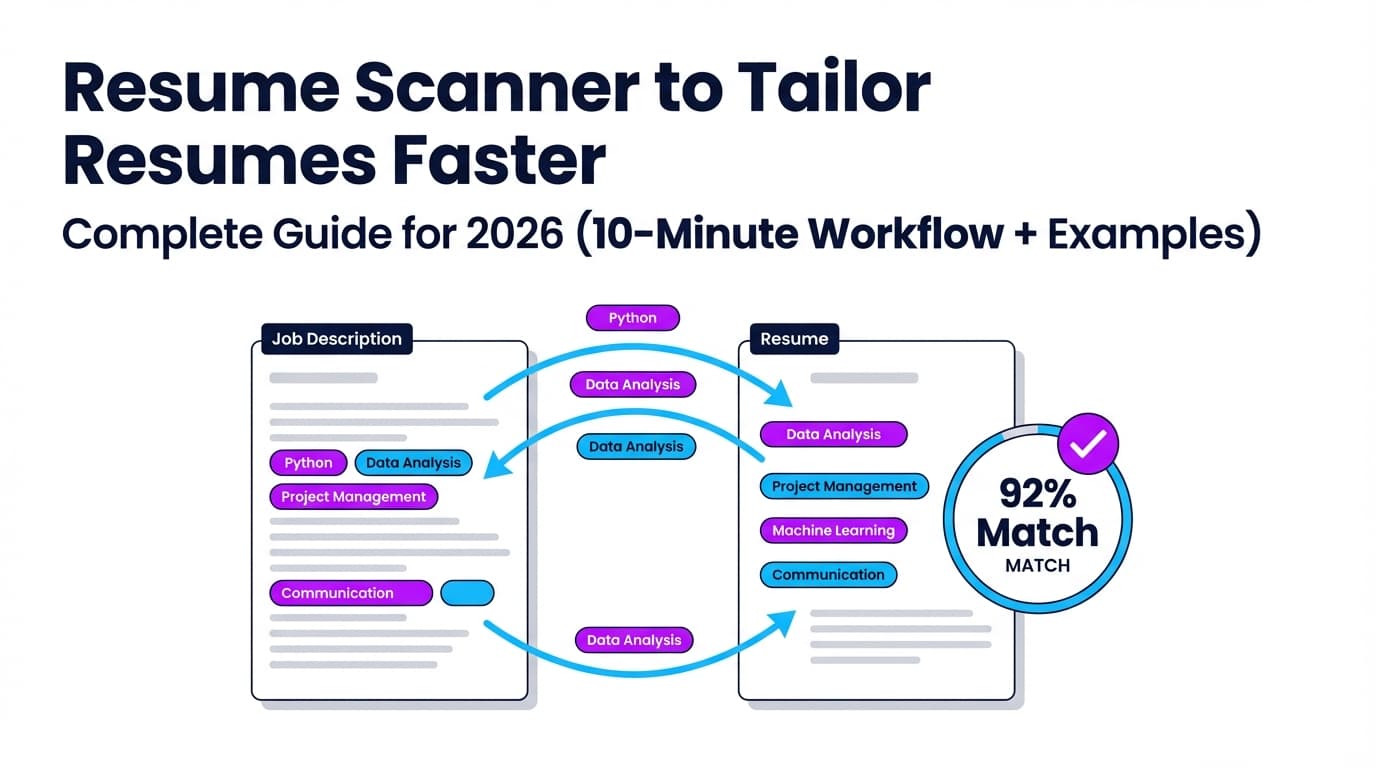
Step 4: Do “keyword mapping” (the fastest legit way to raise match)
Instead of stuffing keywords into Skills, map keywords to places scanners and humans expect to find them:
- Skills section (short, grouped)
- Projects bullets (best place for new grads)
- Internship/research bullets
- Coursework (only if relevant and credible)
Keyword Mapping Template (copy/paste)
Make a quick table:
| Job keyword | Where it appears in JD | Where I’ll place it | Proof I’ll add |
|---|---|---|---|
| SQL | Requirements | Skills + Project #1 bullet | “Queried 50k rows…” |
| Tableau | Preferred | Project #1 bullet | “Built dashboard…” |
| Stakeholders | Responsibilities | Project summary line | “Presented to…” |
This avoids keyword stuffing while ensuring keywords appear naturally.
Step 5: Write bullets in a scanner-friendly structure (Action + Tool + Outcome)
A strong new-grad bullet usually has:
- Action verb (Built, Analyzed, Automated, Designed)
- Tool/method (Python, SQL, Excel, React, regression)
- Outcome (time saved, speed improved, accuracy, adoption, scope)
“New grad metrics” you can use even without revenue
You can quantify projects with:
- dataset size (rows, files, users)
- runtime reduction
- model metrics (accuracy/F1)
- scope (# dashboards, # endpoints)
- adoption (# users, club members)
- time saved (hours/week)
- frequency (weekly reporting, monthly summary)
Step 6: Re-scan — but cap it at 2–3 iterations
Scanners can push you toward overfitting. Set a rule:
- Iteration 1: fix formatting + obvious keyword gaps
- Iteration 2: add proof bullets + improve clarity
- Iteration 3: only if the scan still flags missing core requirements
Then stop and apply.
Step 7: Human reality-check (the step scanners can’t do)
Before submitting, do a 20-second test:
- Can someone understand your target role + strongest evidence in 20 seconds?
- Does the top half of the page scream “fit”?
- Do your bullets show outcomes, not just tasks?
If not, restructure—even if your match rate is “high.”
What is a “good” match rate / ATS score? (and why 100% can hurt)
Different scanners score differently. Some focus on keyword overlap, others weigh formatting and section completeness.
That’s why people get wildly different scores from different tools (a common complaint on forums and Reddit threads). The right goal isn’t 100%—it’s “credible alignment.”
A practical target (not a promise)
Many resume-scanner ecosystems recommend aiming around 75%–80% match before applying, while acknowledging success can happen lower if you’re strong on core requirements.
For example, Jobscan’s guidance commonly references match rates in this range:
- Support article: https://support.jobscan.co/hc/en-us/articles/41334833854099-What-match-rate-should-I-aim-for
Confidence: Medium. (Applies to Jobscan’s scoring; other tools differ.)
Why 100% can be a red flag
A perfect score can indicate:
- keyword stuffing
- copying JD text into your resume
- bloated skills list without proof
Recruiters can spot that quickly—even if a scanner rewards it.
ATS-friendly resume structure for new grads (what to include + what to skip)
New grads often do best with this order:
- Header (Name, phone, email, LinkedIn, GitHub/portfolio)
- Education
- Skills
- Projects
- Experience (internships, part-time, research, volunteering)
- Leadership / Activities (optional)
Education section tips (new grads)
Include:
- Degree, major/minor
- Graduation date
- GPA (optional; include if strong and relevant)
- Relevant coursework (selective)
Coursework rule: listing “Data Structures” is fine, but it’s stronger to show it in a project bullet.
ATS formatting rules that matter most (backed by career-center guidance)
Below are the “highest ROI” rules repeated across career centers.
1) Don’t put critical info in headers/footers
Some ATS workflows don’t reliably parse header/footer content (career-center guidance often warns about this).
- Santa Clara University notes ATS typically do not read headers/footers and warns against placing critical info there: https://www.scu.edu/careercenter/toolkit/job-scan-common-ats-resume-formatting-mistakes/
- University at Buffalo advises avoiding headers/footers/page numbers and keeping content ATS-readable: https://management.buffalo.edu/career-resource-center/students/preparation/tools/correspondence/resume/electronic.html
2) Avoid tables, columns, text boxes, and graphics
- University of Minnesota Duluth: avoid tables/text boxes/columns and graphics: https://career.d.umn.edu/students/resume-cover-letter/applicant-tracking-system-ats-tips
- MIT: avoid tricky formatting; ATS focuses on text: https://capd.mit.edu/resources/make-your-resume-ats-friendly/
3) Use standard section headings
ATS parsers and recruiters expect familiar headings like “Education,” “Experience,” “Skills.”
4) Keep formatting consistent (especially dates)
Inconsistent dates can create confusion for both scanners and recruiters.
The “Scanner-to-Story” method (unique angle for new grads)
Most guides teach scanners as a way to “beat ATS.” New grads need something else: turn scanner gaps into a convincing story.
Here’s the method:
- Scanner identifies missing keyword
- You ask: Did I actually do this? If yes, where’s the proof?
- You add one proof line (project bullet, internship bullet)
- You remove one weak line to keep it one page
- Re-scan and stop at “credible alignment”
This prevents the common new-grad failure mode: a bloated resume with no proof.
Examples: Keyword mapping + before/after bullets (new grad-friendly)
Example 1: Entry-level Data Analyst (SQL + dashboards)
Job description excerpt (typical):
- Requirements: SQL, Excel, dashboards, data cleaning
- Preferred: Tableau/Power BI
- Responsibilities: weekly reporting, present insights
Before (generic bullet)
- “Worked on a data project using SQL and Excel.”
After (scanner + recruiter-friendly)
- “Cleaned and analyzed a 52k-row retail dataset using SQL + Excel, built a Tableau dashboard tracking weekly revenue trends, and summarized findings in a 1-page report for a 5-person team.”
What improved:
- keywords (SQL, Excel, Tableau, dashboard, reporting)
- proof (52k rows, weekly cadence, deliverable)
- readability (one sentence, clear result)
Example 2: Entry-level Software Engineer (APIs + testing)
Job description excerpt:
- Requirements: Java/Python, REST APIs, Git
- Preferred: Docker, unit tests
Before
- “Built a backend API for a class project.”
After
- “Designed and implemented REST endpoints in Python (FastAPI), added unit tests (pytest) for core routes, and containerized the service with Docker to standardize local setup for a 4-person team.”
Note: Only include tools you used. If you didn’t use Docker, don’t add it.
Example 3: Marketing/Business internship (analytics + stakeholder language)
Job description excerpt:
- Requirements: Excel, reporting, communication, campaign performance
Before
- “Helped with marketing tasks and reporting.”
After
- “Tracked campaign performance in Excel, created a weekly KPI summary (CTR, conversion rate) for leadership, and recommended 2 messaging changes that improved signup conversion in A/B testing.”
Common mistakes to avoid (the ones scanners can accidentally encourage)
Mistake 1: Keyword stuffing
Stuffing keywords can make your resume unreadable and less credible.
A good litmus test: if you wouldn’t say it out loud in an interview, don’t put it on the resume.
Related reading: Jobscan discusses resume keyword stuffing as a risk (tool-specific, but concept applies broadly): https://www.jobscan.co/blog/resume-keyword-stuffing/
Confidence: Medium. (Tool vendor, but the behavior is broadly recognized.)
Mistake 2: Adding skills with zero proof
New grads often list 20 tools but show none in bullets. A scanner might reward the list—but recruiters won’t.
Fix: if you list it, prove it in Projects or Experience.
Mistake 3: Over-optimizing one resume for one scanner
Different scanners use different criteria and can score the same resume differently. Use scanners for direction, not final truth.
Mistake 4: Using a two-column “pretty” template
Two-column layouts and graphics are repeatedly flagged as risky by career centers because parsing can scramble reading order.
Fix: use a simple one-column layout.
Mistake 5: Treating the ATS like a bot that “auto-rejects”
ATS often serves as workflow + database + search. Your goal is to be searchable, readable, and obviously relevant.
Best practices: How to get more value from resume scanners (without losing your voice)
-
Tailor the top half first
New grads should front-load relevance: Skills + Projects that match the role. -
Match the employer’s language (when true)
If the JD says “data cleaning,” and you did it, use that phrase. -
Use standard headings and consistent dates
Helps both ATS parsers and human scanning. -
Use the “plain text test” once per template
MIT suggests saving as.txtto see if text order breaks: https://capd.mit.edu/resources/make-your-resume-ats-friendly/ -
Keep a master resume + tailored versions
Master resume = all bullets. Tailored resume = only relevant bullets. -
Cap tailoring time
For entry-level roles, 20–40 minutes per application is often sustainable. Scanners help you focus on the right gaps quickly.
Tools to help with resume scanning (honest overview)
There’s no single “best” scanner—different tools help with different parts of the process.
Categories of tools
- Keyword match tools (resume vs job description)
- ATS formatting checkers (parsing risks)
- Writing feedback tools (impact and clarity)
- Job search tracking tools (applications, statuses, follow-ups)
Examples of popular ATS/resume-checker ecosystems
- Kickresume offers an ATS checker and has a broad comparison post of ATS resume checkers: https://www.kickresume.com/en/help-center/best-ats-resume-checkers/
- Cultivated Culture’s ResyMatch is another well-known resume scanner landing page: https://cultivatedculture.com/resume-scanner/
- University career centers sometimes provide access to tools like “Targeted Resume (Resume Worded)” via resource pages (UPenn example): https://careerservices.upenn.edu/resources/targeted-resume/
Where JobShinobi fits (natural option if you want scanning + tailoring + tracking in one place)
If you want a workflow that supports scanning, tailoring, and staying organized, JobShinobi supports (feature-accurate):
- AI resume analysis with an ATS/keyword-focused score breakdown and detailed feedback
- Resume-to-job matching using a job description (paste URL or text) to identify keyword gaps and tailoring suggestions
- A LaTeX resume editor with PDF preview (LaTeX is compiled to PDF inside the app via a compile service)
- Resume version history, helpful when tailoring for multiple roles
- A job application tracker with CRUD, realtime updates, and export to Excel (.xlsx)
- Email-forwarding job tracking that parses job-related emails into your tracker (confirmation/rejection/interview-type statuses) — requires Pro
Pricing (verified): JobShinobi Pro is $20/month or $199.99/year. The pricing UI mentions a “7-day free trial,” but trial mechanics are not fully verifiable from code, so treat it as “mentioned” rather than guaranteed.
Internal links: /subscription, /dashboard/resume, /dashboard/job-tracker
Platform/feature notes (so you don’t assume wrong):
- Authentication is Google OAuth (no email/password login).
- Email-forwarding automation is Pro-gated.
- Export is Excel only (not direct Google Sheets export).
New grad playbook: “No internship” doesn’t mean “no experience”
If your resume scanner says you’re missing proof, you can build it with:
1) Projects that mirror job deliverables
- Data roles: dashboard + data cleaning + weekly insights
- SWE roles: deployed app + API + tests + performance notes
- PM roles: PRD + roadmap + stakeholder notes + delivery outcomes
- Marketing roles: campaign analysis + A/B messaging tests + reporting
2) Coursework (selective and role-relevant)
Coursework helps when it’s a keyword in the JD and you can support it with a project.
3) Leadership with scope
Clubs and leadership count when you quantify scope:
- budget, attendance, growth, deliverables, sponsorship
4) Part-time work reframed as transferable skills
Retail/food service can demonstrate:
- communication, conflict resolution, reliability, training, process improvements
FAQ (real “People Also Ask”-style questions)
How do I create a resume for a fresh graduate?
Use a one-column, ATS-friendly format with standard headings. Put Education + Skills + Projects near the top, and write bullets that show action + tools + outcomes. If you don’t have internships, lead with 2–4 strong projects that match the role.
How do you “trick” resume scanners?
Don’t. Tricks like keyword stuffing or hidden text can backfire and may violate application policies. Instead, use keyword mapping and add proof-based bullets so keywords appear naturally and credibly.
Are ATS scanners accurate?
They’re useful for finding keyword gaps and catching formatting risks, but scores vary across tools because each uses different algorithms and heuristics. Use scanners as guidance, then validate with a human read-through and a plain-text test.
What words do resume scanners look for?
Mostly the exact terms in the job description:
- hard skills (SQL, Python, Excel)
- tools (Tableau, Git)
- methods (A/B testing, unit tests)
- deliverables (dashboards, reporting, APIs)
Is PDF or DOCX more ATS-friendly?
It depends on the employer’s system and instructions. Many ATS can read PDFs if they’re text-based, but some workflows prefer DOCX. Follow the job posting instructions, avoid image-based PDFs, and keep formatting simple.
Can ATS read tables, columns, or text boxes?
Not reliably. Multiple career centers recommend avoiding these elements because they can scramble reading order or fail to parse cleanly.
Example guidance: University of Minnesota Duluth ATS tips: https://career.d.umn.edu/students/resume-cover-letter/applicant-tracking-system-ats-tips
What is a good ATS match rate?
There’s no universal number across all tools, but many scanner ecosystems recommend aiming around 75%–80% before applying (tool-specific). Don’t chase 100%; focus on covering core requirements with proof.
Example: Jobscan match rate guidance: https://support.jobscan.co/hc/en-us/articles/41334833854099-What-match-rate-should-I-aim-for
Key takeaways (bookmark this)
- Start with ATS-safe formatting (one column; avoid headers/footers for critical info; avoid tables/text boxes/graphics).
- Use scanners for keyword mapping and proof gaps, not to generate a “perfect score.”
- New grads win by turning projects into evidence: action + tools + measurable outcomes.
- Cap scanning iterations at 2–3 per job to avoid overfitting.
- Optimize for humans: clarity in the top half matters as much as keyword match.