Remote jobs don’t just have “more competition.” They often have a different kind of competition: candidates who can quickly prove (1) they match the role and (2) they’ll thrive with less oversight, more writing, and more async coordination.
Here’s the reality check:
-
LinkedIn data: Remote job posts were 19.4% of paid job posts but attracted 50.1% of all applications (HIGH confidence, primary LinkedIn source).
Source: https://www.linkedin.com/business/talent/blog/talent-acquisition/remote-jobs-attract-majority-applications-first-time -
Datapeople: Remote jobs attract 2.2× more candidates than non-remote roles (MEDIUM confidence, credible industry dataset but scope varies by org/period).
Source: https://datapeople.io/blog/tips-for-recruiting-remote-and-non-remote-jobs/ -
Jobscan: 98.4% of Fortune 500 companies used a detectable ATS in 2024 (MEDIUM confidence, widely cited but self-published by Jobscan).
Source: https://www.jobscan.co/blog/fortune-500-use-applicant-tracking-systems/
That means most remote-job seekers are fighting a two-stage filter:
- ATS parsing + keyword matching (machine readability)
- Remote-readiness screening (human “will this person deliver remotely?” pattern recognition)
Most people only optimize for stage 1.
This guide shows you how to use a resume scanner for remote jobs in a way that increases interviews without chasing a fake “ATS score.” You’ll get a repeatable process, examples, and a checklist you can use for every application.
In this guide, you’ll learn:
- What a resume scanner actually does (and why scanners often disagree)
- The two-pass scanning method: ATS/keyword match + Remote Signal Layer
- Step-by-step: how to scan, fix, tailor, re-scan, and stop at the right time
- The formatting mistakes that break parsing (and how to test your resume)
- Remote-specific keyword banks and bullet templates (with before/after examples)
- Tools to speed up tailoring and track your applications without losing your mind
What is a “resume scanner” for remote jobs?
A resume scanner (often called an ATS resume checker or resume keyword scanner) is a tool that evaluates your resume—usually against a job description—to help you:
- Identify missing keywords and skills
- Improve alignment with the role’s responsibilities
- Catch ATS parsing risks (formatting, structure, headings)
- Strengthen bullet impact (clarity, metrics, results)
- Spot red flags (gaps, vague phrases, weak summaries)
A resume scanner for remote jobs should do all of the above and help you communicate remote-fit signals like:
- Async communication and documentation habits
- Self-management and ownership
- Distributed collaboration across time zones
- Remote tools/workflows (Slack, Jira/Linear, Notion/Confluence, GitHub, etc.)
- Clear outcomes without “in-office” supervision cues
Key mindset shift: In remote hiring, you’re not just proving you can do the work. You’re proving you can do it without being managed minute-to-minute.
Why resume scanning matters more for remote jobs in 2026 (with statistics)
1) Remote job demand can massively outpace supply
-
LinkedIn (primary): Remote jobs received 50.1% of applications while being 19.4% of paid job posts (HIGH confidence).
Source: https://www.linkedin.com/business/talent/blog/talent-acquisition/remote-jobs-attract-majority-applications-first-time -
Axios (citing LinkedIn): “50% of applications submitted on LinkedIn are for remote jobs, but just 15% of postings are advertising flexible work” (MEDIUM confidence, secondary reporting).
Source: https://www.axios.com/2022/12/04/remote-jobs-linkedin-supply-demand
What it means for you: You need your resume to do its job faster—clear relevance, clear outcomes, and clear remote readiness—because you’re competing against more applicants per posting.
2) Many employers still use ATS (especially larger ones)
- Jobscan: 98.4% of Fortune 500 companies used a detectable ATS in 2024 (MEDIUM confidence).
Source: https://www.jobscan.co/blog/fortune-500-use-applicant-tracking-systems/
What it means: ATS formatting and keyword alignment still matter—even in 2026.
3) Recruiters skim quickly—so your resume must be scannable by humans too
- The Ladders (PDF): The well-known eye-tracking research is often summarized as an initial review window of ~7.4 seconds (MEDIUM confidence, widely cited but frequently oversimplified).
Source (PDF): https://www.theladders.com/static/images/basicSite/pdfs/TheLadders-EyeTracking-StudyC2.pdf
Supporting coverage: https://www.hrdive.com/news/eye-tracking-study-shows-recruiters-look-at-resumes-for-7-seconds/541582/
What it means: In remote hiring, skim-time is often spent on: role match + communication/ownership signals. Your resume needs visible proof quickly.
4) Applicant volume is high even before “remote inflation”
- Inc (commonly cited stat): “On average, every corporate job opening attracts 250 resumes… only 4–6 get interviews” (MEDIUM confidence, directional rather than precise).
Source: https://www.inc.com/peter-economy/19-interesting-hiring-statistics-you-should-know.html
What it means: You don’t need a perfect resume. You need a resume that’s more relevant and easier to evaluate than most of the pile.
5) Remote/hybrid roles can attract dramatically more applications
- CNBC (citing CareerBuilder research): flexible jobs (WFH full/part-time) saw seven times more applications than in-person roles (reported in 2022) (MEDIUM confidence, secondary reporting but mainstream outlet).
Source: https://www.cnbc.com/2022/03/24/the-top-7-industries-hiring-for-hybrid-jobs-right-now-according-to-flexjobs.html
What it means: If you want remote, you must treat your resume as an optimization problem—then keep it human.
How resume scanners work (and why ATS scores vary)
Most resume scanners combine four systems:
-
Parsing (ATS simulation)
- Attempts to “read” your resume: contact info, headings, jobs, dates, skills.
- If your structure is weird, parsing breaks—then everything else breaks.
-
Keyword extraction
- Pulls terms from the job description: skills, tools, certifications, role tasks.
- Some scanners are literal (exact-match), others include synonyms.
-
Heuristics
- “Best practice” rules: length, number of bullets, active verbs, metrics, repetition.
- Different tools weight these differently.
-
Scoring
- A numeric output (match rate / ATS score) that’s usually not standardized.
- Two tools can give wildly different numbers based on weighting and parsing.
Why scanners disagree (quick truth)
- The PDF is encoded differently (text layer issues).
- The scanner’s parser handles columns/tables differently.
- The scanner matches different keyword forms (e.g., “SQL” vs “PostgreSQL”).
- The scanner is optimized for marketing its own scoring model.
Best practice: Use scanners to diagnose formatting + missing requirements, not as a truth machine.
The missing piece: The “Remote Signal Layer” (what most scanners don’t score)
Remote hiring teams screen for evidence of:
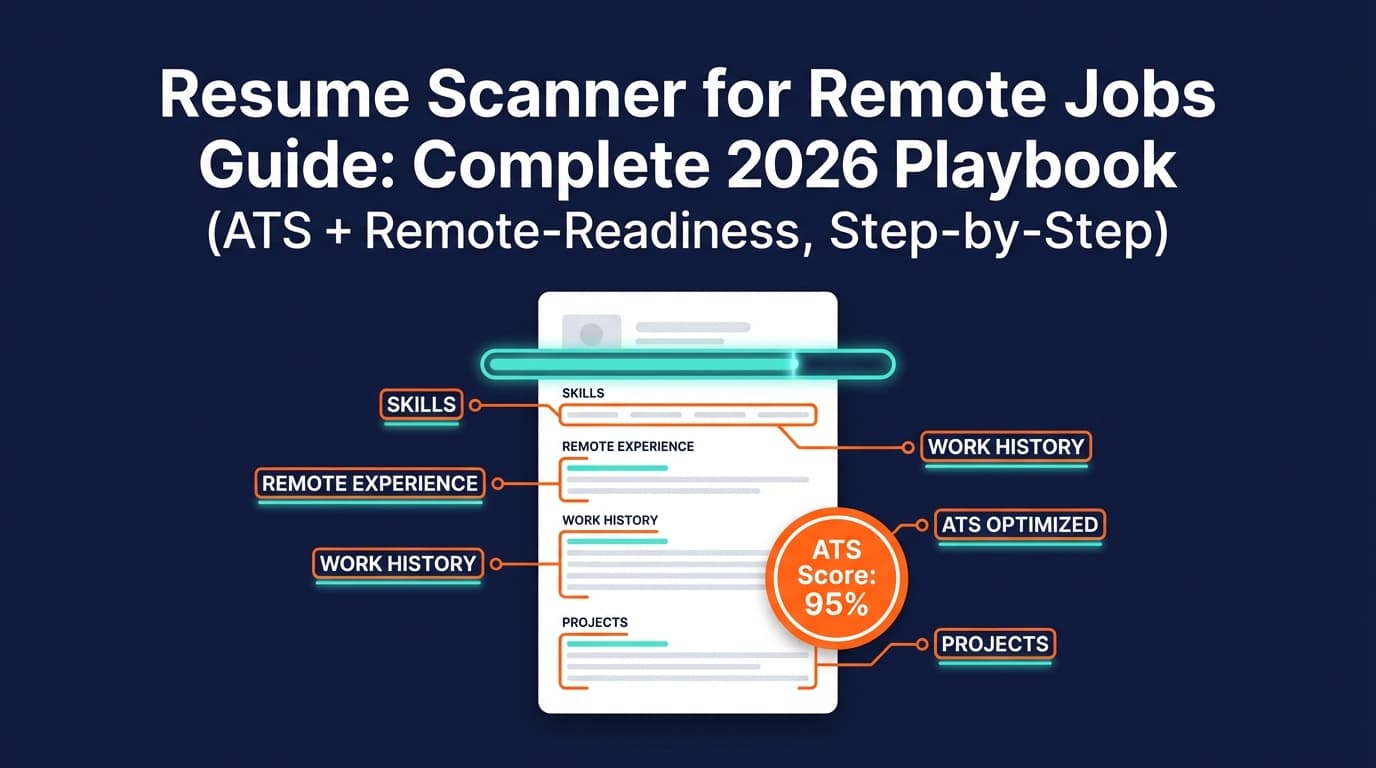
- Async communication: written updates, docs, decision memos, RFCs, runbooks
- Ownership: end-to-end responsibility, prioritization, ambiguity tolerance
- Distributed collaboration: cross-time-zone handoffs, stakeholder alignment
- Operational maturity: planning, measurement, postmortems (role dependent)
A generic ATS scanner might give you an 85% score while your resume still reads like:
“I did tasks while someone coordinated everything.”
Remote hiring wants:
“I drove outcomes, communicated clearly, and delivered reliably without handholding.”
So in this guide you’ll run two scans:
- ATS + role keyword match
- Remote Signal Layer (manual checklist + targeted remote keywords)
Resume Scanner for Remote Jobs: Step-by-step process (repeatable)
Step 0: Pick one real job post (not “a type of job”)
Remote jobs vary on:
- time zone overlap requirements
- communication style (async-first vs meeting-heavy)
- autonomy expectations
- tool stack (Jira vs Linear, Notion vs Confluence, etc.)
Do this:
- Save the job description text in a doc.
- Highlight:
- Must-have requirements
- Nice-to-have requirements
- Remote-specific requirements (time zones, overlap hours, async, travel)
Step 1: Run a “parsing test” before any keyword scan
If the ATS can’t read your resume, keyword tuning is wasted.
Fast self-test
- Open your resume PDF
- Select all → copy
- Paste into a plain text editor
If the content order becomes chaotic, your resume is at risk.
Common parsing problems
- tables and columns
- text boxes
- icons in headings
- unusual section labels
- important content in headers/footers
University career centers frequently warn against tables/complex formatting for ATS readability (MEDIUM confidence, varies by ATS but risk is real).
Example: Santa Clara University guidance (tables/headers/footers cautions): https://www.scu.edu/careercenter/toolkit/job-scan-common-ats-resume-formatting-mistakes/
Output you want: Your pasted text reads in a clean, logical order.
Step 2: Scan for ATS formatting issues (fix these first)
Formatting rules that are “safe defaults”
- Single-column layout
- Standard headings: Summary, Experience, Skills, Education, Projects
- Consistent date formatting
- Minimal visual ornamentation
- Avoid stuffing critical content into headers/footers
Why: Even if some ATS can handle fancy formatting, many candidates lose out because their resume becomes harder to parse and harder to skim.
Step 3: Run a role keyword match scan (but interpret it correctly)
Now use a resume scanner that compares your resume to the job description.
You’re looking for:
- missing required skills/tools
- missing responsibility keywords (“stakeholder management,” “forecasting,” etc.)
- mismatched title language (without lying)
- missing proof in Experience bullets
How to decide what to add
- If it’s a hard requirement and you genuinely have it, it should appear:
- in Experience (best)
- or in Projects
- plus optionally in Skills
- If it’s a nice-to-have, include it only if it strengthens credibility.
Avoid: dumping 40 keywords into Skills with zero proof.
Step 4: Add the Remote Signal Layer (the competitive advantage)
A practical Remote Signal keyword bank (use only what’s true)
Async + communication
- asynchronous communication (async)
- documentation / runbooks / playbooks
- written status updates
- decision memos
- RFCs / proposals
- meeting notes → action items
Ownership + execution
- owned end-to-end
- drove roadmap / delivered milestones
- prioritized backlog
- reduced cycle time
- resolved ambiguity
- led cross-functional alignment
Distributed collaboration
- distributed team
- cross-time-zone collaboration
- stakeholder alignment
- handoffs / follow-the-sun
- remote-first
Remote tools (only if used professionally)
- Slack, Teams
- Zoom
- Jira, Linear
- Notion, Confluence
- GitHub/GitLab
- Loom (async video updates)
- Miro/Figma (role dependent)
Where to place Remote Signals
- Summary: 1 line indicating distributed work + outcome
- Most recent role: at least 1–2 bullets proving async/ownership
- Skills/Tools: only if relevant and defensible
Example summary (remote-ready)
Data Analyst with 5+ years improving funnel conversion and reporting. Delivered outcomes across PST–CET teams using async docs and weekly KPI memos; improved activation by 18% QoQ.
Example summary (weak)
Self-motivated team player seeking a remote position.
Step 5: Rewrite bullets to “remote-proof” your impact (before/after examples)
Remote resumes should answer fast:
- What did you own?
- How did you coordinate work (especially async/distributed)?
- What changed (metric, speed, revenue, reliability)?
- What was the scope (users, stakeholders, scale)?
Example: Software Engineer (remote-ready bullet)
Before
- Improved performance of API endpoints.
After
- Reduced API p95 latency by 28% by profiling bottlenecks, shipping query/index changes, and coordinating rollout via an async RFC + staged deployment plan across a distributed team (PST/EST).
Example: Product Manager
Before
- Worked with engineering and design to deliver features.
After
- Owned feature delivery from PRD → launch across design/eng/CS using async decision memos and weekly written status updates; increased trial-to-paid conversion by 11% over 2 releases.
Example: Customer Success / Support Ops
Before
- Helped customers resolve issues and escalations.
After
- Built an async escalation workflow (Zendesk + Slack triage + runbook), reducing time-to-resolution from 42h to 18h and cutting repeat tickets by 15%.
Example: Marketing
Before
- Managed campaigns and reporting.
After
- Ran weekly experiment cadence using async briefs (Notion) and KPI dashboards; increased trial sign-ups 22% QoQ by iterating creative + landing pages based on cohort analysis.
Step 6: Re-scan and stop at the right time (don’t chase 100%)
A good stopping rule:
- All must-have requirements you truthfully meet are represented
- Your top bullets show outcomes and scope
- Remote readiness is proven in experience, not claimed
- The resume reads well when skimmed in 10 seconds
Step 7: Version your resume so tailoring doesn’t destroy your base
Remote job seekers often apply in volume. Without version control, you’ll:
- overwrite your strongest bullets
- lose track of what you sent
- accidentally “drift” into a keyword-stuffed mess
Versioning strategy
- Core resume (your best all-around)
- Role-family versions (e.g., “Remote PM – B2B SaaS”, “Remote Data Analyst – Growth”)
- Company-specific version only for top targets
ATS formatting for remote jobs: what to do (and what to avoid)
The safest ATS-friendly structure
Recommended sections (in order)
- Header (name + email + phone + LinkedIn/portfolio)
- Summary (optional but helpful for remote-fit)
- Skills (short, relevant, role-specific)
- Experience (strongest content)
- Projects (if relevant)
- Education / Certifications
Common ATS formatting mistakes (and why they hurt)
Santa Clara University’s ATS formatting guidance explicitly warns about tables and other common parsing issues (MEDIUM confidence, broadly consistent with ATS advice).
Source: https://www.scu.edu/careercenter/toolkit/job-scan-common-ats-resume-formatting-mistakes/
Mistakes to avoid
- Tables (skills tables are common and risky)
- Two-column layouts
- Text boxes
- Icons used as labels
- Critical info in headers/footers
File format: PDF vs DOCX for ATS
There’s no universal answer. Many guides recommend DOCX or text-based PDF depending on the employer system and instructions (MEDIUM confidence).
Practical best practice
- If the application system is known to be picky, DOCX may parse more predictably.
- If you submit PDF, ensure it is text-based (not an image scan).
- Follow the job post instructions.
The “Remote Job Resume Scanner” checklist (copy/paste)
A) ATS parseability
- Plain-text paste reads in correct order
- No tables/columns used for critical content
- Standard headings (Experience, Skills, Education)
- Dates and titles are consistent and clear
- Contact info is in the body (not hidden in header/footer)
B) Role match (job description alignment)
- Must-have skills you truly have appear in resume
- Must-have responsibilities are proven in bullets
- Role keywords appear naturally (not stuffed)
- Tools/tech appear in context (Experience/Projects)
C) Remote Signal Layer
- At least 2 bullets show async/written communication
- At least 2 bullets show ownership/autonomy
- Distributed/time-zone collaboration is evidenced (if relevant)
- Remote tools listed only if you can discuss them in interviews
D) Human skim test (7–10 seconds)
(Resume skim-time is often short; see Ladders/HR Dive coverage—MEDIUM confidence.)
- First half page shows your strongest impact
- Summary tells the story in 2–3 lines
- Bullets show outcomes + scope
- No vague filler (“responsible for…”, “worked on…”)
Common mistakes to avoid (remote-job edition)
Mistake 1: Optimizing only for ATS (and forgetting remote-fit)
You can “pass” ATS and still lose to candidates who show:
- async communication
- ownership
- distributed collaboration
Fix: Add Remote Signal bullets in your most recent role.
Mistake 2: Keyword stuffing (especially hidden text hacks)
It’s widely criticized in job-seeker communities and can backfire with humans and tools.
Fix: Put keywords inside proof bullets.
Mistake 3: Generic soft skills with zero evidence
Remote hiring teams don’t care that you wrote “self-starter.” They care that you can demonstrate it.
Fix: Convert soft skills to behaviors:
- “Self-starter” → “Owned X end-to-end with minimal oversight, delivered Y outcome”
- “Great communicator” → “Published weekly written updates and decision memos”
Mistake 4: Not tracking applications (so you can’t learn)
If you don’t know what you sent, you can’t improve based on response rates.
Fix: Use a tracker (spreadsheet, CRM, or an app) and note:
- resume version
- key keywords targeted
- outreach/follow-up date
- response outcome
Tools to help with resume scanning for remote jobs (honest recommendations)
You’ll typically get the best results by combining:
- a scanner (keyword + ATS diagnostics)
- a parsing test method
- a tracking system
JobShinobi (resume building + AI analysis + job matching + tracking)
JobShinobi can be useful if you want a workflow that combines:
- Resume building in LaTeX with PDF compilation/preview
- AI resume analysis (scoring + detailed feedback)
- Job description extraction (from a URL or pasted text) and resume-to-job matching
- Resume version history
- Job application tracker (with Excel export)
- Optional: job tracking via forwarded emails (note the pricing constraint below)
Relevant links:
- Resume area: /dashboard/resume
- Job tracker: /dashboard/job-tracker
- Login: /login
Pricing (be precise): JobShinobi Pro is $20/month or $199.99/year.
The pricing UI mentions a “7-day free trial,” but trial enforcement mechanics are not clearly verifiable in code, so treat it as “pricing page mentions…” rather than a guarantee.
Important limitation: Email-based processing for job tracking is Pro-gated (don’t assume it’s available on a free plan).
Other tools you may see in this space
- Kickresume ATS Resume Checker: ATS scan simulation and resume comparison workflow
https://www.kickresume.com/en/ats-resume-checker/ - Resume Worded Resume Scanner: Popular scanner-style feedback workflow
https://resumeworded.com/resume-scanner - BeamJobs Resume Scanner: Scanner page with FAQ and additional career tools
https://www.beamjobs.com/resume-scanner - Remote resume guidance:
Deel remote resume guide: https://www.deel.com/blog/how-to-prepare-your-cv-for-a-remote-job/
RemoteWeek remote resume guide: https://remoteweek.io/blog/resumes-for-remote-jobs
Enhancv WFH resume examples: https://enhancv.com/resume-examples/work-from-home/
Reminder: Treat “scores” as directional. Your real goal is: parse cleanly, match must-haves, and prove remote readiness.
Advanced section: Build a remote-tailoring system (so you don’t rewrite from scratch)
1) Build “modules” you can swap
- Summary module (remote + role family)
- Skills module (job-specific)
- 2–4 bullet module per most recent job (tailored)
- Projects module (only when highly relevant)
2) Create a keyword map from the posting
Highlight:
- nouns (tools, systems, methods)
- verbs (actions: build, automate, forecast, design, optimize)
- outcomes (growth, reliability, cycle time, cost)
Then ensure your resume includes:
- nouns (truthfully)
- verbs (as action statements)
- outcomes (as metrics/scope)
3) Mirror remote operating language
If the posting says:
- async-first
- written communication
- high ownership
- minimal meetings
…your resume should show evidence of that style.
A good external reference for async work culture (useful for understanding what remote-first companies value): GitLab’s async communication guidance (MEDIUM confidence as a culture source, not a hiring standard).
Source: https://handbook.gitlab.com/handbook/company/culture/all-remote/asynchronous/
Key takeaways
- Remote roles can attract disproportionate application volume (LinkedIn/Axios reporting—HIGH/MEDIUM confidence).
- ATS still matters, especially at larger employers (Jobscan Fortune 500 estimate—MEDIUM confidence).
- Use a resume scanner as a diagnostic tool, not a scoreboard.
- The differentiator for remote jobs is the Remote Signal Layer: async communication, ownership, distributed collaboration, and measurable outcomes.
- Use versions + tracking so you can tailor quickly without degrading your core resume.
FAQ (People Also Ask–style)
How accurate are resume scanners?
Resume scanners are useful but not definitive. They’re best at identifying:
- missing keywords
- basic structure/formatting risks
- weak bullets and vague phrasing
They’re less reliable as a predictor of whether a specific company’s ATS will rank you highly, because ATS systems and recruiter workflows vary.
Can ATS parse columns or tables?
Some systems handle them; many don’t handle them reliably. To reduce risk, default to a simple layout and avoid tables/columns for critical content.
Example guidance: Santa Clara University’s ATS formatting mistakes page (MEDIUM confidence).
Source: https://www.scu.edu/careercenter/toolkit/job-scan-common-ats-resume-formatting-mistakes/
What is the best resume format for remote jobs?
In most cases: an ATS-friendly, single-column resume with clear headings, strong metrics, and explicit remote-readiness proof (async, ownership, distributed collaboration).
Does ATS read PDF or DOCX better?
It depends on the system and how the PDF was generated. If a job post specifies a format, follow that. If not, many guides suggest DOCX or a text-based PDF as safe options. Always test by copying the text into a plain editor to see if it stays in order.
Is a 70% ATS score good?
There is no universal standard. Different scanners grade differently. Use the score to locate missing must-have keywords and formatting issues, then optimize for clarity + proof + remote readiness, not the number.
How do I know if a company uses an ATS?
Common signs include:
- You apply through a structured portal that asks you to re-enter resume details (typical ATS behavior)
- The job application URL or branding hints at a vendor (Workday, Greenhouse, Lever, etc.)
- The process includes automated status emails and a candidate portal
Even if you can’t identify the ATS, ATS-safe formatting and strong relevance still help.
How to trick resume scanners?
Don’t. “Tricks” (like hidden text keyword stuffing) can damage credibility and backfire. The reliable approach is:
- clean parsing
- truthful keyword coverage
- evidence-based bullets
- remote readiness proof