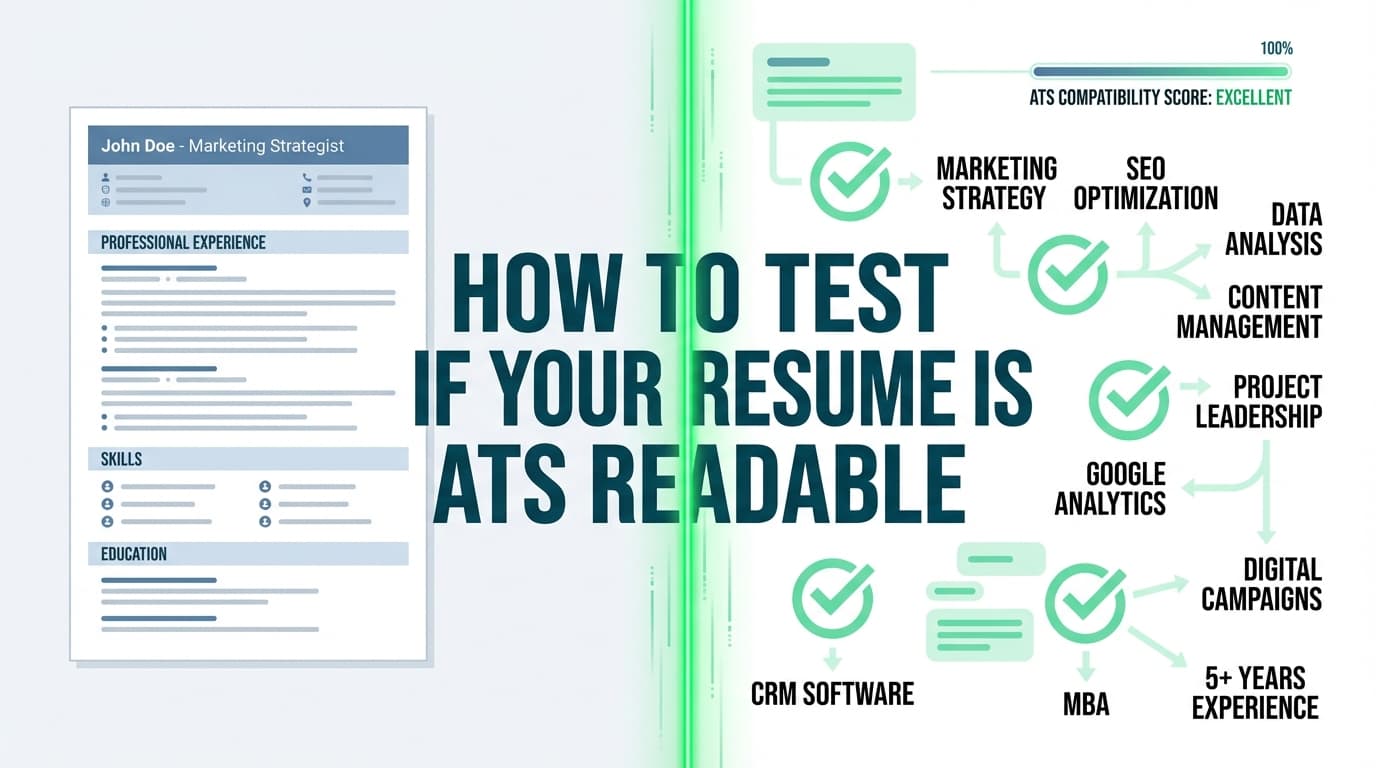
Recruiters don’t read your resume—they skim it. TheLadders’ eye-tracking research found the average initial screen is 7.4 seconds (2018). HR Dive independently covered the same finding. [High confidence: multiple independent sources]
Sources: TheLadders Eye-Tracking Study PDF: https://www.theladders.com/static/images/basicSite/pdfs/TheLadders-EyeTracking-StudyC2.pdf • HR Dive: https://www.hrdive.com/news/eye-tracking-study-shows-recruiters-look-at-resumes-for-7-seconds/541582/
And in 2026, that skim happens after your resume is ingested, parsed, and stored in an Applicant Tracking System (ATS).
That’s why a resume scanner (ATS resume checker / resume keyword scanner) can be genuinely useful—if you use it like a professional: as a diagnostic tool to prevent parsing issues, close keyword gaps, and improve clarity without turning your resume into a keyword-stuffed mess.
In this guide, you’ll learn:
- What a resume scanner actually checks (and what it can’t know)
- The exact scan → fix → re-scan workflow to use for every application
- ATS-safe formatting rules (with examples and tests you can do in minutes)
- How to interpret ATS “scores” without chasing 100%
- Common mistakes to avoid (and the fixes that matter most)
- Tools that help (including how JobShinobi fits—accurately, without over-claiming)
What Is a Resume Scanner (ATS Resume Checker)?
A resume scanner is software that evaluates your resume against one or more of these:
- Parsing/format compatibility (can an ATS reliably extract your name, titles, dates, bullets, skills?)
- Job description match (keyword and skills alignment; sometimes called “match rate”)
- Quality heuristics (impact, clarity, repetition, missing context, weak phrasing)
What scanners are good at (the “high ROI” uses)
- Identifying missing keywords from a job description (especially hard skills and tools)
- Flagging formatting risks (tables, columns, text boxes, icons, headers/footers)
- Highlighting thin content (vague bullets, missing outcomes, unclear scope)
- Catching structural inconsistencies (date formats, mixed tense, unclear titles)
What scanners are NOT good at (don’t outsource your judgment)
- Predicting whether you’ll get an interview
- Knowing which keywords matter most to a specific hiring manager
- Measuring leadership, judgment, ownership, or real performance
- Replacing human readability (you still have ~7 seconds to impress)
Think of scanners as linting: they reduce avoidable errors and blind spots. They don’t “prove” you’ll get hired.
Why ATS Optimization Matters in 2026 (With Numbers You Can Reference)
1) ATS usage is nearly universal in large companies
Jobscan reports that 98.4% of Fortune 500 companies used a detectable ATS in 2024. [Medium confidence: reputable industry source, but detection methodology is Jobscan’s]
Source: https://www.jobscan.co/blog/fortune-500-use-applicant-tracking-systems/
2) Recruiters skim quickly
TheLadders’ eye-tracking research: 7.4 seconds average initial scan (2018), widely cited and independently reported. [High confidence]
Sources: https://www.theladders.com/static/images/basicSite/pdfs/TheLadders-EyeTracking-StudyC2.pdf • https://www.hrdive.com/news/eye-tracking-study-shows-recruiters-look-at-resumes-for-7-seconds/541582/
3) Many corporate roles attract huge applicant volume
Inc. cites a common Glassdoor statistic: ~250 resumes per corporate job opening, with only 4–6 candidates called for an interview. [Medium confidence: secondary reporting of Glassdoor]
Source: https://www.inc.com/peter-economy/19-interesting-hiring-statistics-you-should-know.html
4) Only a small fraction get interviews
CareerPlug reports an applicant-to-interview ratio around 3% (varies by role/industry). [High confidence: primary research report]
Source (CareerPlug 2024 Recruiting Metrics Report PDF): https://www.careerplug.com/wp-content/uploads/2024/04/2024-Recruiting-Metrics-Report-1.pdf
5) Recruiters are drowning in applications
Business Insider reported Greenhouse data showing an applications-to-recruiter ratio around 500:1 (and cited ~242 applications per opening during one period). [Medium confidence: reputable outlet; full details may be paywalled]
Source: https://www.businessinsider.com/technology-broke-job-market-ats-recruiters-hiring-application-2025-11
What this means for you: ATS optimization is not a hack. It’s basic competitiveness. You’re optimizing so your resume is (1) parsed correctly, (2) searchable, and (3) instantly understandable when a human finally sees it.
What “ATS-Optimized Resume” Actually Means (Plain English)
An ATS-optimized resume is one that:
- Parses cleanly (your titles, dates, companies, and bullets don’t get scrambled)
- Uses standard structure (ATS can map “Work Experience,” “Skills,” etc.)
- Contains role-relevant keywords (especially must-have skills)
- Shows proof (accomplishments and outcomes, not just lists)
- Remains human-readable (because humans still decide)
It’s not about tricking an ATS. It’s about removing avoidable failure points.
How ATS Resume Scanning Works (The 5-Step Model)
Most ATS workflows follow a predictable pipeline:
- Ingest: ATS reads your file (DOCX/PDF), extracts text.
- Parse: It maps extracted text into structured fields (company, title, dates, skills).
- Index: It stores your resume as searchable data.
- Filter/Search: Recruiters filter by skills, titles, location, years, etc.
- Rank (sometimes): Some systems or workflows prioritize based on criteria.
That’s why optimization has two pillars:
- Parsing safety (format + structure)
- Relevance (keywords + evidence)
If either fails, your odds drop.
How to Use a Resume Scanner for an ATS-Optimized Resume (Step-by-Step, Repeatable)
This system is designed to beat “random edits + score chasing.” Use it for every application.
Step 1: Create a master resume (your source of truth)
Your master resume should be comprehensive and messy (on purpose). It’s not the one you submit.
Include:
- every role/project you might reuse
- metrics you’ve achieved
- tools/skills inventory
- multiple bullet versions (technical vs business impact)
Pro tip: If you apply to two job families (e.g., Data Analyst and Data Engineer), keep two masters. Tailoring gets exponentially easier.
Step 2: Choose the right target: one job or a keyword cluster
A scanner is only as good as the target you scan against.
Pick one approach:
- Job-specific scan (best when the posting is detailed)
- Keyword cluster scan (best when postings are vague): collect 3–5 similar job descriptions, pull common keywords.
Pro tip: Cluster-based tailoring is more stable. One weird job description can distort your “missing keywords” list.
Step 3: Run your first scan—but only record 3 outputs
Ignore the “score” at first. Capture:
- Missing must-have keywords
- Format / parse warnings
- Top content weaknesses (vague bullets, no outcomes, unclear scope)
Create a simple tracker:
| Round | Role | Missing Must-Haves | Parsing Flags | Biggest Fix |
|---|---|---|---|---|
| 1 | PM | roadmap, stakeholders, OKRs | two columns | rewrite bullets + single column |
This stops you from doing random edits.
Step 4: Fix parsing risks first (format > keywords at this stage)
If parsing breaks, keywords may not get indexed correctly anyway.
ATS-safe formatting checklist (with an official-style example)
A University of Illinois Chicago career services handout explicitly recommends:
- single column format
- no tables / multiple columns / text boxes
- simple, readable text size (11+)
[Medium confidence: credible career services guidance; not a universal ATS guarantee]
Source (UIC PDF): https://careerservices.uic.edu/wp-content/uploads/sites/26/2017/08/Ensure-Your-Resume-Is-Read-ATS.pdf
Also, MIT career advising recommends testing ATS-friendliness by saving or viewing as plain text to see what an ATS might “see.” [High confidence: credible career center guidance]
Source: https://capd.mit.edu/resources/make-your-resume-ats-friendly/
What to do (quick rules):
- Use one column
- Avoid tables, text boxes, icons, charts
- Keep contact info in the body, not headers/footers
- Use standard headings (“Work Experience,” “Skills,” “Education”)
- Use consistent date formats (e.g.,
MM/YYYYorMonth YYYY)
Step 5: Run the “Plain-Text Parse Test” (2 minutes, high payoff)
Do this before you rewrite a single bullet:
- Copy your resume content.
- Paste into Notepad (Windows) or a plain-text editor.
- Check:
- Do sections appear in the correct order?
- Do dates stay with the right jobs?
- Do bullets remain readable?
- Is contact info intact?
MIT specifically recommends a text-focused test because ATS primarily reads text. [High confidence]
Source: https://capd.mit.edu/resources/make-your-resume-ats-friendly/
If it looks messy in text, it may parse messy in ATS.
Step 6: Build a keyword plan (map keywords—don’t “sprinkle”)
Most people add keywords like seasoning. That’s how you end up with a resume that “scores high” but reads like spam.
Instead, map keywords into four places:
- Skills section (hard skills/tools only)
- Experience bullets (where proof lives)
- Projects (if relevant)
- Summary (optional; use carefully)
Keyword mapping example (good vs bad)
Bad (“sprinkling”):
- Skills: SQL, Tableau, Python, stakeholder management
- Experience: “Responsible for dashboards.”
Good (mapped + proven):
- Skills: SQL, Tableau, Python
- Bullet: “Built SQL pipeline and Tableau dashboard for Sales Ops; reduced weekly reporting time by 60% across 5 regions.”
Now the keyword exists and the recruiter sees evidence.
Step 7: Rewrite bullets using the “Impact Proof Stack”
Use a structure that satisfies both ATS indexing and human skim:
Action + What + Tools + Outcome + Scope
Before/after examples (ATS-friendly and recruiter-friendly)
Before (generic):
- “Responsible for reporting and dashboards.”
After (specific + measurable):
- “Built weekly KPI dashboards in Tableau using SQL sources to monitor pipeline health; improved forecast accuracy by 12% across 5 regions.”
Before (keyword stuffing):
- “Python, Python, Python for data analysis and machine learning.”
After (natural keywords + proof):
- “Used Python (pandas, scikit-learn) to build a lead-scoring model; increased MQL-to-SQL conversion by 9%.”
Pro tip: If you don’t have metrics, use scope proxies: “for a 20-person team,” “across 10 stakeholders,” “serving 3 departments.”
Step 8: Re-scan and interpret results like a professional
Now the score becomes useful as a trend, not a goal.
Focus on:
- Are must-haves present?
- Are they demonstrated in experience?
- Are parsing flags gone?
- Did you lose readability?
Step 9: Triangulate with a second scan (optional, but smart)
Scanners disagree because they weight criteria differently. A second scan helps avoid overfitting.
Rule of thumb:
- If both scanners flag a problem → fix it.
- If only one scanner flags it → check whether it’s a must-have or a readability issue.
Step 10: Do a real-world ATS import test (highly recommended)
Upload your resume to any system that tries to auto-fill fields (many portals do this).
Check:
- Does it correctly parse company, title, dates?
- Are bullets attached to the right role?
- Are skills extracted correctly?
If the import is messy, your formatting is risky—even if a scanner “scores” you well.
What Is a “Good ATS Score” in 2026? (Without the Hype)
A lot of search results ask: “Is 70% good?” “Should I aim for 90%?”
Jobscan, for example, states they generally recommend an 80% match rate, noting some users find success even around 75%. [Medium confidence: tool-specific guidance, not universal hiring truth]
Source: https://www.jobscan.co/blog/what-jobscan-match-rate-should-i-aim-for/
The practical truth (tool-agnostic)
- ATS scores are proxies for match + formatting.
- They’re useful to compare versions of your resume.
- They are not “interview probability.”
A healthier target than “100%”
Aim for:
- Clean parse (no structural issues)
- Coverage of must-have requirements (truthfully)
- Strong bullets with proof
- Human readability under 10 seconds
Why 100% can backfire: It often requires awkward repetition or copying job description language too literally. That can hurt credibility when a recruiter skims.
ATS Formatting: The 2026 Do/Don’t List (With Rationale)
DO (safer across unknown ATS)
- One-column layout
- Standard headings: Work Experience, Skills, Education
- Plain text contact info in the body
- Consistent date format
- Simple bullets and spacing
- Tools/skills grouped cleanly
Career services guidance (UIC) explicitly emphasizes single column and avoiding tables/text boxes. [Medium confidence]
Source: https://careerservices.uic.edu/wp-content/uploads/sites/26/2017/08/Ensure-Your-Resume-Is-Read-ATS.pdf
MIT also emphasizes ATS reads text and recommends testing accordingly. [High confidence]
Source: https://capd.mit.edu/resources/make-your-resume-ats-friendly/
DON’T (common parsing hazards)
- Two-column templates (especially with sidebars)
- Tables for skills
- Icons instead of text labels (phone/email)
- Text boxes, floating shapes
- Important info in headers/footers
- Image-based PDFs / scanned resumes
Reality check: Some ATS platforms parse complex layouts fine. Others don’t. Since you don’t control which ATS an employer uses, the safest approach is to reduce complexity.
Common Mistakes Resume Scanners Catch (and How to Fix Them)
Mistake 1: Keyword stuffing instead of keyword proof
Symptom: Match rate goes up, interviews don’t.
Fix: Keep keywords, but attach them to outcomes in bullets. A keyword without evidence is just a claim.
Related guidance: Jobscan warns that blatant keyword stuffing can backfire. [Medium confidence: tool vendor guidance]
Source: https://www.jobscan.co/blog/resume-keyword-stuffing/
Mistake 2: Hiding contact info in headers/footers
Symptom: Scanner says your contact info is missing or ATS import mangles it.
Fix: Put your name + phone + email + LinkedIn in the body at the top.
Mistake 3: Non-standard section headings
Symptom: ATS or scanners misread sections.
Fix: Use universally recognized headings. Indeed’s guidance explicitly recommends standard headings like “Work Experience” and “Skills.” [Medium confidence: credible career guidance; may be region-access limited]
Search reference surfaced: Indeed ATS resume template page.
Mistake 4: Bullets that don’t say what you did
Symptom: “Helped with…” “Responsible for…”
Fix: Start with strong verbs and include scope:
- Built, led, shipped, automated, designed, analyzed, reduced, increased, launched
Mistake 5: Tailoring only the skills section
Symptom: Keyword match looks okay but recruiters don’t see fit.
Fix: Put the critical keywords in experience bullets where proof exists.
Mistake 6: Using two columns to “fit it on one page”
Symptom: Parsing breaks; content order is scrambled.
Fix: Prioritize clarity over cramming. A clean two-page resume is often stronger than a cramped one-page resume.
2026 Best Practices to Beat ATS and Impress Humans
-
Optimize for parsing first, then relevance.
If your titles/dates don’t parse correctly, keyword work is wasted. [High confidence] -
Use a keyword cluster for stability.
Cluster-based tailoring prevents overfitting to one posting. [High confidence] -
Mirror job description language only when it’s truthful.
If the job says “stakeholder management” and you did it, use that phrase. [High confidence] -
Put must-haves in two places (naturally).
Skills list + a bullet that proves it. [High confidence] -
Use numbers (or scope proxies) aggressively.
Numbers compress meaning for skim-readers—critical given 7.4-second scans. [High confidence; supported by skim-time research] -
Validate with an ATS import test.
This is closer to reality than any “score.” [High confidence] -
Version your resume so tailoring is fast.
Master → role version → job-specific version. [High confidence]
Tools to Help With ATS-Optimized Resumes (Scanners + Workflow)
JobShinobi (ATS-focused analysis + job matching + resume building)
JobShinobi is designed for job seekers focused on beating ATS and tailoring efficiently. Relevant capabilities include:
- AI resume analysis that generates structured feedback and scoring (including ATS- and keyword-oriented components).
- Resume-to-job matching: you can paste a job description or provide a job URL for extraction, then get a match analysis and keyword gaps.
- LaTeX-based resume builder with in-app LaTeX editing and PDF preview (useful for consistent formatting and iteration).
- Resume version history so you can keep role/job variants without losing your baseline.
JobShinobi also includes a job application tracker. If you’re a Pro member, you can forward job application emails to your unique JobShinobi address and have the system parse and log applications automatically (email processing is Pro-gated). You can export your job tracker to Excel (.xlsx).
Pricing (verified): JobShinobi Pro is $20/month or $199.99/year. The marketing mentions a “7-day free trial,” but trial enforcement isn’t clearly verifiable from implementation—so treat it as “mentioned,” not guaranteed.
Confidence: High for pricing; Medium for trial mention.
Internal links:
- Resume area:
/dashboard/resume - Job tracker:
/dashboard/job-tracker - Subscription:
/subscription
Other common resume scanner options (use case-based)
- Jobscan: well-known job-match scoring approach (good for job-by-job keyword alignment).
- Resume Worded: quick feedback UX (good for fast iterations).
- Novorésumé / Kickresume: template + checking combos (helpful if you want design guardrails).
Pro tip: Use one scanner as your “primary trend line,” and optionally a second as a “sanity check.”
The 30–45 Minute Scan → Fix → Re-Scan Routine (Use This Every Time)
- Select target JD (or cluster)
- Baseline scan (save missing must-haves + parsing flags)
- Fix formatting first (single column, headings, no tables)
- Add missing must-haves (truthfully)
- Rewrite 2–4 bullets with outcomes + scope
- Re-scan
- ATS import test (if you can)
- Stop when parsing is clean and must-haves are proven—not when the score hits 100%
ATS-Friendly Resume Structure Template (2026 Default)
Use a structure that both ATS and humans expect:
- Header (in body): Name | Phone | Email | LinkedIn | Portfolio/GitHub
- Summary (optional): 2–3 lines (role + niche + proof)
- Skills: grouped hard skills/tools (no tables)
- Work Experience: reverse chronological, achievement bullets
- Projects (optional): great for early-career, career switchers, or technical portfolios
- Education: degree, school, grad year (if helpful)
FAQ (People Also Ask–Style Questions)
Is a 70% ATS score good?
Often it can be—especially if the missing items are not must-haves. Some tools recommend aiming higher (e.g., Jobscan often recommends ~80% match rate), but treat it as a guideline, not a guarantee. [Medium confidence: tool guidance varies]
Source (Jobscan match rate guidance): https://www.jobscan.co/blog/what-jobscan-match-rate-should-i-aim-for/
How do I make my resume ATS-friendly fast?
Do three things first:
- move to a single-column layout,
- remove tables/text boxes/icons,
- run a plain-text test (copy/paste into a text editor).
MIT recommends testing ATS-friendliness by focusing on text readability. [High confidence]
Source: https://capd.mit.edu/resources/make-your-resume-ats-friendly/
Do ATS prefer DOCX or PDF?
It depends on the employer’s system and instructions. Many sources state DOCX is often easier to parse, while text-based PDFs can also work well. Your safest move is to follow the application instructions and validate via an import test. [Medium confidence: varies by ATS]
Can ATS parse columns or tables?
Sometimes yes, sometimes no. Because you don’t know what ATS you’re dealing with, many career services guides recommend single-column resumes and avoiding tables/text boxes. [Medium confidence]
Source (UIC PDF): https://careerservices.uic.edu/wp-content/uploads/sites/26/2017/08/Ensure-Your-Resume-Is-Read-ATS.pdf
Are resume scanners accurate?
They’re useful for spotting keyword gaps and formatting risks, but they can’t perfectly simulate every employer’s ATS or hiring workflow. Use scanners as diagnostic tools and always prioritize readability and truthfulness. [High confidence]
What’s the best way to test if my resume will parse correctly?
Use a combination of:
- plain-text test (copy/paste into a text editor),
- a scanner’s parsing preview (if available),
- and a real-world ATS import test (upload and see what auto-fills).
MIT recommends an ATS-friendly test approach focused on how text is read. [High confidence]
Source: https://capd.mit.edu/resources/make-your-resume-ats-friendly/
Key Takeaways
- ATS optimization in 2026 is mostly parsing safety + relevance + readability.
- A resume scanner is best used as a repeatable workflow tool, not a score machine.
- Start by fixing formatting (single column, no tables/text boxes), then map keywords into proof-based bullets.
- Use match scores as a trend line. Avoid chasing 100%.
- Tools like JobShinobi can help by combining resume analysis, job matching, and a structured resume-building workflow—plus job tracking (email forwarding requires Pro).