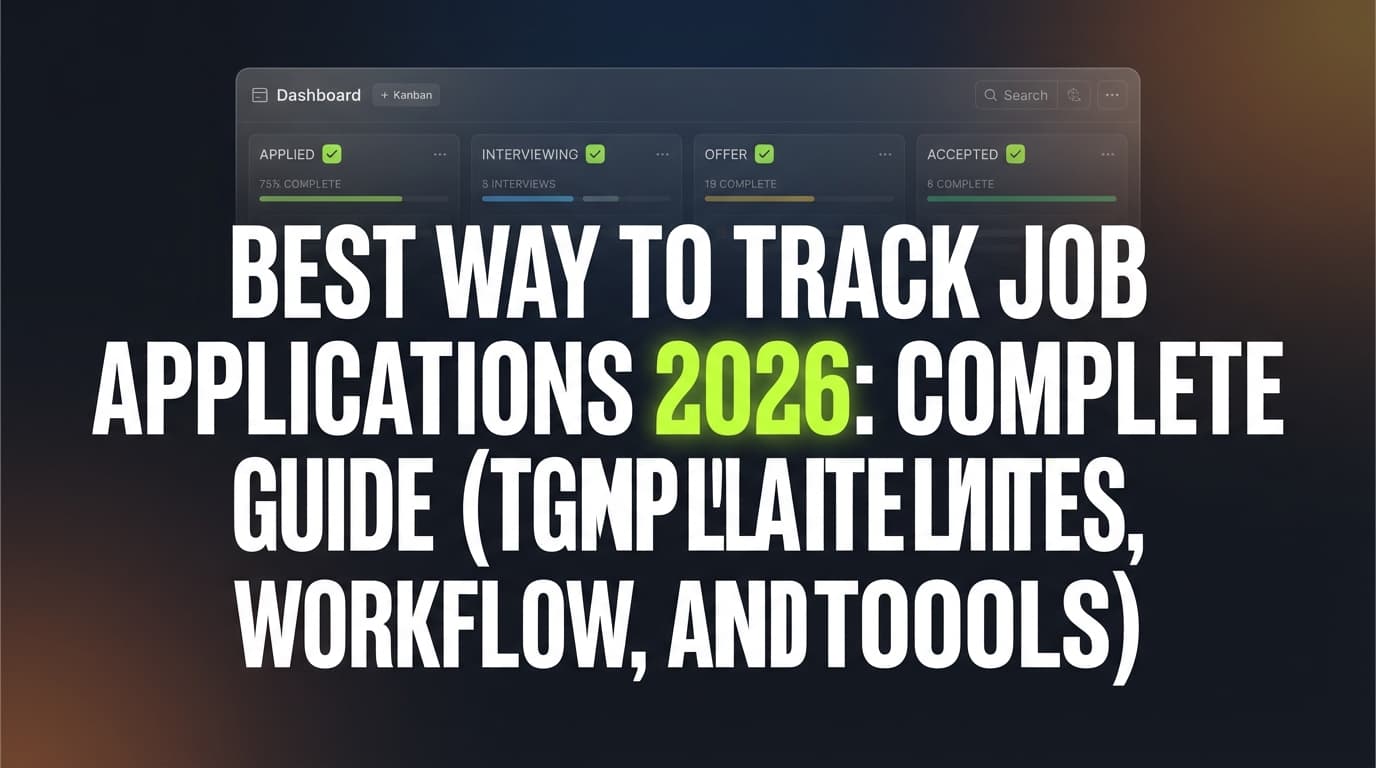
The hardest part of a modern job search often isn’t finding roles—it’s managing the chaos after you find them.
- Multiple job boards
- Multiple resume versions
- Recruiter emails buried in inbox threads
- “Did I already apply to this one?”
- Missed follow-ups that quietly kill momentum
And the data backs up why organization matters: Jobscan reports 98.4% of Fortune 500 companies use an ATS (492 out of 500) to manage hiring—meaning your application is likely going through software workflows long before a human sees it. (Source: Jobscan ATS usage report) Confidence: Medium (Jobscan page sometimes blocks crawlers, but the stat is widely repeated and appears in Jobscan’s own SERP snippets.)
In this guide, you’ll learn:
- The difference between job searching tools (finding opportunities) and job tracking tools (managing your pipeline)
- A simple way to pick the right tools for your search style
- A step-by-step workflow you can copy (including a tracker template)
- Common mistakes (and what to do instead)
- Tool recommendations—including when a tool like JobShinobi makes sense (without hype)
What are job searching tools?
Job searching tools help you discover opportunities and decide what to pursue.
They typically answer questions like:
- “What roles are open right now?”
- “Which companies are hiring?”
- “What keywords should I search for?”
- “Can I set alerts for roles like this?”
Common types of job searching tools
-
Job boards (roles posted directly on the platform)
Examples: LinkedIn Jobs, Indeed, Glassdoor (varies by region) -
Job search engines / aggregators (pull listings from many places)
These often index company sites and multiple boards.
Explanation: a job search engine “aggregates” listings, while a job board typically hosts employer-posted listings. (Source: The Balance—job board vs job search engine) Confidence: Medium -
Company career pages (highest signal, sometimes fewer “ghost” listings)
-
Niche boards (industry-specific boards can have higher relevance)
-
Networking + sourcing tools (LinkedIn search, alumni databases, community job channels)
Bottom line: Job searching tools are about pipeline input—finding leads.
What are job tracking tools?
Job tracking tools (often called a job application tracker or job search CRM) help you manage the roles you’ve already found, applied to, and are interviewing for.
They typically answer questions like:
- “Where have I applied?”
- “What version of my resume did I use?”
- “When should I follow up?”
- “Who did I talk to, and what did they say?”
- “What stage is each application in?”
Common types of job tracking tools
-
Spreadsheets (Google Sheets / Excel)
Great for customization; easy to start; can become messy at scale. -
Kanban boards (Trello/Notion board style)
Visual stages like: Saved → Applied → Interviewing → Offer → Closed.
Example: Trello even provides a “Job Hunt” board template. (Source: Trello Job Hunt template) Confidence: High -
Dedicated job tracker apps (designed specifically for job seekers)
Often add reminders, contact management, analytics, and browser extensions. -
Email-based tracking (log applications from your inbox)
This is especially useful because many job search milestones happen via email: confirmations, scheduling, rejections, offers.
Bottom line: Job tracking tools are about pipeline control—staying organized, following up, and improving conversion rates.
Job tracking vs job searching tools differences (the clearest way to remember it)
Think of your job search like sales:
- Job searching tools = lead generation
- Job tracking tools = pipeline management
Here’s a quick comparison.
| Category | Job searching tools | Job tracking tools |
|---|---|---|
| Primary goal | Find opportunities | Manage your applications and follow-ups |
| Main output | A list of roles to pursue | A system of record for your job search |
| Best for | Discovering roles, setting alerts, researching companies | Preventing missed steps, tracking status, staying consistent |
| Key features | Search filters, alerts, saved searches | Stages/statuses, notes, contacts, reminders, exports |
| Common failure mode | “I saved 200 jobs but applied to 10” | “I applied to 200 jobs but can’t remember which worked” |
Why this difference matters in 2026
1) Hiring is software-driven—so your process should be, too
If 98.4% of Fortune 500 companies use ATS systems (Jobscan), your job search has to operate like a workflow:
- consistent documents
- consistent follow-ups
- consistent tracking
(Source: Jobscan) Confidence: Medium
2) The average job search can take months—your system must be sustainable
ConsumerAffairs reports that as of April 2024, the average job search in the U.S. lasted 19.9 weeks. (Source: ConsumerAffairs job search statistics) Confidence: Medium (ConsumerAffairs cites government data; treat the exact figure as approximate, but directionally reliable.)
If your system requires constant manual upkeep, it won’t survive a 4–6 month search.
3) Matching matters more than raw searching
Pandologic states a job seeker is “14 times more inclined to apply for a matched job” than one found through basic keyword search. (Source: Pandologic) Confidence: Medium (marketing-context statistic; useful conceptually—matching increases intent—even if methodology isn’t detailed.)
This is one reason modern searches need both:
- tools to find opportunities, and
- tools to track + tailor effectively.
4) Interviews are a key funnel milestone—and tracking improves follow-through
BLS analysis on jobseeker activity reports that jobseekers who had at least one interview from applications in the prior two months had about a 37% chance of having received a job offer. (Source: BLS Beyond the Numbers) Confidence: High (primary government source).
That’s a powerful reminder: interviews are valuable—and losing track of them (or failing to follow up) is expensive.
5) It can take dozens of applications to land interviews (so organization is leverage)
The Interview Guys report that it takes an average of 42 applications to land one interview (based on their analysis of multiple studies). (Source: The Interview Guys) Confidence: Medium (third-party synthesis; useful for expectation-setting, not a universal constant).
If you’re sending dozens (or hundreds) of applications, tracking isn’t optional—it’s how you stay sane and strategic.
How to choose between job tracking tools and job searching tools (and when you need both)
Most people don’t need “one tool to do everything.” They need:
- One source of truth (tracking)
- One or two discovery channels (searching)
- One tailoring workflow (resume + keywords)
Use this decision checklist:
Choose job searching tools first if…
- You don’t have a clear target role/title yet
- You’re exploring industries or locations
- You need alerts and market visibility
- You’re building a list of target companies
Choose job tracking tools first if…
- You’re already applying consistently
- You miss follow-ups or forget where you applied
- You have multiple resume versions
- You do networking outreach and need to track contacts
You need both if…
- You’re applying to 10+ roles/week
- You’re tailoring your resume per job
- You’re interviewing with multiple companies simultaneously
The “three-system” model: search, track, tailor
To stop tool overload, separate your job search into three systems:
- Search system → generates leads
- Tracking system → manages pipeline
- Tailoring system → improves conversion (resume, keywords, story)
Most job seekers fail because they over-invest in system #1 and under-invest in #2 and #3.
How to build a job search workflow that actually works (step-by-step)
This workflow is designed to be:
- simple enough to maintain
- detailed enough to prevent mistakes
- structured enough to learn what’s working
Step 1: Pick your “source of truth” tracker
Choose one place where every role lives. No exceptions.
Options:
- Spreadsheet (best if you love control)
- Notion/Trello board (best if you like visual stages)
- Dedicated job tracker app (best if you want automation + built-in fields)
Pro tip: Your tracker should be easy to update in under 60 seconds per job. If it isn’t, you won’t use it consistently.
Step 2: Define your pipeline stages (keep it tight)
A good default pipeline:
- Saved (interesting, not applied)
- Applied
- Interview (phone screen counts)
- Offer
- Rejected / Closed
- Accepted (optional if you want to separate from “Offer”)
This is also close to the statuses supported by many trackers (including JobShinobi’s tracker statuses: Applied, Interview, Rejected, Offer, Accepted—based on product constraints). Confidence: High (product constraint evidence references these values.)
Step 3: Decide what fields you must track (the minimalist template)
Whether you use a spreadsheet, Notion, or an app, track these fields:
Core fields (non-negotiable):
- Company
- Role title
- Link to job posting (or description paste)
- Location (or “Remote”)
- Stage/status
- Date saved
- Date applied
- Resume version used (e.g., “Data Analyst v3”)
- Next action date (follow-up / prep / interview)
- Notes (who you talked to, what you learned)
Optional (useful for learning):
- Source (LinkedIn, referral, company site, recruiter)
- Compensation range (if known)
- Priority score (1–5)
- Keywords to include (from job description)
- Hiring manager / recruiter name + email
Here’s a spreadsheet-ready version:
| Field | Example |
|---|---|
| Company | Acme Corp |
| Role | Data Analyst |
| Job link | https://… |
| Location | NYC (Hybrid) |
| Source | Referral |
| Status | Applied |
| Date saved | 2026-01-05 |
| Date applied | 2026-01-06 |
| Resume version | DA_v5 (SQL-heavy) |
| Next action date | 2026-01-10 |
| Contact | Jamie R., Recruiter |
| Notes | Asked about team size; follow up after 1 week |
Step 4: Add a weekly operating rhythm (so tracking turns into results)
Most trackers fail because they’re used like a diary instead of a system.
Use this schedule:
Daily (10 minutes)
- Update statuses
- Log new applications
- Set next actions
Weekly (30–45 minutes)
- Sort by “Next action date”
- Follow up on anything older than 7–10 business days (if appropriate)
- Identify which sources are producing interviews
- Review your “Saved” list and either apply or archive
Pro tip: If you only do one thing, do the weekly review. It prevents the “applied and forgot” spiral.
Step 5: Connect tracking to tailoring (the part most people skip)
Tracking isn’t just about organization—it’s about learning.
Add two columns/fields that turn your tracker into feedback:
-
“Why I’m a fit” (1 sentence)
Example: “3 years building dashboards in SQL + Looker; have fintech domain experience.” -
“Top keywords to mirror” (3–8 keywords)
Example: “SQL, stakeholder management, ETL, Tableau, experimentation”
Then, for each role you actually apply to, tailor:
- headline/summary (if you use one)
- skills section order
- 1–2 bullets that directly mirror requirements
This avoids keyword stuffing while still aligning with how ATS + recruiters scan.
Where JobShinobi fits (honest, accurate use cases)
JobShinobi is not a “job board” or a “job search engine.” It’s built for the tracking + tailoring parts of the workflow.
Use case 1: Turn job-search emails into tracked applications (Pro feature)
One of the biggest friction points in tracking is logging status changes:
- application confirmation emails
- rejection emails
- interview scheduling messages
JobShinobi Pro supports tracking job applications by having you forward job-related emails to a unique JobShinobi forwarding address, where the system parses the email content and updates your job applications. Confidence: High (supported by product constraints: SendGrid inbound parsing + job application parsing; Pro-gated.)
Important accuracy notes:
- This email-based tracking is restricted to Pro members (the email processing endpoint enforces Pro).
- Attachments parsing (e.g., PDFs) is not supported—it focuses on email body/subject.
- It’s not “one-click apply” and it does not integrate directly with job boards.
Use case 2: Keep a clean job tracker and export to Excel
JobShinobi includes a job application tracker (CRUD) and supports exporting your job applications to an Excel (.xlsx) file. Confidence: High (explicitly supported in constraints.)
Accuracy note: It does not export directly to Google Sheets (even if some marketing copy elsewhere implies “Sheets”). Export is Excel.
Use case 3: Tie tracking to resume tailoring and analysis
If your bottleneck is “I’m applying but not getting interviews,” tracking alone won’t fix it.
JobShinobi also supports:
- a LaTeX resume editor with PDF compilation inside the app
- AI resume analysis (ATS-focused scoring + feedback)
- job description extraction (from URL or pasted text)
- resume-to-job matching and suggestions
Confidence: High (supported features listed in product analysis and constraints.)
Pricing (be precise)
JobShinobi Pro pricing is:
- $20/month or $199.99/year. Confidence: High (from product constraints.)
The pricing UI/marketing mentions a “7-day free trial,” but trial enforcement isn’t clearly verified in code—so treat that as something to confirm during checkout rather than a guarantee. Confidence: Medium
Internal link if you want to check subscription options: JobShinobi subscription page
Common mistakes to avoid (and how to fix them)
Mistake 1: Treating “saved jobs” as progress
Saving jobs feels productive. It isn’t.
Fix: Add a rule: anything saved must be applied to or archived within 7 days.
Mistake 2: Using too many tools (and updating none of them)
If you have:
- LinkedIn saved jobs
- Indeed saved jobs
- a spreadsheet
- a Notion board
- a notes app
…you have five half-trackers.
Fix: One tracker. Everything else feeds into it.
Mistake 3: Not tracking resume versions per application
If you can’t tell which resume got interviews, you can’t improve systematically.
Fix: Add a “resume version” field. Even simple naming works:
- SWE_backend_v4
- PM_growth_v2
- Analyst_SQL_v3
Mistake 4: No follow-up system
Follow-ups are uncomfortable, so they get skipped.
Fix: Track “Next action date” for every role. If you don’t know what to do next, set it for “review in 7 days.”
Mistake 5: Confusing ATS optimization with recruiter optimization
ATS cares about parsing and keywords. Recruiters care about clarity and outcomes.
Fix: Tailor for both:
- ATS-friendly structure (simple headings, readable formatting)
- recruiter-friendly content (impact, scope, metrics)
Best practices: how to use job searching + job tracking tools together
-
Limit discovery channels to 1–3
- Example: LinkedIn + company sites + one niche board.
-
Use a “quality filter” before you track Track roles you would actually take—not every mildly interesting posting.
-
Track the source of every application Over time, you’ll see where interviews actually come from (referrals often outperform cold applies).
-
Use your tracker to prep interviews Add interview notes directly in the job entry:
- what the role needs
- your 3 strongest stories
- questions you’ll ask
-
Review your funnel monthly Calculate:
- applications → interviews
- interviews → offers
- source → interview rate
Even basic ratios help you decide whether to:
- apply more,
- tailor more,
- network more,
- or target different roles.
Tool recommendations (search tools vs tracking tools)
Job searching tools (discovery)
- LinkedIn Jobs: strong for networking adjacency and recruiter visibility
- Indeed: broad coverage (varies by industry/location)
- Company career pages: often best for freshest listings
Job tracking tools (pipeline management)
- Google Sheets / Excel: flexible, fast to start, fully custom
- Notion templates: great for combined notes + database views (Source: Notion job application templates) Confidence: High
- Trello board: clean visual pipeline (Source: Trello Job Hunt template) Confidence: High
- JobShinobi: useful if you want a tracker plus resume analysis/matching and (on Pro) email-forwarding-based application tracking. Pricing: $20/month or $199.99/year. (See: /subscription) Confidence: High
Key takeaways
- Job searching tools help you find opportunities; job tracking tools help you manage them.
- If you’re applying at volume, tracking isn’t optional—it’s how you avoid missed follow-ups and learn what’s working.
- The best setup is usually a three-system model: search → track → tailor.
- A “source of truth” tracker + a weekly review is often more valuable than adding yet another job board.
- Tools like JobShinobi fit best when your pain is tracking + tailoring, especially if your job search lives in your inbox.
FAQ (People Also Ask–style)
What is the difference between a job board and a job search engine?
A job board typically hosts postings from employers on that platform. A job search engine (aggregator) pulls listings from many sources, including job boards and company career pages. (Source: The Balance) Confidence: Medium
What is a job tracker used for?
A job tracker is used to record applications and manage your pipeline—statuses, dates, contacts, resume versions, and follow-ups—so you don’t lose opportunities due to disorganization.
Should I track my job applications in a spreadsheet?
Yes—if you’ll actually update it. Spreadsheets are a strong option because they’re flexible and fast. The main downside is manual upkeep, especially if you apply at high volume or need reminders.
What should I include in a job application tracker?
At minimum: company, role, job link, status, date applied, next action date, resume version, and notes. If you network, add contacts and follow-up dates.
Do I need a job tracker if I’m only applying to a few roles?
If you’re applying to fewer than ~5 roles total, you can often manage with a simple notes doc. If you’re applying weekly or tailoring resumes, a tracker helps immediately.
Are ATS resume tools the same as job tracking tools?
No. ATS resume tools help with tailoring and resume readiness (keywords, formatting, match scoring). Job tracking tools help manage your application pipeline (statuses, follow-ups, contacts). Some platforms include both, but they solve different problems.
Can JobShinobi apply to jobs for me?
No. JobShinobi does not integrate with job boards for auto-apply. It focuses on resume building/analysis, job-to-resume matching, and job application tracking (including email-forwarding-based tracking for Pro). Confidence: High (explicit “not supported” constraint: no one-click apply, no job board integrations.)
Is JobShinobi free?
JobShinobi offers access via Google sign-in, but key automation—specifically email processing for email-based tracking—is Pro-gated. JobShinobi Pro is $20/month or $199.99/year. The pricing page mentions a “7-day free trial,” but trial mechanics are not fully verified in code, so confirm during checkout. Confidence: High for pricing; Medium for trial