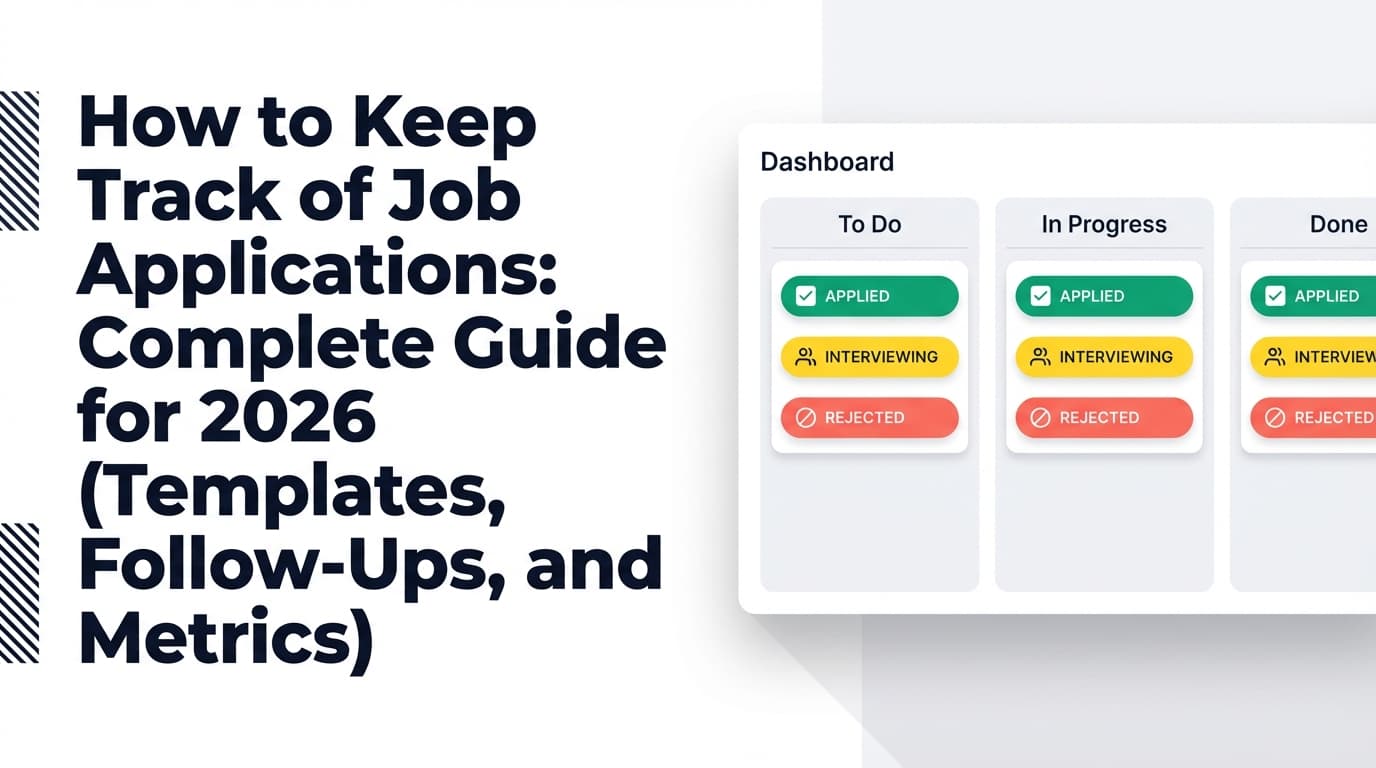
If your job search feels like a blur of “Did I apply to this already?” and “Which resume version did I send?”, you don’t need more motivation—you need a tracking system that works at high volume.
And high volume is normal now. Even the “good” applicants are competing in a market where most employers use software to manage applicants: Jobscan reports 98.4% of Fortune 500 companies use an ATS (Applicant Tracking System). (Source: Jobscan “State of the Job Search”, and Tufts Career Center cites the same figure; Confidence: Medium because it’s supported by multiple sources but both cite Jobscan-style research rather than a government dataset.)
- https://www.jobscan.co/state-of-the-job-search
- https://careers.tufts.edu/resources/everything-you-need-to-know-about-applicant-tracking-systems-ats/
In this guide, you’ll learn:
- The best tracking method for your job-search style (spreadsheet vs Notion vs job tracker app)
- A plug-and-play tracker template (minimal + advanced) with the exact fields that prevent follow-up mistakes
- A weekly workflow (so your tracker becomes a system, not a guilt document)
- How to automate the most annoying parts—without relying on fragile hacks
What “tracking job applications” actually means (in 2026)
Tracking job applications isn’t just recording “Company + Role + Date.”
In 2026, the best job application tracking system does three jobs:
- Pipeline tracking: Where is each application in the process (Applied → Interview → Offer → etc.)?
- Decision logging: What did you send (resume version, cover letter angle, referral name), and what happened?
- Next-action management: What is your next move and when (follow-up, prep, thank-you, networking message)?
When people say “I track my job search,” what they usually mean is: I can answer any question about any application in 10 seconds.
Why tracking matters more in 2026 (with stats)
1) Most applicants don’t even get a response
The Human Capital Institute (HCI) states 75% of applicants never hear back from employers after applying. This stat is widely repeated and syndicated in reputable outlets. (Sources: HCI + HR Dive + Recruiter.com coverage; Confidence: High because the same statistic appears across multiple independent publications referencing the same underlying research.)
- https://www.hci.org/blog/statistics-rethink-your-candidate-experience-or-ruin-your-brand
- https://www.hrdive.com/news/job-applications-dropped-at-end-of-2023-though-overall-volume-remains-high/704587/
- https://www.recruiter.com/recruiting/most-candidates-still-hear-nothing-about-job-application-status/
Implication for your tracker: You can’t “wait and see.” You need a follow-up and networking rhythm—and your tracker is what makes it consistent.
2) A baseline conversion benchmark exists: ~6 applications per interview
The U.S. Bureau of Labor Statistics reports CPS-based analysis indicating it took jobseekers about six applications to obtain one interview. (Source: BLS Beyond the Numbers; Confidence: High—primary government source.)
Implication for your tracker: You should track enough data to calculate your personal application → interview ratio. Otherwise you’re guessing whether your approach is improving.
3) Candidates report long waits and poor communication
SHRM reports one-third of candidates (34%) in 2022 said they hadn’t heard back from employers two months after applying. (Source: SHRM; Confidence: Medium—credible but single source in this research set.)
Implication for your tracker: You need a “stale” status and a rule for when to stop spending time on an application.
4) Many online applicants never finish applications
SHRM also reports a 92% drop-off rate for people who click “Apply” but don’t complete the application. (Source: SHRM; Confidence: Medium—credible single source in this research set.)
Implication for your tracker: “Started” vs “Submitted” should be separate statuses if you apply on platforms with long forms.
5) ATS usage is basically universal in large employers
As noted above, Jobscan reports 98.4% of Fortune 500 companies use ATS. (Jobscan + Tufts; Confidence: Medium.)
- https://www.jobscan.co/state-of-the-job-search
- https://careers.tufts.edu/resources/everything-you-need-to-know-about-applicant-tracking-systems-ats/
Implication for your tracker: Track which resume version you used and which keywords you matched to the job description—so you can iterate based on outcomes.
The best way to track job applications in 2026 (the short version)
The “best way” depends on your volume and personality, but the winning system looks like this:
- One source of truth (spreadsheet/Notion/app—pick one)
- A consistent status pipeline (same statuses every time)
- A follow-up schedule (dates + next actions, not vibes)
- A document/version link (resume version + job description snapshot)
- Weekly review cadence (15 minutes, same day/time)
Everything else is optional.
Step-by-step: How to track job applications (a system you can set up today)
Step 1: Choose your tracking “home base” (Spreadsheet vs Notion vs Job Tracker app)
Use this decision rule:
-
Use a spreadsheet (Excel/Google Sheets) if you want:
- Maximum control (filters, pivot tables, formulas)
- Lightweight setup
- Easy exporting/sharing
Great for: analytical job seekers and high-volume applicants.
-
Use Notion/Airtable if you want:
- A nicer UI and richer notes
- Attachments, pages per job, and relationships
Great for: people who want context and “project management” around applications.
-
Use a dedicated job tracker app if you want:
- Less setup work
- Built-in job-search workflow features (varies by tool)
- Potential automation (email-based, browser extension-based, etc.)
Great for: anyone applying to 30–50+ roles and tired of manual entry.
Non-negotiable: pick one. If you track across multiple places, you’ll lose the single biggest benefit: instant clarity.
Step 2: Define a status pipeline (keep it simple enough to use)
A common reason trackers fail is too many statuses. Start with 6–8.
Recommended 2026 pipeline (simple, effective):
- Saved (interesting, not applied)
- Applying (application started, not submitted)
- Applied
- In Process (anything after applied but before interviews—recruiter screen, OA, etc.)
- Interviewing
- Offer
- Rejected
- Closed / No Response
If you want one extra status that’s genuinely useful: Referral Sent (because it changes your follow-up strategy).
Step 3: Build your tracker fields (minimal version)
If you do nothing else, track these columns/properties:
Minimum tracker (10 fields):
- Company
- Role title
- Location / Remote
- Job URL
- Source (LinkedIn, company site, referral, recruiter, etc.)
- Date applied
- Status (dropdown)
- Next action (text)
- Next action date (date)
- Notes (text)
This prevents the most common failure: forgetting what to do next.
Step 4: Upgrade to the “high-volume” tracker (recommended)
Once you’re applying seriously, add fields that let you learn what works.
High-volume tracker (add these fields):
- Resume version sent (e.g., SWE-v3, Data-v2)
- Cover letter angle (optional: “metrics-heavy”, “mission-fit”, “referral-led”)
- Contact name + role (recruiter/hiring manager)
- Contact method (email/LinkedIn)
- Follow-up count (0,1,2…)
- Last contacted date
- Job description snapshot link (PDF, doc, or saved page link—postings disappear)
- Comp range (if known)
- Priority (A/B/C)
- Stale flag (checkbox if no response after X days)
This is the layer that turns “tracking” into strategy.
Step 5: Put follow-ups on autopilot (with rules, not guesswork)
Tracking isn’t helpful unless it creates action.
Use simple rules like these:
Follow-up rules (practical defaults):
- After applying (no referral): follow up at 7–10 days if you have a contact; otherwise, focus on networking instead. (No universal study standard; Confidence: Low—timing varies by industry and role.)
- After referral: follow up 3–5 days after referral is submitted if no response.
- After interview: send thank-you within 24 hours; follow up after 5 business days if no timeline was given.
Your tracker should contain:
- Next action (“Follow up w/ recruiter”, “Send hiring manager note”, “Prep for interview loop”)
- Next action date
If you don’t have a contact, your “next action” is often: find one (recruiter, team lead, alumni) and send a short message.
Step 6: Track the metrics that actually change outcomes
If you only track counts (“I applied to 80 jobs”), you’ll burn out.
Track ratios:
Core job-search metrics:
- Application → Response rate (responses / applications)
- Application → Interview rate (interviews / applications)
- Interview → Offer rate (offers / interviews)
The BLS “six applications per interview” benchmark gives you a starting reference point. Your goal is to beat your own baseline month over month.
Simple spreadsheet formulas (examples):
- Interview rate =
Interviews / Applied - Offer rate =
Offers / Interviews
Step 7: Do a weekly review (the part that makes the whole system work)
Pick a day and time. Set a repeating calendar reminder (outside your tracker).
15-minute weekly review checklist:
- Sort by Next action date: do any actions due today/this week
- Filter Applied older than 14 days: mark as Closed/No Response or send one last ping (if appropriate)
- Review your interview rate: is it improving?
- Identify your best source: referrals vs cold applies vs recruiters
- Decide next week’s target (e.g., 15 targeted applications, 5 networking messages)
This is where you stop feeling “lost” and start feeling “in control.”
Templates: Copy/paste tracker structure (Minimal + Advanced)
Minimal tracker template (copy these headers)
| Company | Role | Location | Job URL | Source | Date Applied | Status | Next Action | Next Action Date | Notes |
|---|
Example row | Acme | Data Analyst | Remote | link | LinkedIn | 2026-01-12 | Applied | Find recruiter + send note | 2026-01-15 | Role mentions dbt + Looker; tailor bullets |
Advanced tracker template (high-volume)
| Company | Role | Level | Location | Job URL | Source | Priority | Date Applied | Status | Resume Version | JD Snapshot | Contact | Last Contacted | Follow-Up # | Next Action | Next Action Date | Compensation | Notes |
|---|
Pro tip: Use data validation (dropdowns) for Status, Source, Priority. Your future self will thank you.
Common mistakes to avoid (and what to do instead)
Mistake 1: Tracking what happened but not what’s next
If your tracker doesn’t include Next action + date, it becomes a history log—not a system.
Fix: Add Next action + Next action date columns and make them required.
Mistake 2: No resume/version tracking (so you can’t learn)
If you tailor resumes (you should), you need to know which version you sent.
Fix: Add “Resume version sent” and use a simple naming convention:
SWE-v1,SWE-v2PM-v1,PM-v2- Or:
2026-01 SWE Backend (AWS)
Mistake 3: Not saving job descriptions (they disappear)
Listings get edited or removed. Then you’re prepping for an interview off memory.
Fix: Save a snapshot (PDF or pasted text) and link it in your tracker.
Mistake 4: Overcomplicating statuses
A 20-status tracker is a hobby, not a tool.
Fix: Keep 6–8 statuses. If you need detail, put it in Notes.
Mistake 5: Duplicating applications by accident
In 2026, the same job can appear on multiple boards. It’s easy to re-apply unknowingly.
Fix: Track a unique key:
- Company + role + location + requisition ID (if present)
And use a dedupe check before applying.
Best practices: The job-application tracking system that wins in 2026
- Use one system (one place, always)
- Track next actions, not just statuses
- Log the resume version + job description snapshot
- Build a follow-up rhythm you can sustain
- Review weekly and adjust your strategy based on conversion rates
- Separate “applying” from “submitted” if you abandon long forms
- Treat networking as part of the pipeline (track contacts and touches)
Tools to help with job application tracking (honest breakdown)
Spreadsheets (Excel / Google Sheets)
Best for: control, formulas, customization, zero learning curve.
- Pros: flexible, fast, easy to filter/sort
- Cons: manual entry can become a grind at high volume
Good starting point: spreadsheet templates from sites like The Muse and BeamJobs (both provide spreadsheet-based approaches).
- https://www.themuse.com/advice/job-search-spreadsheet-track-application
- https://www.beamjobs.com/career-blog/job-application-tracker-google-sheets
Notion templates
Best for: people who want richer notes and a “job search dashboard.”
Notion has a large library of job application tracking templates.
Dedicated trackers (apps)
Best for: reducing friction and (sometimes) automating capture.
Examples you’ll see job seekers mention:
- Teal, Huntr, Simplify, and others (features vary by platform and plan—verify before committing)
JobShinobi (dedicated tracker + email-forwarding automation)
Best for: job seekers who want a tracker plus automatic logging from forwarded job emails, rather than manual entry.
What JobShinobi supports (accurate):
- A job application tracker where you can add/edit/delete applications and set statuses like Applied / Interview / Rejected / Offer / Accepted (supported in-app)
- Export to Excel (.xlsx) (supported)
- A workflow where you forward job-related emails to your unique JobShinobi forwarding address, and JobShinobi parses the email content to create/update job application entries (Pro-required)
- Analytics dashboard that calculates metrics like response rate and interview conversion based on your tracked applications
Important constraints (so you’re not surprised):
- Automatic email-based tracking requires JobShinobi Pro (the backend enforces Pro for email processing). (Confidence: High—product constraint is explicit.)
- JobShinobi Pro pricing is $20/month or $199.99/year. (Pricing page mentions a “7-day free trial,” but trial mechanics aren’t clearly verifiable in code—treat as unverified.)
- Export is to Excel, not directly to Google Sheets. (Confidence: High—implemented as .xlsx.)
If you’re the kind of applicant who’s juggling dozens of confirmations, rejections, and interview emails, this can remove a lot of tracker busywork—while still letting you manage statuses and notes.
Internal links:
- Job tracker: /dashboard/job-tracker
- Pricing: /pricing
FAQ (questions people actually ask)
How can I keep track of my job applications?
Use a single tracker (spreadsheet, Notion, or an app) with at least: company, role, date applied, status, and next action + date. Review it weekly. If you’re applying at high volume, also track resume version and save job description snapshots.
What are the best application trackers?
The best tracker is the one you’ll use daily:
- Spreadsheet: best for speed + analytics
- Notion: best for notes + dashboard feel
- Dedicated job tracker app: best for convenience and potential automation
Choose based on your volume and how much manual entry you can tolerate.
Is there a way to autofill job applications?
Some browser extensions and job-search tools claim autofill features for application forms, but results vary by website and ATS platform. Treat autofill as a convenience, not a guarantee—always review what gets submitted (especially work authorization, dates, and employer names).
Is there an AI tool to track job applications?
Yes—some tools use inbox-based workflows (email parsing) or browser-based capture to log applications. If you choose an AI-based tracker, confirm exactly what it can read (email body vs attachments), what providers it supports, and whether automation requires a paid plan.
Is it bad to apply to the same job on multiple sites?
It can be. Many employers de-duplicate candidates inside their ATS, but duplicate applications can waste your time and sometimes create confusion. Best practice: apply once (preferably on the company site if available), record it in your tracker with the job URL/requisition ID, and move on.
Key takeaways
- The best way to track job applications in 2026 is a single source of truth + status pipeline + next-action dates + weekly review
- Use the minimal tracker if you’re starting; upgrade to the high-volume tracker once you’re applying seriously
- Track metrics (especially application → interview rate) so you can improve strategy, not just effort
- If manual tracking is breaking you, consider a tool that reduces data entry—especially via email-based logging (and verify what’s included in paid plans)