In Q3 2024, recruiters received an average of 588 applications per role, a 26% increase year over year, according to Greenhouse. Confidence: High (primary infographic PDF + multiple third-party citations).
Source (PDF): https://grnhse-marketing-site-assets.s3.amazonaws.com/production/Greenhouse_State_Of_Job_Hunting_Report_Infographic_2024.pdf
Related page: https://my.greenhouse.com/blogs/why-is-job-hunting-so-soul-crushing-and-what-can-be-done-about-it
That one stat explains why job tracking matters more in 2026 than it did even a few years ago: your competition is organized (or automated), and your recruiter is overloaded.
If your job search currently lives in:
- 14 browser tabs,
- “Saved” jobs scattered across platforms,
- a half-updated spreadsheet,
- and an inbox full of “Thanks for applying…” emails,
…then job tracking isn’t busywork—it’s how you stop losing opportunities to chaos.
In this guide, you’ll learn:
- What “job tracking” actually means in 2026 (and what it doesn’t)
- The simplest job-search pipeline that works for high-volume applicants
- A ready-to-copy tracker template (fields + formulas + examples)
- A follow-up system that doesn’t feel awkward
- How to add automation (including email-forwarding workflows) without claiming “auto-apply” magic
What is job tracking (in 2026 terms)?
Job tracking is the system you use to record and manage every opportunity in your job search—from “Interested” to “Accepted”—so you can:
- See your pipeline at a glance
- Know the next action for each opportunity (and when it’s due)
- Measure what’s working (sources, resume versions, outreach methods)
- Avoid duplication, missed follow-ups, and dropped threads
- Reduce stress by moving information out of your head and into a system
What job tracking is not
- Not “applying to more jobs faster”
- Not “one spreadsheet to rule them all” if you never open it
- Not a replacement for quality targeting, networking, or interview prep
In 2026, job tracking is best understood as your personal job search CRM.
Why job tracking matters in 2026 (with data)
1) Most big employers use ATS systems
Jobscan reports 98.4% of Fortune 500 companies used a detectable ATS in 2024. Confidence: High (direct report from Jobscan, widely cited).
Source: https://www.jobscan.co/blog/fortune-500-use-applicant-tracking-systems/
If you’re not tracking:
- which resume version you used,
- which keywords you targeted,
- and which application sources produce interviews,
you’ll keep repeating the same inputs and hoping for different outputs.
2) The application volume problem is real
Fortune reported 173 million job applications were submitted in the first six months of 2024, a 31% increase from the year prior. Confidence: Medium (credible outlet but paywall can limit full verification).
Source: https://fortune.com/2024/09/19/job-applications-four-times-higher-requisitions-2024/
More volume means lower response rates and more “ghosting,” which increases the value of a structured follow-up system.
3) Many candidates hear back in 1–2 weeks (so follow-ups need timing)
Indeed reports:
- 37% hear back within one week
- 44% hear back within a couple of weeks
- 4% hear back within one day
Confidence: High (primary data published by Indeed).
Source: https://www.indeed.com/career-advice/finding-a-job/how-long-should-you-wait-to-hear-back-about-a-job
A tracker helps you follow up within that window rather than randomly.
4) Hiring timelines can be long
CareerPlug’s 2024 Recruiting Metrics Report lists Average Days to Hire: 54. Confidence: Medium (strong primary PDF; benchmarks vary by role/industry).
Source (PDF): https://www.careerplug.com/wp-content/uploads/2024/04/2024-Recruiting-Metrics-Report-1.pdf
If the cycle is long, you need a system that prevents good opportunities from quietly expiring.
5) Candidate friction is high (and it affects your energy)
BambooHR’s newsroom summarizes a LiveCareer report that 57% of job seekers abandon applications due to complexity and lack of transparency. Confidence: Medium (secondary summary referencing LiveCareer survey).
Source: https://newsroom.bamboohr.com/livecareer-survey-job-seekers-abandon-applications/
Job tracking won’t fix terrible application forms—but it will reduce wasted effort (duplicate applications, missed follow-ups, re-reading job posts, etc.).
6) ATS market growth is a signal (automation isn’t going away)
PR Newswire (via The Insight Partners) stated the ATS market is expected to reach $6.2B by 2031 from $3.2B in 2024. Confidence: Medium (press release; market-size estimates vary across firms).
Source: https://www.prnewswire.com/news-releases/applicant-tracking-system-ats-market-size-to-surpass--6-2-billion-globally-by-2031-at-10-0-cagr--report-by-the-insight-partners-302436129.html
Translation: employers will keep investing in systems—so job seekers should invest in process.
How to do job tracking in 2026: Step-by-step
Step 1: Choose your “system of record” (SOR)
You’ll track faster if you pick one place that is always “true.”
Option A: Spreadsheet (Excel/Google Sheets)
Best if you want full control, custom fields, formulas, dashboards.
Option B: Job tracker app
Best if you want faster updates, built-in analytics, and less spreadsheet overhead.
Option C: Hybrid (recommended)
Use an app day-to-day, export to Excel monthly for deeper analysis.
Example: JobShinobi’s Job Application Tracker supports creating/updating/deleting applications, keeping statuses, real-time updates in the UI, and export to Excel (.xlsx) (not Google Sheets). Confidence: High (verified in product constraints).
Internal link: /dashboard/job-tracker
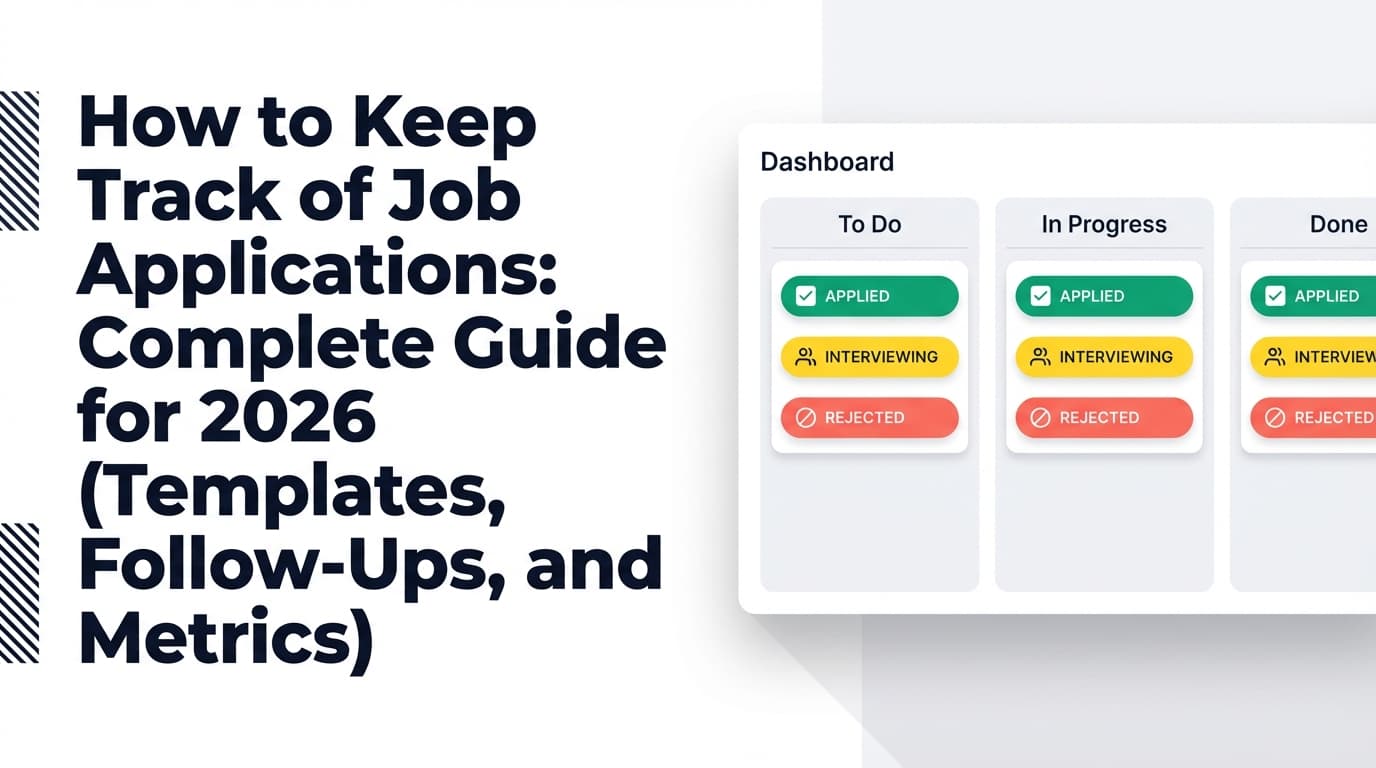
Step 2: Build a simple pipeline (statuses you’ll actually maintain)
A common failure mode is having too many stages. Keep it simple and consistent.
Minimum viable job-tracking statuses (6):
- Interested (optional holding area)
- Applied
- Interview
- Offer
- Rejected
- Accepted
If you want one extra status for clarity:
- Networking (pre-apply)
In JobShinobi’s tracker UI, supported statuses include Applied / Interview / Rejected / Offer / Accepted. Confidence: High (verified in product constraints).
Pro tip: Don’t use “Followed up” as a status. Follow-ups are actions, not outcomes. Track them as Next Action + Due Date.
Step 3: Track the right fields (use “minimum viable tracking”)
The best tracker is the one you’ll update even when you’re tired.
Minimum fields (non-negotiable)
- Company
- Role title
- Job URL (or req ID)
- Source (LinkedIn, referral, company site, recruiter, etc.)
- Date applied (or date saved if pre-apply)
- Status
- Next action
- Next action due date
High-leverage optional fields (add as you mature)
- Location / remote-hybrid-onsite
- Compensation range (posted)
- Recruiter / hiring manager name + contact
- Referral name
- Resume version ID
- Keywords targeted (3–10)
- Notes (screening questions, red flags, interview feedback)
- Priority score (1–5)
Step 4: Copy this job tracking template (spreadsheet-ready)
Use this table as your column headers:
| Column | What it’s for |
|---|---|
| Company | Standardize names (e.g., “Amazon” vs “Amazon Web Services”) |
| Role | Use the exact title from the posting |
| Job URL | Link to posting or internal ID |
| Source | LinkedIn / Referral / Recruiter / Company site / Other |
| Date Saved | Optional (for “Interested” pipeline) |
| Date Applied | When you actually submitted |
| Status | Interested / Applied / Interview / Offer / Rejected / Accepted |
| Contact | Recruiter, hiring manager, advocate |
| Resume Version | e.g., SWE-Backend-v4 |
| Keywords | Short list of targeted terms |
| Next Action | Follow up / reach out / prep / thank-you / etc. |
| Due Date | The date you’ll take the next action |
| Last Touch | Last email/message date |
| Notes | Anything you’ll want later |
Add these formulas (Excel/Sheets)
Days Since Applied
=TODAY() - [Date Applied]
Days Since Last Touch
=TODAY() - [Last Touch]
Stale Flag
=IF(AND([Status]="Applied",[Days Since Applied]>21),"STALE","")
Why 21 days? It’s not a magic number. It’s just long enough that you should either follow up, find a different contact path, or mentally close it so it stops draining energy.
Step 5: Use a follow-up cadence that’s appropriate for 2026
You don’t want to spam. You do want to be visible.
Here’s a reasonable cadence for most roles:
- T+5 business days: short follow-up
- T+10 business days: second follow-up or alternate contact path
- After interview: thank-you within 24 hours
- After final round: polite check-in based on the timeline they gave you
This aligns with Indeed’s report that many applicants hear back within 1–2 weeks. Confidence: Medium (cadence is best-practice; response windows vary).
Source: https://www.indeed.com/career-advice/finding-a-job/how-long-should-you-wait-to-hear-back-about-a-job
Follow-up email template (after applying)
Subject: Follow-up on [Role] application
Hi [Name],
I applied for the [Role] position on [Date] and wanted to follow up to confirm my application is in the right place.
I’m especially interested because [1 sentence connecting your experience to their needs]. If helpful, I can share a work sample or a quick summary of relevant projects.
Thanks for your time,
[Your Name]
[LinkedIn] | [Portfolio]
Follow-up message template (LinkedIn)
Hi [Name] — I applied for [Role] at [Company] and wanted to say I’m excited about the work your team is doing on [specific initiative]. If there’s someone I should speak with to learn more, I’d appreciate being pointed in the right direction.
Step 6: Track resume versions (or you’ll never know what worked)
In 2026, most serious candidates tailor (at least a little). The real advantage is tracking which tailoring method produces interviews.
Simple versioning system:
- Create 2–4 “base resumes” by role family (e.g., Data Analyst, Product Analyst, PM)
- For each application, create a small variant and label it:
DA-v3-HealthcareDA-v4-FintechPM-v2-PLG
In your tracker, every application gets a Resume Version value.
Pro tip: Don’t chase perfect customization. Track enough to run experiments:
- Did keywords improve response rate?
- Did a particular format perform better?
- Did referrals outperform job boards?
Step 7: Add automation (without relying on “auto-apply” gimmicks)
Manual entry is the #1 reason tracking systems fail.
Low-effort automation (anyone can do this)
- Create an inbox label/folder: Job Applications
- Create a second folder: Follow-ups Due
- Save follow-up templates in a notes app
- Put a recurring calendar block: “Pipeline Review”
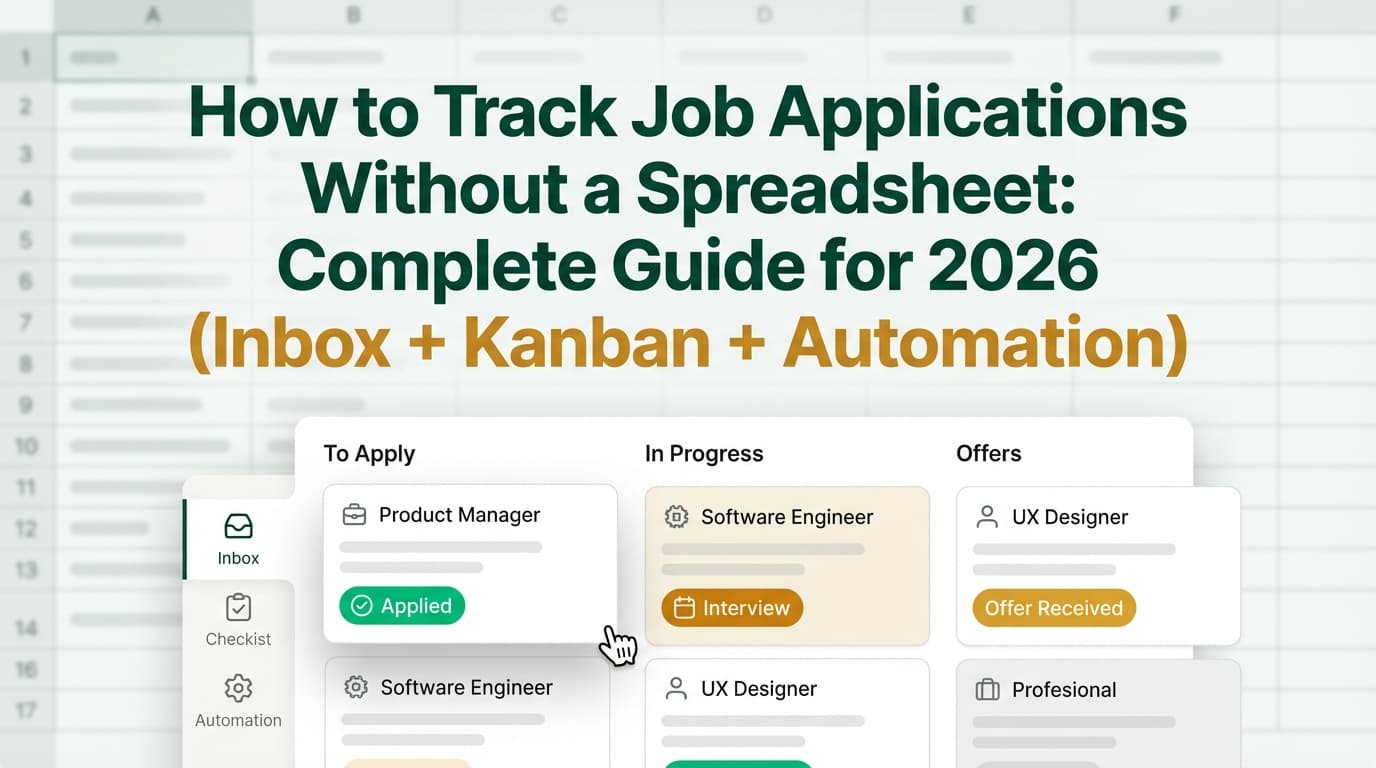
Higher-impact automation: email-forwarding based logging
If your applications generate email confirmations (and most do), you can reduce manual entry by turning your inbox into an intake stream.
JobShinobi example (accurate, verified):
- JobShinobi gives Pro members a unique forwarding email address.
- You forward job application emails (confirmation/rejection/interview-type updates).
- JobShinobi parses the email subject/body and creates/updates a job application record in the tracker. Confidence: High (verified in product constraints).
Important limitations (also verified):
- Email processing is Pro-only (hard check exists).
- Attachments are not parsed (no evidence of attachment handling).
- Export is Excel (.xlsx), not Google Sheets. Confidence: High (verified in product constraints).
Pricing (verified): JobShinobi Pro is $20/month or $199.99/year.
Internal link: /subscription
The pricing page mentions a “7-day free trial,” but trial enforcement isn’t clearly verified in code. Treat it as “mentioned” rather than guaranteed. Confidence: Medium.
A “Job Tracking Operating System” for 2026 (the part competitors usually miss)
Most job-tracking guides stop at “make a spreadsheet.” In 2026, the edge is having a repeatable operating system:
The 3 layers
- Capture layer: how opportunities enter your system
(saved job → tracker entry, email confirmation → tracker entry) - Pipeline layer: statuses + next actions + due dates
- Review layer: weekly and monthly analysis that changes behavior
If one layer fails, the system fails.
Worked examples (so you can see it in action)
Example 1: Job board application (no referral)
- Company: Northwind
- Role: Marketing Ops Specialist
- Source: LinkedIn
- Date Applied: Jan 8
- Status: Applied
- Resume Version: MOPS-v5-SaaS
- Next Action: Follow up email
- Due Date: Jan 15
- Last Touch: Jan 8
- Notes: Tooling: HubSpot + Salesforce; emphasize attribution project
Example 2: Referral-driven application
- Company: Contoso
- Role: Data Analyst II
- Source: Referral (Sam T.)
- Date Saved: Jan 6
- Date Applied: Jan 9 (after referral intro)
- Status: Applied
- Next Action: Thank Sam + ask if hiring manager is open to quick chat
- Due Date: Jan 10
- Last Touch: Jan 9
- Notes: Job stresses experimentation + SQL; include A/B testing bullets
Example 3: “Ghost job” risk management
- Company: ExampleCorp
- Role: Analyst
- Source: Job board repost (unknown)
- Date Saved: Jan 5
- Status: Interested
- Next Action: Verify role exists on company careers page
- Due Date: Jan 5
- Notes: If not on company site → deprioritize / avoid
15 best practices for job tracking in 2026
-
Make “Next Action” mandatory.
A row without a next action is dead weight. -
Always track source.
Your future self needs to know: job boards vs referrals vs recruiters. -
Track resume versions consistently.
Without versioning, you can’t learn. -
Keep statuses few and meaningful.
Complexity is where trackers go to die. -
Use due dates, not memory.
Memory is unreliable under stress. -
Create a weekly review ritual.
Your tracker is only useful if you look at it consistently. -
Use tags for role families.
Example:DA,SWE,PM,MOPS—this makes analysis easier. -
Add a “Priority” score (1–5).
So you spend time where ROI is highest. -
Capture job requirements snapshots.
Job posts disappear. Paste the top requirements into Notes. -
Track rejections by stage (optional).
“Rejected after screen” vs “Rejected after final” teaches you where to improve. -
Separate networking from applying.
Track outreach touches so you can build momentum without endless applications. -
Limit your active pipeline.
A huge pipeline can be a procrastination tool. Use a WIP limit (e.g., 25 active). -
Back up your data.
Export monthly (especially if you use an app). -
Avoid “Frankenstein metrics.”
A million columns don’t help if you don’t act on them. -
Design a system you’ll maintain on a bad day.
That’s the real test.
Common mistakes to avoid (and what to do instead)
Mistake 1: Tracking only “where I applied”
Why it hurts: You’re collecting history, not managing a pipeline.
Fix: Add Next Action + Due Date for every entry.
Mistake 2: Updating only when you feel productive
Why it hurts: Your tracker becomes inaccurate, so you stop trusting it.
Fix: Do a daily 5-minute “inbox sweep” or a weekly 30-minute review.
Mistake 3: Not tracking referrals and warm intros
Why it hurts: You can’t measure ROI, and you underinvest in what works.
Fix: Add “Referral Name” and “Contact” fields.
Mistake 4: Over-customizing early
Why it hurts: You’ll burn time on setup and never execute.
Fix: Start with minimum viable fields. Add complexity only after 2 weeks of consistent use.
Mistake 5: Treating job tracking like a moral scorecard
Why it hurts: You’ll avoid your tracker when you feel behind.
Fix: Treat it like analytics: neutral data that helps you iterate.
The weekly job tracking routine (30 minutes)
Put this on your calendar every week—same day, same time.
1) Inbox sweep (5 minutes)
Log:
- interview invites
- rejections
- recruiter replies
- requests for assessments
2) Pipeline cleanup (10 minutes)
- Filter “Applied” with no follow-up scheduled → add a follow-up
- Flag stale roles (e.g., >21 days)
- Remove duplicates
3) Follow-ups (10 minutes)
Send your follow-ups due this week and log the “Last Touch” date.
4) Strategy review (5 minutes)
Answer:
- Which sources moved forward?
- Which resume versions performed best?
- What will you change next week?
What to measure (simple metrics that drive better decisions)
You don’t need a data science project. Track a few key ratios.
Core job search funnel metrics
- Response rate = opportunities with any response / total applied
- Interview conversion = interviews / total applied
- Offer rate = offers / interviews
- Time to first response (median days)
How to interpret them
- Low response rate → targeting / ATS alignment / resume positioning
- Low interview conversion → interview prep / storytelling / role fit
- Low offer rate → late-stage interviewing, leveling, or negotiation
Tie these metrics back to:
- Source (referral vs job board)
- Resume version
- Role family
That’s how a tracker becomes a decision engine.
Tools to help with job tracking in 2026 (honest recommendations)
Spreadsheet tools
- Excel: Best for exporting, sorting, and analysis.
- Google Sheets: Great for quick access and sharing (still manual entry).
Job tracking apps and systems
- JobShinobi: A job application tracker with CRUD management, status updates, and Excel export. Pro members can also track applications via forwarded emails (parses email subject/body; no attachment parsing).
- Pricing (verified): $20/month or $199.99/year
- Notes: Trial is mentioned in marketing but not clearly verified in code.
Internal links: /dashboard/job-tracker, /subscription
Template libraries (good for starting fast)
- Notion template galleries can be useful if you prefer Kanban-style tracking.
Source: https://www.notion.com/templates/category/job-application-tracking (Confidence: High for existence; templates vary in quality)
If a tool promises “auto-apply everywhere” or guarantees outcomes, be skeptical. Those tools often trade quality for volume and can create errors you don’t notice.
Key takeaways
- In 2026, job tracking is a pipeline + next-action system, not just a list of applications.
- Your tracker must include Next Action + Due Date or it won’t reduce stress.
- Track resume versions so you can learn what actually produces interviews.
- Run a weekly review to turn activity into strategy.
- If manual entry is killing consistency, consider automation—like email-forwarding-based logging (e.g., JobShinobi Pro)—to reduce friction.
FAQ (People Also Ask + common job seeker questions)
What is the best way to track jobs applied to?
Use a spreadsheet or job tracker app that lets you track company, role, date applied, status, next action, and due date. The “best” method is the one you’ll update consistently.
What should be included in a job application tracker spreadsheet?
At minimum:
- Company, Role, Job URL, Source
- Date Applied, Status
- Next Action, Due Date
Add Resume Version if you tailor your resume (high leverage for learning).
How often should I update my job tracker?
Ideally, update it the same day something happens (apply, follow-up, interview scheduled). If that’s unrealistic, do a weekly review plus a quick inbox sweep 2–3 times per week.
How long after applying should you follow up?
A common approach is about 5 business days after applying, and again around 10 business days if appropriate. Many applicants hear back within 1–2 weeks, per Indeed’s published data. Confidence: Medium (best practice varies).
Source: https://www.indeed.com/career-advice/finding-a-job/how-long-should-you-wait-to-hear-back-about-a-job
Is there an AI tool to track job applications?
Some tools can log applications based on email confirmations. For example, JobShinobi Pro supports tracking by forwarding job-related emails to your unique address and parsing the email body/subject. Confidence: High (verified in product constraints).
Can I export a job tracker to Google Sheets?
Some tools support it, but JobShinobi currently exports to Excel (.xlsx) rather than Google Sheets. Confidence: High (verified in product constraints).
How do I track networking and referrals?
Add:
- Referral name
- Contact info
- Last touch date
- Next action + due date
Consider a “Networking (pre-apply)” stage or a separate outreach log.
How do I track multiple interview rounds?
Keep “Status” as Interview and log interview rounds in Notes:
- Screen, Round 1, Round 2, Onsite/Loop, etc.
Or add date fields for each round if you want more structure.
What if the job posting gets removed?
Save a short “requirements snapshot” in Notes (top 5–8 requirements) and keep any recruiter/hiring manager info. Job URLs often disappear.