In 2024, employers received an average of 180 applicants per hire according to CareerPlug’s analysis of data from 60,000+ companies (Confidence: High, source: CareerPlug recruiting metrics report page/PDF). When the funnel is that crowded, “I’ll remember to follow up” turns into missed opportunities fast.
A job search CRM fixes that—not by magically getting you hired, but by making your search repeatable: every application gets logged, every follow-up has a date, every recruiter conversation has context, and you can see what’s working (and what isn’t).
In this guide, you’ll learn:
- What a job search CRM is (and what it isn’t)
- The must-have features for 2026 (automation, analytics, portability)
- A simple scoring rubric to pick the right tool in under 15 minutes
- A step-by-step setup (with field templates + pipeline stages)
- A curated list of the best job search CRM options for different job-seeker styles
What is a Job Search CRM?
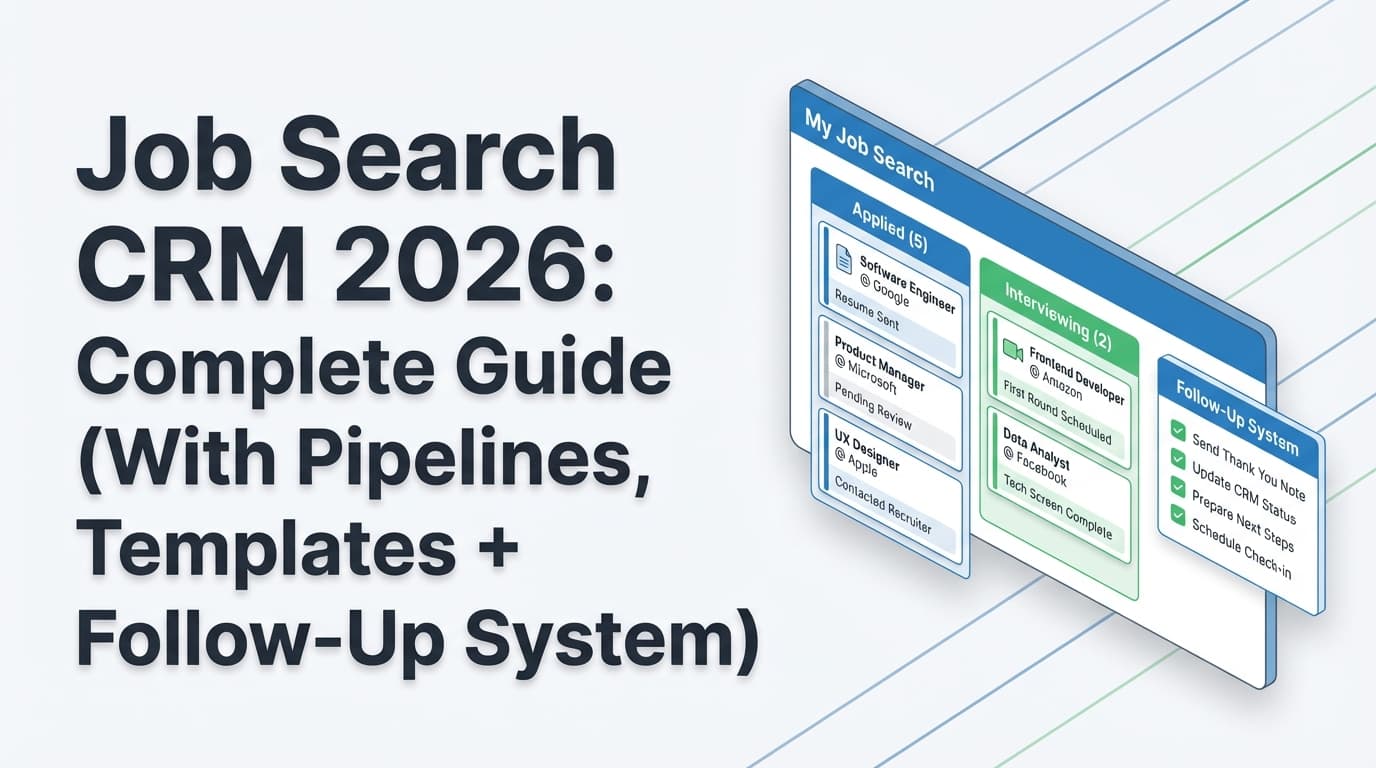
A job search CRM (Customer Relationship Management) is a system you use to manage your job search like a pipeline—similar to how sales teams track leads.
Instead of keeping scattered notes across browser tabs, email threads, spreadsheets, and calendars, a job search CRM centralizes:
- Companies & roles you’re targeting
- Applications (where/when you applied + current status)
- People (recruiters, hiring managers, referrals)
- Follow-ups (dates, templates, outcomes)
- Interviews (rounds, prep notes, feedback)
- Documents (resume version used, portfolio link, cover letter)
- Analytics (response rate, interview conversion, time-to-response)
What a Job Search CRM is not
- Not an ATS (Applicant Tracking System) used by employers
- Not an “auto-reject/auto-approve” resume scanner that guarantees interviews
- Not a replacement for networking or tailoring your resume—just the system that makes those actions consistent
Why a Job Search CRM Matters in 2026
1) Applicant volume is high, so signal beats noise
When one role can attract hundreds of applicants, hiring teams rely on fast triage and process discipline. You should too.
- 180 applicants per hire on average in 2024 (Confidence: High, source: CareerPlug).
- CareerPlug also reports that company career pages generated 12% of applicants but 23% of hires—meaning those applicants were ~4× more likely to get hired (Confidence: High, source: CareerPlug 2024 Recruiting Metrics Report PDF snippet shown in search results).
CRM takeaway: track source so you can double down on channels that convert.
2) Referrals matter—but they’re not the majority (and that’s good news)
A lot of job advice repeats “networking gets you 70–85% of jobs,” but those numbers are often debated and inconsistently sourced. More credible datasets show a more nuanced picture:
- Breezy HR reports an analysis of 24 million applications, and that referrals made up 12% of hires (up 3% YoY) (Confidence: Medium–High, source: Breezy HR Source of Hire report landing page—full details are in the downloadable report).
CRM takeaway: referrals can be powerful, but you still need a high-quality outbound/application machine.
3) Humans scan fast, so your process must be sharp
CNBC reports recruiters spend about six to seven seconds looking at your resume on average (Confidence: Medium, source: CNBC resume article). Whether the “average” is 7 seconds or 30 seconds in your niche, the implication is the same:
CRM takeaway: you need to quickly match the right resume version to the right job, and you need follow-ups that keep you from slipping through the cracks.
4) Job search = operational workload (your CRM reduces it)
A job search CRM helps you avoid:
- re-applying to the same role twice
- losing recruiter threads
- forgetting which resume version you sent
- missing interview prep details
- failing to follow up after “We’ll get back to you”
The 2026 Job Search CRM Checklist (What “Best” Actually Means)
Here’s what matters most for job seekers in 2026—regardless of whether you use a spreadsheet, Notion, or a dedicated tracker.
A) Capture speed (how fast you can log an opportunity)
If it takes more than 60 seconds to log a role, you’ll stop using the tool.
Look for:
- browser-friendly entry
- templates
- easy copy/paste for job links + descriptions
- (optional) automation from email/job board sources
B) Pipeline stages that match reality
A usable pipeline is not just “Applied → Interview → Offer.” In 2026, you want stages that drive actions:
Recommended baseline stages:
- Interested / To Apply
- Applied
- Follow-up Due
- Recruiter Screen
- Hiring Manager
- Take-home / Assignment
- Onsite / Final
- Offer
- Rejected
- Archived (role closed, not a fit, etc.)
C) Relationship tracking (the “CRM” part)
Your best opportunities often come from people—not postings. Your CRM should let you store:
- recruiter name + email + LinkedIn
- referral name
- last contact date
- next step date
- notes and context (“asked about comp range; prefers email”)
D) Follow-up system (dates + templates)
A CRM without reminders is basically a spreadsheet with vibes.
Minimum follow-up workflow:
- application follow-up (5–7 business days)
- post-interview thank-you (same day)
- status check (3–5 business days after interview)
- reconnect (30–60 days later)
E) Document/version control
In 2026, most serious job seekers tailor resumes. Your CRM should track:
- which resume version you used
- which job description you tailored to
- what you changed (keywords, bullets, summary)
F) Analytics you’ll actually use
At minimum, track:
- applications/week
- response rate
- interview conversion rate
- offers
- source performance (job board vs company site vs referral)
G) Portability + export
Job searches last months. Tools change. You should be able to export your data (CSV/XLSX) so you don’t lose your pipeline history.
How to Choose the Best Job Search CRM for You (5-Minute Scoring Rubric)
Use this simple rubric: score each tool 0–3 in each category.
| Category | 0 | 1 | 2 | 3 |
|---|---|---|---|---|
| Capture speed | Painful | Okay | Fast | Nearly automatic |
| Pipeline usability | Confusing | Basic | Solid | Fully customizable |
| Relationship tracking | None | Notes only | Contacts + notes | Contacts + tasks + history |
| Follow-ups | Manual | Dates only | Reminders | Reminders + templates |
| Document/version tracking | None | Links only | Attachments/versions | Versions + workflow integration |
| Analytics | None | Counts | Basic rates | Funnel + trends |
| Export/portability | None | Partial | CSV/XLSX | Strong exports + clean schema |
How to interpret your score
- 16–21: strong fit
- 12–15: usable, but expect friction
- <12: you’ll probably abandon it mid-search
Pro tip: Don’t pick the “most powerful” CRM. Pick the one you’ll still use when you’re tired, discouraged, and applying at night.
How to Set Up a Job Search CRM (Step-by-Step)
Step 1: Define your pipeline stages (start simple)
Pick 8–10 stages max. Here’s a clean default:
- Interested
- To Apply
- Applied
- Follow-up Due
- Recruiter Screen
- Interviewing
- Offer
- Rejected
- Archived
Pro tip: “Follow-up Due” is a stage that triggers action. It prevents opportunities from going stale.
Step 2: Create your core fields (copy/paste template)
Job table fields
- Company
- Role title
- Location / Remote
- Source (LinkedIn, company site, referral, recruiter outreach)
- Job URL
- Date added
- Date applied
- Status (pipeline stage)
- Next follow-up date
- Recruiter / Contact
- Resume version used (link or filename)
- Notes (keywords, comp range, interview prep, etc.)
Contact table fields
- Name
- Company
- Role (recruiter, hiring manager, employee referral)
- LinkedIn URL
- Last contact date
- Next action date
- Notes
Step 3: Add “next action” rules (so your CRM drives behavior)
A CRM works when it tells you what to do next. Add rules like:
- If status = Applied, set Follow-up date = applied date + 7 business days
- If status = Recruiter Screen, set Next action = send thank-you same day
- If status = Interviewing, set Next action = prep notes + question list 24 hours before
Pro tip: If your CRM can’t automate these rules, write them at the top of your tracker as a checklist.
Step 4: Build your weekly cadence (the “CRM habit”)
The best CRM is the one you check consistently.
15-minute weekly review
- Archive dead leads
- Identify 5 roles to apply to next
- Schedule follow-ups for anything older than 7–10 days
- Review source performance (what’s getting replies?)
- Decide your focus for the week (one role family, one location strategy, etc.)
Step 5: Add light automation (where it’s actually worth it)
Automation that tends to be high ROI:
- turning job confirmation emails into tracker entries (when supported)
- saving job links quickly
- exporting a weekly snapshot for accountability
Automation that’s usually not ROI:
- complex multi-step workflows you spend hours building and never maintain
The Best Job Search CRM for 2026 (By Use Case)
There isn’t one “best” for everyone. Here are the best options depending on how you search.
1) Best for automatic tracking from job emails (for high-volume applicants): JobShinobi
If your biggest problem is operational overload—too many applications, too many confirmation emails, too many status changes—look for a CRM that reduces manual entry.
What JobShinobi supports (accurate, evidence-based):
- Job application tracker with create/edit/delete and status stages like Applied, Interview, Rejected, Offer, Accepted (Confidence: High, product constraints)
- Realtime updates in the tracker UI (Confidence: High, product constraints)
- Export to Excel (.xlsx) (Confidence: High, product constraints)
- Email forwarding → automatic job application tracking by parsing inbound job-related emails (confirmation/rejection/interview-type status) (Confidence: High, product constraints)
- Important: email processing requires Pro membership (Confidence: High, product constraints)
- Bonus (if you want your CRM tied to resume improvements):
- AI resume analysis (scores + feedback) (Confidence: High)
- Job description extraction + resume-to-job matching (Confidence: High)
- LaTeX resume builder + PDF compile/preview inside the app (Confidence: High)
Pricing (be precise): JobShinobi Pro is $20/month or $199.99/year (Confidence: High, product constraints). The marketing site mentions a “7-day free trial,” but trial mechanics aren’t clearly verifiable in code—treat that as mentioned, not guaranteed (Confidence: Medium).
Best for: job seekers applying to lots of roles who want a CRM that’s closer to “system of record” than “notes doc.”
2) Best dedicated job tracker UX (classic CRM-style): Huntr
Huntr positions itself as a job application tracker/CRM with dedicated job-search workflows.
From Huntr’s product page structure, it emphasizes:
- Job tracking
- Saving job details faster
- Monitoring interview milestones
- Managing multiple resumes
- Keeping track of new connections
(Confidence: Medium, source: Huntr product page headings/structure)
Best for: people who want a purpose-built interface and don’t want to build a system in Notion/Sheets.
3) Best “build-your-own” CRM (flexible + customizable): Notion
Notion is not a job-search tool, but it’s one of the most common DIY job CRM setups because templates make it easy.
Notion offers job search / job application tracking templates in its marketplace (Confidence: High, source: Notion template listings in search results).
Best for: job seekers who like customizing views (board/table/calendar) and maintaining notes in one workspace.
4) Best if you already live in spreadsheets: Excel / Google Sheets
A spreadsheet is still a valid CRM—especially if you:
- keep stages simple
- use filters
- enforce a weekly review
- add a “next action date” column
Best for: job seekers who want full control, offline access, and maximum portability.
Watch-outs: spreadsheets don’t naturally enforce reminders, and the CRM habit can break when the sheet gets messy.
5) Best “traditional CRM” approach (job search like sales): HubSpot CRM
Some job seekers use HubSpot as a job search CRM to track outreach, follow-ups, and contacts—especially if they’re doing heavy networking.
A career coaching article explicitly recommends using HubSpot (and other CRMs) to replace spreadsheets for job search tracking (Confidence: Medium, source: Career-Upside CRM article).
Best for: outreach-heavy job seekers (sales, partnerships, client-facing roles) who want CRM semantics like tasks, sequences, and contact timelines.
Best Practices: How to Use a Job Search CRM Without Burning Out
-
Use one “system of record.”
If your CRM is Notion but your follow-ups are in email and your notes are in Docs, you’ll lose context. -
Track the “next action,” not just the status.
Status is passive. Next action is what gets you interviews. -
Store the resume version per application.
This is how you learn what works. If you can’t trace results back to the resume you used, you’ll keep guessing. -
Measure weekly inputs, not daily emotions.
Your CRM should show:- applications sent
- follow-ups completed
- outreach messages sent
- interviews scheduled
-
Keep your pipeline small and alive.
200 “Interested” entries isn’t a pipeline—it’s a graveyard. Archive aggressively.
Common Mistakes to Avoid
Mistake 1: Treating the CRM like a graveyard of links
A tracker full of saved URLs without follow-up dates is just procrastination with better formatting.
Fix: require a “next action date” for anything that’s not Archived/Rejected.
Mistake 2: Overbuilding the system
If you spend 6 hours perfecting dashboards and never apply, the CRM became the hobby.
Fix: start with:
- 8–10 stages
- 10–12 fields
- weekly review
Mistake 3: Chasing questionable stats (especially ATS myths)
The “75% of resumes are rejected by ATS” claim is widely repeated, but multiple sources argue it’s misleading/unsupported as a blanket statement (Confidence: Medium, source: HiringThing ATS myths article + other commentary in SERPs).
Fix: optimize for what’s reliably true:
- clear formatting
- job-relevant keywords (without stuffing)
- measurable impact
- human readability
Mistake 4: Not tracking source performance
If company career pages or referrals convert better for you, your CRM should reveal that.
Fix: add a required “Source” field and review it weekly.
Tools to Help With Your Job Search CRM (Honest Recommendations)
- JobShinobi: Job application tracking with Excel export, plus email-forwarding-based automatic logging (Pro-gated) and resume-to-job matching workflows for tailoring (Confidence: High, product constraints).
- Huntr: Dedicated job application tracker UX with interview milestone tracking and resume organization (Confidence: Medium, based on page structure).
- Notion: Job hunt CRM/job application tracking templates for a customizable DIY system (Confidence: High, template listings).
- Excel / Google Sheets: Most portable option; great if you commit to a weekly review cadence.
- HubSpot CRM: A traditional CRM approach when your search is outreach/networking-heavy (Confidence: Medium, career coaching article).
Key Takeaways
- The best job search CRM for 2026 is the one you will actually use weekly—speed and follow-up workflow matter more than fancy features.
- Build your CRM around next actions, not just statuses.
- Track source + resume version so you can learn what drives interviews.
- If manual entry is your bottleneck, consider a tool that can reduce logging work (for example, JobShinobi’s email-forwarding-based tracking—Pro required).
FAQ
What’s the difference between an ATS and a job search CRM?
An ATS is used by employers to collect and manage candidates. A job search CRM is your personal system to manage your pipeline: applications, contacts, follow-ups, interviews, and outcomes.
How do I track job applications efficiently?
Use a tracker with:
- a clear pipeline stage
- a next follow-up date
- the contact person
- the resume version you used
Then do a 15-minute weekly review to keep it current.
Is a spreadsheet enough for a job search CRM?
Yes—if you keep it simple and consistent. The biggest downside is lack of built-in reminders and the tendency for spreadsheets to become messy over time. If you frequently forget follow-ups, a dedicated tool may be worth it.
What’s the best job search CRM if I’m applying to a lot of jobs?
Choose something that minimizes manual entry and makes follow-ups unavoidable. For example, JobShinobi supports email-forwarding-based automatic job application tracking (but requires Pro membership) and also lets you export your tracker to Excel.
How many applications does it take to get an interview?
It varies widely by industry and seniority. One dataset summary reports ~27 applications per interview (Confidence: Low–Medium, source: StandOut CV stats page—use as a directional benchmark, not a guarantee). Your CRM helps you measure your real ratio and improve it over time.