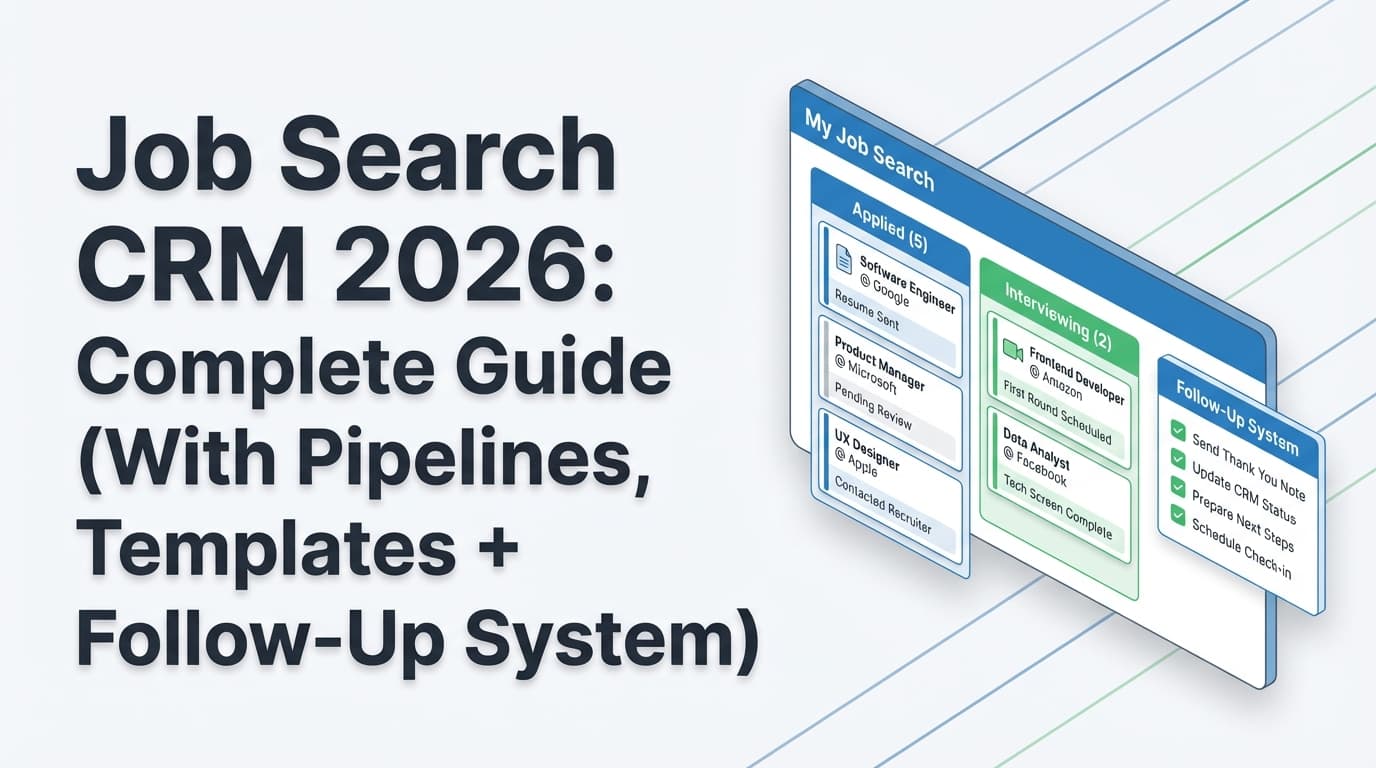
If your job search feels like a blur of tabs, portals, and “Did I already apply to this?”, you’re not disorganized—you’re missing a system.
And in 2026, a “system” matters more because most applications go through software before a human sees them:
- 97.8% of Fortune 500 companies used a detectable ATS in 2025 (489 out of 500), according to Jobscan’s ATS usage report. Confidence: High
Source: https://www.jobscan.co/blog/fortune-500-use-applicant-tracking-systems/ - Tufts’ career center similarly cites 98.4% of Fortune 500 companies use an ATS. Confidence: Medium (credible career center, but not primary research)
Source: https://careers.tufts.edu/resources/everything-you-need-to-know-about-applicant-tracking-systems-ats/ - Recruiters skim quickly: the 2018 Ladders eye-tracking research found 7.4 seconds average resume scan time in a first-pass review. Confidence: Medium (study is older but still widely referenced)
Sources: https://www.theladders.com/static/images/basicSite/pdfs/TheLadders-EyeTracking-StudyC2.pdf and summary coverage https://www.hrdive.com/news/eye-tracking-study-shows-recruiters-look-at-resumes-for-7-seconds/541582/
So you need two things working together:
- An ATS-friendly resume workflow (tailoring + parse-safe formatting + versioning)
- A job application tracker that tells you what you applied to, what you sent, and what to do next
That combo is what people usually mean by an ATS resume tracker.
In this guide, you’ll learn:
- What an ATS resume tracker is (and what it’s not)
- Exactly what to track (fields, statuses, follow-ups, and resume versions)
- A step-by-step setup you can implement in a day
- Copy-paste templates (spreadsheet + Kanban pipeline + follow-up scripts)
- Best practices and common mistakes
- Tools that reduce manual data entry (including email-forward tracking)
What is an ATS resume tracker?
An ATS resume tracker is a job search system that connects:
- Applications you submit (company, role, date, status, follow-up)
- The resume version you used (so you can repeat what works)
- ATS alignment signals (keywords, formatting risk, resume scan feedback)
It’s not the same thing as an employer’s ATS. Employers use ATS platforms to manage applicants. You’re building a personal tracking system that helps you work with ATS reality—without losing your mind.
What it’s NOT
- Not “one-click apply” automation (most job boards and company portals still require manual steps)
- Not a guarantee you’ll “beat the ATS” (ATS isn’t one universal bot; it varies by employer and role)
- Not an excuse to keyword-stuff (that can backfire with humans)
What it DOES do
- Prevent duplicate applications and missed follow-ups
- Create a feedback loop: resume version → outcomes
- Help you stay consistent when applying at volume
- Keep your job search from becoming an emotional guessing game
Why tracking job applications matters in 2026 (with data)
1) ATS adoption is widespread
When Fortune 500 ATS use is ~98% (Jobscan and Tufts sources above), formatting and keyword alignment matter because:
- Your resume needs to parse cleanly
- A human may still only skim it for seconds
Tracking ensures you don’t keep changing variables randomly (resume, keywords, format, source, follow-up timing) without knowing what caused a change in results.
2) Hiring funnels can be narrow (and easy to misinterpret)
CareerPlug publishes recruiting benchmark data that shows the funnel can be tight:
- Click-to-apply conversion averaged ~6% in 2024 across industries. Confidence: Medium
Source: https://www.careerplug.com/recruiting-metrics-and-kpis/ - Employers received ~180 applicants per hire in 2024 (average). Confidence: Medium
Source: https://www.careerplug.com/recruiting-metrics-and-kpis/
Even if you’re qualified, you’re often one of many. A tracker helps you increase your odds by applying more strategically (better targeting, better tailoring, better follow-up, better channel selection).
3) “Ghosting” is common—so your system has to assume it
HiringThing reports:
- 76% of job seekers say not hearing back after applying is extremely frustrating (framed as worse than not hearing back after a first date). Confidence: Medium
Source: https://blog.hiringthing.com/job-application-statistics
A tracker doesn’t eliminate ghosting, but it helps you:
- Follow up at appropriate times
- Spot which companies/channels never respond
- Prevent missed messages and interview requests
4) You need a way to measure what’s improving
HiringThing also reports:
- On average, a job candidate will get one interview request for every six applications
- And the average job seeker applies to 27 companies
Confidence: Medium
Source: https://blog.hiringthing.com/job-application-statistics
Whether your experience is better or worse than that, you can’t improve what you don’t track.
The unique angle: stop tracking “applications” and start tracking “attempts”
Most trackers log: company + title + date. That’s a logbook.
An ATS resume tracker should log attempts, meaning:
- Which resume version you tried
- Which keywords you emphasized
- Which channel you used (referral vs cold apply)
- Which follow-up actions you took
That’s how you get a feedback loop you can actually act on.
How to track job applications with an ATS resume tracker (step-by-step)
This setup is designed for high-volume applicants and people who want to stay sane applying to fewer roles.
Step 1: Choose your tracking “home base”
Pick one place where every role goes, even if you later move it.
Option A: Spreadsheet (Google Sheets or Excel)
Best for: control + portability + speed
Weakness: manual updating
Option B: Notion/Trello (Kanban + notes)
Best for: visual pipeline + notes
Weakness: can become messy without rules
Option C: Dedicated job tracker tool
Best for: pipeline views + fewer manual steps + analytics
Weakness: may be paid; portability varies
Rule: your tracker should take under 60 seconds to update per application. If it takes 5 minutes, you’ll stop using it.
Step 2: Define your pipeline statuses (keep them simple)
Use statuses that match real outcomes. Here’s a strong default:
- Saved (interested; not applied)
- Applied
- Recruiter Screen
- Interviewing
- Offer
- Rejected
- Closed / No response
- Accepted / Withdrawn (optional split)
If you want a leaner tracker, use only:
- Saved → Applied → Interview → Offer → Rejected/Closed
Pro tip: Do not create 15 statuses unless you’ll truly use them. Complexity kills consistency.
Step 3: Decide what to track (the field list that actually matters)
A) Core application fields (minimum viable tracking)
- Company
- Job title
- Job URL
- Location (or Remote/Hybrid/On-site)
- Date applied
- Source (LinkedIn, company site, referral, recruiter, etc.)
- Status
- Contact (recruiter/hiring manager + email/LinkedIn)
- Notes (anything important: salary asked, assessment, weird portal login)
B) ATS resume tracker fields (the “difference maker”)
These connect the application to the resume strategy you used:
- Resume version name (e.g.,
SWE-Backend-Rev3,PM-Growth-Rev2) - Job “theme” (1–3 words: “Data Platforms”, “Customer Success”, “Marketing Ops”)
- ATS check result (simple: Pass / Needs Work)
- Top missing keywords (3–8 terms max)
- Formatting risk (Yes/No: tables, columns, text boxes, icons)
C) Follow-up fields (turn tracking into action)
- Next follow-up date
- Follow-up count (0, 1, 2…)
- Last response date
- Next action (follow up, connect, ask referral, etc.)
Step 4: Build your tracker (spreadsheet + dropdowns)
If you’re using a spreadsheet, set it up so updating is fast.
Recommended dropdowns:
- Status dropdown (Saved/Applied/Interviewing/etc.)
- Source dropdown (LinkedIn/Referral/Recruiter/etc.)
- Formatting risk dropdown (Yes/No)
Recommended auto-fields:
- “Days since applied” = TODAY() - Date Applied
- “Follow-up due?” = IF(TODAY()>Next Follow-up, "YES", "")
These small automations prevent the tracker from becoming busywork.
Step 5: Set ATS-friendly resume formatting rules (so your content actually parses)
This part matters because ATS issues aren’t only about keywords—parsing failures can scramble your resume.
MIT Career Advising recommends avoiding elements that might be unreadable to ATS, including tables/text boxes and graphics/icons/images. Confidence: High
Source: https://capd.mit.edu/resources/make-your-resume-ats-friendly/
UIC’s career services ATS PDF also recommends a single-column format and avoiding tables/multiple columns/text boxes. Confidence: Medium
Source: https://careerservices.uic.edu/wp-content/uploads/sites/26/2017/08/Ensure-Your-Resume-Is-Read-ATS.pdf
ATS-safer formatting checklist:
- Single column
- Avoid tables/text boxes
- Avoid icons/images/logos unless necessary
- Standard headings (Experience, Education, Skills)
- Consistent date formatting
- Simple bullets
- Test the resume by copy/pasting into a plain-text editor; if the order looks wrong, parsing may be wrong
Step 6: Create the repeatable routine: Tailor → Apply → Log → Follow up
Here’s the workflow that keeps your data clean.
For each job:
- Save the job (URL + role theme)
- Tailor resume (keywords + top bullets)
- Run an ATS-focused check (keyword alignment + readability)
- Export final resume file (using your naming convention)
- Apply
- Log it immediately (same day)
- Set follow-up date
60-second rule: If steps 6–7 take longer than a minute, simplify your fields.
Step 7: Add follow-up rules (so your tracker creates momentum)
A conservative guideline is to wait about two weeks after applying before following up.
- Coursera: “Wait at least two weeks after applying.” Confidence: Medium
Source: https://www.coursera.org/articles/how-to-follow-up-on-job-application - Wentworth Institute of Technology’s Co-ops + Careers resource: follow-up should occur “at least one-two weeks after an application has been submitted.” Confidence: Medium
Source: https://coopsandcareers.wit.edu/resources/application-follow-up-email-sample/ - Indeed also provides general guidance and templates for follow-up emails. Confidence: Medium
Source: https://www.indeed.com/career-advice/finding-a-job/follow-up-email-after-application
A practical follow-up cadence:
- Day 0: Apply + log
- Day 10–14: Follow-up #1 (short and polite)
- Day 21–28: Follow-up #2 (optional; depends on company)
- After that: mark “Closed / No response” and move on
Your tracker should tell you: who to follow up with today—not make you scroll through inboxes searching.
Step 8: Track lightweight metrics (so you can improve)
After ~30–50 applications, start tracking:
- Interview rate = Interviews / Applications
- Response rate = Any response / Applications
- Offer rate = Offers / Interviews
- Channel conversion (Referral vs LinkedIn vs Company site)
- Resume-version conversion (which resume names are used in interviews?)
This turns your tracker into a feedback loop—especially when connected to resume versions.
Copy-paste templates: build your ATS resume tracker today
Template A: “Minimal but complete” spreadsheet columns
Use these columns in Google Sheets or Excel:
| Column | Example | Why it matters |
|---|---|---|
| Company | Acme Corp | Anchor field |
| Job Title | Data Analyst | Anchor field |
| Job URL | https://... | Posting disappears; interview prep |
| Location | Remote | Quick filtering |
| Source | Referral | Channel performance |
| Date Saved | 2026-01-10 | Shows backlog |
| Date Applied | 2026-01-15 | Follow-up timing |
| Status | Applied | Pipeline clarity |
| Contact | Jane Doe (Recruiter) | Follow-ups |
| Resume Version | DA-Rev4-SQL | Links resume strategy to results |
| ATS Notes | Missing: dbt, LookML | Quick gap reminder |
| Formatting Risk | No | Parsing-risk log |
| Next Follow-up | 2026-01-29 | Next action |
| Follow-up Count | 0 | Prevents over-following |
| Notes | Assessment received | Context |
Template B: Kanban pipeline (great for visual thinkers)
Create columns:
- Saved
- Applied
- Screen
- Interviewing
- Offer
- Rejected
- Closed / No response
Each card should include:
- Job URL
- Resume version
- Next follow-up date
Rule: every card in “Applied” must have a next follow-up date (even if it’s just “review in 14 days”).
The part most people skip: linking ATS resume scans to applications
To get real value from “ATS resume tracker,” you must connect:
Job posting → keywords → resume version → outcome
Here’s how to do that without spending 45 minutes per application.
1) Use a resume naming convention that captures the “why”
Instead of Resume_Final.pdf, use:
RoleTheme-Rev#-Company (optional)
Examples:
PM-Growth-Rev2.pdfSWE-BackendJava-Rev5.pdfMarketingOps-HubSpot-Rev3.pdf
Then log the exact same string in your tracker’s Resume Version field.
2) Track only the top keyword gaps (don’t overfit)
In your tracker, store only:
- 3–5 must-have keywords
- 1–3 nice-to-have keywords you can naturally add
This avoids keyword stuffing while keeping your tailoring focused.
3) Separate “keyword match” from “parsing safety”
A resume can be keyword-rich and still parse poorly if formatting is complex.
That’s why a Formatting Risk field is powerful: it helps you distinguish “content” issues from “structure” issues.
ATS resume tracker examples (realistic scenarios)
Example 1: High-volume applicant (10–20 applications/week)
Goal: stay consistent and reduce admin.
- Use a spreadsheet with dropdowns + a “Follow-up due?” column
- Keep notes short (one sentence)
- Maintain 3–5 resume versions (by role theme), not 20
- Review pipeline twice/week
What you track deeply:
- Resume version
- Source
- Follow-up date
What you keep minimal:
- Detailed keyword lists
- Long notes
Example 2: Targeted applicant (3–5 applications/week)
Goal: maximize conversion per application.
- Track keywords more carefully (still capped at 3–8)
- Track networking actions (who you reached out to)
- Store job descriptions or key requirements for interview prep
Add fields:
- Networking action taken (Yes/No)
- Referral status
- Interview prep notes
Example 3: Career switcher (highest need for feedback loops)
Goal: find which narrative gets interviews.
- Track what story you emphasized (transferable skills, projects, domain language)
- Track which resume summary angle you used
- Track which job family converts best
Add fields:
- “Narrative angle” (e.g., “ops → PM”, “bootcamp → SWE”, “teacher → L&D”)
- “Portfolio/project used” (which project was featured)
Best practices for tracking job applications with an ATS resume tracker
-
Update the tracker the moment you apply
If you wait, you’ll forget which resume version you used and what the job emphasized. -
Capture the job description because postings vanish
Save the URL and key requirements, at minimum. -
Make “resume version submitted” non-optional
If you skip this, you can’t learn which resume strategy works. -
Standardize your statuses
Keep them mutually exclusive and clear. -
Use follow-up dates, not “I’ll remember”
Your tracker should generate a daily to-do list. -
Track source channels
This is one of the highest-leverage insights (referrals usually outperform cold applies). -
Track formatting risk explicitly
MIT/UIC guidance supports keeping formatting simple to avoid ATS parsing issues. -
Don’t chase a perfect “ATS score”
Treat scores as signals, not truth. Over-optimizing can hurt human readability. -
Batch your work
Tailor 2–3 roles in a block, then apply/log, instead of context-switching all day. -
Keep notes short and structured
One sentence is usually enough: “Assessment sent; salary asked in portal.” -
Review weekly and prune aggressively
If you wouldn’t take the job, don’t keep it in “Saved” forever. -
Export/back up monthly
Tool lock-in is real; your job search data is valuable.
Common mistakes to avoid (and how to fix them)
Mistake 1: Tracking only company + date
Problem: It’s not actionable; you can’t follow up or learn what works.
Fix: Add Resume Version + Status + Next Follow-up.
Mistake 2: Not tracking the job link
Problem: The posting disappears; interview prep becomes guesswork.
Fix: Always store Job URL and key requirements.
Mistake 3: Overcomplicating your tracker
Problem: If updating takes too long, you stop.
Fix: Use the minimal template, and add fields only after two weeks of consistent use.
Mistake 4: Assuming ATS problems are only keywords
Problem: Formatting/parsing can scramble content order.
Fix: Follow MIT guidance: avoid tables/text boxes/graphics/icons.
Source: https://capd.mit.edu/resources/make-your-resume-ats-friendly/
Mistake 5: No follow-up system
Problem: You miss opportunities that could have progressed with a simple nudge.
Fix: Set a default follow-up at Day 10–14 (Coursera/WIT guidance supports ~1–2 weeks).
Sources: https://www.coursera.org/articles/how-to-follow-up-on-job-application and https://coopsandcareers.wit.edu/resources/application-follow-up-email-sample/
Follow-up email templates (copy/paste)
These are intentionally short. Customize the bracketed parts.
Template 1: Follow-up after application (10–14 days)
Subject: Following up — [Job Title] application
Hi [Name],
I applied for the [Job Title] role on [Date] and wanted to follow up to confirm my application is in the right place. I’m very interested in the position, especially [specific reason tied to posting].
If helpful, I’m happy to share anything else (work samples, references, etc.).
Thanks for your time,
[Your Name]
(General guidance and examples: Indeed and WIT resources. Confidence: Medium)
Sources: https://www.indeed.com/career-advice/finding-a-job/follow-up-email-after-application and https://coopsandcareers.wit.edu/resources/application-follow-up-email-sample/
Template 2: “Nudge + value” follow-up
Hi [Name],
Quick follow-up on the [Job Title] role. I wanted to share a relevant example: [1 sentence about a project/metric related to their needs].
If there’s someone better to direct this to, I’m happy to reach out.
Best,
[Your Name]
Template 3: “Referral mention” follow-up
Hi [Name],
I applied for [Job Title] on [Date]. [Referrer Name] suggested I reach out directly because of my experience with [relevant skill].
Would it be helpful if I sent a short summary of my most relevant work?
Thanks,
[Your Name]
Tools to help with ATS resume tracking (honest options)
Option 1: DIY (best if you want full control)
- Google Sheets / Excel: flexible, portable, fast
- Templates and examples:
- The Muse spreadsheet approach (lighter article, but popular). Confidence: Medium
https://www.themuse.com/advice/job-search-spreadsheet-track-application - BeamJobs templates for Google Sheets. Confidence: Medium
https://www.beamjobs.com/career-blog/job-application-tracker-google-sheets - CVAnywhere’s tracking spreadsheet guide (deeper tactics). Confidence: Medium
https://cvanywhere.com/blog/job-application-tracking-spreadsheet
- The Muse spreadsheet approach (lighter article, but popular). Confidence: Medium
Option 2: Blog-based “how to” references (to compare what others cover)
- Resumly’s long “ultimate guide” (very comprehensive; use it to spot what you might be missing). Confidence: Medium
https://www.resumly.ai/blog/job-application-trackers - We Work Remotely’s 5-step approach (simpler baseline). Confidence: Medium
https://weworkremotely.com/how-to-track-job-applications-effectively-in-5-simple-steps
Option 3: JobShinobi (tracker + ATS resume workflow in one product)
JobShinobi is positioned around ATS-focused resume workflows and job tracking. Based on documented functionality:
What it can help with (supported features):
- Job application tracker (create/update/delete applications) Confidence: High
- Realtime updates in the tracker UI Confidence: High
- Export to Excel (.xlsx) Confidence: High
- AI resume analysis (ATS-focused scoring + structured feedback) Confidence: High
- Job description extraction + resume-to-job matching (identify missing keywords and fit signals) Confidence: High
- Email-forwarding workflow that can log job application emails into your tracker (inbound parsing of application-related emails) Confidence: High
Important limitations / accuracy notes:
- Pricing: JobShinobi Pro is $20/month or $199.99/year. Confidence: High
- The pricing page mentions a 7-day free trial, but trial mechanics are not clearly verified in code—so treat it as “mentioned,” not promised. Confidence: Medium
- Email-based automatic tracking requires Pro (there is an explicit Pro check in the email processing flow). Confidence: High
- Export is implemented for Excel; do not assume a direct Google Sheets export/integration. Confidence: High
Relevant internal areas (may require login):
- Job tracking: /dashboard/job-tracker
- Analytics: /dashboard/analytics
- Resume workflows: /dashboard/resume
- Subscription: /subscription
Weekly operating system: a schedule you can actually stick to
Daily (5–10 minutes)
- Log new applications (same day)
- Update statuses when you get replies
- Check “Follow-up due” and send 1–3 follow-ups max
Twice per week (20–30 minutes)
- Review “Applied” older than 14 days
- Move dead roles to “Closed / No response”
- Pick 3–5 roles to apply to next
Weekly (30–60 minutes)
- Identify which resume version got the best responses
- Improve only one thing at a time:
- Resume format cleanup or
- Better tailoring keywords or
- Better sourcing (referrals/networking)
Monthly (60 minutes)
- Back up/export tracker
- Review metrics:
- Interview rate
- Response rate
- Offer rate
- Best channel
- Best resume version theme
Key takeaways
- An ATS resume tracker is a feedback loop: application + resume version + ATS alignment + follow-ups + outcomes.
- ATS usage is widespread (Jobscan reports 97.8% detectable ATS in Fortune 500 companies in 2025), so formatting and keywords matter.
- Your tracker must be fast to update; otherwise, it fails.
- The biggest upgrade is tracking which resume version you submitted for each job.
- Use follow-up rules (1–2 weeks) so you don’t lose momentum.
- Tools can reduce manual work—especially if they support structured tracking and exporting data.
FAQ (People Also Ask–style)
Is there a way to check if your resume is ATS-friendly?
Yes. Two practical checks:
- Parsing check: copy/paste your resume into a plain-text editor to see if sections and bullets stay in logical order.
- Formatting checklist: MIT recommends avoiding tables/text boxes and graphics/icons/images that may be unreadable to ATS. Confidence: High
Source: https://capd.mit.edu/resources/make-your-resume-ats-friendly/
Does ATS recognize columns or tables?
It depends on the ATS, but many career services guidelines recommend avoiding multi-column resumes and tables because parsing can scramble content order. Confidence: Medium
Sources:
- MIT ATS-friendly resume guidance: https://capd.mit.edu/resources/make-your-resume-ats-friendly/
- UIC ATS PDF: https://careerservices.uic.edu/wp-content/uploads/sites/26/2017/08/Ensure-Your-Resume-Is-Read-ATS.pdf
What should I include in a job application tracker?
At minimum: company, role, job link, date applied, status, contact, next follow-up date, and resume version. If you want an ATS resume tracker (not just a log), also track top missing keywords (3–8) and formatting risk.
When should you follow up after applying for a job?
A common guideline is about two weeks. Coursera recommends waiting at least two weeks after applying before following up, and WIT suggests one to two weeks. Confidence: Medium
Sources:
- https://www.coursera.org/articles/how-to-follow-up-on-job-application
- https://coopsandcareers.wit.edu/resources/application-follow-up-email-sample/
Is there a way to autofill job applications?
Some browsers and tools can autofill basic fields (name, address, employment dates), but many employer portals still require manual steps and custom questions. Even with autofill, tracking matters because the biggest wins usually come from improving conversion (resume version + targeting + follow-ups), not just applying faster.
What’s better: a spreadsheet or a job tracker tool?
A spreadsheet is best if you want maximum control and portability. A dedicated tool can be better if:
- you apply at high volume,
- you want a pipeline view and analytics,
- or you want to reduce manual entry (for example, using email-forward based tracking—note that in JobShinobi this requires Pro).
How long should I keep an application in “Applied” before moving on?
Use a rule: if there’s no response after 28 days, move it to Closed / No response (unless you have strong signals the role is delayed). This keeps your tracker honest and prevents your pipeline from becoming a graveyard.
What’s a “good” interview rate?
There’s no universal benchmark (it varies by role, seniority, and market), but tracking lets you compare you vs. you. If changes to resume versioning, formatting, or channels improve your interview rate over 4–8 weeks, keep them; if not, change one variable and retest.