Recruiters skim fast. One widely cited eye-tracking study found recruiters spend ~7.4 seconds on an initial resume screen. (Source: The Ladders, via HR Dive) (Confidence: High — reported consistently across multiple outlets)
- https://www.hrdive.com/news/eye-tracking-study-shows-recruiters-look-at-resumes-for-7-seconds/541582/
- https://www.theladders.com/career-advice/you-only-get-6-seconds-of-fame-make-it-count
If you’re applying at volume, rewriting your resume from scratch for every job is a recipe for burnout—and version chaos.
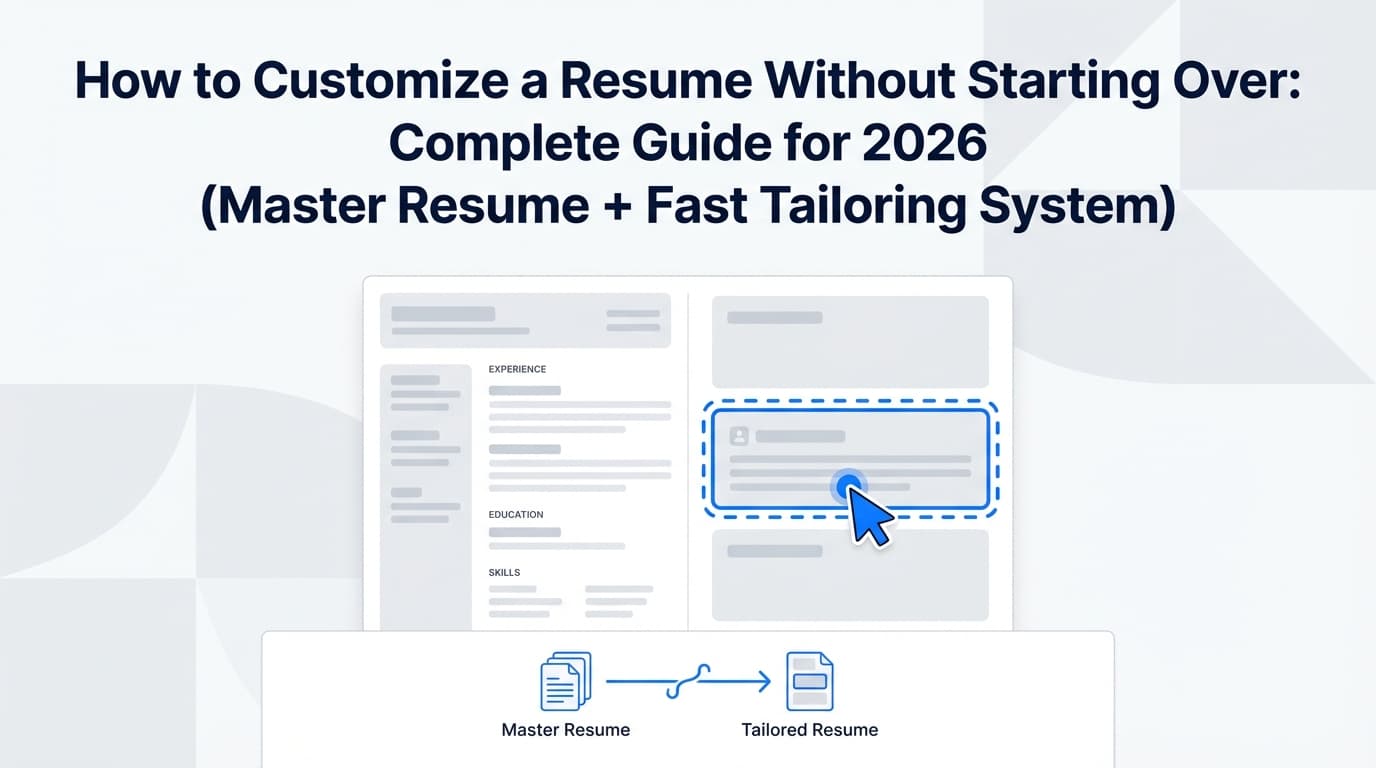
The better approach is a system: build once (your “master resume”), then tailor quickly (your “targeted resume”) using repeatable swaps that don’t break formatting or accuracy.
In this guide, you’ll learn:
- How to build a master resume that makes tailoring fast (without keyword-stuffing or lying)
- A 10–15 minute customization workflow you can repeat for every application
- Exactly what to change (and what not to touch) to avoid starting over
- ATS-safe formatting rules (with sources) + common mistakes
- A practical version control method so you never lose your best resume again
What “customize without starting over” actually means
Customizing your resume without starting over means:
- You keep one stable “base” resume with all your experience and achievements (your master resume).
- For each job, you create a targeted copy where you adjust only the highest-leverage sections:
- headline/summary
- top skills / keywords
- 2–4 bullets in your most relevant roles
- (sometimes) project selection or ordering
The goal isn’t a brand-new resume every time. It’s a role-aligned version that:
- reads like it was written for that job family
- includes relevant keywords in context
- stays ATS-parseable and recruiter-readable
Why this matters in 2026 (ATS + volume realities)
ATS use is widespread (so formatting + keywords matter)
A Tufts career resource states 98.4% of Fortune 500 companies use an ATS. (Confidence: Medium — credible source, but percentage varies by citation)
https://careers.tufts.edu/resources/everything-you-need-to-know-about-applicant-tracking-systems-ats/
A CIO article (citing Capterra research) reports 75% of recruiters use an ATS or another recruiting tool. (Confidence: High — widely repeated across industry sources)
https://www.cio.com/article/284414/applicant-tracking-system.html
The applicant pile is big (so “first impression” is brutal)
Inc. reports that, on average, a corporate job opening attracts ~250 resumes, and only 4–6 candidates get interviewed. (Confidence: High — frequently cited, consistent across multiple career stat roundups referencing Glassdoor)
https://www.inc.com/peter-economy/19-interesting-hiring-statistics-you-should-know.html
You need speed and precision
High-volume applicants tend to face two competing problems:
- Speed: you need to apply consistently without spending hours per application.
- Precision: you still need alignment (keywords + evidence + clarity) to avoid getting filtered out or ignored.
A master resume + modular tailoring system solves both.
The core idea: build a “resume modular system” (so customization is swapping, not rewriting)
Most guides say “tailor your resume.” Few explain how to tailor without chaos.
Here’s the unique angle that makes this repeatable:
Create reusable “modules” you can swap in/out
Think of your resume as LEGO bricks:
- Module A: Summary for “Data Analyst”
- Module B: Summary for “Product Analyst”
- Module C: Skills list emphasizing SQL + dashboards
- Module D: Skills list emphasizing experimentation + metrics
- Module E: 3 bullets that prove stakeholder management
- Module F: 3 bullets that prove automation / efficiency
When you tailor, you’re mostly:
- selecting the right modules
- adjusting language to mirror the job description (truthfully)
- reordering for relevance
This keeps you from rewriting—and protects you from the “oops I deleted my best bullet” problem.
How to customize a resume without starting over: step-by-step (fast workflow)
Step 0 (one-time): Build your master resume correctly
Your master resume is not the resume you submit. It’s your “source of truth.”
Master resume rules:
- Include everything you might want later (projects, metrics, tools, scope)
- Keep extra bullets (you’ll trim later)
- Store proof points (metrics, tools used, outcomes)
- Write bullets as achievement statements, not job descriptions
Why: Tailoring is easier when you have raw material.
Use a bullet framework so your content is “swappable”
Two common frameworks:
-
STAR (Situation, Task, Action, Result) is often used for accomplishment writing. Indeed provides guidance on using STAR for resume bullets. (Confidence: Medium — helpful guidance, not a statistical claim)
https://www.indeed.com/career-advice/resumes-cover-letters/star-method-resume -
CAR (Challenge, Action, Result) is a shorter, resume-friendly variant. (Confidence: Medium — common framework in career resources)
https://ca.indeed.com/career-advice/resumes-cover-letters/challenge-action-result-resume
Master bullet template (copy/paste):
[Action verb] + [what you did] + [tools/skills] + [scope] + [result metric / outcome]
Example (master version):
- Built automated QA checks in Python to validate daily reporting tables (25+ sources), reducing data errors by 38% and cutting analyst rework ~6 hrs/week.
Later, you can tailor this bullet by swapping the “tools” or reframing the result to match the role.
Step 1 (2–3 minutes): Extract the “signal” from the job description
Open the job post and pull out:
- Job title + level (e.g., “Senior Business Analyst”)
- Top 5 responsibilities (what you’ll do)
- Top 8–12 keywords (tools, methods, domains)
- Proof signals (years of experience, industries, outcomes)
Quick method:
- Highlight repeated terms. Repetition often signals priority. (Common advice across university career centers; see example guidance from University of Arizona’s tailoring page.) (Confidence: Medium)
https://career.arizona.edu/resources/tailoring-your-resume/
Output: a short “keyword bank” you’ll map into your resume.
Step 2 (2 minutes): Duplicate your resume and name the file like a professional
Create a copy of your targeted resume so your master stays untouched.
Recommended file naming convention:
FirstName_LastName_Resume_JobTitle_Company.pdf
Indeed has a resume file-name guide emphasizing clarity and consistency (use your name, be brief). (Confidence: Medium)
https://www.indeed.com/career-advice/resumes-cover-letters/resume-file-name
Version control tip (simple but powerful):
- Add a version suffix:
v01,v02when you make significant edits. - For general versioning best practices, Princeton’s records guidance explains version numbering like v01, v02. (Confidence: Medium)
https://records.princeton.edu/records-management-manual/file-naming-conventions-version-control
Step 3 (3 minutes): Tailor the top third (headline + summary + key skills)
This is the highest leverage area because:
- recruiters scan the top first (7.4-second reality)
- ATS often parses sections and keywords early
3A) Update your headline
Before:
Data Analyst
After (tailored):
Data Analyst | SQL, Tableau, Stakeholder Reporting | Experimentation & KPI Dashboards
Only include what you can defend.
3B) Swap your summary module (not rewrite it)
Use a 2–3 line summary that mirrors the job’s priorities.
Summary template:
[Role] with [X years or X-type experience] delivering [outcome] through [top 2–3 skills/tools]. Known for [1 strength aligned to role].
Example (tailored to a Product Analyst role):
Product Analyst with 5+ years building KPI dashboards and experiment reporting to drive conversion and retention decisions. Strong in SQL, Tableau, and stakeholder communication across product and engineering.
3C) Reorder (don’t inflate) your skills
Take your master skills list and reorder it so the most relevant skills appear first.
Do:
- mirror exact tool names when accurate (e.g., “Salesforce” vs “CRM”)
- group skills logically (Analytics, Tools, Methods)
Don’t:
- add skills you don’t have
- keyword-stuff a “keyword dump” section (it can backfire with humans, and some tools warn against stuffing)
Step 4 (5–8 minutes): Tailor 2–4 bullets in your most relevant roles
This is where most people waste time by rewriting everything.
You don’t need to.
Rule: tailor only what the job is screening for.
4A) Prioritize bullets that match the job’s “must haves”
Pick:
- 1–2 bullets from your most recent role
- 1 bullet from the most similar role
- optionally 1 project bullet if it’s extremely aligned
4B) Mirror the language without copying the job post
Job description says: “Built automated reporting pipelines”
Your master bullet says: “Created scripts to generate weekly reports”
Tailored bullet (truthful mirror):
- Built automated reporting pipelines (Python + SQL) to deliver weekly KPI reports to leadership, reducing manual reporting time by 6 hrs/week.
Same achievement. Better alignment.
Step 5 (2 minutes): Check ATS-safe formatting (so your tailored version doesn’t break parsing)
Here are ATS formatting rules supported by credible career resources:
Avoid putting important info in headers/footers
Indeed notes some ATS programs have trouble reading text inside headers and footers and recommends placing contact info in the body instead. (Confidence: High)
https://www.indeed.com/career-advice/resumes-cover-letters/automated-screening-resume
Santa Clara University’s career center toolkit (based on Jobscan guidance) similarly advises avoiding critical info in headers/footers. (Confidence: High)
https://www.scu.edu/careercenter/toolkit/job-scan-common-ats-resume-formatting-mistakes/
Use a single-column, no-table structure when possible
UIC’s career services ATS PDF recommends a single column format and explicitly says no tables, multiple columns, or text boxes. (Confidence: High)
https://careerservices.uic.edu/wp-content/uploads/sites/26/2017/08/Ensure-Your-Resume-Is-Read-ATS.pdf
Fast formatting checklist:
- Contact info in the main body (not header/footer)
- Single column (or at least ATS-safe structure with clean reading order)
- Standard headings (“Experience,” “Education,” “Skills”)
- Simple bullet characters
- Dates consistently formatted
Step 6 (60 seconds): Run a “truth + relevance” check
Before you submit, ask:
- Truth: Can I defend every tool, metric, and claim in an interview?
- Relevance: Does the top half of my resume clearly prove I can do this job?
- Clarity: If someone scans for 7–10 seconds, do they see fit?
Best practices: customize faster without harming quality
1) Tailor to the job family, then lightly tailor to the specific company
Reddit threads and career advice commonly suggest you don’t need a brand-new resume for every posting—you need a small set of versions for each job family (e.g., “Backend Engineer,” “Data Analyst,” “Program Manager”). (Confidence: Medium — practical consensus, not a hard statistic)
Example discussion surfaced in SERPs: https://www.reddit.com/r/jobs/comments/16gc2cd/yall_still_tailoring_your_resume_to_every_single/
Practical system:
- Build 2–4 “base variants” (job families)
- For each application, do a micro-tailor (summary + skills + 2 bullets)
2) Keep a “keyword bank” per role type
Maintain a small list per job family:
- tools (SQL, Python, Excel, Tableau, Looker…)
- methods (A/B testing, forecasting, stakeholder management…)
- domains (fintech, B2B SaaS, healthcare…)
Then, when a job post mentions “stakeholder management,” you don’t scramble—you insert the module that already demonstrates it.
3) Don’t chase a perfect “ATS score”
A lot of job seekers become obsessed with match rates. That often leads to:
- inflated skills lists
- keyword stuffing
- awkward, robotic bullets
Better goal: be findable + be believable.
4) Keep your formatting stable (so edits don’t break layout)
If your resume format “explodes” every time you change one bullet, you’ll subconsciously avoid tailoring.
Use a format that tolerates edits:
- consistent spacing
- predictable headings
- restrained styling
Examples: customizing without rewriting (before/after)
Example 1: Summary swap (Data Analyst → Product Analyst)
Master summary (generic):
Analyst with experience in reporting, dashboards, and cross-functional projects.
Tailored summary (Product Analyst role):
Product Analyst with 5+ years building KPI dashboards and experiment reporting to improve conversion and retention. Strong in SQL, Tableau, and stakeholder communication across product and engineering.
What changed:
- swapped vague terms (“reporting”) for role-relevant terms (“KPI dashboards,” “experiment reporting”)
- added outcomes that match product analytics
- kept it short and defensible
Example 2: Bullet mirror (same achievement, better alignment)
Job post keywords: automate, pipeline, dashboards, stakeholders
Before (master bullet):
- Created weekly reports and dashboards for leadership.
After (tailored):
- Built automated SQL reporting pipelines and Tableau dashboards for weekly leadership KPI reviews, improving reporting accuracy and reducing manual prep time.
What changed:
- added tools in context (if true)
- used the job’s vocabulary (“pipeline,” “automated,” “KPI”)
- improved specificity
Example 3: Skills reorder (same skills, different emphasis)
Before (master):
- Skills: Excel, PowerPoint, SQL, Tableau, Python, Jira, Confluence
After (tailored to analytics role):
- Skills: SQL, Tableau, Python, Excel | Jira, Confluence | Stakeholder Reporting
What changed:
- same skills, but front-loaded the screening criteria
Common mistakes to avoid (that force you to “start over”)
Mistake 1: Editing your master resume directly
If you tailor inside your only copy, you will eventually:
- delete great bullets
- lose metrics
- forget which version performed best
Fix: keep a master resume + targeted copies + version naming.
Mistake 2: Tailoring everything (and burning out)
Customizing every bullet on every job is rarely sustainable for high-volume applicants.
Fix: tailor the top third + 2–4 bullets + skills reorder.
Mistake 3: Breaking ATS parsing with layout choices
Two common parsing risks supported by career resources:
- headers/footers (Indeed, SCU guidance)
- tables/columns/text boxes (UIC ATS PDF)
Fix: keep critical content in the main body and use a clean structure.
Mistake 4: Keyword stuffing instead of proving skills
If your skills list reads like a glossary, a recruiter may assume you’re padding.
Fix: place keywords where they belong:
- in bullets (evidence)
- in projects (proof)
- in skills (inventory)
Tools to help you customize without starting over
You can tailor manually in Word/Google Docs, but tools can speed up the “compare resume vs job description” step.
JobShinobi (resume building + versioning + job matching)
JobShinobi includes:
- a LaTeX resume editor with PDF preview/compilation
- resume version history (so you can revert changes instead of starting over)
- AI resume analysis and resume-to-job matching (paste a job description or URL, see alignment and keyword gaps)
If you want to keep your formatting stable while producing multiple tailored versions, version history + structured editing can reduce the “I broke my resume again” problem.
Pricing (accuracy note):
- JobShinobi Pro is $20/month or $199.99/year.
- The pricing page mentions a “7-day free trial,” but trial mechanics are not clearly verified in code, so treat it as “mentioned” rather than guaranteed.
(Confidence: High on price; Medium on trial)
You can find the resume area here (after sign-in): Resume dashboard.
If you’re managing lots of applications, JobShinobi also has a job tracker at /dashboard/job-tracker.
Note: JobShinobi supports Google sign-in (not email/password). (Confidence: High)
Other tool categories (use with caution)
- ATS formatting checkers: good for catching obvious parsing risks, but scores can vary by tool.
- Chat-based AI editors: useful for rewrite suggestions, but always verify facts and keep language natural.
A simple “15-minute tailoring checklist” (copy/paste)
Job: __________ | Company: __________ | Job family: __________
1) Extract keywords (2–3 min)
- Must-have tools: __________
- Must-have methods: __________
- Must-have outcomes: __________
2) Top third (3 min)
- Headline matches role
- Summary module swapped
- Skills reordered (no lies)
3) Experience (5–8 min)
- Tailor 2–4 bullets
- Add keywords in context
- Reorder bullets (most relevant first)
4) ATS formatting (1–2 min)
- No critical info in headers/footers (Indeed guidance)
- Avoid tables/text boxes/columns where possible (UIC guidance)
- Standard section headings
5) Truth + clarity (1 min)
- Every claim defensible
- First 10 seconds scream “fit”
Key takeaways
- “Customize without starting over” = master resume + modular swaps + strict version control
- Tailor the top third and 2–4 bullets, not your entire life story
- Keep formatting ATS-safe: avoid headers/footers for key info and avoid tables/text boxes when possible (sources above)
- Use a repeatable workflow so you can apply consistently without resume chaos
FAQ (People Also Ask–style)
How to tailor a resume faster?
Use a master resume + a fixed checklist:
- extract keywords, 2) swap summary, 3) reorder skills, 4) tailor 2–4 bullets. Avoid rewriting everything.
Should I modify my resume for each job?
Modify it enough to match the role. A practical approach is:
- tailor to the job family (a few core resume versions)
- then do a quick micro-tailor for each posting (summary + skills + a couple bullets)
Can ATS systems read columns or tables?
Some career resources recommend avoiding them because they can interfere with parsing. UIC’s ATS guidance explicitly recommends single column and no tables/multiple columns/text boxes.
https://careerservices.uic.edu/wp-content/uploads/sites/26/2017/08/Ensure-Your-Resume-Is-Read-ATS.pdf
Should I put my contact info in the header?
Many ATS guides recommend not placing critical info in headers/footers. Indeed notes ATS programs may have trouble reading text inside headers and footers.
https://www.indeed.com/career-advice/resumes-cover-letters/automated-screening-resume
Is DOCX or PDF better for ATS?
It depends on the employer’s system and instructions. Many ATS guides suggest DOCX can be safer for parsing, while PDF preserves formatting. If the employer specifies a format, follow it. If unsure, prioritize what the application system requests.
Can ChatGPT rewrite an existing resume?
Yes—but you should verify every claim, keep language natural, and avoid adding skills you don’t have. AI is best used for:
- rephrasing bullets you already wrote
- tightening wording
- suggesting keyword-aligned phrasing you can truthfully support
How do you name different versions of your resume?
Use a consistent naming convention like:
First_Last_Resume_JobTitle_Company_v01.pdf
For general version numbering logic (v01, v02), see Princeton’s version control naming guidance:
https://records.princeton.edu/records-management-manual/file-naming-conventions-version-control
How many resumes does one job opening get on average?
Inc. reports an average of about 250 resumes per corporate opening, with only 4–6 candidates getting interviews.
https://www.inc.com/peter-economy/19-interesting-hiring-statistics-you-should-know.html