Recruiters don’t read your resume like a novel. In a widely cited eye‑tracking study, recruiters spent about 7.4 seconds on the initial resume screen—meaning your layout, headings, and first few bullets have to “work” almost immediately.
Source: TheLadders eye‑tracking study (2018 PDF) and summaries referencing it (e.g., HR Dive). Confidence: High (primary PDF + broad secondary coverage).
- PDF: https://www.theladders.com/static/images/basicSite/pdfs/TheLadders-EyeTracking-StudyC2.pdf
- HR Dive recap: https://www.hrdive.com/news/eye-tracking-study-shows-recruiters-look-at-resumes-for-7-seconds/541582/
At the same time, AI makes it easy to generate resumes quickly—sometimes too quickly. A Resume Now survey reports that 62% of employers say AI-generated resumes without customization are more likely to be rejected, and 78% say personalized details signal genuine interest and fit.
Source: Resume Now “AI Applicant Report.” Confidence: Medium (vendor survey; specific metrics, widely cited).
https://www.resume-now.com/job-resources/careers/ai-applicant-report
This guide will help you avoid the biggest AI powered resume builder mistakes to avoid—the ones that lead to:
- ATS parsing issues (your resume gets scrambled in the system)
- “Robot resume” vibes (generic, over-polished language)
- Keyword stuffing that hurts human credibility
- Inaccurate claims you can’t defend in interviews
- Chaos from managing multiple tailored versions
In this guide, you’ll learn:
- What an AI-powered resume builder is (and what it can’t do)
- A repeatable Trust‑But‑Verify workflow to create a strong resume with AI
- The 25 most common mistakes (with fixes and examples)
- A practical QA checklist you can reuse for every application
- Tools to help—including where JobShinobi fits naturally (accurately and without feature exaggeration)
What is an AI-powered resume builder?
An AI-powered resume builder is a tool that uses AI (often large language models) to help you create, rewrite, score, or tailor a resume. Common capabilities include:
- Drafting summaries and bullet points from your inputs
- Rewriting bullets to be clearer or more impact-focused
- Suggesting keywords based on a job description
- Checking for ATS-friendly formatting issues (depends on the tool)
- Providing scoring/feedback models (“ATS score,” “match rate,” etc.)
The key misconception: AI doesn’t know what’s true about your experience unless you provide it. And even then, it can output content that sounds plausible but is inaccurate, exaggerated, or irrelevant.
The goal isn’t to “use AI.” The goal is to ship a resume that is:
- truthful (every claim defensible),
- parsable (ATS-safe), and
- skimmable (7.4 seconds to earn a deeper read).
Why these mistakes matter more in 2026
1) ATS usage is common—especially at large employers
Many organizations use applicant tracking systems to manage inbound applications. Jobscan reports that 98.4% of Fortune 500 companies use an ATS.
Source: Jobscan “State of the Job Search.” Confidence: Medium (vendor research, but consistently referenced and plausible for the Fortune 500 context).
https://www.jobscan.co/state-of-the-job-search
What this means for you: your resume has to be readable as structured text—not as a piece of graphic design.
2) AI is being used by employers—and increasingly by candidates
In iHire’s 2025 report, 32.1% of employers who use AI said they leverage it to screen applicants and resumes, up from 11.6% in 2024.
Source: iHire “State of Online Recruiting 2025.” Confidence: Medium (survey-based, but clearly stated).
https://www.ihire.com/resourcecenter/employer/pages/the-state-of-online-recruiting-2025
3) Small errors can have a measurable penalty
A peer‑reviewed study found that resumes with spelling errors faced a significant hiring penalty. Specifically, five spelling errors reduced interview probability by about 18.5 percentage points compared to error‑free resumes.
Source: PLOS ONE (2023) “Why and when spelling errors in resumes jeopardise interview chances.” Confidence: High (peer-reviewed, primary source).
https://journals.plos.org/plosone/article?id=10.1371/journal.pone.0283280
The “Trust‑But‑Verify” principle (your north star)
Using AI effectively is less about clever prompts and more about a repeatable process.
Trust AI for speed. Verify AI for truth, relevance, and readability.
A strong AI resume workflow should prevent four “silent failures”:
- Hallucinations (made-up responsibilities/tools/metrics)
- Homogenization (your resume sounds like everyone else’s)
- ATS breakage (tables, columns, headers/footers, weird symbols)
- Version chaos (you tailor fast, then forget what you submitted where)
How to use an AI-powered resume builder safely: Step-by-step workflow
Step 1: Build a “Source of Truth” file (the input that prevents hallucinations)
Before you open any AI tool, create a simple document (Google Doc is fine) with:
- Exact job titles + dates (month/year)
- Company name + location (or Remote)
- What you owned (scope)
- Tools you actually used (real stack)
- Outcomes + metrics (even rough, but defensible)
- 2–3 STAR stories per role (Situation, Task, Action, Result)
Pro tip: If a metric is approximate, keep notes on how you estimated it (dashboards, project trackers, billing reports, ticket volume). Don’t guess.
Step 2: Start with ATS-safe structure (before AI rewrites)
A surprising number of AI resume issues are formatting issues. Even great content fails when parsing breaks.
A common best practice is to use standard headings (e.g., “Work Experience,” “Education,” “Skills”) that ATS can recognize. Indeed explicitly recommends standard headings in ATS resume guidance.
Source: Indeed ATS resume template guidance. Confidence: High (authoritative career platform).
Example: https://www.indeed.com/career-advice/resumes-cover-letters/ats-resume-template
ATS-safe structure (baseline):
- Header (Name, City/State, Email, Phone, LinkedIn)
- Summary (optional, 2–3 lines)
- Skills (tight, role-relevant)
- Experience (bullets with outcomes)
- Education
- Certifications / Projects (optional)
Step 3: Use AI for bullet rewriting, not full resume generation
AI is best at editing specific pieces of text, not inventing your story.
Use AI to:
- rewrite bullets for clarity and impact
- shorten bulky bullets into 1–2 lines
- translate jargon into recruiter-friendly language
- tailor your top bullets to match job requirements
Avoid using AI to:
- create an entire resume from scratch with vague prompts
- guess at metrics or tools
- rewrite everything into generic corporate language
Step 4: Tailor strategically (top third of the page first)
Because the initial read is fast (7.4 seconds), you should tailor the part that gets seen first:
- Target title / headline
- Summary (if included)
- Top 3–5 bullets under the most recent role
- Skills list (only if truthful)
Better than “tailor everything”: tailor what gets scanned first.
Step 5: Run a QA “red team” pass (this is where most people skip)
Before you submit, validate three layers:
- Truth layer: every claim defensible in interview
- ATS layer: parsing + headings + formatting
- Human layer: skimmable + specific + not robotic
If you do nothing else, do the plain-text paste test:
- Copy your resume text
- Paste into a plain text editor
- If dates/companies/bullets scramble, ATS may scramble too
Step 6: Save versions and track submissions
AI makes tailoring faster—which increases the risk of losing track.
Minimum tracking fields:
- Company
- Role
- Date applied
- Resume version name
- Link to the posting
Where JobShinobi fits (accurately): JobShinobi includes a resume workflow with version history, AI resume analysis, and job matching against a job description/URL—useful for tailoring while keeping versions organized. It also includes a job application tracker.
25 AI Powered Resume Builder Mistakes to Avoid (with fixes and examples)
Below are the mistakes that show up repeatedly across AI resume advice, ATS formatting guidance, and recruiter feedback. They’re grouped into five categories so you can diagnose quickly.
Category A — Strategy mistakes (the big-picture errors)
Mistake #1: Treating AI as the author instead of the editor
Symptom: Your resume reads like polished filler and doesn’t sound like you.
Fix: Write “source material” first. Then use AI to:
- compress
- clarify
- quantify
- tailor
Quick check: If you can’t tell which bullets are uniquely yours, it’s too generic.
Mistake #2: Not customizing (the #1 reason AI resumes get rejected)
Resume Now’s survey found 62% of employers say AI-generated resumes without customization are more likely to be rejected.
Source: Resume Now report. Confidence: Medium.
https://www.resume-now.com/job-resources/careers/ai-applicant-report
Fix: Customize at least:
- target title
- top 3–5 bullets
- skills list ordering
Timebox: 12–20 minutes per application is often enough if you have a strong base resume.
Mistake #3: Applying with one “master resume” to every job
Symptom: You’re “qualified,” but not getting interviews.
Fix: Keep 2–3 base resumes by job family, e.g.:
- Data Analyst (business metrics)
- Analytics Engineer (dbt/ELT/warehouse)
- Product Analyst (experimentation + stakeholder work)
Then tailor from the closest base.
Mistake #4: Over-optimizing for ATS scores (instead of recruiter comprehension)
Match scores are feedback, not reality.
Jobscan recommends aiming for a ~75% match rate and warns that forcing 100% can make resumes sound unnatural.
Source: Jobscan homepage/video pages (and career center references). Confidence: Medium.
Example: https://www.jobscan.co/ (match rate snippet appears in search results and Jobscan pages)
Fix: Use scoring to catch gaps, but always ask:
- “Does this bullet prove I can do the job?”
- “Could I defend this in a 1:1 interview?”
Mistake #5: Using AI to mass-produce 50 applications/week with low signal
High volume + low specificity often equals low response.
Fix: Choose a manageable volume and increase quality:
- strong tailoring
- better targeting
- clearer outcomes
Bonus: track results (callbacks) by resume version so you can learn what works.
Category B — Truth & credibility mistakes (the ones that get you rejected later)
Mistake #6: Letting AI invent tools, titles, or credentials (hallucinations)
Symptom: AI adds “Kubernetes” or “Tableau” because it appears in the job description—even if you didn’t use it.
Fix: Hard rule:
- If it’s not in your source-of-truth doc, it doesn’t go on the resume.
- If you’re learning it, that belongs in a learning section only if relevant and truthful (and often better on LinkedIn than on a resume).
Mistake #7: Inflating scope (“led cross-functional team” when you didn’t)
Why it’s dangerous: It’s easy to get past a scan and fail an interview.
Fix: Replace inflated leadership language with accurate ownership language:
- “Owned analytics for X”
- “Partnered with Y”
- “Drove implementation of Z”
- “Presented findings to stakeholders”
Mistake #8: Using vague metrics (“significantly improved,” “massively reduced”)
Fix: Replace with measurable or bounded metrics:
- time: “from 6 hours to 45 minutes”
- volume: “~2,000 records/day”
- error rate: “reduced failures by 30%”
- money: “cut spend by $12K/month”
- cycle time: “reduced by 2 days”
If you can’t measure, use constrained proxies:
- “reduced manual steps from 8 to 3”
- “standardized definitions across 4 teams”
Mistake #9: Including claims you can’t explain in 30 seconds
Fix: The “30-second defense” test: For each bullet, can you answer:
- What problem existed?
- What did you do?
- What changed?
- How do you know?
If not, simplify or remove.
Mistake #10: Copying job description text into your resume
Symptom: Your resume mirrors the JD phrasing with no proof.
Fix: Translate requirements into evidence:
- JD: “stakeholder management”
- Resume: “Partnered with RevOps + Finance to define KPI definitions; reduced weekly reporting disputes and improved forecast accuracy.”
Category C — Content quality mistakes (why it sounds generic)
Mistake #11: Using “resume-ese” filler phrases AI loves
Examples:
- “results-driven professional”
- “dynamic team player”
- “leveraged synergies”
- “responsible for…”
Fix: Replace with action + tool + outcome.
Before → After example
Before: Responsible for improving reporting processes across teams.
After: Rebuilt KPI dashboard in SQL + Looker, cutting reporting time from 6 hours/week to 45 minutes and aligning metric definitions across Marketing and Sales Ops.
Mistake #12: Writing paragraphs instead of skimmable bullets
With ~7.4 seconds on first pass, paragraphs are a liability.
Source: TheLadders study. Confidence: High.
Fix: Keep bullets 1–2 lines and lead with outcome or action.
Mistake #13: Repeating the same verbs and sentence structure
AI outputs often start every bullet with:
- “Developed…”
- “Utilized…”
- “Leveraged…”
Fix: Build a verb bank and rotate:
- Built, Automated, Reduced, Improved, Shipped, Designed, Implemented, Standardized, Migrated, Diagnosed, Delivered, Led, Partnered, Owned, Launched
Mistake #14: Making everything sound “executive” (even for junior roles)
Symptom: A junior candidate with bullets like “spearheaded strategic initiatives.”
Fix: Align tone with level:
- Junior: “Supported,” “Built,” “Implemented,” “Analyzed”
- Mid: “Owned,” “Drove,” “Designed,” “Improved”
- Senior: “Led,” “Architected,” “Scaled,” “Mentored,” “Influenced”
Mistake #15: Listing skills without evidence in experience bullets
Symptom: “Python, SQL, Airflow, dbt…” but none appear in bullets.
Fix: For top 6–10 skills, include at least one bullet that proves each (or group them in project bullets).
Category D — ATS & formatting mistakes (the silent killers)
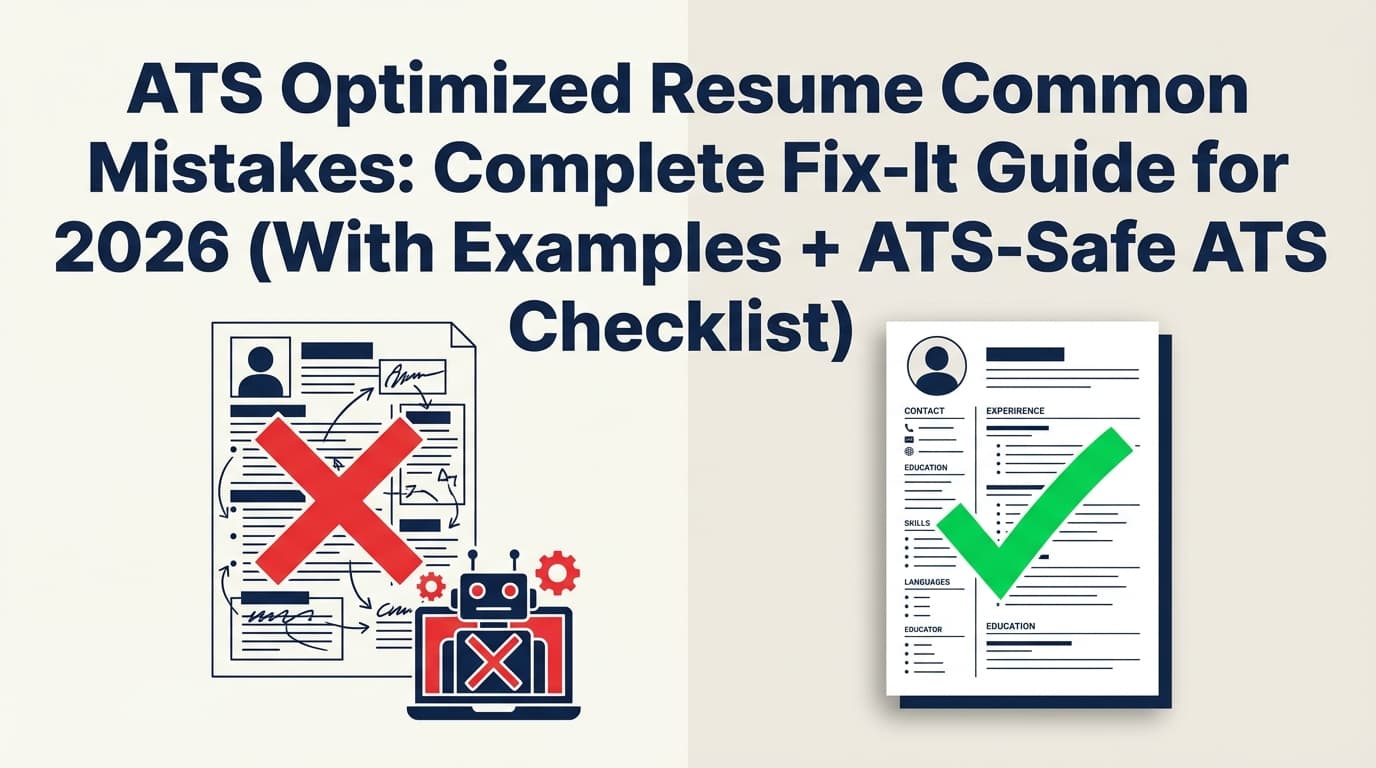
Mistake #16: Using tables, columns, or text boxes that break parsing
ATS formatting guidance commonly warns that complex formatting can cause parsing errors.
For example, Remote’s ATS-friendly resume guide includes a section on common ATS resume mistakes and formatting tips.
Source: Remote ATS-friendly formatting guide. Confidence: Medium (credible HR brand; guidance aligns with broader ATS advice).
https://remote.com/blog/jobs-talent/ats-friendly-resume
Fix:
- Use a simple single-column layout for Experience/Education
- Avoid tables for skills
- Avoid text boxes and icons as labels
Mistake #17: Putting key info in headers/footers
Some ATS parsers may ignore or misread header/footer content.
Fix: Keep contact info in the main document body.
Mistake #18: Non-standard section headings
ATS often relies on recognizable headings. Indeed recommends standard headings.
Source: Indeed ATS resume template guidance. Confidence: High.
Fix: Use:
- Work Experience / Experience
- Education
- Skills
- Projects
- Certifications
Mistake #19: Inconsistent date formatting
Symptom: AI “cleans up” dates inconsistently.
Fix: Choose one and stick with it:
MMM YYYY – MMM YYYY(e.g., Jan 2022 – Sep 2024)- or
YYYY – YYYY(if you prefer)
Mistake #20: Over-designing your resume into a marketing brochure
A beautifully designed resume that doesn’t parse is still a problem.
Fix: Prioritize:
- parseability
- skimmability
- aesthetics (minimal)
Category E — Workflow mistakes (where AI makes you faster… and sloppier)
Mistake #21: Not proofreading because “AI already did”
Typos still matter—and the penalty can be measurable.
Source: PLOS ONE (18.5 percentage points lower interview probability with five spelling errors). Confidence: High.
Fix: Two-pass proofreading:
- Read aloud (catch awkward phrasing)
- Print preview or PDF review (catch formatting and spacing)
Mistake #22: Tailoring too much and losing your “core” resume
AI makes it easy to overwrite your best version.
Fix: Keep:
- a “Base Resume – Core”
- a “Base Resume – [Role family]”
- then “Tailored – Company – Role – Date”
Where JobShinobi can help (accurately): JobShinobi supports resume version history so you can experiment and revert.
Mistake #23: Submitting the wrong version to the wrong job
This is extremely common in high-volume searches.
Fix: Keep a job tracker and link the resume version to the application.
Where JobShinobi can help (accurately): JobShinobi includes a job application tracker, and it supports email-forwarding-based job tracking—but note: email processing is Pro-gated (requires Pro membership).
Mistake #24: Sharing too much personal data with tools without thinking
This isn’t about paranoia—it’s about smart hygiene.
Fix:
- Avoid uploading SSNs, full addresses, or sensitive details
- Consider removing phone number if not required for your region/industry norms
- Use reputable tools and review privacy policies
- Store your own “source-of-truth” locally
Guidance angle: University career centers increasingly encourage responsible AI use and keeping your personal voice in materials.
Source: USC Career Center AI Guidelines. Confidence: Medium (institutional guidance; not a quantitative study).
https://careers.usc.edu/ai-guidelines/
Mistake #25: Not measuring results (you can’t improve what you don’t track)
Fix: Track:
- applications sent
- responses
- interviews
- offers
Then correlate outcomes with resume versions and job families.
Where JobShinobi can help (accurately): JobShinobi includes job search analytics derived from your tracked applications (response rate, offer rate, etc.).
A practical “AI Resume QA” checklist (copy/paste)
1) Truth & credibility
- Every tool/skill listed is something I’ve actually used (or can honestly explain)
- No inflated titles, fake credentials, or invented metrics
- Every bullet passes the “30-second interview defense” test
2) ATS & formatting
- Standard section headings (Experience, Education, Skills)
- No tables/text boxes/icons-only labels
- Single-column layout for Experience/Education
- Dates are consistent
- Plain-text paste test reads cleanly
3) Skimmability (7.4-second test)
- Target title matches the job title (or close equivalent)
- First 3 bullets show my most relevant, measurable impact
- Skills are prioritized by relevance, not by vanity
4) Tailoring quality
- Keywords appear naturally in context (not stuffed)
- I can point to at least 2 bullets that directly map to the JD’s top requirements
- Resume still reads like a human wrote it
5) Submission hygiene
- Correct file format per instructions (PDF/DOCX)
- Professional filename:
First_Last_Role_Resume.pdf - I saved this exact version and logged it in my tracker
Tools to help you avoid AI resume builder mistakes (honest recommendations)
JobShinobi (AI resume + job matching + versioning + tracking)
JobShinobi is built for ATS-focused job seekers and supports:
- LaTeX resume editing with PDF compilation/preview inside the app
- AI resume analysis (scores + detailed feedback)
- Job description extraction and resume-to-job matching (compare your resume vs. a job)
- AI-assisted resume editing (agent/chat workflow)
- Resume version history
- Job application tracker, including an email-forwarding workflow that can automatically log job application emails (requires Pro membership)
Pricing (verified): JobShinobi Pro is $20/month or $199.99/year.
Trial note: The pricing page mentions a “7-day free trial,” but trial mechanics aren’t fully verifiable from code; treat the trial as unverified.
Internal links:
- Resume hub: /dashboard/resume
- Resume editor: /dashboard/resume/editor
- Job tracker: /dashboard/job-tracker
- Analytics: /dashboard/analytics
- Pricing/subscription: /subscription
ATS formatting guidance (reference checks)
- Remote ATS formatting and mistakes: https://remote.com/blog/jobs-talent/ats-friendly-resume (Confidence: Medium)
- Indeed ATS resume template guidance: https://www.indeed.com/career-advice/resumes-cover-letters/ats-resume-template (Confidence: High)
Benchmarking and “score obsession” guardrails
- Jobscan match-rate guidance (aim ~75%): https://www.jobscan.co/ (Confidence: Medium)
Key takeaways
- AI is powerful for editing and tailoring, but it can also create generic language, ATS formatting problems, and unverifiable claims.
- Recruiters may spend ~7.4 seconds on an initial screen—optimize the top third of your resume first. (TheLadders, High confidence)
- Customization matters: one survey reports 62% of employers are more likely to reject non-customized AI resumes. (Resume Now, Medium confidence)
- Proofreading isn’t optional: spelling errors can reduce interview probability by ~18.5 percentage points. (PLOS ONE, High confidence)
- A repeatable Trust‑But‑Verify QA workflow beats prompt hacks every time.
FAQ (People Also Ask–style)
Is it bad if my resume is AI-generated?
Not automatically. What hurts is a resume that’s generic, inaccurate, or uncustomized. Employers appear especially sensitive to AI output that lacks personalization. (Resume Now survey, Medium confidence)
Do employers reject AI-generated resumes?
Some do—particularly when it’s obvious the resume wasn’t tailored. Resume Now reports 62% of employers say AI-generated resumes without customization are more likely to be rejected. (Medium confidence)
Can employers detect AI resumes?
Often they don’t need a detector. Common tells include:
- repeated buzzwords and bland verbs
- perfect grammar but vague content
- “too polished” tone without real detail
- claims you can’t explain in an interview
How do I make sure my resume gets past ATS?
Use ATS-safe fundamentals:
- standard headings
- simple formatting (avoid tables/columns)
- keywords in context
- measurable outcomes
(Indeed ATS guidance, High confidence)
What is a good resume match rate?
As a guideline, Jobscan commonly recommends aiming for ~75% match rate and warns against forcing 100% because it can become unnatural. (Medium confidence)
How long do recruiters spend looking at a resume?
One eye-tracking study reported an initial screen around 7.4 seconds. (TheLadders 2018 PDF + HR Dive summary, High confidence)
Do typos really matter that much?
Yes. A peer-reviewed study found that five spelling errors reduced interview probability by about 18.5 percentage points compared to error-free resumes. (PLOS ONE, High confidence)
Should I submit my resume as PDF or Word?
Follow the application instructions. If unclear:
- PDF preserves layout but may parse poorly in some systems
- DOCX can be safer for older ATS setups
(Indeed discusses file format tradeoffs; High confidence)