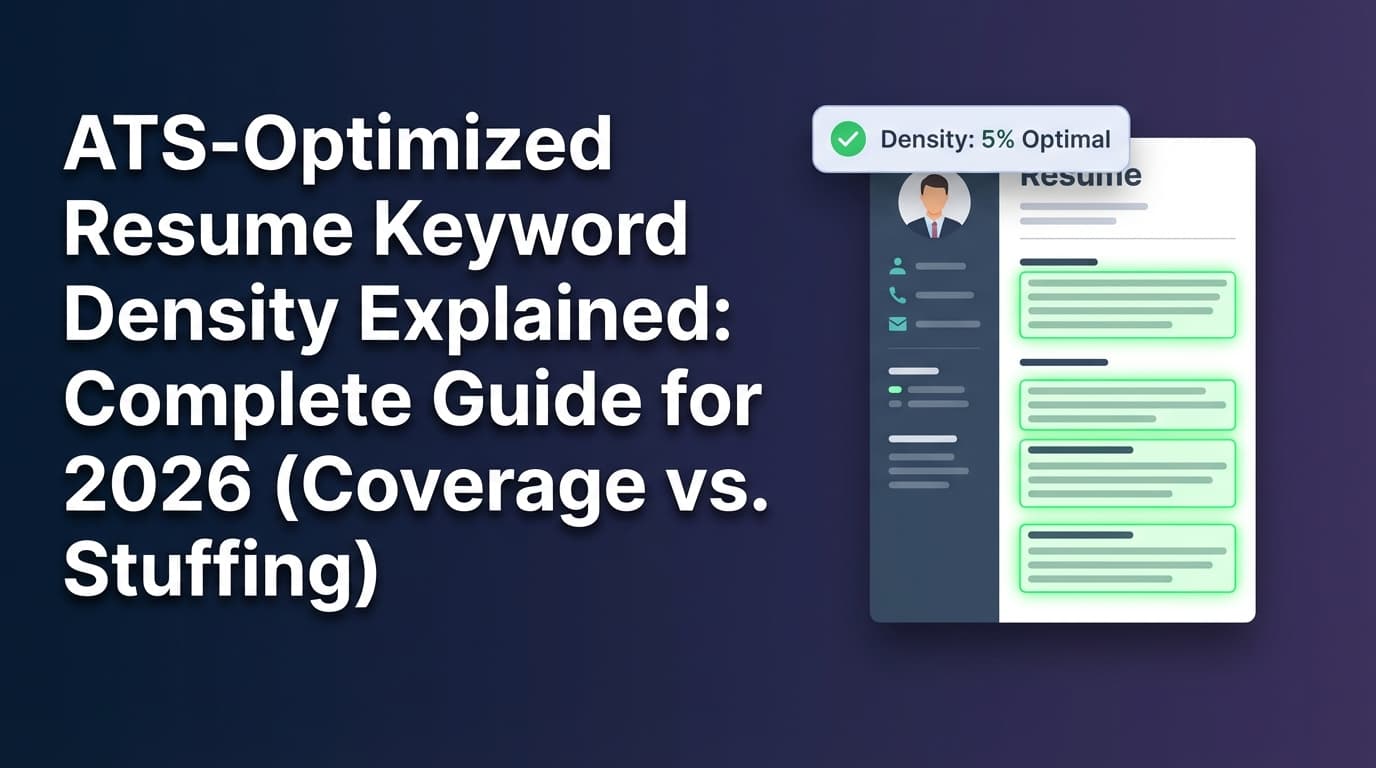
You can do everything “right” in your job search—apply early, write cover letters, network—and still feel like your resume is getting filtered out before a human ever sees it.
That’s why job seekers fixate on ATS keyword density: “If I just repeat the right words often enough, the ATS will pass me.”
But here’s the truth: keyword density is usually the wrong primary metric. It’s a useful sanity check, not a strategy.
ATS is widespread in enterprise hiring: Workday states that more than 98% of Fortune 500 companies use an applicant tracking system (ATS). (Source: https://www.workday.com/en-us/topics/hr/applicant-tracking-system.html) MIT’s career office similarly notes about 99% of Fortune 500 companies use some form of ATS. (Source: https://capd.mit.edu/resources/make-your-resume-ats-friendly/)
So yes, optimization matters—but the winning approach is keyword coverage + correct placement + proof, not repetition.
In this guide, you’ll learn:
- What “ATS keyword density” means (with a simple formula)
- The difference between keyword density, keyword coverage, and keyword context
- A step-by-step method to tailor your resume without keyword stuffing
- Examples (bad vs. good) and a “keyword map” template you can copy
- Common ATS formatting mistakes that hide your keywords
- Tools that can speed up keyword alignment (without overpromising results)
What is ATS resume keyword density?
ATS resume keyword density is the percentage of your resume’s total words made up by a specific keyword (or phrase).
The basic formula
A commonly used calculation is:
Keyword Density (%) = (Keyword occurrences ÷ Total word count) × 100
This same formula is often cited in resume-optimization posts (e.g., Medium tutorials that show “Keyword Density = (Keywords in Resume / Total Words in Resume) x 100”). (Source: https://medium.com/illumination/how-to-optimize-your-resume-for-ats-a-step-by-step-guide-ba93703a4a09)
Quick example
- Resume length: 650 words
- Keyword phrase: “data analysis”
- Times it appears: 6
Density = (6 ÷ 650) × 100 = 0.92%
Why density is easy to misuse
Density measures repetition, not relevance. It doesn’t tell you:
- Whether you included the right keywords
- Whether the keyword appears where ATS + recruiters look for it
- Whether you proved the skill with outcomes (instead of just listing it)
If you chase density as a target, you often end up with:
- keyword stuffing
- awkward, repetitive summaries
- bloated skills sections that don’t match your actual experience
ATS optimization vs. keyword density (not the same thing)
Job seekers often treat these as synonyms. They’re different.
ATS optimization = being parseable + searchable + readable
ATS optimization is about whether an ATS can accurately read your resume and whether recruiters can search it effectively.
University career centers consistently recommend avoiding formatting elements that can cause parsing issues. For example:
- MIT cautions against images, text boxes, tables, and fancy graphics that may be distorted or ignored by ATS. (Source: https://capd.mit.edu/resources/make-your-resume-ats-friendly/)
- The University of Maryland advises: “Avoid tables or columns on your resume, as they may cause major parsing errors.” (Source: https://careers.umd.edu/find-jobs-internships/resumes-cover-letters/resume-how-to-guide)
Keyword density = how often a word appears
Density is just frequency. It’s not a guarantee your resume will:
- parse correctly
- rank highly in a recruiter’s search
- read well to humans
Bottom line: ATS optimization is your foundation. Keyword density is, at best, a small diagnostic.
Why this matters in 2026 (with research-backed context)
1) ATS usage is extremely common in large employers
- Workday: more than 98% of Fortune 500 companies use an ATS. (Source: https://www.workday.com/en-us/topics/hr/applicant-tracking-system.html)
- MIT: about 99% of Fortune 500 companies use ATS. (Source: https://capd.mit.edu/resources/make-your-resume-ats-friendly/)
Whether your resume is reviewed by a recruiter, hiring manager, or sourcer, it’s highly likely your application flows through an ATS first.
2) Recruiters skim fast (so keyword placement matters)
The Ladders’ eye-tracking research is widely cited for showing recruiters can make an initial judgment quickly—7.4 seconds is the commonly quoted figure. (Source: https://www.theladders.com/career-advice/you-only-get-6-seconds-of-fame-make-it-count) HR Dive also references the 7.4 seconds average skim time and notes successful resumes were easier to scan. (Source: https://www.hrdive.com/news/eye-tracking-study-shows-recruiters-look-at-resumes-for-7-seconds/541582/)
Implication: even if your ATS keywords are present, they must be easy for a human to verify quickly.
3) ATS adoption isn’t only enterprise—small businesses use it too
Research Nester reports 67% of large companies rely on ATS software, while 35% of small businesses rely on it (as part of ATS market research). (Source: https://www.researchnester.com/reports/applicant-tracking-system-market/4819)
Implication: “ATS-friendly” formatting and keyword practices are broadly useful, not just for Fortune 500 roles.
4) The ATS market continues to grow
Fortune Business Insights projects the ATS market to grow from $17.22B in 2025 to $30.51B by 2032 (CAGR 8.5%). (Source: https://www.fortunebusinessinsights.com/applicant-tracking-system-market-108826)
Implication: more ATS adoption + more AI screening layers = more value in building resumes that are both structured and accurately keyword-aligned.
The real goal: the 3 keyword metrics that matter more than density
If you want a practical framework, use these three:
1) Keyword coverage (did you include the important terms?)
Coverage means: from the job description, did you include the core required skills/tools/responsibilities at least once (truthfully)?
Example:
- If a recruiter searches “Tableau” and you never wrote “Tableau,” you might not appear—even if you wrote “data visualization” 10 times.
Coverage beats density because recruiter search is often literal.
2) Keyword placement (is it where ATS + humans expect it?)
The same keyword can perform very differently depending on where it appears.
Strong placement zones:
- Headline / target title
- Summary
- Skills (clean, grouped)
- Experience bullets (most important)
- Projects / certifications (great for tools you used outside work)
3) Keyword context (did you prove it?)
Context means the keyword appears inside a sentence that demonstrates competence:
- Weak (keyword-only): “SQL, dashboards, reporting”
- Strong (keyword + proof): “Built SQL queries and Tableau dashboards to automate weekly reporting, reducing manual analysis by 6 hours/week.”
This is what protects you from keyword-stuffing vibes and makes your resume credible in interviews.
What ATS systems actually do with keywords (plain English)
Most ATS workflows involve some combination of:
-
Parsing
Converting your resume into structured fields (name, email, job titles, dates, skills, etc.). -
Indexing / search
Recruiters search the ATS like a database: “Python,” “FP&A,” “Workday,” “SOC 2,” “Kubernetes,” etc. -
Filtering and ranking (sometimes)
Some hiring teams apply knockout rules or ranking based on requirements.
This explains why keyword density isn’t a magic lever. A better mental model is:
Your resume is a searchable document + a proof document.
How to optimize ATS keywords without keyword stuffing (step-by-step)
Step 1: Make sure your resume is ATS-readable (so your keywords aren’t “invisible”)
If your resume doesn’t parse cleanly, it doesn’t matter how perfect your keyword density is.
ATS-safe formatting checklist (high-impact)
Use these as defaults unless you have a strong reason not to:
- Prefer one-column layouts for reliability
- Avoid tables/columns for critical content
UMD warns tables/columns can cause “major parsing errors.” (Source: https://careers.umd.edu/find-jobs-internships/resumes-cover-letters/resume-how-to-guide) - Avoid icons/images/graphics/text boxes
MIT cautions these may be distorted or ignored. (Source: https://capd.mit.edu/resources/make-your-resume-ats-friendly/) - Use standard headings: Summary, Skills, Experience, Education
- Use consistent date formatting and simple fonts
- Don’t hide text (white text “keyword spam” tactics)
Quick test: copy-paste your resume into a plain text editor. If sections scramble, a parser may scramble them too.
Note: Some modern ATS can handle more formatting than older systems—but you typically don’t get to choose which ATS you’re applying into. Optimize for the widest compatibility.
Step 2: Extract keywords from the job description (build a keyword inventory)
Copy the job description into a doc and highlight:
- Role titles: “Data Analyst,” “Product Manager,” “Account Executive”
- Hard skills/tools: SQL, Python, Excel, Salesforce, Jira, AWS
- Methods: A/B testing, forecasting, pipeline management, stakeholder management
- Deliverables: dashboards, SOPs, automation, reporting, roadmap
- Certifications/requirements: CPA, PMP, Security+, etc.
- Domain terms: healthcare claims, fintech risk, B2B SaaS, etc.
Now put your top items into a simple table:
| Keyword | Category | Priority | Can you prove it? |
|---|---|---|---|
| SQL | hard skill | Must-have | Yes (Experience bullets) |
| Tableau | tool | Must-have | Yes (Project + bullet) |
| Stakeholder management | soft skill | Must-have | Yes (Cross-functional bullets) |
| Forecasting | method | Nice-to-have | Maybe (If true) |
Pro tip: prioritize keywords that appear multiple times in the job description or appear under “Required.”
Step 3: Create a “keyword map” (so placement feels natural)
Most keyword stuffing happens because job seekers don’t have a placement plan. Use a map.
Keyword map template:
- Headline: Target role title (truthful alignment)
- Summary: 5–8 must-have keywords woven into 3–5 lines
- Skills: grouped list (Tools / Methods / Domain)
- Experience: bullets that prove the must-haves
- Projects/Certs: backup proof for tools you don’t use daily at work
This structure naturally increases keyword presence without repetition.
Step 4: Write “proof bullets” (turn keywords into evidence)
Use a bullet formula that forces context:
Action + Skill/Tool + Scope + Result
Example: Data Analyst keyword proof
Bad (keyword-only):
- “Responsible for reporting and dashboards.”
Good (keyword + proof):
- “Built SQL queries and Tableau dashboards to automate weekly revenue reporting, reducing manual analysis by 6 hours/week.”
Now you’ve covered keywords (SQL, Tableau, dashboards, reporting) and credibility (measurable impact).
Step 5: Use synonyms + acronyms strategically (ATS searches can be literal)
Many recruiter searches are exact-match. When common, include both forms:
- “Customer Relationship Management (CRM)”
- “Search Engine Optimization (SEO)”
- “Security Information and Event Management (SIEM)”
- “Object-Oriented Programming (OOP)”
You don’t need to spam every variant—just add the most common equivalent once in context.
Step 6: Use keyword density as a sanity check—not a target
Density can still be useful if you treat it like a smoke alarm, not a steering wheel.
Good reasons to check density
- A must-have keyword appears 0 times (you forgot it)
- A single keyword appears 10+ times on a 1-page resume (you may be repetitive)
- Your summary reads unnatural (a common stuffing symptom)
Bad reasons to check density
- You’re trying to hit a fixed “2–3%” number for every keyword
- You’re repeating keywords without proof
Practical rule: for must-have skills, aim for:
- 1× in Skills (claim)
- 1–2× in Experience (proof)
- optional 1× in Summary (positioning)
That’s usually plenty—especially if the rest of your resume is aligned.
Step 7: Validate with an ATS-format check (tables/columns are a common failure point)
Multiple resume resources warn that tables and columns can cause ATS problems. Jobscan, for example, publishes guidance around tables/columns potentially scrambling or skipping content in some ATS scenarios. (Source: https://www.jobscan.co/blog/resume-tables-columns-ats/)
You don’t have to be paranoid—but you should test for your specific file:
- confirm text is selectable in the PDF
- confirm sections read in the right order when copy-pasted
- confirm skills aren’t trapped inside a table/text box
Keyword density examples (bad vs. good)
Let’s use the keyword: “project management.”
Example A: Keyword stuffed (signals “gaming the system”)
Summary:
“Project management professional with project management experience in project management, stakeholder management, and project management tools…”
Why it fails:
- repetitive and vague
- no proof
- looks like ATS manipulation to humans
Example B: ATS-friendly + human-friendly
Summary:
“Project manager with 6+ years leading cross-functional launches in B2B SaaS. Experienced in project management, stakeholder management, and risk tracking, delivering roadmap milestones across Product, Engineering, and GTM teams.”
Same keyword, but now it’s natural and credible.
“What is a good keyword density for an ATS resume?” (the honest answer)
There is no universal perfect percentage because:
- ATS platforms differ
- recruiter search behavior differs
- job descriptions vary wildly
- resume lengths vary (1 vs. 2 pages)
A better target: keyword coverage rate
Instead of asking “what % density is best,” ask:
- Do I include the top 15 keywords from the job description?
- For each must-have keyword, do I include proof (a bullet) and not just a list item?
If you do that, your density typically lands in a reasonable range automatically.
Common mistakes to avoid (these cost interviews)
Mistake 1: Keyword stuffing in the Skills section
Stuffing often looks like:
- repeating the same tool multiple times
- listing every buzzword you’ve ever heard
- using long “keyword salad” lines with no grouping
Fix: group skills and keep them tight:
- Tools: SQL, Tableau, Excel
- Methods: A/B testing, forecasting, cohort analysis
- Collaboration: stakeholder management, cross-functional communication
Then prove them in bullets.
Mistake 2: Hiding keywords (white text, tiny font, footer tricks)
Besides being unethical, hidden keywords can break formatting and create trust issues if discovered.
Fix: if a keyword matters, earn it with a proof bullet.
Mistake 3: Formatting that hides keywords from parsers (tables/columns/text boxes)
UMD explicitly warns tables/columns can cause parsing errors. (Source: https://careers.umd.edu/find-jobs-internships/resumes-cover-letters/resume-how-to-guide)
Fix: keep important content in normal text flow (especially Skills and Experience).
Mistake 4: Copying job description phrases you can’t defend
If you paste “machine learning” into your resume but can’t explain it in an interview, you’re setting yourself up for failure.
Fix: only add keywords that are true—and back them up with a project, metric, or responsibility.
Mistake 5: Optimizing for the ATS and forgetting the human
Recruiters skim fast. The Ladders’ 7.4-second skim insight is a reminder that readability is a ranking factor in practice. (Sources: https://www.theladders.com/career-advice/you-only-get-6-seconds-of-fame-make-it-count, https://www.hrdive.com/news/eye-tracking-study-shows-recruiters-look-at-resumes-for-7-seconds/541582/)
Fix: use clear headings, strong verbs, and measurable outcomes.
A simple, repeatable “ATS keyword workflow” for high-volume applicants
If you’re applying to many roles, you need a process you can repeat in under 30 minutes per job (after your base resume is strong).
1) Choose your target title and level
Align headline and summary with the job title (truthfully).
- “Data Analyst” vs “Senior Data Analyst” vs “Analytics Manager” are not interchangeable.
2) Extract the top 15 keywords
From the job description, pull:
- 5 tools/hard skills
- 5 responsibilities/deliverables
- 3 methods/processes
- 2 domain keywords
3) Run the keyword map
Place them intentionally:
- Summary: 5–8 keywords
- Skills: all must-haves (grouped)
- Experience: proof bullets for must-haves
4) Rewrite 3–6 bullets for proof
Use Action + Tool + Scope + Result.
5) Do a quick format sanity check
- copy/paste into plain text
- check that sections stay in order
- confirm the PDF has selectable text
Tools to help with ATS keyword optimization (honest, not hype)
Tools can help you find gaps faster—but they don’t know your real experience, and they don’t control recruiter decision-making. Use them as assistants, not judges.
JobShinobi (product mention—accurate)
If you want help comparing a resume against a job description and iterating quickly, JobShinobi supports:
- AI resume analysis with ATS-focused scoring and feedback
- Resume-to-job matching: paste a job description (or a job URL) to get match analysis, including missing vs. present keywords
- A LaTeX resume editor with in-app PDF preview (compiles LaTeX to PDF) and resume version history, which helps you tailor without losing previous drafts
You can access these in the resume area: /dashboard/resume
Pricing (accurate): JobShinobi Pro is $20/month or $199.99/year. The marketing site mentions a 7-day free trial, but trial mechanics are not clearly verifiable in code—so treat it as “trial mentioned,” not guaranteed.
Note: Some career centers recommend avoiding resumes “coded in LaTeX.” For example, UT Austin CNS Career Services lists LaTeX among formats to avoid. (Source: https://careerservices.cns.utexas.edu/resources/resumes/applicant-tracking-systems)
If you use LaTeX, the practical risk comes down to the output file’s text layer and layout. Always test your generated PDF for selectable text and clean reading order before applying broadly.
Other common categories of tools
- ATS match scanners (keyword gap + formatting checks): Jobscan (https://www.jobscan.co/)
Jobscan also publishes match-rate guidance and notes you can see success without a perfect score. (Source: https://www.jobscan.co/) - Targeted resume analyzers: Resume Worded (https://resumeworded.com/targeted-resume)
- Plain-text parsing checks: copy/paste test into Notepad/TextEdit
Best practices recap: what to do instead of chasing density
-
Optimize for coverage first.
If the job requires “Salesforce,” include “Salesforce” (if true). -
Place keywords where they matter.
Skills (claim) + Experience (proof) is the core. -
Write proof bullets.
Action + Tool + Scope + Result turns keywords into credibility. -
Use formatting that keeps keywords visible.
Avoid tables/columns for critical content (UMD parsing guidance). (Source: https://careers.umd.edu/find-jobs-internships/resumes-cover-letters/resume-how-to-guide) -
Keep it skimmable.
Recruiters skim fast—clarity wins. (Sources: Ladders + HR Dive above)
Key takeaways
- Keyword density is a sanity check, not a strategy.
- The winning approach is keyword coverage + placement + proof.
- ATS-safe formatting matters because bad formatting can hide keywords from parsers.
- Use tools to speed up iteration, but keep your resume human-readable and defensible.
FAQ (People Also Ask-style)
What is ATS keyword density?
ATS keyword density is the percentage of your resume’s total words made up by a particular keyword. A common calculation is (keyword occurrences ÷ total words) × 100. (Example formula shown in ATS resume optimization tutorials: https://medium.com/illumination/how-to-optimize-your-resume-for-ats-a-step-by-step-guide-ba93703a4a09)
What is a good keyword density for an ATS resume?
There’s no universal “best” percentage. Instead, ensure must-have keywords appear naturally in Skills (claim) and Experience (proof). If you focus on coverage and proof, density usually falls into a reasonable range automatically.
Can keywords improve my ATS results?
Yes—when they’re the right keywords and placed correctly. Keywords help recruiters find you via ATS search and filters, but repeating keywords without proof can make your resume look manipulative and reduce readability.
Is keyword stuffing bad for ATS?
It can be. Keyword stuffing often hurts human readability, and it can also create messy parsing output if you use formatting tricks. Focus on adding keywords where you can prove them with bullets and outcomes.
Do tables and columns break ATS?
They can. Some ATS and parsers may scramble reading order or skip content, which is why many career centers recommend avoiding tables/columns for critical information. UMD specifically warns tables/columns may cause major parsing errors. (Source: https://careers.umd.edu/find-jobs-internships/resumes-cover-letters/resume-how-to-guide)
Are icons, images, or text boxes ATS-friendly?
They can cause problems in some ATS parsing workflows. MIT cautions that images, text boxes, tables, and fancy graphics may be distorted, ignored, or erased by ATS. (Source: https://capd.mit.edu/resources/make-your-resume-ats-friendly/)
Does ATS automatically reject resumes?
Not always. ATS is primarily a system for collecting, organizing, searching, and routing candidates. Rejections often come from knockout questions, minimum requirements, recruiter filters, or human review—so optimize for both ATS and recruiter skim.
Where should I put ATS keywords on my resume?
Use a claim + proof model:
- Skills: list key tools/skills cleanly (no stuffing)
- Experience: show proof in bullets with outcomes Optionally include key terms in Summary and Projects if they’re accurate.
How can I tailor faster for each application?
Use a repeatable workflow:
- keyword inventory from the job description, 2) keyword map placement, 3) proof bullet rewrites, 4) quick formatting check. Tools like JobShinobi can help by analyzing your resume and matching it against a job description so you can iterate quickly while keeping version history. (Internal: /dashboard/resume)
![Jobscan Resume Scanner: How to Add Keywords Naturally (Without Sounding Fake) [2026 Guide]](/_next/image?url=%2Fimages%2Fcontent%2Fblog%2Fjobscan-resume-scanner-how-to-add-keywords-naturally.jpg&w=3840&q=75&dpl=dpl_6DukM7PLZu4NtubC8zFrwPMototW)