Recruiters skim fast: an eye-tracking study from The Ladders found recruiters spent 7.4 seconds on an initial resume review. (Confidence: HIGH — primary PDF + multiple secondary citations.)
Source: The Ladders Eye-Tracking Study (PDF) via The Ladders / Boston University hosting: https://www.theladders.com/static/images/basicSite/pdfs/TheLadders-EyeTracking-StudyC2.pdf and BU mirror https://www.bu.edu/com/files/2018/10/TheLadders-EyeTracking-StudyC2.pdf
That’s the uncomfortable truth behind the “free AI resume builder vs templates pros and cons” debate: it’s not just about writing—it’s about speed, readability, and whether your resume survives ATS parsing long enough to reach a human.
If you’re applying at volume and thinking, “My resume is getting rejected by ATS,” or “I don’t know what keywords to include,” you’re not alone.
In this guide, you’ll learn:
- The real pros/cons of free AI resume builders vs downloadable templates (Google Docs/Word/LaTeX)
- Where “free” tools often hide the catch (paywalls, watermarks, limited exports)
- How ATS parsing breaks (and how to design around it)
- A practical decision framework: which option to use for your situation
- A step-by-step workflow to combine templates + AI without creating a generic, obvious-AI resume
What “Free AI Resume Builder” Actually Means (and why it matters)
A resume builder is a platform that structures your resume using form fields and outputs a formatted resume (PDF/DOCX). An AI resume builder adds features like:
- generating bullet points,
- tailoring to a job description,
- keyword suggestions,
- scoring / “ATS match” feedback.
A free AI resume builder can mean three different things:
- Truly free (create + export without paying, no watermark)
- Free to create, pay to export (common “Download PDF” paywall)
- Free trial (credit card required; auto-renew risk if you forget)
This matters because you can waste hours building a resume, only to discover you can’t export it cleanly without paying.
Real-world complaint pattern: Many “free” builders are free until the last step (export), or they export with watermarks. (Confidence: MEDIUM — widely reported, but varies by brand; see examples and discussions across resume-builder complaint articles and forums.)
What is a Resume Template?
A resume template is a pre-formatted document (Google Docs, Microsoft Word, Pages, LaTeX/Overleaf) where you edit the content directly.
Templates are usually:
- simpler,
- easier to fully control,
- safer for ATS if you avoid tricky formatting.
But templates don’t automatically help you:
- tailor keywords,
- rewrite bullets,
- diagnose ATS parsing issues.
Why This Choice Matters in 2026 (ATS + AI reality check)
1) ATS usage is widespread (especially for big employers)
Jobscan reported that 98.2% of Fortune 500 companies used a detectable ATS in 2018. (Confidence: MEDIUM→HIGH — strong primary source, but “detectable” and year-specific.)
Source: https://www.jobscan.co/blog/fortune-500-use-applicant-tracking-systems/
You don’t need to “beat the robots” perfectly—but you do need to avoid the formatting traps that cause missing or scrambled text.
2) Formatting still breaks parsing (even in 2026)
Major career guidance sources repeatedly warn against formatting that ATS may misread:
- tables
- text boxes
- multiple columns
- headers/footers
- graphics/icons
For example:
- Indeed explicitly advises to avoid headers, tables, and graphics in an ATS resume. (Confidence: HIGH — major platform guidance.)
Source (search result accessible; page may be region-blocked): https://www.indeed.com/career-advice/resumes-cover-letters/ats-resume-template - University career services guidance also warns against headers/footers/templates and complex formatting. (Confidence: HIGH — consistent across many university career centers.)
Example PDF: UIC Career Services ATS guidance (PDF): https://careerservices.uic.edu/wp-content/uploads/sites/26/2017/08/Ensure-Your-Resume-Is-Read-ATS.pdf
3) AI content is easier to spot than people think (if you don’t edit)
A TopResume survey page claims 33.5% of hiring managers can spot an AI-generated resume in under 20 seconds. (Confidence: MEDIUM — single source; survey methodology details matter.)
Source: https://topresume.com/career-advice/ai-in-hiring-survey
Even if “AI detection” tools aren’t reliable, humans notice patterns:
- generic adjectives (“results-driven,” “dynamic,” “synergy”)
- vague outcomes without numbers
- unnatural repetition
- bullet points that read like a job description
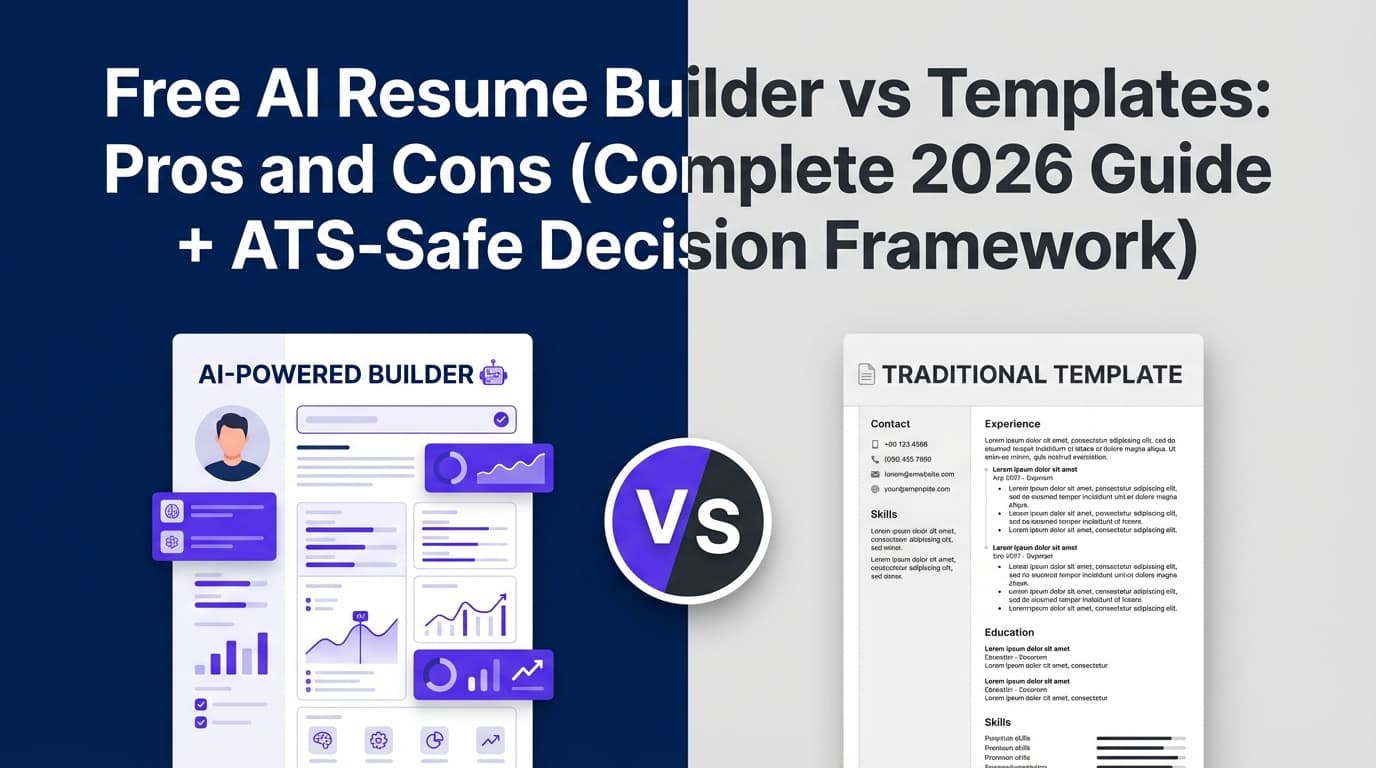
Free AI Resume Builder vs Templates: Pros and Cons (side-by-side)
Option A: Free AI Resume Builder
Pros
- Speed: fast first draft, faster tailoring.
- Keyword help: many tools compare your resume to a job description and suggest missing terms.
- Consistency: keeps formatting clean (if the builder is ATS-oriented).
- Iteration: easier to create multiple versions for multiple roles.
Cons
- “Free” often isn’t free at export: paywall/watermark risk at the end.
- Formatting is locked: some builders output layouts you can’t fully control (and you may not know what’s in the underlying structure).
- Generic content risk: AI bullets can sound polished but empty.
- Privacy risk: you are uploading personal data (name, email, job history) into a third-party system—always read the privacy policy.
Best for
- high-volume applicants tailoring frequently
- people who struggle to write bullets from scratch
- candidates pivoting roles and needing multiple resume variants fast
Option B: Templates (Google Docs / Word / LaTeX)
Pros
- Maximum control: you see exactly what you’re sending.
- Low lock-in: you can reuse it anywhere, anytime.
- ATS-safe if kept simple: single-column, standard headings, no graphics.
- No surprise paywalls: templates don’t block exports.
Cons
- Manual tailoring workload: you must do the keyword extraction and rewriting yourself.
- Inconsistent formatting drift: small edits can misalign spacing and break the visual hierarchy.
- No built-in feedback loop: you might not notice missing keywords or weak bullets.
Best for
- candidates with strong writing skills
- roles where narrative/clarity matters more than keyword games (many senior roles)
- anyone burned by paywalls/watermarks who wants “ownable” files
The ATS-Friendly Formatting Truth (and how templates/builders can both fail)
“ATS-friendly” isn’t magic. It’s mostly about parseable text + standard structure.
ATS can struggle with:
- Columns: content can be read out of order or dropped (varies by ATS).
- Tables/text boxes: can hide text from parsing entirely.
- Headers/footers: some systems ignore them, which is why putting contact info there is risky.
- Icons & graphics: they look nice to humans, but they can confuse parsing.
This is why many career sites recommend:
- single-column
- standard headings: Experience, Education, Skills
- simple bullets
- text-based PDF or DOCX (depending on employer instructions)
File format note: “PDF vs DOCX” isn’t one-size-fits-all. Smallpdf’s ATS guidance discusses when PDF vs DOCX can be safer and how different PDF types affect readability. (Confidence: MEDIUM — helpful, but ATS behavior varies.)
Source: https://smallpdf.com/blog/do-applicant-tracking-systems-prefer-resumes-in-pdf-format
A Practical Decision Framework: Which Should You Use?
Use this as your quick chooser.
Choose a template if you:
- want full control over layout and content
- don’t want any risk of export paywalls
- only need one or two resume versions
- can do tailoring manually (or with a general AI chat tool + careful editing)
Choose a free AI resume builder if you:
- are applying to many roles and need fast tailoring
- want keyword prompts / structure help
- are okay verifying export terms before you invest time
- plan to heavily edit for authenticity
Use a hybrid approach if you want the best results:
- Template = your base layout
- AI = your drafting + tailoring assistant
- Scanner/Checklist = your QA
This hybrid workflow is usually strongest for ATS + human readability—especially if you’re submitting dozens of applications.
How to Choose (and Use) a Free AI Resume Builder Without Getting Trapped: Step-by-Step
Step 1: Validate “free” before you type a single bullet
Before investing time, check:
- Can you export to PDF/DOCX for free?
- Is there a watermark on free exports?
- Is the free option a trial that requires a credit card?
- Can you cancel easily?
Pro tip: Search the tool name + “watermark” or “paywall” + “download PDF” to see real experiences.
Step 2: Confirm the output is ATS-safe
Do a quick “plain text test”:
- Export your resume.
- Copy/paste into a plain text editor (or email draft).
- Check if:
- headings stay intact,
- dates don’t scramble,
- bullets don’t turn into weird symbols,
- sections remain readable.
If your Skills section becomes a mess, that’s a red flag.
Confidence note: This method is widely recommended in ATS formatting discussions, but not a perfect simulation of every ATS. (Confidence: MEDIUM.)
Step 3: Use AI for content—but add human specificity
AI is best at:
- turning raw notes into clean bullets
- helping you quantify outcomes
- proposing role-relevant keywords
AI is worst at:
- telling your story accurately without details
- avoiding generic language unless prompted
- choosing what to cut
Prompt that works better than “write my resume”:
“Rewrite this bullet for a resume. Keep it truthful, specific, and metric-driven. Use 1 line, start with an action verb, and avoid buzzwords. Here’s the original bullet + context + tools used + result.”
Step 4: Tailor without keyword-stuffing
A good rule: treat keywords as labels for real experience, not as magic tokens.
How to tailor safely:
- Pull 8–12 “must-have” terms from the job description (tools, methods, certifications, role nouns).
- Add the ones you genuinely have into:
- Skills section (if it’s truly a skill)
- Experience bullets (best place)
- Summary (sparingly)
Avoid hiding keywords in white text or tiny font. That can backfire ethically and technically.
Step 5: Create “versions,” not infinite micro-edits
Instead of tweaking endlessly:
- Create 2–3 master versions (e.g., Data Analyst / BI Analyst / Product Analyst)
- For each job, customize:
- top 3 bullets in your most relevant role
- skills list order
- title/summary alignment
This keeps you consistent and faster.
How to Use Templates Like a Pro (without breaking ATS)
Step 1: Pick a “boring” layout on purpose
The most ATS-safe template is usually:
- single column
- minimal styling
- no icons
- no photo
- no text boxes
Yes, it feels plain. That’s the point: clarity wins in 7.4 seconds.
Step 2: Use standard headings
Prefer:
- Work Experience
- Education
- Skills
- Projects (optional)
- Certifications (optional)
Avoid clever headings like “What I’ve Done” or “Where I’ve Been”—they can confuse both ATS parsing and human skimming.
Step 3: Build bullets that prove impact
A strong bullet usually contains:
- action + scope + tool + result
Examples (good):
- “Automated weekly KPI reporting in SQL + Tableau, reducing manual reporting time by 6 hours/week.”
- “Improved checkout conversion by 9% by A/B testing pricing page layout and simplifying form validation.”
Examples (weak):
- “Responsible for reporting.”
- “Worked on cross-functional initiatives.”
The Hidden Pros/Cons Most Guides Miss
Hidden con of “free” AI builders: you may not own the editable source
Some builders let you export a PDF, but not an editable DOCX (or they export a weird DOCX).
That matters because recruiters may ask for a Word version, or you may need quick edits later.
Hidden con of templates: inconsistent spacing can hurt skim-readability
Templates can become visually cluttered over time. When recruiters scan fast, they rely on:
- consistent dates alignment
- consistent bullet indentation
- consistent section spacing
If your template gets messy, your strongest content can be missed.
Hidden risk across both: privacy + data handling
Uploading your full resume to any tool means trusting:
- storage practices,
- retention,
- sharing policies,
- whether content is used for model training.
Action: read the privacy policy and look for plain-language statements about data usage and retention. (Confidence: HIGH — universally good practice.)
“Free AI Resume Builder vs Templates” Pros/Cons by Use Case (quick scenarios)
Scenario 1: You’re applying to 100+ roles in 30 days
Best approach: hybrid
- template (stable format) + AI for tailoring + a scanner/checklist for QA
Why: speed + control.
Scenario 2: You’re applying to 10 roles, highly targeted
Best approach: template-first
- spend time on narrative, clarity, and proof
Why: you don’t need automation as much; precision matters more.
Scenario 3: You’re early-career and don’t know how to write bullets
Best approach: AI builder (or AI assistant) + strict editing
- but make sure export is real and ATS-safe.
Why: structure + guidance is valuable, but you must add specificity.
Scenario 4: You’re in a design/creative field
Best approach: two resumes
- ATS-safe resume for applications
- portfolio-style resume for direct outreach
Why: ATS pipelines punish creativity; humans may love it later.
Tools to Help (without forcing a “one tool fixes all” mindset)
Template tools
- Google Docs / Microsoft Word templates: great for ownership and control, but keep formatting simple.
- LaTeX / Overleaf-style templates: great for consistent typography and structure (but can be intimidating if you’re new).
Resume scanners / QA tools
- ATS formatting checklists (from reputable career services and major job sites) can prevent common parsing failures.
A tool that combines building + analysis (JobShinobi)
If you want a workflow that blends resume creation + ATS-focused feedback, JobShinobi is built around:
- a LaTeX-based resume builder with PDF preview/compilation
- AI resume analysis (scores + structured feedback)
- job description extraction and resume-to-job matching
It also includes a job tracker that can log applications—JobShinobi supports email-forwarding-based job application tracking, but email processing requires a Pro membership.
Pricing (accuracy-critical): JobShinobi Pro is $20/month or $199.99/year. The pricing UI mentions a “7-day free trial,” but trial enforcement isn’t clearly verifiable from the available implementation details—treat the trial as mentioned, not guaranteed.
Internal links:
- Product overview: JobShinobi
- Subscription page: JobShinobi Pro
(Confidence: HIGH for features listed above — based on documented product constraints provided.)
Common Mistakes to Avoid (that hurt both AI builders and templates)
Mistake 1: Using columns/tables because “it looks modern”
Many sources warn that tables/columns can cause ATS parsing issues. (Confidence: HIGH — consistent across Indeed + university career services + ATS-focused sites.)
Fix: single column; avoid tables/text boxes; keep contact info in the main body (not header).
Mistake 2: Keyword stuffing (or copying the JD verbatim)
It can read fake to humans and doesn’t necessarily help parsing beyond a point.
Fix: map keywords to real accomplishments (“used X to do Y”).
Mistake 3: “AI voice” that sounds impressive but empty
If your bullets could apply to anyone, you’ll blend in.
Fix: add tools, scope, numbers, and constraints.
Mistake 4: Not tailoring the top third of the page
Recruiters skim from the top. If your top third doesn’t match the role, you may lose the 7.4-second decision.
Fix: tailor summary/title + first 2–3 bullets.
Mistake 5: Trusting one ATS score as truth
Different tools score differently, and an ATS score isn’t the same as recruiter interest.
Fix: use scores as direction, not a finish line.
A Simple “Hybrid Workflow” That Works (Template + AI + ATS-safety)
- Start with a clean template (single column, standard headings)
- Draft bullets with AI from your raw notes (projects, numbers, tools)
- Tailor to the job description (8–12 key terms you truly match)
- Run a plain-text/parse check (copy/paste test)
- Do a human skim test (can someone understand your impact in 10 seconds?)
- Save versioned copies (RoleVersion_Company_Date.pdf)
This approach tends to avoid the two biggest failure modes:
- pretty-but-broken formatting
- polished-but-generic AI content
Key Takeaways
- Templates win on control and ownership (and avoid export paywalls), but require manual tailoring.
- Free AI resume builders win on speed, but “free” often comes with export limits and higher generic-content risk.
- ATS-safe formatting is mostly simple formatting: single column, standard headings, no tables/text boxes/graphics.
- The best results are often hybrid: template layout + AI drafting/tailoring + a parse/QA check.
- If you use AI, edit for specificity so it sounds like you—not like a job description.
FAQ (People Also Ask-style)
Do employers know I used an AI resume builder?
Sometimes they can suspect it—usually from patterns like vague bullets, buzzwords, and overly polished generic language. “AI detection” isn’t universally reliable, but humans are good at noticing repetition and emptiness.
Best practice: use AI to draft, then rewrite with real details (tools, numbers, scope, constraints).
Is an AI resume builder worth it?
It can be—especially if you’re applying at high volume or struggling to tailor quickly. The key is not to treat it as “one-click.” The value comes from faster iteration plus a good editing process.
Are Google Docs resume templates ATS-friendly?
They can be, if you keep them simple. Avoid multi-column layouts, text boxes, icons, and complex formatting. Use standard headings and a single-column structure.
PDF or Word (DOCX): which is better for ATS?
Many modern systems can read both, but DOCX can be more reliably parsed in some cases. PDFs can be fine if they’re text-based (not scanned/image). Follow the employer’s instructions when provided.
Source for nuanced discussion: https://smallpdf.com/blog/do-applicant-tracking-systems-prefer-resumes-in-pdf-format (Confidence: MEDIUM)
Are resume templates better than resume builders?
Not universally. Templates are better for control and avoiding paywalls; builders are better for speed and structured editing. The best choice depends on how often you need to tailor and how comfortable you are editing formatting yourself.
What’s the biggest downside of “free” resume builders?
The most common downside is discovering limits at export (paywalls, watermarks, restricted formats) after you’ve invested time. Always check export terms first.
Do ATS systems reject resumes automatically?
Many ATS platforms primarily organize and rank candidates rather than “auto-reject” solely based on formatting. But formatting can cause missing content, which can reduce searchability and ranking. (Confidence: MEDIUM — ATS behaviors vary widely by employer configuration.)
Evidence & confidence recap (major claims):
- Recruiters spend ~7.4 seconds on initial resume reviews: HIGH confidence (Ladders eye-tracking PDF + many secondary citations).
- 98.2% of Fortune 500 used a detectable ATS (2018): MEDIUM→HIGH confidence (Jobscan report; year- and definition-specific).
- Avoid tables/headers/graphics for ATS safety: HIGH confidence (consistent guidance across major job platforms + university career services).
- 33.5% of hiring managers can spot AI resumes quickly: MEDIUM confidence (single survey source; treat directionally).