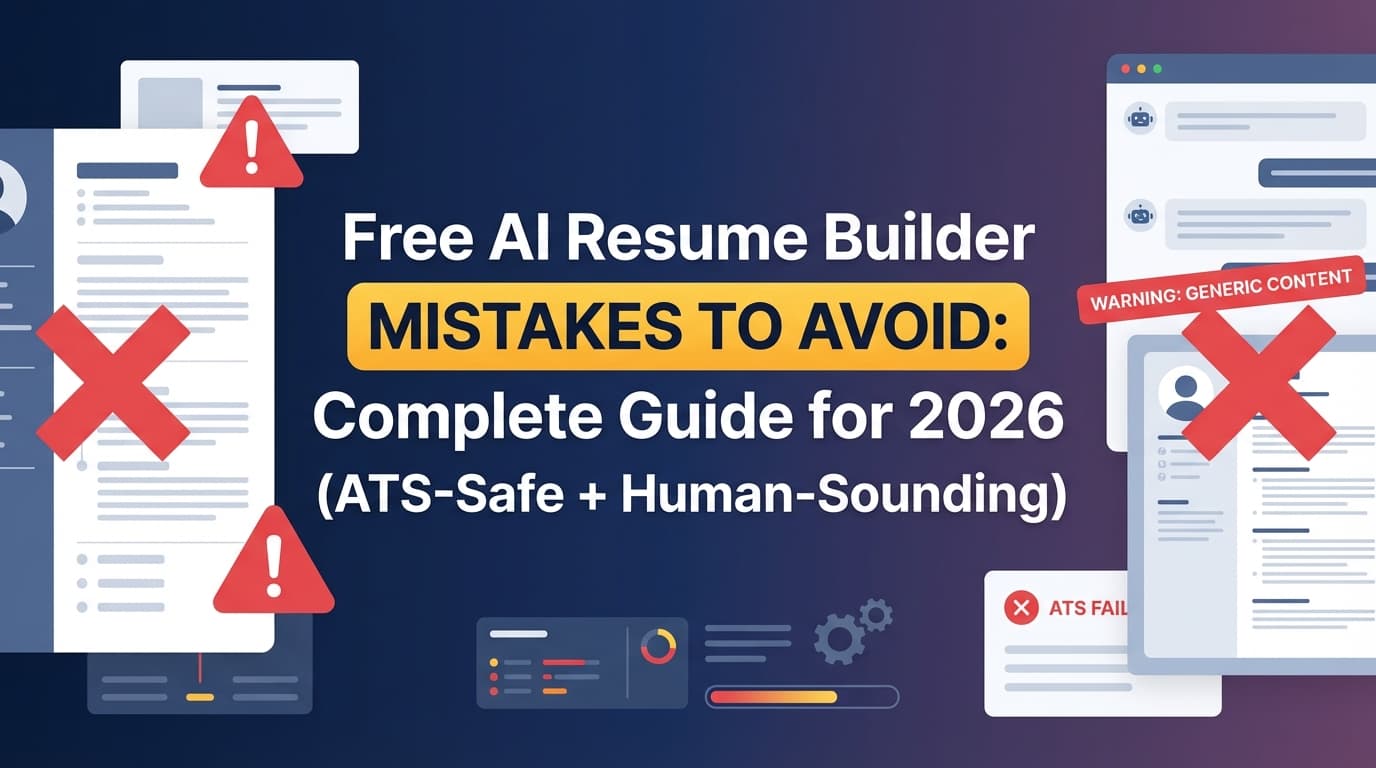
Free AI resume builders can feel like a cheat code—until your applications disappear into a black hole.
That’s because your resume has to survive two filters:
- Software (ATS parsing + keyword search)
- A human skim (clarity + credibility)
And that human skim is brutally short. CNBC reports hiring managers may spend “3-to-5 seconds” on a resume in an initial glance (Confidence: Medium—single major publication source).
Source: https://www.cnbc.com/2024/01/25/heres-what-recruiters-look-at-on-your-resume.html
Separately, HR Dive reports on an eye-tracking study that found recruiters skim resumes for about 7.4 seconds on average (Confidence: High—widely cited and traceable to the Ladders eye-tracking research).
Source: https://www.hrdive.com/news/eye-tracking-study-shows-recruiters-look-at-resumes-for-7-seconds/541582/
So when a “free” AI tool gives you a resume that’s generic, over-formatted, or stuffed with buzzwords, it’s not a small issue—it can cost you interviews.
In this guide, you’ll learn:
- The biggest free AI resume builder mistakes (formatting, content, and workflow traps)
- A step-by-step QA process to make AI output ATS-safe and human-sounding
- Before/after bullet examples you can copy
- Tools (free + paid) that help you tailor faster without falling into paywalls
What is a “free AI resume builder mistake”?
A free AI resume builder mistake is any problem that happens more often when you rely on a no-cost (or “free-to-start”) resume generator, such as:
- ATS parsing traps (columns, tables, headers/footers, icons)
- Generic AI language that doesn’t match your real experience
- Hallucinated achievements (made-up metrics or inflated titles)
- Keyword stuffing that hurts readability
- Paywall surprises (you can build “free,” but exporting costs money)
- Privacy oversharing (pasting sensitive info into unknown tools)
This isn’t an anti-AI guide. It’s a “don’t submit your first draft” guide.
Why this matters in 2026 (ATS + recruiter reality)
ATS usage is widespread
Tufts University’s career center notes that 98.4% of Fortune 500 companies use an ATS (Confidence: Medium–High—credible institution citing an industry figure).
Source: https://careers.tufts.edu/resources/everything-you-need-to-know-about-applicant-tracking-systems-ats/
Even outside the Fortune 500, ATS-style systems are common, especially for online applications—meaning formatting and text extraction matter.
Hiring teams are increasingly wary of low-effort AI applications
A few data points show the trend:
-
The U.S. Chamber of Commerce (CO—) reports that 19.6% of recruiters in a survey said they would reject a candidate who used an AI-generated resume or cover letter (Confidence: Medium—credible publisher, survey-based).
Source: https://www.uschamber.com/co/run/human-resources/hiring-ai-job-applications -
CV Genius reports survey findings that 80% of hiring managers view AI-generated content on CVs/cover letters negatively, and 57% say they’re “less likely to hire” when they see it (Confidence: Medium—survey reported by a resume brand; treat as directional).
Source: https://cvgenius.com/blog/career-advice/cv-and-cover-letter-trends-survey -
Resume Now reports 62% say AI-generated resumes without customization often lead to rejection (Confidence: Medium—brand research; directional).
Source: https://www.resume-now.com/job-resources/careers/ai-applicant-report
Bottom line: AI is useful—but obvious AI is risky.
How to use a free AI resume builder safely: Step-by-step
Step 1: Use AI as a drafting assistant, not the author
Goal: Get fast structure + phrasing options without losing accuracy.
Do this:
- Give AI your real inputs (role, projects, tools, scope)
- Ask for 3–5 bullet variations per role
- Choose the bullets that match reality
Pro tip: If AI doesn’t know your scope, it’ll invent one. Feed it:
- team size
- user volume
- budget handled
- tools used
- what changed because of your work
Step 2: Run the “plain-text test” to catch ATS-breaking formatting
MIT Career Advising suggests a simple test: because an ATS focuses on text, convert your resume to plain text (.txt) and check what breaks (Confidence: High—university guidance).
Source: https://capd.mit.edu/resources/make-your-resume-ats-friendly/
How to do it fast:
- Copy/paste your resume into Notepad (Windows) or TextEdit in plain-text mode (Mac)
- Look for:
- scrambled ordering (education appearing inside experience)
- missing dates
- bullets turning into weird characters
- company names and titles merging
- skills collapsing into unreadable blobs
If it looks chaotic in plain text, it may parse poorly in an ATS.
Step 3: Fix the formatting issues “free templates” commonly introduce
Princeton’s career guidance advises avoiding headers, footers, tables, and columns because ATS can’t accurately read/parse info in those sections (Confidence: High—credible university source).
Source: https://careerdevelopment.princeton.edu/resume-guide/basic-principles-resume-writing
ATS-safe formatting defaults:
- Single-column layout
- Standard section headings (Experience, Education, Skills, Projects)
- Contact info in the main body (not header/footer)
- Minimal styling (no icons used as labels)
- Consistent date formatting
Step 4: “De-AI” the language (make it sound like a real person)
Common AI tells:
- vague adjectives (“dynamic,” “results-driven”)
- buzzword stacking (“leveraged cross-functional synergies…”)
- identical sentence structures across bullets
- overclaiming seniority or strategy you didn’t own
Quick rewrite rule: Replace vague language with tool + action + scope + outcome.
Step 5: Remove fake metrics (hallucinations) before they remove you
AI loves numbers. Interviews love proof.
If you can’t explain:
- where the metric came from
- what timeframe it covers
- what you personally did
…don’t include it.
Instead of invented impact, use defensible scope:
- “Supported 30–50 tickets/week”
- “Owned weekly reporting for 4 stakeholders”
- “Maintained a 12-service CI pipeline”
Step 6: Tailor without keyword stuffing
You need the right keywords—but you also need to sound credible to humans.
Better tailoring approach:
- Pull 10–15 keywords from the job post (tools, methods, domain terms)
- Use only the ones that are true for you
- Place them naturally:
- Skills section for tools
- Bullets for methods and outcomes
Step 7: Export the right file format (and follow the portal instructions)
Portals and ATS differ. In general:
- DOCX is often safest for parsing
- PDF can be fine if it’s simple, text-based, and not a “designed” layout
Always follow the job posting’s upload instructions.
21 free AI resume builder mistakes to avoid (with fixes)
1) Believing “free” means you can actually download
Many tools are free to write but charge to export.
Fix: Test export on a dummy resume first (PDF/DOCX, no watermark).
2) Choosing a two-column “modern” template
Two columns can reorder or scramble text.
Fix: Use a single-column layout (Princeton recommends avoiding columns/tables for ATS parsing).
Source: https://careerdevelopment.princeton.edu/resume-guide/basic-principles-resume-writing
3) Putting contact info in a header/footer
Some systems don’t read headers/footers reliably.
Fix: Put contact details in the main body at the top.
4) Letting AI write a generic summary
Recruiters scan top sections first—generic summaries waste that time window.
Fix: Write a 2–3 line summary with specifics:
- target role
- domain/industry
- tools
- proof (impact or scope)
Example (good):
“Data analyst with 5 years in marketplace analytics. Strong in SQL, Looker, and experimentation reporting. Built dashboards that replaced manual weekly reporting.”
5) Copying AI bullets that don’t match your real work
This is the most common “looks great, fails interview” problem.
Fix: Every bullet should pass the “tell me about that” test.
6) Hallucinated metrics (“increased revenue 45%”)
Big numbers without proof are credibility killers.
Fix: Use real metrics or reduce to scope + responsibility.
7) Keyword stuffing (or pasting the job description)
It can look manipulative and make the resume harder to read.
Fix: Integrate keywords naturally in bullets and skills.
8) Over-optimizing for a single ATS score
Different scanners measure different things.
Fix: Use scanners to detect:
- missing keywords
- formatting errors
- section clarity
Not as the final judge of resume quality.
9) Using icons as labels (phone icon, email icon, skill icons)
Icons may not convert cleanly to text.
Fix: Use plain text labels:
- Phone:
- Email:
- LinkedIn:
10) Overdesigned section dividers, charts, or graphics
These can confuse parsing.
Fix: Use standard headings and whitespace instead of graphical elements.
11) Listing skills you can’t defend
AI often generates long skill lists.
Fix: Only list skills you can back up with:
- a project
- a bullet example
- an interview story
12) Non-standard headings (“My Journey,” “Career Highlights”)
ATS systems and recruiters expect predictable headings.
Fix: Keep it boring:
- Experience
- Education
- Skills
- Projects
- Certifications
13) Dense paragraphs instead of bullets
Skim-time is short (3–5 seconds per CNBC; ~7.4 seconds per HR Dive).
Fix: Keep bullets short (1–2 lines). Focus on outcomes.
Sources:
- https://www.cnbc.com/2024/01/25/heres-what-recruiters-look-at-on-your-resume.html
- https://www.hrdive.com/news/eye-tracking-study-shows-recruiters-look-at-resumes-for-7-seconds/541582/
14) Dates are inconsistent or unclear
ATS and humans use dates to gauge level.
Fix: Use one date style across the resume (e.g., Jan 2022 – May 2024).
15) Your resume doesn’t match the job title you’re applying for
If you’re applying to “Marketing Manager” but the resume headline says “Marketing Specialist,” you’re adding friction.
Fix: Use a headline aligned to the target job title (truthfully).
16) You tailor everything except the top half-page
Most decision-making happens early.
Fix: Tailor:
- headline
- summary
- skills
- first 1–2 bullets of your most relevant role
17) You don’t test copy/paste into an application portal
Many portals “parse” your resume into text fields.
Fix: Do a quick paste test and clean up formatting.
18) You rely on AI to “sound senior”
Overly strategic language can backfire if your experience is execution-heavy.
Fix: Use accurate seniority signals:
- scope
- autonomy
- complexity
- stakeholder impact
19) You include sensitive personal info in random tools
Some “free” tools monetize data or retain inputs.
Fix: Don’t paste:
- full address
- ID numbers
- confidential client names
- internal metrics if under NDA
Use anonymized phrasing (e.g., “Fortune 100 retailer”).
20) You ignore the human reader
ATS is not the final boss. A recruiter is.
Fix: Prioritize clarity:
- role titles
- company names
- impact
- tools
in the first screen of the resume.
21) You don’t keep versions (so you can’t iterate)
When you apply at volume, version control becomes a job by itself.
Fix: Keep a “base resume” + a tailored version per job family (or per target role).
Before/after examples: turning weak AI output into strong bullets
Example 1 (Marketing)
Weak AI bullet:
- “Created marketing campaigns to drive growth and engagement.”
Improved bullet:
- “Launched 6 lifecycle email campaigns (Klaviyo), improving repeat purchase rate by 9% over 8 weeks.”
Example 2 (Software Engineering)
Weak AI bullet:
- “Optimized system performance and improved scalability.”
Improved bullet:
- “Reduced API p95 latency from 900ms to 240ms by adding Redis caching and query indexes; decreased timeout errors by 30%.”
Example 3 (Operations / Program)
Weak AI bullet:
- “Led cross-functional initiatives to improve processes.”
Improved bullet:
- “Led weekly incident reviews with Support + Eng; reduced ticket reopen rate from 14% to 9% by standardizing handoffs and root-cause tags.”
A realistic “free AI resume builder” workflow that works
If you want speed without sacrificing quality:
- Draft bullets with AI (multiple options)
- Replace vague phrases with specifics (tool + action + scope + outcome)
- Run the MIT plain-text test
https://capd.mit.edu/resources/make-your-resume-ats-friendly/ - Tailor the top third to the job description
- Export and do a copy/paste test into a portal
- Save a version so you can learn what works
Tools to help with resume QA and tailoring (honest recommendations)
Free / low-cost options
- MIT “plain-text test” method: fast ATS sanity check
https://capd.mit.edu/resources/make-your-resume-ats-friendly/ - University ATS guidance (formatting rules): Princeton’s formatting cautions are especially clear
https://careerdevelopment.princeton.edu/resume-guide/basic-principles-resume-writing - A basic grammar checker: useful for typos, but don’t let it rewrite your voice
When you want an all-in-one workflow (builder + analysis + job tracking)
- JobShinobi: A job-search tool that includes a LaTeX-based resume builder with PDF compilation/preview, AI resume analysis, and resume-to-job matching (paste a job URL or job description and get match insights). It also includes a job application tracker; and for Pro members, JobShinobi supports email-forwarding job tracking (forward job-related emails to a unique JobShinobi address to log applications automatically).
- Pricing (verified): JobShinobi Pro is $20/month or $199.99/year.
- Trial note: Marketing mentions a “7-day free trial,” but trial enforcement isn’t clearly verifiable from code, so treat it as not guaranteed.
- Internal links: resume area (
/dashboard/resume), job tracker (/dashboard/job-tracker), subscription (/subscription).
This is relevant if your “free” workflow keeps breaking at the same points: formatting chaos, inconsistent tailoring, and losing track of where you applied.
Key takeaways
- The biggest free AI resume builder mistakes are formatting traps (columns/tables/headers) and generic AI language.
- ATS is widespread (Tufts cites 98.4% ATS usage among Fortune 500), but the human skim still decides your fate.
https://careers.tufts.edu/resources/everything-you-need-to-know-about-applicant-tracking-systems-ats/ - Use AI for drafts—then apply a QA process: plain-text test, tailor the top third, remove hallucinations.
- Don’t chase a perfect score. Chase a resume that’s parsable, specific, and credible.
FAQ
Is there a completely free AI resume builder?
Some tools are free to use, but many are “free-to-start” and charge for exporting or premium templates. Test export before investing time.
Are AI resume builders actually free?
Often not in the way you expect. Many products allow free drafting but require payment to download, remove watermarks, or access key features.
Do employers know I used an AI resume builder?
They may not “detect” it reliably, but they often recognize generic phrasing, repeated sentence patterns, or content that doesn’t match your experience. Survey reporting also suggests some recruiters may reject obviously AI-dependent applications (Confidence: Medium).
Source: https://www.uschamber.com/co/run/human-resources/hiring-ai-job-applications
Can ChatGPT build a resume?
Yes—ChatGPT can draft bullet points, summaries, and tailored versions. The risk is accuracy and generic language. Always verify claims and run an ATS formatting check (like the plain-text test).
Can ATS read tables, columns, or headers/footers?
It depends on the system, but these elements commonly cause parsing issues. Princeton explicitly advises avoiding headers, footers, tables, and columns for ATS parsing reliability (Confidence: High).
Source: https://careerdevelopment.princeton.edu/resume-guide/basic-principles-resume-writing
Do ATS prefer PDF or DOCX?
If the posting doesn’t specify, DOCX is often safer for parsing, while a simple text-based PDF can work well. Always follow the employer’s instructions.
How do I check if my resume is ATS-friendly without paying?
Use the plain-text test recommended by MIT Career Advising (Confidence: High):
https://capd.mit.edu/resources/make-your-resume-ats-friendly/
How do I cancel a resume builder subscription if I got paywalled?
Check the tool’s account/billing settings and cancellation instructions, then confirm via email receipt. If you used Apple/Google in-app billing, cancellation often must happen in your App Store subscriptions. If you can’t find a cancel button, contact support and keep records.