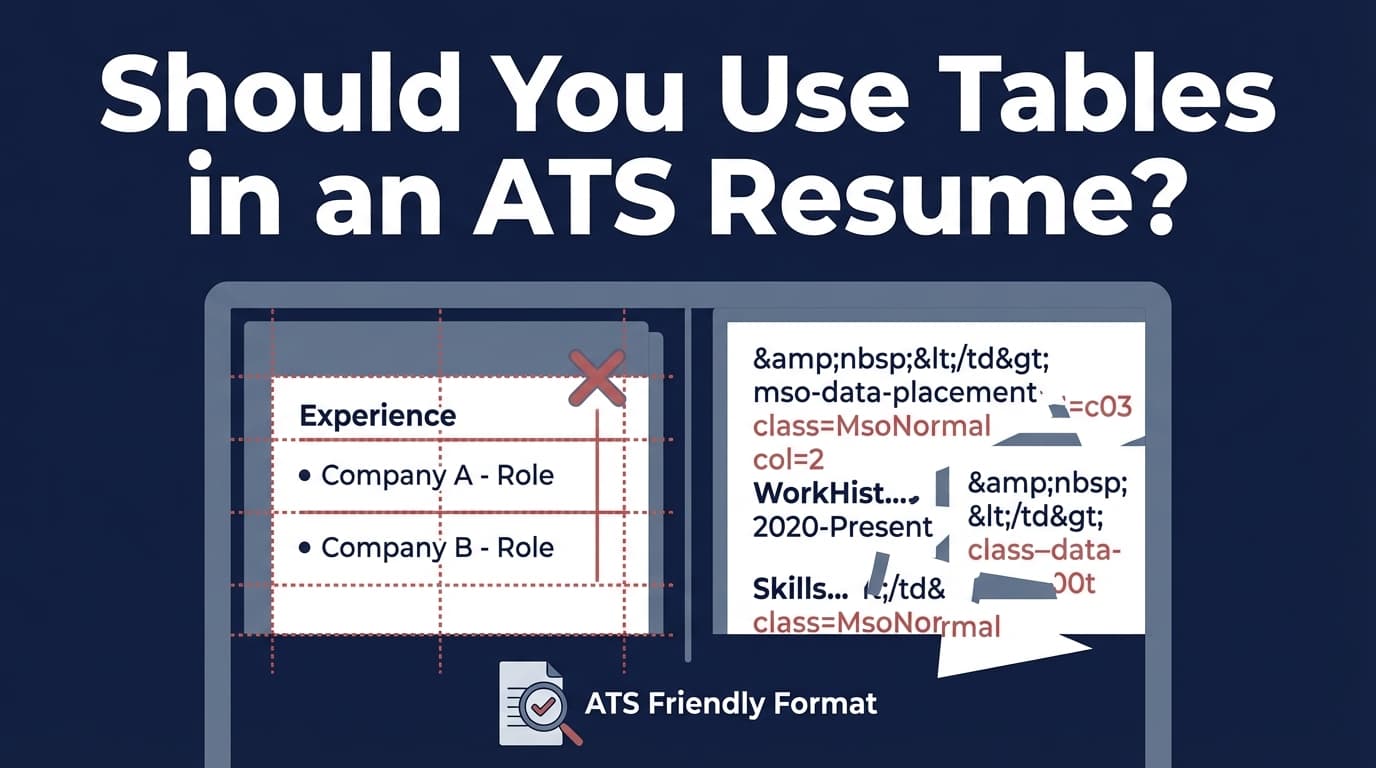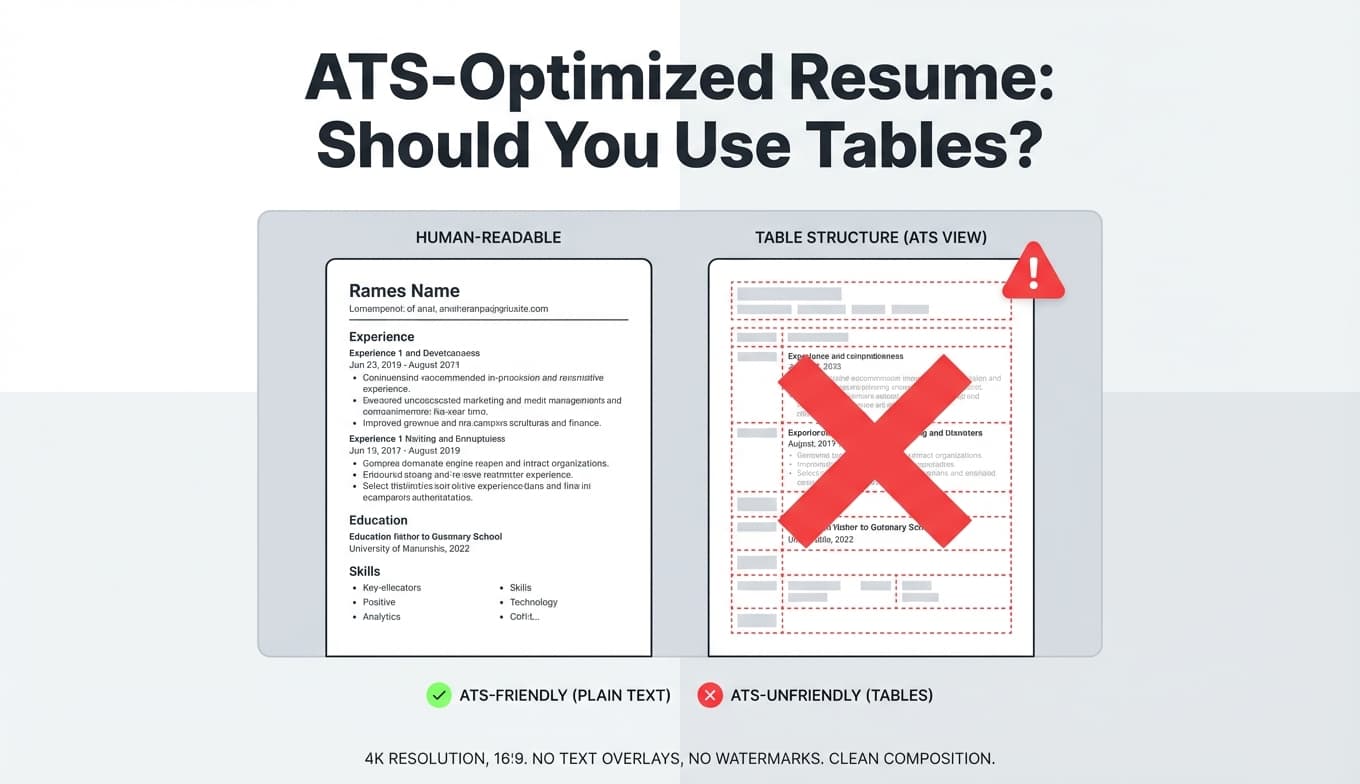
Tables can make a resume look clean. They can also make your resume parse like a blender in certain applicant tracking systems (ATS)—turning your carefully formatted sections into scrambled text.
And because ATS usage is extremely common, the “table risk” isn’t hypothetical. MIT Career Advising & Professional Development states that about 99% of Fortune 500 companies use some form of ATS (Confidence: High). Source: https://capd.mit.edu/resources/make-your-resume-ats-friendly/
Even when a human does see your resume, first impressions happen fast. HR Dive summarized an updated eye-tracking study showing recruiters skim resumes for about 7.4 seconds on average (Confidence: High). Source: https://www.hrdive.com/news/eye-tracking-study-shows-recruiters-look-at-resumes-for-7-seconds/541582/ (original Ladders material: https://www.theladders.com/career-advice/you-only-get-6-seconds-of-fame-make-it-count)
So if tables cause your dates, job titles, or skills to drop into the wrong place—or disappear entirely—you may lose the recruiter before they ever read your strongest bullet.
In this guide, you’ll learn:
- Exactly when tables are risky for ATS parsing (and why the advice online conflicts)
- A practical decision rule: when to avoid tables 100% vs. when they might be okay
- ATS-safe alternatives for common “table use cases” (skills grids, aligned dates, two-column resumes)
- A step-by-step ATS parsing test you can run yourself (no guesswork)
- Mistakes to avoid and a checklist you can copy into your job search workflow
What is an ATS-optimized resume?
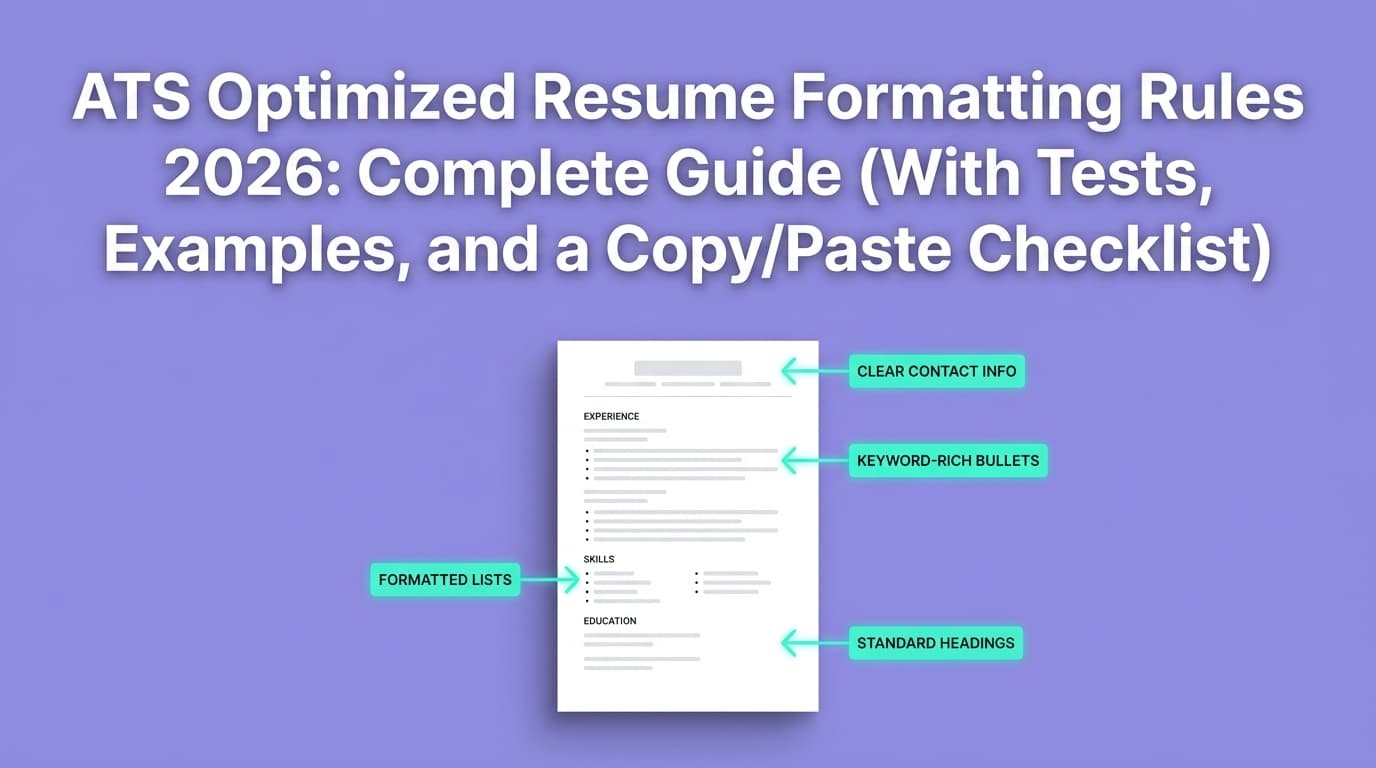
An ATS-optimized resume is a resume that:
- Parses cleanly when uploaded (text is extracted in the correct order)
- Uses standard section headings (e.g., Work Experience, Education, Skills)
- Makes your qualifications easy to match to a job description (keywords + context)
- Avoids formatting structures that frequently cause parsing errors (tables, columns, text boxes, headers/footers, icons/images)
Think of it like this:
- Your resume must work as a marketing document for a recruiter.
- It also must work as a data source for a parser.
Tables are where those two goals often collide.
Quick answer: Should you use tables in an ATS-optimized resume?
For most online applications: do not use tables.
If you’re applying through an ATS upload portal and you don’t know which system is used behind the scenes, tables add unnecessary parsing risk.
This isn’t just internet folklore. Multiple career centers and ATS-formatting guides explicitly recommend avoiding tables:
- University of Illinois Chicago (UIC) Career Services ATS PDF checklist says to use a single-column format with no tables (and no multiple columns or text boxes) (Confidence: High). Source: https://careerservices.uic.edu/wp-content/uploads/sites/26/2017/08/Ensure-Your-Resume-Is-Read-ATS.pdf
- Columbia Career Education recommends simple formatting and to avoid tables, headers, and footers (Confidence: High). Source: https://www.careereducation.columbia.edu/resources/optimizing-your-resume-applicant-tracking-systems
- HubSpot’s ATS formatting PDF advises avoiding columns, text boxes, and tables (Confidence: Medium–High). Source: https://cdn2.hubspot.net/hubfs/3821910/Resources/Resume-Meet-the-Computer-Top-Formatting-Tips-for-ATS.pdf
The nuanced truth
Some modern systems can parse some simple tables. But “can parse” is not the same as “parses reliably across employers.”
So the best practical rule is:
If you can’t test how the employer’s ATS parses your resume, avoid tables.
If you can test reliably and the table is minimal, you may be able to keep it—still with caution.
Why does advice about resume tables conflict so much?
You’ll see contradictory claims like:
- “Never use tables—ATS can’t read them.”
- “Modern ATS can read tables fine.”
- “Tables are okay in Word but not in PDFs.”
- “Two columns are fine now.”
All of these statements can be true in some situations, because:
1) “ATS” isn’t one tool
There are many ATS platforms and many resume parsers. Employers also change configurations, add plugins, or rely on different parsing engines.
Jobscan’s ATS usage reporting shows a shifting landscape and cites a very high level of ATS adoption among Fortune 500 companies (Confidence: High for the reported figure; still varies by employer). For example, Jobscan reports 98.4% of Fortune 500 companies used a detectable ATS in 2024 (Confidence: High). Source: https://www.jobscan.co/blog/fortune-500-use-applicant-tracking-systems/
2) The upload pipeline matters as much as the file format
Your resume might be:
- Parsed directly from your DOCX/PDF
- Converted into plain text first
- Converted into an internal standardized format
- “Autofilled” into fields you must confirm (this is where you see parsing errors)
A table that looks perfect in Word can still break after conversion.
3) Formatting reliability is a risk-management problem
Even if a system reads tables most of the time, you don’t know whether:
- This employer’s system is older or customized
- The portal’s parser is different from the ATS’s parser
- A recruiter will export or copy/paste your resume into another tool
For job seekers applying at scale, the safest strategy is the one with the lowest failure rate: simple, linear formatting.
How ATS parsing works (and where tables go wrong)
Most ATS parsing involves:
- Text extraction: pulling text from the file
- Reading order detection: deciding what comes first/next
- Section identification: finding “Experience,” “Skills,” etc.
- Entity extraction: job titles, companies, dates, locations, skills
- Field mapping: putting extracted data into the ATS database
Tables can break steps 2 and 4 in particular.
Common table-related failure modes
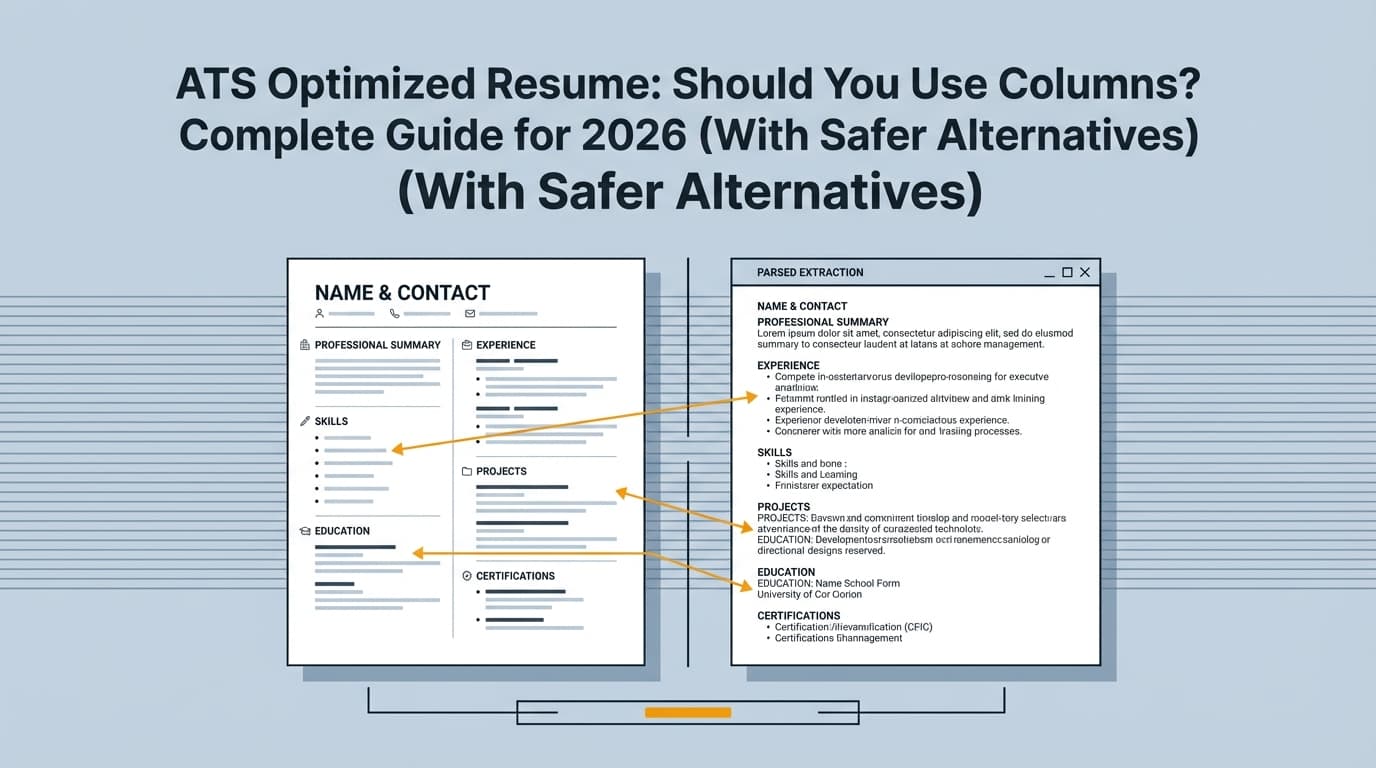
Failure mode A: Wrong reading order (left-to-right vs. top-to-bottom)
Many parsers read in a linear order—often left-to-right and top-to-bottom (a pattern noted in multiple ATS-formatting guides and resume format explainers) (Confidence: Medium). One example that explicitly discusses left-to-right reading order is the ATS resume format guidance from Let’s Eat, Grandma (Confidence: Medium). Source: https://www.letseatgrandma.com/ats-resume-format-example/
If your resume uses a two-column table or a complex table structure, the parser may read:
- Entire left column first (Skills, Education)
- Then entire right column (Experience)
Result: your resume looks “out of order” inside the ATS.
Failure mode B: Cell merging and content loss
Tables can cause:
- Certain cells to be skipped
- Multiple cells to be merged into one line
- Bullets to detach from the correct job entry
Failure mode C: Dates and titles get assigned to the wrong job
When job headings are built as tables (title/company on the left, dates on the right), the ATS may:
- Attach dates to the wrong job
- Drop dates entirely
- Place company names into the “job title” field
Failure mode D: “Invisible tables” still behave like tables
Many Word resume templates use borderless tables to align content. A borderless table is still a table, and the underlying structure can still affect parsing.
When tables are most likely to hurt you (high-risk scenarios)
If you’re trying to decide whether your specific table is dangerous, look at why it exists.
High-risk table use cases
- Two-column resume layouts (sidebar + main content)
- Skills grids (3 columns of skills in a table)
- Contact info in a table (name left, phone/email right)
- Job entry headers in a table (title/company left, dates right)
- Tables inside headers/footers (common in templates)
UIC’s ATS guidance explicitly calls out avoiding tables and multiple columns (Confidence: High). Source: https://careerservices.uic.edu/wp-content/uploads/sites/26/2017/08/Ensure-Your-Resume-Is-Read-ATS.pdf
When tables might be okay (and how to lower the risk)
There are a few situations where tables may be acceptable:
1) You’re not going through an ATS upload portal
If you’re emailing a resume directly to a recruiter or hiring manager, a table may be less risky. But it’s still possible your resume gets uploaded later, so consider keeping an ATS-safe version anyway.
2) You tested parsing in a realistic way (not just “it looked fine in Word”)
If the application portal asks you to confirm extracted fields (Workday-style forms often do), and your content lands correctly, risk is lower.
3) The table is extremely simple and not used for multi-column layout
Even then, you’re trading aesthetics for uncertainty.
Best practice: keep two versions:
- ATS-safe version (no tables) for online portals
- Designed version for direct outreach/networking (optional)
The ATS-safe alternatives: What to use instead of tables
This section is designed to solve the real problem: you used tables because you needed alignment, spacing, or density.
Here’s how to get the same benefits without the parsing risk.
Alternative 1: Put dates on a second line (simple and reliable)
Instead of forcing right-aligned dates using a table, do:
Software Engineer — Acme Corp, New York, NY
Jan 2022 – Present
- Improved API response time by 35% through caching and query optimization
- Built CI pipeline that reduced deploy time from 25 minutes to 8 minutes
This improves both:
- ATS field grouping (title/company/dates remain close)
- Human skimmability (no hunting for dates)
Alternative 2: Use labeled skills lists (instead of a skills table)
Instead of a table like:
| Languages | Tools | Platforms |
|---|---|---|
| Python | Git | AWS |
| SQL | Docker | GCP |
Use:
Languages: Python, SQL
Tools: Git, Docker
Platforms: AWS, GCP
This keeps keywords explicit and easy to parse.
Alternative 3: Avoid two columns; use a tighter single-column structure
If you used a table-based sidebar to save space, compress intelligently:
- Reduce summary to 2 lines
- Keep 8–12 core skills (relevant to the role)
- Use 3–5 bullets per role (best bullets only)
Alternative 4: Use whitespace and bolding—not layout structures
ATS-safe formatting can still look professional:
- Bold job titles
- Use consistent spacing
- Use standard bullets
- Keep margins reasonable
Alternative 5: If you must align elements, don’t over-optimize alignment
Perfect right alignment is not worth breaking parsing.
If alignment improves beauty but risks losing data in the ATS, choose data integrity.
How to ATS-proof a resume that already uses tables (step-by-step)
This is the “no regrets” process: even if you keep a table, you’ll know whether it breaks.
Step 1: Find every table (including invisible ones)
In Word:
- Click in the area that looks “too neatly aligned”
- If you see Table Design / Layout tabs, it’s a table
- Also check Header and Footer areas (tables often hide there)
Step 2: Categorize each table by risk level
Ask:
- Is this table creating columns? (high risk)
- Is it holding critical info (contact, dates, job title, skills)? (high risk)
- Is it purely decorative spacing? (still unnecessary)
Step 3: Replace high-risk tables with ATS-safe structures
Use the alternatives above.
Quick conversions:
- Job header table → title/company on one line, dates on next line
- Skills grid table → labeled lists
- Contact info table → stacked lines (or one line with separators)
Step 4: Run the “Plain-Text Extraction Test” (fast and revealing)
Do all three tests:
-
Copy/paste your resume into a plain-text editor
- Windows: Notepad
- Mac: TextEdit → Format → Make Plain Text
Pass condition: the order is logical and readable.
-
If you submit as PDF: copy text from the PDF into plain text Pass condition: the extraction order stays correct.
-
Upload to a real application portal when possible If the portal asks you to confirm fields (Experience, Education), inspect them. Pass condition: job titles, companies, and dates map correctly.
If your experience appears out of order or dates drift to the wrong job, tables/columns are a common culprit.
Step 5: Re-check your keywords after you remove tables
When people delete a skills table, they accidentally delete keywords or hide them.
Make sure job-relevant terms still appear in:
- Skills
- Experience bullets
- Tools/tech stack
Step 6: Keep an ATS-safe “default upload” resume file
Name it something obvious:
First_Last_Resume_ATS.docxFirst_Last_Resume_ATS.pdf
This reduces mistakes when applying quickly.
Real examples: Table-based formatting that breaks (and ATS-safe rewrites)
Example 1: Table-based job header (title left, dates right)
Risky (table):
Left cell: Senior Data Analyst — BrightCo
Right cell: 2021–2024
What can go wrong: date attaches to the wrong role, or the parser outputs:
2021–2024 Senior Data Analyst BrightCo in the wrong place.
ATS-safe rewrite:
Senior Data Analyst — BrightCo
2021–2024
- Built dashboards in Tableau used by 8 stakeholders to track weekly KPIs
- Reduced reporting time by 40% by automating SQL extracts
Example 2: Skills grid table
Risky (table): 3 columns of skills
ATS-safe rewrite (keyword-dense but readable):
Skills: Python, SQL, Tableau, dbt, Snowflake, Airflow, A/B Testing, Stakeholder Management
Example 3: Two-column resume layout (sidebar)
Risky: left column reads fully before right column.
ATS-safe rewrite:
- Summary
- Skills
- Experience
- Projects (optional)
- Education
- Certifications
If you need to highlight certifications early, move them above Experience—but keep the document single-column.
Best practices for ATS resume formatting (beyond tables)
Tables are only one source of parsing issues. These best practices show up consistently in career-center guidance.
1) Avoid headers and footers for critical information
Columbia Career Education explicitly warns against headers and footers in ATS formatting guidance (Confidence: High). Source: https://www.careereducation.columbia.edu/resources/optimizing-your-resume-applicant-tracking-systems
Put your name, email, phone, and links in the body at the top.
2) Use standard section headings
Use:
- Work Experience / Experience
- Education
- Skills
- Projects (if relevant)
- Certifications
Avoid clever headings like “My Journey” or “Toolbox.”
3) Use consistent date formatting
Choose one style and stick to it:
Jan 2023 – May 20252023 – 2025
Inconsistency can confuse both parsers and humans.
4) Keep fonts and symbols simple
Many ATS guidelines recommend basic readability choices:
- Standard fonts
- Normal bullets
- Minimal symbols
UIC’s ATS PDF emphasizes simple formatting choices and avoiding complex formatting elements (Confidence: High). Source: https://careerservices.uic.edu/wp-content/uploads/sites/26/2017/08/Ensure-Your-Resume-Is-Read-ATS.pdf
5) Don’t rely on design elements to communicate meaning
If a skill is important, it must exist as real text—not an icon, chart, image, or visual bar.
PDF vs DOCX for ATS: which is better when tables are involved?
There isn’t one universal answer, because ATS pipelines differ. However, a practical guideline used by many job seekers and resume resources is:
- DOCX is often safer for parsing (structure is explicit)
- PDF is safer for preserving visual layout (but text extraction order can vary)
The key takeaway for tables is:
Tables can break in DOCX or PDF—so the real fix is removing table dependence, then testing.
If the employer requests a specific format, follow their instructions.
Common mistakes to avoid (tables + ATS)
Mistake 1: “Invisible tables” to create a polished look
Borderless tables are still tables.
Fix: Use single-column layout and spacing, not tables.
Mistake 2: Putting contact info into a table or header
That’s a high-impact failure if your email/phone doesn’t parse.
Fix: Put contact info in plain text at the top of the body.
Mistake 3: Using a table to compress skills
Skills tables often hide keywords or get merged by parsers.
Fix: Use labeled lists and ensure relevant terms appear in bullets too.
Mistake 4: Converting a fancy resume to plain text and losing hierarchy
People delete tables and end up with a wall of text.
Fix: Use bold, consistent spacing, and clean bullets to maintain structure.
Mistake 5: Chasing “ATS perfection” and hurting human readability
Remember the 7.4-second skim reality (Confidence: High; HR Dive/Ladders sources above).
Fix: Optimize for both: clean parsing and quick human scanning.
Tools to help with ATS formatting and keyword alignment
You want tools that help you answer two questions:
- Will this parse correctly?
- Does this match the job description (keywords + context)?
The no-cost tools (high signal)
- Plain-text extraction test (copy/paste into Notepad/TextEdit)
- Application portal “field confirmation” screens (when available)
A structured workflow option: JobShinobi (resume building + analysis)
If you’re rebuilding a resume to remove table-based templates, a template-driven workflow can help you keep structure consistent while you focus on content.
JobShinobi supports:
- Building resumes from LaTeX templates and compiling them to PDF inside the app (Confidence: High)
- AI resume analysis with ATS-focused scoring and feedback (Confidence: High)
- Job description extraction (URL or pasted text) and resume-to-job matching with keyword gap analysis (Confidence: High)
Pricing: JobShinobi Pro is $20/month or $199.99/year (Confidence: High). The marketing site mentions a 7-day free trial, but trial mechanics aren’t clearly verifiable in code, so treat trial availability as dependent on current billing configuration (Confidence: Medium).
- Internal link: /pricing
- Internal link: /dashboard/resume
(And regardless of tool choice: keep your resume formatting simple and test the exported file the way employers will receive it.)
A simple decision framework: should you keep tables or remove them?
Use this quick checklist.
Default recommendation (best for most applicants)
Choose NO TABLES if any are true:
- You apply through online portals (most people do)
- You’re applying to multiple companies/ATS
- Your table controls layout (columns, aligned dates, grids)
- Your table contains critical info (contact, job titles, dates, skills)
- You don’t have a reliable way to test parsing
Consider a table only if all are true (rare)
- You send resumes mostly directly to humans (email/networking)
- You tested parsing outcomes in realistic uploads
- The table is minimal and not multi-column
- You still maintain an ATS-safe version for portals
If you’re unsure: remove the tables.
Key takeaways
- For ATS-optimized resumes, tables are usually not worth the risk, especially for online applications.
- The issue isn’t that every ATS fails—it's that parsing reliability varies, and you can’t control it.
- Replace table formatting with single-column structure, labeled skills lists, and dates on a second line.
- Validate with the plain-text extraction test, PDF extraction test, and real portal uploads when possible.
- Optimize for humans too: recruiters often skim quickly (about 7.4 seconds on average, per HR Dive/Ladders) (Confidence: High).
FAQ
Do ATS systems struggle with tables?
Often, yes. Many ATS-formatting guides and university career centers advise avoiding tables because they can cause missing or scrambled content during parsing (Confidence: High).
Sources: UIC PDF https://careerservices.uic.edu/wp-content/uploads/sites/26/2017/08/Ensure-Your-Resume-Is-Read-ATS.pdf and Columbia Career Education https://www.careereducation.columbia.edu/resources/optimizing-your-resume-applicant-tracking-systems
Are Word tables ATS-friendly?
Sometimes, but not reliably. A table that parses correctly in one system can break in another, especially if it creates multiple columns or contains key information like dates and job titles (Confidence: Medium–High).
Can ATS read tables in PDF resumes?
Some can, but PDF text extraction order can vary. If you submit a PDF, run the PDF copy/paste test to confirm the extracted text stays in the correct order (Confidence: Medium).
Can ATS read two-column resumes?
Some systems can handle them, but multi-column layouts remain a common source of out-of-order parsing. If you want the safest option across employers, stick to a single column (Confidence: High, based on repeated career-center guidance against columns/tables).
Source example: UIC ATS checklist (no multiple columns) https://careerservices.uic.edu/wp-content/uploads/sites/26/2017/08/Ensure-Your-Resume-Is-Read-ATS.pdf
What should I use instead of a skills table?
Use labeled lists (Skills/Tools/Platforms) or a single comma-separated skills line, and reinforce key skills in your experience bullets so they’re not isolated (Confidence: High).
How do I test whether tables break my resume parsing?
Use a 3-part test:
- Copy/paste into a plain-text editor
- Copy/paste from your PDF into plain text (if you submit PDF)
- Upload to a real application portal and verify extracted fields (when possible)
If content is out of order or missing, remove tables and retest (Confidence: High).
What percentage of Fortune 500 companies use ATS?
Jobscan reports 98.4% of Fortune 500 companies used a detectable ATS in 2024 (Confidence: High). Source: https://www.jobscan.co/blog/fortune-500-use-applicant-tracking-systems/