If you’re applying online and your resume goes through an ATS, columns are one of the fastest ways to accidentally scramble your content—even when it looks perfect to a human.
That matters because ATS software is extremely common in hiring:
- 98.4% of Fortune 500 companies use an ATS, according to Jobscan research. High confidence (multiple sources report ~98–99%): Jobscan, MIT CAPD, and others cite this range.
Source: Jobscan and MIT CAPD - Many recruiters rely on ATS tooling in general. For example, SelectSoftwareReviews summarizes ATS adoption and usage across company sizes. Medium confidence (varies by dataset/year).
Source: SelectSoftwareReviews ATS statistics
So the real question isn’t “Do columns ever work?” It’s:
Are columns reliable enough when you don’t know which ATS (or parsing engine) the employer uses?
For most job seekers applying through portals: a single-column resume is the safest ATS-optimized choice.
In this guide, you’ll learn:
- Why resume columns can break ATS parsing (and when they sometimes don’t)
- A decision framework: when to avoid columns vs. when you can risk them
- Safer formatting alternatives (that still look clean)
- How to test your resume like an ATS (step-by-step)
- Common “ATS-friendly” myths that waste your time
What does “ATS-optimized” mean (in plain English)?
An ATS-optimized resume is a resume that is:
- Easy for software to parse into fields (name, contact, job titles, dates, skills, education), and
- Keyword-aligned with the job description so you show up in searches/filters, and
- Still readable to humans once a recruiter opens it.
ATS optimization is less about gaming a robot and more about reducing preventable failure points:
- Missing contact info because it’s in a header
- Experience bullets imported into the wrong job
- Skills broken apart or merged with unrelated sections
- Dates moved to the wrong line
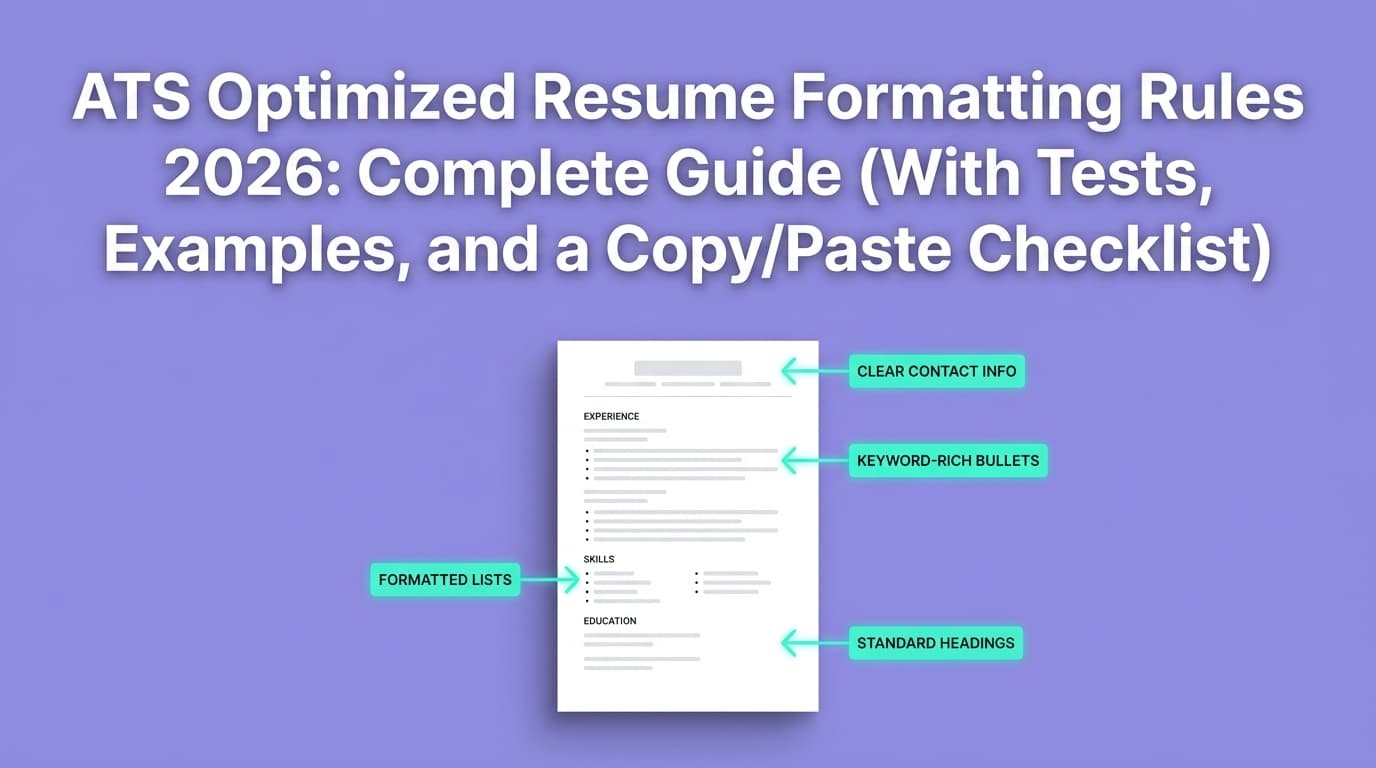
Columns, tables, text boxes, headers/footers, icons, and decorative elements are frequent causes of those failures.
Why columns can confuse ATS parsing
ATS systems don’t “see” your resume like you do
Most ATS platforms use a resume parser to extract text and infer structure. Workable (an ATS provider) explains that ATS “reads resumes by parsing… extracting key data like names, job titles, and education.”
Source: Workable: What is resume parsing?
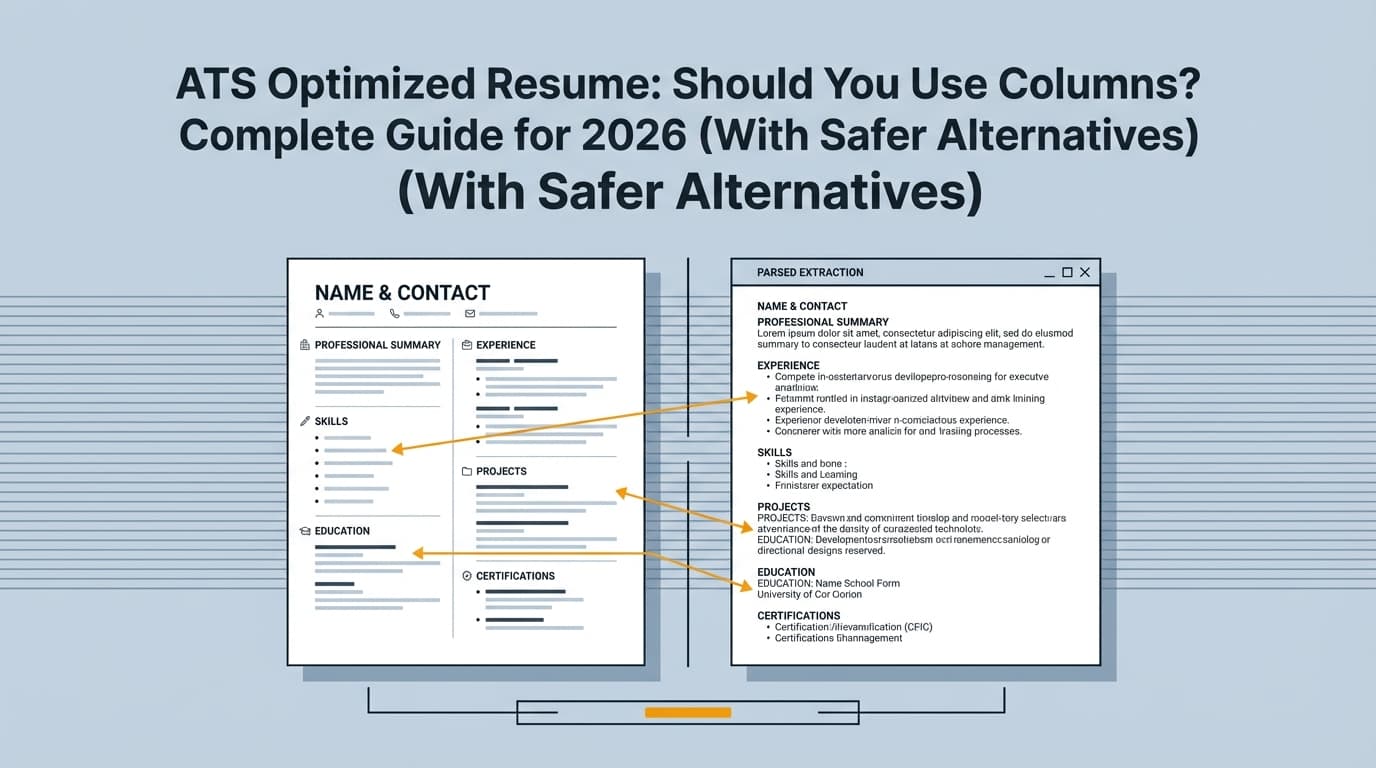
Columns can break the reading order
Many parsers attempt to reconstruct reading order (roughly “top to bottom” and often “left to right”), but multi-column designs introduce ambiguity:
- Should the parser read the entire left column first, then the right?
- Should it alternate line-by-line across columns?
- Are sidebars “secondary,” or are they critical sections like skills?
When the parser guesses wrong, you get classic failures:
- Skills from the sidebar inserted into the middle of work experience
- Dates merged into job titles
- Section headings floating away from their content
Jobscan sums it up bluntly: ATS can read columns/tables “not reliably.”
Source: Jobscan: Can the ATS read tables and columns?
University career centers routinely recommend avoiding multi-column layouts for this reason:
- UIC checklist: “single column format (no tables, multiple columns, or text boxes)”
Source: UIC PDF - UNC guidance: “Avoid using tables, columns, graphics, or text boxes.”
Source: UNC Resume Guide
Bottom line: Even if one ATS parses your columns “fine,” another might not—and you usually don’t get feedback when it fails.
Quick answer: Should you use columns on an ATS-optimized resume?
The safest ATS-optimized recommendation
If you’re applying through online portals (Workday, Greenhouse, iCIMS, Taleo, etc.) and you want maximum compatibility: don’t use columns.
A clean single-column layout reduces the odds of parsing errors across different systems. This is why many ATS-formatting guides flag columns as a top formatting risk (Jobscan, university career offices, etc.).
Sources: Jobscan, UIC PDF, UNC
The nuanced truth (when columns can be acceptable)
Columns can be acceptable when:
- You’re emailing a resume directly to a hiring manager (less reliance on parsing)
- You’re in a design/creative field where layout is part of the evaluation
- You have verified (via testing) that your resume parses correctly in plain text
- You’re using columns minimally (e.g., a small right-side space for non-critical info), and your main content remains linear
But even then, the recommended strategy is often:
keep an ATS-safe version (single-column) and optionally a designed version for networking.
A simple decision framework (use this to decide in 60 seconds)
Choose single-column if any of these are true:
- You’re applying through a company portal (most common)
- You’re applying at a large company (very likely ATS usage; Jobscan reports 98.4% of Fortune 500 use ATS)
Source: Jobscan - You’ve had low response rates and want to remove formatting risk
- You’re using a template with sidebars, icons, text boxes, or tables
Consider two-column only if all are true:
- You’re primarily sending it directly to humans (referrals, email outreach)
- Your column layout is simple (no text boxes/tables)
- You’ve done multiple parsing tests (see testing section below)
- You understand you may still need a fallback ATS version
If you’re unsure, default to: single-column + strong content + keyword alignment.
What exactly counts as “columns” (and what ATS tends to struggle with)?
Not all “two-column” resumes are built the same. The risk depends on how the layout is created.
Higher-risk layouts (often break parsing)
These are the usual culprits:
- Sidebar resumes (skills/contact in a narrow left column)
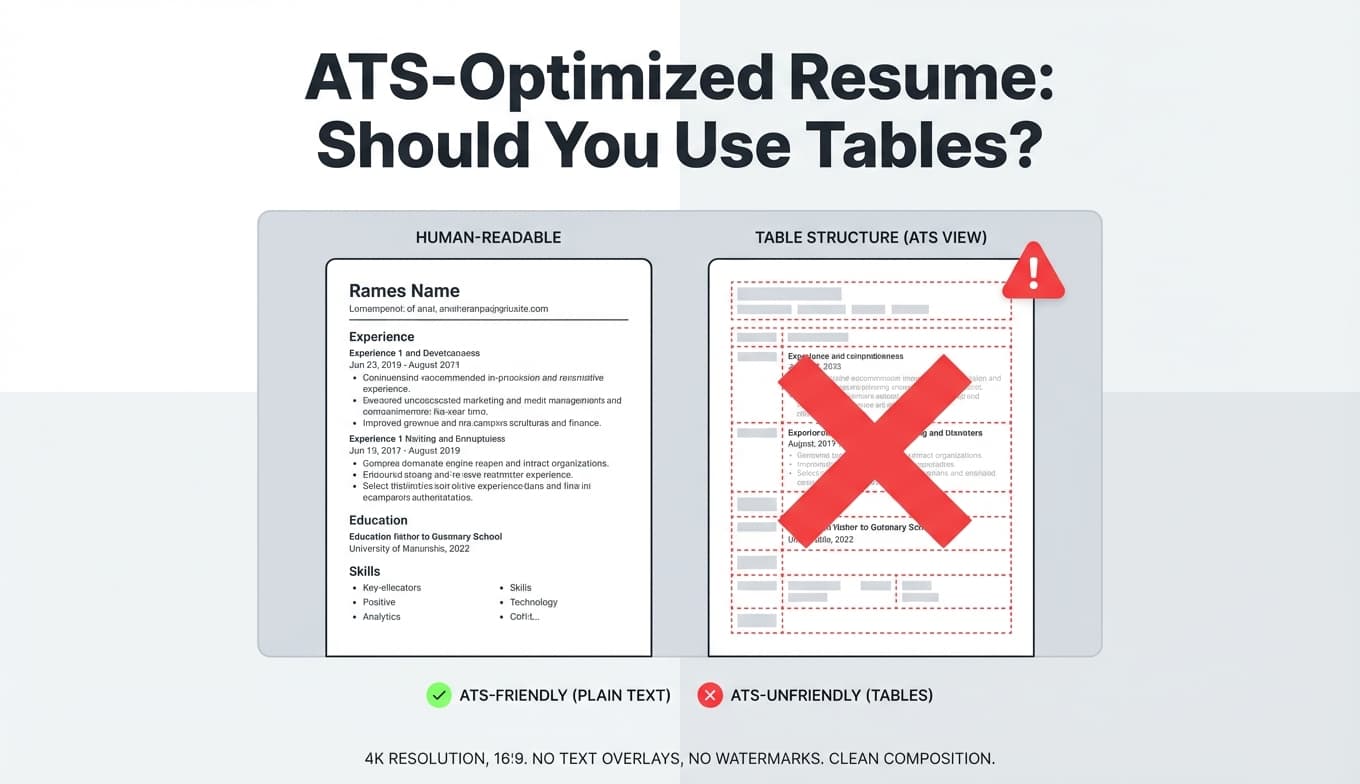
- Tables used as layout grids (even invisible borders)
- Text boxes (especially from Canva/graphic editors)
- Multiple floating shapes, icons, or graphics near text
- Headers/footers containing contact info (many parsers ignore or misread them)
The Muse notes that design tools/templates can lead to ATS issues—especially when content is placed in elements like text boxes rather than a simple document flow.
Source: The Muse: Should you use Canva for your resume?
Lower-risk “two-column” approaches (still not guaranteed)
Some two-column resumes are created with:
- “Native” document columns
- Clean alignment
- Minimal sidebar text
- No tables/text boxes
These can parse better in some systems, but the issue remains: you cannot assume the employer’s parser behaves like your test tool.
How to test if your columns will break ATS parsing (step-by-step)
You don’t need access to an employer’s ATS to find obvious parsing problems. Use these tests to simulate what an ATS might extract.
Step 1: The plain-text copy/paste test (fastest)
- Open your resume (Word or PDF).
- Select all text → copy.
- Paste into a plain-text editor (Notepad on Windows, TextEdit set to plain text on Mac).
What you’re looking for:
- Is the content in a logical order?
- Are section headings attached to the right content?
- Are dates still paired with the right roles?
- Did the sidebar content get inserted in weird places?
If the pasted text is scrambled, a parser may also struggle.
Step 2: Save as .txt (MIT’s suggestion)
MIT CAPD recommends testing by saving your resume as a plain text file to see what gets lost when formatting is stripped.
Source: MIT CAPD: Make your resume ATS-friendly
Why it helps: It reveals whether your structure depends on layout tricks rather than clear headings and linear flow.
Step 3: Use a resume parsing preview (ATS-like extraction)
Use a resume parsing tool (or ATS checker) that shows you the extracted text/fields. Don’t chase the score—look for field accuracy:
- Name/email/phone correct?
- Employer/job title/dates correct?
- Skills captured?
Workable’s overview of parsing is useful context here: ATS systems extract data into structured fields.
Source: Workable
Step 4: The “application autofill” test (most realistic)
Apply to a low-stakes role (or a sandbox system if available) and upload your resume.
Then check:
- Does the system autofill your work history correctly?
- Are dates and titles swapped?
- Is education correct?
If autofill fails, your formatting may be a contributing factor.
How to format an ATS-optimized resume without columns (and still make it look good)
A lot of people use columns because they want:
- A compact skills section
- A neat contact/header area
- Visual separation
- Better use of space
You can achieve those goals without multi-column layouts.
Option 1: Put skills on one line (with separators)
Instead of a skills sidebar, do this:
Skills: SQL | Python | Tableau | Stakeholder Management | A/B Testing | Forecasting
This keeps skills keyword-dense and parser-friendly.
Option 2: Use a “Core Skills” mini-section under the summary
Core Skills
- Data analysis (SQL, Python)
- BI reporting (Tableau, Looker)
- Experimentation (A/B testing, causal inference)
Option 3: Use consistent section headers (parser-friendly)
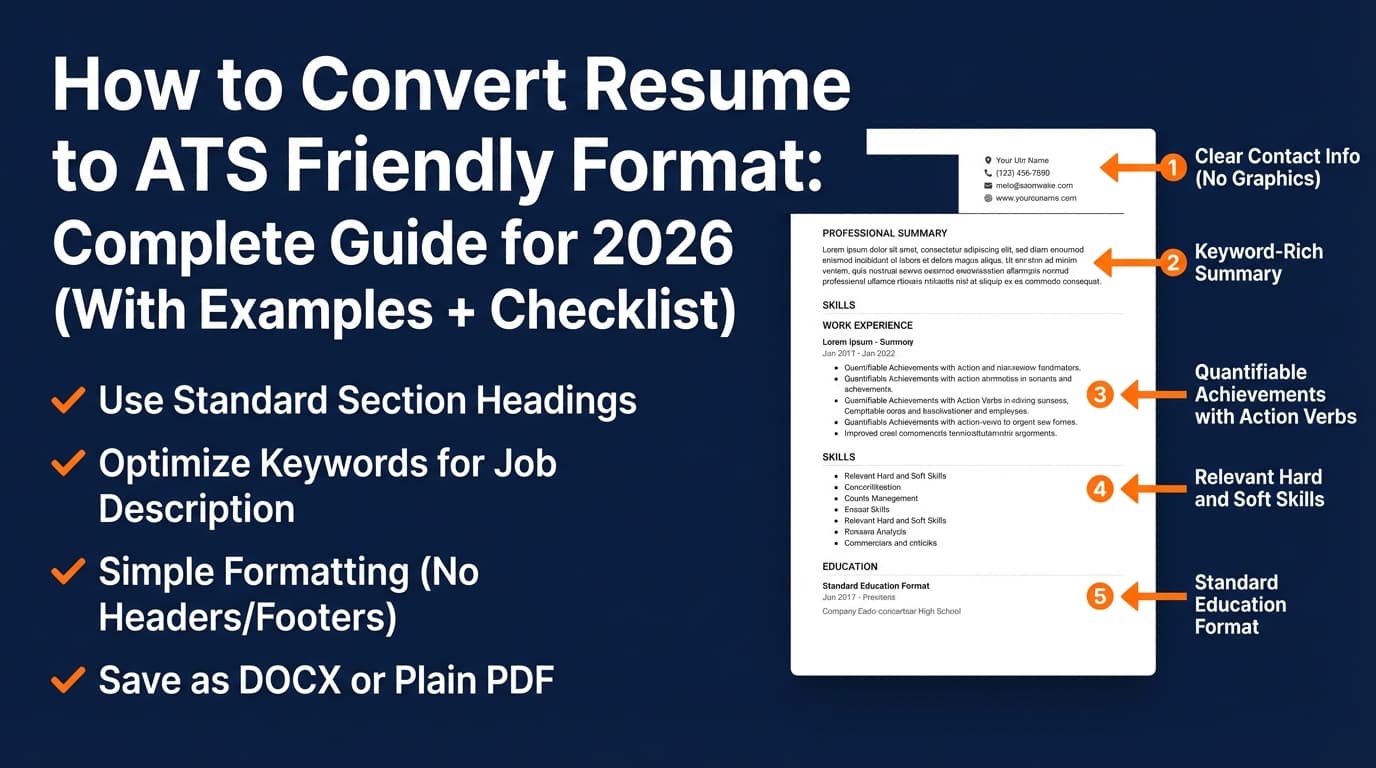
Use standard headings that parsers and recruiters expect:
- Summary
- Skills
- Experience
- Education
- Certifications (if relevant)
University ATS checklists commonly emphasize simple formatting and clear headings.
Source: UIC PDF
Option 4: Use spacing and simple rules (lines) carefully
A thin horizontal line can improve readability. Many career communities consider lines okay; the bigger issues are tables/text boxes/graphics. The key is: don’t build your layout out of shapes.
Option 5: If you need “two columns,” fake it safely (use separate lines, not a sidebar)
Instead of: a left sidebar for Skills / Tools / Links
Do: a compact “Skills & Tools” section near the top, then proceed in one linear flow.
Examples: What ATS might do to a two-column resume (and the safe rewrite)
Example A: Two-column with a sidebar (risky)
Left column (sidebar):
- Skills: Python, SQL, Tableau
- Tools: Snowflake, dbt
- Certifications: AWS CCP
Right column (main):
- Experience (roles + bullets)
- Education
What can happen in parsing:
The ATS may read down the left column first, then jump to the top of the right column—mixing skills/certs into the wrong section or placing them before your name/title.
Safe rewrite (single-column, same info)
Summary
Data Analyst with 5+ years building dashboards and forecasting models…
Skills: Python | SQL | Tableau | Snowflake | dbt
Certifications: AWS Certified Cloud Practitioner
Experience
Company — Data Analyst — 2022–Present
- Built…
Education
University — B.S.…
Result: same content, less risk.
“Are columns in Word ATS-friendly?” (and why it’s still risky)
This question comes up constantly because Word has an actual “Columns” feature.
Here’s the practical reality:
- Some ATS/parsers can handle Word columns better than PDF columns
- Some still misread the order
- You typically don’t know what the employer uses
So the ATS-optimized recommendation remains: avoid relying on Word columns unless you have a strong reason and you’ve tested thoroughly.
If you’re using Word, you can get a similar look using:
- Tabs (carefully)
- Spacing + consistent indentation
- A “Skills:” line with separators
PDF vs DOCX: does file type change the columns risk?
It can.
Some ATS systems parse DOCX more cleanly; some handle PDFs fine; some struggle with PDFs created by design tools or scanned PDFs that require OCR. Because outcomes vary, a safe rule is:
- If the application asks for DOCX, give DOCX.
- If it asks for PDF, give PDF.
- If it allows both and you’re unsure, consider testing both versions with the same parsing checks.
Jobscan has a dedicated discussion of PDF vs Word tradeoffs, and Workable’s parsing explanation reinforces that extraction quality matters more than “pretty.”
Sources: Jobscan, Workable
(Note: Jobscan pages may be paywalled or blocked in some regions; rely on the core principle: whichever format you choose, verify parsing accuracy.)
Best practices for an ATS-optimized resume (that matter more than columns)
Columns are one piece of ATS optimization. These often have a bigger impact:
-
Use role-relevant keywords naturally
- Pull keywords from the job description (skills, tools, requirements)
- Use them in context (bullets, skills, summary), not as hidden text
-
Write achievement bullets with measurable outcomes
- “Reduced processing time 35% by automating…” beats “Responsible for…”
-
Keep dates and job titles consistent
- Choose one format and stick to it (e.g., “Jan 2022 – Mar 2024”)
-
Don’t put contact info in headers/footers
- Multiple university ATS guides warn against this because parsing may miss it
Source: UIC PDF
- Multiple university ATS guides warn against this because parsing may miss it
-
Avoid text boxes, icons, and graphics for critical info
- Especially for skills and experience
Common mistakes to avoid (specific to columns)
Mistake 1: Putting your skills in a sidebar
Skills are often used for keyword matching/search inside ATS databases. If your sidebar fails parsing, you can lose a major discoverability lever.
Fix: Put skills in a standard Skills section in the main flow.
Mistake 2: Using tables to “align” dates and job titles
This can look clean visually but parse poorly.
Fix: Use a single-line structure like:
Company — Role | City, ST | 2022–Present
Mistake 3: Assuming “my resume looked fine when I uploaded it”
Some systems show a pretty preview but still store parsed fields incorrectly. Always check the autofill fields when available.
Mistake 4: Chasing a perfect ATS score instead of accurate parsing
A score can be directionally useful, but the pass/fail reality is usually:
- Can the system read your sections correctly?
- Do you match the role with relevant keywords?
- Is your resume strong to a human?
Tools to help with ATS optimization (without relying on columns)
You don’t need dozens of tools. You need a workflow that covers:
- formatting reliability, 2) keyword alignment, 3) iteration.
JobShinobi (resume building + ATS-focused analysis + tailoring)
If you want an all-in-one workflow, JobShinobi supports:
- LaTeX-based resume building with an in-app editor and PDF preview/compilation
- AI resume analysis with ATS-focused scoring and feedback
- Job description extraction + resume-to-job matching to spot keyword gaps
- A job application tracker (with Excel export)
- Email-forwarding job application tracking (Pro feature; requires an active Pro membership)
Pricing: JobShinobi Pro is $20/month or $199.99/year. The pricing page/marketing mentions a 7-day free trial, but trial mechanics aren’t clearly verifiable from publicly visible enforcement logic—treat as availability-dependent.
Internal links: you can access resume features at /dashboard/resume and tracking at /dashboard/job-tracker; subscription info is at /subscription.
Other helpful tool types (use selectively)
- ATS resume checkers / scanners: Useful to preview extracted text and keyword alignment (don’t treat any single score as truth).
- Plain-text test (free): Notepad/TextEdit copy-paste.
- Real application autofill: The most realistic parsing test you can do.
Key takeaways
- If you want the most ATS-optimized, lowest-risk resume format: use single-column.
- Columns can work sometimes—but they’re less reliable across different ATS parsers.
- If you insist on columns, you must test parsing (plain text + parsing preview + autofill).
- You can get a clean, modern look without columns using separators, spacing, and strong hierarchy.
- ATS optimization is more than formatting: keywords + measurable impact + clarity win interviews.
FAQ (People Also Ask)
Does ATS recognize columns?
Sometimes, but not reliably. Many guides recommend avoiding columns because parsers may extract text in the wrong order or merge sections.
Sources: Jobscan, UIC PDF
Is single-column resume better for ATS?
Yes—single-column is the safest layout for ATS parsing across different systems, especially if you’re applying through online portals.
Are columns in Word ATS-friendly?
They can be more parseable than complex PDF layouts, but they still introduce reading-order risk. If you use Word columns, run plain-text and parsing tests and keep a single-column fallback version.
Can ATS detect two columns?
An ATS typically doesn’t “detect” columns the way a human does—it parses text blocks and tries to infer order. That’s why content can become scrambled even when it looks fine visually.
What is the best resume format to use for ATS?
A clean, reverse-chronological, single-column resume with:
- Standard headings (Experience, Education, Skills)
- No tables/text boxes/graphics for critical content
- Keyword alignment to the job description
Sources: UNC Resume Guide, Workable
PDF or DOCX for ATS?
Follow the employer’s instructions first. If both are allowed, test both for parsing accuracy—especially if you’re tempted to use columns or design-heavy templates.