98.8% of Fortune 500 companies used a detectable ATS in Jobscan’s research on Fortune 500 ATS adoption. (Confidence: HIGH — named source with a specific, widely cited figure)
https://www.jobscan.co/blog/fortune-500-use-applicant-tracking-systems/
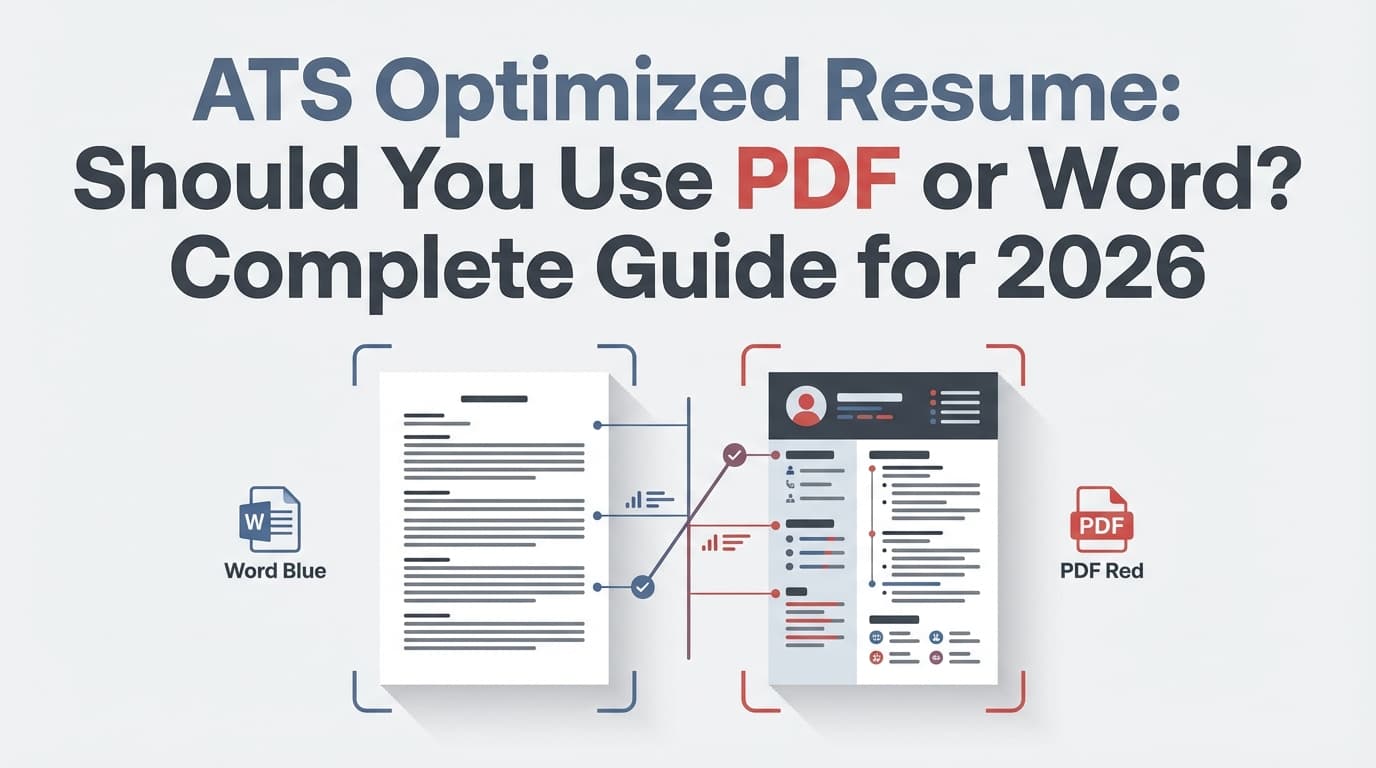
So yes—your resume file format (PDF vs Word) matters. But not in the simplistic way most advice makes it sound.
Most job seekers ask:
- “Does ATS prefer PDF or DOCX?”
- “Is a PDF resume ATS friendly?”
- “Why did my resume parse into nonsense?”
- “Should I upload Word to Workday?”
The better question is:
Which format will parse cleanly in this application workflow—without sacrificing readability for humans?
In this guide, you’ll learn:
- The safest default: PDF vs DOCX, and when to switch
- A fast decision tree you can use for every application
- The actual reasons resumes “fail ATS” (and why “ATS auto-rejection” is often misunderstood)
- How to test your file for parsing problems before you hit submit
- File-format best practices for common portals (Workday/Greenhouse-like flows)
- Tools and a repeatable workflow for tailoring at scale
Quick answer: PDF or Word for an ATS optimized resume?
The safest rule (without overthinking it)
-
If the job post tells you what to upload, do that.
(If they say “DOCX only,” upload DOCX. If they say “PDF only,” upload PDF.) -
If it doesn’t specify:
- Use a clean, text-based PDF when your resume is simple (single column, standard headings, no text boxes/tables), and especially when you care about consistent formatting for humans.
- Use DOCX when you suspect the portal’s parsing is picky/older, when the employer hints they prefer Word, or when your PDF fails basic parsing tests (you’ll learn those below).
-
Keep both ready (the “two-version strategy”):
FirstName_LastName_Resume.pdfFirstName_LastName_Resume.docx
This isn’t about superstition. It’s about controlling the two biggest risks:
- Parsing risk (ATS misreads your content)
- Formatting drift (humans see a broken layout)
A 30-second decision tree (PDF vs Word) you can use on every application
Step 1: Did the employer request a specific format?
- Yes → Upload exactly that format. (Confidence: HIGH — universal application best practice)
- No → Continue.
Step 2: How are you submitting?
- Emailing a recruiter/hiring manager directly → PDF is usually best (format stays consistent, looks professional).
- Uploading to an ATS portal → Continue.
Step 3: Is your PDF definitely text-based and “simple”?
Do these quick checks:
- Can you select text cleanly in the PDF?
- If you copy/paste into Notepad/TextEdit, does it keep the right order (Experience in order, bullets readable)?
- Is it one column with standard headings?
If yes → PDF is usually safe.
If no → choose DOCX (or fix your PDF).
Step 4: Use the portal preview as the final judge
Many portals show a parsed preview or auto-fill fields from your upload.
- If it parses cleanly → you’re good.
- If it scrambles titles/dates/bullets → try the other format immediately.
What “ATS optimized resume” actually means (so you don’t optimize the wrong thing)
An ATS optimized resume is designed to:
- Parse into structured fields correctly (name, contact info, job titles, dates, employer names, skills)
- Match the job requirements in plain language (so recruiters can search/filter you effectively)
- Stay readable for humans once it lands in the recruiter’s queue
ATS reality check: the system often doesn’t “reject”—it organizes and ranks
A widely repeated claim is “ATS rejects 75% of resumes.” The evidence behind broad auto-rejection claims is shaky and often oversimplified.
Enhancv interviewed 25 recruiters and reported:
- 92% said their ATS does not automatically reject resumes based on formatting/design/content
- 8% said it does (outside of knockout questions)
(Confidence: MEDIUM — small sample size, but explicit methodology and clear numbers)
https://enhancv.com/blog/does-ats-reject-resumes/
What this means for you: Your resume can still “lose” without an auto-reject, because:
- it parses poorly (your best content becomes unreadable)
- it doesn’t match the role’s keywords/requirements
- you applied late and the recruiter is filtering aggressively
- you didn’t fill required fields or you failed knockout questions
File format helps mainly with parsing quality.
Why PDF vs Word changes ATS performance (simple technical explanation)
Most ATS workflows do some version of:
- Ingest your file (PDF/DOCX/TXT)
- Extract text (and sometimes layout structure)
- Map extracted text into fields (Experience, Education, Skills)
- Index content for search/filter
- Display your resume to recruiters (sometimes as original file, sometimes as parsed view)
DOCX advantage (common): structure is often easier to interpret
DOCX files contain explicit document structure (paragraphs, lists, runs of text). Many parsers handle DOCX consistently—especially older systems.
DOCX downside: formatting can shift for humans depending on fonts and rendering.
PDF advantage (common): formatting stays consistent
PDF is designed to look the same everywhere—great for humans.
PDF downside: “PDF” is not one thing. A PDF can be:
- Text-based (good)
- Image/scanned (bad)
- Weirdly exported with layered elements (risky)
- Designed with columns/text boxes (risky)
Smallpdf summarizes this well: ATS can often read PDFs, but outcomes vary by PDF type and layout complexity. (Confidence: MEDIUM)
https://smallpdf.com/blog/do-applicant-tracking-systems-prefer-resumes-in-pdf-format
Resume Worded similarly says ATS can read PDFs, but file creation + formatting choices determine success. (Confidence: MEDIUM)
https://resumeworded.com/can-ats-read-pdf-documents-key-advice
The biggest “PDF vs Word” misconception: it’s not about the file type, it’s about parseability
If you only remember one thing from this guide, make it this:
A clean PDF beats a messy DOCX. A clean DOCX beats a messy PDF.
What makes a resume “parseable” (in practice)
Parseability usually improves when you:
- use single-column layout
- use standard headings (Experience, Education, Skills)
- avoid tables, text boxes, shapes, icons
- keep contact info in the main body (not headers/footers)
- keep dates and job titles in predictable places
- use bullets that copy/paste cleanly
When you should choose PDF (best-case scenarios)
Choose PDF when:
- You’re emailing the resume (formatting matters more; no parser step)
- The portal accepts PDFs and your PDF is:
- text-based
- single-column
- plain headings
- You’ve confirmed the portal preview looks correct
- You’re applying to roles where visual consistency is important (but still keep ATS-safe formatting)
PDF is especially strong for “human handoff”
Even if an ATS parses your resume, recruiters often view the original attachment too. A PDF preserves spacing and alignment more reliably than DOCX across devices.
When you should choose Word/DOCX (best-case scenarios)
Choose DOCX when:
- The job post asks for DOC/DOCX
- The portal is known (by experience) to parse PDFs poorly
- Your PDF fails the copy/paste test or scrambles order
- You’re applying through a portal that strongly encourages Word upload (some systems display hints in their upload UI)
Workday-style pain point: why some applicants prefer DOCX
A common complaint is “my Workday application auto-filled garbage.” That’s a parsing quality issue.
If the preview is messy, DOCX is often the fastest fix (not always, but often).
(Note: You’ll find advice about Workday preferring DOCX in community discussions; treat that as situational. Your best evidence is still the portal preview for your specific application.) (Confidence: MEDIUM)
The “two-version strategy” (recommended for high-volume applicants)
If you’re applying a lot, you need speed and control.
Keep two files updated at all times
- PDF version: final formatting, human-friendly
- DOCX version: parser-friendly backup
Naming convention (simple but underrated)
Use:
FirstName_LastName_Resume.pdfFirstName_LastName_Resume.docx
Avoid:
- special characters
- emojis
- version chaos like
resume_final_FINAL2_reallyfinal.pdf
How to test your resume for ATS parsing problems (in under 2 minutes)
Test 1: Copy/paste into plain text
- Open your PDF or DOCX
- Copy everything
- Paste into Notepad/TextEdit
Pass: headings still make sense, bullets are readable, order is correct
Fail: lines break oddly, headers disappear, dates float, two columns merge
Test 2: The “field auto-fill” test
Many portals parse your resume to auto-fill sections.
- If “Employer” becomes your city, or bullet text becomes a job title → parsing is broken.
- Switch format (PDF ↔ DOCX) and re-upload.
Test 3: The “re-upload once” rule
If parsing is wrong, don’t keep fighting the same file. Do one clean iteration:
- simplify layout
- re-export
- re-upload
PDF resumes: how to make them ATS-friendly (without killing readability)
1) Make sure it’s text-based (not scanned)
Red flags:
- You can’t select text cleanly
- Copy/paste produces symbols or random line breaks
- The PDF was made by scanning paper
Fix: export a PDF from a real editor (Word/Google Docs/LaTeX), not a scan.
2) Avoid columns, tables, text boxes, and icons
These are the most common causes of “my resume parsed wrong.”
If you want a modern look, rely on:
- whitespace
- bold section titles
- consistent spacing —not layout tricks.
3) Keep headings boring (that’s a compliment)
Use “Work Experience,” “Experience,” “Education,” “Skills.”
ATS software and recruiters both understand those.
4) Keep links as plain text URLs when possible
Especially for LinkedIn/portfolio/GitHub. Hyperlinks sometimes get lost in parsing.
5) Don’t lock or password-protect the PDF
Protected PDFs can break parsing or prevent preview.
DOCX resumes: how to keep them ATS-friendly (and human-stable)
1) Avoid Word templates that use tables
Many “pretty” Word templates are table-based.
Tables often parse unpredictably and can jumble content order.
2) Use standard bullets
Use Word’s normal bullet list, not custom symbols.
3) Keep contact info in the main document body
Some systems skip headers/footers or handle them inconsistently.
You’ll see this advice from multiple resume/ATS sources. (Confidence: MEDIUM)
4) Don’t rely on embedded text boxes for alignment
If alignment requires a text box, your layout is probably too complex for reliable parsing.
ATS portals aren’t all the same: why results vary (Workday vs Greenhouse-style systems)
Even if “ATS can read PDFs,” that doesn’t mean:
- every ATS reads every PDF equally
- every employer config is identical
- every resume template exports cleanly
Example: Greenhouse parsing constraint (hard number)
Greenhouse Support notes that Greenhouse Recruiting can’t parse resumes larger than 2.5MB. (Confidence: HIGH — official support documentation with a specific limit)
https://support.greenhouse.io/hc/en-us/articles/200989175-Unsuccessful-resume-parse
Why that matters: Over-designed PDFs (especially with images) can bloat file size. Even if the PDF is text-based, huge files can fail parsing or upload.
Common mistakes that make people think “ATS rejected me” (but it’s really formatting + workflow)
Mistake 1: Two-column resumes
Problem: the parser reads across columns incorrectly (order gets scrambled).
Fix: one column.
Mistake 2: Contact info in header/footer
Problem: some systems mishandle that area, leading to missing email/phone.
Fix: put contact info at top of the main body.
Mistake 3: Canva/design-tool resumes exported to PDF
Problem: design tools often use text boxes and layered elements. Parsing can become unpredictable.
If you use Canva, you must test carefully (copy/paste + portal preview). You may still be fine if the final export is text-based and simple—but many Canva templates aren’t.
(You’ll see strong claims like “Canva resumes do not pass ATS” from resume sites; treat as a warning about common template structure, not a universal law.) (Confidence: MEDIUM)
Mistake 4: Icons instead of labels
A phone icon isn’t the word “Phone.” ATS systems don’t “infer” design semantics reliably.
Mistake 5: Keyword stuffing or hidden keywords
This can backfire (and wastes time). A clean, relevant resume beats a bloated one.
Mistake 6: Only optimizing for ATS and forgetting humans
Even if you parse perfectly, a recruiter still has to skim and decide quickly.
The part most guides skip: ATS optimization is also about content alignment, not just file type
A perfect PDF won’t help if your resume doesn’t match what the recruiter filters for.
How recruiters actually find candidates inside ATS (common patterns)
Recruiters often:
- filter by must-have skills (e.g., “SQL”, “Tableau”, “Kubernetes”)
- search by job title equivalents (e.g., “Data Analyst” vs “Business Analyst”)
- filter by location/authorization
- scan recent titles + keywords
So your job is to:
- use the same words the job description uses (when truthful)
- show proof in Experience/Projects (not just a Skills dump)
A simple, non-scammy keyword workflow
- Pull 10–20 recurring terms from the job description:
- tools
- methodologies
- domain terms
- compliance requirements
- Add the ones you truly have into:
- Skills (as a compact list)
- bullets (with outcomes and context)
How to apply at scale (step-by-step workflow for high-volume applicants)
This is the workflow that reduces “format panic” and helps you iterate quickly.
Step 1: Build a clean master resume (single-column)
Start with your best baseline resume:
- clean headings
- consistent dates
- readable bullets with metrics
Step 2: Export both formats (PDF + DOCX)
Keep them aligned so you never scramble last-minute:
- PDF for stability
- DOCX for parser fallback
Step 3: Tailor the resume to the posting (fast, targeted)
You don’t need to rewrite everything. Focus on:
- summary headline (optional)
- skills list (prioritize relevant items)
- top 2–3 bullets per most recent role
- projects (if role-relevant)
Step 4: Run parsing tests (copy/paste + portal preview)
If it fails:
- switch format
- simplify layout
- re-export
Step 5: Track what you submitted (so you can learn)
If you don’t track submissions, you can’t improve.
At minimum, track:
- company
- role title
- date applied
- resume version (PDF or DOCX + tailored version name)
- outcome (screen, interview, rejection, no response)
Tools that can help (without pretending one tool solves everything)
JobShinobi (resume + tailoring + tracking in one workflow)
If you want a workflow built around ATS optimization and iteration:
- Build resumes in a LaTeX editor and compile to a text-based PDF (helpful for consistent formatting). (Confidence: HIGH)
- Download your resume as PDF and also export the
.texsource. (Confidence: HIGH) - Run AI resume analysis that provides ATS-focused scoring + feedback (and can store results for later). (Confidence: HIGH)
- Paste a job URL or job description text to generate a job match analysis (keyword gaps + suggestions). (Confidence: HIGH)
- Track applications in a job tracker dashboard and export to Excel (.xlsx). (Confidence: HIGH)
- Forward job application emails to a unique address for automatic job tracking (this automation is Pro-only). (Confidence: HIGH)
Pricing: JobShinobi Pro is $20/month or $199.99/year. The pricing page mentions a 7-day free trial, but trial behavior may depend on billing configuration. (Confidence: HIGH on pricing; MEDIUM on trial mechanics)
Internal links:
- Resume workflow: /dashboard/resume
- Job tracker: /dashboard/job-tracker
Other helpful resources/tools (for learning and edge cases)
- Resume Worded (good explanations on PDFs and ATS behavior)
https://resumeworded.com/can-ats-read-pdf-documents-key-advice - Smallpdf (clear breakdown of PDF types and ATS considerations)
https://smallpdf.com/blog/do-applicant-tracking-systems-prefer-resumes-in-pdf-format - Greenhouse Support (concrete parsing failure reasons like file size)
https://support.greenhouse.io/hc/en-us/articles/200989175-Unsuccessful-resume-parse
Best practices checklist: ATS-friendly PDF or Word (print this)
Formatting
- Single column
- Standard headings (Experience, Education, Skills)
- No tables / text boxes / icons / graphics
- Consistent date format
- Left-aligned text (avoid full justification)
File type
- Follow instructions if specified
- Keep both PDF + DOCX available
- PDF is text-based (selectable text)
- File size is reasonable (watch upload limits; e.g., Greenhouse parsing limit 2.5MB)
Sanity checks
- Copy/paste to plain text looks correct
- Portal preview parses correctly
- Filename is clean and professional
Key takeaways
- Follow the employer’s instructions first—format choice is not where you want to be “creative.”
- If unspecified, PDF is often a strong default only when it’s text-based and simply formatted.
- DOCX is your best fallback when portal parsing is messy or the employer hints they prefer Word.
- Don’t confuse “ATS optimization” with “file type only.” Parsing + keyword alignment + readability matter more.
- Use a repeatable workflow: export both formats, test parsing, tailor, track results.
FAQ (People Also Ask)
Does ATS prefer PDF or DOCX?
It depends on the ATS and how the file was created. Many ATS platforms can read both, but DOCX can be more consistently parsed in some workflows, while PDF preserves formatting for humans. A text-based, single-column PDF is often fine; if parsing looks wrong, switch to DOCX. (Confidence: HIGH)
Is a PDF resume ATS friendly?
Yes—if it’s a text-based PDF and your formatting is simple (no columns/tables/text boxes). Resume Worded notes that ATS can read PDFs, but outcomes depend on creation method and formatting. (Confidence: MEDIUM)
https://resumeworded.com/can-ats-read-pdf-documents-key-advice
What resume file format is best for ATS?
The best format is the one the employer requests. If nothing is specified, use the format that parses cleanly in the portal preview. Keeping both PDF and DOCX ready is the safest approach. (Confidence: HIGH)
Can ATS read PDF from Canva?
Sometimes, but many Canva templates use text boxes/columns that increase parsing risk. If you use Canva, test your exported PDF by copy/pasting into plain text and checking the portal preview. If it scrambles content, switch to a simpler layout or use DOCX. (Confidence: MEDIUM)
Why did my resume parse incorrectly?
Common causes include:
- two-column layout
- tables or text boxes
- contact info in headers/footers
- image-based/scanned PDFs
- oversized files (e.g., Greenhouse notes parsing issues when files exceed limits like 2.5MB)
(Confidence: HIGH)
https://support.greenhouse.io/hc/en-us/articles/200989175-Unsuccessful-resume-parse
Does the ATS automatically reject resumes?
Often, no. Enhancv reports that in a sample of 25 recruiters, 92% said their ATS does not auto-reject based on formatting/design/content, while 8% said it does (outside of knockout questions). (Confidence: MEDIUM)
https://enhancv.com/blog/does-ats-reject-resumes/