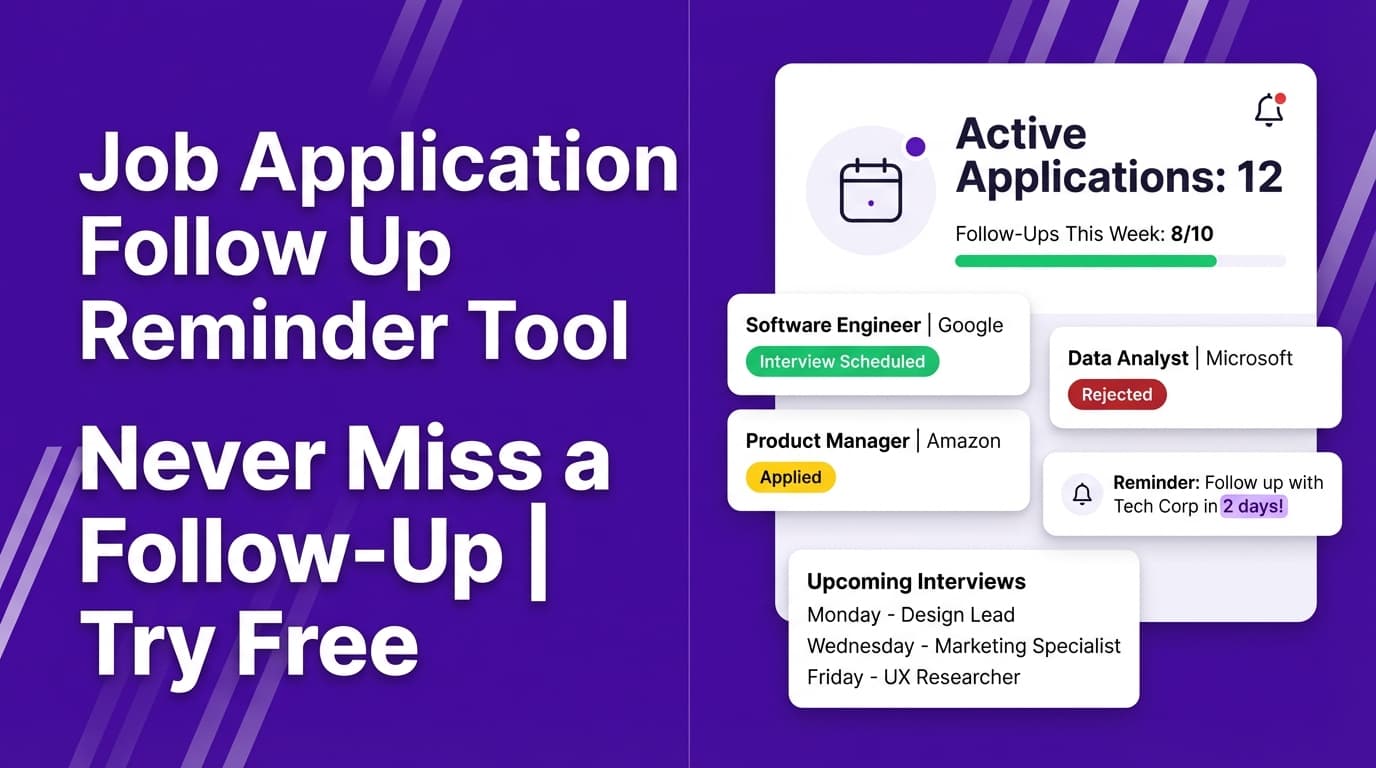
JobShinobi’s Job Application Follow Up Reminder helps you keep a clean record of where you applied, when you applied, and what status each application is in—so you can confidently decide who to follow up with and when.
Try it now → or keep reading to see the exact workflow.
What is a Job Application Follow Up Reminder Tool?
A job application follow up reminder tool is a system that prevents opportunities from slipping through the cracks after you hit “Apply.”
In practice, follow-up reminders require two things:
- A reliable log of your applications (company, role, date applied, status)
- A consistent follow-up routine (e.g., checking “Applied” roles weekly and sending a follow-up when appropriate)
JobShinobi provides the first part: a Job Application Tracker that stores your applications in one place and keeps them updated. If you’re on Pro, you can also forward job-related emails to a unique address and JobShinobi will attempt to parse and log the application automatically—reducing manual entry.
Important: JobShinobi helps you track applications so you can follow up on time. It does not automatically send follow-up emails to employers or submit applications for you.
How to Use JobShinobi’s Job Application Follow Up Reminder
Step 1: Start tracking applications (manual add or email forwarding)
You have two ways to get applications into JobShinobi:
- Manual tracking (in the dashboard): Add an application with job title, company, and status.
- Email-forwarding auto-tracking (Pro required): Forward application confirmation emails (and similar job-related emails) to your unique
@parse.jobshinobi.comaddress and JobShinobi will attempt to extract details and create/update an application.
Tip: If you apply on multiple job boards, forwarding the confirmation emails is often the fastest way to keep your tracker complete.
Step 2: Keep statuses updated as you move through the process
In the tracker, each job has a status you can update:
- Applied
- Interview
- Rejected
- Offer
- Accepted
As you receive updates (or forward additional emails), you’ll see your tracker reflect what’s happening—so you know which applications still need attention.
Tip: If a new email comes in for the same role/company, JobShinobi can update an existing entry instead of creating a duplicate (it uses similarity matching on company/title).
Step 3: Run your weekly follow-up check (the “reminder” routine)
JobShinobi tracks the date applied (stored as a timestamp) and your current status. A simple follow-up routine looks like this:
- Open your Job Application Tracker
- Look for roles still marked Applied
- Check how long it’s been since you applied
- Decide whether a follow-up is appropriate for that role/company
Pro tip: Many job seekers follow up roughly 1–2 weeks after applying when no timeline is provided. If the posting or recruiter gave a timeline, follow up after that window.
Step 4: Export your tracker (optional) and set external reminders
If you want true “reminder” behavior (calendar notifications), you can export your applications and set reminders in whatever system you already use.
JobShinobi supports exporting your applications to an Excel (.xlsx) file.
From there you can:
- Add a “Next Follow-Up Date” column
- Sort/filter to see who’s due
- Add calendar reminders manually (Google Calendar, Outlook, etc.)
Features of Our Job Application Follow Up Reminder Tool
Email-forwarding auto-tracking (Pro)
Forward job-related emails to your unique JobShinobi forwarding address. JobShinobi uses AI to extract details like:
- Company
- Job title
- Status (Applied / Interview / Offer / Rejected / Other)
- Optional fields when present (location, salary, job URL, additional info)
Why it matters: you spend less time updating trackers and more time applying (and following up thoughtfully).
Job Application Tracker dashboard (manual add/edit/delete)
Manage your job applications in a dashboard:
- Add applications manually
- Edit company/title/status
- Delete entries you don’t need
Why it matters: follow-ups only work when your list is accurate.
Status tracking that supports real job-search workflows
Track key stages like Applied → Interview → Offer, plus Rejected/Accepted.
Why it matters: follow-up timing depends on status. You don’t want to “follow up” on an interview invite the same way you follow up after submitting an application.
Export to Excel (.xlsx)
Download your full tracker to Excel.
Why it matters: if your follow-up system lives in a spreadsheet or you want a backup/report, export gives you that flexibility.
Email processing notifications (optional)
When email-forwarding is enabled, JobShinobi can send notification emails for successful tracking (and failures when parsing doesn’t work).
Why it matters: you’ll know whether an email was captured—so you don’t assume it’s logged when it isn’t.
Job Application Follow Up Reminder Use Cases
For high-volume applicants
If you apply to many roles per week, it’s easy to lose track of who deserves a follow-up.
Use JobShinobi to:
- Log everything in one place
- Spot “Applied” roles that have gone quiet
- Export and batch-plan follow-ups once per week
For networking-based job seekers
Even when you apply through referrals, you still need a system.
Use JobShinobi to:
- Record the application (company + role)
- Update status when the referral introduces you
- Keep your follow-up cadence consistent without relying on memory
For career switchers and students
When you’re applying across industries, role names and timelines vary.
Use JobShinobi to:
- Standardize your application log
- Avoid missing follow-ups because the process feels unfamiliar
- Build a repeatable habit: apply → track → follow up → update status
Why Choose JobShinobi’s Job Application Follow Up Reminder Tool?
| JobShinobi | Other “Free” Tools |
|---|---|
| Email-forwarding auto-tracking available on Pro (reduces manual logging) | Often fully manual, or relies on browser extensions |
| Simple dashboard for applications + statuses | Can be cluttered, generic, or spreadsheet-only |
| Export to Excel for your follow-up workflow | Export may be limited or locked behind paywalls |
| Built for job seekers alongside resume/ATS tools | Many tools focus only on reminders, not the full job search workflow |
Related Tools
Explore more tools from JobShinobi:
- Resume Builder (LaTeX + PDF preview): Create structured, ATS-friendly resumes in a LaTeX-based editor.
- AI Resume Analysis: Get a resume score breakdown and improvement suggestions.
- Resume-to-Job Matching: Compare your resume to a job description and see keyword gaps.
FAQ
Is this Job Application Follow Up Reminder tool really free?
JobShinobi is a paid Pro subscription ($20/month or $199.99/year in the product configuration), and the site advertises a 7-day free trial.
Some dashboard access may be available without Pro, but email-forwarding auto-tracking requires Pro.
Do I need to create an account?
Yes. JobShinobi uses authenticated accounts (Google sign-in) to save your tracker data and connect it to your unique forwarding address (Pro).
Does JobShinobi automatically send follow-up emails to employers?
No. JobShinobi does not send follow-up emails to employers or apply to jobs for you. It helps you track your applications so you can decide when and how to follow up.
Does this tool send follow-up reminder notifications?
JobShinobi focuses on tracking (and optional email-forwarding automation on Pro). If you want calendar-style reminders, the recommended approach is to export to Excel and set reminders in your calendar or task manager.
What if JobShinobi can’t parse a forwarded email?
If parsing fails, JobShinobi can send a failure notification (when email notifications are enabled). You can also add the application manually in the tracker.
Start Using Job Application Follow Up Reminder Now
Following up is easier when you’re not guessing: track every application, keep statuses current, and run a weekly follow-up review. JobShinobi gives you a lightweight system that’s faster than building a spreadsheet from scratch—especially if you use email-forwarding auto-tracking on Pro.