If you’re looking for a resume scanner for a PDF resume, you’re usually trying to solve one of these problems:
- Your resume looks great as a PDF, but you’re worried an ATS will scramble it.
- You keep hearing “add keywords,” but you don’t know which keywords matter for your target role.
- You want a clear, actionable scan—not just a score—so you can improve your resume and apply with confidence.
JobShinobi is built for that exact workflow: create your resume with a structured LaTeX editor, run AI resume analysis + job matching, then export a polished PDF.
Important limitation (so you’re never misled): JobShinobi does not scan an uploaded PDF file (no PDF import/OCR). Instead, you build your resume in JobShinobi, scan the resume content there, then export your final PDF when it’s ready.
Why Choose JobShinobi for a “Resume Scanner for PDF Resume” Use Case?
Most “PDF resume scanners” focus on uploading a file and returning a grade. JobShinobi focuses on the bigger outcome: a PDF resume that holds up when parsed and compared to a job description—and a workflow that makes it repeatable.
1) LaTeX-based resume creation (structure first, then design)
JobShinobi resumes are stored as LaTeX source, which keeps layout and structure explicit. That matters because ATS parsing issues often come from unclear document structure.
Inside the editor, you can:
- Edit the LaTeX directly
- Compile and preview your PDF
- Download your resume as PDF and .tex
2) Resume Analysis that goes beyond “tips”
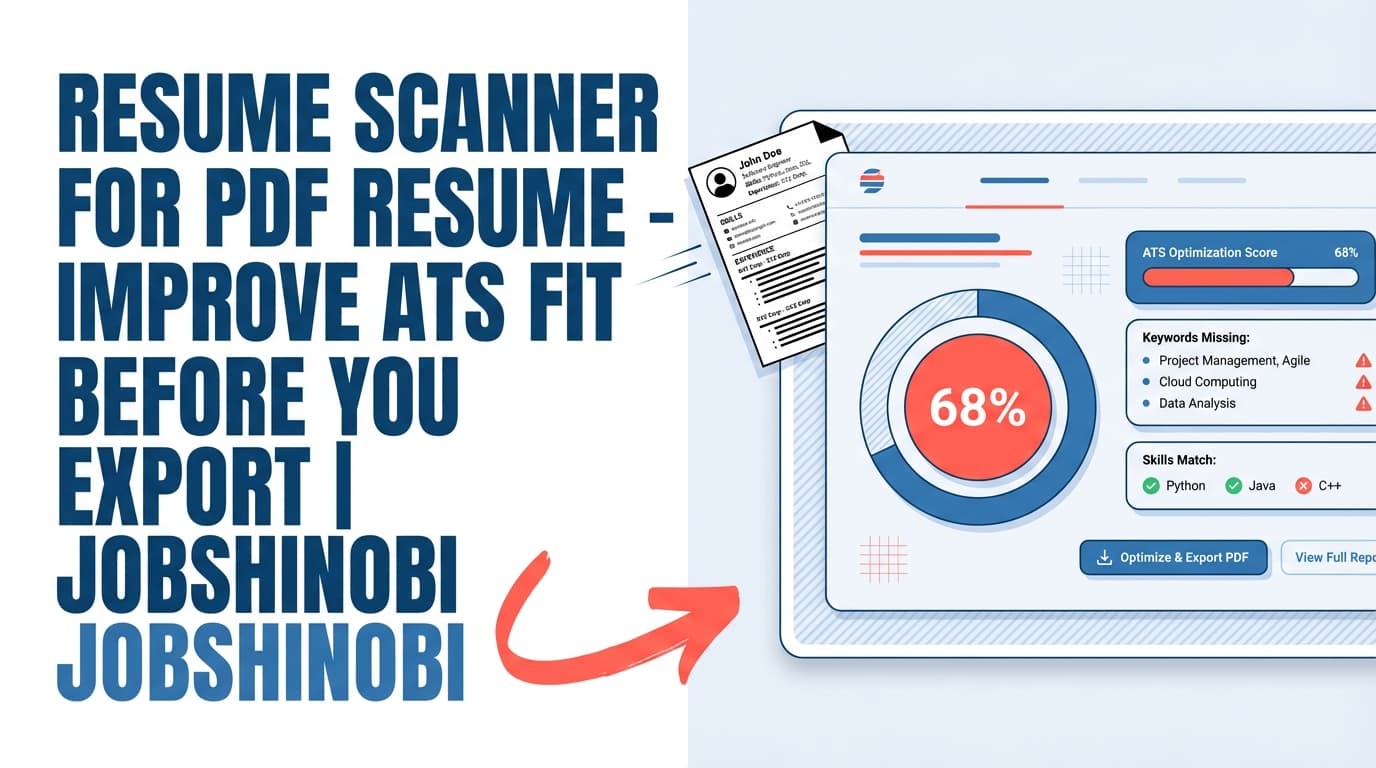
JobShinobi’s Resume Analysis generates a structured report with:
- Overall score + category scores (content, keyword, formatting, completeness, ATS)
- Strengths / weaknesses
- Missing sections
- Keyword analysis (present / missing / overused + additional keyword metrics)
- ATS issues that may cause automated systems to misread your resume
It also supports an Enhanced Analysis mode when you want deeper insights.
3) Match your resume to a job posting (URL or paste)
A resume scan without context is limited. JobShinobi includes job description extraction + resume-to-job matching:
- Paste a job URL or the job description text
- JobShinobi extracts structured job details (including keywords)
- You get a match score, missing keywords, present keywords, and recommendations
4) An AI Resume Agent that edits with you (streaming)
When you want to iterate fast, use the AI Resume Agent (streaming chat). It’s designed around resume editing workflows and can work with your current resume content.
JobShinobi also supports multiple AI model tiers in the UI:
- Shinobi Swift
- Shinobi Turbo
- Shinobi Pro
5) Version history so you can tailor without fear
Every meaningful change can become a version (manual saves and AI chat-driven updates). That means you can:
- Create a “Base Resume”
- Make a tailored version for a specific job
- Revert quickly if a change hurts clarity or structure
What a Resume Scanner for PDF Resumes Should Check (and Why It Matters)
When people say “scan my PDF resume,” they usually mean: “Help me avoid the mistakes that get me filtered out.”
Here’s what matters most—and how JobShinobi supports it through analysis + editing:
ATS-friendliness (parsing risk)
A scanner should help you catch issues like:
- Unclear section headings
- Inconsistent job date formatting
- Missing standard sections
- Potential parsing/structure problems
JobShinobi surfaces ATS issues in the analysis report so you’re not guessing.
Keyword alignment (match to the role)
A good scan should reveal:
- Which job keywords you already have
- Which ones you’re missing
- Which terms you might be repeating too much (overuse)
JobShinobi provides keyword analysis (present / missing / overused) and additional keyword metrics stored with your analysis results.
Clarity + impact (human readability still matters)
Even if you pass ATS, you still need humans to say “yes.” JobShinobi’s analysis includes strengths/weaknesses and additional deeper objects (when available in enhanced analysis), plus you can use the AI Resume Agent to improve bullet impact while keeping structure stable.
How JobShinobi’s Resume Scanner for PDF Resume Workflow Works
Step 1: Start from a resume template (stored LaTeX templates)
Go to /dashboard/resume and choose Start from Template.
Templates are loaded from JobShinobi’s template library and create a solid LaTeX foundation for:
- Clear sections
- Consistent formatting
- Cleaner compilation to PDF
Step 2: Edit your resume in the LaTeX editor + compile a PDF preview
In the editor, you can:
- Modify LaTeX source
- Compile the PDF preview
- Fix compile errors (if they occur)
- Download:
- resume.pdf
- resume.tex
This matters for “PDF resume scanner” intent because you can validate the final PDF output as you build—not after the fact.
Step 3: Run Resume Analysis (comprehensive or enhanced)
From your resume analysis experience, JobShinobi generates:
- Overall + category scores
- Detailed feedback (strengths, weaknesses, missing sections)
- Keyword analysis (present/missing/overused plus additional metrics)
- ATS issues list
If you re-run analysis without changing your resume, JobShinobi can return cached results (useful when you’re checking quickly during edits).
Step 4: Add a job description (URL or text) for job-specific matching
If your goal is better results for a specific role:
- Paste a job URL (LinkedIn, Indeed, company pages, etc.) or
- Paste the full job description text
JobShinobi extracts structured job details and runs resume matching, returning:
- Match score
- Present and missing keywords
- Recommendations you can act on
Step 5: Apply improvements with the AI Resume Agent + version history
When you want help rewriting bullets or improving a section:
- Use the AI chat editor (streaming)
- Save a version when you reach a better draft
- Revert if needed
This is how you move from “scan” → “fix” → “export PDF” without breaking your formatting every time.
Key Features for “Resume Scanner for PDF Resume”
| Feature | What It Does | Why It Matters for PDF Resume Scanning |
|---|---|---|
| LaTeX Resume Builder | Create and manage resumes stored as LaTeX | Structure stays consistent across edits and exports |
| Template Library | Choose templates with categories | Faster start, fewer formatting mistakes |
| PDF Compile + Preview | Compiles LaTeX and previews the PDF | You validate what you’ll submit before applying |
| PDF + .tex Download | Export your final PDF (and LaTeX) | Ship a polished PDF and keep source control |
| Resume Analysis API | Generates scores + detailed feedback and saves results | Repeatable scanning with saved history |
| Enhanced Analysis Mode | Optional deeper analysis mode | More structured insight when you want it |
| Keyword Analysis | Present / missing / overused keywords + metrics | Stop guessing which keywords to add |
| ATS Issues | Flags ATS compatibility issues in feedback | Catch problems that can block parsing |
| Job Description Extraction | Paste URL or text to extract job details | Makes your scan role-specific |
| Resume-to-Job Matching | Match score + missing/present keywords + recommendations | Tailor per job posting instead of generic advice |
| AI Resume Agent (Streaming) | Chat-based editing workflow | Faster iteration while preserving structure |
| Resume Version History | Versions from manual saves + chat changes | Tailor safely, revert instantly |
Resume Scanner for PDF Resume vs. “Upload Your PDF and Get a Score”
What most “PDF resume scanners” do
- You upload a PDF/DOCX
- You get a score and generic advice
- You edit elsewhere (often Word/Docs), re-export to PDF, and re-upload
That loop can be frustrating because formatting changes and content changes happen in different places.
JobShinobi’s approach (build → scan → export)
JobShinobi flips the workflow:
- Build your resume with a stable LaTeX template
- Scan your resume content with Resume Analysis
- Match against a job description when tailoring matters
- Export the PDF when it’s ready
If your goal is a better-performing PDF resume, scanning before exporting is the most controlled workflow.
Realistic Expectations: What JobShinobi Can (and Can’t) Do for PDF Scanning
JobShinobi CAN help you:
- Build a resume designed for consistent structure
- Compile and preview a PDF inside the editor
- Run ATS-oriented analysis (including ATS issues + keyword analysis)
- Run job-specific matching from a job URL or pasted text
- Iterate quickly with an AI resume editor and version history
JobShinobi CANNOT:
- Scan an uploaded PDF file directly (no PDF import/OCR)
- “Auto-apply” to jobs or integrate with job boards
- Claim a verified free trial (not evidenced in implementation)
If you already have a PDF-only resume, the practical way to use JobShinobi is:
- Start from a template and copy your content into JobShinobi
- Run analysis + matching
- Export a new, cleaner PDF
Mini Checklist: Make Your PDF Resume More ATS-Friendly (Using JobShinobi)
Use this quick checklist as you iterate:
- Run Resume Analysis and review ATS issues
- Review missing sections (add what’s appropriate to your background)
- Check keyword analysis (missing vs overused)
- Paste a job description (URL or text) and review match recommendations
- Apply fixes via editor or AI Resume Agent
- Compile the PDF preview and ensure the output matches expectations
- Save a version before making major changes
- Export the final PDF only after the scan results improve
Pricing
JobShinobi offers paid subscriptions via Stripe:
- Monthly: $20.00
- Yearly: $199.99
Official Stripe payment links:
- Monthly: https://buy.stripe.com/7sYeV61P10GS310eTy0VO02
- Yearly: https://buy.stripe.com/6oU9AM0KXexIdFE5iY0VO03
You can also visit /subscription (note: that page currently uses a placeholder checkout link in the app implementation).
Frequently Asked Questions
Can JobShinobi scan my existing PDF resume?
Not directly. JobShinobi does not support uploading a PDF for scanning (no PDF import/OCR). JobShinobi scans the resume content you build in JobShinobi, and then you export a PDF.
Does JobShinobi create a PDF resume?
Yes. JobShinobi compiles your LaTeX resume and provides a PDF preview, and you can download the final PDF when ready.
What does JobShinobi’s resume scan include?
Resume Analysis includes:
- Overall score and category scores (content, keyword, formatting, completeness, ATS)
- Strengths and weaknesses
- Missing sections
- Keyword analysis (present/missing/overused plus additional metrics)
- ATS issues flagged in the detailed feedback
Can I scan my resume against a job description?
Yes. You can paste a job posting URL or the full job description text. JobShinobi extracts job details and runs resume matching (match score + missing/present keywords + recommendations).
Is PDF or Word better for ATS?
Different ATS handle formats differently. Many modern systems can read PDFs, but the safest approach is always to follow the employer’s instructions. JobShinobi helps by letting you preview your exported PDF and scan the resume content for ATS issues and keyword alignment before you submit.
Is there a guaranteed free trial?
A guaranteed free trial is not verified in the current implementation. JobShinobi’s verified pricing model is paid subscriptions: Monthly ($20) and Yearly ($199.99) via Stripe.
Get Started with JobShinobi Today
If you want a resume scanner for a PDF resume that’s actually actionable, JobShinobi gives you a repeatable way to improve outcomes:
- Build with a structured LaTeX template
- Scan for ATS issues + keyword gaps
- Match to job descriptions (URL or paste)
- Iterate fast with an AI resume editor + version history
- Export a clean PDF when it’s ready
Start here: /login → then go to /dashboard/resume to choose a template and run your first scan.


