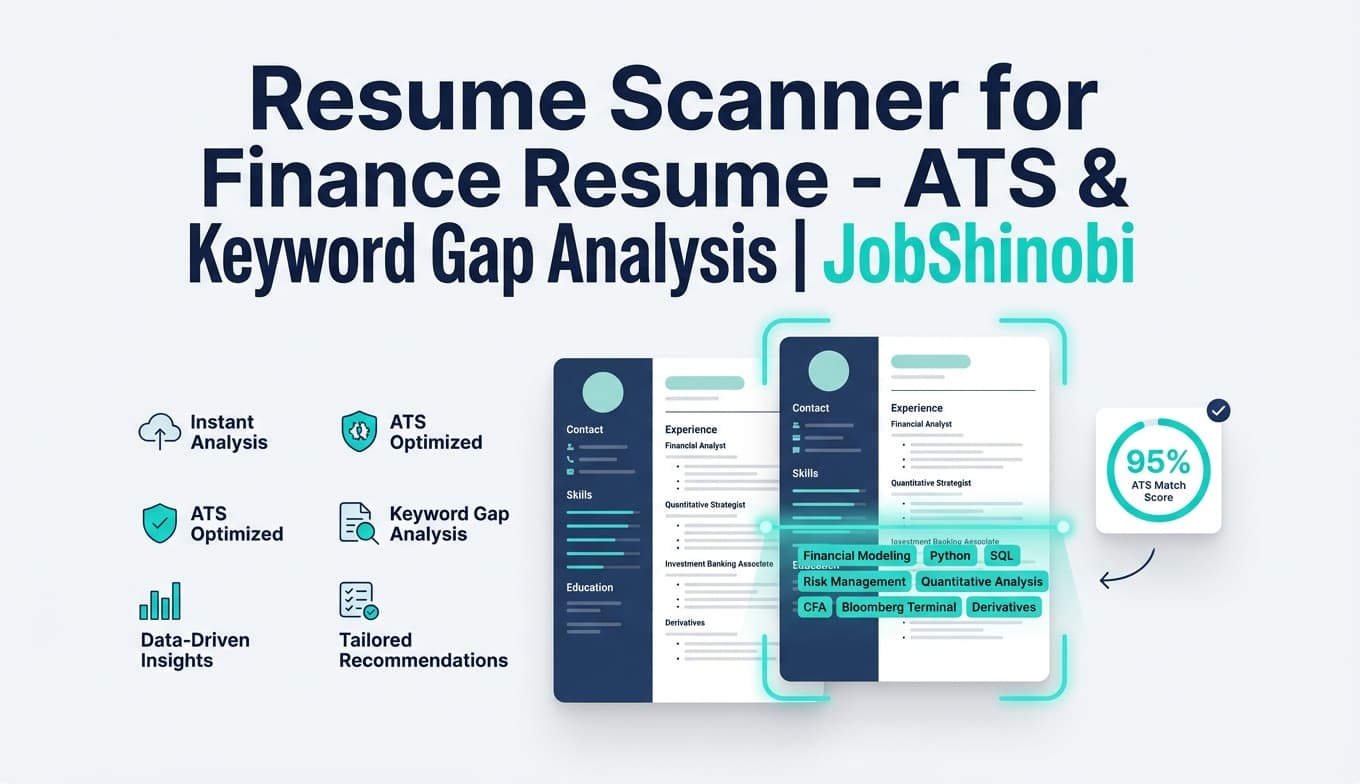
If you’re applying to finance roles (FP&A, Financial Analyst, Investment Banking, Corporate Finance, Accounting, Risk/Credit) and not getting interviews, a generic “resume score” usually isn’t enough. You need a resume scanner for finance resumes that can tell you:
- Which keywords you’re missing for a specific job description
- Whether your resume has ATS/formatting risks
- Where your content is weak (bullets that read like duties vs. results)
- How well your resume aligns to the role—and what to improve next
JobShinobi combines:
- Resume Scoring + ATS/Keyword Feedback (stored so you can compare iterations)
- Job Description → Resume Matching (present vs. missing keywords + match score)
- A LaTeX resume builder/editor with PDF preview, PDF export, and resume version history
- An AI resume editor (streaming) that can help you implement changes and iterate faster
CTA: Sign in with Google to scan your finance resume →
Why Choose JobShinobi for Finance Resume Scanning?
Finance recruiting is unusually keyword- and credibility-driven. Hiring teams (and screening workflows) often look for:
- Role-specific terminology (e.g., forecasting, variance analysis, DCF, LBO, month-end close, SOX)
- Tool stack keywords (Excel, SQL, Power BI/Tableau, ERP names—when relevant)
- Quantified impact (revenue, cost, ROI, cycle time, accuracy, risk reduction)
- Clear structure that parses cleanly in ATS and is easy to skim for humans
JobShinobi helps you scan for all of the above—and then gives you the workflow to fix it without losing control of formatting.
Finance-specific scanning beats “one-size-fits-all” resume scoring
A “Finance Resume” is not one role. A resume scanner should help you tailor to the actual posting:
- FP&A: budgeting, forecasting, variance analysis, KPI reporting, business partnering
- Corporate Finance: cash flow, capital allocation, strategic modeling, stakeholder reporting
- Investment Banking: valuation (DCF, comps, LBO), pitch books, due diligence, M&A execution
- Accounting: reconciliations, journal entries, month-end close, GAAP/IFRS, audit support
- Risk/Credit: credit analysis, underwriting, risk frameworks, portfolio monitoring, stress testing
With JobShinobi, you can scan your resume with a job description and run job matching to see keyword gaps and alignment.
LaTeX-first workflow + PDF export (structure stays consistent while you iterate)
Many resume scanners tell you to “fix formatting,” but then your document breaks when you edit in Word/Canva. JobShinobi is built around a LaTeX resume workflow where you can:
- Start from a template
- Edit the source
- Preview via PDF compilation
- Export your final PDF for applications
This makes it easier to iterate on content and structure without constantly reformatting.
Faster iteration with cached analysis + resume version history
JobShinobi supports:
- Cached analysis when the resume hasn’t changed since the last scan (so you don’t repeat work)
- Resume version history so every iteration is saved and reversible
That’s especially useful in finance searches where you may maintain multiple targeted variants (e.g., “FP&A Analyst” vs “Senior Financial Analyst” vs “Corp Dev Analyst”).
How JobShinobi’s Finance Resume Scanner Works
Step 1: Create your resume in JobShinobi (template → edit)
Go to the resume dashboard and create a resume from the template library.
- Templates are stored and managed inside JobShinobi
- Your resume is saved as LaTeX source and can be compiled to a PDF preview
CTA: Open the resume dashboard →
Step 2: Run a resume scan (ATS + keyword + content scoring)
JobShinobi’s resume analysis produces structured output, including:
- Overall score and category scores (content, keyword, formatting, completeness, ATS)
- Strengths and weaknesses
- Missing sections
- Keyword analysis (present, missing, overused + additional keyword signals)
- ATS issues
This scan is designed to be actionable: you should walk away knowing what to fix first.
Step 3: Match your resume to a finance job description (recommended)
For finance roles, job-specific matching usually beats generic scoring.
In JobShinobi, you can provide a job posting as:
- A URL or
- The full job description text
JobShinobi can extract job details and keywords, then generate:
- A match score
- Present vs. missing keywords
- Recommendations and saved job analysis results
Step 4: Apply improvements in the editor (manual or AI)
Once you see the gaps, implement changes in the resume editor:
- Manual editing in the LaTeX editor
- Or use the AI resume editor (streaming) to help rewrite, restructure, and tailor sections faster
(JobShinobi supports selectable model tiers in the AI chat interface.)
Step 5: Re-scan and export your finance resume
After changes:
- Re-run analysis to confirm improvements
- Export the final resume as PDF
- (Optional) download the .tex source
Key Features for Finance Resume Scanning
| Feature | What It Does | Why It Matters for Finance Roles |
|---|---|---|
| Resume Analysis (Scoring + Feedback) | Scores your resume and returns structured strengths/weaknesses, ATS issues, and keyword feedback | Finance hiring is competitive; you need prioritized, role-aligned fixes |
| Keyword Analysis (present/missing/overused) | Identifies keyword gaps and overuse patterns | Helps you add the right finance terms without stuffing |
| Job Description → Job Matching | Extracts job details (URL/text) and generates match score + present/missing keywords | “Finance” is too broad—tailoring to the posting is where you win |
| LaTeX Resume Builder + Editor | Create and edit resumes stored as LaTeX source | Keeps your structure stable across iterations |
| PDF Preview via LaTeX compilation | Compile and preview a PDF inside the editor | Lets you verify formatting while you tailor content |
| Export: PDF + .tex | Download application-ready PDF and LaTeX source | Easy to apply and easy to maintain |
| AI Resume Editor (streaming) | Chat-based editing workflow that can update resume content iteratively | Speeds up rewriting and tailoring in a controlled workflow |
| Resume Version History | Saves versions for manual and AI-driven edits | Perfect for maintaining multiple finance variants |
| Job Tracker + Excel export | Track applications and export your tracker to .xlsx |
Useful for high-volume finance searches and reporting your own funnel |
What a Finance Resume Scanner Should Look For (Use This Checklist)
A strong finance resume scan should evaluate relevance + credibility + parseability. Here’s the framework (and how to use JobShinobi to improve each area).
1) Keyword coverage that matches the job description (without stuffing)
Most finance postings are packed with repeated terms. Your goal is not “100% match”—it’s coverage of the role’s core language in a way that reads naturally.
Examples of common finance keyword groups (use only what’s true for you and relevant to the role):
FP&A / Financial Analyst
- budgeting, forecasting, variance analysis, KPI reporting
- management reporting, business partnering, headcount planning
- scenario analysis, financial modeling, planning cycles
Corporate Finance / Strategy
- cash flow forecasting, capital allocation, strategic planning
- financial performance analysis, executive reporting
- cross-functional stakeholder communication
Investment Banking / PE / Corp Dev
- valuation (DCF, comps, LBO), M&A, due diligence
- pitch books, transaction execution, capital markets
- financial statement analysis
Accounting
- month-end close, reconciliations, journal entries
- GAAP/IFRS, audit support, internal controls, SOX (when relevant)
- general ledger, financial reporting
Risk / Credit
- credit analysis, underwriting, risk management
- portfolio monitoring, stress testing, covenants
- financial risk, counterparty risk
How JobShinobi helps: run a resume scan + job match to see present vs missing keywords, then update your resume and re-scan.
2) Bullet quality: finance resumes must prove impact
Finance recruiters often skim for “so what?” proof. Great bullets usually include:
- Action + scope + method + outcome
- A metric tied to the business (accuracy, dollars, % change, cycle time, risk reduction)
Examples of finance impact metrics you might quantify:
- Improved forecast accuracy by X%
- Reduced close cycle time by X days
- Identified $X savings via variance analysis
- Built a model used for leadership decisions (and what changed because of it)
How JobShinobi helps: the analysis includes content feedback and can include bullet-focused analysis fields. You can also use the AI editor to rewrite bullets and keep versions.
3) ATS risks: formatting that breaks parsing (and how to avoid it)
ATS systems and resume scanners often warn against formatting that can scramble content. A finance resume is usually safest when it’s:
- clean structure
- consistent headings
- readable section flow
How JobShinobi helps: JobShinobi’s LaTeX-based workflow keeps structure explicit, and you can compile and preview a PDF to verify layout consistency before applying.
Note: JobShinobi does not claim OCR/image-based resume scanning. The analysis is based on the resume content stored in JobShinobi.
4) Role alignment: don’t submit a “finance generalist” resume to specialist roles
If you’re applying to different finance tracks, you’ll often do better with separate variants:
- FP&A-focused (planning, reporting, KPIs)
- IB/Valuation-focused (deal/valuation terminology, modeling)
- Accounting-focused (close, reconciliations, compliance)
- Risk-focused (credit/risk frameworks, monitoring, stress tests)
How JobShinobi helps: resume version history makes it practical to maintain multiple targeted variants without starting over.
How Job Matching Works in JobShinobi (URL or Text → Match Score)
JobShinobi supports a practical job-matching workflow for tailoring:
- Paste the job URL or job description text
- JobShinobi extracts structured job details
- Your resume is matched to that job and saved as an analysis, including:
- match score
- present vs missing keywords
- recommendations
This is especially useful in finance because two postings with the same title often prioritize different skills (e.g., “Financial Analyst” can mean KPI reporting + dashboards at one company and valuation + modeling at another).
CTA: Analyze a resume and match it to a job →
Resume Scanner for Finance Resume vs. Common Alternatives
Versus generic “ATS score” pages
Many tools focus on a single score. JobShinobi focuses on an iteration loop:
- scan → match to job → edit → re-scan → export PDF
…and supports version history so you can manage multiple finance variants.
Versus manual keyword highlighting
A spreadsheet approach can work, but it’s slow and inconsistent across multiple postings. JobShinobi makes job-specific tailoring more repeatable by saving job analyses and giving you structured present/missing keyword outputs.
Versus rewriting from scratch for every posting
Finance hiring can require tailoring, but rewriting from zero is not scalable. JobShinobi is designed for targeted iteration: keep a strong base resume and create role-specific variants with version history.
Bonus: Track Your Finance Applications (and Export to Excel)
JobShinobi includes a job application tracker where you can:
- add/edit/delete applications
- see updates in realtime
- export your tracker to an Excel (.xlsx) file
This pairs well with finance searches where you want to manage high volume and understand which resume variants are performing best.
JobShinobi also supports an email-forwarding workflow that can automatically process job application emails and update tracking records; this automation is gated to Pro membership in backend logic.
Pricing
JobShinobi offers paid subscriptions via Stripe:
- Monthly: $20.00
- Yearly: $199.99
See pricing details here: View pricing →
Frequently Asked Questions
What makes JobShinobi a good resume scanner for finance resumes?
It combines (1) structured resume analysis (ATS + keyword + content scoring), (2) job description matching (present vs missing keywords + match score), and (3) a LaTeX resume editor with PDF preview/export and version history—so you can actually implement improvements and iterate.
Can I scan my finance resume against a specific job posting?
Yes. You can paste a job posting URL or job description text to extract job details and run a resume-to-job match analysis.
Does JobShinobi scan uploaded PDFs?
JobShinobi’s resume analysis is based on the resume content stored in JobShinobi (LaTeX source). It does not claim OCR/image-based PDF scanning.
What finance roles does this help with?
You can use it for many finance tracks by tailoring to the job description, including FP&A, financial analyst, corporate finance, investment banking/corp dev, accounting, and risk/credit roles.
Can I export my resume after scanning?
Yes. You can download your resume as PDF and download the .tex source from the editor.
Can JobShinobi help me manage applications too?
Yes. JobShinobi includes a job tracker with realtime updates and Excel export. Email-forwarding automation for tracking is available as part of the product’s workflow and is gated to Pro membership in backend logic.
Get Started with JobShinobi Today
If you want a resume scanner for finance resumes that goes beyond a one-time score—and gives you a repeatable way to tailor for FP&A, corporate finance, banking, accounting, or risk roles—JobShinobi is built for that workflow.
Next steps:
- Create your resume from a template
- Run a scan (and add a job description for job-specific results)
- Apply improvements in the editor (manual or AI)
- Export PDF and apply


