If you searched for a free resume builder AI with keyword gap analysis, you’re probably trying to answer one urgent question:
“What am I missing in my resume for this job description—and how do I fix it fast?”
JobShinobi is a paid AI resume builder + ATS-focused resume analyzer designed for job seekers who tailor often. It includes:
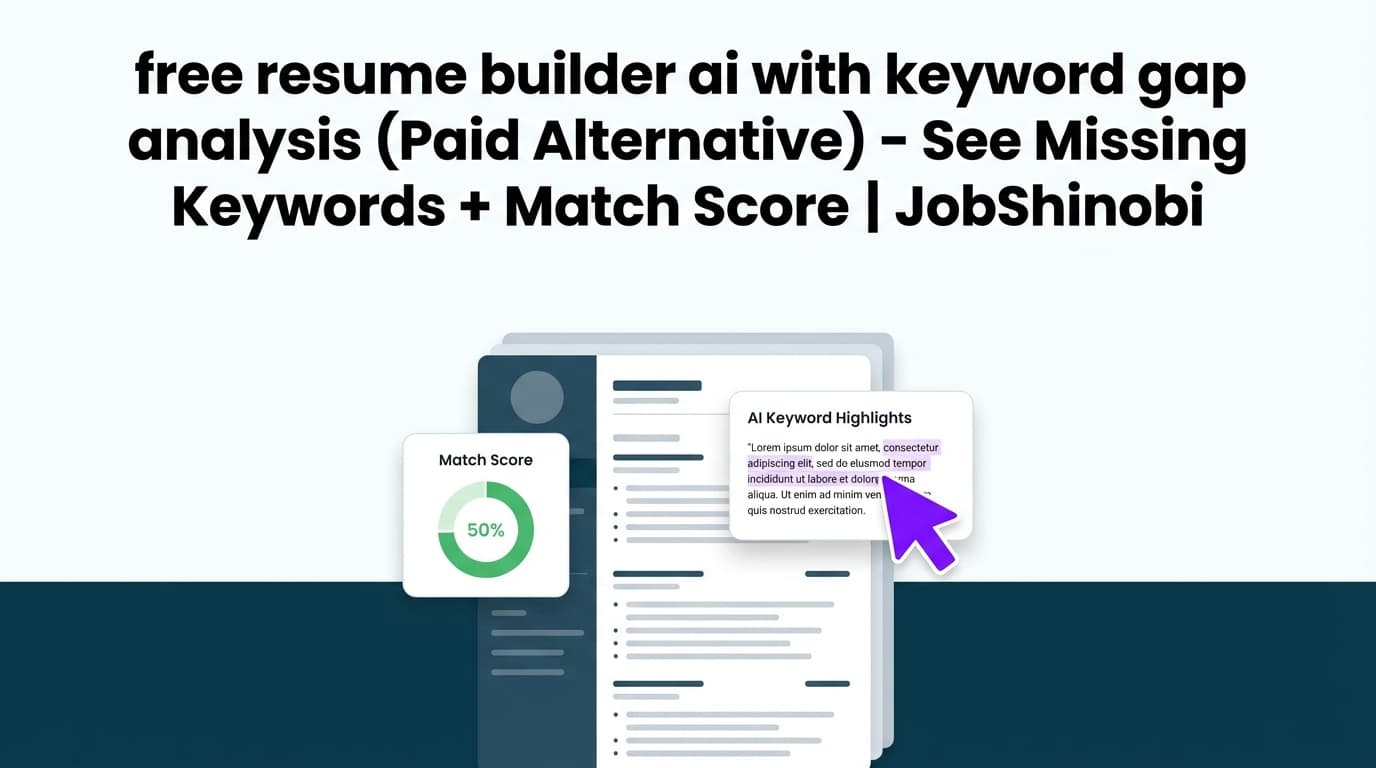
- Job-based keyword gap analysis (shows Missing Keywords vs Matching Keywords)
- A Job Match Score (percentage match for a specific role)
- A LaTeX resume builder with PDF preview (compile and see exactly what recruiters will see)
- Resume analysis (with optional enhanced mode and cached results when your resume hasn’t changed)
- A streaming AI Resume Agent that works directly with your LaTeX resume
- A job application tracker with Excel (.xlsx) export
Important pricing note: JobShinobi should not be considered a “free” tool. This page targets the keyword because the intent is real (keyword gap analysis), but JobShinobi’s verified monetization is paid subscriptions via Stripe.
Primary CTA: View pricing
Secondary CTA: Sign in with Google
Why Choose JobShinobi for Keyword Gap Analysis (Instead of a Generic “Free Resume Builder”)?
A lot of “free resume builders” are great at templates and PDF output—but weak at the exact thing most job seekers need once they start applying seriously:
- Job-specific keyword extraction
- Clear “present vs missing” keywords
- A workflow to apply changes without breaking formatting
JobShinobi is built around a tighter loop:
Job Posting → Keyword Gap → Match Score → Recommendations → Edit → Export
So instead of guessing, you can tailor confidently and quickly.
Benefit 1: Job-specific keyword gap analysis you can act on immediately
JobShinobi’s job matching flow produces the exact output most people mean when they say “keyword gap analysis”:
- Matching Keywords: job keywords already present in your resume
- Missing Keywords: job keywords not found in your resume text
- Recommendations: specific ways to improve alignment
- Job Match Score: a percentage match for that specific job
This is designed to reduce the common “keyword stuffing” trap by focusing you on the job’s priority terms first, then helping you integrate them in places that make sense (skills, experience bullets, projects).
Benefit 2: A resume builder that stays stable while you tailor (LaTeX + PDF preview)
Tailoring can wreck formatting in many editors—especially when you’re making lots of small changes for lots of roles.
JobShinobi stores your resume as LaTeX source and supports cloud compilation to a PDF preview, so you can:
- make edits without dragging layout blocks around
- keep structure consistent across versions
- export a clean PDF and keep the
.tex“source of truth”
Benefit 3: Resume analysis that can be cached when nothing changed
When you’re iterating, re-running the same analysis over and over is frustrating.
JobShinobi’s resume analysis supports returning cached results when the resume hasn’t changed since the last analysis—so you can spend more time editing and less time waiting.
Benefit 4: Optional “enhanced mode” for deeper analysis
JobShinobi supports two analysis modes:
- Comprehensive analysis
- Enhanced analysis (via an
enhancedModeoption)
If you want a deeper report (beyond a single score), enhanced analysis is designed for that use case.
Benefit 5: A streaming AI Resume Agent that edits your LaTeX
JobShinobi includes an AI Resume Agent (streaming) that can:
- fetch your current resume LaTeX
- propose targeted edits
- update LaTeX content
- run compilation checks to help catch LaTeX issues early
This is helpful when you want to say, “Rewrite this Experience section to better match the job requirements,” and keep the output structured.
How JobShinobi’s Keyword Gap Analysis Works
Step 1: Create a resume from a template (LaTeX-based)
Go to your resume area and choose a template from the template library. JobShinobi supports:
- a template catalog stored in the database
- creating and managing resumes stored as LaTeX source
- multiple saved resumes (useful for different roles: SWE vs PM vs Analyst)
Tip: If you apply to multiple job families, keep separate resumes (e.g., “Data Analyst - BI” and “Data Analyst - Product”) so your keyword gaps are smaller and edits are more honest.
Step 2: Compile to PDF preview (so formatting doesn’t surprise you)
In the editor, compile your resume to generate a PDF preview.
You can also download:
- .tex (LaTeX source)
This makes it easier to tailor confidently without worrying that your template breaks.
Step 3: Run Resume Analysis (ATS + keyword-focused feedback)
From the analysis flow, JobShinobi can generate a structured evaluation including:
- overall score (0–100)
- category scores (content, keywords, formatting, completeness, ATS)
- strengths and weaknesses
- missing sections (when applicable)
- keyword analysis fields like present/missing/overused keywords and additional keyword metrics
If your resume hasn’t changed since your last analysis, JobShinobi can return cached results.
Step 4: Paste a job posting URL or job description text
In Job Matching, JobShinobi supports two ways to input the job:
- URL (a link to a job posting)
- Text (paste the full job description)
Then click to extract job details. The extraction is intended to pull structured job data like:
- company
- position
- description / requirements
- keywords (key skills & technologies)
Note: Some job URLs may not be fully accessible depending on where they’re hosted. If a URL doesn’t work well, paste the job description text directly.
Step 5: Get your match score + missing keywords + recommendations
Once you run job matching, JobShinobi produces:
- Job Match Score (percentage)
- Matching Keywords
- Missing Keywords
- Recommendations to improve alignment
This is your keyword gap analysis in a form you can implement quickly.
Step 6: Apply changes in the editor (and keep a version history)
When you want to implement changes, jump back to the editor and update your resume.
JobShinobi supports storing resume versions, so you can:
- experiment with tailoring
- keep multiple iterations
- revert when a version performs better
Key Features for “free resume builder ai with keyword gap analysis” Intent
| Feature | What It Does | Why It Matters |
|---|---|---|
| Job Matching (Job Match Score) | Generates a match percentage for your resume vs a specific job | Fast signal for how aligned you are before you apply |
| Keyword Gap Analysis (Missing Keywords vs Matching Keywords) | Shows which extracted job keywords are absent/present in your resume | Stops guessing; helps you tailor precisely |
| Job Description Input (URL or Text) | Lets you provide a job link or paste the full description | Works across job boards and company career pages |
| Resume Builder (LaTeX-based) | Create/manage resumes stored with LaTeX source | Stable formatting while tailoring repeatedly |
| PDF Preview (Compilation) | Compiles LaTeX and displays a PDF preview | You see exactly what you’ll submit |
| Export (PDF + .tex) | Download your resume as PDF and LaTeX | Keep a clean application file + editable source |
| Resume Analysis (Comprehensive + Enhanced Mode) | ATS-focused analysis with optional enhanced mode, and cached results if unchanged | Better feedback loop while iterating |
| AI Resume Agent (Streaming) | Chat-based LaTeX editing workflow with streaming responses and compilation checks | Speeds up rewrites while keeping structure |
| Job Tracker + Excel export | Track applications and export to .xlsx |
Organize your search and report progress |
“Free Resume Builder AI with Keyword Gap Analysis” vs JobShinobi (Honest Comparison)
You searched for “free,” so here’s the tradeoff clearly.
If you truly need a free option
A free approach can work if you:
- apply to fewer roles
- don’t mind manual work
- are comfortable doing keyword review yourself
A practical free workflow looks like:
- Paste the job description into a document
- Highlight repeated skills/tools/terms
- Compare against your resume manually
- Add only keywords you can back up with experience
This works—but it’s slow and error-prone when you apply at volume.
What JobShinobi is better for (and why people pay)
JobShinobi is designed for job seekers who want:
- Speed: see missing keywords fast
- Consistency: keep formatting stable via LaTeX + PDF preview
- Repeatability: run the same workflow for every job
- Structure: analysis + matching + editing in one product
If you’re applying to many roles per week, paying for a faster loop can be worth it—especially when you’re optimizing for ATS keyword match and recruiter readability.
What Makes JobShinobi’s Keyword Gap Analysis Practical (Not Just “More Keywords”)
Most keyword tools fail job seekers because they encourage one of these extremes:
- Under-inclusion: “I didn’t use enough keywords; I’ll just submit anyway.”
- Over-inclusion: “I’ll paste every term into Skills even if I can’t prove it.”
JobShinobi’s job matching is most useful when you treat it as a prioritization tool:
1) Use missing keywords to spot missing proof, not just missing terms
Example:
- Job requires: “stakeholder management”
- Your resume has: “worked with teams”
The keyword gap isn’t solved by adding the phrase to Skills. It’s solved by adding a bullet like:
- “Partnered with cross-functional stakeholders (Product, Sales, Support) to define requirements and ship X…”
2) Add keywords where ATS and humans both benefit
A good rule:
- Put tools/technologies in Skills only if you used them.
- Put requirements in Experience as outcomes and actions.
- Put role-specific domains in Projects if that’s where the proof lives.
3) Expect different “ideal keywords” for different job families
Even within the same title, job descriptions vary a lot:
- Analyst roles can be BI-heavy (dashboards, Looker, metrics)
- Or experimentation-heavy (hypothesis testing, A/B, statistical significance)
- Or data engineering adjacent (dbt, ETL, pipelines)
That’s why job-specific keyword gap analysis beats generic keyword advice.
Example: How to Tailor Using Missing Keywords (Without Keyword Stuffing)
Example job keywords extracted:
- SQL, Tableau, stakeholder management, KPI dashboards
- A/B testing, experimentation
- Snowflake, dbt
Your resume shows as “Matching Keywords”:
- SQL, dashboards, metrics
Your “Missing Keywords”:
- dbt, Snowflake, A/B testing
What to do next:
- If you used Snowflake/dbt, add them to Skills and add a bullet proving usage.
- If you didn’t use them, don’t add them. Instead, highlight adjacent proof (e.g., data modeling, ETL) and consider adding a learning plan or project (if appropriate).
- For A/B testing, add proof like:
- “Designed and analyzed A/B tests to improve conversion by X% using Y methodology…”
This is the difference between “keyword stuffing” and “keyword alignment.”
How JobShinobi Fits Into a Full Job Search Workflow (Beyond Resume Gap Analysis)
Even though this page targets resume keyword gap analysis intent, JobShinobi is also built for job seekers who want to manage the entire application process.
Track job applications in a dashboard
JobShinobi includes a job tracker where you can:
- add/edit/delete applications
- view status changes
- see updates in near real-time
- export your applications to Excel (.xlsx)
Pro-only automation: forward emails to track applications automatically
JobShinobi supports an email-forwarding workflow where you forward job-related emails to your unique forwarding address, and the system attempts to:
- parse job title/company/status
- create or update an application using fuzzy matching
- log results and send success/failure notifications (based on your settings)
Membership note: Email ingestion/processing is gated and requires Pro membership.
Pricing
JobShinobi offers paid subscriptions via Stripe:
- Monthly: $20.00
- Yearly: $199.99
See details here: Pricing
Checkout note: Use the pricing page as the source of truth for plan links. A separate
/subscriptionpage exists but contains a placeholder payment link in the current implementation.
Frequently Asked Questions
Is JobShinobi actually a free resume builder AI with keyword gap analysis?
No. JobShinobi is not positioned here as a free tool. It’s a paid AI resume builder and analyzer that includes job-based keyword gap analysis (missing keywords vs matching keywords) and a job match score.
This page exists because the search intent (“keyword gap analysis for my resume”) is valid—even if you originally searched for a free option.
What exactly does “keyword gap analysis” mean in JobShinobi?
JobShinobi’s job matching produces a job-specific comparison that includes:
- Matching Keywords: extracted job keywords found in your resume
- Missing Keywords: extracted job keywords not found in your resume
- Recommendations: suggested improvements
- Job Match Score: a percentage alignment score
Do I need to upload a PDF for keyword gap analysis?
JobShinobi’s resume workflow is LaTeX-based (your resume is stored as LaTeX source and compiled to PDF for preview/export). This means the core workflow does not depend on PDF upload parsing.
Can I compare my resume to a job description link, or do I need to paste the text?
You can do either:
- paste a job posting URL
- or paste the job description text
If a URL is difficult to extract from (some job boards or logins), pasting the full text is the most reliable option.
Does JobShinobi provide an ATS score?
JobShinobi’s resume analysis includes ATS-focused scoring and feedback (including an ATS score field), plus additional structured feedback and keyword analysis.
What’s a “good” job match score or ATS score?
Scores are best used as directional signals. In practice:
- Use the score to find weaknesses (missing keywords, unclear impact, weak bullets, missing sections).
- Don’t chase perfection if it harms readability or truthfulness.
- Prioritize strong, evidence-backed bullets that naturally include job-relevant terms.
Does JobShinobi support Google Sheets integration?
No verified Google Sheets integration is supported. JobShinobi supports exporting job applications to Excel (.xlsx).
Can JobShinobi auto-apply to jobs on LinkedIn/Indeed?
No. There’s no verified job board auto-apply integration.
Get Started with JobShinobi Today
If your goal is to stop guessing and start tailoring with clarity, JobShinobi gives you a practical, repeatable workflow:
- Build your resume from a LaTeX template
- Preview it as a PDF
- Run resume analysis (and optionally enhanced mode)
- Paste a job URL or job description text
- See your Job Match Score + Missing Keywords + Matching Keywords
- Edit confidently, save versions, and export your final PDF
CTA: View pricing or Sign in to start your first resume and run job matching.