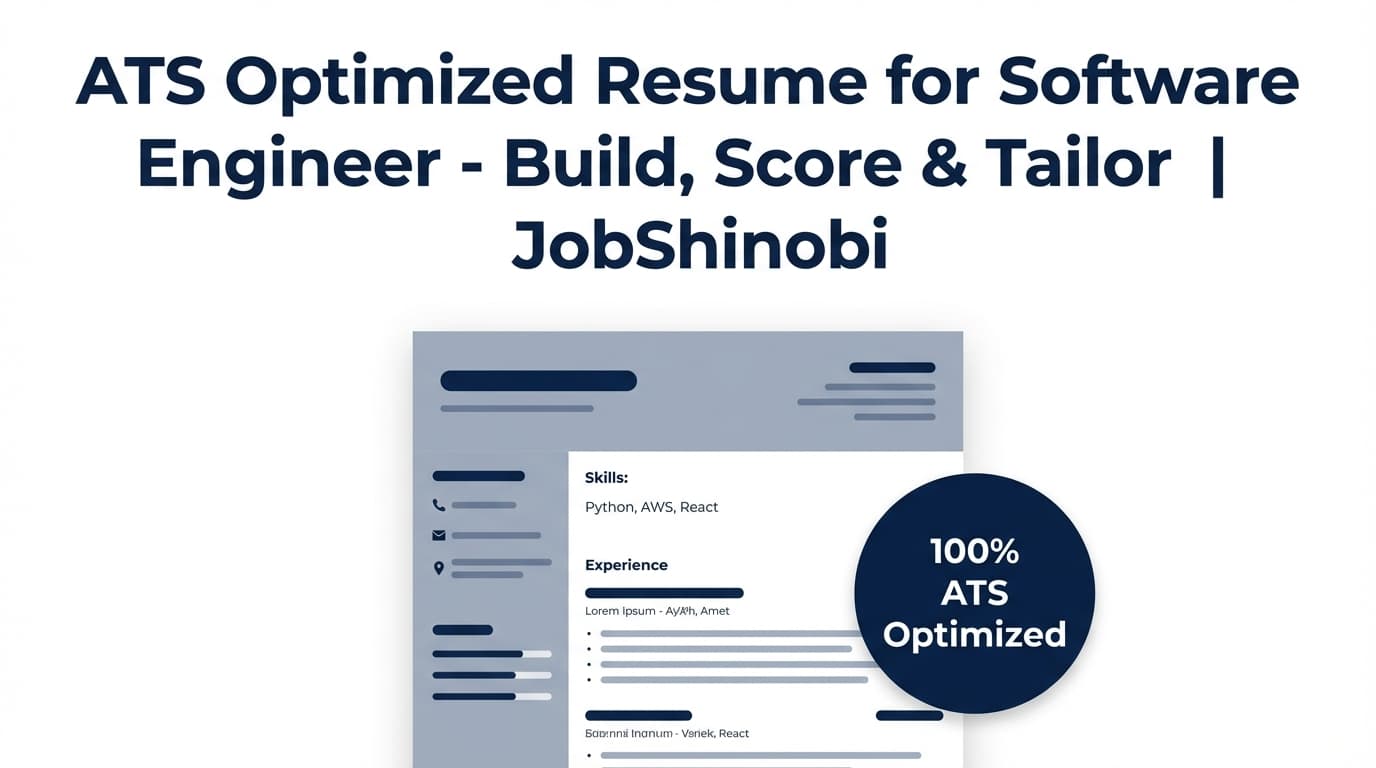
An ATS optimized resume for software engineer roles is about two things you can control:
- Structure that parses cleanly (so your experience and skills don’t get scrambled)
- Keyword alignment to the job posting (so the right skills and technologies are actually detectable)
JobShinobi is built for that workflow end-to-end: a LaTeX-based resume builder (templates + editor + PDF compile preview), AI Resume Analysis (including an ATS score, keyword analysis, and ATS issues), plus Job Matching that compares your resume to a job description (URL or text) and returns present vs missing keywords and recommendations—so you can tailor intentionally, not blindly.
Get started: /login
Go straight to the resume hub: /dashboard/resume
Why Choose JobShinobi for an ATS Optimized Software Engineer Resume?
Most resume tools either:
- give you generic templates without job-specific feedback, or
- give you a score without a real editing workflow, or
- require you to constantly fight formatting while tailoring
JobShinobi is designed to keep you in a tight loop:
Build → Analyze → Match to job → Edit (with AI or manual control) → Re-analyze → Export
And it’s built on product capabilities that actually exist in the app:
- Resume Builder (LaTeX-based) with a template library and saved resumes
- PDF compilation preview so you can verify layout after changes
- Resume Analysis API with cached results when your resume hasn’t changed
- Two analysis modes: comprehensive + enhanced (
enhancedMode) - Job Description Extraction from a job URL or pasted text
- Resume-to-job matching that stores match results and shows missing/present keywords
- Streaming AI Resume Editor that can update your LaTeX and run compilation checks
- Resume version history (versions saved during manual edits and AI chat edits)
What “ATS optimized” means in JobShinobi (not hype)
JobShinobi doesn’t promise magical “ATS bypassing.” Instead, it helps you systematically improve signals that commonly affect screening and recruiter review:
- ATS score + ATS issues (so you can address parsing/readability risks)
- Keyword analysis (present, missing, overused; plus fields like keyword density and contextual usage score)
- Role alignment (when provided by the analysis engine)
- Action queue / prioritized improvements (in enhanced analysis)
Built for software engineer reality: keyword-dense, toolchain-specific hiring
Software engineering postings are packed with exact-match phrases:
- languages (Java, Python, TypeScript, Go)
- frameworks (React, Spring, Next.js, Django)
- cloud + infra (AWS, Terraform, Kubernetes)
- data + messaging (Postgres, Redis, Kafka)
- delivery + quality (CI/CD, unit tests, observability)
JobShinobi helps you compare your resume to the job and see what’s missing—then implement changes without breaking formatting.
How JobShinobi’s ATS Optimization Workflow Works
Step 1: Choose a LaTeX resume template (and keep multiple resume variants)
Go to your resume dashboard and start from a template or open an existing resume:
- Templates load into the editor as LaTeX
- You can maintain multiple resumes (e.g., “Backend SWE,” “Full-stack SWE,” “Platform/Infra”) and tailor from there
Resume hub: /dashboard/resume
Step 2: Edit in the LaTeX editor (manual control) or AI mode (faster iteration)
In the editor, you can:
- edit the LaTeX directly (precise control), and/or
- use the AI chat experience (streaming) to propose rewrites and structural edits
JobShinobi’s AI editing workflow is built around tools like:
- fetching the current resume content
- editing a specific section
- updating the entire resume when needed
- running a LaTeX compilation check during the workflow
That matters because software engineer resumes often require frequent tailoring (keywords, tools, projects), and you don’t want your document to break while you iterate.
Step 3: Run Resume Analysis (ATS score + keyword analysis + issues)
JobShinobi’s analysis returns structured scoring fields including:
- overall_score
- content_score
- keyword_score
- formatting_score
- completeness_score
- ats_score
And detailed feedback data such as:
- strengths and weaknesses
- missing sections
- keyword analysis (present, missing, overused, keyword density, contextual usage score, industry coverage, top skills detected)
- ATS issues
If your resume hasn’t changed since the last analysis, the analysis endpoint can return cached results instead of re-running unnecessarily.
Step 4: Match your resume to a job posting (URL or paste text)
In JobShinobi, you can:
- paste a job URL or the job description text
- extract job details (including keywords/skills)
- generate a job match analysis that shows:
- match_score
- present_keywords
- missing_keywords
- recommendations you can act on
This is the core “tailor without guessing” workflow.
Step 5: Apply suggestions and keep versions as you tailor
From the analysis workflow, you can jump back into the editor to apply changes and maintain:
- a clean “base” resume
- job-specific variants
- version history so you can revert when needed
Step 6: Export (PDF + .tex)
JobShinobi supports:
- downloading your compiled PDF
- downloading your .tex source
Key Features for an ATS Optimized Resume for Software Engineer Roles
| Feature | What It Does | Why It Matters for Software Engineers |
|---|---|---|
| LaTeX Resume Templates + Saved Resumes | Start from a template and maintain multiple resumes | Makes it easy to keep separate resumes for backend/frontend/platform roles |
| LaTeX Editor + Cloud PDF Preview | Edit LaTeX and compile to a PDF preview | Lets you verify a clean single-column layout and recruiter readability after each edit |
| AI Resume Analysis (Comprehensive) | Scores ATS, keywords, formatting, completeness + returns ATS issues and keyword gaps | Gives you actionable feedback instead of “vibes” |
| AI Resume Analysis (Enhanced Mode) | Adds deeper objects like semantic keyword analysis, impact analysis, career progression, and action queue | Helps prioritize high-impact improvements (e.g., bullet strength, measurable impact, role alignment) |
| Job Description Extraction (URL or Text) | Extracts structured job details and keywords from a posting | Faster than manual keyword hunting; works across job boards and career pages |
| Resume-to-Job Matching | Computes match score and shows missing vs present keywords | Helps you tailor each resume submission without stuffing |
| AI Resume Editor (Streaming) | AI chat that can update LaTeX and run compilation checks | Faster rewrites of Experience/Projects bullets while keeping the resume valid |
| Resume Version History | Versions saved from manual saves and chat edits | Keep a stable base resume and iterate safely across many applications |
| Job Tracker + Analytics (Optional) | Track applications, see performance metrics, and export to Excel (.xlsx) | Helps high-volume applicants manage the pipeline, not just the resume |
What Makes a Software Engineer Resume “ATS Optimized”? (A Practical, SWE-Specific Checklist)
A lot of advice about “ATS friendly resumes” is generic. Software engineering hiring has some specific realities that affect screening:
- toolchain keywords are often used as filters (or as quick relevance signals)
- recruiters scan for “evidence of shipping” (impact, scope, reliability)
- projects can make or break early-career resumes
- overly designed layouts can scramble technical stacks and dates
Use this checklist alongside JobShinobi’s Resume Analysis + Job Matching.
1) Keep structure predictable: clear headings and consistent chronology
ATS systems and humans both rely on common sections:
- Experience
- Projects
- Skills
- Education
JobShinobi’s job match logic also parses LaTeX sections using \section{...} patterns, so clear section naming helps downstream workflows.
Software engineer tip: If you’re early-career, “Projects” often needs to be as strong (or stronger) than Experience. If you’re mid/senior, projects should reinforce specialization (distributed systems, performance, platform, frontend performance, etc.).
2) Put keywords in the right places (Skills + proof in bullets)
Keyword-only Skills lists can look hollow if the experience bullets don’t back them up.
A strong ATS optimized SWE resume typically includes:
- a Skills section with grouped tools (Languages / Frameworks / Cloud / Data / DevOps)
- bullets that demonstrate usage (e.g., “Built X using Y to achieve Z”)
JobShinobi helps you do this with:
- keywords_found / missing_keywords in Resume Analysis
- present_keywords / missing_keywords in Job Match Analysis
3) Avoid “keyword stuffing” by using contextual keywords
Many job seekers try to fix keyword gaps by dumping a giant Skills list. That can backfire.
JobShinobi’s analysis includes fields like contextual_usage_score and keyword_density (when available in the analysis output), which are designed to push you toward contextual usage rather than spammy repetition.
Software engineer tip: If the job wants “Kafka,” mention it where it matters:
- “Implemented Kafka consumers to process X events/day…” not just:
- “Kafka” in Skills with no usage.
4) Write bullets like an engineer: action + scope + measurable impact
A strong SWE bullet tends to have:
- action verb
- what you built
- stack/tooling (when relevant)
- impact metric (latency, cost, availability, throughput, dev productivity)
Examples (generic patterns you can adapt):
- “Reduced API p95 latency by 32% by implementing caching and query optimization in Postgres…”
- “Improved deployment frequency from weekly to daily by building CI/CD pipelines and automated test gates…”
- “Migrated a service from EC2 to Kubernetes, improving reliability and standardizing observability…”
JobShinobi’s enhanced analysis can include bullet analysis and impact analysis objects to help identify weak bullets and prioritize improvements.
5) Keep formatting simple enough to parse cleanly
Common resume parsing risks include:
- multi-column layouts that reorder content
- tables that flatten unpredictably
- icons/graphics that remove text labels
JobShinobi is a LaTeX-first workflow with PDF compilation preview, so you can keep a clean structure while iterating quickly.
How JobShinobi’s Job Matching Helps You Tailor for Software Engineer Roles (Without Guessing)
The highest-intent part of this keyword (“ats optimized resume for software engineer”) is usually a job seeker thinking:
“I’m qualified, but I’m not getting interviews. I need to tailor to each job description and hit the right keywords.”
JobShinobi’s job matching workflow is designed for that:
- Input: paste a job URL or job description text
- Job extraction: AI extracts structured job details (company/position/requirements/keywords)
- Match: JobShinobi compares the job keywords to your LaTeX resume text
- Output: match score + present keywords + missing keywords + recommendations
- Action: jump back to the editor and implement changes
URL-based job extraction (useful for fast tailoring)
When you paste a URL, JobShinobi can attempt to extract job details from that input (it supports URL or text input). This is useful when you’re applying at scale and don’t want to manually copy/paste every job post.
Text-based job input (best when URLs are blocked or messy)
When URLs don’t work well (paywalls, scripts, etc.), paste the job description text directly. This is the most consistent method across platforms.
ATS Optimized Resume for Software Engineer: A Step-by-Step Build (Using JobShinobi)
This is a practical, repeatable workflow you can use for each job application.
Step 1: Create (or duplicate) a base SWE resume
In /dashboard/resume:
- choose a template
- create a “Base Software Engineer Resume”
- duplicate it for job families (Backend, Full-stack, Platform)
Step 2: Run Resume Analysis (baseline)
Before tailoring to a job, analyze your base resume to identify:
- missing sections
- ATS issues
- weak bullet patterns
- baseline keyword coverage
You’ll get structured scores including ats_score plus keyword feedback lists.
Step 3: Add a job description and run Job Match
In the job match flow:
- paste the job URL or job description text
- extract job details
- generate match analysis
Review:
- match score
- missing_keywords (what the job expects that isn’t in your resume)
- present_keywords (what you already have—reinforce with evidence in bullets)
Step 4: Edit with intent (add keywords where they’re earned)
There are two “safe” ways to add missing keywords:
- Skills section: only if you can truly claim the skill
- Experience/Projects bullets: best place, because it proves the skill
Use the AI editor to rewrite bullets with specifics, then verify in PDF preview.
Step 5: Re-analyze + re-match
After edits:
- re-run Resume Analysis
- re-run job match (if needed)
The goal isn’t a perfect score. The goal is:
- clear readability
- accurate keywords in context
- strong impact signals
Step 6: Export and submit
Download the PDF and apply.
JobShinobi vs. Common Alternatives for ATS-Optimized SWE Resumes
JobShinobi vs “template-only” resume builders
Template-only builders can be fine for formatting, but they typically don’t help you answer:
- “What keywords am I missing for this job?”
- “Is my resume overusing buzzwords?”
- “What are the ATS issues?”
JobShinobi adds:
- Resume Analysis (ATS + keyword feedback)
- Job Matching (missing vs present keywords)
- AI editing + version history so you can iterate rapidly
JobShinobi vs standalone ATS scanners
Standalone scanners often stop at “here’s your score.”
JobShinobi closes the loop with:
- a full editor workflow (LaTeX source + PDF preview)
- job-specific matching and “apply suggestions” flow back into the editor
- version history for safe iteration
JobShinobi vs manual keyword guessing
Manual guessing usually causes:
- missing important exact-match skills
- keyword stuffing without proof
- inconsistent tailoring across applications
JobShinobi gives you a consistent process:
- extract job keywords
- compare to your resume
- fill gaps with real evidence
Pricing
JobShinobi offers paid subscriptions via Stripe:
- Monthly: $20.00
- Yearly: $199.99
Start here: /subscription
Frequently Asked Questions
What does “ATS optimized resume for software engineer” actually mean?
It means your resume is:
- structured and readable (clear headings, consistent chronology)
- keyword-aligned to the job posting (skills and tools the job expects appear in your resume)
- written with strong evidence (bullets demonstrate impact and usage—not just a keyword list)
JobShinobi supports this with Resume Analysis (ATS + keyword feedback) and Job Matching (present vs missing keywords).
Can JobShinobi compare my resume to a specific job posting?
Yes. JobShinobi includes:
- job description extraction (URL or text)
- resume-to-job matching with a match score and missing/present keywords
- recommendations and a workflow that takes you back to the editor
Does JobShinobi let me edit my resume with AI?
Yes. JobShinobi includes an AI resume editor with streaming responses that can update your LaTeX resume. It also supports LaTeX compilation checking in the workflow to help keep edits valid.
Does JobShinobi support multiple resume versions?
Yes. JobShinobi saves resume versions (from manual saves and AI chat edits), so you can keep a stable base resume and job-specific variants.
Can I upload a PDF/Word resume and have JobShinobi automatically convert it?
JobShinobi is built around a LaTeX-based resume builder and editor. It does not advertise an OCR/PDF-to-resume conversion pipeline. The typical workflow is to start from a template and move your content into JobShinobi.
Is JobShinobi “free”?
JobShinobi is a paid subscription product (Monthly $20.00 / Yearly $199.99). Some functionality may be accessible without a subscription, but core subscription pricing is as listed above.
Does JobShinobi auto-apply to jobs or integrate with LinkedIn/Indeed submissions?
No. JobShinobi focuses on resume building, analysis, job matching, and job tracking—not auto-applying or job board submission integrations.
Get Started with JobShinobi Today
If you’re trying to create an ATS optimized resume for software engineer roles, the fastest path is:
- Start from a template in /dashboard/resume
- Run Resume Analysis to identify ATS issues + keyword gaps
- Run Job Matching for the job you want
- Edit with AI or manual control in the LaTeX editor + verify PDF preview
- Re-analyze, export, and submit
Sign in: /login
Resume hub: /dashboard/resume