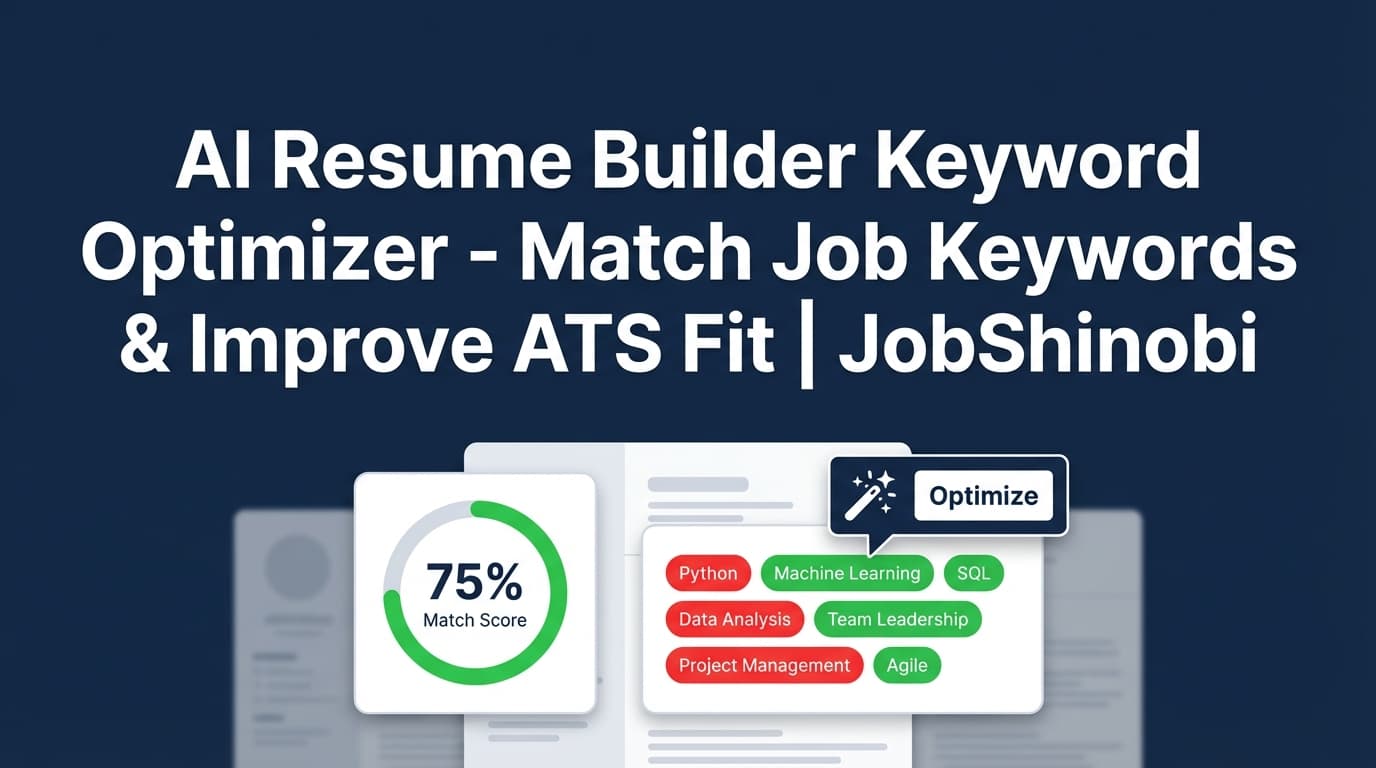
JobShinobi is an AI resume builder keyword optimizer for job seekers who want a resume that aligns with a specific job posting and stays clean, structured, and easy to iterate on.
Instead of stopping at “here are some keywords,” JobShinobi gives you an end-to-end workflow:
- Build your resume in LaTeX (templates + editor)
- Compile and preview a PDF (so formatting stays consistent)
- Analyze your resume for ATS-focused issues and keyword feedback (with saved scoring)
- Match your resume to a job description to get:
- Match Score (%)
- Present keywords
- Missing keywords
- Recommendations
- Use Apply Suggestions to jump back into the editor and implement changes (with AI chat editing available)
CTA: Start optimizing in minutes → Sign in with Google
Why Choose JobShinobi for AI Resume Keyword Optimization?
Most resume keyword tools are great at generating a report—and frustrating when it’s time to actually fix your resume.
JobShinobi is built around iteration: analyze → match → edit → preview → repeat.
Keyword optimization you can act on (not just a list)
JobShinobi’s Job Matching view is designed around the same goal recruiters and ATS systems enforce: does your resume reflect the role you’re applying for? It surfaces:
- The keywords you already have (so you know what’s working)
- The keywords you’re missing (so you know what to add)
- Recommendations you can implement immediately
- A match score you can track as you tailor
And when you’re ready to change your resume, you don’t have to copy/paste into another tool—use Apply Suggestions to go straight to editing.
A resume builder that doesn’t punish you for tailoring
Tailoring is hard when your formatting breaks every time you tweak content.
JobShinobi is a LaTeX-based resume builder, which makes it easier to maintain consistent structure while you:
- add role-specific skills
- rewrite bullet points
- re-order or refine sections
- generate a new PDF preview after each pass
Faster edits with AI chat + version history
JobShinobi includes an AI resume editor experience that streams responses and supports editing workflows (e.g., updating specific content and re-checking compilation). It’s ideal for:
- rewriting bullets to include missing keywords naturally
- strengthening action verbs and impact language
- tightening a summary for a target role
- making changes quickly without losing your original version
Plus, resumes are versioned so you can iterate confidently.
What “AI Resume Builder Keyword Optimizer” Means (In Plain English)
A true AI resume builder keyword optimizer should help you do three things:
-
Extract the right keywords from the job description
Not every word matters. The goal is to identify skills, tools, responsibilities, and role language the employer is likely filtering for. -
Find the gaps in your resume (missing keywords)
You should be able to see, quickly, what’s missing—and what already matches. -
Implement changes without keyword stuffing
Keyword optimization works best when keywords appear in context: experience bullets, projects, accomplishments, and tools you truly used.
JobShinobi supports this workflow directly with Resume Analysis + Job Matching + an editor built for iteration.
How JobShinobi’s Keyword Optimization Workflow Works
Step 1: Create a resume from a LaTeX template
Go to the Resume Builder area and choose a template to start from:
- Templates are organized and selectable from the UI
- Your resume is stored as LaTeX source
- You can manage multiple resumes (useful if you keep different versions by role)
Start here: Resume Builder
Step 2: Edit your resume in the LaTeX editor (with PDF preview)
In the editor you can:
- edit LaTeX directly
- compile and preview the PDF
- download the PDF
- download the
.texsource
This matters for keyword optimization because you’ll likely do multiple tailoring passes—your resume structure should remain stable while the content evolves.
Editor entry point: Resume Editor
Step 3: Run Resume Analysis (ATS + keyword feedback + scoring)
JobShinobi includes a resume analysis endpoint and UI that generates structured, saved feedback including:
- overall score
- content score
- keyword score
- formatting score
- completeness score
- ATS score
- strengths, weaknesses, missing sections
- keyword analysis (present, missing, overused, keyword density, contextual usage score, industry coverage, top skills detected)
- ATS issues
If your resume hasn’t changed since the last analysis, JobShinobi can return cached results to speed up repeat checks.
Use this when you want to improve the resume itself (not just match one job).
Step 4: Paste a job description (or job URL) to run Job Matching
For the core “keyword optimizer” use case—tailoring to a specific job—use Job Matching.
- Paste a job posting URL or the full job text
- JobShinobi extracts job details (including keywords)
- JobShinobi compares your resume to that job and returns:
- Job Match Score (%)
- Matching Keywords (present keywords)
- Missing Keywords
- Recommendations
This is the fastest way to answer:
“What keywords should I add to my resume for this job?”
Step 5: Apply suggestions and tailor your resume (repeatable loop)
When you have your missing keyword list and recommendations:
- Click Apply Suggestions to return to editing
- Add missing keywords where they belong (skills section, experience bullets, projects, tools)
- Re-compile the PDF preview
- Re-run Job Matching to confirm improvement
This turns keyword optimization from a one-time report into a repeatable process you can use across applications.
Key Features for an AI Resume Builder Keyword Optimizer Use Case
| Feature | What It Does | Why It Matters for Keyword Optimization |
|---|---|---|
| Job Matching (Resume ↔ Job Description) | Produces a match score, missing keywords, present keywords, and recommendations | You get concrete gaps to fix for each job |
| Job Description Input (URL or Text) | Lets you submit a job link or paste the posting | Makes tailoring fast for real job posts |
| Resume Analysis (Scored, ATS-Focused) | Generates detailed feedback including keyword analysis and ATS-related issues | Helps you optimize beyond “just keywords” |
| LaTeX Resume Builder + Templates | Create/manage resumes as LaTeX using a template library | Stable structure while you tailor repeatedly |
| PDF Preview via LaTeX Compilation | Compiles LaTeX into a PDF preview | Verify formatting after each edit |
| AI Resume Editor (Streaming Chat) | Chat-driven edits and iterative workflows | Speeds up rewriting bullets to include keywords naturally |
| Resume Version History | Saves versions of your resume over time | Safe experimentation while tailoring |
How to Optimize Resume Keywords (Without Keyword Stuffing)
Keyword optimization works best when it follows two rules:
1) Put keywords where an ATS and recruiter expect them
Common “keyword zones” that tend to be scanned heavily:
- Skills section (tools, languages, platforms)
- Experience bullet points (how you used skills)
- Projects (especially for technical roles)
- Summary (high-level positioning for your target role)
If you place keywords only in a skills list with no proof, you risk sounding inflated. If you place them only in experience bullets but not in a skills section, you may be underselling your toolset.
A balanced approach usually wins.
2) Use keywords in context (skills + outcomes)
Instead of stuffing keywords like this:
“Python, SQL, dashboards, stakeholder management, forecasting…”
Use them like this:
“Built Python + SQL pipelines to automate weekly forecasting dashboards and improved stakeholder reporting turnaround.”
It’s more credible, easier to read, and still keyword-aligned.
JobShinobi helps by showing the missing keywords and pairing them with recommendations, so you can integrate terms naturally.
What a “Good” Match Score Means (How to Use Scores Correctly)
A match score is a directional indicator—not a promise.
Use it to:
- Prioritize fixes (missing keywords and recommendation list)
- Avoid wasting time tailoring for roles that are a bad fit
- Track improvement across versions
Avoid using it to:
- Chase a perfect number by stuffing every phrase
- Add skills you can’t support in an interview
- Rewrite your resume into the job description
JobShinobi’s job matching output is most useful as a tailoring checklist: present keywords = keep and emphasize; missing keywords = add where relevant; recommendations = implement in high-impact sections.
AI Resume Builder Keyword Optimizer vs. Manual Keyword Copy/Paste
Manual keyword approach
You can optimize keywords manually by:
- Copying the job description into a doc
- Highlighting repeated skills and tools
- Editing your resume
- Re-reading and guessing if it’s “enough”
It works—but it’s slow, inconsistent, and hard to repeat for multiple applications.
JobShinobi approach
With JobShinobi, you can:
- paste a job description (URL or text)
- get extracted job details + keywords
- receive a match score and keyword gap list
- apply changes in a structured editor with PDF preview
- repeat quickly for the next job
This is especially useful if you’re applying to many roles and want a consistent process.
Where JobShinobi Wins vs. Typical Resume Keyword Tools
Many keyword tools focus on scanning. JobShinobi focuses on scanning + implementation:
1) You can optimize keywords and then actually edit in the same workflow
Job Matching surfaces missing keywords and recommendations, then Apply Suggestions routes you back to editing.
2) Your resume structure stays stable while you tailor
A LaTeX-based resume workflow can help you keep formatting consistent while you iterate on content.
3) You can iterate quickly with AI chat and versioning
Keyword optimization isn’t one-and-done. It’s an edit loop:
- revise bullets
- re-check match score
- re-check ATS feedback
- keep the best version
JobShinobi is built for that loop.
Practical Example: Tailoring With Missing vs Present Keywords
Here’s how most people use JobShinobi’s keyword optimizer flow:
Scenario
You’re applying for “Data Analyst” roles. A job posting heavily emphasizes:
- SQL
- dashboarding
- stakeholder communication
- experimentation / A/B testing
- data visualization tools
What Job Matching shows you
- Present keywords: SQL, dashboards, data visualization
- Missing keywords: A/B testing, experimentation, stakeholder communication
- Recommendations: add experimentation bullet, clarify stakeholder reporting, incorporate job-specific tool names you actually used
How you implement it (best practice)
- Add “A/B testing” only if you did it; place it in a project or experience bullet with context
- Add stakeholder language where it naturally belongs (reporting cadence, cross-functional collaboration)
- Keep present keywords, but move the strongest ones higher (summary or first bullets)
Then re-run Job Matching and confirm the changes improved alignment.
Bonus: Keep Your Job Search Organized (Job Tracker + Analytics)
Keyword optimization gets you interviews—organization helps you convert them.
JobShinobi includes:
Job Tracker (with Excel export)
Track your applications in a dashboard and export them to Excel (.xlsx) when you want to audit your pipeline or share it with a coach.
Go to: Job Tracker
Analytics dashboard
See metrics like response rate and interview conversion trends based on the job applications you track.
Go to: Analytics
Email-based ingestion for application updates (Pro workflow)
JobShinobi supports processing inbound job-related emails and associating them with applications. Pro membership is required for email processing in the backend workflow, and a forwarding email address is provisioned when membership is activated.
If you’re doing high-volume applications, this can reduce manual tracking.
Pricing
JobShinobi offers paid subscriptions via Stripe:
- Monthly: $20.00
- Yearly: $199.99
You can manage your account from settings (including access to the billing portal link).
Frequently Asked Questions
What is an AI resume builder keyword optimizer?
An AI resume builder keyword optimizer helps you tailor your resume to a job by identifying important keywords, showing what’s missing, and providing recommendations you can implement. JobShinobi supports this via Job Matching (match score + missing/present keywords) and Resume Analysis (keyword score + ATS-focused feedback).
Can JobShinobi compare my resume to a job description?
Yes. JobShinobi includes a Job Matching workflow where you paste a job URL or job description text. It returns a match score plus present keywords, missing keywords, and recommendations.
Does JobShinobi help with ATS optimization too?
JobShinobi includes Resume Analysis that generates ATS-focused feedback and scoring (including keyword analysis, ATS issues, and section-level data). Use it to improve overall resume quality—not just job-specific alignment.
How do I use missing keywords without keyword stuffing?
Use missing keywords only when they reflect real experience, and place them in context—especially in experience bullets and projects. JobShinobi’s recommendations help you decide where to incorporate terms so the resume stays credible and readable.
Do employers know I used an AI resume builder?
Employers typically evaluate your resume content and clarity. JobShinobi outputs a professional resume (compiled from LaTeX) and supports rewriting content, but you should ensure everything you claim is accurate and defensible.
Can I preview and download my resume?
Yes. The resume editor supports:
- compiling and previewing a PDF
- downloading the PDF
- downloading the
.texLaTeX source
Can I keep multiple tailored versions of my resume?
Yes. JobShinobi supports multiple resumes and version history. This is useful if you tailor for different roles (e.g., “Data Analyst” vs “BI Analyst” vs “Product Analyst”) and want to keep separate optimized versions.
Get Started with JobShinobi Today
If you’re tired of guessing which keywords matter—or using tools that give you a report but no clean way to fix your resume—JobShinobi is built for the full workflow:
- Build your resume in LaTeX
- Run Resume Analysis for ATS + keyword feedback
- Run Job Matching to get missing vs present keywords + a match score
- Apply suggestions and iterate in the editor with PDF preview
Start now: Sign in


