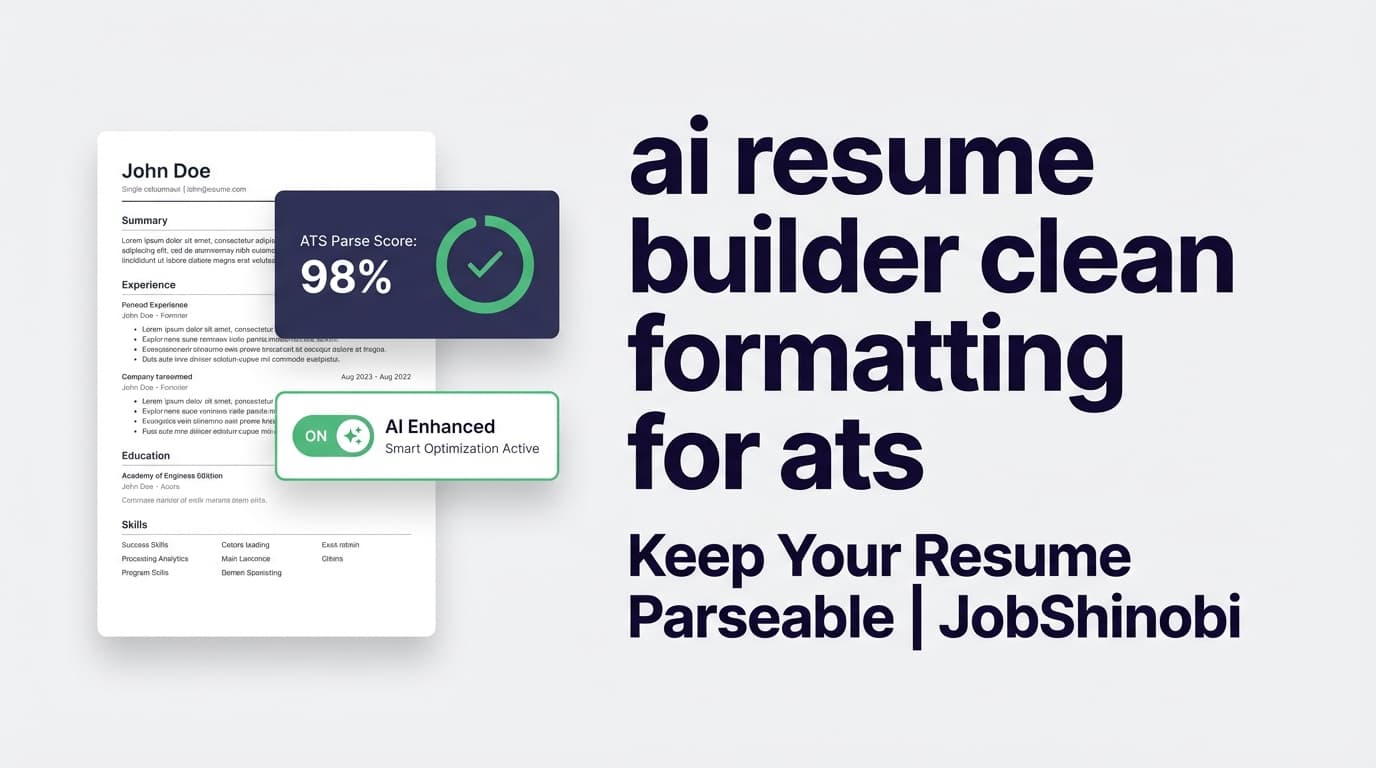
“Clean formatting for ATS” usually means simple structure + predictable text flow: one-column layouts, standard headings, readable fonts, and no elements that can scramble parsing (tables, text boxes, heavy graphics, icon-only labels, etc.).
JobShinobi is an AI resume builder that uses a LaTeX-first workflow so your formatting is explicit (not “drag-and-drop magic”), previewable as a PDF, and measurable with built-in AI analysis—including formatting score and ATS score, plus a list of ATS compatibility issues and missing keywords.
Primary CTA: Sign in to build your resume
Or: Jump to the builder: /dashboard/resume
Why clean ATS formatting matters (and what typically breaks it)
Applicant Tracking Systems (ATS) and resume parsers don’t “see” your resume the way you do. They attempt to extract structured fields (name, contact, experience, dates, skills) from your file. When formatting is too complex, parsers can:
- Read content out of order (common with multi-column layouts)
- Skip or garble text inside tables/text boxes
- Lose context (e.g., a date drifting away from the role it belongs to)
- Miss keywords if sections aren’t clearly labeled
Career guidance sources and ATS-focused articles commonly recommend keeping formatting simple: single-column layouts, standard headings, and minimal graphics—because these choices tend to reduce parsing errors.
JobShinobi’s approach: start from clean LaTeX templates and then use AI analysis to flag formatting and ATS risks before you submit.
Why choose JobShinobi for ai resume builder clean formatting for ats?
JobShinobi is built around a simple promise: keep your resume structure under control while still tailoring content for each job.
LaTeX-based templates for predictable formatting
Instead of editing a design-heavy resume that “looks right” but parses poorly, JobShinobi lets you build from a resume templates library and store your resume as LaTeX source. That means:
- Layout decisions are explicit (not hidden behind a WYSIWYG editor)
- You can keep a clean, structured format across versions
- Your resume stays easy to modify without accidentally breaking spacing/alignment
You can browse templates and start from one immediately in the Resume Builder: /dashboard/resume
Built-in AI resume analysis with ATS + formatting scoring
JobShinobi includes an AI resume analysis endpoint that returns a structured report, including:
- overall_score
- formatting_score
- ats_score
- keyword analysis (present / missing / overused keywords, density metrics)
- A list of ATS issues (labeled as ATS compatibility issues)
- Strengths, weaknesses, and recommendations
- Optional Enhanced Analysis mode (more detailed data objects when enabled)
This is exactly what you want when the problem is “clean formatting for ATS”—not just “write better bullets,” but “tell me what may block parsing.”
A streaming AI editor that can actually edit your LaTeX (and check compilation)
JobShinobi includes a streaming AI resume editor that uses tool-based workflows to:
- Retrieve your latest resume version
- Edit specific sections or rewrite larger parts
- Run a LaTeX compilation check (so changes don’t break your PDF output)
If your goal is “clean formatting,” this matters: you’re not just getting suggestions—you can iterate quickly and keep the document valid.
Resume version history (so you can tailor without losing your baseline)
Tailoring often creates chaos: multiple files, conflicting edits, and no easy rollback. JobShinobi stores resume versions and supports:
- Version history stored in the database
- Undo/redo and reverting to earlier versions tied to chat messages
So you can create a clean “ATS-safe master resume,” then tailor per role without losing your foundation.
How JobShinobi’s clean-formatting workflow works
Step 1: Start from a template (and keep structure simple)
Go to the Resume Builder and choose a template:
- Start from Template → select a template → open the editor
- Or open one of your saved resumes and refine it
Path: /dashboard/resume
Tip for ATS cleanliness: choose templates that keep content in a straightforward reading order (typically single-column) and avoid dense visual elements.
Step 2: Edit in LaTeX (manual) or use AI Chat (guided edits)
In the editor, you can:
- Edit the LaTeX directly (full control)
- Switch to AI mode and ask for targeted changes (rewrite bullets, re-order sections, tighten wording, etc.)
Because the resume is LaTeX, you can preserve a consistent structure while changing content.
Step 3: Preview the PDF and compile to confirm output stays valid
JobShinobi generates a PDF preview through a cloud LaTeX compilation service. That lets you verify:
- Spacing isn’t broken
- Sections are readable and consistent
- Formatting changes didn’t introduce errors
You can also download:
- .tex source
Step 4: Run Resume Analysis (formatting + ATS issues + keywords)
Click Analyze Resume to generate the report. You’ll get:
- Scores (including formatting_score and ats_score)
- ATS compatibility issues
- Keyword gaps (missing keywords)
- Actionable recommendations
Step 5 (optional): Add a job description for job-specific keyword matching
If you’re tailoring for a specific posting, paste a job description (or use job description extraction and matching workflows available in the resume analysis area). JobShinobi can produce job-aligned analysis and highlight keyword gaps—without requiring you to redesign the resume.
Key features for ai resume builder clean formatting for ats
| Feature | What It Does | Why It Matters for Clean ATS Formatting |
|---|---|---|
| LaTeX-based Resume Builder | Creates and stores resumes as LaTeX source | Predictable formatting, fewer “mystery layout” issues |
| Template Library | Choose from resume templates with categories; save resumes | Start clean, don’t retrofit a messy document |
| PDF Preview via Cloud Compilation | Compile LaTeX and preview PDF output | Verify the final file is clean and readable |
| Download PDF + .tex | Export your resume for submissions or local editing | Keep a stable, controlled output format |
| AI Resume Analysis (Comprehensive) | Returns overall/content/keyword/formatting/completeness/ATS scores + ATS issues | Turns “is my formatting clean?” into measurable checks |
| Enhanced Analysis mode | Adds deeper analysis objects (when enabled) | More detail for serious optimization workflows |
| Job description matching | Compare resume vs job description, save job analysis | Reduce keyword misses without wrecking layout |
| Streaming AI Resume Editor | Chat-based edits to LaTeX with compilation checks | Fast iteration while keeping LaTeX valid |
| Resume Version History + Undo/Redo | Save versions tied to edits and messages | Tailor confidently; revert anytime |
What “clean formatting for ATS” looks like (and how to do it in JobShinobi)
Below is a practical checklist you can apply inside JobShinobi’s LaTeX workflow.
1) Keep a simple reading order
Goal: Your resume should read top-to-bottom, left-to-right.
- Prefer a single main content column
- Keep section headings consistent and clearly labeled
- Avoid layouts that split critical information across multiple visual regions
In JobShinobi: start from a clean template and keep sections clearly separated. If you want to restructure, use the AI editor to move sections while keeping a stable format, then compile to preview.
2) Use standard, ATS-recognizable headings
ATS parsers tend to perform better when headings are familiar:
- Work Experience / Experience
- Education
- Skills
- Projects
- Certifications
In JobShinobi: ask the AI editor to normalize headings while preserving structure (for example: “Rename ‘What I’ve Done’ to ‘Experience’ and keep formatting identical.”)
3) Avoid “parser-tricky” layout elements
Common culprits include:
- Tables and text boxes
- Heavy use of icons (especially icon-only labels)
- Graphic skill bars or visual timelines
- Headers/footers used for critical info (some parsers handle them inconsistently)
In JobShinobi: because you’re editing LaTeX, you can keep content in straightforward text constructs. After edits, run Resume Analysis to surface ATS issues that may affect parsing.
4) Don’t sacrifice readability to cram content
Small fonts and tight spacing can hurt humans—and sometimes the extraction quality of parsers.
In JobShinobi: compile and preview your PDF to ensure it’s readable. Then run analysis and use recommendations to prioritize clarity.
5) Tailor keywords without “keyword stuffing”
Clean formatting isn’t enough if your resume doesn’t contain the terms the role expects.
In JobShinobi:
- Paste a job description for job-specific analysis
- Review missing_keywords and keywords_found
- Apply changes with AI Chat while keeping your template consistent
- Re-analyze to confirm improvement
How JobShinobi’s AI helps you keep formatting clean while tailoring content
Most job seekers struggle with the same loop:
- “My resume looks clean…”
- “I tailor it for one job…”
- “Now spacing is weird, sections drift, or content becomes inconsistent.”
JobShinobi addresses this with two complementary layers:
Layer 1: Structure you can control (LaTeX + templates)
When your resume is LaTeX, formatting is described—not guessed. That makes it easier to:
- Keep spacing and section structure stable
- Make consistent edits across versions
- Avoid accidental layout damage from copying/pasting
Layer 2: Analysis that flags ATS and formatting risks
The analysis returns both formatting_score and ats_score, plus ATS issues. You’re not just hoping your formatting is clean—you’re checking for problems and iterating.
Layer 3: Editing help that can validate output
The streaming AI editor can run a LaTeX compilation check as part of the workflow, helping you avoid broken output while you tailor.
ai resume builder clean formatting for ats vs. common alternatives
Alternative 1: Word/Docs templates + manual QA
Pros
- Familiar editing experience
- Easy sharing
Cons
- Formatting can drift across versions and edits
- Multi-column or table-based templates can cause parsing issues
- Tailoring often creates many duplicate files with no clean version control
Where JobShinobi is stronger
- LaTeX-based structure is explicit
- Built-in PDF preview via compilation
- Version history + undo/redo
- AI analysis that explicitly includes formatting and ATS scoring and ATS issue lists
Alternative 2: Design-first resume builders
Pros
- Looks polished quickly
- Lots of design options
Cons
- “Looks good” can conflict with “parses cleanly”
- Editing/tailoring can introduce layout complexity
- Some builders emphasize visuals (icons, sidebars) that may not align with clean ATS formatting principles
Where JobShinobi is stronger
- It’s optimized for clean structure first
- You can iterate in content without constantly redesigning
- You can measure ATS/formatting risk via analysis
Alternative 3: ATS checkers without a controlled builder
Pros
- Quick diagnosis
Cons
- If your resume format is fragile, fixes can be tedious
- You still need a workflow to implement changes safely
Where JobShinobi is stronger
- Analyze + edit + compile + re-analyze in one workflow
- AI editor can apply changes directly to the LaTeX source
- Version history makes experimentation safer
Bonus: stay organized after you submit (Job Tracker + automation)
Clean formatting helps you pass the first gate. But job search success also depends on follow-up discipline.
JobShinobi includes a Job Tracker inside the dashboard:
- Track job applications in a table UI
- Realtime updates via Supabase Realtime
- Export your applications to Excel (.xlsx)
Path: /dashboard/job-tracker
Email-forwarding automation (Pro membership)
JobShinobi also supports an email-forwarding workflow where inbound job emails can be parsed and used to create/update application records (with fuzzy matching). This processing is gated to Pro members.
If you want both:
- clean resume output and
- less manual job tracking
…this is a practical combination.
Pricing
JobShinobi offers paid subscriptions via Stripe:
- Monthly: $20.00
- Yearly: $199.99
If you’re ready to upgrade, these are the active payment links:
- Monthly: https://buy.stripe.com/7sYeV61P10GS310eTy0VO02
- Yearly: https://buy.stripe.com/6oU9AM0KXexIdFE5iY0VO03
Start by signing in: /login
Frequently Asked Questions
Is a LaTeX resume ATS-friendly?
A LaTeX resume can be ATS-friendly when it follows clean formatting principles (clear headings, simple structure, readable text flow). JobShinobi is designed around a LaTeX-first workflow and includes Resume Analysis that reports formatting_score, ats_score, and ATS compatibility issues so you can catch problems early.
What does JobShinobi check when I run Resume Analysis?
JobShinobi’s analysis returns a structured report that includes:
- overall/content/keyword/formatting/completeness/ATS scores
- strengths and weaknesses
- keyword analysis (present/missing/overused keywords, plus density-related fields)
- a list of ATS issues (ATS compatibility issues)
You can re-run analysis after edits to measure progress.
Can JobShinobi tailor my resume to a specific job description?
Yes. You can paste a job description for job-specific analysis and matching. The analysis highlights missing keywords and alignment opportunities, and you can apply edits in the LaTeX editor or through the streaming AI editor.
Does JobShinobi export Word (.docx)?
JobShinobi supports exporting PDF and .tex (LaTeX source). There’s no supported Word/.docx export in the verified product implementation.
Can I preview my resume before downloading?
Yes. The resume editor compiles your LaTeX and provides a PDF preview so you can verify layout and readability before exporting.
Will JobShinobi guarantee my resume passes every ATS?
No tool can guarantee outcomes across every ATS and every employer workflow. JobShinobi focuses on what you can control: clean structure via LaTeX templates, PDF preview, and AI analysis that flags ATS/formatting risks and keyword gaps.
Does JobShinobi keep version history while I tailor for multiple roles?
Yes. JobShinobi stores resume versions and supports reverting/undoing changes, including versions tied to AI chat edits—helpful when you’re tailoring frequently.
Can JobShinobi help me track job applications too?
Yes. JobShinobi includes a Job Tracker with realtime updates and Excel (.xlsx) export. There’s also email-forwarding automation for application updates that is available to Pro members.
What AI models does the resume editor use?
JobShinobi’s AI editor supports model tiers (e.g., “Shinobi Swift/Turbo/Pro”) backed by different models via an LLM provider. The editor streams responses and uses tool-based actions (like updating sections and checking compilation) to help you safely edit LaTeX resumes.
Get started with JobShinobi today
If your search intent is “ai resume builder clean formatting for ats,” the fastest path is:
- Pick a clean template → 2) Edit in LaTeX or AI Chat → 3) Preview PDF → 4) Run Resume Analysis (formatting + ATS issues + keywords) → 5) Tailor per job description and re-check.
Start here: /login
Go directly to Resume Builder: /dashboard/resume


