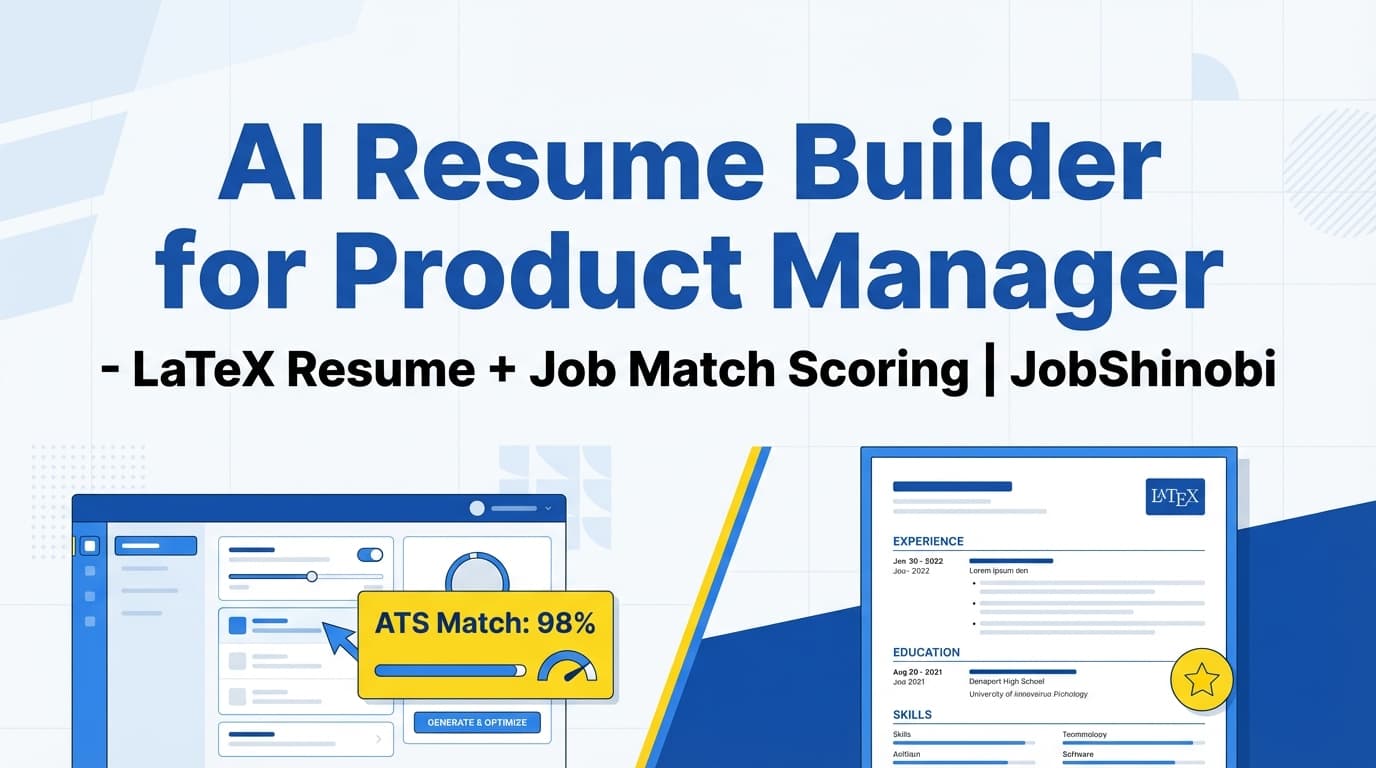
JobShinobi is an AI powered resume builder for product manager candidates who want a repeatable way to tailor their resume to each role—without breaking formatting, losing versions, or guessing which keywords matter.
Build your resume in LaTeX (structured, consistent), generate a PDF preview via cloud compilation, run AI Resume Analysis (ATS + keyword + formatting + completeness), and use job description extraction + resume-to-job matching to see gaps before you apply. When you’re ready to improve, the streaming AI Resume Agent can help you edit your LaTeX resume and verify it still compiles.
Primary outcomes for PM job seekers:
- Stronger role alignment (Core PM vs Growth vs Platform/Technical vs AI PM)
- Clearer impact bullets (metrics, scope, outcomes)
- Better keyword coverage without keyword stuffing
- Cleaner structure that’s easier for systems and humans to parse
- A faster “tailor → analyze → iterate → export” workflow
CTA: Start building and tailoring your PM resume now → /login
Why Choose JobShinobi for an AI Powered Resume Builder for Product Manager?
Most “AI resume builders” focus on generating text. Product manager hiring, however, is rarely about generic phrasing—it’s about credible impact + clear ownership + fit for that exact posting.
JobShinobi is built around the workflow PMs actually need:
- LaTeX-based resume building (consistent structure, fewer formatting surprises)
- AI Resume Analysis with structured scoring + detailed feedback
- Job description extraction + resume-to-job matching to pinpoint missing keywords and requirements
- Streaming AI editing (chat-based, versioned, with LaTeX compilation checks)
- A Job Tracker + Analytics layer so you can manage the full job search loop
PM-specific benefit: versioning for different “PM archetypes”
If you’re applying across PM flavors (e.g., Growth PM, Platform PM, Technical PM, AI/ML PM), you’ll end up with different narratives. JobShinobi supports resume version history so you can keep:
- a strong baseline resume,
- role-specific versions,
- and company-specific tailoring without losing your previous work.
PM-specific benefit: match your resume to the job description (not to “generic PM advice”)
JobShinobi lets you paste a job description (or a job URL) and run a resume match analysis—so you can see what the posting emphasizes (frameworks, tools, domain language, responsibilities) and tailor accordingly.
LaTeX-first resume building (structured formatting you control)
What it is: JobShinobi stores resumes as LaTeX source and compiles them to a PDF preview via a compilation service.
Why PMs care: Your resume is often reviewed quickly and also parsed by screening systems. A structured workflow helps reduce formatting drift as you iterate (especially when you’re making many small edits per application).
You can:
- Start from a template in the template library
- Edit your LaTeX directly (or use the AI editor)
- Preview the PDF
- Download PDF + .tex
AI Resume Analysis (ATS + keyword + formatting + completeness)
What it is: JobShinobi can analyze your resume and return structured outputs like:
- overall score
- content score
- keyword score
- formatting score
- completeness score
- ATS score
- detailed feedback (strengths, weaknesses, missing sections, ATS issues, keyword analysis)
Why PMs care: PM resumes often fail not because you “don’t have experience,” but because the resume doesn’t clearly communicate ownership, scope, and outcomes—or because it’s missing the language a specific role is screening for.
Extra practical detail: Analysis can return cached results if your resume hasn’t changed since the last analysis—useful when you’re iterating and re-checking.
How JobShinobi’s AI Resume Workflow Works
Step 1: Start a PM resume from a LaTeX template
Go to the resume dashboard and pick a template from the template library. This gives you a structured starting point you can tailor to your product management story.
Suggested PM setup:
- Create a “Core PM (baseline)” resume
- Duplicate it for “Growth PM” and “Platform/Technical PM”
- Keep a version per target company if needed
Step 2: Edit in the LaTeX editor and preview your PDF
In the editor you can:
- edit LaTeX content
- compile and preview a PDF
- download your resume as PDF for applications
- download the source as .tex for portability
Step 3: Analyze your resume (and re-analyze when you iterate)
Run Resume Analysis to get scoring and detailed feedback across ATS-related and content dimensions. If you’re making lots of changes, re-analyze as needed to validate improvements.
Step 4: Paste a job description or job URL to run a resume match
Use the job description input to:
- extract structured job details
- generate resume-to-job match analysis
- identify missing vs present keywords
This is how you stop guessing what matters and start tailoring with intent.
Step 5: Use the streaming AI Resume Agent to apply improvements
Open the AI chat and request targeted edits (summary, bullets, skills section, structure). The editor supports a streaming workflow and can run a LaTeX compilation check as part of the process—so you can iterate quickly without breaking your resume.
Step 6: Save versions and revert when needed
JobShinobi saves resume versions (manual saves and chat-driven updates). This is especially valuable for PM candidates who need multiple narratives without rewriting from scratch.
Key Features for Product Manager Resume Building
| Feature | What It Does | Why It Matters |
|---|---|---|
| LaTeX resume builder | Create and manage resumes stored as LaTeX source | Consistent, structured formatting through many iterations |
| Resume templates library (categorized) | Start from a template layout | Faster setup, fewer formatting mistakes |
| Cloud PDF compilation + preview | Compile LaTeX into a PDF preview | Immediate feedback; avoid broken formatting |
| Download PDF + .tex | Export your resume files | Apply anywhere and keep your source |
| AI Resume Analysis (cached if unchanged) | Scores + structured feedback (ATS, keywords, formatting, completeness) | Gives a repeatable improvement loop |
| Enhanced analysis mode | Optional deeper analysis output | More detail when you need it for refinement |
| Job description extraction (URL or paste) | Converts postings into structured job details | Saves time and improves targeting |
| Resume-to-job matching | Match score + missing/present keywords + suggestions | Tailor deliberately instead of guessing |
| Streaming AI Resume Agent | Chat-based editing with tool-driven workflows | Faster rewrites while keeping your document consistent |
| LaTeX compilation checks in AI workflow | Validates edits won’t break compilation | Confidence while iterating |
| Resume version history | Stores versions tied to saves and conversations | Manage multiple PM narratives and revert easily |
| Job Tracker + realtime updates | Track applications in a dashboard | Keep your pipeline organized |
| Export job tracker to Excel (.xlsx) | Export applications as a spreadsheet | Reporting, personal workflows, and follow-ups |
| Email forwarding → tracker updates (Pro) | Forward job emails; AI parses and updates applications | Reduce manual tracking when applying at volume |
Product Manager Resume Tailoring: What to Optimize (and How JobShinobi Helps)
A product manager resume typically needs to prove four things quickly:
- Ownership (What you owned end-to-end)
- Impact (What changed—metrics, outcomes, business results)
- Collaboration (How you led across engineering/design/data/stakeholders)
- Fit (How your experience maps to this job’s domain and expectations)
JobShinobi’s job matching + analysis workflow is designed to help you tune each layer.
1) Turn “responsibilities” into “impact bullets”
Common PM bullet problems:
- “Worked with engineers to ship features”
- “Owned roadmap and stakeholder alignment”
- “Conducted user research”
These are often true—but low signal without outcomes.
In JobShinobi, you can use the AI editor to rewrite bullets toward:
- metric change (activation, retention, conversion, churn, revenue, cost, latency)
- scope (user base, ARR, MAUs, regions, segments)
- mechanism (experiments, discovery, roadmap prioritization, cross-functional execution)
Example rewrite direction (structure):
- Metric + action + method + outcome
- “Improved activation by X% by [shipping/experimenting/optimizing] [feature/funnel] through [method], resulting in [business outcome].”
2) Align your resume to the PM archetype in the job description
Many PM resumes underperform because they’re written for “Product Manager” in general. Job descriptions are more specific.
Use job matching to identify role emphasis and tailor accordingly:
Core PM often screens for:
- roadmap, discovery, stakeholder management, execution, product strategy, PRDs
Growth PM often screens for:
- experimentation, funnels, activation/retention metrics, A/B testing, iteration loops
Platform/Technical PM often screens for:
- APIs, integrations, internal platforms, reliability, developer experience, system constraints
AI/ML PM often screens for:
- data/ML concepts, evaluation, model constraints, productizing ML, experimentation and measurement
JobShinobi helps you:
- extract job details from the JD (URL or paste)
- see missing/present keywords
- edit your resume using the AI editor and re-run analysis
3) Improve keyword coverage without keyword stuffing
Keyword stuffing can harm readability and signal. The goal is to include relevant terms in context—especially in:
- skills section
- project/initiative names
- tool stacks in bullets
- summaries that align to the role
JobShinobi’s resume analysis includes keyword-related feedback (present/missing/overused keywords and keyword-density-related fields). Combined with job matching, you can choose what to add and where.
4) Keep formatting stable while you iterate
Tailoring usually breaks formatting when done in ad-hoc docs. With JobShinobi:
- the resume is stored as LaTeX
- PDF preview is generated via compilation
- AI edits can be checked with compilation verification
- versions are saved for rollback
This makes high-iteration tailoring safer.
What to Ask the AI (PM Prompt Library You Can Reuse)
Use these prompt patterns in JobShinobi’s AI Resume Agent to get PM-specific improvements while keeping control over the final output.
Role alignment prompts
- “Tailor my summary for a Growth Product Manager role using the job description keywords, but keep it concise.”
- “Rewrite my bullets to emphasize platform/API ownership and internal stakeholder outcomes.”
- “Adjust my resume to highlight 0→1 product work and discovery.”
Bullet strengthening prompts
- “Rewrite the bullets under my most recent role using quantified impact wherever possible. If a metric isn’t present, suggest a placeholder like ‘improved X by [metric]’ so I can fill it in.”
- “Identify weak bullets and propose 3 higher-signal alternatives that focus on outcomes, not tasks.”
Keyword integration prompts
- “Compare my resume to this job description and suggest where to naturally include missing keywords (skills section vs bullets) without stuffing.”
- “Add context to keyword mentions so they sound credible (what I used it for, why it mattered).”
Structure and clarity prompts
- “Make my experience section easier to skim: shorten long bullets, keep the highest-impact bullets first.”
- “Improve section ordering for this role (summary, skills, experience, projects).”
AI Powered Resume Builder for Product Manager: What You Can Build in JobShinobi
JobShinobi supports the end-to-end PM resume lifecycle:
Create
- Start from a template
- Create multiple resumes (e.g., different targets)
- Keep your LaTeX source organized
Tailor
- Extract a job description from URL/text
- Run match analysis and see keyword gaps
- Use AI chat to apply improvements
Validate
- Run resume analysis (including ATS-related feedback)
- Re-run analysis after edits (cached when unchanged)
Export
- Download PDF
- Download .tex
Track (optional but powerful)
- Track applications in the Job Tracker
- Export to Excel
- Use Analytics to see outcomes and adjust your approach
AI Powered Resume Builder for Product Manager vs. Alternative Approach
Alternative approach: Google Docs + manual keyword guessing
Pros: familiar, fast to start
Cons: hard to keep multiple versions clean; easy to forget which resume went where; keyword changes become chaotic; formatting changes can be accidental
JobShinobi advantage: job match + analysis + version history + predictable formatting workflow.
Alternative approach: generic resume builders without job matching
Pros: good-looking templates, quick content entry
Cons: often weak on JD-specific targeting; limited control over formatting drift; hard to run a repeatable “match → fix → re-check” loop
JobShinobi advantage: job description extraction + resume-to-job match analysis + ATS/keyword feedback + AI editing tied directly to your LaTeX resume.
Alternative approach: spreadsheets for job tracking
Pros: customizable
Cons: manual updates, hard to keep statuses current, no realtime experience
JobShinobi advantage: built-in Job Tracker with realtime updates and Excel export—and optional email-based updates for Pro members.
Pricing
JobShinobi offers paid subscriptions via Stripe:
- Monthly: $20.00
- Yearly: $199.99
Get started by signing in and choosing the plan that fits your timeline: /login
Frequently Asked Questions
What is the best format for a product manager resume (especially for ATS)?
A clean, skimmable format typically performs best: clear section headings, readable bullet points, and a structure that avoids overly complex layouts. JobShinobi’s LaTeX-first workflow is designed to keep formatting consistent while you tailor content and improve alignment.
Can employers detect AI resumes?
Some teams use tools and heuristics to flag overly generic or repetitive writing. The safer approach is to use AI for iteration and clarity, then ensure the final resume reflects your real work with specific scope and outcomes. JobShinobi helps by focusing on job-specific matching and structured feedback so your resume reads more grounded and role-aligned—not generic.
Can I tailor my PM resume to a specific job description in JobShinobi?
Yes. You can paste a job description or a job URL, extract structured job details, and run resume-to-job matching to identify missing keywords and recommendations. Then you can apply changes in the editor and re-run analysis.
Does JobShinobi generate a PDF I can submit to applications?
Yes. JobShinobi compiles your LaTeX resume and provides a PDF preview. You can download your resume as a PDF and also download the .tex source.
Does JobShinobi support resume parsing from PDFs or images?
There is no verified OCR or image/PDF parsing workflow. JobShinobi’s resume builder is LaTeX-based, so the typical flow is to start from a template and add your content in the editor.
Does JobShinobi auto-apply to PM jobs on LinkedIn/Indeed?
No. JobShinobi does not include auto-apply or job board integrations. It focuses on resume building, analysis, job matching, and job tracking.
Can JobShinobi help me track my PM job applications?
Yes. JobShinobi includes a Job Tracker dashboard with realtime updates and Excel export. Pro members can also use email forwarding to help update application records via inbound email processing.
Get Started with JobShinobi Today
If you’re applying to product manager roles, the fastest path to a stronger resume is a repeatable loop:
Match to the job → fix what’s missing → re-analyze → export → apply → track results.
Start now:
- Sign in: /login
- Resume workspace: /dashboard/resume
- Track applications: /dashboard/job-tracker
- Review analytics: /dashboard/analytics