If you’re comparing resume scanner vs MyPerfectResume ATS checker, you’re likely trying to answer a practical question:
- Do I need a quick ATS check + templates so I can download a resume fast?
- Or do I need a tool that helps me tailor to specific jobs and manage the chaos of applying?
This page compares JobShinobi vs MyPerfectResume ATS Resume Checker honestly—where each wins, where each falls short, and which one fits your job-search style.
Quick Verdict:
- Choose MyPerfectResume ATS Resume Checker if you want a template-first, beginner-friendly builder with a quick scan for common issues and you expect to finish quickly (especially within the trial window).
- Choose JobShinobi if you want deeper ATS/keyword analysis + job-description matching and a built-in workflow for tracking applications—especially if you’re applying to lots of roles and want less manual tracking.
TL;DR Comparison
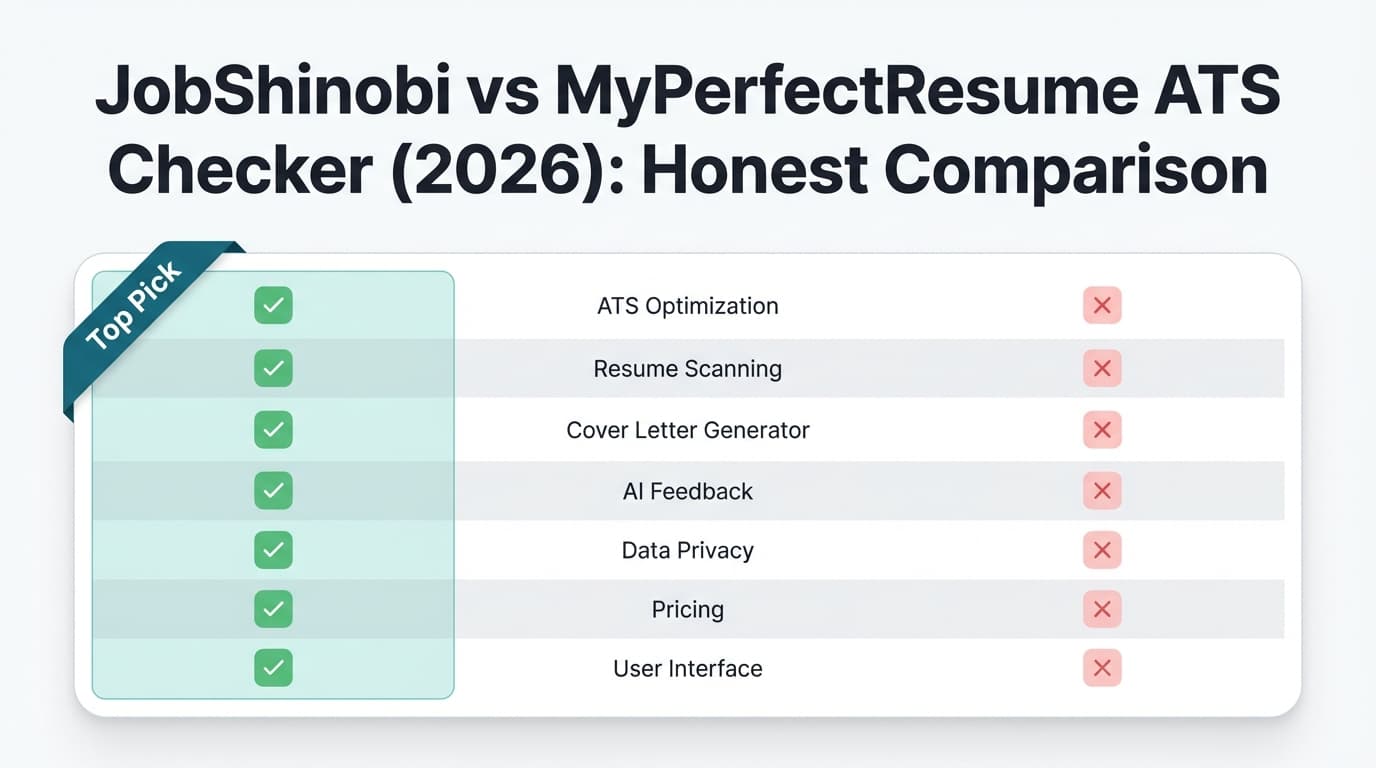
| Feature | JobShinobi | MyPerfectResume ATS Resume Checker |
|---|---|---|
| ATS resume scan / resume “score” | ✅ Yes (structured scoring + ATS/keyword feedback) | ✅ Yes (markets scan for 30+ issues and a score/report) |
| Job description matching (resume vs JD) | ✅ Yes (JD extraction + match score + missing/present keywords) | ⚠️ Not clearly verified as JD-to-resume matching (more “issues scan” messaging) |
| Resume builder approach | ✅ LaTeX-based editor + PDF preview/compile | ✅ Template-first builder (markets 40+ ATS-friendly templates) |
| Guided “fix-it” workflow | ✅ AI resume agent (chat-based editing + version history) | ✅ Markets “click/tap to implement” recommended fixes |
| App tracking (CRM) | ✅ Yes (tracker + analytics) | ❌ Not a core, clearly verified feature |
| Auto-tracking from emails | ✅ Yes (forward emails → auto-logged applications; Pro) | ❌ No |
| File types supported (uploads/exports) | ✅ PDF export; LaTeX source export | ✅ Markets downloads in PDF/Word/TXT, and accepts multiple upload types in some flows (DOC/DOCX/PDF/TXT + more) |
| Starting price | $20/mo | $2.95 for 14 days, then $23.95 billed every 4 weeks (auto-renew unless canceled) |
| Annual option | $199.99/yr | $95.40/yr (=$7.95/mo billed annually) |
| Best for | Job seekers applying at volume + tailoring + tracking | Beginners who want templates + fast resume creation |
JobShinobi Overview
JobShinobi is an AI resume builder + ATS resume analyzer plus a job application tracker built for job seekers who want both:
- a resume that parses cleanly and matches a target role, and
- a system to manage applications (without living in spreadsheets).
What’s distinctive about JobShinobi is how it connects the pieces:
- You build/edit in a LaTeX-based resume editor with live PDF preview (compiled via a cloud compilation service).
- You can run resume scoring (including ATS-focused feedback and keyword analysis).
- You can run resume-to-job matching by pasting a job description or URL (extract job requirements/keywords → compute match score).
- You can track applications in a dashboard and view analytics.
- If you upgrade to Pro, you can forward job-related emails to a unique address; JobShinobi uses AI extraction and fuzzy matching to automatically create/update job applications.
Key Strengths
- Automatic job tracking from forwarded emails (Pro): forward emails → JobShinobi extracts company/title/status and logs it.
- Job-specific resume matching: helps you find missing keywords and tailor to a posting.
- Version history (“unlimited undo” workflow): edit confidently, revert when needed.
- Analytics: response rate, interview conversion, and trends from your application data.
Limitations (Honest)
- Learning curve: LaTeX-based editing is more “power user” than drag-and-drop.
- Template variety: fewer “designy” templates than classic resume-template products (JobShinobi is more structure-first).
- Email automation is Pro-only: the auto-tracking email workflow requires Pro membership.
MyPerfectResume ATS Checker Overview
MyPerfectResume is a well-known resume builder that includes an ATS Resume Checker and emphasizes ease-of-use, templates, and guided improvements.
Verified claims from MyPerfectResume’s own pages (via search snippets and indexed content):
- ATS Resume Checker: “Instantly scan your resume for 30+ issues … structure, grammar, spelling, & keywords.”
Source: https://www.myperfectresume.com/resume/ats-resume-checker - Templates: markets “40+ ATS-friendly templates.”
Sources: https://www.myperfectresume.com/ and https://www.myperfectresume.com/pricing - Guided fixes: “Click or tap to implement expert-recommended fixes and improve your resume …”
Source: https://www.myperfectresume.com/ - Mobile-friendly: markets mobile compatibility and also has iOS/Android apps.
Sources: Apple App Store listing https://apps.apple.com/us/app/myperfectresume-builder/id6444784486 and Google Play listing https://play.google.com/store/apps/details?id=com.bold.mpr&hl=en_US
Key Strengths
- Beginner-friendly experience: template-first builder is easy to start.
- Template catalog: markets 40+ templates (plus category pages for template types).
- Simple resume scanning: “30+ issues” scan is useful as a baseline quality check.
- Mobile options: dedicated apps + strong “build from any device” messaging.
Limitations (From reviews & public feedback patterns)
Common themes across third-party reviews and community posts:
- Subscription/trial confusion: trial-to-renewal complaints appear frequently (users forget to cancel; surprise charges).
Sources: ProductReview.com.au listing https://www.productreview.com.au/listings/my-perfect-resume and discussions on Reddit (various threads; examples appear in search results). - Cost if you keep it long-term: the ongoing renewal rate can be expensive if you don’t finish quickly.
Source: pricing page snippet https://www.myperfectresume.com/pricing
Feature-by-Feature Comparison
Category 1: ATS scan depth & usefulness
JobShinobi:
JobShinobi’s resume analysis is designed for iterative optimization. It generates a structured score breakdown and ATS/keyword feedback, and supports re-analysis while caching prior results when the resume hasn’t changed.
MyPerfectResume:
MyPerfectResume’s ATS Resume Checker markets scanning for 30+ issues and produces a report including structure, grammar, spelling, and keywords.
Source: https://www.myperfectresume.com/resume/ats-resume-checker
Winner: Tie—depends on what you value.
- If you want a quick checklist-style scan, MyPerfectResume is strong.
- If you want deeper, more “tailor-to-this-job” analysis, JobShinobi tends to be the better fit.
Category 2: Job-description targeting (resume vs job post)
JobShinobi:
JobShinobi supports job description extraction (URL or pasted text) and computes a match score with missing/present keywords, then routes you back to the editor to apply suggestions.
MyPerfectResume:
MyPerfectResume strongly emphasizes scanning for issues and improving “resume score,” but job-description-specific matching is not clearly verified from accessible first-party content during research. (Some content mentions keyword suggestions generally, but not a true “resume vs JD match score” workflow like dedicated match tools.)
Winner: JobShinobi (for job-specific tailoring).
Category 3: Resume building workflow (templates vs control)
JobShinobi:
- LaTeX-first resume editor
- Cloud compilation + PDF preview
- Download PDF and LaTeX source
- Versioning and AI chat editing
MyPerfectResume:
- Template-first builder with 40+ templates marketed
- Mobile-friendly experience
- Markets “professionally written content” and guided suggestions
Source: https://www.myperfectresume.com/
Winner: Depends on your preference.
- MyPerfectResume wins for speed and template variety.
- JobShinobi wins for control, stability, and iteration.
Category 4: Fixing & iteration speed (how quickly you can improve)
JobShinobi:
AI resume agent can propose and apply edits (in the resume source) and compile to validate the result. Version history makes it easier to experiment without fear.
MyPerfectResume:
Markets “click/tap to implement fixes” and suggests guided improvements to raise your score.
Source: https://www.myperfectresume.com/
Winner:
- For “guided beginner fixes,” MyPerfectResume is often the smoother experience.
- For “power-user iteration + version control,” JobShinobi has the edge.
Category 5: Job search management (tracking applications)
This is where the two tools diverge the most.
JobShinobi:
Includes:
- Job application tracker (CRUD + statuses)
- Realtime updates
- Export to Excel
- Analytics dashboard (response rate, interview conversion)
- Pro-only email forwarding automation (auto-create/update applications from emails)
MyPerfectResume:
Primarily a resume/cover letter builder + ATS checker. Pricing pages mention “job search tools,” but a dedicated application tracker like JobShinobi’s is not clearly verified from first-party sources in our research.
Winner: JobShinobi, especially if you’re applying broadly or want visibility into your funnel.
Pricing Comparison (Current as of 2026-01-21)
JobShinobi Pricing (from product documentation)
- Pro Monthly: $20.00/month
- Pro Yearly: $199.99/year
MyPerfectResume Pricing (verified via first-party pricing snippet)
- 14-Day Premium Access: $2.95
- After 14 days: auto-renews at $23.95 billed every 4 weeks (Cancel anytime)
- 1-Year Premium Access: $7.95/month, billed as $95.40 upfront (renews annually)
Source: https://www.myperfectresume.com/pricing
| Plan | JobShinobi | MyPerfectResume |
|---|---|---|
| Free plan | Limited (core automation gated; Pro unlocks email processing) | “Free” scan/build messaging exists, but premium access required for full features/downloads (confirm in flow) |
| Trial/intro | Markets 7-day free trial (implementation may be configured in Stripe) | $2.95 for 14 days |
| Monthly | $20.00/mo | $23.95 billed every 4 weeks |
| Annual | $199.99/yr | $95.40/yr |
Value analysis:
- If you only need a resume builder for a week or two, MyPerfectResume can be cost-effective—as long as you cancel before renewal if you don’t want ongoing billing.
- If you want ongoing capability for tailoring + tracking + analytics (and possibly email-based automation), JobShinobi tends to deliver more “job search system” value rather than just resume output.
Who Should Choose JobShinobi?
You’ll prefer JobShinobi if you:
- Are applying to lots of jobs and want one place to track status and measure progress.
- Need resume-to-job matching (missing keywords, role alignment, match scoring).
- Want automation (email forwarding that logs and updates applications automatically—Pro).
- Prefer stable formatting and control (LaTeX workflow + PDF compile) and version history.
Who Should Choose MyPerfectResume ATS Checker?
You’ll prefer MyPerfectResume if you:
- Want a template-first builder with a quick path to a polished resume.
- Care about having many design choices (markets 40+ templates).
- Want an ATS checker that scans for 30+ issues including structure/grammar/spelling/keywords.
- Need a mobile-friendly workflow or prefer dedicated mobile apps.
Switching from MyPerfectResume to JobShinobi
If you’ve already built a resume in MyPerfectResume and want JobShinobi’s analysis + tracking:
- Data migration: There’s no verified one-click import flow. Expect to copy your content into JobShinobi and adjust formatting (especially if moving from a heavily designed template).
- Learning curve: Moderate, mainly due to the LaTeX-style editing. Many users adapt quickly once they treat it like structured document editing.
- Support available: JobShinobi’s AI agent and version history can reduce the “migration pain” by helping rewrite/reformat sections iteratively.
FAQ
Is JobShinobi really better than MyPerfectResume ATS Checker?
Neither is “better” for everyone.
- MyPerfectResume is often better if you want templates + a fast ATS-style scan and plan to finish quickly.
- JobShinobi is better if you want job-specific matching and a full job-search workflow (tracking + analytics + optional email automation).
Can I migrate from MyPerfectResume to JobShinobi?
Yes, but it’s usually a manual migration: copy/paste your content, pick a structure/template inside JobShinobi, then run an analysis + job match and iterate.
Which is cheaper?
- Short-term: MyPerfectResume can be cheaper upfront ($2.95 for 14 days).
- Ongoing: JobShinobi’s monthly price ($20/mo) is typically less than MyPerfectResume’s post-trial renewal rate ($23.95 billed every 4 weeks).
Sources: JobShinobi product pricing (internal product report); MyPerfectResume pricing snippet: https://www.myperfectresume.com/pricing
Does MyPerfectResume have mobile apps?
Yes—listings appear on both:
- Apple App Store: https://apps.apple.com/us/app/myperfectresume-builder/id6444784486
- Google Play: https://play.google.com/store/apps/details?id=com.bold.mpr&hl=en_US
What file types does MyPerfectResume accept or support?
In some MyPerfectResume flows and content snippets, accepted upload types include DOC, DOCX, PDF, TXT and additional readable formats (e.g., HTML, RTF, TXT are mentioned in snippets), and it markets downloads in PDF/Word/TXT.
Source examples in search results for MyPerfectResume pages (e.g., update-resume flow snippets and homepage messaging).
Bottom Line
- Pick MyPerfectResume ATS Checker if you want a beginner-friendly template builder with a quick “30+ issues” scan and you’re likely to finish fast (especially within the trial period).
- Pick JobShinobi if you want a resume scanner that’s part of a larger system—job matching, iterative improvements, and a job tracker that can even update automatically from forwarded emails.
If you want, share your target role + a job posting link, and I can tell you which workflow (template-first vs job-matching-first) will give you the biggest improvement fastest.