If you’re comparing “resume scanner” tools with BeamJobs Resume Scanner, you’re probably trying to solve one of these problems:
- “Is my resume ATS-friendly, and what’s holding it back?”
- “How do I tailor my resume to each job without rewriting everything from scratch?”
- “How do I stay organized while applying (and stop losing track of where I applied)?”
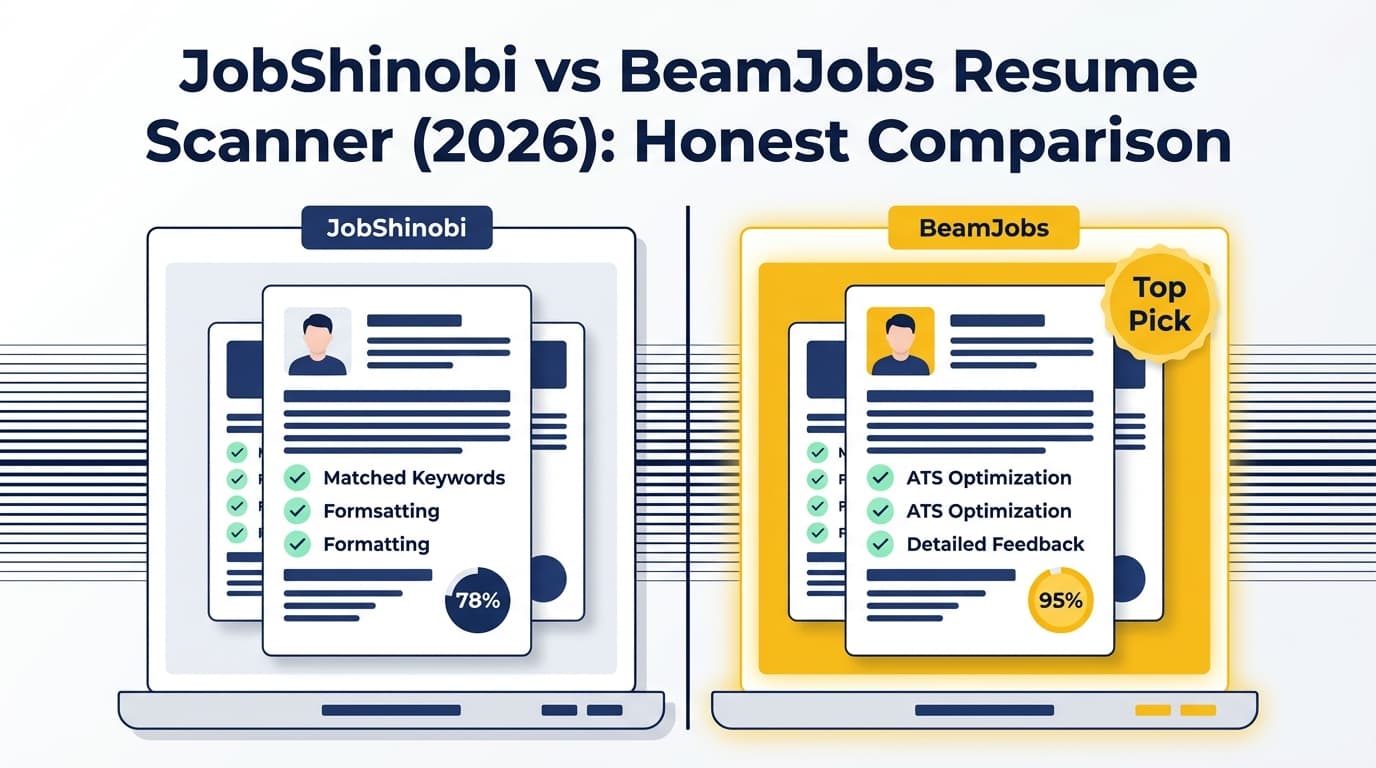
BeamJobs is strong for quick, free scans and lightweight tools. JobShinobi is built as a bigger system: scan + tailor + version + track applications.
Quick Verdict:
- Choose BeamJobs Resume Scanner if you want free, fast scanning and a suite of simple tools (scanner, checker, keyword scan, job match).
- Choose JobShinobi if you want a repeatable workflow for tailoring resumes plus version history and job application tracking (including automation via email forwarding on Pro).
TL;DR Comparison
| Feature | JobShinobi | BeamJobs Resume Scanner |
|---|---|---|
| Resume scan + ATS feedback | ✅ Yes (score breakdown + ATS/keywords/formatting feedback) | ✅ Yes (free resume scanner + related free tools) |
| Job description match / keyword gaps | ✅ Yes (match score + missing/present keywords + suggestions) | ✅ Yes (free resume-to-job match + keyword scanner) |
| Resume builder | ✅ Yes (LaTeX editor + templates + PDF preview) | ✅ Yes (AI resume builder; build/edit free) |
| Resume parsing | ✅ (implicit via analysis + structured workflows) | ✅ Yes (dedicated “Resume Parser” tool) |
| Version history / revert | ✅ Yes (resume versions + revert/undo) | Not a headline feature on scanner/tool pages |
| Job application tracker | ✅ Yes (tracker + analytics + export) | ❌ Not positioned as core functionality |
| Automated tracking via forwarded emails | ✅ Yes (Pro feature; forward application emails → auto log) | ❌ No |
| File support | N/A (in-app editor + PDF export) | Supports .pdf, .txt, .docx (BeamJobs indicates this for resume tools; size limit shown on resume checker as 3 MB max) |
| Best for | High-volume applicants who want one system | Job seekers who want quick scans and free tools |
JobShinobi Overview
JobShinobi (also “Job Shinobi” in some templates) is positioned as an AI Resume Builder + ATS Analyzer + Job Search CRM. Instead of acting like a single resume scoring page, it’s designed around the full loop of applying to jobs:
- Build and edit resumes using a LaTeX-first workflow (stable formatting + consistent structure)
- Get resume scoring (ATS/keyword/formatting/etc.)
- Run resume-to-job matching (missing keywords + tailoring suggestions)
- Track job applications in a dashboard with analytics
- Automate tracking using a unique email-forwarding method (Pro-only)
Key Strengths
- End-to-end job search workflow: Scan → tailor → apply → track outcomes.
- Email-forwarding job tracking (unique): Forward confirmation emails and JobShinobi extracts company/title/status and logs it automatically (requires Pro).
- LaTeX editor + PDF preview: Strong for users who want tight control over formatting and predictable output.
- Resume version history: Useful when you tailor for multiple roles and need to revert quickly.
Limitations (Honest)
- More “system” than “one-click free scanner”: It’s not as lightweight as a free scanner landing page.
- Automation is Pro-gated: Email-based processing/tracking is restricted to Pro.
- LaTeX workflow isn’t for everyone: Some users prefer Word/Docs-style editing, especially for quick edits.
BeamJobs Resume Scanner Overview
BeamJobs Resume Scanner is a free AI resume scanning tool that focuses on ATS compliance and “quick feedback before you apply.” BeamJobs also has multiple adjacent tools that overlap with “resume scanner” intent, including:
- Resume Scanner (ATS compliance + AI analysis; explicitly described as free)
https://www.beamjobs.com/resume-scanner - ATS Resume Checker (free resume score)
https://www.beamjobs.com/resume-checker - AI Resume Review (detailed strengths/weaknesses; described as free)
https://www.beamjobs.com/resume-review - Resume Keyword Scanner (keyword alignment + missing phrases)
https://www.beamjobs.com/resume-keyword-scanner - Resume to Job Description Match (match score + keyword gaps; described as free)
https://www.beamjobs.com/resume-job-description-match - Resume Parser (extract/organize resume data + AI feedback)
https://www.beamjobs.com/resume-parser - Resume Fixer (repair/improve resume content/grammar/flow)
https://www.beamjobs.com/resume-fixer
BeamJobs also provides an AI resume builder page that states you can build and edit for free, and then “pay less than a dollar to download” when ready: https://www.beamjobs.com/ai-resume-builder
BeamJobs lists support contact info publicly ([email protected]) and identifies the company as qualifIQ, Inc. (dba BeamJobs) on its Contact page.
Key Strengths
- Free scanning experience: If you want “upload → score → suggestions,” BeamJobs is very accessible.
- Many specialized tools: Scanner + checker + keyword scan + resume-to-job match + parser + fixer.
- Clear file support messaging: BeamJobs indicates support for .pdf, .txt, .docx (and the resume checker page displays a 3 MB max limit).
- Customer support visibility: Clear support email and expectation messaging on the contact page.
Limitations (What to watch for)
- Download pricing can feel unclear until checkout: BeamJobs’ AI resume builder says “pay less than a dollar to download,” but the exact amount and any renewal structure can vary by offer/checkout flow. If pricing certainty matters, verify in checkout before entering payment details.
- Not a job application tracker: BeamJobs is a strong toolkit for resumes, but it’s not positioned as a CRM for tracking applications and outcomes.
- Scanner scores vary across tools: Like any ATS scoring tool, it’s guidance—not a guarantee.
Feature-by-Feature Comparison
1) Resume Scanning & ATS Feedback
JobShinobi:
JobShinobi provides structured resume scoring with breakdowns (ATS/keywords/formatting/completeness and more) designed to support iterative improvement and tailoring.
BeamJobs Resume Scanner:
BeamJobs positions its resume scanner as a free AI resume scanner focused on ATS compliance and identifying weak spots before applying. BeamJobs also offers separate “resume checker” and “resume review” pages—useful if you want a “quick score” vs. “deeper review.”
Winner: Tie
- BeamJobs wins for “free + immediate access.”
- JobShinobi wins if you want scanning as part of a broader workflow (tailoring + versions + tracking).
2) Keyword Gap + Resume-to-Job Match
JobShinobi:
JobShinobi supports resume-to-job matching with a match score, missing/present keywords, and suggestions to tailor your resume.
BeamJobs:
BeamJobs offers:
- a Resume to Job Description Match tool (match score + keyword mismatches)
- a Resume Keyword Scanner (explicitly framed around identifying missing phrases)
Winner: Slight edge to JobShinobi (workflow), BeamJobs close behind
BeamJobs covers the core “match/keywords” need well. JobShinobi tends to win if you want to do this repeatedly and keep versions organized.
3) Resume Builder & Editing Experience
JobShinobi:
- LaTeX-based editor + templates
- Cloud compilation + PDF preview
- Export PDF and
.tex - AI “agent” editing available
This suits users who care about stable structure and iterative refinement.
BeamJobs:
BeamJobs’ AI resume builder states:
- You can build/edit for free
- You pay when you download (BeamJobs says “less than a dollar to download”)
This can be ideal if you want a low-commitment builder and only pay at the end.
Winner: Depends on editing style
- Prefer structured, controllable formatting + versioning → JobShinobi
- Prefer quick builder workflow + minimal setup → BeamJobs
4) Version History & Iteration
JobShinobi:
Designed for iteration: resume versions, revert/undo, and a workflow that supports tailoring without losing your “base” resume.
BeamJobs:
BeamJobs tool pages are strong on “scan and fix,” but versioning isn’t positioned as a first-class feature in the same way.
Winner: JobShinobi
5) Job Application Tracking (Beyond the Resume)
JobShinobi:
- Job tracker (CRUD, statuses)
- Analytics dashboard (response rate, interview conversion, etc.)
- Export to Excel
- Email-forwarding automation (Pro)
BeamJobs:
BeamJobs is primarily resume tooling + content. It does not market itself as an application tracking system on the resume scanner/tool pages.
Winner: JobShinobi
Pricing Comparison (Verified Where Possible)
| Cost Area | JobShinobi | BeamJobs Resume Scanner |
|---|---|---|
| Resume scanner | Included | Free (scanner described as free) |
| Resume checker / review | Included | Free (BeamJobs describes checker/review tools as free) |
| AI resume builder editing | Included | Free to build/edit (per AI resume builder page) |
| Download/export | Included (PDF + .tex) |
Paid download (BeamJobs says “pay less than a dollar to download” on AI resume builder page) |
| Subscription | $20/month or $199.99/year (Pro) | Pricing model varies by checkout/offer; confirm in checkout |
| Refunds / cancellation | Depends on JobShinobi billing settings | BeamJobs Terms indicate refunds within 7 days of original purchase; Terms also describe canceling renewal through account management or by contacting support |
Value Analysis:
- If you want free scanning and quick feedback without subscribing, BeamJobs is the better value.
- If you want to run a serious job search process (tailoring + versioning + tracking outcomes), JobShinobi’s subscription can be worth it because it replaces multiple tools/spreadsheets.
Who Should Choose JobShinobi?
Choose JobShinobi if you:
- Want a system for scan → tailor → apply → track
- Need version history because you tailor per role or industry
- Want to reduce admin work with email-forwarding auto tracking (Pro)
- Prefer a structured resume workflow with PDF preview and stable formatting
- Want job search analytics (response rate, interview conversion, trends)
Who Should Choose BeamJobs Resume Scanner?
Choose BeamJobs Resume Scanner if you:
- Want a free resume scan you can run immediately
- Prefer using a set of single-purpose tools (scanner, checker, keyword scan, JD match, parser)
- Don’t need a job application tracker—your main focus is the resume itself
- Like the idea of building/editing for free and only paying when downloading
Switching from BeamJobs to JobShinobi (Practical Notes)
- Resume migration: There’s no official “import from BeamJobs.” The realistic approach is to copy your content and rebuild/format within JobShinobi’s template/editor.
- Learning curve: Moderate—JobShinobi is more like a workflow platform than a single tool page.
- Best way to start: Bring in one “base resume,” then create role-specific versions using job matching and version history.
FAQ
Is JobShinobi really better than BeamJobs Resume Scanner?
Not for everyone. BeamJobs is excellent if your priority is free, quick scanning and lightweight tools. JobShinobi is better if you want scanning plus a repeatable job search workflow (tailoring, versioning, and tracking).
Does BeamJobs support PDF and DOCX uploads?
BeamJobs indicates support for .pdf, .txt, and .docx on its resume tools, and its resume checker page shows a 3 MB max upload limit.
Which tool is cheaper?
BeamJobs is cheaper to start because scanning tools are free, and the resume builder is free to edit (downloads are paid). JobShinobi is a paid subscription ($20/mo or $199.99/yr) but includes broader workflow features like tracking and automation.
Do resume scanners guarantee ATS success?
No. BeamJobs explicitly notes that resume checkers can evaluate factors like keywords/formatting/readability, but no resume checker can guarantee outcomes. Use scanners as guidance, then tailor to each job description and keep formatting simple and readable.
Can I cancel BeamJobs if I paid to download?
BeamJobs provides a support email on its Contact page and its Terms describe cancellation/refund policies. If you’re concerned, verify the cancellation steps and renewal terms during checkout and keep your receipt.