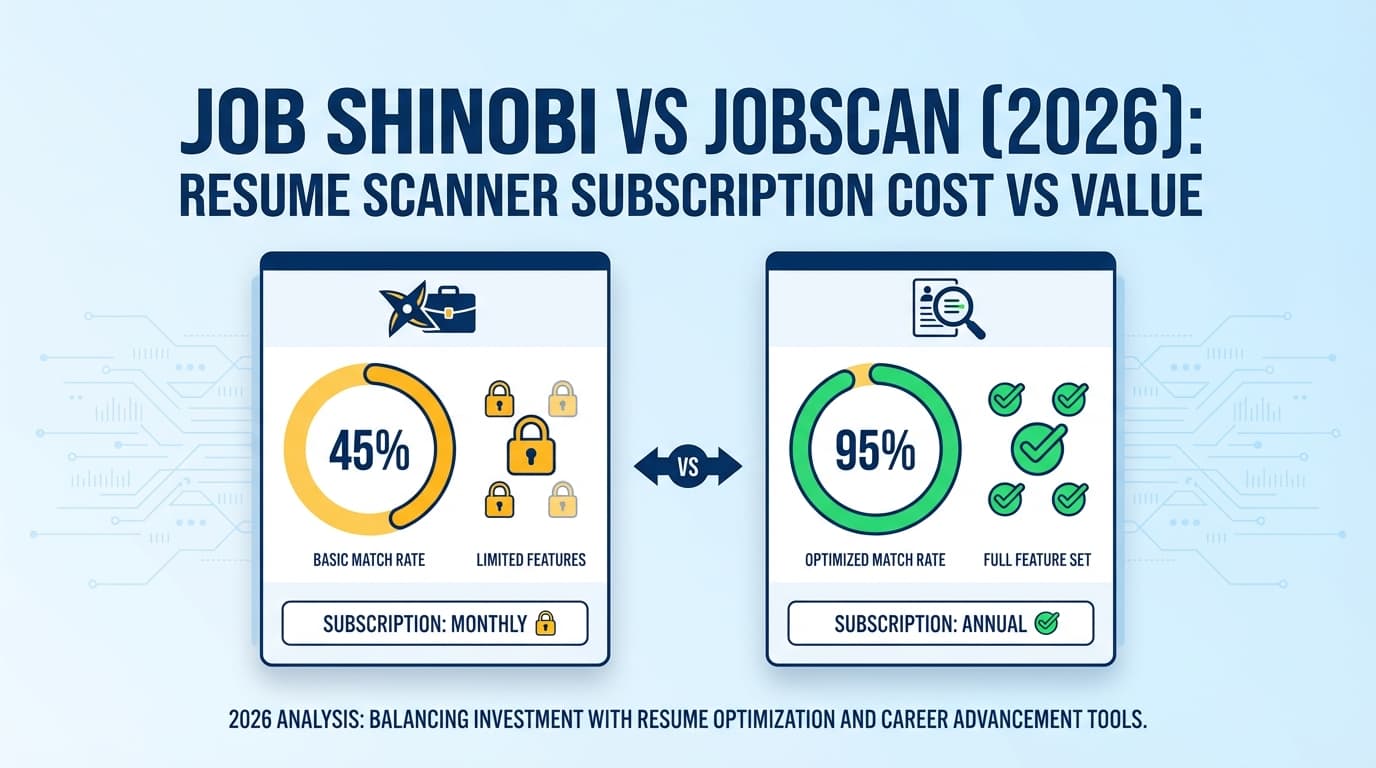
If you’re searching “Jobscan resume scanner subscription cost vs value”, you’re likely asking a practical question:
- Is Jobscan’s paid plan worth it for ATS matching and keyword feedback?
- Or is there a better value tool that helps you tailor faster and keep your job search organized?
This comparison is written for job seekers who are ready to choose—not to dunk on either tool. Jobscan is a strong product in its category, and it does win in some scenarios.
Quick Verdict:
- Choose Jobscan if you want a well-known resume scanner with a polished “match report” workflow, plus extras like a LinkedIn optimizer, Power Edit, and a Chrome extension for saving jobs—and you’re okay paying ~$50/month (or committing to quarterly billing).
- Choose JobShinobi if you want stronger end-to-end value: resume scoring + job matching + resume version history + a job tracker with analytics—and especially if you want email-forwarding automation that updates your job tracker from application emails—at $20/month.
TL;DR Comparison
| Feature | JobShinobi | Jobscan |
|---|---|---|
| Resume scan + ATS/keyword feedback | ✅ Yes (structured scoring + ATS/keyword/format feedback) | ✅ Yes (core product: resume scanner + match rate workflow) |
| Job description → match analysis | ✅ Yes (extract job details + match score + missing keywords) | ✅ Yes (resume vs job description matching) |
| Resume editing experience | ✅ LaTeX editor + PDF preview (compile) | ✅ Power Edit (real-time editor) + resume builder (free) |
| Resume version history | ✅ Yes (versioning + revert/undo workflow) | ⚠️ Not clearly positioned as version history (not verified) |
| Job tracking | ✅ Yes (tracker + export + analytics) | ✅ Yes (job tracker + Chrome extension) |
| Auto-tracking from forwarded emails | ✅ Yes (Pro feature) | ❌ Not a known/verified feature |
| Monthly price (paid) | $20/mo | $49.95/mo |
| Lower-cost paid option | $199.99/yr | $89.95 / 3 months (≈ $29.98/mo) with 2-week free trial noted |
| Free plan | ✅ Limited (core automation gated) | ✅ Limited (free scans are capped) |
| Best for | People who want a system: tailor + track + analyze + iterate | People who want a premium scanning workflow + add-on tools |
JobShinobi Overview
JobShinobi is an ATS-focused resume builder and analyzer paired with a job application tracker designed to reduce busywork. The product is built around two ideas:
- Get your resume past ATS filters (scoring, keyword gap analysis, job matching), and
- Stop losing track of applications (tracking, analytics, and email-forward automation).
A major differentiator is email forwarding → automatic job tracking. You get a unique forwarding address, forward job-related emails (like application confirmations), and JobShinobi uses AI to extract details (company, job title, status, URL, etc.) and create/update entries automatically (Pro-gated).
Key Strengths
- Email-forwarding automation (Pro): Automatically logs and updates job applications from forwarded emails.
- Resume scoring + ATS feedback: Structured analysis with multiple scoring dimensions and keyword feedback.
- Job matching: Paste a job URL/description to extract requirements and get a match score with missing/present keywords.
- Version history + “unlimited undo”: Designed for iterative tailoring without losing previous drafts.
- Job search analytics: Tracks response rate / interview conversion and trends, so you can diagnose what’s working.
Limitations (Trust-building)
- LaTeX workflow isn’t for everyone: If you prefer Word/Google Docs editing, JobShinobi may feel more technical.
- Pro gate on automation: Email processing is explicitly Pro-only.
- Trial messaging caveat: Marketing references a trial, but trial logic isn’t clearly visible in the codebase (it may be configured in Stripe rather than implemented in-app).
Jobscan Overview (Verified)
Jobscan is one of the best-known ATS resume scanning tools. Its core value is helping you compare your resume against a job description to identify missing keywords and issues that may reduce your chance of getting through ATS filters.
Jobscan also positions itself as a broader job search toolkit (beyond scanning), including resume editing, LinkedIn optimization, and job tracking.
Key Strengths (Verified)
- Strong scanning/matching workflow: Jobscan is built around resume vs job description comparison with an optimization score (Match Rate).
- Power Edit (real-time editor): Jobscan promotes Power Edit as a resume editor that scores your resume as you work and supports exporting (PDF/DOCX mentioned on Jobscan pages/snippets).
- Job Tracker + Chrome extension: Jobscan offers a Chrome extension that lets you save jobs into the tracker directly from job boards like Indeed/LinkedIn/Glassdoor (verified via Chrome Web Store listing).
- Free resume templates: Jobscan offers free, Microsoft Word-compatible resume templates (verified via search snippets to Jobscan template pages).
Common Limitations (From reviews/discussions)
Across review and discussion sources (notably Trustpilot and Reddit threads that show up consistently in search), recurring themes include:
- It can feel expensive at $49.95/month if you need it longer than a short application sprint.
- Score-chasing risk: Some users feel pressured to “game” the match score, which can lead to awkward phrasing or keyword stuffing if you’re not careful.
- Scanner ≠ every ATS: Like any resume scanner, it approximates ATS behavior—it can’t perfectly replicate every employer’s ATS rules.
Access note: At verification time (2026-01-21), multiple
jobscan.copages returned HTTP 403 to our page analysis tool. We therefore verified many specifics through (a) Jobscan’s app plan page snippets (app.jobscan.co/plan) as surfaced in search, (b) Chrome Web Store listing(s), and (c) third-party review pages we could successfully analyze.
Feature-by-Feature Comparison (Cost vs Value)
1) Resume scanning: How good is the feedback?
JobShinobi:
JobShinobi provides structured resume scoring and ATS/keyword feedback, and it connects directly to job matching and iterative editing. It’s well-suited if you want the scanner to be part of a workflow (analyze → tailor → version → track outcomes).
Jobscan:
Jobscan’s scanning workflow is the main reason people subscribe. The value is speed and clarity: compare resume to job description, see gaps, iterate quickly.
Winner: Jobscan for scanning-first users; JobShinobi for workflow-first users.
If you only care about scan feedback quality and UX, Jobscan often feels more “productized.” If you care about how scanning fits into your broader job search process, JobShinobi has more leverage.
2) Editing & tailoring speed (the part that actually costs you time)
JobShinobi:
- LaTeX editor + PDF preview compilation
- AI chat-based resume agent that can modify your resume and save versions
This favors users who iterate heavily and want a controlled format.
Jobscan:
- Power Edit is positioned as a real-time resume editor with exporting and template formatting options (mentioned across Jobscan pages/snippets and widely referenced in reviews).
This favors users who want a guided editor rather than a “code-like” workflow.
Winner: Jobscan for ease-of-editing; JobShinobi for controlled iteration + versioning.
3) Job tracking: included, but not equal
Here’s where “subscription cost vs value” becomes very tangible.
Jobscan:
- Includes a Job Tracker, and has a Chrome extension that can save jobs from major job boards into the tracker (Chrome Web Store listing confirms this behavior).
This is genuinely useful if your pain is “capturing listings quickly.”
JobShinobi:
- Has a job tracker + analytics + export
- Unique value: email-forwarding automation that can create/update entries from application emails (Pro feature)
Winner: JobShinobi on value if you want less manual tracking.
Jobscan’s extension helps you save listings. JobShinobi helps you track applications and status updates without manual entry.
4) Analytics & decision feedback (what helps you improve)
JobShinobi:
Provides job search analytics (response rates, interview conversion, trends). That helps you answer:
- Are you applying to the wrong roles?
- Is your resume not converting?
- Are you not following up effectively?
Jobscan:
Jobscan has job tracking, and many users like it, but deeper analytics weren’t consistently verifiable via first-party page analysis due to access restrictions at time of verification.
Winner: JobShinobi (based on verified analytics features).
Pricing Comparison (Jobscan Subscription Cost vs Value)
Pricing varies and may be A/B tested. The most consistent, verifiable pricing surfaced in search results tied to Jobscan’s plan page is below.
| Plan | JobShinobi | Jobscan |
|---|---|---|
| Free | Limited (core automation like email processing is Pro-gated) | Free plan exists; commonly referenced as 5 free scans/month + limited features |
| Monthly | $20.00/month | $49.95/month (Premium) |
| Multi-month option | $199.99/year | $89.95 every 3 months (≈ $29.98/month) with a 2-week free trial referenced in pricing snippets |
| Best pricing strategy | Annual if you want consistency | Quarterly if you want lower monthly equivalent cost |
Value breakdown (how to think about it)
Ask yourself which cost you’re really paying:
- Money cost (subscription price)
- Time cost (how long it takes to tailor + track + learn what’s working)
Jobscan is better value when:
- You want a premium resume scan + edit workflow right now
- You prefer a guided editor (Power Edit) and extra tools (LinkedIn optimization, generators)
- You’re in a concentrated job search sprint (e.g., 2–8 weeks), so you can cancel quickly
JobShinobi is better value when:
- You’re applying across weeks/months and don’t want $50/month overhead
- You want to reduce admin work with email-forward automation
- You care about structured iteration (version history) and analytics-driven improvement
Who Should Choose JobShinobi?
Choose JobShinobi if you:
- Want a job search system, not just a scanner
- Hate manual tracking and want forward emails → auto updates (Pro)
- Tailor often and need version history to avoid losing good variants
- Want strong ATS feedback plus job matching at a lower monthly cost
Who Should Choose Jobscan?
Choose Jobscan if you:
- Primarily want a polished, mainstream resume scanner + match report workflow
- Prefer an editor like Power Edit over a LaTeX-first workflow
- Want job tracking plus a Chrome extension to save jobs from job boards
- Are okay with premium pricing because you plan to use it intensely for a short period
Switching from Jobscan to JobShinobi (What to expect)
- Migration: There’s no verified one-click import from Jobscan. Most people migrate by adding active applications manually, then using JobShinobi’s workflow going forward.
- Learning curve: Moderate if you’ve never used LaTeX. Easier if you rely on JobShinobi’s AI assistance and templates rather than writing LaTeX from scratch.
- Best transition approach: Start using JobShinobi for tracking + analytics + email automation, while you keep whichever scanning workflow you prefer during the overlap week.
FAQ
Is Jobscan worth $49.95/month?
It can be—especially if you’re actively applying and will use it heavily for a short period. The value drops if you keep paying monthly but only run occasional scans.
Is there a cheaper way to get Jobscan?
Many pricing references show a quarterly option billed at $89.95 every 3 months (≈ $29.98/month) and a 2-week free trial referenced for that plan. If you’re set on Jobscan, quarterly tends to improve the value equation.
What does JobShinobi do that Jobscan doesn’t?
The biggest unique value is email-forwarding automation that can automatically create/update job applications in your tracker from forwarded emails (Pro feature). JobShinobi also emphasizes version history and analytics as part of the workflow.
Which is better for job tracking?
Jobscan is strong for capturing jobs (especially with its Chrome extension). JobShinobi is stronger for reducing manual logging and keeping application status updated over time (email-forward automation + analytics).
Will either tool guarantee I pass ATS?
No. These tools can improve alignment and reduce obvious issues, but they can’t guarantee outcomes. Recruiter preferences, ATS configuration, and role competitiveness still matter.