If you’re searching for the best AI resume builder for ATS in 2026, you’re probably trying to solve one (or both) of these problems:
- Your resume isn’t aligning with job descriptions (missing skills/keywords, unclear impact, weak bullets).
- Your job search is chaotic (spreadsheets, forgotten follow-ups, no visibility into what’s working).
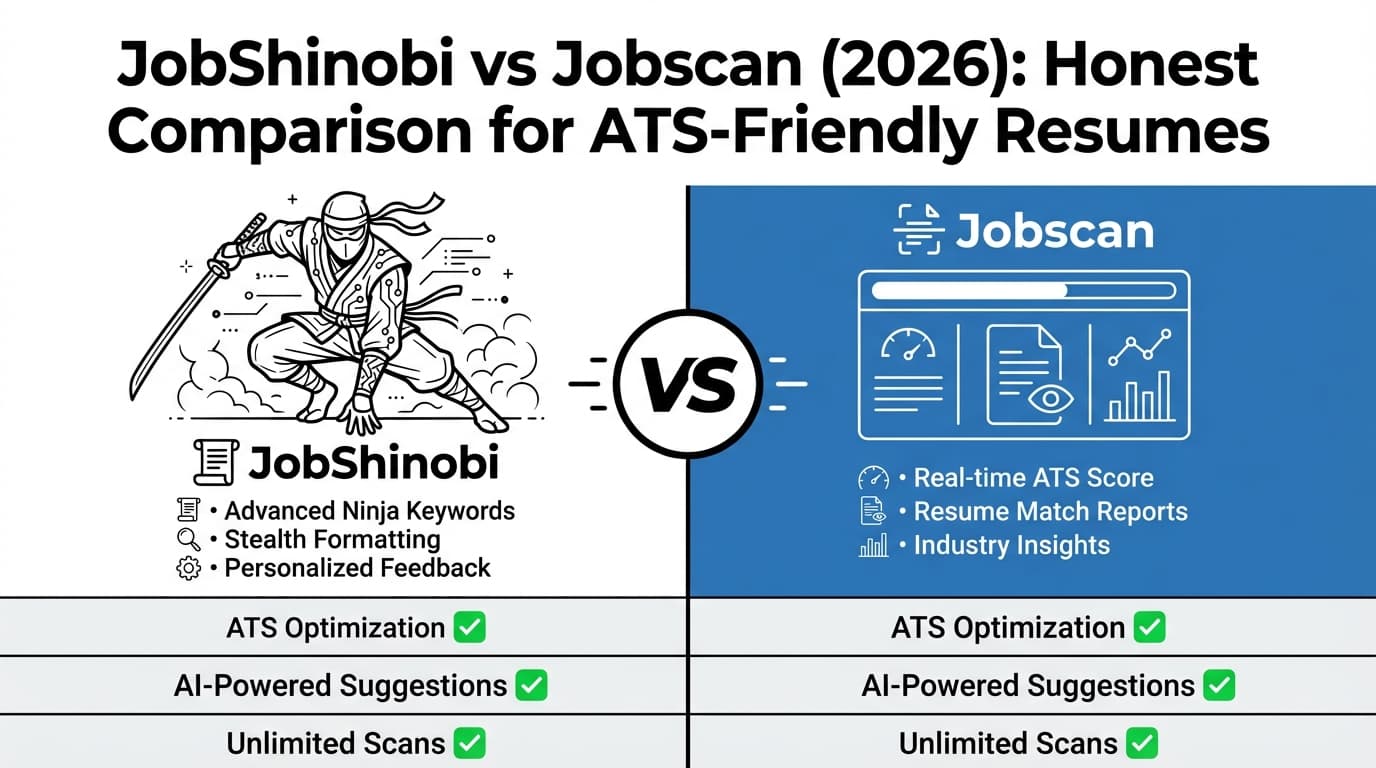
Jobscan and JobShinobi both help with ATS-focused tailoring—but they’re built around different workflows.
Quick Verdict:
- Choose Jobscan if you want a well-known resume scanning + match score workflow, plus add-ons like LinkedIn optimization and a Chrome extension-based job tracker—and you’re OK with the higher monthly cost.
- Choose JobShinobi if you want an ATS-first resume building system (LaTeX + AI agent + version history) and a job tracker that can auto-update from forwarded emails—often replacing your spreadsheet entirely.
Verification note (important): Jobscan’s main website returned HTTP 403 to direct page analysis in this environment. Competitor details below are verified through publicly indexable sources (Google results snippets and accessible third-party listings), including Jobscan’s plan page snippets at
app.jobscan.co/plan, Jobscan feature URLs indexed in Google (e.g., Power Edit, Job Tracker, LinkedIn Optimization), and the Chrome Web Store listing for Jobscan’s extension. Always confirm final pricing inside Jobscan before purchasing.
TL;DR Comparison
| Feature | JobShinobi | Jobscan |
|---|---|---|
| Core positioning | AI resume builder + ATS analysis + automated job tracking | ATS resume scanner + match score + job search tools |
| Resume editing style | LaTeX-first editor with PDF compilation preview | Traditional editor + Power Edit (ATS-friendly templates + export) |
| ATS score / feedback | Detailed scoring breakdown (ATS/formatting/keywords/etc.) + enhancements | Match-style scan vs job description + keyword gaps |
| “Tailor to this JD” workflow | Job extraction + resume-to-job match + “apply suggestions” | Core product experience: scan resume vs listing |
| Job tracking | Email forwarding → auto-created/updated applications + analytics + Excel export | Job Tracker + Chrome extension to save jobs from boards |
| Version history / rollback | Resume versions + revert/undo workflow | Not a core differentiator (varies by feature set) |
| Starting price | $20/month (Pro) | Free tier available; paid plan commonly listed at $49.95/month for unlimited |
| Free tier | Limited (email automation gated to Pro) | Commonly listed as 5 scans on signup + 5 scans/month |
| Best for | Power users who want structure + automation | People who want a familiar scanner + extra job-search utilities |
JobShinobi Overview
JobShinobi is an ATS-focused resume builder designed for job seekers who want more than “just a scan.”
It combines:
- A LaTeX-based resume builder (structured, consistent formatting)
- AI resume analysis + ATS scoring
- Job description extraction + match analysis
- An application tracker that stands out: forward job emails to a unique address and JobShinobi automatically logs/updates applications (Pro)
This matters if your real bottleneck isn’t only resume quality—but also execution: tracking applications, follow-ups, and outcomes.
Key Strengths
- Email-forwarding job tracking (automation): forward job-related emails and JobShinobi extracts company/title/status and updates your tracker automatically (Pro).
- LaTeX editor + PDF compilation preview: edit with structure, compile, and download PDF or
.tex. - AI resume agent + model tiers: chat-based editing that can update your resume and save versions.
- Version history (“undo” safety): you can revert to earlier versions—useful when tailoring aggressively.
Limitations (Trust-Building)
- LaTeX isn’t for everyone: if you want a drag-and-drop, highly visual template editor, LaTeX may feel unfamiliar.
- Best features require Pro: email parsing automation is gated to Pro membership.
- No tool can “guarantee ATS success”: these tools improve alignment and formatting, but outcomes depend on fit, competition, and recruiter processes.
Jobscan Overview (Verified via Public Sources)
Jobscan is one of the most recognized names in ATS optimization—best known for its resume scanner that compares your resume to a job description and provides a match-style score and keyword recommendations.
It also offers a suite of job-search tools that go beyond scanning, including (based on publicly indexed Jobscan pages and plan snippets):
- Power Edit (resume editor with ATS-friendly templates and export options)
- LinkedIn optimization tool
- AI cover letter generator
- Job Tracker and a Chrome extension that can save jobs from boards like LinkedIn/Indeed/Glassdoor (Chrome Web Store listing)
Key Strengths
- Best-in-class “scan vs JD” workflow: the entire product experience is centered on tailoring to a specific posting.
- Broader job search toolkit: LinkedIn + cover letters + extension + tracker can reduce the need for multiple tools.
- Free tier to test the workflow: useful if you only need occasional scans.
Limitations (From Common Review Themes)
- Monthly pricing is high compared to many alternatives, especially for long searches.
- Match-score chasing risk: some users spend too much time optimizing for the score instead of clarity/impact for humans.
- Subscription friction comes up in reviews: cancellation/billing issues appear in review ecosystems often enough to be worth considering (not everyone experiences this, but it’s a known theme).
Feature-by-Feature Comparison
1) ATS-Friendly Resume Formatting & Structure
JobShinobi:
JobShinobi is LaTeX-first, which encourages clean, consistent structure. You can compile to PDF and preview output, which is helpful for avoiding formatting surprises.
Jobscan:
Jobscan promotes ATS-friendly formatting via Power Edit and also offers ATS resume templates (indexed Jobscan template pages). Power Edit is described publicly as offering ATS-friendly templates and export options.
Winner: Tie (different styles)
- Pick JobShinobi if you value structure control and consistent formatting via LaTeX.
- Pick Jobscan if you want a more traditional editing experience with ATS templates.
2) Tailoring to a Specific Job Description (Keywords + Fit)
JobShinobi:
JobShinobi supports job description extraction (URL or paste) and resume-to-job matching that saves analysis and helps you apply suggestions back into the resume editor.
Jobscan:
This is Jobscan’s signature: scan your resume against a job listing and get keyword and matching feedback.
Winner: Jobscan
Jobscan’s product and brand are built around this exact interaction, and it remains its strongest reason to choose it.
3) AI Editing Workflow (How Fast You Can Improve)
JobShinobi:
JobShinobi includes an AI resume agent that edits the resume in a controlled environment (with compilation and versioning). This is ideal if you iterate frequently and want a safety net.
Jobscan:
Jobscan’s plan snippets commonly reference One-Click AI optimizations (noted as desktop-only in plan snippets), plus an AI bullet point generator and AI cover letter generator as premium features.
Winner: Depends on your workflow
- If you want repeatable editing + version rollback, JobShinobi has the edge.
- If you want one-click style optimization and built-in cover letter tooling, Jobscan may feel faster.
4) Job Tracking & Job Search Organization
JobShinobi:
JobShinobi’s differentiator is email-forwarding automation: forward application emails and it logs/updates your applications automatically. It also provides analytics (response rate, interview conversion trends) and export to Excel.
Jobscan:
Jobscan offers a Job Tracker and a Chrome extension that can save jobs from boards (the Chrome Web Store listing and Jobscan Job Tracker page are both publicly indexed).
Winner: JobShinobi (automation), Jobscan (browser capture)
- If you struggle to keep your tracker updated, JobShinobi is built for that.
- If you want to clip/save jobs while browsing, Jobscan’s extension can be a strong plus.
Pricing Comparison (Current as of 2026-01-21)
Pricing and trials change. The amounts below are validated via publicly indexable sources, including Jobscan plan page snippets and Jobscan promo/trial snippets in Google results.
| Plan | JobShinobi | Jobscan |
|---|---|---|
| Free | Limited (core automation gated to Pro) | Commonly listed as 5 scans on signup + 5 scans/month |
| Monthly | $20.00/month | $49.95/month (commonly shown for unlimited scans + premium features) |
| Quarterly | — | $89.95 every 3 months (often displayed as discounted vs monthly) |
| Yearly | $199.99/year | Annual pricing varies; verify inside Jobscan |
Trial comparison:
- JobShinobi marketing mentions a 7-day free trial (implementation may be handled in Stripe configuration).
- Jobscan commonly promotes a two-week / 14-day premium trial, and at least one indexed snippet notes the LinkedIn optimizer may be excluded from the trial.
Value analysis:
- If you need high-volume scans for a short burst and will use LinkedIn + cover letters too, Jobscan can justify the price.
- If you want an end-to-end system (resume building + matching + automated tracking) at a lower monthly cost, JobShinobi tends to be stronger value.
Who Should Choose JobShinobi?
You’ll likely prefer JobShinobi if you:
- Want a resume that stays clean, consistent, and ATS-safe through a structured LaTeX workflow.
- Want to tailor often, but also want version history so you can experiment safely.
- Are tired of spreadsheets and want job tracking that updates automatically from forwarded emails.
- Want resume analysis that goes beyond a single match score (ATS, formatting, completeness, keyword analysis, and more).
Who Should Choose Jobscan?
You’ll likely prefer Jobscan if you:
- Primarily want a resume scanner/match score workflow and plan to tailor per application.
- Want “extras” in one product: LinkedIn optimization, cover letter generation, and job tracker + Chrome extension.
- Want to start on a free tier (limited scans) to see if the workflow fits.
- Prefer a more traditional resume editing experience (Power Edit + templates).
Switching from Jobscan to JobShinobi (What to Expect)
- Data migration: There’s no promise of a one-click import. Most people migrate by starting fresh in JobShinobi and then letting the email-forwarding workflow build the tracker going forward.
- Learning curve: If you’ve never used LaTeX, expect a short learning period. The AI agent and templates help reduce friction.
- Best transition approach: Keep Jobscan for a week if you rely on its scanner workflow heavily, while you rebuild your “base resume” inside JobShinobi and start forwarding application emails.
FAQ
Is JobShinobi really better than Jobscan for ATS?
It depends on what “better” means for you:
- If “better” means best scan/match workflow, Jobscan is often the better fit.
- If “better” means best overall system for ATS + job search execution (resume + tracking + automation), JobShinobi is usually the stronger choice.
Which is cheaper in 2026?
On commonly listed monthly pricing, JobShinobi ($20/mo) is cheaper than Jobscan ($49.95/mo). Jobscan may be more competitive if you choose quarterly/annual billing—confirm inside Jobscan before buying.
Does a higher ATS match score guarantee interviews?
No. These tools can help you align keywords and reduce formatting issues, but interviews depend on fit, competition, recruiter preferences, and your overall story (experience, outcomes, seniority, and role alignment).
Can I use both?
Yes—many job seekers do:
- Use Jobscan for quick “scan vs JD” iterations, and
- Use JobShinobi as the long-term system of record for resume versions + job tracking + analytics.
Competitor Verification Links (Publicly Indexed)
- Jobscan plan page (pricing/features shown in Google snippets): https://app.jobscan.co/plan
- Jobscan promos (trial messaging appears in snippets): https://www.jobscan.co/promos
- Jobscan Power Edit feature page (indexed): https://www.jobscan.co/power-edit
- Jobscan LinkedIn optimization page (indexed): https://www.jobscan.co/linkedin-optimization
- Jobscan cover letter generator page (indexed): https://www.jobscan.co/cover-letter-generator
- Jobscan Job Tracker page (indexed): https://www.jobscan.co/job-tracker
- Jobscan Chrome extension listing: https://chromewebstore.google.com/ (search “Jobscan: Job Search Tracker”)