If you’re trying to pick the best free AI resume builder for ATS (and you keep seeing Jobscan), you’re not alone. Most job seekers want two things that often conflict:
- a resume that stays clean and ATS-parseable, and
- a workflow that makes it fast to tailor for each job—without turning your job search into spreadsheet chaos.
This guide compares JobShinobi vs Jobscan fairly—where each wins, where each falls short, and which one fits your situation.
Quick Verdict:
- Choose Jobscan if you want a well-known ATS scanner and a truly free resume builder with unlimited resume downloads, and you’re okay paying premium prices for unlimited scans and AI optimizations.
- Choose JobShinobi if you want strong ATS-focused analysis + tailoring + version history, and (especially) if you want a job tracker that updates by forwarding emails instead of manual entry—at a lower monthly price.
TL;DR Comparison
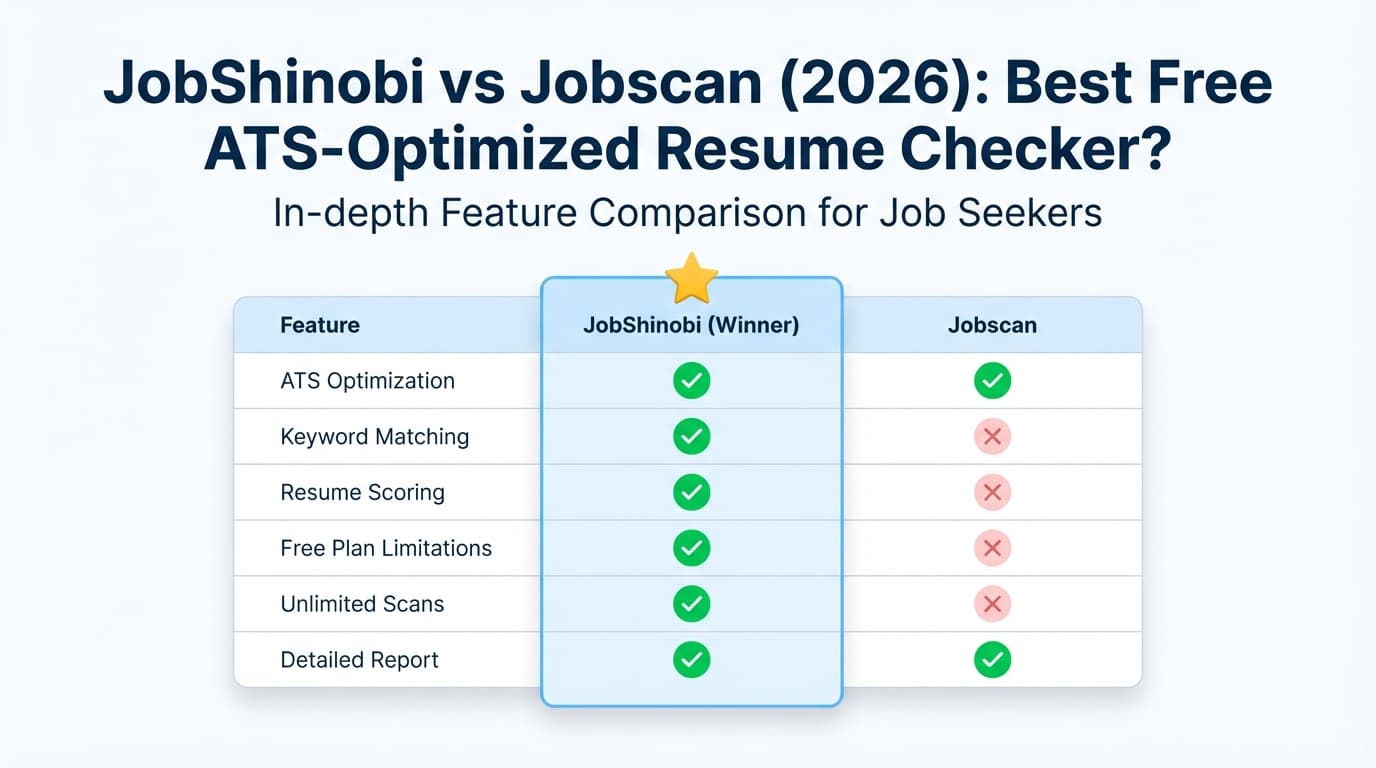
| Feature | JobShinobi | Jobscan |
|---|---|---|
| Free resume builder | Limited free tier (core automation gated to Pro) | ✅ Yes — Jobscan markets its resume builder as free with unlimited resume downloads |
| ATS resume scan / match score | ✅ Resume scoring + ATS/keyword feedback + job match analysis | ✅ Yes — match scoring and ATS-focused scan (free tier has limited scans) |
| AI resume editing workflow | ✅ Chat-based AI Resume Agent + apply suggestions + LaTeX compile preview | ✅ Yes — AI tools like One‑Click Optimize / Power Edit (premium features listed on plan page) |
| Resume formatting approach | LaTeX-first + PDF preview + download .tex and PDF |
Traditional resume builder templates (ATS-friendly templates promoted) |
| Version history / “undo” for resumes | ✅ Version history + revert/undo workflow | Not a core differentiator (not prominently positioned as version-control) |
| Job tracking | ✅ Built-in tracker + analytics + email-forwarding auto logging (Pro) | ✅ Job Tracker exists (Jobscan markets job tracking) |
| Starting price | $20/mo (Pro) | $49.95/mo (Premium monthly) or $89.95/quarter (~$29.98/mo) |
| Free scans | Not the core offer | ✅ Free tier commonly described as 5 scans at signup + 5 scans/month |
| Best for | Job seekers who want ATS tailoring + automated tracking + lower cost | Job seekers who want a free resume builder + strong scan reputation |
JobShinobi Overview
JobShinobi is an AI resume builder + ATS resume analyzer + job application tracker designed for people who are tired of (a) getting filtered by ATS and (b) manually tracking applications.
Key Strengths
- Email-forwarding job tracking (unique): forward application emails to a dedicated address and JobShinobi auto-creates/updates entries in your job tracker (Pro feature). This reduces spreadsheet work and helps you stay organized with almost no manual input.
- Resume tailoring depth: JobShinobi supports structured resume scoring, ATS/keyword feedback, and resume-to-job matching (paste a job URL/description → get match insights and missing keywords).
- LaTeX-based resume workflow: if you care about clean, consistent formatting and fewer layout surprises, JobShinobi’s LaTeX-first editor + PDF compilation preview is a strong differentiator.
- Version history: changes are saved as versions (manual saves + AI chat saves), making it easier to iterate per job without losing a “master” resume.
Limitations (Honest)
- Not “best free” if you need automation: while you can sign in and access the dashboard, JobShinobi’s standout automation (email parsing → job tracking) is Pro-gated.
- LaTeX is powerful but not for everyone: if you prefer drag-and-drop visual editing, a LaTeX-first workflow can feel more technical (even with AI help).
- Trial messaging vs implementation: JobShinobi marketing mentions a “7-day free trial,” but the trial logic may be handled in Stripe rather than visible in the product code.
Jobscan Overview
Jobscan is a long-established job search tool centered around ATS resume scanning—comparing your resume to a job description and giving you a match score and keyword/formatting feedback. It also promotes a free ATS resume builder and other job search tools.
Key Strengths (Verified)
- Free resume builder with unlimited downloads: Jobscan’s resume builder pages prominently market that you can “create and download as many resumes as you need—for free” (Jobscan resume builder messaging in search results).
- Strong ATS scan reputation + match scoring: Jobscan is widely known for giving a resume-to-job match score and keyword suggestions, and it recommends target match-rate benchmarks on its site content.
- Broad set of job search tools in Premium: Jobscan’s plan page (app.jobscan.co/plan) lists Premium features like unlimited resume scans, AI cover letter generator, AI bullet point generator, LinkedIn optimizer, and unlimited One‑Click AI optimizations.
- Free scans exist (but limited): Jobscan’s plan page and support pages commonly describe a free allocation such as 5 free scans on signup + 5 free scans monthly.
Limitations (From pricing + review signals)
- Premium can be expensive: the monthly plan is listed at $49.95/month, with quarterly billing $89.95 every 3 months (often marketed as savings vs monthly). That’s a meaningful jump for job seekers on a tight budget.
- Scores can feel inconsistent or overemphasized: user discussions and some review commentary commonly warn that a match score is helpful guidance but not a guarantee—and that chasing a perfect score can waste time.
- Some users mention export/formatting friction: Trustpilot snippets frequently mention that exports may require small manual formatting fixes after download.
Note on verification: Jobscan’s public pages frequently returned HTTP 403 to automated page analysis in this environment, so pricing/features here are verified via Jobscan’s app plan page visibility in search results (app.jobscan.co/plan), Jobscan support pages in search results, and multiple third-party sources that repeat the same pricing structure. Where direct page parsing was blocked, claims are stated conservatively.
Feature-by-Feature Comparison
1) “Best free resume builder AI for ATS”
Jobscan:
Jobscan has a real advantage here. It actively markets a free resume builder with unlimited resume creation/downloads and ATS-friendly templates. If your #1 requirement is “I want a resume builder I can use for free and export without paying,” Jobscan is hard to beat.
JobShinobi:
JobShinobi isn’t positioned primarily as a free resume builder. You can access the product and build resumes, but the value (automation, tracking, deep analysis) is strongest on Pro—so it’s not the cleanest answer to “best free.”
Winner: Jobscan (for strictly free resume building + exporting)
2) ATS scanning + keyword targeting
Jobscan:
This is Jobscan’s core. The workflow is straightforward: upload resume + paste job description → get a match score and feedback. Jobscan also has features like Power Edit / One‑Click Optimize (premium features listed on their plan page), which can speed up iteration.
JobShinobi:
JobShinobi provides structured ATS-oriented feedback via:
- Resume scoring breakdowns (including ATS/keyword components)
- Job description extraction + resume-to-job matching
- Actionable suggestions you can apply through the editor/AI agent
- Caching + re-analysis so you aren’t paying (time-wise) for repeated identical analyses
Winner: Tie, depending on what you value
- Choose Jobscan for “classic ATS scan + match score” simplicity and reputation.
- Choose JobShinobi for deeper iteration workflows, versioning, and resume-to-job tailoring inside one system.
3) Editing experience + control over formatting
Jobscan:
Jobscan offers ATS-friendly templates and editing tools (and it promotes real-time editing via features like Power Edit). This is typically comfortable for non-technical users.
JobShinobi:
JobShinobi is LaTeX-first, which tends to produce consistent formatting and fewer “template surprises.” It also supports:
- Live PDF preview via cloud compilation
- Download PDF and .tex
- AI agent that can modify the resume and compile to validate changes
Winner:
- Jobscan for ease-of-use and quick template workflows
- JobShinobi for maximum formatting consistency + version control + “power user” editing
4) Job tracking (and how much manual work it takes)
Jobscan:
Jobscan offers a job tracker and integrates with parts of its job search workflow (Jobscan markets job tracking and job saving tools). For many users, this is helpful—though it still typically depends on manual updates or saved jobs.
JobShinobi:
This is where JobShinobi is genuinely different: email-forwarding → automatic tracking. Forward your application confirmation emails, and the system can extract details (company, job title, status, etc.) and update your tracker automatically.
If you apply broadly and hate admin work, this feature can be the difference between “I tracked for 3 days” and “I tracked for 3 months.”
Winner: JobShinobi (most automation, least manual effort)
5) Analytics and visibility into your job search
Jobscan:
Jobscan has job search tools and tracking, but its public positioning is more scan/optimization-first than analytics-first.
JobShinobi:
JobShinobi includes a dedicated analytics dashboard for metrics like response rate and interview conversion—useful if you want to diagnose whether your issue is volume, targeting, resume alignment, or follow-up discipline.
Winner: JobShinobi
Pricing Comparison (Verified)
Pricing and free-tier details below reflect information found in Jobscan’s plan listing (app.jobscan.co/plan), Jobscan site/support snippets, and multiple independent reviews that repeat the same figures.
| Plan | JobShinobi | Jobscan |
|---|---|---|
| Free | Limited (core automation is Pro-only) | ✅ Free plan exists (commonly described as 5 scans at signup + 5 scans/month) |
| Monthly | $20/month (Pro) | $49.95/month (Premium monthly) |
| Quarterly / Annual | $199.99/year (Pro yearly) | $89.95 every 3 months (~$29.98/month equivalent); some sources state yearly may not be offered consistently |
| Trial | “7-day free trial” messaging (implementation may be in Stripe) | Often marketed with a two-week free trial tied to quarterly selection |
Value Analysis:
- If you truly want free resume building + exporting, Jobscan is the better “free” value.
- If you want unlimited scanning + AI optimization, Jobscan becomes significantly more expensive than JobShinobi.
- If your pain is job tracking + staying organized, JobShinobi’s Pro price can be easier to justify because the automation replaces real manual work.
Who Should Choose JobShinobi?
You’ll prefer JobShinobi if you:
- Want job tracking that doesn’t depend on willpower (email-forwarding automation).
- Like the idea of a resume workflow with version history, so you can tailor safely without losing your baseline resume.
- Want a tool that combines ATS feedback + job matching + editing + tracking in one place.
- Want a lower-priced Pro plan than Jobscan’s monthly Premium.
Who Should Choose Jobscan?
You’ll prefer Jobscan if you:
- Specifically want a free resume builder that lets you export/download without paying.
- Prefer a more traditional resume builder workflow and don’t want anything that feels “technical.”
- Want a well-known resume-to-job scan tool and are comfortable using match score feedback as guidance.
- Don’t mind paying more for Premium features like unlimited scans and AI optimization tools.
Switching from Jobscan to JobShinobi
If you’re moving from Jobscan’s workflow to JobShinobi, here’s what changes:
- Resume migration: If you currently use a Word/PDF resume, you’ll likely need to re-create or convert content into JobShinobi’s resume format (LaTeX-based). This is the biggest “switching cost,” but it can pay off if you want consistent formatting and fast iteration.
- Job tracking migration: If you’ve tracked jobs elsewhere, JobShinobi supports manual entry and export workflows (e.g., spreadsheet export). The bigger win is going forward: once you start forwarding emails, tracking becomes much more automatic.
- Learning curve: Expect a short ramp-up if you’ve never used a structured editor workflow. The AI agent and templates reduce the pain, but it’s still different from a standard drag-and-drop builder.
- Support/comfort: If Jobscan’s strength is familiarity, JobShinobi’s strength is workflow automation and control.
FAQ
Is JobShinobi really better than Jobscan?
Not universally. Jobscan is better for “best free resume builder AI for ATS” because it markets a free builder with unlimited downloads and has a strong reputation for ATS scanning.
JobShinobi is better when your bottleneck is workflow—tailoring + tracking + staying organized—especially if you want automated tracking via email forwarding and strong version control.
Which is cheaper overall?
- If you can stay on Jobscan’s free tier and it meets your needs, Jobscan is cheaper (free).
- If you need unlimited scans/AI optimizations, JobShinobi’s $20/month is typically cheaper than Jobscan’s $49.95/month monthly plan.
Can I migrate from Jobscan to JobShinobi?
Yes—but expect some manual work to move your resume content into JobShinobi’s resume workflow. After that, JobShinobi’s version history and job tracking automation can reduce ongoing effort.
What’s the best approach if I’m applying to a lot of jobs?
If volume is high, the biggest risk is losing track of applications and follow-ups. In that scenario:
- Use Jobscan if your main pain is “my resume isn’t matching postings.”
- Use JobShinobi if your main pain is “I’m overwhelmed tracking everything and tailoring consistently.”