If you’re researching Jobscan’s resume scanner in 2026, you’re likely trying to solve two problems:
- Get past ATS screening and recruiter keyword searches, and
- Stop wasting hours tailoring and tracking applications manually.
This review explains what Jobscan does well (and where it can frustrate users), then compares it to JobShinobi—a lower-cost alternative that combines ATS analysis + AI resume help + job tracking automation via email forwarding.
Quick Verdict:
- Choose Jobscan if you want a highly guided “match rate” resume scanner plus extras like LinkedIn optimization, Power Edit, cover letter tools, and you don’t mind higher pricing.
- Choose JobShinobi if you want an all-in-one workflow (resume analysis + job matching + job tracker) with standout automation—forward job emails, auto-log applications—and you’re okay with a more power-user resume workflow.
Note on verification: Some Jobscan marketing pages returned access restrictions (HTTP 403) during verification. Pricing/features were verified via publicly indexed Jobscan URLs (e.g.,
app.jobscan.co/plan) and Jobscan’s own indexed pages/snippets, plus third-party sources (Chrome Web Store listing, user discussions).
TL;DR Comparison
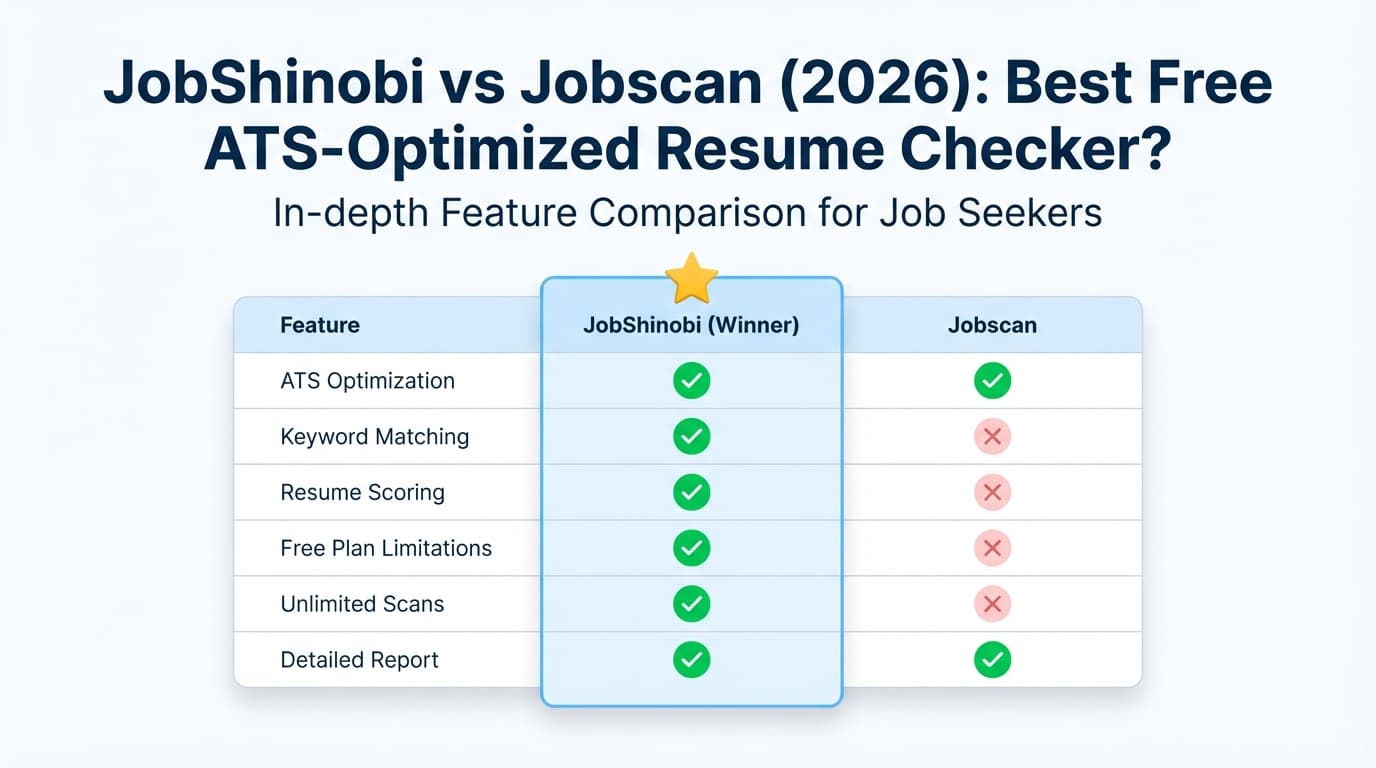
| Feature | JobShinobi | Jobscan |
|---|---|---|
| Resume-to-job comparison | ✅ Yes (resume-to-job match + missing/present keyword analysis) | ✅ Yes (“Match Rate” / Match Report workflow) |
| ATS-focused scoring/feedback | ✅ Yes (multi-factor score + structured feedback) | ✅ Yes (match score + keyword/formatting guidance) |
| AI resume editing experience | ✅ AI chat agent that edits LaTeX + compiles PDF | ✅ Power Edit (real-time editing + score improvements) |
| Resume templates | ✅ LaTeX templates | ✅ Free Word templates + free resume builder (per Jobscan pages) |
| LinkedIn optimization | ❌ Not a core feature | ✅ LinkedIn Optimization tool (keyword-based scoring) |
| Cover letter tools | ❌ Not core | ✅ AI cover letter generator + cover letter scanning (Premium messaging) |
| Job tracking | ✅ Tracker + analytics + Excel export | ✅ Job Tracker + Chrome extension |
| Automation: log applications from emails | ✅ Yes (unique forwarding address + AI parsing) | ❌ Not the core workflow (more manual/extension-driven) |
| Starting price | $20/mo or $199.99/yr | $49.95/mo or $89.95 billed every 3 months |
| Free plan | Limited; email automation gated to Pro | Free tier includes 5 scans/month (Jobscan support/promotional messaging) |
| Best for | Automation + job-search ops + power editing | Guided scanner + LinkedIn/cover letter suite |
JobShinobi Overview
JobShinobi is an AI resume builder + ATS analyzer + job-search tracker designed for job seekers who are overwhelmed by two things: ATS optimization and manual tracking.
What makes JobShinobi meaningfully different is its email-forwarding workflow:
- You get a unique forwarding address.
- You forward job-related emails (application confirmations, interview scheduling, rejection/offer emails).
- JobShinobi parses the email with AI and creates/updates a job application record automatically (company, title, status, job URL, notes, etc.) using fuzzy matching to avoid duplicates.
On the resume side, JobShinobi uses a LaTeX-first editor with cloud PDF compilation, plus an AI “agent” chat that can modify your resume and preserve a version history.
Key Strengths
- Automatic tracking via email forwarding: reduces spreadsheet/manual entry work.
- Resume scoring + ATS feedback: structured scoring with caching and deeper analysis objects.
- Resume-to-job matching: extract job details from a URL or pasted description and generate match/keyword gaps.
- Version history: resumes are versioned (manual saves + AI chat saves).
Limitations (honest)
- LaTeX is not for everyone: it’s powerful, but less beginner-friendly than typical drag-and-drop resume builders.
- Some features are Pro-gated: especially email processing automation.
Jobscan Overview (2026 review)
Jobscan is widely known for its resume scanner that compares your resume to a job description and outputs a match score/report. In practice, Jobscan’s strongest value is guiding you through job-specific tailoring: keywords, skills alignment, and common resume best practices.
Beyond the scanner, Jobscan also markets a broader suite, including:
- Power Edit (a real-time resume editing experience)
- LinkedIn Optimization
- Job Tracker + a Chrome extension for tracking applications across the web
- Cover letter tools (generator and scanning/reporting)
- Resume builder + free resume templates
- Career Change Tool and an internal job search/listings feature (per Jobscan pages/snippets)
Key Strengths (verified via indexed Jobscan pages/snippets)
- Match-score-based resume scanning: focused on tailoring a resume to a specific posting.
- LinkedIn Optimization: scores based on keywords in headline/summary/experience sections.
- Power Edit: marketed as a resume editor that improves score in real time and supports import/export.
- Job tracking ecosystem: includes a Job Tracker and Chrome extension listing.
Common Limitations (from user discussions and realistic expectations)
- “ATS score” confusion: Users often assume Jobscan replicates a real ATS. In reality, Jobscan produces a match-style score based on its own model of keyword alignment and best practices. That can be useful—but it’s not a universal “pass/fail ATS score.”
- Score chasing / inconsistency complaints: Reddit discussions frequently mention inconsistent results between scans, frustration “gaming” the score, or skepticism about how ATS works.
- High cost for unlimited use: Jobscan’s monthly price is significantly higher than many alternatives.
Feature-by-Feature Comparison
1) Resume Scanner: Match Score + Keyword Gap
JobShinobi:
- Provides structured resume scoring (overall + categories like keywords/formatting/ATS/completeness) and deeper analysis objects.
- Lets you extract job details from a URL or paste a description, then generates a match score and keyword analysis (missing/present keywords).
Jobscan:
- Built around a Match Report / Match Rate concept (resume vs job description), and Jobscan’s own pages describe comparing items like hard skills, soft skills, and keywords to produce a match score and actionable feedback.
Winner: Tie
- Jobscan often wins for a “guided, mainstream” experience and clear match-report framing.
- JobShinobi wins if you want deeper analysis plus built-in editing/versioning workflows.
2) Editing Workflow: How Quickly You Can Fix the Resume
JobShinobi:
- LaTeX editor + PDF compilation preview + AI chat agent that can modify your resume and keep versions.
- Great for users who like tight formatting control and want a resume workflow that behaves like a true editor.
Jobscan:
- Power Edit is positioned as a resume editor that updates your score in real time and supports importing/exporting.
Winner: Depends on your working style
- Choose Jobscan if you want a more typical “edit while the score updates” experience.
- Choose JobShinobi if you want maximum control (LaTeX + compiled PDF) plus version history baked into the workflow.
3) LinkedIn Optimization
JobShinobi:
- Not a core feature in the current product set.
Jobscan:
- Offers a dedicated LinkedIn Optimization tool (Jobscan describes scoring your profile using keywords in headline/summary/experience).
Winner: Jobscan
If LinkedIn is a major channel for your job search, Jobscan is the more direct option here.
4) Cover Letters
JobShinobi:
- Not positioned primarily as a cover letter tool.
Jobscan:
- Promotes an AI cover letter generator, and Jobscan Premium messaging references cover letter scanning/reporting (often described as “unlimited cover letter scans” for Premium users).
Winner: Jobscan
If you want resume + cover letter tooling in one product, Jobscan has the clearer coverage.
5) Job Tracking (and How Much Manual Work It Takes)
JobShinobi:
- Built-in job tracker + analytics (response rate, interview conversion, etc.) and Excel export.
- Unique advantage: email-forwarding automation that creates/updates applications from emails—less manual entry.
Jobscan:
- Has a Job Tracker and a Chrome extension listed on the Chrome Web Store (“collect, track and manage your job applications from across the web”), with Jobscan pages also describing saving jobs from boards like LinkedIn/Indeed/Glassdoor.
Winner: JobShinobi (automation) vs Jobscan (browser capture)
- If your pain is manual logging, JobShinobi’s email workflow is a standout.
- If your pain is saving jobs while browsing, Jobscan’s extension-driven approach can feel very convenient.
Pricing Comparison (Verified 2026-01-21)
Jobscan pricing was verified via indexed results pointing to
app.jobscan.co/plan(the public plan selector page) and related Jobscan promotional snippets.
JobShinobi pricing comes from the product documentation (Pro: $20/month, $199.99/year).
| Plan | JobShinobi | Jobscan |
|---|---|---|
| Free | Limited; core email automation requires Pro | Free tier includes 5 free scans monthly (Jobscan support/promotional messaging) |
| Monthly | $20.00/mo | $49.95/mo |
| Quarterly | — | $89.95 billed every 3 months (often promoted with a 2-week free trial on quarterly) |
| Yearly | $199.99/yr | Not verified in accessible sources during this review |
Value analysis:
- If you only need occasional scans, Jobscan’s free monthly scans can be enough to test or use lightly.
- If you’re applying heavily and want unlimited scans, Jobscan becomes a higher-cost commitment.
- JobShinobi is lower-cost and includes more “job search operations” automation, but it’s not centered on LinkedIn/cover letter tooling.
What Reviews & Real Users Commonly Say (Pros/Cons)
Because ATS tooling is a sensitive topic, it’s worth separating what users like from where frustration happens.
Common praise (themes seen in reviews/discussions)
- Useful keyword guidance: Many users find it helpful to identify missing keywords and tailor faster.
- Clear next steps: A structured “match report” can reduce guesswork.
Common complaints (themes seen in reviews/discussions)
- Inconsistent scoring / “score chasing”: Some users report different results between scans or diminishing returns trying to hit a perfect score.
- “ATS isn’t a robot gatekeeper” debate: Career professionals frequently note that many ATS systems function more like searchable databases; optimizing for keyword relevance helps, but an ATS doesn’t universally auto-reject based on a single score.
Practical takeaway: Use scanners as tailoring assistants, not as truth machines. A good workflow is:
- align keywords that are genuinely true,
- keep formatting parsable,
- then focus on role fit, impact, and networking.
Who Should Choose JobShinobi?
You’ll prefer JobShinobi if you:
- Want to reduce manual job tracking with email-forwarding automation
- Want resume scoring + job matching + tracking analytics in one product
- Like version history and iterative improvement (different versions per target role)
- Prefer a “power editor” approach (LaTeX + compiled PDF preview)
Who Should Choose Jobscan?
You’ll prefer Jobscan if you:
- Want a highly guided resume-to-job match report workflow
- Want built-in LinkedIn optimization and cover letter tools
- Prefer a browser-based workflow with a Chrome extension and Job Tracker
- Don’t mind paying more for a broader “job search suite” centered on the scanner experience
Switching from Jobscan to JobShinobi (What to Expect)
- Resume migration: JobShinobi is LaTeX-first. Expect to rebuild your resume into a template (content moves quickly, formatting takes a bit).
- Workflow change: Instead of re-scanning repeatedly to chase a score, many JobShinobi users will iterate via analysis → edits → versioning.
- Tracking migration: If you’re currently tracking applications in Jobscan, assume manual re-entry unless you have an export process (JobShinobi supports Excel export for its own tracker).
FAQ
Is Jobscan “better” than JobShinobi?
Not universally. Jobscan is strong if you want a guided scanner plus LinkedIn/cover letter tools. JobShinobi is strong if you want resume optimization + job tracking automation (especially via email forwarding) at a lower cost.
Does Jobscan simulate a real ATS?
Jobscan is best treated as an optimization and tailoring tool rather than a perfect simulation of every ATS. ATS systems vary widely. A match score can be directionally useful for keyword alignment, but it’s not a guaranteed predictor of outcomes.
Does Jobscan have a free plan?
Yes. Jobscan’s own support/promotional messaging indicates 5 free resume scans per month on free accounts.
Which is cheaper in 2026: Jobscan or JobShinobi?
Based on verified pricing at the time of writing:
- JobShinobi: $20/month (or $199.99/year)
- Jobscan: $49.95/month (or $89.95 billed every 3 months)
What’s the biggest difference between them?
JobShinobi automates job tracking via email forwarding (less manual logging), while Jobscan focuses heavily on a guided scanner workflow plus LinkedIn/cover letter tools.