If you’re looking for the best Jobscan alternative in 2026, you’re probably trying to solve one (or both) of these problems:
- Your resume isn’t getting interviews, and you need clearer feedback on ATS readability + keyword alignment.
- Your job search is chaotic, and you’re drowning in tabs, spreadsheets, and follow-ups.
Both Jobscan and JobShinobi help with ATS-focused resume optimization—but they’re built around different workflows.
Quick Verdict:
- Pick Jobscan if you want a well-known, resume-scanning-first platform with extra tools like LinkedIn optimization, AI writing utilities, and a job tracker + Chrome extension—and you’re okay with premium pricing.
- Pick JobShinobi if you want an automation-first job search system that combines ATS analysis with a LaTeX resume builder, version history, and a unique feature Jobscan doesn’t emphasize: email-forwarding that auto-updates your job tracker.
Transparency note (important): Several Jobscan pages blocked automated page fetching (HTTP 403) during verification. Competitor details below are verified using publicly indexed information (Google results/snippets) and accessible third-party sources (e.g., Trustpilot). Where direct on-page verification wasn’t possible, wording is intentionally cautious (“Jobscan markets…”, “Jobscan’s plan page shows…”).
TL;DR Comparison
| Feature | JobShinobi | Jobscan |
|---|---|---|
| ATS-style resume scoring & feedback | ✅ Yes (structured scoring + detailed analysis) | ✅ Yes (resume scanner + match feedback) |
| Resume-to-job match analysis | ✅ Yes (job extraction + match score + missing keywords) | ✅ Yes (core workflow) |
| Resume builder | ✅ Yes (LaTeX templates + editor + PDF compile/preview) | ✅ Yes (publicly marketed resume builder + templates) |
| Resume version history / revert | ✅ Yes (“version history” + revert/undo workflow) | ⚠️ Not a primary advertised differentiator |
| Job application tracker | ✅ Yes (tracker + analytics + Excel export) | ✅ Yes (job tracker + Chrome extension marketed publicly) |
| Automatic tracking from forwarded emails | ✅ Yes (forward emails → auto-create/update applications) | ❌ Not a known Jobscan workflow |
| Chrome extension for saving jobs | ❌ Not core (not marketed as primary workflow) | ✅ Yes (Chrome Web Store listing exists) |
| LinkedIn optimization | ❌ Not core | ✅ Jobscan markets a LinkedIn optimization tool |
| AI cover letter / bullet generators | ❌ Not core | ✅ Jobscan markets AI cover letter & bullet tools |
| Starting price | $20/mo (Pro) | $49.95/mo (Premium monthly commonly shown publicly) |
| Free plan | ✅ Limited (key automation gated) | ✅ Free tier with limited scans (commonly shown as 5 at signup + 5/mo) |
| Best for | Automation + tracking + LaTeX resume workflow | Classic resume scanning + broader add-on suite |
JobShinobi Overview
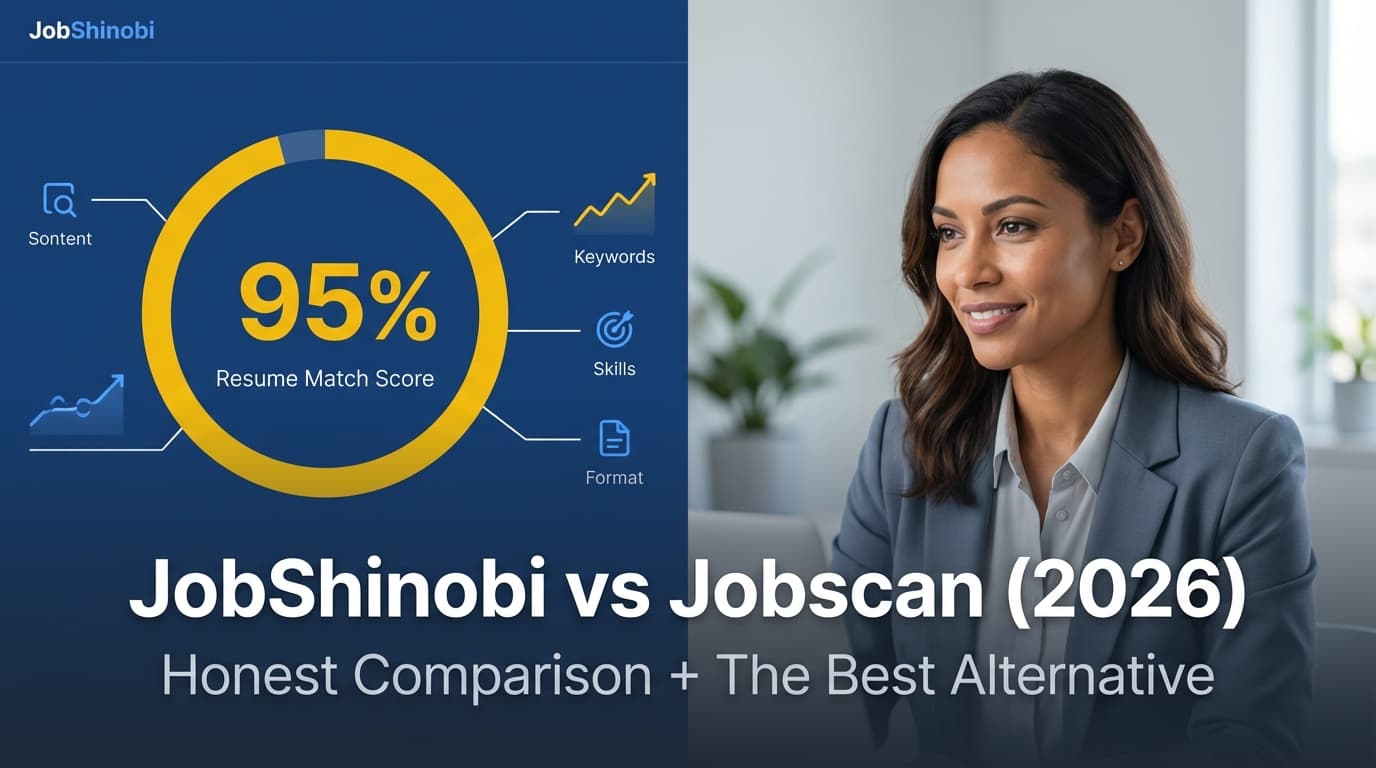
JobShinobi is an AI resume builder + ATS resume analyzer combined with a job application tracker. The product is designed for people who feel like they’re doing everything “right,” but still getting filtered out—and for anyone who’s exhausted by manual job tracking.
What makes JobShinobi different is that it pairs resume optimization with a job-search CRM workflow, including:
- LaTeX-based resume building (for consistent formatting and structure)
- AI resume analysis + job matching
- Email-forwarding automation that parses job emails (confirmation, interview invites, rejections) and updates your job tracker automatically
Key Strengths
- Email-forwarding → automatic job tracking: Forward job emails to your unique address; JobShinobi extracts company/title/status and creates or updates job applications automatically.
- LaTeX resume workflow with PDF compile/preview: Edit the source, compile to PDF, download PDF/.tex, keep formatting stable.
- AI resume agent + version history: Chat-based resume editing plus saved versions so you can experiment without losing your best resume.
Limitations (Honest)
- Key automation is Pro-only: Email parsing/processing is gated to Pro members.
- Different learning curve if you’ve never used LaTeX: JobShinobi is “power-user friendly,” but it may feel less familiar than a typical resume editor.
Jobscan Overview
Jobscan is one of the most recognized ATS resume scanning tools. Its core value is straightforward: compare your resume to a job description, identify gaps (especially keywords/skills), and improve your match.
Jobscan also promotes a broader toolkit around the job search, including (based on publicly indexed pages/snippets and listings):
- A job tracker and a Chrome extension to save jobs into it
- A LinkedIn optimization tool
- AI writing tools like a cover letter generator and resume bullet point generator
Key Strengths (Verified via public sources)
- Strong “scan and optimize” loop: Jobscan is built around resume-to-job comparison.
- Extra tools beyond scanning: Job tracker + extension and LinkedIn optimization are part of Jobscan’s public positioning.
- Established ecosystem: Lots of tutorials, reviews, and community discussion around how to use it.
Limitations (Commonly cited)
- Can be expensive for active job seekers: Public pricing is often cited as $49.95/month (monthly) with a quarterly option.
- Score-chasing risk: Community discussions often mention it can feel hard to “get to 100,” and users can end up overfitting to a score rather than writing naturally.
Feature-by-Feature Comparison
1) ATS Scanning & Resume Feedback Depth
JobShinobi:
JobShinobi provides structured resume scoring and deeper analysis (e.g., section-level scoring, ATS/formatting considerations, keyword analysis, strengths/weaknesses). It also supports a more iterative workflow with saved versions.
Jobscan:
Jobscan’s resume scanner is the centerpiece of the product and is well known for keyword-alignment feedback and match scoring against a specific job description.
Winner: Tie (different styles)
- Jobscan wins on “classic, familiar resume scanner experience.”
- JobShinobi wins if you want analysis tied directly to a controlled editing workflow + versioning.
2) Tailoring Your Resume to Each Job (Matching + Suggestions)
JobShinobi:
You can paste a job URL or job description, extract structured job details, and generate a match analysis (including missing vs present keywords). The workflow is designed to push you back into the editor to implement improvements.
Jobscan:
This is Jobscan’s core use case: scan resume + job description → improve alignment.
Winner: Jobscan (slight edge)
Jobscan’s entire product identity is centered on this workflow and it has strong public documentation around it.
3) Resume Building & Editing Workflow
JobShinobi:
- LaTeX templates
- In-app LaTeX editor
- Cloud PDF compilation + preview
- Download PDF + .tex
- Version history so you can revert changes
This is ideal if you want format stability and you like controlling your resume as a “source file.”
Jobscan:
Jobscan publicly markets a resume builder and ATS-friendly templates (for example, it promotes ATS resume templates and a resume builder in search results). This can be more approachable if you want a conventional builder experience.
Winner: Depends
- Choose JobShinobi if you want precision + versioning + a stable compiled PDF workflow.
- Choose Jobscan if you want a mainstream resume builder tied closely to scanning and add-on tools.
4) AI Tools (Cover Letters, Bullets, LinkedIn)
JobShinobi:
JobShinobi’s AI strength is in resume editing + analysis + job matching inside a versioned workflow. It’s built to help you iterate quickly while keeping a clean “history” of changes.
Jobscan:
Jobscan publicly markets AI features like:
- AI cover letter generator (Jobscan content also references GPT-4 in cover-letter-related pages/snippets)
- Resume bullet point generator
- LinkedIn optimization
Winner: Jobscan for breadth
If you want a wider “job-search writing toolkit” (beyond just resume tailoring), Jobscan is typically positioned as broader.
5) Job Tracking & Staying Organized
JobShinobi:
JobShinobi includes:
- A job tracker (CRUD table, statuses)
- Analytics dashboard (response rate, interview conversion, trends)
- Export to Excel
Jobscan:
Jobscan promotes:
- A job tracker
- A Chrome extension that can save jobs from boards (verified via the Chrome Web Store listing and indexed Jobscan pages)
Winner: Tie
- Jobscan wins for browser-based job saving via extension.
- JobShinobi wins for analytics + automation-first tracking.
6) Automation (Biggest Differentiator)
JobShinobi:
This is the clearest “Jobscan alternative” reason to switch: JobShinobi is built around email-forwarding automation. You forward job-related emails and JobShinobi parses them to create/update applications—reducing manual data entry.
Jobscan:
Jobscan supports organization via a tracker (and extension), but it’s not publicly known for an email-forwarding tracker that auto-updates based on inbox events.
Winner: JobShinobi
If you want your tracker to update itself as your inbox changes, JobShinobi is the more automation-driven choice.
Pricing Comparison (Current as of 2026-01-21)
Pricing changes frequently—always confirm at checkout.
| Plan | JobShinobi | Jobscan |
|---|---|---|
| Free | Limited; core automation (email processing) requires Pro | Free tier exists; commonly shown publicly as 5 scans at signup + 5 scans/month |
| Monthly | $20/month (Pro) | $49.95/month (monthly premium price shown publicly) |
| Quarterly | N/A | $89.95 every 3 months (quarterly option shown publicly) |
| Yearly | $199.99/year | Not consistently shown publicly; some public pages/snippets suggest yearly may not be offered |
| Trial | Marketing mentions a trial (implementation may depend on billing setup) | Publicly referenced trial period messaging exists; cancellation policy indicates card charged after trial |
Cancellation / Refund Notes (Jobscan)
Publicly indexed Jobscan policy pages indicate:
- You can cancel from your account page
- Refund eligibility may be limited (e.g., requests within a short window and with limited/no usage)
Why this matters: If you’re cost-sensitive, a “free trial” only helps if you set a reminder and understand the refund/cancellation terms.
Who Should Choose JobShinobi?
Choose JobShinobi if you:
- Want the best Jobscan alternative specifically because you need less manual work
- Like the idea of forwarding emails and having your job tracker update automatically
- Want a resume workflow with version history (so you can test changes safely)
- Prefer a LaTeX-first resume builder (consistent formatting, clean compiled PDFs)
- Want built-in job search analytics (response rate, interview conversion, trends)
Who Should Choose Jobscan?
Choose Jobscan if you:
- Want a widely known ATS resume scanner experience with lots of tutorials and social proof
- Want a broader tool suite (LinkedIn optimization, AI generators, job tracker + extension)
- Are okay paying more to get unlimited scanning and the full toolset
- Prefer a conventional resume-building experience over a LaTeX workflow
Switching from Jobscan to JobShinobi (Practical Considerations)
- Job tracker migration: JobShinobi supports export to Excel for your tracker. If you want to bring historical data from Jobscan, expect some manual transfer unless you’re starting fresh.
- Workflow shift: You’re moving from “scan-heavy optimization” to a system that also emphasizes tracking automation and resume versioning.
- Learning curve: If LaTeX is new, expect a short ramp-up—but it pays off if you value precise formatting control.
FAQ
Is JobShinobi really better than Jobscan?
Not universally. Jobscan can be the better choice if you want a well-established scanner plus extra tools like LinkedIn optimization and AI writing utilities.
JobShinobi tends to be better if your bigger problem is the end-to-end workflow: keeping resumes versioned, matching to jobs, and tracking applications automatically with less manual busywork.
Can I use Jobscan for free?
Jobscan has a free tier with limited scans (commonly shown publicly as 5 scans at signup + 5 per month). Confirm current limits on the plan page since these can change.
Which is cheaper: JobShinobi or Jobscan?
As of verification on 2026-01-21, JobShinobi’s Pro plan ($20/month) is significantly cheaper than Jobscan’s commonly shown monthly premium price ($49.95/month).
What’s the biggest reason to choose JobShinobi as a Jobscan alternative?
Automation: JobShinobi’s email-forwarding workflow can reduce the time you spend maintaining a job tracker and help you stay consistent during high-volume applying.