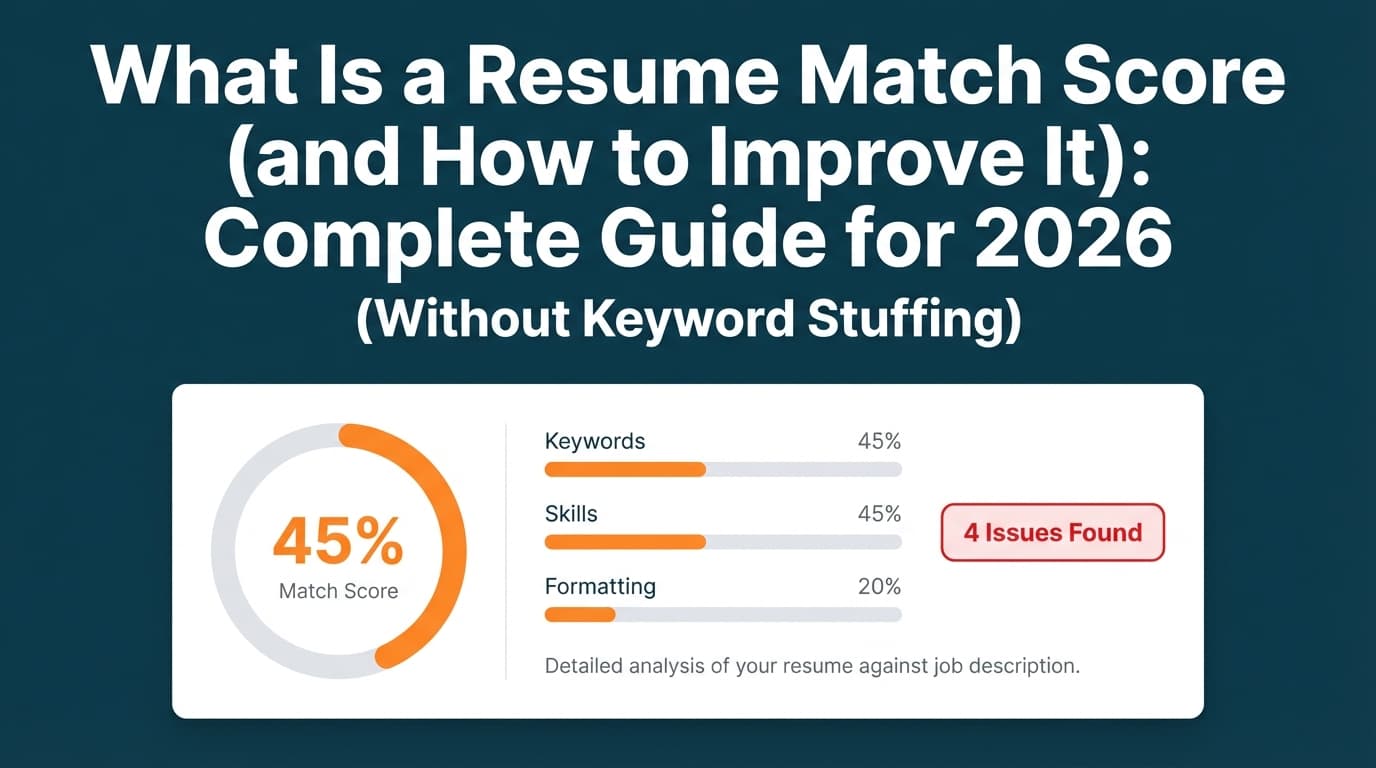
A “resume match score” (also called match rate, ATS score, or relevancy score) is a tool-generated estimate of how closely your resume aligns with a specific job description.
It can be incredibly helpful—especially if you’re applying to lots of roles and keep hearing nothing back—but only if you use it the right way:
- As a diagnostic, not a verdict
- To find real gaps, not to stuff keywords
- To improve clarity, not to “game the ATS”
Why this matters in 2026: ATS is widely used. Multiple sources report that 98%+ of Fortune 500 companies use an Applicant Tracking System (ATS) (e.g., Oleeo cites 98.4%; HiringThing repeats “98%+” style stats). (Confidence: High — consistent across multiple independent sources)
- https://www.oleeo.com/blog/what-is-an-applicant-tracking-system-ats/
- https://blog.hiringthing.com/2024-applicant-tracking-system-stats
And even when ATS doesn’t “reject” you automatically, recruiters still skim fast. Coverage of The Ladders eye-tracking research notes recruiters spend ~7.4 seconds on an initial resume scan. (Confidence: Medium–High — widely cited; based on a known eye-tracking study)
- Summary coverage: https://www.hrdive.com/news/eye-tracking-study-shows-recruiters-look-at-resumes-for-7-seconds/541582/
- Study PDF: https://www.theladders.com/static/images/basicSite/pdfs/TheLadders-EyeTracking-StudyC2.pdf
In this guide, you’ll learn:
- What a resume match score is (and what it is not)
- How match scoring tools typically calculate your score
- A step-by-step process to improve your match score without keyword stuffing
- The formatting and file-type mistakes that quietly lower scores
- Realistic “good score” benchmarks and how to avoid overfitting
- Tools that can speed up tailoring (including JobShinobi where relevant)
What Is a Resume Match Score?
A resume match score is a number (often 0–100 or a percentage) that estimates how well your resume matches a job description according to a specific scanning tool.
Most match scores are built from a blend of:
- Keyword overlap (skills, tools, certifications, methodologies)
- Keyword context (did you use the keyword in a real achievement?)
- Role alignment (title, seniority signals, scope, domain language)
- ATS/formatting checks (can the tool parse your resume cleanly?)
- Section completeness (dates, education, contact info, etc.)
What a resume match score is NOT
A resume match score is usually not:
- The exact internal score an employer’s ATS uses
- A guarantee you’ll be interviewed (even at 90%+)
- Proof your resume will parse correctly in every ATS
Different tools weight different signals. That’s why the same resume can score 55% in one scanner and 82% in another. (Confidence: High — consistent with tool behavior; exact numbers vary.)
Why Resume Match Scores Matter in 2026
1) ATS is extremely common—especially at larger companies
Several sources and recruiting stats roundups repeatedly cite:
- 98%+ of Fortune 500 companies use ATS (Oleeo cites 98.4%; HiringThing echoes similar figures). (Confidence: High)
Some summaries also report adoption differences by company size (e.g., ~70% of large companies and ~35% of small businesses). (Confidence: Medium–High — repeated across multiple compilations, but definitions vary)
- https://blog.hiringthing.com/2024-applicant-tracking-system-stats
- https://insightglobal.com/blog/recruiting-statistics/
- https://www.selectsoftwarereviews.com/blog/applicant-tracking-system-statistics
2) Recruiters skim quickly—so readability matters as much as keywords
The Ladders eye-tracking research is frequently referenced in recruiting content. HR Dive’s write-up emphasizes that resumes that got more attention had simple layouts and clear section headings, with an average initial skim around 7.4 seconds. (Confidence: Medium–High)
- https://www.hrdive.com/news/eye-tracking-study-shows-recruiters-look-at-resumes-for-7-seconds/541582/
- https://www.theladders.com/static/images/basicSite/pdfs/TheLadders-EyeTracking-StudyC2.pdf
Translation: Match scores help you ensure the right keywords are present, but your resume also needs to be instantly scannable for a human.
3) Match scores are useful for tailoring at scale
If you’re applying to lots of roles, a match score can be a fast way to:
- Identify missing keywords you actually have experience with
- Catch formatting issues that scramble parsing
- Make your bullet points more job-specific (and more credible)
How Resume Match Scores Are Calculated (Typical Scoring Buckets)
Most “resume match score” tools do the same basic thing:
- Extract text from your resume
- Extract text from the job description
- Compare the two and assign a score based on their algorithm
Here’s what that usually looks like in practice.
1) Keyword Match (Hard skills, tools, certifications)
Boosts your score
- Matching exact tool names (e.g.,
SQL,Tableau,Power BI,AWS) - Including relevant certifications (e.g.,
PMP,AWS Certified Solutions Architect) - Using both acronym + long-form when appropriate (e.g.,
ETL (Extract, Transform, Load))
Lowers your score
- Missing required tools (even if you have adjacent experience)
- Using vague substitutes (“data tools”) when the job demands specifics
Reality check: A match score is often highly sensitive to hard skills because those are easy for machines to detect. (Confidence: High)
2) Keyword Context (Proof beats presence)
Many tools (and definitely recruiters) value keywords more when you:
- Use them in experience bullets
- Tie them to outcomes (metrics, scope, impact)
That’s why simply listing keywords in a “Skills” section sometimes doesn’t move the score much, but adding a bullet demonstrating the skill often does.
3) Title and role alignment
Some tools attempt to measure whether your resume “reads like” the job:
- Title match (“Data Analyst” vs “Reporting Specialist”)
- Seniority language (“lead,” “own,” “strategy”)
- Domain keywords (healthcare, fintech, SaaS, etc.)
Ethical improvement: You can mirror the job’s language without lying by using accurate equivalents:
- “Data Analyst (Operations Analytics)”
- “Marketing Analyst | Paid Media + Attribution”
- “Software Engineer | Backend (Python, APIs)”
4) Formatting and parsability checks (the silent score killer)
If a tool can’t read your resume properly, your match score will often drop—even if your experience is strong.
Many career services guides recommend:
- Single-column formatting
- Avoiding tables, text boxes, and multi-column layouts
UIC’s career services PDF explicitly recommends a single-column format and warns against tables/multiple columns/text boxes. (Confidence: High — direct guidance from a university career office)
5) File type compatibility (PDF vs DOCX can matter)
File type advice varies, but Indeed notes that applicant tracking systems often find it easier to read .docx resumes and that some ATS may have trouble reading certain PDFs. (Confidence: Medium — this is general guidance; modern ATS varies)
- https://www.indeed.com/career-advice/resumes-cover-letters/how-to-beat-applicant-tracking-system
- https://www.indeed.com/career-advice/resumes-cover-letters/automated-screening-resume
Practical takeaway: If the application portal allows it and you’re unsure, having both a clean PDF and a clean DOCX version is a smart hedge. (Confidence: Medium)
Important Myth: “75% of Resumes Are Auto-Rejected by ATS”
You’ll see the “75% rejected by ATS” stat everywhere. Treat it cautiously.
Some sources explicitly frame it as hiring folklore and note many ATS systems are more about tracking and ranking than automatically rejecting candidates purely by formatting. (Confidence: Medium — depends heavily on employer workflow and definitions; there’s no single universal “ATS rejection rate”)
- Example discussion of the claim as a myth: https://www.davron.net/ats-systems-explained-75-percent-resumes-rejected/
- A well-supported, safer statement: ATS is widely used, and poor formatting/keyword mismatch can reduce visibility—so optimizing for parsing and relevance is still worthwhile.
Best mindset: Optimize so your resume is parseable and relevant, but don’t assume there’s one universal bot threshold that determines your fate.
How to Improve Your Resume Match Score (Step-by-Step)
This is the repeatable workflow you can use for every application.
Step 1: Extract the job’s “signal” (what the employer is actually screening for)
Copy the job description into a doc and identify:
A) Must-have hard skills / tools
Examples:
- SQL, Python, Excel
- Tableau / Power BI
- Salesforce, HubSpot
- AWS, Docker, Kubernetes
- Jira, Agile/Scrum
B) Core responsibilities (verbs + outputs)
Examples:
- “build dashboards”
- “write automated reports”
- “manage stakeholder communication”
- “optimize processes”
- “ship features”
C) Domain keywords
Examples:
- “churn,” “pipeline,” “attribution,” “HIPAA,” “SOC 2,” “SOX,” “ETL,” “forecasting”
Pro tip: Count repeats. If a term appears 3–5 times, it’s probably weighted heavily by both tools and humans. (Confidence: Medium — tools vary, but repetition is a strong intent signal.)
Step 2: Build an honest keyword inventory from YOUR experience
Before you change your resume, list what you can truthfully claim:
- Tools you’ve used hands-on
- Methods you’ve applied (A/B testing, forecasting, stakeholder reporting)
- Outcomes you’ve produced (revenue, cost savings, time saved, conversion lift)
Then map them:
| JD keyword | Do you have real experience? | Where will you prove it? |
|---|---|---|
| SQL | Yes | Recent role bullet + Skills |
| Tableau | Some | One bullet + Skills |
| A/B testing | Yes | Experiment bullet |
| Python | No | Don’t add |
Rule: Only add keywords you can explain confidently in an interview.
Step 3: Fix parsing and formatting first (don’t optimize a broken scan)
Before you chase keywords, make sure your resume is easy to parse.
Formatting moves that usually improve match scores quickly
- Use one column
- Avoid:
- Tables
- Text boxes
- Icons as bullets
- Headers/footers for critical info
- Use clear section headings (Work Experience, Skills, Education)
- Keep contact info as plain text (not in an image)
UIC explicitly recommends single-column format (no tables, multiple columns, or text boxes). (Confidence: High)
Fast self-test: Copy/paste your resume into a plain text editor. If your dates, titles, and bullets are out of order, your layout may be causing parsing issues. (Confidence: High)
Step 4: Upgrade from “keyword presence” to “keyword proof”
This is the biggest lever for improving match scores and interview odds.
Use this bullet formula:
Verb + What + How (tools) + Result (metric)
Weak
- “Responsible for dashboards and reporting.”
Strong
- “Built weekly Tableau dashboards and automated SQL reports for Sales Ops, reducing manual reporting time by 6 hours/week.”
What improved:
- Tool keywords (Tableau, SQL)
- Clear responsibility (built, automated)
- Quantified impact (6 hours/week)
Step 5: Mirror job description language (strategically, not verbatim)
Matching tools often look for exact phrases. Mirror the language naturally in:
- Your headline (1 line)
- Skills (tight list)
- 2–4 bullets in your most relevant role
Example: If the JD says “cross-functional stakeholders,” and you wrote “worked with other teams,” change it to:
- “Partnered with cross-functional stakeholders (Product, Engineering, Sales) to define KPI requirements…”
This is not fluff—it’s translation.
Step 6: Put important keywords in the “right” resume locations
Many scanners effectively reward a structure like:
- Headline / Summary: role + top tools (2–4 max)
- Skills: 10–20 relevant hard skills/tools (not 60)
- Experience: proof bullets using the tools in context
- Projects (optional): especially helpful for career changers or early-career
Tip: If the job requires a tool, mentioning it only in Skills can look shallow. Mention it in Skills and in at least one bullet that demonstrates how you used it. (Confidence: High)
Step 7: Tune keyword frequency without stuffing
Keyword stuffing patterns:
- 40–80 tools in Skills (many irrelevant)
- Repeating the same keyword in every bullet
- Copying job description text into your resume (visible or hidden)
Instead:
- Include core keywords once in Skills
- Use the top keywords 1–2 times in experience bullets (where true)
- Use synonyms where natural (“stakeholder communication” / “stakeholder management”)
Goal: Make the resume read like a strong professional narrative that happens to include the right keywords.
Step 8: Choose the right file format for the portal
If the portal provides guidance, follow it.
General guidance from Indeed suggests ATS often reads .docx more easily, and some ATS can struggle with certain PDFs. (Confidence: Medium)
- https://www.indeed.com/career-advice/resumes-cover-letters/how-to-beat-applicant-tracking-system
- https://www.indeed.com/career-advice/resumes-cover-letters/automated-screening-resume
Practical workflow
- Keep a clean, ATS-safe DOCX version (single-column)
- Export a clean PDF version (also single-column)
- Use whichever the portal recommends
Step 9: Re-scan, then stop before you overfit
A score improvement is useful if it came from:
- adding missing real skills
- strengthening proof in bullets
- cleaning formatting
But if your last 30 minutes only increased your score from 82% → 84% with cosmetic tweaks, you’re likely past the point of diminishing returns.
Some career resources suggest aiming around ~75% match rather than 100%. WGU’s Jobscan-related guidance suggests aiming for 75% and notes you don’t need 100%. (Confidence: Medium — tool-specific guidance, but directionally helpful)
What’s a “Good” Resume Match Score?
There’s no universal benchmark, but a practical interpretation looks like this:
- Below ~60%: likely missing key requirements or your resume isn’t proving them clearly
- ~60–75%: decent alignment; focus on proof bullets and top missing hard skills
- ~75–85%: strong alignment in most tools; ensure readability and credibility
- 85%+: great alignment if it’s honest and readable (don’t turn your resume into a keyword checklist)
Confidence: Medium — thresholds vary widely by tool.
15 Best Practices That Improve Match Score AND Human Readability
- Use a single-column layout (safer for parsing).
- Use standard headings: Work Experience, Skills, Education.
- Keep your contact info as text (not icons).
- Match the target job title language (truthfully).
- Prioritize hard skills from the JD (tools, platforms, certs).
- Prove hard skills in bullets, not just Skills.
- Quantify impact (time saved, revenue, cost, volume).
- Lead with your most relevant experience (reorder bullets).
- Use action verbs (“built,” “automated,” “owned,” “improved”).
- Mirror key phrases (“cross-functional stakeholders”) naturally.
- Remove low-signal fluff (“hard worker,” “team player”).
- Avoid tables/text boxes (common parsing risk).
- Keep dates consistent (MM/YYYY or Month YYYY).
- Tailor 20% of your resume, not 100% (headline, skills, top bullets).
- Stop optimizing and start applying/networking once the resume is solid.
Common Mistakes That Tank Your Resume Match Score (and Fixes)
Mistake 1: Two-column layouts, tables, and text boxes
Why it hurts: content can be read out of order.
Fix: single-column format.
- UIC guidance: https://careerservices.uic.edu/wp-content/uploads/sites/26/2017/08/Ensure-Your-Resume-Is-Read-ATS.pdf
Mistake 2: Keyword-only Skills section
Why it hurts: looks like shallow keyword stuffing.
Fix: add proof bullets showing the tools in context.
Mistake 3: Copy/paste from the job description
Why it hurts: reads inauthentic; doesn’t prove outcomes.
Fix: mirror language, but write your achievements.
Mistake 4: No metrics anywhere
Why it hurts: low credibility and low differentiation.
Fix: add scope or impact: time saved, volume, conversion change, uptime, cost reduction.
Mistake 5: Wrong file type for the portal
Why it hurts: parsing failures can reduce visibility.
Fix: keep both DOCX and PDF versions; follow portal guidance.
- Indeed: https://www.indeed.com/career-advice/resumes-cover-letters/how-to-beat-applicant-tracking-system
Before/After Example: Improving Match Score Without Lying
Sample JD snippet (Data Analyst)
“Required: SQL, Tableau, stakeholder reporting, dashboarding, A/B testing. Preferred: Python.”
Before (common issues)
Skills: Excel, Google Sheets, Data analysis, Communication
Experience: “Created reports for leadership.”
Likely score outcome: low, because required keywords aren’t present and proof is vague.
After (same experience, better alignment)
Skills: SQL, Tableau, Excel, A/B testing, Stakeholder reporting
Bullets:
- “Built weekly Tableau dashboards and automated SQL reporting for Sales Ops; reduced manual reporting by 6 hours/week.”
- “Partnered with cross-functional stakeholders to define KPI requirements and improve dashboard adoption.”
- “Supported A/B testing analysis by tracking conversion funnels and presenting experiment results.”
Why this works:
- Keywords are present
- Keywords are proven with outcomes
- Resume reads better for recruiters in a fast skim
Tools to Help With Resume Match Scores (Use Them as Diagnostics)
JobShinobi (resume analysis + job matching + versioning)
JobShinobi includes:
- AI resume analysis with scoring and detailed feedback (ATS-focused categories). (Confidence: High — supported by product documentation/implementation summary)
- Resume-to-job matching: compare your resume to a job description or job URL and get match analysis + suggestions. (Confidence: High)
- LaTeX resume editor + PDF preview to keep formatting consistent while tailoring. (Confidence: High)
- Resume version history so you can iterate and revert. (Confidence: High)
- Job application tracker (manual + automated workflows), including email-forwarding ingestion—notably, email processing is Pro-gated. (Confidence: High)
Pricing: JobShinobi Pro is $20/month or $199.99/year. Marketing mentions a “7-day free trial,” but trial enforcement is not clearly verifiable from implementation details—so treat it as “mentioned” and confirm on the subscription flow. (Confidence: High on price; Medium on trial details)
- Internal link: /subscription
- Internal link: /dashboard/resume
- Internal link: /dashboard/job-tracker
Other popular match-score tools (for comparison)
- ResyMatch by Cultivated Culture: https://cultivatedculture.com/resume-scanner/
- Resume Worded “Targeted Resume”: https://resumeworded.com/targeted-resume
- Scale.jobs ATS guidance content:
A Repeatable Checklist (Use This for Every Application)
Parsing & format checks
- Single-column layout
- No tables/text boxes for core content
- Standard section headings
- Copy/paste into plain text reads in the right order
Job alignment checks
- Headline mirrors target role (truthfully)
- Skills include top hard skills from the JD (only if true)
- Top 2–4 bullets directly support the JD’s core responsibilities
Proof & credibility checks
- At least 2 bullets have measurable impact or clear scope
- Keywords appear in context (not just a Skills dump)
- Everything is defensible in an interview
Submission checks
- Portal-recommended file type used (DOCX vs PDF)
- Resume is readable in a 7–10 second skim (clear sections, strong top half)
Key Takeaways
- A resume match score is a tool’s estimate, not a universal ATS truth.
- ATS is widely used (98%+ of Fortune 500 per multiple sources), so parsing + relevance matter. (Confidence: High)
- The biggest score unlock is keyword proof: demonstrate tools/skills in achievement bullets with outcomes.
- Fix formatting first, then optimize keywords, then refine bullet quality—then stop before you overfit.
- If you want faster iteration, tools like JobShinobi can combine job matching + resume analysis + version history in one workflow.
FAQ (People Also Ask)
What is a good resume match score?
Often, ~75% is a strong practical target, but it depends on the tool and role. Some guidance resources recommend aiming around 75% rather than chasing 100%. (Confidence: Medium)
Is 70 a good ATS score?
Usually yes—70% often means you’ve captured many required keywords. If you’re stuck at ~70%, your next improvements should come from proof bullets (showing how you used key tools) rather than adding more keywords.
How do I improve my resume match score fast?
Fastest improvements typically come from:
- Fixing formatting/parsing issues (single column; remove tables/text boxes)
- Adding missing true hard skills (Skills + one bullet proof)
- Rewriting 2–4 bullets to mirror the job’s top responsibilities with outcomes
Do ATS systems prefer Word or PDF?
It varies. Indeed notes ATS often reads .docx more easily and some systems can struggle with certain PDFs. (Confidence: Medium)
- https://www.indeed.com/career-advice/resumes-cover-letters/how-to-beat-applicant-tracking-system
- https://www.indeed.com/career-advice/resumes-cover-letters/automated-screening-resume
Do ATS systems automatically reject resumes?
Sometimes, but many ATS workflows are more about tracking and ranking than instant auto-rejection based solely on a “match score.” Employer processes vary widely. (Confidence: Medium)
What is the “7-second resume rule”?
It refers to how quickly recruiters skim resumes initially. Coverage of The Ladders eye-tracking research notes an initial skim around 7.4 seconds on average. (Confidence: Medium–High)
- https://www.hrdive.com/news/eye-tracking-study-shows-recruiters-look-at-resumes-for-7-seconds/541582/
- https://www.theladders.com/static/images/basicSite/pdfs/TheLadders-EyeTracking-StudyC2.pdf
Should I tailor my resume for every job?
If roles differ meaningfully, yes. But tailoring doesn’t mean rewriting everything—usually it’s:
- headline/summary
- Skills list
- 2–4 bullets in your most relevant role
That’s enough to move match scores and improve human relevance without creating a new resume from scratch each time.