If your tech resume feels strong but you’re still getting “auto-rejected,” you’re not imagining things. Between ATS parsing, keyword search, and recruiter skim-reading, your resume has to clear multiple filters before anyone schedules an interview.
One reason this matters: MIT Career Advising & Professional Development notes that about 99% of Fortune 500 companies use some form of applicant tracking system (ATS).
Source: MIT CAPD (“Make your resume ATS-friendly”) https://capd.mit.edu/resources/make-your-resume-ats-friendly/
And even after you pass the software? Recruiters skim fast. HR Dive reports on an eye-tracking study showing recruiters look at resumes for an average of 7.4 seconds.
Source: HR Dive https://www.hrdive.com/news/eye-tracking-study-shows-recruiters-look-at-resumes-for-7-seconds/541582/
Additional coverage: PR Newswire https://www.prnewswire.com/news-releases/ladders-updates-popular-recruiter-eye-tracking-study-with-new-key-insights-on-how-job-seekers-can-improve-their-resumes-300744217.html
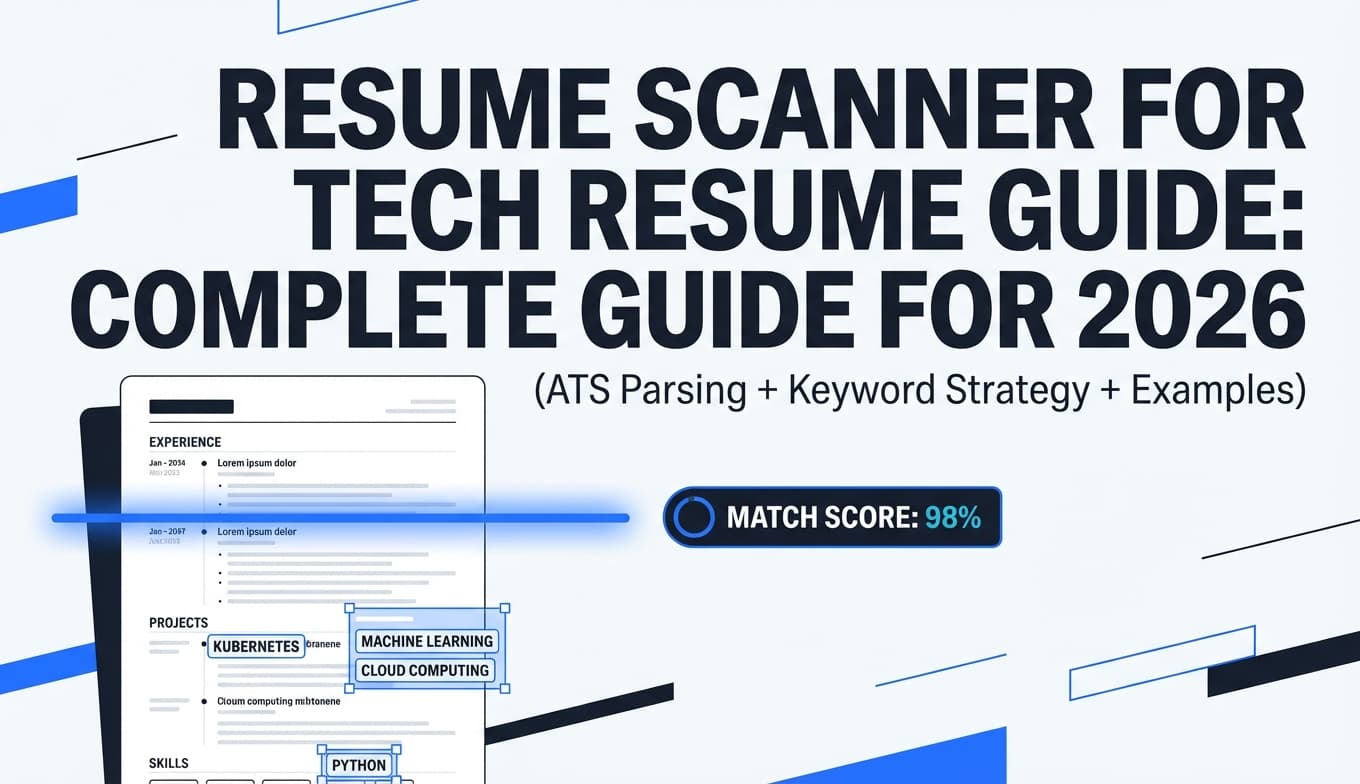
This guide shows you how to use a resume scanner for tech resumes the right way—so you stop chasing random “ATS scores” and start creating a resume that:
- Parses cleanly (Workday/Greenhouse/Lever-style inputs don’t scramble your content)
- Matches the job description with truthful, role-relevant keywords
- Reads like a strong engineer wrote it (ownership + impact + believable metrics)
In this guide, you’ll learn:
- What a resume scanner is (and what it can’t reliably tell you)
- A step-by-step scanning workflow for software/data/devops/security resumes
- A tech-specific keyword strategy (stacks, acronyms, role titles, tool granularity)
- Before/after bullet examples for common tech roles
- A “scanner loop” you can repeat for high-volume applications without burning out
What is a resume scanner?
A resume scanner (often marketed as an “ATS resume checker”) is a tool that analyzes your resume for:
- ATS-parsing issues (columns, tables, headers/footers, icons, text boxes)
- Keyword match between your resume and a job description
- Structural issues (missing sections, unclear headings, inconsistent dates)
- Content signals (weak verbs, vague bullets, missing metrics)
Resume scanner vs ATS vs resume parser (important difference)
- A resume scanner is usually a job-seeker tool that simulates what an ATS might “like.”
- An ATS is employer software for application intake, parsing, search, workflow, and compliance.
- A resume parser is the component that extracts fields (name, email, titles, dates, skills) from your document.
Workable describes ATS “reading” as parsing—electronically analyzing resume text and extracting key data like job titles and education.
Source: Workable https://resources.workable.com/stories-and-insights/how-ATS-reads-resumes
Key takeaway: scanners are useful, but they’re not the employer’s exact system. Treat scanner output as diagnostics, not a verdict.
Why resume scanners matter for tech resumes in 2026
1) ATS use is widespread at large employers
MIT CAPD’s “about 99% of Fortune 500 use an ATS” should reset expectations: most big-company applications will involve parsing and searchable databases.
Source: https://capd.mit.edu/resources/make-your-resume-ats-friendly/
SelectSoftwareReviews also summarizes ATS adoption trends and commonly cited statistics such as ~70% of large companies using an ATS (reported as part of their roundup).
Source: https://www.selectsoftwarereviews.com/blog/applicant-tracking-system-statistics
2) Recruiters skim fast (so readability is part of “passing”)
The 7.4-second finding reported by HR Dive and PR Newswire is the reality tech applicants feel: you can’t make a hiring manager work to understand what you did.
Sources:
- https://www.hrdive.com/news/eye-tracking-study-shows-recruiters-look-at-resumes-for-7-seconds/541582/
- https://www.prnewswire.com/news-releases/ladders-updates-popular-recruiter-eye-tracking-study-with-new-key-insights-on-how-job-seekers-can-improve-their-resumes-300744217.html
3) ATS section headings and formatting conventions are “real”
The University at Buffalo warns that ATS are programmed to look for content based on the headings you decide to use, and recommends standard headings (Education, Experience, Skills, etc.).
Source: University at Buffalo (School of Management) https://management.buffalo.edu/career-resource-center/students/preparation/tools/correspondence/resume/electronic.html
4) AI tools are now common in job search workflows
Capterra reports that a majority of job seekers in its AI survey (58%) are using AI tools to help with job searching/applications (as discussed in their write-up about AI job application behavior).
Source: Capterra https://www.capterra.com/resources/how-to-stop-job-application-ai-cheating/
Practical implication: more candidates can “keyword-optimize” quickly, so you need both:
- correct keywords and
- credible proof (impact, scope, ownership)
How resume scanners typically score tech resumes (and where engineers lose points)
Most scanners are effectively grading three areas:
1) Parseability (can software reliably extract your info?)
Common tech-resume parsing killers:
- Two-column layouts and sidebars
- Tables for skills or projects
- Contact info inside headers/footers
- Icons for GitHub/email instead of plain text
- Excessive formatting and custom section names (“Where I’ve Made an Impact”)
Santa Clara University’s career toolkit explicitly calls out issues like headers/footers and tables as common ATS formatting mistakes.
Source: SCU https://www.scu.edu/careercenter/toolkit/job-scan-common-ats-resume-formatting-mistakes/
MIT CAPD also recommends testing your resume because ATS focuses on text and formatting can cause text to appear in the wrong order.
Source: https://capd.mit.edu/resources/make-your-resume-ats-friendly/
2) Keyword alignment (does your resume match the job’s language?)
Tech keyword gaps are usually “granularity gaps,” like:
- You list “AWS,” but the JD searches for Lambda, S3, IAM, Terraform
- You list “Kubernetes,” but the JD searches for Helm, EKS, HPA, ArgoCD
- You write “data pipelines,” but the JD searches for Airflow, dbt, Spark, Snowflake
3) Proof-of-impact content (do bullets show seniority and outcomes?)
Tech resumes often lose points (and human attention) because bullets are:
- responsibility-only (“worked on microservices”)
- too generic (“improved performance”)
- tool-stacked without outcomes (“React, Node, AWS, Docker…”)
What tech candidates should expect from a “good” scan result
A scanner is doing its job if it helps you answer these questions:
- Can an ATS parse my basics? (name, email, titles, dates, employers)
- Does my resume contain the role’s must-have keywords? (languages, frameworks, tooling, domain)
- Do my bullets prove I used those tools? (not just listed them)
- Is my resume skimmable in one pass? (7-second reality)
If you only focus on a match percentage, you’ll miss the real goal: getting shortlisted by a human.
How to use a resume scanner for tech resumes: Step-by-step
Step 1: Start with an ATS-safe tech resume baseline (before you scan)
Your baseline needs to parse cleanly across many systems.
ATS-safe formatting checklist (tech edition):
- Single-column layout
- No tables, text boxes, or sidebars
- Keep contact info in the body (not headers/footers)
- Use standard headings: Summary, Skills, Experience, Projects, Education
- Use consistent date formats (e.g.,
Jan 2023 – Mar 2025everywhere)
Quick self-test (high ROI):
MIT CAPD suggests a simple test: save your resume as plain text (.txt) and review it. If the text is scrambled, duplicated, or out of order, parsing may fail.
Source: https://capd.mit.edu/resources/make-your-resume-ats-friendly/
Step 2: Choose a target role family (tech resumes should not be “one size fits all”)
If you apply broadly, maintain role-family variants such as:
- Backend Engineer (Java/Go, APIs, distributed systems)
- Full-Stack Engineer (React, Node, product metrics)
- Data Engineer (Spark, Airflow, dbt, warehouses)
- ML Engineer (training + deployment + MLOps)
- Platform/DevOps (Kubernetes, IaC, CI/CD, reliability)
- Security Engineer (IAM, threat modeling, SIEM, compliance)
Why this matters: keyword sets differ even within “software engineer.”
Step 3: Paste one job description into your scanner (don’t scan “in the abstract”)
Scanners are most useful when comparing:
- Your resume vs
- This exact job posting
Save the job description somewhere so you can re-scan after edits.
Step 4: Categorize scanner feedback into 3 buckets
When results come back, sort issues into:
-
Parsing blockers (fix first)
Example: your GitHub link is in a header and doesn’t show up. -
Keyword gaps (fix if true)
Example: you used Terraform but forgot to mention it anywhere. -
Impact/readability upgrades (highest leverage)
Example: bullets have no scope, outcome, or metrics.
This prevents you from doing busywork for tiny score changes.
How to fix the top ATS parsing issues on tech resumes
Fix 1: Replace two-column “skills sidebars” with a structured Skills section
Better (ATS-friendly + recruiter-friendly):
- Languages: Python, Go, TypeScript
- Frameworks: React, Node.js, FastAPI
- Cloud: AWS (Lambda, S3, ECS), Terraform
- Data: PostgreSQL, Redis, Kafka
- Observability: Prometheus, Grafana, OpenTelemetry
This format:
- parses well
- supports keyword search
- shows tool depth (not just “AWS”)
Fix 2: Put GitHub/LinkedIn/portfolio as plain text (no icons)
Good:
github.com/yournamelinkedin.com/in/yournameyourdomain.com
Risky:
- icon-only links
- QR codes
- links embedded in images or headers
Fix 3: Standardize section headings (don’t get creative)
University at Buffalo recommends standard headings so the ATS can categorize your content correctly.
Source: https://management.buffalo.edu/career-resource-center/students/preparation/tools/correspondence/resume/electronic.html
Use:
- Experience (or Work Experience)
- Projects
- Skills
- Education
- Certifications (if relevant)
Fix 4: Watch file size and upload failures
Sometimes it’s not “keywords”—it’s a technical failure.
Greenhouse notes it can’t parse resumes larger than 2.5MB.
Source: Greenhouse Support https://support.greenhouse.io/hc/en-us/articles/200989175-Unsuccessful-resume-parse
Action: keep your resume lean:
- compress embedded elements (better: remove)
- avoid exporting from design tools that bloat PDF size
- don’t embed images
Tech keyword strategy: how to “match” without keyword stuffing
The goal: be searchable, not spammy
Keyword stuffing (repeating terms unnaturally) can hurt readability and credibility. You want keywords in context, tied to proof.
Step 1: Build a keyword map from the job description
Highlight:
- Role keywords: backend, platform, distributed systems, observability, MLOps
- Tools/languages: Go, Java, React, Kubernetes, Terraform, Spark
- Domain terms: payments, fraud, identity, logging, ETL, SLAs/SLOs
- Outcomes: latency, reliability, cost, throughput, conversion
Then place each keyword where it naturally belongs:
- Skills: inventory (what you know)
- Experience/Projects: proof (how you used it)
- Summary: role identity (what you’re targeting)
Step 2: Use the “keyword granularity ladder”
Many tech JDs search at different levels. Cover the ladder honestly:
- Category: cloud, CI/CD, observability
- Platform: AWS, GCP
- Services/tools: Lambda, S3, CloudWatch; Terraform; ArgoCD
- Implementation: what you built and why it mattered
Example:
- “AWS” alone is weaker than: “AWS (Lambda, S3) + Terraform IaC to deploy event-driven pipeline”
Step 3: Include both acronym and long-form once (when relevant)
Examples:
- Identity and Access Management (IAM)
- Service Level Objectives (SLOs)
- Extract, Transform, Load (ETL)
- Continuous Integration/Continuous Delivery (CI/CD)
This helps both:
- ATS keyword matching
- human clarity
How to write bullets that improve scan results and impress engineers
Most scanners reward specificity and outcomes. Recruiters reward clarity and evidence. Hiring managers reward good engineering judgment.
Use this bullet formula:
Action + System/Scope + Tech + Outcome + Metric
Before/after examples (software engineer / backend)
Before: Worked on microservices for payments.
After: Built Go microservices for payments processing and reduced p95 latency by 28% via Redis caching and SQL query optimization.
Before: Improved CI/CD pipelines.
After: Implemented GitHub Actions CI/CD with Docker layer caching and parallelized tests, cutting build time from 22 min to 9 min and increasing release frequency.
Before: Used AWS to deploy services.
After: Deployed services on AWS (ECS, ALB, CloudWatch) and tuned autoscaling policies to maintain 99.9% uptime during peak traffic.
Before/after examples (data engineer)
Before: Built data pipelines for analytics.
After: Built Airflow DAGs and dbt models to deliver daily revenue dashboards, reducing refresh time from 6 hours to 45 minutes and improving data reliability with automated tests.
Before: Worked with Spark on ETL jobs.
After: Optimized Spark ETL jobs (partitioning + predicate pushdown), cutting compute costs by 30% while maintaining SLA for 2TB/day ingestion.
Before/after examples (DevOps / platform)
Before: Managed Kubernetes deployments.
After: Standardized Kubernetes deployments with Helm and implemented HPA autoscaling, reducing incident frequency by 20% and improving rollout consistency.
Before: Set up monitoring.
After: Implemented observability with OpenTelemetry + Prometheus/Grafana, adding SLO dashboards and alert tuning that reduced noisy alerts by 35%.
Before/after examples (security engineer)
Before: Helped with security improvements.
After: Hardened cloud access controls by enforcing least-privilege IAM policies and rolling out access reviews, reducing over-permissioned roles by 40%.
Before: Assisted with compliance.
After: Partnered with engineering to document controls and evidence for SOC 2 readiness, streamlining audit evidence collection with automated logs and access reports.
Pro tip: If you don’t have perfect metrics, use credible technical metrics:
- latency (p95/p99)
- error rate, uptime
- throughput (QPS, events/day)
- cost (monthly infra delta)
- scale (users, TB/day, services owned)
- lead time (cycle time, deploy frequency)
The “scan loop” you can repeat in 30–45 minutes per application
Use this for roles you actually want (and for high-volume search without burnout):
- Extract keywords from the JD (5–10 min)
- Run a scanner comparison (2 min)
- Fix parsing blockers (5–10 min)
- Add truthful keyword gaps (5–10 min)
- Rewrite top 3 bullets for impact + proof (10–15 min)
- Re-scan and stop when major issues are resolved (3–5 min)
- Save as a new resume version (so you don’t lose a good variant)
This is how you avoid spending hours chasing “100% match.”
Resume file format for ATS: PDF vs DOCX (what to do in practice)
Different ATS setups and portals behave differently. The safest approach is to follow the employer’s instructions.
Practical rule of thumb:
- If the posting/portal asks for DOCX, use DOCX.
- If it accepts PDF, use PDF only if it’s text-based and your parsing test looks clean.
Validation step: run the plain-text test recommended by MIT CAPD (save as .txt and inspect order).
Source: https://capd.mit.edu/resources/make-your-resume-ats-friendly/
Common mistakes to avoid (tech-specific)
Mistake 1: Two-column templates with sidebars
They often look great and parse poorly.
Fix: single column + categorized Skills.
Mistake 2: Listing 25 tools with no proof
Scanners may like it; humans won’t.
Fix: include only role-relevant tools and prove them in Experience/Projects.
Mistake 3: Hiding links in headers/footers
SCU warns ATS may not read headers and footers reliably.
Source: https://www.scu.edu/careercenter/toolkit/job-scan-common-ats-resume-formatting-mistakes/
Fix: put links in the body under your name.
Mistake 4: Vague bullets (“worked on,” “helped,” “assisted”)
This hides seniority.
Fix: show ownership, constraints, tradeoffs, and outcomes.
Mistake 5: Creative section headings
University at Buffalo recommends standard headings so ATS can classify content.
Source: https://management.buffalo.edu/career-resource-center/students/preparation/tools/correspondence/resume/electronic.html
Fix: Experience / Projects / Skills / Education.
Mistake 6: Oversized or unparseable files
Greenhouse mentions parsing issues for files larger than 2.5MB.
Source: https://support.greenhouse.io/hc/en-us/articles/200989175-Unsuccessful-resume-parse
Fix: remove images, reduce file bloat, keep it simple.
Tools to help with resume scanning (and how to choose)
A strong tool setup usually includes:
- a way to compare resume vs job description
- a way to edit + version your resume quickly
- a way to track applications so you don’t lose momentum
JobShinobi (editing + scoring + job match + tracking)
If you want a workflow that combines resume building, analysis, and job matching in one place, JobShinobi supports:
- LaTeX resume builder with templates
- In-app LaTeX → PDF compilation and PDF preview
- AI resume analysis with scoring and detailed feedback
- Resume-to-job matching against a pasted job description or job URL
- A chat-style AI resume editing agent to help refine bullets/sections
- Resume version history (so you can maintain role-family variants)
- A job application tracker
- Optional email-forwarding workflow that can parse job application emails and update your tracker (requires Pro membership)
Pricing (be precise): JobShinobi Pro is $20/month or $199.99/year. Marketing mentions a “7-day free trial,” but trial enforcement isn’t clearly evidenced in code, so treat that as “mentioned,” not guaranteed.
Internal links if you’re exploring:
- Pricing: /pricing
- Subscription: /subscription
- Resume area: /dashboard/resume
- Job tracker: /dashboard/job-tracker
Other scanner-style tools (broad categories)
- Dedicated scanners (JD match + formatting warnings)
- Resume builders (templates + export)
- Job search CRMs (tracking + tailoring workflows)
Tip: use at least two signals:
- scanner output
- a human skim (mentor, peer, recruiter friend) Because the final goal is a clear story, not a score.
Key takeaways
- A resume scanner is a debugger for parsing, keyword alignment, and clarity.
- For tech resumes, your biggest wins usually come from:
- single-column ATS-safe formatting
- standard headings and clean parsing (MIT CAPD + University guidance)
- job-specific keyword granularity (platform → service → implementation)
- impact bullets with credible technical metrics
- ATS is common at large employers (MIT CAPD: ~99% of Fortune 500 use an ATS), and recruiters skim fast (HR Dive: ~7.4 seconds). You need both machine-readability and human readability.
- Don’t chase 100% match. Build role-family resume versions and iterate fast.
FAQ (People Also Ask + common tech job seeker questions)
How accurate are resume scanners?
They’re helpful for identifying formatting risk and keyword gaps, but they aren’t the employer’s ATS. Different scanners can give different scores, so treat results as directional.
How to trick resume scanners?
Don’t. Hidden text and keyword stuffing can hurt readability and credibility. Focus on:
- ATS-safe formatting
- truthful keywords in context
- impact-driven bullets
Can ATS read headers and footers?
Often unreliably—some career centers warn that critical information in headers/footers can be missed.
Source: SCU https://www.scu.edu/careercenter/toolkit/job-scan-common-ats-resume-formatting-mistakes/
Is a PDF resume ATS-friendly?
It can be, as long as it’s text-based, cleanly generated, and parses in the correct order. Use MIT’s .txt test to validate.
Source: https://capd.mit.edu/resources/make-your-resume-ats-friendly/
Is a 70% ATS score good?
There’s no universal standard because tools differ. Guidance tied to match-rate tools often recommends aiming for a strong match rather than perfection (WGU references 75% as a target and notes you don’t need 100%).
Source: https://careers.wgu.edu/resources/jobscan/
Is a 2-column resume ATS-friendly?
It’s risky. Columns and tables can scramble parsing. If you’re applying through major ATS portals, single-column is usually safer.
What section order is best for tech resumes?
A common, ATS-safe order is:
- Summary (optional, but useful for senior roles)
- Skills (categorized)
- Experience
- Projects (or Projects above Experience if early career)
- Education
Use standard headings (University at Buffalo guidance).
Source: https://management.buffalo.edu/career-resource-center/students/preparation/tools/correspondence/resume/electronic.html
Why does my resume parse wrong in Greenhouse/Workday?
Common reasons:
- complex formatting (tables/columns)
- headers/footers for contact info
- PDF exported from design tools
- file size issues (Greenhouse references 2.5MB parsing limitation)
Source: https://support.greenhouse.io/hc/en-us/articles/200989175-Unsuccessful-resume-parse