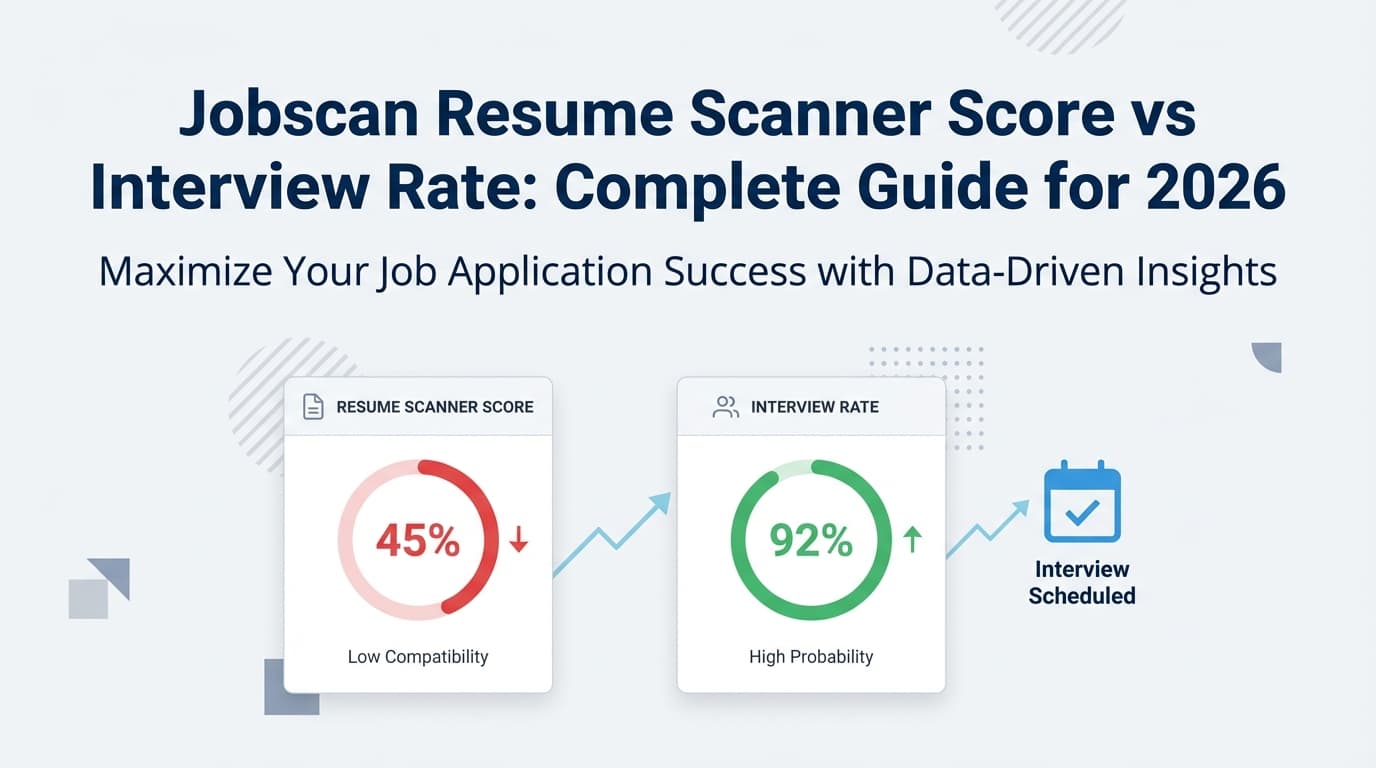
A Jobscan score can be motivating—until you raise your match rate from 45% to 82% and… your inbox is still quiet.
The reason this happens: a resume scanner score is not an interview predictor. It’s a relevance and readability diagnostic. It can meaningfully improve your odds when it reflects real alignment and clean parsing, but it can also mislead you into score-chasing.
And ATS is common enough that diagnostics matter. Jobscan reports that 98.4% of Fortune 500 companies used a detectable ATS in 2024 (Jobscan ATS Usage Report: https://www.jobscan.co/blog/fortune-500-use-applicant-tracking-systems/). Confidence: Medium (strong directional signal; exact % depends on their detection methodology).
In this guide, you’ll learn:
- What Jobscan’s resume scanner score (match rate) measures—and what it can’t measure
- Why interview rate doesn’t line up neatly with score (even for strong candidates)
- A step-by-step method to improve score without hurting human readability
- How to run a simple experiment to find your personal “score → interview rate” curve
- Tools and workflows (including how JobShinobi can help you track and analyze your conversions accurately)
What is a Jobscan resume scanner score (match rate)?
A Jobscan resume scanner score (often called “match rate”) is a percentage estimate of how closely your resume aligns with a specific job description.
It generally reflects three things:
- Keyword alignment (hard skills, tools, required competencies)
- Searchability (job title, core terms, recognizable headings)
- ATS-readability factors (formatting choices that may impact parsing)
Jobscan also publicly recommends aiming for a match rate around 75%+ in multiple places (e.g., their resume score/checker pages: https://www.jobscan.co/resume-score). Confidence: Medium (it’s their published guidance; not a universal hiring standard).
What the score is actually useful for
A resume scanner score is legitimately helpful for:
- Finding missing hard skills you really do have (but forgot to list)
- Highlighting job-title mismatch (you used “Data Specialist,” the role is “Data Analyst”)
- Catching obvious tailoring misses (wrong seniority, wrong domain keywords)
- Spotting formatting issues that can scramble parsing
What the score cannot tell you
A match score can’t reliably predict:
- Whether the job is already “soft closed” (internal candidate/referrals prioritized)
- How the company’s specific ATS configuration ranks candidates (different systems + settings)
- Whether a recruiter will like your resume in a skim
- Whether your experience is competitive in depth (scope, impact, seniority)
Bottom line: Treat the score like a diagnostic gauge, not a “probability of interview.”
What is interview rate (and why it’s the metric you should care about)?
Interview rate = interviews ÷ applications.
It’s your resume’s real-world conversion metric.
You’ll also see related pipeline metrics:
- Response rate (any response ÷ applications)
- Offer rate (offers ÷ interviews)
- Time-to-response (days until first reply)
If you’re trying to connect “Jobscan score vs interview rate,” interview rate is the outcome metric you want to improve—not the score itself.
CareerPlug’s benchmark data can help frame why this feels brutal: they report an applicant-to-interview ratio of 3% in 2024 (i.e., about 3 out of 100 applicants get interviewed on average), and they analyze hiring activity from 60,000+ companies (CareerPlug recruiting metrics page: https://www.careerplug.com/recruiting-metrics-and-kpis/). Confidence: Medium (strong benchmark dataset; still varies massively by role and labor market).
Why Jobscan score and interview rate don’t correlate cleanly
1) ATS is widespread—but ATS “scores” are not standardized
Jobscan can give you a consistent internal score, but employers use many ATS vendors and configurations. Jobscan itself acknowledges variability across systems in its educational content ecosystem. Confidence: High (common ATS reality; widely documented).
2) Parsing issues can destroy your “real” keyword signal
Even if your resume contains the right skills, the ATS has to parse them correctly.
UIC Career Services’ ATS handout explicitly recommends single-column formatting and avoiding tables, multiple columns, and text boxes to reduce parsing risk (UIC PDF: https://careerservices.uic.edu/wp-content/uploads/sites/26/2017/08/Ensure-Your-Resume-Is-Read-ATS.pdf). Confidence: Medium (career-services guidance; consistent with many universities).
MIT Career Advising offers similar advice and suggests testing your resume as plain text to see how it reads to an ATS (MIT CAPD: https://capd.mit.edu/resources/make-your-resume-ats-friendly/). Confidence: Medium.
Practical implication: If your layout scrambles text order, you can score well in one tool but still fail real parsing—or vice versa.
3) Recruiters skim fast (and humans are the second filter)
Tufts Career Center cites that recruiters may spend 6–8 seconds on an initial resume scan (Tufts: https://careers.tufts.edu/blog/2025/10/29/how-a-recruiter-reviews-your-resume/). Confidence: Medium (the exact number is debated, but skim behavior is real).
So if you optimize for a scanner but reduce clarity, you can hurt interview rate even if your score rises.
4) Applicant volume is a math problem
Even great resumes can disappear in saturated pipelines.
CareerPlug reports ~180 applicants per hire on average in their recruiting metrics report materials (see CareerPlug report/PDF references surfaced via their resources). Example PDF listing: https://www.careerplug.com/wp-content/uploads/2025/04/Recruiting-Metrics-Report.pdf. Confidence: Medium (solid dataset; varies by industry).
5) Fit beats keywords when the job is senior or niche
When a role requires:
- specific industry experience
- years in function
- leadership scope
- regulated domain exposure
Keywords won’t compensate for missing fundamentals.
The right way to think about “score vs interview rate”
Instead of asking:
“What Jobscan score gets interviews?”
Ask:
“What changes raise my interview rate—and does the score help me find those changes?”
Here’s the model that works in real job searches:
A) Score helps you be considered
- ATS parsing + relevance signals + job-title alignment
B) Resume quality helps you be selected
- proof, metrics, clarity, credibility, scannability
C) Strategy helps you be seen
- channel, timing, referrals, follow-up, targeting
A higher score improves interview rate only when it improves A and B without harming readability.
What’s a “good” Jobscan score (match rate) for interview outcomes?
Jobscan often recommends 75%+ (example: https://www.jobscan.co/resume-score). Confidence: Medium.
But the best practical ranges look more like this:
A realistic score range framework (that avoids score-chasing)
- 0–49%: likely misalignment or missing essentials
Focus: role fit, hard skills coverage, job title, basic formatting - 50–64%: can be competitive for broad roles if your experience is strong
Focus: better skills section + proof in bullets - 65–79%: strong alignment zone
Focus: preserve readability; quantify outcomes; refine headline signals - 80%+: excellent if it still reads naturally
Risk: keyword stuffing, overly long skills lists, awkward phrasing
Key point: Past a threshold, your best ROI usually comes from proof and targeting, not pushing 78% to 92%.
The #1 mistake: optimizing the score instead of optimizing the resume
Mistake 1: Keyword stuffing
Keyword stuffing can:
- reduce human trust (“this reads like a bot”)
- bury your best achievements
- introduce claims you can’t defend
Jobscan has a dedicated piece warning against resume keyword stuffing (Jobscan: https://www.jobscan.co/blog/resume-keyword-stuffing/). Confidence: Medium (page exists and is widely referenced; some automated fetches may be blocked, but the guidance is standard).
Fix: Put keywords in context:
- Skills section: controlled list of relevant hard skills
- Experience bullets: show you used the skill and what happened
- Projects: tools + outcome + scope
Mistake 2: “Hidden text / white font” hacks
These can look deceptive and are widely discouraged. Confidence: High (common recruiter/ATS integrity concern).
Mistake 3: Chasing 100% match by adding skills you don’t have
This may raise score but can lead to:
- interview failure
- background-check or technical-screen issues
- credibility loss
Fix: Only include what you can defend.
How to use Jobscan score to improve interview rate: Step-by-step
Step 1: Validate role fit (before you edit anything)
Check the top requirements:
- Do you meet 3–5 must-haves?
- Does your seniority align?
- Do you have comparable scope?
If not, your score work has diminishing returns.
Pro tip: Split your search into two lanes:
- Lane A (strong fit): tailor deeply
- Lane B (stretch fit): tailor lightly, apply selectively
Step 2: Extract a “must-match” keyword set (without overfitting)
Build a short list from the job description:
- Hard skills & tools (SQL, Tableau, AWS, Jira)
- Core responsibilities (build dashboards, manage stakeholders, optimize pipeline)
- Domain terms (HIPAA, SOC 2, B2B SaaS, churn, ARR)
- Seniority signals (lead, mentor, strategy, roadmap)
Your goal is coverage, not repetition.
Step 3: Align job title ethically
Jobscan and other industry content often highlights the importance of job title alignment.
Jobscan reports that candidates whose resume includes a job title matching the target listing had an interview rate 10.6x higher (Jobscan State of the Job Search: https://www.jobscan.co/state-of-the-job-search). Confidence: Medium (single-source dataset; directionally plausible and consistently cited by Jobscan and others).
Ethical implementation options:
Data Analyst (Official title: Reporting Specialist)- Put target title in the summary: “Data analyst focused on …”
Step 4: Rebuild the Skills section for ATS and humans
A strong Skills section is:
- short enough to skim
- dense with relevant hard skills
- grouped logically
Example:
Skills
- Analytics: SQL, Tableau, Excel, Python (Pandas)
- Data: ETL, data modeling, dashboarding, A/B testing
- Collaboration: stakeholder management, cross-functional planning
Rule: If you can’t explain it in an interview, don’t list it.
Step 5: Move keywords into proof (experience bullets)
Use this bullet template:
Action + Tool/Skill + Scope + Outcome (number)
Before
- “Responsible for reporting dashboards.”
After
- “Built Tableau dashboards to track weekly retention and funnel conversion, reducing manual reporting by 6 hours/week for a 12-person sales team.”
This tends to raise both:
- scanner score (keywords appear naturally)
- interview rate (clear impact)
Step 6: Reduce parsing risk with ATS-friendly formatting
UIC Career Services recommends single-column format and avoiding tables/columns/text boxes (UIC PDF: https://careerservices.uic.edu/wp-content/uploads/sites/26/2017/08/Ensure-Your-Resume-Is-Read-ATS.pdf). Confidence: Medium.
MIT CAPD similarly suggests avoiding elements that might be unreadable and testing your resume’s text output (MIT: https://capd.mit.edu/resources/make-your-resume-ats-friendly/). Confidence: Medium.
Safe defaults:
- single column
- standard headings (“Experience,” “Education,” “Skills”)
- no icons-as-text
- contact info in body (not header/footer) when possible
Step 7: Run a “plain text parsing test” (quick quality gate)
MIT suggests a simple test: save/export to plain text and review readability (MIT: https://capd.mit.edu/resources/make-your-resume-ats-friendly/). Confidence: Medium.
Quick method:
- Open your resume PDF
- Select all text → copy
- Paste into Notepad/TextEdit
- If text order is scrambled, simplify formatting
Step 8: Stop optimizing when you hit “submit-ready”
A practical “submit-ready” checklist:
- match rate is strong enough (often 65–80% depending on role)
- top third is skim-friendly
- bullets prove impact
- formatting passes plain text test
Then apply—and shift time to volume + networking + follow-up.
How to measure your personal “Jobscan score vs interview rate” (simple experiment)
If you want a real answer to your keyword query, don’t guess—track outcomes.
What to track per application
Add these columns to a spreadsheet:
- Date applied
- Company / role
- Channel (LinkedIn, referral, company site)
- Jobscan match rate (or other scanner score)
- Outcome (no response / rejection / interview / offer)
- Notes (referral? perfect fit? rushed?)
How many applications do you need?
Aim for 30–60 applications to get signal. Fewer can be too noisy. Confidence: High (basic stats reality).
Bucket your scores
Example buckets:
- 0–49
- 50–64
- 65–79
- 80+
Then compute:
- applications per bucket
- interviews per bucket
- interview rate per bucket
This gives you your personal conversion curve—which is more useful than any generic “aim for 75%” advice.
Where JobShinobi fits (natural, accurate use case)
If your core problem is: “I need to see what’s working,” the biggest missing piece is usually tracking, not more tweaking.
JobShinobi can help you operationalize the experiment above because it includes:
- A job application tracker with statuses (Applied / Interview / Rejected / Offer / Accepted)
- Analytics that compute response rate and interview conversion from your tracked applications
- Excel (.xlsx) export so you can analyze score buckets in a spreadsheet
- Resume workflows, including AI resume analysis/scoring and resume-to-job matching against a job description
- Optional job tracking automation by forwarding job-related emails to a unique JobShinobi address (this requires Pro)
All of the above are supported capabilities per product constraints. Confidence: High.
Pricing (be precise): JobShinobi Pro is $20/month or $199.99/year. The pricing page mentions a 7-day free trial, but trial mechanics aren’t fully verifiable from code alone—treat it as “marketing-stated,” not guaranteed. Confidence: High on pricing, Medium on trial.
Internal links:
- Pricing:
/pricing - Job tracker:
/dashboard/job-tracker
Common scenarios (and what to do next)
Scenario A: Your Jobscan score is low (under ~55%)
Most common causes:
- wrong job family/seniority
- missing hard skills in Skills section
- job title mismatch
- parsing issues
Fix order:
- role fit → 2) job title + skills → 3) bullets/proof → 4) formatting
Scenario B: Your score is high (75–90%) but you’re getting no interviews
This usually means:
- the resume is keyword-aligned but not persuasive
- bullets lack metrics/scope
- your channel is saturated (easy apply)
- you’re applying to roles with heavy referral pipelines
Next actions:
- rewrite 6–10 bullets into impact format
- apply via company site when possible
- add referrals/outreach for top 10 targets
- track outcomes by channel (not just by score)
Scenario C: You’re getting interviews at low scores
This happens when:
- your background is obviously strong/credible
- the posting is messy (keywords don’t reflect real requirements)
- recruiters are sourcing outside ATS ranking
Take the win—and use the scanner only to catch obvious misses.
Best practices checklist (do this every time you tailor)
- Keep the resume readable in a 10-second skim (Tufts skim guidance: https://careers.tufts.edu/blog/2025/10/29/how-a-recruiter-reviews-your-resume/). Confidence: Medium.
- Match job title where truthful (Jobscan’s reported 10.6x statistic: https://www.jobscan.co/state-of-the-job-search). Confidence: Medium.
- Prioritize hard skills and tools first (many match systems weight these heavily; Jobscan and partner career centers describe hard skills as a top priority in match logic—e.g., WGU resource: https://careers.wgu.edu/resources/jobscan-information-for-faculty/). Confidence: Medium.
- Prove skills in bullets, don’t just list them
- Avoid complex formatting that can scramble parsing (UIC PDF: https://careerservices.uic.edu/wp-content/uploads/sites/26/2017/08/Ensure-Your-Resume-Is-Read-ATS.pdf). Confidence: Medium.
- Stop editing when you’re “strong enough,” then apply (diminishing returns are real). Confidence: High.
Tools to help with score and interview rate (honest recommendations)
- Jobscan: Great for keyword alignment and match diagnostics to a specific posting. (Core use case; Confidence: High.)
- Resume Worded: Useful for second-opinion feedback and comparisons (example comparison page: https://resumeworded.com/blog/jobscan-vs-resume-worded/). Confidence: Medium.
- Cultivated Culture / ResyMatch: Useful alternative scanner; they also note you don’t need 100% and cite 75 as a practical target (ResyMatch page: https://cultivatedculture.com/resume-scanner/). Confidence: Medium.
- JobShinobi: Strong if you want the system around your job search:
- track applications + statuses
- compute response/interview conversion
- export to Excel
- run resume analysis and job-match workflows
Pricing: $20/month or $199.99/year (/pricing). Confidence: High.
Key takeaways
- Jobscan score is a diagnostic for alignment and ATS-readability—not a guaranteed interview predictor.
- Interview rate depends on fit + proof + channel + competition, not keywords alone.
- Use the score to surface missing essentials, then shift time to impact bullets and better strategy.
- The best way to answer “jobscan resume scanner score vs interview rate” is to track your own outcomes by score bucket and channel.
FAQ
What is a good match rate on Jobscan?
Jobscan commonly recommends around 75%+ on their resume scoring pages (https://www.jobscan.co/resume-score). Confidence: Medium.
Practically, many candidates see diminishing returns above ~75–80% if readability suffers.
Does a higher Jobscan score mean more interviews?
Not automatically. A higher score can increase interview rate if it reflects real improvements (title alignment, hard skills coverage, clean parsing, stronger proof). But interview rate also depends on fit, competition, and channel. Confidence: High.
Do only 3% of applicants get interviews?
CareerPlug reports an applicant-to-interview ratio of 3% in 2024 as a benchmark across their dataset (https://www.careerplug.com/recruiting-metrics-and-kpis/). Confidence: Medium (strong benchmark; varies widely).
Can ATS read tables or columns?
Sometimes, but not consistently across systems. Multiple career services recommend avoiding tables/columns/text boxes to reduce parsing risk (UIC PDF: https://careerservices.uic.edu/wp-content/uploads/sites/26/2017/08/Ensure-Your-Resume-Is-Read-ATS.pdf; MIT: https://capd.mit.edu/resources/make-your-resume-ats-friendly/). Confidence: Medium.
How long do recruiters spend looking at a resume?
Tufts Career Center cites 6–8 seconds for an initial scan (https://careers.tufts.edu/blog/2025/10/29/how-a-recruiter-reviews-your-resume/). Confidence: Medium.
Is keyword stuffing bad for resumes?
Yes. It can reduce human trust and hurt readability. Jobscan has published guidance against keyword stuffing (https://www.jobscan.co/blog/resume-keyword-stuffing/). Confidence: Medium.
How do I know if my resume parses correctly?
Use a plain-text test (copy/paste into a text editor) and ensure the text order and headings remain readable (MIT guidance: https://capd.mit.edu/resources/make-your-resume-ats-friendly/). Confidence: Medium.
What should I do if I have a high score but no interviews?
Improve proof and strategy:
- add metrics and scope to bullets
- apply via company site
- get referrals/outreach for top targets
- track interview rate by channel (not just by score)
Confidence: High.