Recruiters don’t “read” your resume the first time—they skim. An eye-tracking study found recruiters spent 7.4 seconds on an initial resume scan. (Sources: TheLadders eye-tracking report PDF; HR Dive summary. Confidence: High — corroborated by multiple independent sources.)
- TheLadders PDF: https://www.theladders.com/static/images/basicSite/pdfs/TheLadders-EyeTracking-StudyC2.pdf
- HR Dive: https://www.hrdive.com/news/eye-tracking-study-shows-recruiters-look-at-resumes-for-7-seconds/541582/
For software engineers, that reality hits harder because job descriptions are dense with tooling (AWS, Kubernetes), patterns (microservices), and practices (CI/CD). If your resume doesn’t parse cleanly and map clearly to the job’s keywords, you can lose before a human ever gives you a fair look.
In this guide, you’ll learn:
- How to use the Jobscan resume scanner for a software engineer resume (step-by-step)
- What match-rate to aim for—and when “higher” can actually hurt
- How to fix the most common ATS parsing issues (especially in technical resumes)
- Software-engineer-specific keyword and bullet examples that raise your scan results without keyword stuffing
- A faster workflow using tools (including Jobscan and an alternative workflow in JobShinobi)
What is the Jobscan resume scanner (and what does it do for software engineers)?
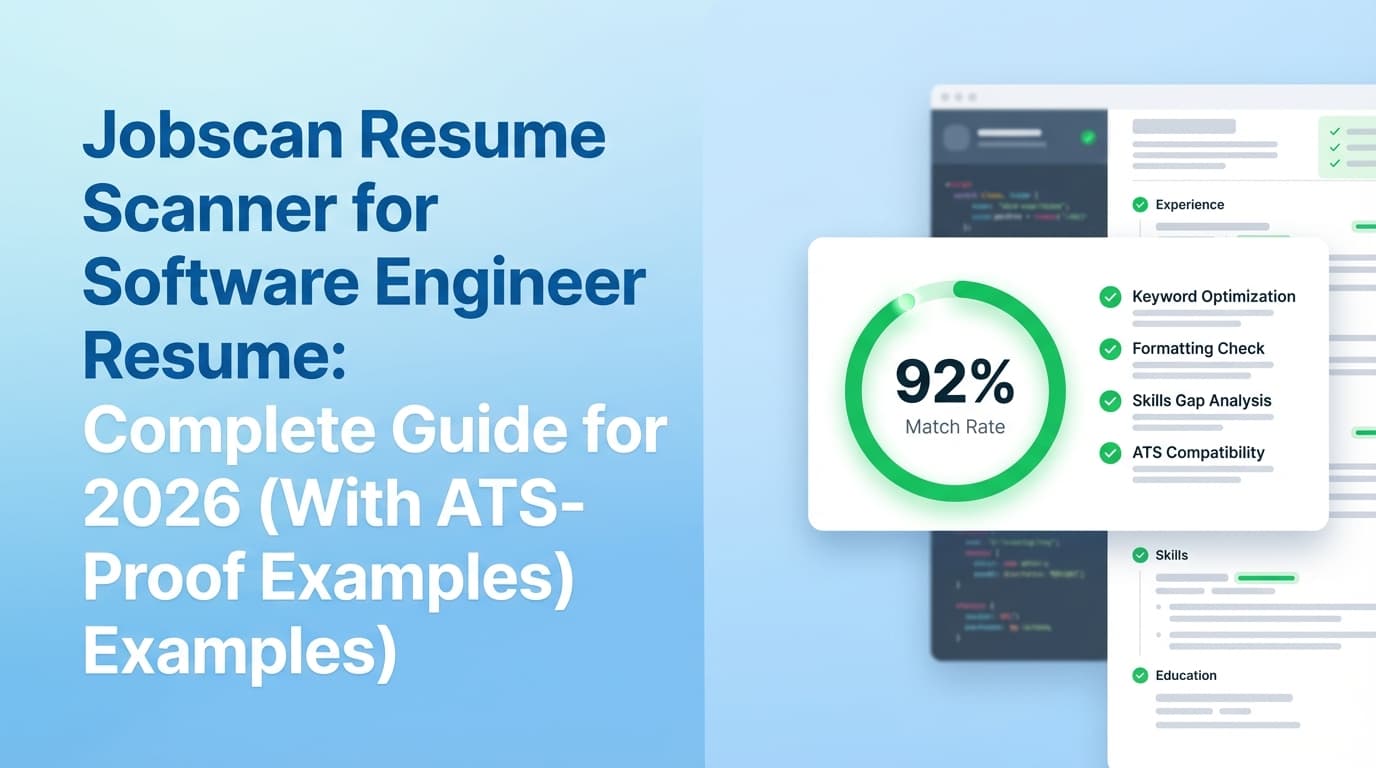
Jobscan is a resume scanner/ATS optimization tool that compares your resume against a job description and flags gaps—especially keywords, skills, and formatting signals that can affect how an applicant tracking system (ATS) parses and ranks you. (Based on Jobscan’s public product descriptions and tutorials. Confidence: Medium — primary sources are first-party marketing pages and may vary by plan/version.)
For software engineers, Jobscan-style scanners are most useful for:
- Finding missing hard-skill keywords (e.g., “Terraform” vs “Infrastructure as Code”)
- Catching title mismatches (e.g., “Backend Engineer” vs “Software Engineer II”)
- Spotting formatting traps that scramble parsing (columns, headers/footers, icons)
- Making sure your most relevant technologies appear in the right sections (Skills vs Experience vs Projects)
Important reality check: ATS tools are not magical resume “truth detectors.” Many recruiters describe ATS as primarily a workflow/search system (often compared to a “digital filing cabinet”), and real selection depends heavily on humans and hiring team process. (Third-party explanations and recruiter commentary vary. Confidence: Medium.)
Why this matters in 2026 (ATS usage is nearly universal at the top)
If you’re targeting big tech, unicorns, or high-volume companies, ATS usage is extremely common:
-
Jobscan reports 98.4% of Fortune 500 companies used a detectable ATS in 2024. (Confidence: High — repeated across Jobscan’s ATS usage reporting and echoed by third-party coverage.)
Source: https://www.jobscan.co/blog/fortune-500-use-applicant-tracking-systems/
Supporting coverage referencing similar figures: https://www.forbes.com/councils/forbescoachescouncil/2024/04/08/outsmarting-the-ats-key-facts-every-job-seeker-should-know-today/ -
MIT CAPD states about 99% of Fortune 500 companies use some form of ATS. (Confidence: Medium — credible institution, but not the original data collector.)
Source: https://capd.mit.edu/resources/make-your-resume-ats-friendly/ -
CNBC similarly reported nearly 99% of Fortune 500 companies use ATS. (Confidence: Medium — reputable outlet, but reporting may rely on secondary sources.)
Source: https://www.cnbc.com/2021/08/04/how-to-write-a-resume-that-will-beat-applicant-tracking-systems.html
What this means for you (software engineer edition): optimizing for ATS isn’t about “gaming robots.” It’s about making sure the systems (and the humans searching in those systems) can accurately find your skills and experience.
How to use Jobscan resume scanner for a software engineer resume (step-by-step)
Step 1: Start with an ATS-safe software engineer resume baseline (before scanning)
Before you scan anything, make sure your resume won’t get penalized for parsing.
ATS-safe formatting checklist (software engineer resume):
- One column layout (safer across parsers)
- Standard section headings: Summary, Skills, Experience, Projects, Education
- Avoid tables, text boxes, icons, and excessive graphics
(MIT also warns against elements that may be unreadable like tables/text boxes. Confidence: Medium: https://capd.mit.edu/resources/make-your-resume-ats-friendly/) - Keep your contact info in the main body (some guidance recommends avoiding headers/footers)
(See Workable and other ATS guidance. Confidence: Medium: https://resources.workable.com/career-center/how-to-optimize-your-resume-for-an-ats/)
Pro tip (SWE-specific): Your Skills section should be “scan-friendly,” but your Experience bullets should prove the skills. Don’t list “Kubernetes” if you never mention what you did with it.
Step 2: Choose the job description you actually want (don’t scan against a generic post)
Jobscan-style tools are most effective when you scan your resume against:
- The exact role you’re applying to, or
- A “representative” job post from the same level (e.g., “Backend Engineer II, Java, AWS”)
What to copy into the job description box:
- Responsibilities
- Required qualifications
- Preferred qualifications
- Tech stack / tooling list
Do not include: EEO boilerplate, benefits paragraphs, or irrelevant corporate sections (they can pollute keyword lists).
Step 3: Run the scan and capture the baseline score
In Jobscan, you generally:
- Upload or paste your resume
- Paste the job description
- Run the scan to receive a match report (often presented as a match rate/score plus categories)
(Workflow described in Jobscan’s tutorial and product walkthrough content. Confidence: Medium: https://www.jobscan.co/jobscan-tutorial)
What to record (so you don’t thrash):
- Overall match rate
- Top missing keywords (hard skills vs soft skills)
- Formatting warnings (if any)
- Any “job title” or “section” flags
Step 4: Interpret the results like an engineer (separate signal from noise)
Jobscan and similar scanners can surface three types of issues:
A) Missing hard skills / tooling keywords (usually high signal)
Example from a backend job post:
- “Java,” “Spring Boot,” “microservices,” “PostgreSQL,” “AWS,” “Docker,” “Kubernetes,” “CI/CD”
If your resume has:
- “Java” and “AWS” but not “Spring Boot,” “microservices,” or “PostgreSQL,” you likely have a real keyword gap (or you’re not describing your work in the language the company uses).
Fix strategy: add missing keywords only when they’re true, and place them where an ATS expects them:
- Skills section (quick scan)
- Experience bullets (proof)
- Projects (if that’s where you used it)
B) Soft skills and fuzzy terms (mixed signal)
Words like “communication,” “innovation,” “collaboration” may appear in job posts but don’t always help you. Add them only when they’re backed by evidence:
- “Led cross-functional incident review with Product and SRE; reduced MTTR by 22%.”
C) Over-optimization traps (often low signal)
Common traps reported by job seekers:
- Chasing a 95–100% match rate by stuffing keywords
- Rewriting your resume until it reads like the job post (and stops sounding like your real work)
- Adding every tool mentioned (even if you didn’t use it)
Rule of thumb: optimize to be findable and credible, not perfect.
Step 5: Aim for a realistic match rate (and stop at the point of diminishing returns)
Jobscan has publicly stated guidance around match rate targets (commonly cited ranges like 75–80% depending on context). (Confidence: Medium — first-party guidance varies by page/version and is not independently verified as a causal hiring threshold.)
You’ll also find community reports of getting interviews at lower match rates, especially when the resume is strong and the role fit is obvious. (Confidence: Low–Medium — anecdotal.)
Practical SWE target:
- 65–80% is usually a healthy range to aim for
- Higher than that can be fine, but if it forces keyword stuffing or weird phrasing, stop
What to do instead of chasing +5%: invest in the bullets that increase recruiter trust (impact, scope, scale).
Step 6: Apply “software engineer keyword mapping” (the easiest way to lift your scan)
Most software engineer job posts include keywords from four buckets:
- Languages: Java, Python, Go, TypeScript
- Frameworks: Spring Boot, Django, React, Node.js
- Infrastructure: AWS, GCP, Docker, Kubernetes, Terraform
- Practices: microservices, CI/CD, TDD, observability, distributed systems
Keyword mapping method (fast):
- Pull 10–20 repeated terms from the job post
- For each keyword, answer:
- Where did I use it? (project/system)
- What did I deliver? (feature, migration, reliability improvement)
- What metric improved? (latency, cost, errors, conversions)
Then rewrite bullets to include the keyword in context.
Step 7: Rewrite bullets using the “Impact + Tech + Proof” pattern (examples)
Below are before/after rewrites that typically improve scanner results and recruiter readability.
Example 1: Microservices + AWS + latency
Before (weak):
- Worked on backend services and improved performance.
After (scanner + recruiter friendly):
- Reduced p95 latency 32% by refactoring a Java/Spring Boot microservice, optimizing PostgreSQL queries, and adding Redis caching on AWS.
(Confidence: High — this is an example format, not a statistic.)
Example 2: CI/CD + Kubernetes
Before:
- Built deployment pipelines.
After:
- Implemented CI/CD in GitHub Actions and standardized Kubernetes deployments (Helm), cutting release time from 45 minutes to 12 minutes and reducing rollback incidents.
(Confidence: High — example.)
Example 3: Observability
Before:
- Improved monitoring.
After:
- Added service-level dashboards and alerting (Prometheus/Grafana) and instrumented key endpoints, improving on-call triage speed and lowering MTTR.
(Confidence: High — example.)
Pro tip: If you don’t have metrics, use credible proxies:
- volume (“millions of events/day”)
- scope (“12 microservices”)
- reliability (“99.9% uptime SLO”) …but only if true.
Step 8: Fix formatting issues that commonly break ATS parsing (and tank your scan)
These show up constantly in software engineer resumes—especially when engineers use design-heavy templates.
Common issues and fixes:
- Two-column resumes
- Problem: ATS may read across columns in the wrong order.
- Fix: switch to one column.
- Tables for skills
- Problem: parsing can scramble “Skills” into nonsense.
- Fix: use a simple comma-separated or categorized list.
- Headers/footers for contact info
- Problem: some parsers ignore header/footer content.
- Fix: put name/email/phone/links in the body at the top.
- Unusual bullets / icons
- Problem: ATS may drop content or insert weird characters.
- Fix: standard bullets like
-or•.
MIT’s ATS guidance explicitly calls out unreadable elements (e.g., tables/text boxes). (Confidence: Medium)
https://capd.mit.edu/resources/make-your-resume-ats-friendly/
Workable also advises avoiding complex formatting like tables/graphics. (Confidence: Medium)
https://resources.workable.com/career-center/how-to-optimize-your-resume-for-an-ats/
Step 9: Re-scan strategically (don’t do 30 random micro-edits)
After your first scan, you should be able to improve your score with 2–4 editing rounds:
Round 1 (highest ROI): add missing hard skills you truly have
Round 2: rewrite 3–6 bullets to include those skills with impact
Round 3: simplify formatting if flagged
Round 4: sanity check for keyword stuffing and readability
Engineering mindset: treat each scan as an experiment:
- Change one variable set
- Re-run
- Keep what improved results without harming readability
Step 10: Validate outside Jobscan (because no scanner is the “one true ATS”)
A recurring complaint in forums is that different ATS checkers give different results. That’s normal: each tool uses different heuristics and keyword weighting.
Validation options:
- Run your resume through a second scanner (Resume Worded, Rezi, etc.)
- Paste your resume into a plain text editor: does it read in the correct order?
- Upload to an actual application portal (Workday/Greenhouse) and see how the parser populates fields (then fix what breaks)
Software engineer resume sections: what scanners tend to reward (and what recruiters actually want)
1) Summary (optional, but useful when you’re targeting a specific stack)
Keep it short: 2–3 lines.
Example:
Backend Software Engineer with 5+ years building Java/Spring Boot microservices on AWS. Experience improving latency, reliability, and cost in distributed systems; strong ownership in CI/CD and observability.
2) Skills (scanner-friendly, but don’t turn it into a keyword dumpster)
A clean structure:
- Languages: Java, Python, TypeScript
- Frameworks: Spring Boot, React, Node.js
- Cloud/DevOps: AWS, Docker, Kubernetes, Terraform
- Data: PostgreSQL, Redis, Kafka
- Practices: Microservices, CI/CD, TDD, Observability
3) Experience (the real “proof” section)
Scanners may count keywords anywhere, but humans care most here.
Best practice: each role should include bullets that show:
- scope + system context
- actions + tools
- measurable impact
4) Projects / Open source (especially valuable for early-career or career switchers)
If you’re light on experience, projects let you legitimately include keywords with proof.
5) Education / Certifications (keep it simple)
Don’t hide it in a sidebar or footer.
Common mistakes when using Jobscan for software engineer resumes (and how to avoid them)
Mistake 1: Treating the match rate like a pass/fail score
Jobscan-style scores can guide your edits, but they are not a hiring rubric.
Fix: use the scan to identify keyword gaps and parsing problems, then optimize for clarity + credibility.
Mistake 2: Keyword stuffing the Skills section
Dumping 60 tools into Skills can raise a score and lower your chances with a recruiter.
Fix: cap Skills to what you can defend in an interview. Put “nice-to-have” tech only if it appears in projects or experience.
Mistake 3: Adding keywords you can’t back up
If the job post says “Kubernetes” and you add it without real experience, you risk failing interviews (or getting filtered out later).
Fix: only add keywords that are true, and show evidence in bullets.
Mistake 4: Using a design-heavy template that breaks parsing
This is one of the fastest ways to sabotage yourself.
Fix: prioritize a clean, ATS-safe layout. If you love strong formatting control, consider a text-first workflow.
Tools to help with ATS scanning and tailoring (honest comparisons)
Jobscan (scanner + match analysis)
Best for: resume-to-job-description matching, keyword gap checks, and formatting flags.
Confidence: Medium — based on public descriptions, tutorials, and third-party reviews.
- Main site: https://www.jobscan.co/
- Tutorial: https://www.jobscan.co/jobscan-tutorial
Resume Worded (scanner + analysis)
Best for: a second opinion on resume quality and tailoring approach.
Their Jobscan vs Resume Worded comparison content is here (useful to understand how different tools frame scoring):
https://resumeworded.com/blog/jobscan-vs-resume-worded/
(Confidence: Medium — third-party competitor comparison.)
JobShinobi (alternative workflow: build + analyze + tailor + track)
If you want to go beyond scanning and into an end-to-end workflow, JobShinobi combines:
- LaTeX resume builder with in-app PDF compile + preview (ATS-friendly formatting control)
- AI resume analysis with ATS-focused scoring and detailed feedback
- Resume-to-job matching (paste a job URL or text; get match insights and tailoring suggestions)
- Resume version history (helpful when tailoring for multiple roles)
- Job application tracker (and email-forwarding automation for tracking application emails—Pro required)
Pricing (accurate): JobShinobi Pro is $20/month or $199.99/year. The pricing UI mentions a 7-day free trial, but trial enforcement isn’t clearly evidenced in code, so treat it as plan-dependent. (Confidence: High on pricing; Medium on trial mechanics.)
Internal links you can use:
- Resume area:
/dashboard/resume - Job tracker:
/dashboard/job-tracker - Subscription page:
/subscription
Important constraint (accuracy): automatic email-based job tracking in JobShinobi requires Pro membership (it’s enforced in the email processing API). (Confidence: High.)
A faster “scanner-to-submission” workflow for software engineers (repeatable in 15–25 minutes)
Use this when you’re applying to many roles and need speed without sloppiness.
- Pick one base resume per track (Backend, Full-stack, Data, Infra)
- Scan against the job (Jobscan or similar)
- Extract 10–15 keywords you truly have
- Make 3 targeted edits:
- Skills: add missing tools if real
- Experience: rewrite 2–3 bullets to include those tools with impact
- Summary: align title/stack with the role
- Re-scan once
- Proofread for:
- readability in 7–10 seconds
- no keyword stuffing
- no broken formatting
- Submit and log the application (a tracker helps—spreadsheets work, but tools reduce friction)
Key takeaways
- ATS usage is widespread in large companies; Jobscan reports 98.4% of Fortune 500 used a detectable ATS in 2024. (Confidence: High)
- Recruiters may spend ~7.4 seconds on an initial resume scan—so clarity and first-impression structure matter. (Confidence: High)
- Use the Jobscan resume scanner for a software engineer resume to find keyword gaps and parsing issues, not to chase a perfect score. (Confidence: Medium)
- The best improvements come from keyword mapping + quantified, tool-specific bullets, not from stuffing your Skills section. (Confidence: High)
- Validate your resume outside one tool: different scanners disagree, and real ATS behavior varies. (Confidence: High)
FAQ (People Also Ask + real job seeker questions)
Is Jobscan resume ATS friendly?
Jobscan is positioned as an ATS-focused resume scanning and optimization tool, and its guidance typically emphasizes ATS-friendly formatting and keyword alignment. (Confidence: Medium — based on Jobscan’s public product pages and tutorials.)
What match rate should I aim for on Jobscan as a software engineer?
Many Jobscan discussions and public guidance commonly cite targets around 75–80%, but you should treat that as a heuristic, not a rule. For software engineers, a practical range is often 65–80%—then focus on bullet quality and relevance. (Confidence: Medium — target ranges are tool guidance; outcomes depend on role and company.)
Do ATS systems automatically reject resumes?
In many hiring workflows, the ATS primarily stores and organizes applications, and recruiters/hiring teams apply filters and judgments. Some systems may include knockout questions or automated rules, but “the ATS rejected me because of formatting” is often overstated. (Confidence: Medium — varies by ATS configuration and employer process.)
Can ATS read a two-column software engineer resume?
Sometimes yes, sometimes poorly. Two-column layouts increase the risk of scrambled text order, especially for Skills and Experience. If you want maximum compatibility across systems, one column is the safer choice. (Confidence: Medium — supported by multiple ATS guidance resources, but not universal across all ATS.)
Are tables bad for ATS resumes?
Tables can cause parsing problems in some systems and resume parsers. If your scanner flags issues—or if your text gets jumbled when you copy/paste into plain text—remove tables. (Confidence: Medium.)
Is PDF or DOCX better for ATS for software engineers?
It depends on the company’s ATS and parser. A clean, text-based PDF often works well, but some guidance recommends DOC/DOCX for maximum parser compatibility. If the application portal parses your PDF incorrectly, submit DOCX if allowed. (Confidence: Medium — varies by ATS and employer settings.)
How do I tailor my software engineer resume without keyword stuffing?
Use keyword mapping:
- Add a keyword only if it’s true
- Put it in context in an Experience bullet
- Pair it with impact (latency, reliability, cost, throughput, delivery speed) This improves both scanner results and interview credibility. (Confidence: High.)
What if Jobscan says my resume is a low match but I’m qualified?
Check for:
- Job title mismatch (e.g., “Platform Engineer” vs “Backend Engineer”)
- Missing synonyms (e.g., “CI/CD” vs “continuous integration”)
- Skills only mentioned in Projects but not Skills/Experience If it’s still low, trust your judgment: apply if you’re a strong fit, but tighten your bullets so the fit is obvious in a skim. (Confidence: High.)